













 AIIllustrative image: AI-generated
🥇 5 best minification plugins for WordPress 2026 (free and paid)
A WordPress site is sluggish and Google PageSpeed Insights shows orange numbers? A familiar situation. Most often the root of the problem is bloated CSS and JavaScript that load in dozens of files and eat up the loading budget.
Minification cuts out everything unnecessary: spaces, line breaks, comments, semicolons, turning kilobytes into compact code that the browser reads without lag. And the right plugin does this automatically.
We tested five current solutions for minification in WordPress in 2026, from free all-in-ones to a premium combine with CDN and Rocket Insights. Below is a comparison and detailed breakdown of each.
💡 Quick overview:
- Install any plugin from the list through the WordPress admin panel (Plugins → Add New) or by uploading a ZIP archive
- Activate and open settings: for most plugins the default parameters are enough, WP Rocket applies most best practices immediately after activation
- Check the result through Google PageSpeed Insights or GTmetrix, comparing metrics before and after
- In case of conflicts with the theme or other plugins, use exclusion mode, all solutions from the list allow you to selectively disable problematic scripts
Comparison table
Plugin | Price | Minification | Caching | Lazy Load | CDN | Complexity |
|---|---|---|---|---|---|---|
Autoptimize | Free | CSS, JS, HTML, Google Fonts, emoji CSS | Yes, aggressive | Yes | Yes | Low |
Fast Velocity Minify | Free | CSS, JS, HTML | Yes, static cache | No | No | Medium |
WP Rocket | From €59/year | CSS, JS, HTML | Yes, powerful + preload | Yes | Yes (RocketCDN) | Minimal |
WP Super Minify | Free | CSS, JS, HTML (inline + files) | Yes, on demand | No | No | Minimal |
W3 Total Cache | Free / Pro $99/year | CSS, JS, HTML | Yes, all types of caching | Yes (Pro) | Yes, full delivery (Pro) | High |
1. Autoptimize
Free plugin from Frank Goossens (futtta) with 2+ million active installations and a rating of 4.7 on WordPress.org. Version 3.1.15.1, last updated April 2026. Minifies CSS, JS and HTML in a single interface, plus aggressively optimizes Google Fonts and the WordPress emoji system CSS.
The main advantage of Autoptimize is the balance between simplicity and depth. A beginner checks the boxes "Optimize CSS", "Optimize JS", "Optimize HTML" and gets a speed boost. An advanced user goes into the settings tab and excludes specific scripts from minification, connects a CDN, removes WordPress emoji and configures lazy loading of images.
The plugin supports WebP and AVIF out of the box, compresses images and moves scripts to the footer. There is integration with any CDN through a base URL. Critical JS can be excluded from minification through a comma-separated list in the admin panel.
Key features:
- Minification of CSS, JS and HTML with exclusions
- Optimization of Google Fonts and WordPress emoji CSS
- Support for WebP and AVIF for images
- Lazy Load for images and YouTube embeds
- Moving and lazy loading of scripts to the footer
- Gzip compression and integration with CDN
- Works out of the box on most themes and plugins
💵 Price: completely free, no paid version.
🔗 Autoptimize on WordPress.org
2. Fast Velocity Minify
Free plugin with version 3.5.6 and update in May 2026. Unlike Autoptimize, it focuses on the advanced user: a separate "Pro Optimization" tab with fine settings that developers will appreciate. At the same time, the default parameters work for non-technical users as well.
Fast Velocity Minify creates static cache files in the uploads folder and keeps the originals, which means that in case of a conflict you can always roll back without losses. The plugin does not combine scripts blindly, but monitors the order of their execution: exclusion rules do not break the JS sequence, which is critical for themes with dependencies.
A separate plus is a detailed log of processed files on the status page in the admin panel. You can see every minified CSS and JS, its size before and after, cache status. Localized scripts are supported without additional settings.
Key features:
- Minification of CSS, JS and HTML with control of script order
- Static cache in uploads with preservation of originals
- Removal and disabling of Google Fonts merging
- Lazy loading of JS and CSS globally or only for PageSpeed Insights
- Detailed log of processed files in the admin panel
- Separate processing of header and footer scripts
- Easy start for non-technical users (default settings)
💵 Price: completely free.
🔗 Fast Velocity Minify on WordPress.org
3. WP Rocket
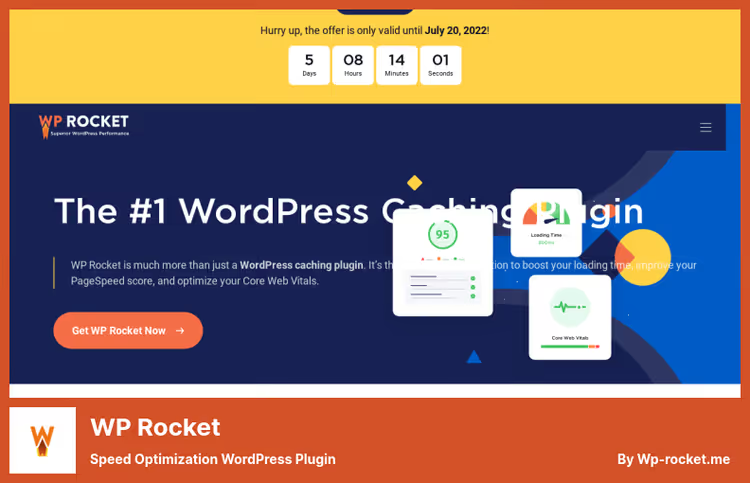
Premium all-in-one from the WP Media group with a rating of 4.9 on Trustpilot. The 2026 version includes a built-in performance hub Rocket Insights, which tracks metrics of key pages, shows which WP Rocket features to enable, and allows re-testing directly from the admin panel.
WP Rocket differs from other plugins on the list with the philosophy "most best practices immediately after activation". Without configuring parameters, the plugin enables page caching, GZIP compression, mobile cache, cache preloading and CSS delivery optimization. Minification of CSS, JS and HTML is activated with a single checkbox.
The plugin can delay JavaScript execution (Delay JS), remove unused CSS (Remove Unused CSS) and host Google Analytics locally, which reduces the number of external HTTP requests. RocketCDN is available as a separate option for global content delivery. eCommerce and multilingual support are built in.
Key features:
- Page caching with preload and GZIP
- Minification and lazy loading of CSS, JS, HTML
- Remove Unused CSS and Delay JS to eliminate render-blocking resources
- Built-in Rocket Insights hub with metrics and recommendations
- Local hosting of Google Analytics and integration with CDN
- Compatibility with themes, plugins, hosting providers and eCommerce
- 14-day money-back guarantee with no questions asked
💵 Price: Single, €59/year (1 site), Plus, €119/year (3 sites), Multi, €299/year (50 sites), current WP Rocket pricing.
4. WP Super Minify
Minimalist free plugin from Dipak Gajjar, version 2.0.1 (May 2026). The completely rewritten codebase in version 2.0 made the plugin lighter and faster. The main trump card is zero-config: install, activate, and minification of HTML, CSS and JavaScript works immediately. No settings except for a single compression level slider.
WP Super Minify automatically updates compressed versions of files when the originals change, no need to manually clear the cache after editing style.css. Minifies both inline code in the page body and separate CSS/JS files. After activation, statistics appear in the page source code (Ctrl+U): percentage of saved size, bytes before and after compression.
The plugin uses the Minify PHP library (Steve Clay, Matthias Mullie) and is suitable for those who need "set it and forget it" minification without dozens of configuration screens. Limitations include no CDN, no lazy load, no custom exclusion rules.
Key features:
- Automatic minification of HTML, CSS, JavaScript (inline and files)
- Zero-config: works immediately after activation
- Auto-update of compressed files when originals change
- Compression statistics in the page source code
- Completely rewritten codebase (v2.0, 2025)
- Open source on GitHub
💵 Price: completely free.
🔗 WP Super Minify on WordPress.org
5. W3 Total Cache
Veteran among WordPress performance plugins from BoldGrid with more than a million active installations. Version 2.9.4, update May 2026. W3 Total Cache (W3TC) covers all conceivable types of caching: page, object, database, browser, fragment and REST API. Minification of CSS, JS and HTML is implemented as one of the layers of this stack.
The free Lite version already provides minification with manual or automatic file selection, integration with CDN (including partnership with Bunny CDN), Brotli/Gzip compression and conversion of images to WebP. The Pro version (BoldGrid pricing: $99/year for 1 site, $350/year for 5, $500/year for 10) adds Full Site Delivery via CDN (caching entire HTML pages at the network edge), Delay Scripts, Remove Unused CSS/JS and extended WebP conversion limits.
The plugin requires technical preparation: the number of options can overwhelm a beginner, and incorrect configuration can break the layout. For experienced users and developers, this is the most powerful tool on the list.
Key features:
- Full caching stack: page, database, object, browser, fragment, REST API
- Minification of CSS, JS, HTML with automatic and manual modes
- Support for Brotli, Gzip and any HTTP compression standards
- Full Site Delivery via CDN (Pro), partnership with Bunny CDN
- WebP conversion: 100/month free, Pro unlimited
- Delay Scripts, Remove Unused CSS/JS (Pro)
- Compatibility with any hosting (Apache, NGINX, Litespeed, Windows)
💵 Price: Lite free; Pro from $99/year (1 site), discounts on packages of 5 and 10 sites, BoldGrid pricing. 30-day money-back guarantee.
🔗 W3 Total Cache (Lite) on WordPress.org🔗 W3 Total Cache Pro on BoldGrid
Video: minifying CSS and JS in WordPress in 5 minutes
If you want to see the process hands-on rather than read, here is a short tutorial on setting up minification with a before and after demonstration in PageSpeed Insights.
⁉️🤔 Frequently asked questions
What is minification and why does a WordPress site need it?
Minification removes spaces, line breaks, comments and extra characters from code without changing functionality. For WordPress this is critical because each theme and plugin pulls its own CSS and JS files, on an average installation there are 20-40 of them. After minification the total volume of code is reduced by tens of percent, which directly speeds up loading and improves Core Web Vitals.
Will a free plugin handle it or do I need to buy WP Rocket?
For a typical blog or landing page the combination of Autoptimize + Fast Velocity Minify is more than enough. WP Rocket is justified when you earn from the site and configuration time converts to money: the plugin immediately enables most optimizations without digging into settings, plus it provides Rocket Insights for monitoring. W3 Total Cache Pro is needed for high-traffic sites where Full Site Delivery via CDN is critical.
Won't minification break the site layout?
It can, if the plugin aggressively combines scripts and the theme or another plugin relies on a certain loading order. Universal recipe: enable minification, open the site in incognito, go through key pages. If the layout breaks, add the problematic script to the plugin's exclusion list. All five solutions support exclusions.
Which plugin to choose for a WooCommerce store?
WP Rocket, the native eCommerce mode does not cache the cart, checkout and user account. W3 Total Cache also handles this through fragment caching for dynamic cart blocks. Free minification plugins (Autoptimize, Fast Velocity Minify, WP Super Minify) are compatible with WooCommerce, but do not manage caching, they need to be used in conjunction with a separate caching solution.
Are minification and caching the same thing?
No. Minification compresses code (removes unnecessary from files), caching saves ready pages or objects in RAM or on disk so as not to assemble them again with each request. In practice they work in tandem: minification makes files smaller, caching serves them faster. WP Rocket and W3 Total Cache do both; Autoptimize, Fast Velocity Minify and WP Super Minify focus on minification.
What to install: final verdict on minification
The scenario dictates the choice. Need set it and forget it minification without extra hassle, take WP Super Minify. Want a free all-in-one with fine-tuning of CSS/JS/fonts, your choice is Autoptimize. You are a developer and want to see every processed file in a log, install Fast Velocity Minify. Ready to pay for maximum speed without fussing with documentation, WP Rocket pays off through increased conversion on a fast site. And finally, you administer a network of a dozen sites with high load, W3 Total Cache Pro with Full Site Delivery via CDN is your tool.
Start with any free plugin and measure the speed. The numbers in PageSpeed Insights will tell you more than any review.

A professional team of writers and editors specializing in creating quality content.