














🥇 5 best import and export plugins for WordPress 2026 (free and Pro)
You've moved your site to a new hosting provider. The content came over, but the theme settings reset to default. Widgets got mixed up, custom fields stopped working, and WooCommerce products lost their variations along the way.
The built-in WordPress importer (Tools → Import) works well right up until you have a lot of data and it's no longer "just posts." A 50-megabyte CSV? It crashes. Users with hashed passwords? Not supported. Customizer settings? Doesn't even try.
Below are five plugins, each solving its own class of problems. From a universal importer that understands CSV, XML, and Google Sheets to a narrow tool that transfers only widgets and does it flawlessly.
We ran them on a test site with a couple thousand posts, a hundred products, and three custom post types. Here's what we learned.
💡 Quick overview:
- If you need to import content from CSV, XML, Excel, or Google Sheets into any WordPress fields, use WP All Import
- If your theme reset to default after migration and you need to restore customizer settings, use Customizer Export/Import
- If you're transferring widgets with preserved positions and no duplicates, use Widget Importer & Exporter
- If you're migrating hundreds of users with roles, passwords, and WooCommerce addresses, use Import and export users and customers
- If you're moving a WooCommerce store with products, categories, reviews, and images, use Product Import Export
Comparison table: five plugins side by side
Plugin | Task | Free version | Pro / premium |
|---|---|---|---|
WP All Import | Import CSV, XML, Excel, Google Sheets | Yes (Lite) | From $149 (lifetime) |
Customizer Export/Import | Export and import customizer settings | Yes (complete) | No |
Widget Importer & Exporter | Transfer widgets between sites | Yes (complete) | No |
Import and export users and customers | Import and export users | Yes (basic) | Add-ons from €25 |
Product Import Export for WooCommerce | Import and export WooCommerce products | Yes (Lite) | From $69 per year |
1. WP All Import: universal importer for CSV, XML, Excel, and Google Sheets
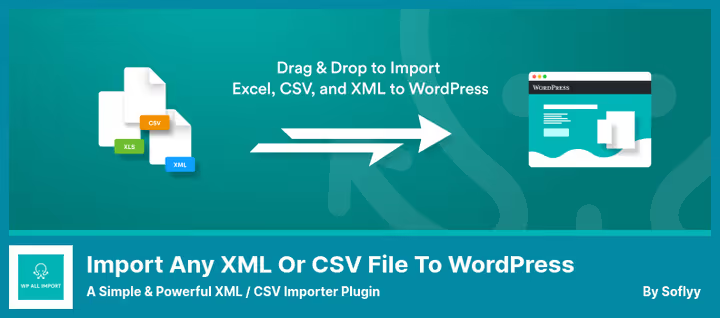
WP All Import by Soflyy is the most powerful universal importer in the WordPress ecosystem. It's not tied to a specific format: CSV, XML, Excel, and Google Sheets are all handled with equal confidence. Data gets distributed to any fields, from standard titles and content to custom fields from ACF, Meta Box, and JetEngine.
The main advantage over the built-in importer: you don't need to adjust your file to match a specific structure. The plugin analyzes columns and XML tags itself, and you drag them onto the necessary WordPress fields with your mouse. In practice, CSV from Excel, exports from Google Sheets, or XML from an old CMS import without manual cleanup.
Paired with WP All Export, it solves the migration task in both directions: export data, adjust it in a spreadsheet, and upload it back. Chunked processing of large files means your hosting memory limit won't become a bottleneck.
- ✅ Pros: drag-and-drop mapping without code; supports CSV, XML, Excel, and Google Sheets; chunking for large files; integration with ACF, WooCommerce, JetEngine; import images from URLs.
- ❌ Cons: importing to custom fields and uploading images to the media library requires Pro; unlimited lifetime access is gradually being replaced by an annual model.
- 💰 Price: Lite, free in the WordPress.org directory. Pro, from $149 (lifetime, while available).
- 🔗 Download: WP All Import on WordPress.org | WP All Import Pro
2. Customizer Export/Import: theme settings with one button
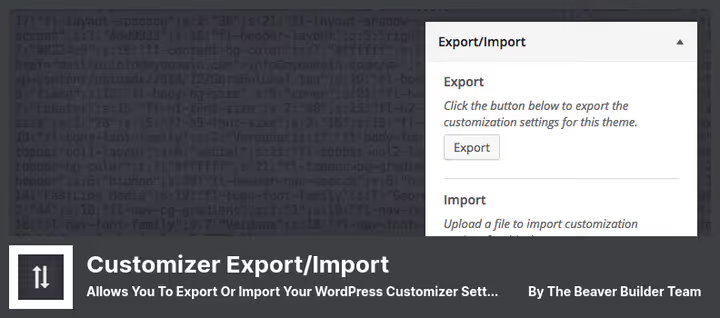
This plugin by the Beaver Builder team solves one narrow task and solves it flawlessly: transferring all customizer settings between sites. Open the customizer, click Export, get a file. On the new site, click Import, and the theme looks exactly like it did on the old one.
A limitation worth knowing upfront: settings import only into the same theme or a child theme. You can't transfer Astra configuration to GeneratePress, this is an architectural limitation of the WordPress customizer itself, not the plugin. But for the "staging site → production" scheme or "recovery after a crash," the tool is indispensable.
In practice, it saves hours that would otherwise be spent reconfiguring colors, fonts, logo, and layout. The cei_export_option_keys filter lets developers add arbitrary options to the export that aren't directly tied to the customizer.
- ✅ Pros: works directly from the customizer interface; exports theme mods and saved options; filter for developers; optional exclusion of images from import.
- ❌ Cons: only for active theme, not for previews; update pace has slowed (latest release, January 2026, version 0.9.8).
- 💰 Price: free, no premium versions.
- 🔗 Download: Customizer Export/Import on WordPress.org
3. Widget Importer & Exporter: widgets migrate without manual setup

A tool by Steven Gliebe, small, predictable, and still actively maintained. It exports active widgets from all areas to a JSON file with a .wie extension and imports on another site with preserved positions, titles, and content.
On import, the plugin doesn't just dump everything. If a widget area doesn't exist in the new theme, widgets go to Inactive. If the same widget is already in the same area, no duplicate is created. An unsupported widget type is skipped with an explanation. Results are displayed in a table: what was imported, what was skipped, and why.
Version 1.6.1 came out in May 2026, meaning years after release the plugin continues to be updated and fixed.
- ✅ Pros: extremely simple interface; smart import without duplicates;
wie_import_datafilter for developers; regular updates. - ❌ Cons: incomplete compatibility with Gutenberg block widgets (classic widgets work without problems).
- 💰 Price: free, no limitations.
- 🔗 Download: Widget Importer & Exporter on WordPress.org
4. Import and export users and customers: users in batches, with passwords and roles
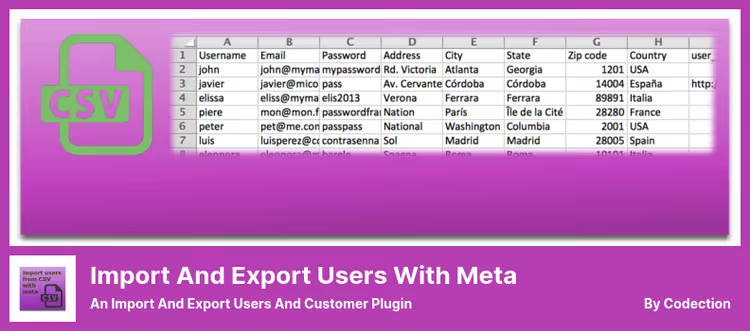
A plugin by Javier Carazo for the scenario "transfer hundreds of users with roles, passwords, WooCommerce addresses, and BuddyPress or ACF meta fields." A CSV with columns for name, email, password, and role, and the process starts.
The plugin detects encoding, delimiter, and line breaks automatically. Files saved from Excel or LibreOffice are picked up without errors. Users can be sent an email with login and password, and email templates are configurable and testable before starting the import.
A key capability that competitors lack: scheduled cron import from an external URL. The user database syncs with CRM or ERP without human intervention. For membership sites, this is a direct connection: paid for a subscription in an external system, got access to WordPress an hour later.
- ✅ Pros: scheduled cron import; transfer of hashed passwords without reset; integration with WooCommerce, BuddyPress, ACF, and PMPro; shortcode for frontend import.
- ❌ Cons: Excel (XLSX/XLS) and LibreOffice (ODS) formats only through the paid File Formats add-on; support through forums, not a ticket system.
- 💰 Price: basic version free. Add-ons (Excel/ODS, ACF, BuddyPress, WPML), from €25.
- 🔗 Download: Import and export users and customers on WordPress.org
5. Product Import Export for WooCommerce: store in one CSV
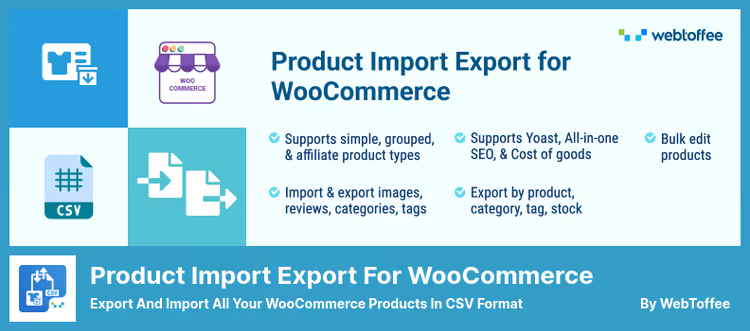
A plugin by WebToffee, designed specifically for WooCommerce. It exports simple, grouped, and external products to CSV and imports them back with preserved categories, tags, images (including gallery), and reviews with ratings.
In 2025-2026, WebToffee added ChatGPT API integration: during import, the plugin generates meaningful descriptions for products that lack them. The text considers product name and category, not just inserting a template placeholder. A second useful feature: saving frequently used import and export configurations as templates, set up once and reuse.
The Pro version adds support for variable products, XML and Excel formats, import by URL, automatic scheduled import, and image export as a separate ZIP archive.
- ✅ Pros: description generation via ChatGPT API; drag-and-drop export column setup; template saving; logging for debugging.
- ❌ Cons: variable products only in Pro; free version doesn't support XML and Excel for export.
- 💰 Price: Lite, free. Pro, from $69 per year.
- 🔗 Download: Product Import Export on WordPress.org | Pro version
Video: WordPress import and export in practice
A short but dense video from the official WordPress training channel. It shows how the built-in export, import, and content transfer tools work, and where they stumble and why specialized plugins are needed.
⁉️🤔 Frequently asked questions
Can you get by without plugins at all, using only the built-in WordPress importer?
The built-in importer (Tools → Import) handles posts, pages, and media files. But it doesn't transfer customizer settings, widget positions, users with meta fields, and WooCommerce products with variations. For a test blog with five pages, it's enough. For a store or multisite, no.
How is WP All Import better than the free WooCommerce importer?
WP All Import understands XML and Google Sheets, not just CSV. It breaks large files into chunks and doesn't run into hosting memory limits. It imports data to custom fields from ACF, Meta Box, JetEngine, and other plugins. The standard WooCommerce importer works exclusively with CSV and only with WooCommerce fields.
Can you transfer settings from one theme to another via Customizer Export/Import?
No, and this is a limitation of the customizer architecture, not the plugin. Settings are stored as theme mods, tied to a specific theme. When switching themes (for example, from Astra to GeneratePress), the keys don't match and import won't work. The plugin is designed to transfer settings of one theme between sites.
Does Widget Importer & Exporter work with block widgets?
There are no problems with classic widgets. With block widgets that appeared in WordPress 5.8, compatibility is incomplete: some blocks may import incorrectly. The developer is aware, but a fix hasn't been released yet. If the site actively uses blocks in the sidebar, check the result on a test copy.
Do I need Pro for Product Import Export to migrate a store from Shopify?
Yes. The free version only works with simple, grouped, and external products and only in CSV format. Shopify exports almost always contain variable products with attributes, which require Pro. Auto-mapping of Shopify → WooCommerce columns in Pro works more accurately.
What set of plugins should I assemble to transfer absolutely everything?
One plugin won't cover it. A working combination: WP All Import + WP All Export for content and meta fields, Import and export users and customers for users, Widget Importer & Exporter for widgets. If you have WooCommerce, add Product Import Export for products. Four tools, four CSVs, and the site is transferred without losses.
What to install in 2026: final breakdown
Five plugins cover five migration scenarios. There's no universal "silver bullet" here, and that's normal: each tool is designed for its own type of data.
If importing any content from any formats, use WP All Import. CSV, XML, Excel, Google Sheets get distributed to any WordPress fields without manual file cleanup.
If migrating a theme with settings, Customizer Export/Import. One button in the customizer, and colors, fonts, and logo on the new site are identical to the old one.
If transferring widgets, Widget Importer & Exporter. Small, free, and still updated in 2026.
If bulk import of users with roles and passwords, Import and export users and customers. Especially strong for membership sites thanks to cron synchronization.
If WooCommerce store, Product Import Export for WooCommerce. ChatGPT description generation and import templates save hours of routine work.
Start with free versions: each of the five plugins has a working free tier, and for most typical migrations it's sufficient. And when you outgrow Lite, Pro functionality can be purchased selectively for a specific task.

A professional team of writers and editors specializing in creating quality content.