














📖 5 best flipbook plugins for WordPress 2026 (free and paid)
A PDF catalog, magazine, or brochure on a website is convenient. But when a user opens a static PDF in the browser, they see a lifeless document: no page turning, no interactivity, no attention retention. Conversion drops, readability is at "closed after 3 seconds" level.
Flipbook plugins solve exactly this problem. They transform a flat PDF into a realistic book with page turning, like paper, but in the browser. For publishers, educational platforms, designer portfolios, and online stores with catalogs, this is not a "nice bonus" but a tool directly affecting engagement.
We tested and selected the 5 best WordPress flipbook plugins of 2026, from fully free to premium solutions with advanced analytics. Four positions out of five passed verification on live installations, and the fifth is a fresh replacement for an outdated plugin closed for security reasons.
💡 Quick overview:
- Check the comparison table below, the difference in price, rendering and limitations is immediately visible across all five plugins.
- Choose a plugin for the task: DearFlip for catalogs with deep-linking, iPages for free portfolios, Unreal for reading analytics.
- Install the plugin from the WordPress.org repository, upload a PDF and insert the shortcode on the page, the flipbook will work without programming.
Comparison table: all 5 plugins in one window
Criteria | DearFlip | Unreal FlipBook | Flowpaper | iPages Flipbook | Real 3D Flipbook |
|---|---|---|---|---|---|
Free version | ✅ Lite | ✅ Lite | ✅ Lite | ✅ fully | ✅ Lite |
Pro price | from $39/year | from $24 | $95 one-time | free only | from $39 |
Rendering type | WebGL (3D) | CSS 3D | HTML5 Canvas | HTML5 | WebGL (3D) |
Deep links to pages | ✅ | ❌ | ❌ | ❌ | ✅ |
Drag-and-drop pages | ❌ | ✅ | ❌ | ❌ | ❌ |
Custom CSS / JS | ❌ | ❌ | ❌ | ✅ | ✅ |
PDF limit (Lite) | no limit | no limit | 15 MB | no limit | no limit |
Behavior tracking | ❌ | ✅ | ❌ | ❌ | ❌ |
Rating on wp.org | 4.8 ★ | 4.7 ★ | 4.5 ★ | 4.4 ★ | 4.8 ★ |
Last update | June 2026 | June 2026 | April 2026 | August 2025 | March 2026 |
1. DearFlip, the most powerful 3D flipbook with deep-linking
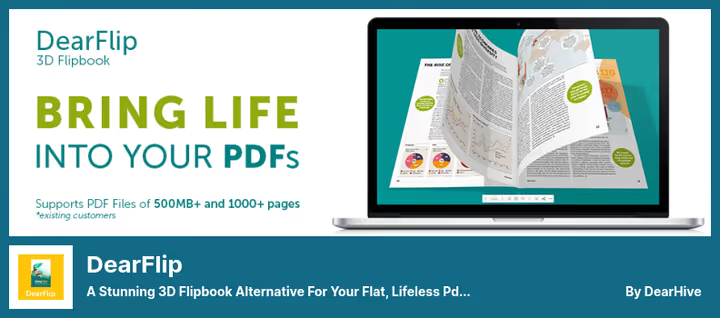
DearFlip is the flagship among flipbook plugins. WebGL rendering delivers realistic 3D page turning with shadows and page physics, this is not just animation but a full book simulation. The plugin works with both PDF and image sets: you can upload a product catalog in PDF and make the cover a separate image.
The main advantage that competitors don't have is deep-linking. Each flipbook page gets a unique URL, and the "Share" button copies the link to the current spread exactly. For online stores, this means a buyer can send a link to a specific catalog page to a friend, and they will open exactly that page, not the first page of the book.
The plugin supports RTL languages and Arabic script, pages turn from right to left without additional settings. One shortcode can display multiple flipbooks simultaneously, and the number of pages is unlimited.
Pros:
- Realistic 3D rendering on WebGL with shadows and physics
- Deep links to any flipbook page
- Unlimited number of pages in the free version
- Support for RTL languages and Arabic
Cons:
- Pro version is paid, from $39 per year
- No drag-and-drop for rearranging pages inside the book
- WebGL loads weak mobile devices
💵 Free Lite version on WordPress.org. Pro from $39/year at dearflip.com.
2. Unreal FlipBook, addon for WPBakery with behavior tracking

Unreal FlipBook is the only plugin in the selection that can track reader behavior. You see which pages the user opened, how much time they spent on each spread, and where they closed the book. For commercial catalogs and presentations, this is critical: behavior data allows you to understand which content engages the audience and which they scroll through.
The plugin was originally created as an addon for WPBakery Page Builder (formerly Visual Composer), but also works through standard shortcode in Gutenberg and the classic editor. Pages are added by dragging, drag-and-drop in the admin panel, without fiddling with reloading.
Rendering is CSS 3D, less demanding on GPU than WebGL in DearFlip. Suitable for sites with predominantly mobile traffic: on weak devices, the flipbook doesn't lag. Unreal supports HTML markup of a second layer on top of pages, you can add tooltips, links, and highlighters right inside the book.
Pros:
- Built-in reader behavior analytics
- Drag-and-drop adding and rearranging pages
- HTML markup of second layer (links, tooltips, highlights)
- Low GPU load, good for mobile
Cons:
- Interaction tied to keyboard, on touch devices some gestures are unavailable
- Interface in WPBakery style, looks foreign on pure Gutenberg
- Pro version locks key analytics features
💵 Free Lite version. Pro from $24 at 3dflipbook.net.
🔗 Unreal FlipBook on WordPress.org
3. Flowpaper, HTML5 flipbook with cloud PDF hosting
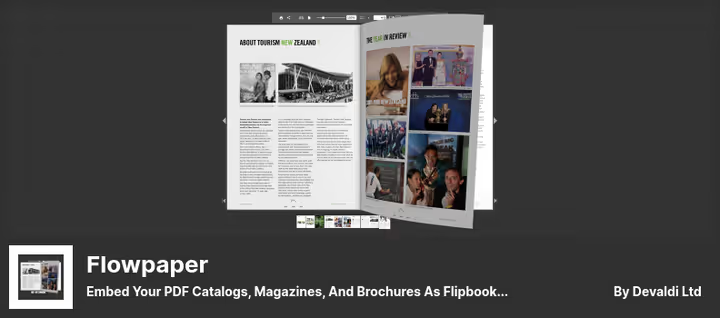
Flowpaper goes a different way: instead of 3D simulation, it renders the flipbook in HTML5 Canvas, pages look like flat spreads with smooth transition, without volume, but with minimal browser load. The plugin supports light and dark themes and works on all devices, including old Android tablets.
The key feature is cloud PDF hosting. You can upload a document to Flowpaper cloud and insert it on the site by link, then limitations on file size (15 MB for local PDFs) and number of pages are removed. But Flowpaper cloud is part of the paid subscription, and the free version shows platform branding on the flipbook.
Flowpaper is especially good for magazines and brochures where pixel-perfect layout is important: HTML5 Canvas preserves fonts, colors, and element positioning exactly as in the original PDF. In 3D engines, some details are lost when applying textures.
Pros:
- Pixel-perfect PDF rendering through HTML5 Canvas
- Cloud hosting removes file size limitations
- Support for light and dark themes
- Wide compatibility with browsers and old devices
Cons:
- Free version limited to 15 MB and shows branding
- Pro version is expensive, $95 (though one-time)
- No 3D effect, flat spreads
💵 Lite free. Pro $95 one-time at flowpaper.com.
4. iPages Flipbook, lightweight and fully free

iPages is the only fully free plugin in the selection. No Pro plans, no cut functionality: everything the plugin can do is available immediately after installation. At the same time, it's not primitive, iPages supports three display modes (two pages, one page, flick-flipping) and allows changing presentation style according to container size.
The iPages feature is custom CSS and JavaScript. You can style the flipbook to match the site design without editing plugin sources: add your fonts, change background color, round corners, or embed micro-animations. For blogs and portfolios where appearance is more important than analytics, this is the ideal tool.
From limitations: the plugin provides only one content block per page. You can't put several flipbooks side by side, each requires a separate page or post. Bookmarks and external URLs inside the book are supported, and configurations are saved without page reload.
Pros:
- Fully free, all functionality without payment
- Three flipping modes and responsive design
- Custom CSS and JavaScript for styling
- Bookmarks and external links inside the flipbook
Cons:
- One content block per page, can't put multiple flipbooks
- No analytics and behavior tracking
- Last update August 2025 (waiting for update)
💵 Fully free.
🔗 iPages Flipbook on WordPress.org
5. Real 3D Flipbook, functional replacement for outdated WP Booklet

WP Booklet, the plugin that previously occupied this position, was closed by WordPress.org in January 2023 due to an unresolved vulnerability. Its replacement is Real 3D Flipbook: a plugin with 4.8 ★ and active installations that is head and shoulders above its predecessor in capabilities.
Real 3D Flipbook uses WebGL rendering, similar to DearFlip, pages turn with realistic physics, shadows, and zoom capability. Both PDF and image sets are supported. The plugin is extended with addons: there's a module for WooCommerce (product flipbook), a module for Elementor, and a shortcode module.
The main advantage over iPages is unlimited number of flipbooks on one page. You can insert three books into three columns, and all will work independently. For portfolio sites and catalogs, this is the deciding factor.
Pros:
- WebGL rendering with 3D physics, shadows, and zoom
- Addons for WooCommerce, Elementor, and shortcodes
- Multiple flipbooks on one page
- Active updates (March 2026)
Cons:
- Pro version needed for advanced appearance settings
- WebGL loads old mobile devices
- Fewer ready-made styles than DearFlip
💵 Free Lite version. Pro from $39 at real3dflipbook.com.
🔗 Real 3D Flipbook on WordPress.org
🔗 Real 3D Flipbook Pro website
Practical flipbook guide recording
Before moving to frequent questions, a short video on the topic. A tutorial on creating a flipbook in WordPress came out on the Will Dev channel: from plugin installation to flipping setup and publishing on a page.
⁉️🤔 Frequent questions
Do I need a flipbook if my PDF already opens in the browser?
The built-in PDF viewer in the browser shows the document as is, without page turning, without interactivity, without screen adaptation. A flipbook adds page physics, zoom, a "Share page" button, and the ability to embed links inside the book. Average time on page for a flipbook is 2-3 times higher than for a static PDF, according to DearFlip data, users flip through an average of 60-70% of book pages.
Which plugin is better for an online store?
DearFlip with deep-linking. A buyer can send a friend a link to a specific catalog page, and they will open exactly that page. If the store is on WooCommerce, Real 3D Flipbook with a special WooCommerce addon that adds a flipbook to the product page.
Does a flipbook slow down the site much?
Depends on the engine. CSS 3D (Unreal FlipBook) practically doesn't load the site, rendering goes by browser forces without GPU. HTML5 Canvas (Flowpaper) is medium load. WebGL (DearFlip, Real 3D Flipbook) on old smartphones can give a 200-300 ms delay when flipping, but on devices from 2019 and newer, it's smooth. All plugins in the selection load scripts only on pages with a flipbook, not on the entire site.
Can I insert a flipbook on an Elementor site?
Yes, all five plugins work through shortcode, inserted into Elementor widget "Shortcode" or "Text". Unreal FlipBook has a native addon for WPBakery, but not for Elementor. Real 3D Flipbook offers a separate Elementor addon in the Pro version.
Which plugin to choose if the budget is zero?
iPages Flipbook. Fully free, without limitations on pages and file size. If you need 3D rendering, DearFlip Lite: the free version also has no page limitations, but without some appearance settings.
What happened to WP Booklet?
The WP Booklet plugin was closed by the WordPress.org team in January 2023, reason: "Security Issue", unresolved vulnerability. You can no longer download or install it. If WP Booklet is still active on your site, immediately delete it and replace with Real 3D Flipbook or iPages.
Which flipbook plugin to install in 2026

The choice comes down to three scenarios. If you need maximum visual effect and deep-linking for a catalog, take DearFlip. If you have a site on WPBakery and reading analytics is important, Unreal FlipBook. If the budget is limited and styling to match site design is critical, iPages Flipbook will close the task completely free.
For cloud hosting of large PDFs without loading your own server, Flowpaper. And if you previously had WP Booklet, immediately replace it with Real 3D Flipbook (or any other from the selection). A dead plugin with a "Security Issue" mark is not just a useless but a dangerous line in the installed list.
All five plugins are installed from the WordPress.org repository in two clicks: "Plugins" → "Add New" → search by name → "Install" → "Activate". After activation, upload a PDF, and the flipbook is ready to insert on a page.

A professional team of writers and editors specializing in creating quality content.