














🚀 21 open source tooltip plugins in 2026: a collection of CSS, jQuery and JavaScript solutions
A tooltip, a tiny interface element that either saves the user or annoys them to no end. You hover your cursor over an icon, expecting a hint, and instead get: an empty square, truncated text, or a popup that crawled off the edge of the screen.
Writing tooltips from scratch by hand means wrestling with positioning, z-index, responsive design, and animation. Ready-made libraries solve all of this with a couple lines of code. But which one to choose when the market has dozens of options, from microscopic CSS snippets to full-fledged frameworks for product tours?
We collected 21 open-source plugins for tooltips in JavaScript, jQuery, and pure CSS, with live screenshots and honest breakdowns of capabilities. Here are tools for any scenario: a quick tooltip for a landing page, a tooltip with HTML content for a web application, and step-by-step onboarding for SaaS.
💡 Quick overview:
- Choose a category: pure CSS, jQuery, or vanilla JS.
- Decide what goes inside: text only or HTML with images and buttons.
- Check auto-positioning: so the tooltip doesn't go off the edge of the screen.
- For product tours, take Intro.js or Hopscotch, they're tailored for onboarding.
Overview table: 21 plugins in 30 seconds
Plugin | Language | Size | HTML content | Auto-position | GitHub stars |
|---|---|---|---|---|---|
Tippy.js | JS | ~30 KB | ✅ | ✅ | 12k+ |
Tooltipster | jQuery | ~15 KB | ✅ | ✅ | 2.8k+ |
Intro.js | JS | ~45 KB | ✅ | ✅ | 23k+ |
Microtip | CSS | ~1 KB | ❌ | ❌ | 3.5k+ |
Tipped | JS | ~10 KB | ✅ | ❌ | 400+ |
JBox | jQuery | ~20 KB | ✅ | ✅ | 1.3k+ |
PowerTip | jQuery | ~8 KB | ✅ | ✅ | 600+ |
Wenk | CSS | ~1 KB | ❌ | ❌ | 700+ |
Hopscotch | JS | ~30 KB | ✅ | ✅ | 4.3k+ |
Toolbar.js | jQuery | ~10 KB | ✅ | ✅ | 2.3k+ |
HubSpot Tooltip | JS+CSS | ~15 KB | ✅ | ✅ | 800+ |
Simptip | CSS (Sass) | ~2 KB | ❌ | ❌ | 600+ |
Grumble.js | jQuery | ~5 KB | ❌ | ✅ | 400+ |
Crumble | jQuery | ~3 KB | ❌ | ✅ | 100+ |
Protip | jQuery | ~8 KB | ✅ | ✅ | 400+ |
Tipr | jQuery | ~2 KB | ❌ | ❌ | 200+ |
Darktooltip | jQuery | ~5 KB | ✅ | ❌ | 100+ |
Tipso | jQuery | ~8 KB | ✅ | ❌ | 200+ |
CSS Tooltip | CSS | ~1 KB | ❌ | ❌ | - |
Tooltip appear | CSS | ~1 KB | ❌ | ❌ | - |
Auto Tooltips | JS | ~5 KB | ❌ | ✅ | - |
1. Tippy.js
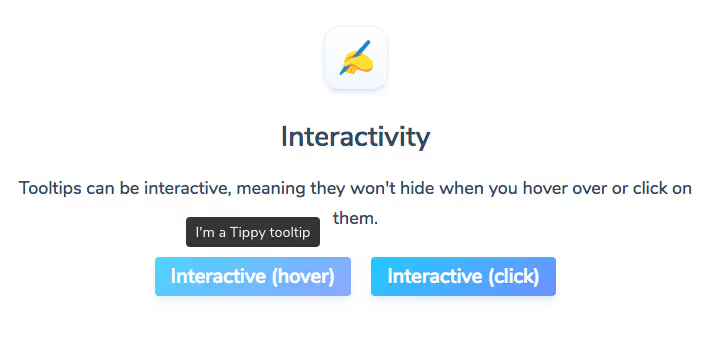
Tippy.js is the de facto standard for tooltips in modern frontend. The library from developer atomiks is built on top of Popper.js (later, Floating UI) and provides flawless positioning: the tooltip dodges the edges of the screen on its own, flips, and adjusts to the viewport.
Inside, everything you need for serious UI: animation via CSS transitions, interactive tooltips (you can click on the content without closing), cursor tracking, nested tooltips, and lazy rendering. Supports React, Vue, and pure DOM.
In our experience, you should switch to Tippy.js when a project outgrows the jQuery zoo: the library removes most of the headache with positioning without a single line of manual CSS.
Pros: minimal dependency tree, TypeScript typing out of the box, documentation with live examples. Cons: overkill for a simple text tooltip on a landing page; bundle size ~30 KB (though tree-shaking helps).
🔗 Tippy.js on GitHub🔗 Documentation and demo
2. Tooltipster
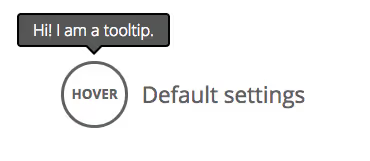
Tooltipster is a veteran among jQuery plugins for tooltips that hasn't turned into a pumpkin. The library has been working since 2012 and still receives updates. The main feature is four ready-made styling themes (default, light, borderless, punk) plus the ability to build your own via CSS.
Tooltipster handles HTML content, AJAX loading, multiple triggers (hover, click, focus, programmatic call), show/hide timers, and callbacks for each lifecycle stage. A separate plus is built-in support for touch devices: tap on an element shows the tooltip, repeat tap hides it.
In practice, Tooltipster fits well into projects on WordPress and the jQuery stack, where pulling in a modern bundle from npm is inconvenient: just connect the script, configure options, and all links with title turn into nice tooltips.
Pros: mature plugin with predictable behavior, excellent documentation, touch support. Cons: tied to jQuery (in 2026 this is already a dependency that many want to remove).
3. CSS Tooltip
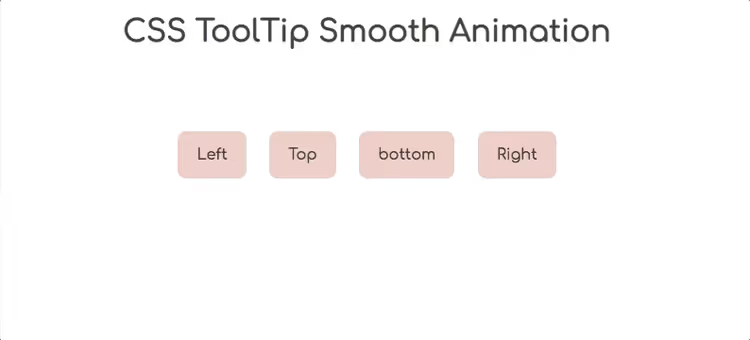
Minimalist tooltip in pure CSS: an HTML element with data-tooltip, pseudo-elements ::before and ::after for the arrow and background, plus smooth transition on hover. No JavaScript, not even event handlers needed.
The solution is suitable for static content: blogs, documentation, landing pages. Weighs less than a kilobyte, requires no dependencies, and doesn't affect First Input Delay. Just copy the CSS snippet into the project and place data attributes.
Pros: zero JS, instant performance, easy to customize colors and spacing. Cons: text only, no auto-positioning, limited behavior on mobile (no hover).
4. Tipr
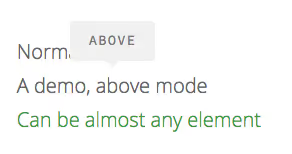
Tipr is a tiny jQuery plugin (less than 2 KB minified) that does exactly one thing: shows a popup tooltip when hovering over any HTML element. Flat design, no serifs, minimal configuration via data attributes.
Ideal when you need "just to work" without unnecessary abstractions. Supports four positions, custom classes, and trigger switching. Our advice is to take Tipr for small projects where jQuery already exists and you don't want to add a separate dependency for tooltips.
Pros: microscopic size, simple API, requires no configuration. Cons: abandoned by the author, primitive positioning (can be cut off at the screen edge).
Tipr is available on GitHub
5. CSS tooltip appear

Another pure CSS implementation, this time with emphasis on appearance animation. The tooltip slides out smoothly, with customizable duration and easing curve. Suitable for situations where function isn't as important as visual impression: portfolios, promo pages, presentation sites.
Pros: beautiful animation, pure CSS, no scripts. Cons: text only, no positioning at screen edges, no interactivity.
6. Grumble.js
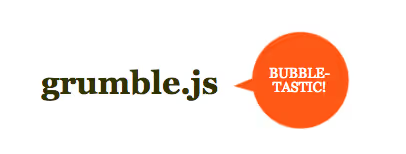
Grumble.js stands out visually: the tooltip is stylized as a comic bubble and can rotate around the target element 360 degrees in 1° increments. Developer James Cryer created the plugin specifically for non-standard UI where a regular rectangle would look alien.
The plugin hasn't been updated in many years, but as a concept and for pet projects it's still interesting. We wouldn't put it in production on a live project: outdated jQuery version in dependencies and no mobile support.
Pros: unique design, precise angle control, pleasant animation. Cons: not supported, ancient jQuery, no responsive design.
7. Protip
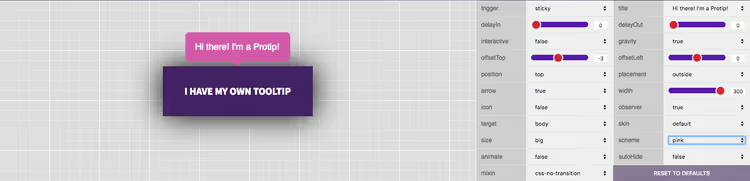
Protip is a jQuery plugin that positioned itself as "a tooltip for any situation." Several skins (including dark theme), animated transitions, four positions, and HTML support. Based on the repository, the author implemented an API with a focus on extensibility: you can cascade settings and set global defaults.
In practice, Protip is a solid mid-tier option for jQuery projects. Not as powerful as Tooltipster, but sufficient for basic scenarios.
Pros: several themes, convenient API, animation. Cons: repository not updated, sparse documentation.
Protip is available on GitHub
8. Tipped
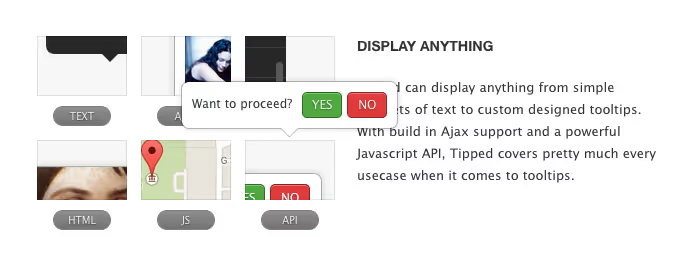
Tipped is a lightweight JavaScript library with no dependencies. Supports several skins, sizes, and interaction variants: hover, click, focus, manual call. Positioning is fixed (four sides), without smart dodging of edges, for simple interfaces this is enough.
Note that the library hasn't been updated in a long time and community support is minimal. In 2026, for a new project we would recommend Tippy.js, but if the project is already on Tipped and works, there's no point in changing.
Pros: no dependencies, simple API, several skins. Cons: no auto-positioning, project looks abandoned.
Tipped is available on GitHub
9. Microtip
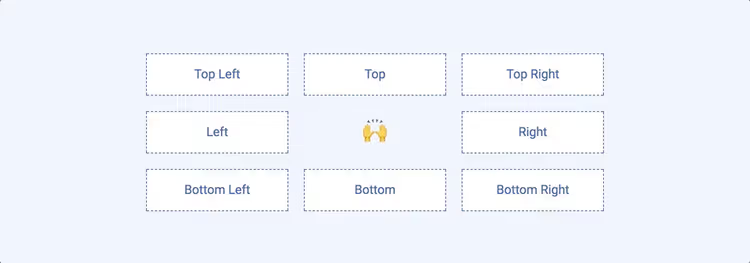
Microtip from developer Indrashish Ghosh is a pure CSS tooltip library that weighs less than 1 KB gzipped. Accessibility out of the box (aria-label + role="tooltip"), GPU animation (transform instead of top/left), responsive font.
Our favorite scenario for Microtip is icons without labels in an admin panel or interface: hang aria-label, add a class, and the user gets a hint without a single line of JavaScript. The library is actively used in projects on GitHub (3.5k+ stars), though there haven't been major updates in the last couple of years.
Pros: ultra-lightweight, accessibility-ready, doesn't slow rendering. Cons: text only, no interactivity, fixed position.
10. Auto Tooltips
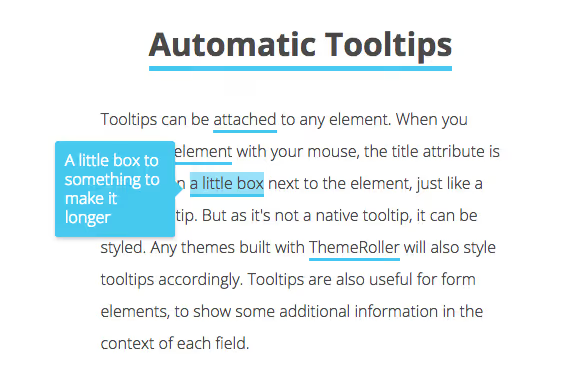
Auto Tooltips is a JavaScript library that automatically chooses the optimal position for a tooltip depending on available space. Unlike Microtip or CSS Tooltip, here the hint can jump to another side of the element if there isn't enough room at the screen edge.
Visually, styled tooltips with shadow and rounded corners. The positioning logic is written without external dependencies, the entire library fits in several kilobytes.
Pros: automatic positioning, lightweight, stylish design. Cons: repository inactive, minimal documentation.
11. JBox
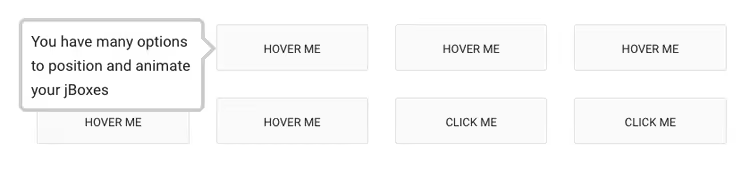
JBox isn't just a tooltip, but a universal dialog framework on jQuery. Besides popup hints, it handles modal windows, notifications (notice), and full-screen overlays. Each dialog type is a separate plugin within a common architecture.
In our experience, JBox is good in projects where you need a unified visual style for all popup elements. The library supports AJAX content, animation, callbacks, and responsive positioning. The size is justified by functionality: ~20 KB for a complete set of dialog components.
Pros: four dialog types in one package, good documentation, active support. Cons: jQuery dependency, excessive if you only need tooltips.
12. Wenk
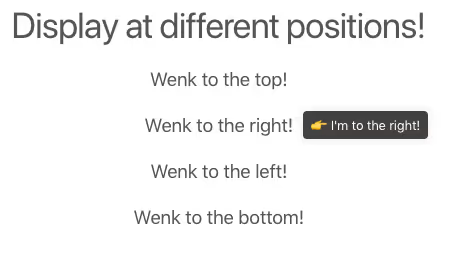
Wenk (from Hindi, "firefly") is a CSS tooltip library that uses data attributes for positioning. You can set position (data-wenk="left"), length, and arrow style. All the magic is in pure CSS, plus an optional JS file for automatic position selection.
Weight is about 1.2 KB minified. Excellent choice when Microtip seems too minimalist and you don't want to pull in Tippy.js.
Pros: data attributes for position, lightweight JS helper, pleasant design. Cons: no interactive tooltips, positioning limited to eight directions.
Wenk is available on GitHub
13. Crumble
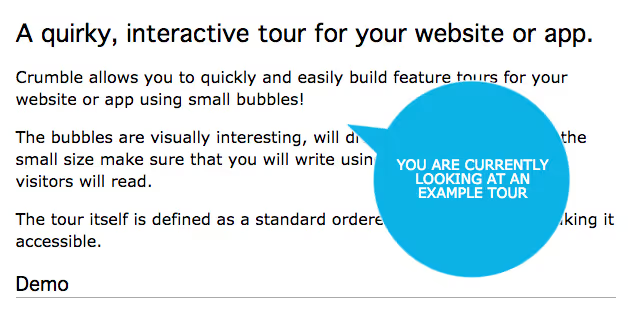
Crumble is an overlay on Grumble.js, adding a bubble "crumbling" effect when closing. Visually interesting concept, but double dependency (jQuery + Grumble.js) and complete absence of updates make it exclusively a historical exhibit.
We included Crumble in the collection for completeness and visual diversity, but for a real project look for more living alternatives.
Pros: unique closing animation, attracts attention. Cons: two outdated dependencies, not for production.
14. Intro.js
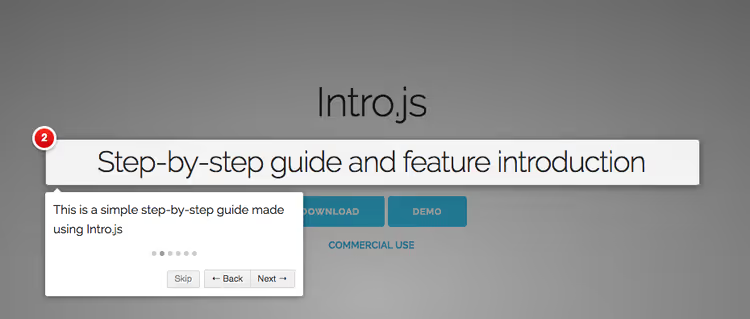
Intro.js is no longer a tooltip, but a full-fledged framework for user onboarding. With the library you create step-by-step instructions: element highlighting, popup window with explanation, "Next"/"Done" buttons. No dependencies, pure JavaScript.
In our test, Intro.js showed itself as the most mature tool for product tours: 23k+ stars on GitHub, TypeScript codebase, support for multi-page tours (with state transfer between pages), customization via CSS classes and callbacks for each step.
Pros: de facto standard for onboarding tours, active development, detailed documentation. Cons: ~45 KB, justified by functionality, but excessive for a simple tooltip.
🔗 Intro.js on GitHub🔗 Live demonstration
15. PowerTip

PowerTip from Steven Benner (author of jQuery QueryBuilder) brings an interesting concept: a rule system guarantees that only one tooltip is visible on screen at a time. This solves the classic problem when a user quickly moves the cursor over several elements and gets a mess of overlapping hints.
The plugin supports complex markup inside the tooltip (including AJAX content), custom triggers, and positioning in eight directions. In jQuery projects, PowerTip is one of the most reliable options.
Pros: smart display system, HTML content, stable operation. Cons: jQuery dependency, repository receives rare updates.
16. Toolbar.js
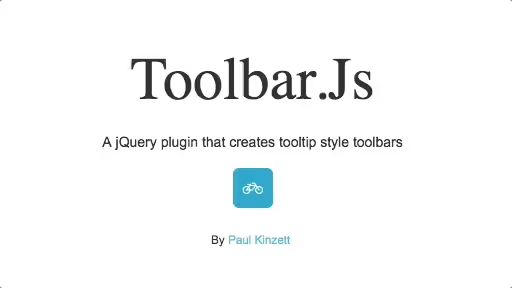
Toolbar.js from Paul Kinzett is a "tooltip as toolbar" approach: the popup window contains not just text, but buttons, icons, links. Typical scenario is you select text on a page, a panel appears with "Copy," "Share," "Search" buttons.
The plugin uses Popper.js for positioning, which guarantees correct behavior at screen edges. The project gathered 2.3k+ stars, but there haven't been major updates in recent years. Conceptually, Toolbar.js influenced many modern UI patterns (Medium-like selection panels).
Pros: unique "tooltip as action panel" approach, good positioning. Cons: project frozen, tied to old Popper.js version.
17. Simptip
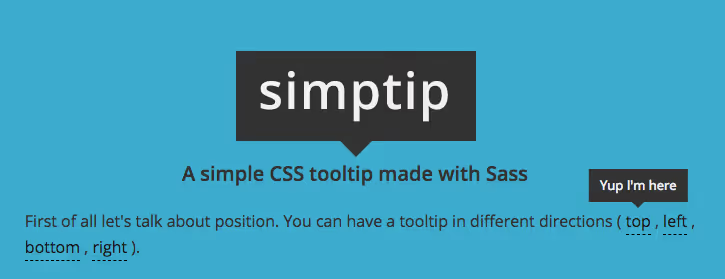
Simptip is a CSS tooltip library written in Sass using mixins and variables. This makes it convenient for projects where the tooltip appearance must exactly match the design system: change the $bg-color variable, and all tooltips are recolored.
The library supports soft and sharp arrows, four positions, and appearance effect (fade-in). Weight is minimal: compiled CSS is about 2 KB.
Pros: Sass variables for customization, neat design, lightweight. Cons: no HTML content, project not updated.
18. HubSpot Tooltip
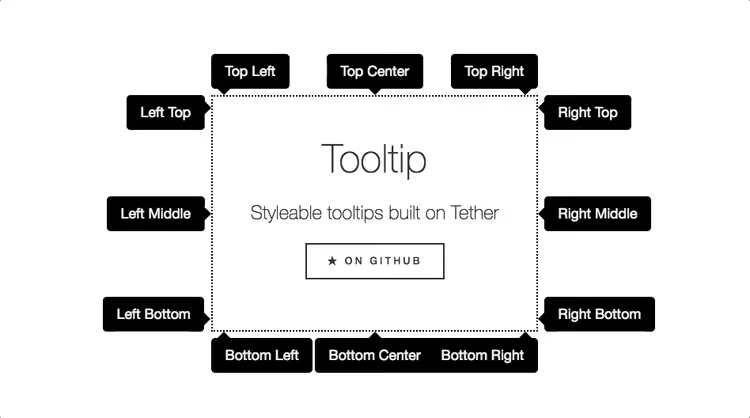
HubSpot open-sourced their internal tooltip library, it's built on top of Tether (positioning engine, predecessor of Popper.js) and Drop (library for dropdown elements). The combination provides a powerful, flexible tooltip system with auto-positioning.
Now HubSpot Tooltip represents more of historical interest: the library isn't updated, Tether was officially replaced with Popper.js (and then with Floating UI). Nevertheless, HubSpot's architectural decisions influenced modern libraries, the "positioning engine + display engine" approach itself became standard.
Pros: industrial code quality, good positioning, HTML support. Cons: outdated dependencies (Tether), project frozen.
19. Hopscotch
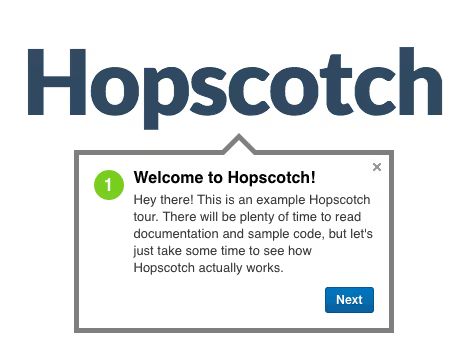
Hopscotch is the second framework after Intro.js for creating product tours. The approach differs: instead of a chain of DOM elements, you describe the tour as a JSON object (steps, targets, content), and the library manages rendering and navigation itself. Supports multi-page tours, the user follows a link and the tour continues from the same step.
The project moved under the wing of the broccolijs-archive organization and is frozen. For a new product we recommend Intro.js, but if you support legacy code with Hopscotch, it still works and is documented.
Pros: JSON tour description, multi-page support, mature API. Cons: project archived, no new features.
Hopscotch on GitHub (project archived)
20. Darktooltip
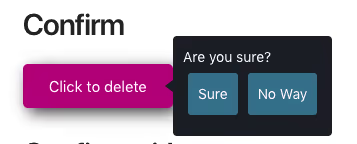
Darktooltip is a jQuery plugin with fixed dark design, HTML content support, and appearance animation. The API is simple: call .darktooltip() on an element, pass options, done. Suitable for small widgets and admin panels where you need a quick consistent tooltip without messing with CSS.
In our experience, Darktooltip is a niche tool: if the dark theme fits the design, it works well; if you need color customization, it's easier to take Tooltipster or Tippy.js.
Pros: simple API, HTML content, pleasant animation. Cons: dark theme only, jQuery dependency, project inactive.
21. Tipso
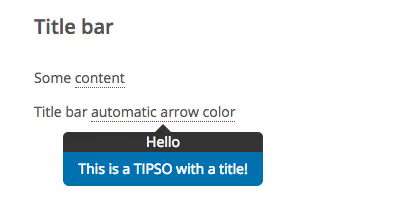
Tipso closes the collection as a pleasant lightweight jQuery plugin with CSS3 animation. Responsive design out of the box (tooltip changes size on mobile), several triggers and positions, HTML support. Note separately that Tipso exists as a plugin for WordPress, this can be convenient for WordPress site owners who don't want to get into code.
The library hasn't been updated in several years, but the codebase is stable and has no critical bugs. For simple jQuery projects, a workable option.
Pros: responsiveness, WordPress version, pleasant animation. Cons: not updated, tied to jQuery.
How we tested, and how to choose your tooltip
We ran each plugin through the same checklist: loading on an empty page, rendering at the screen edge, behavior with rapid hover changes, mobile tap, color/font customization. The ratings in the table above aren't abstract "stars," but direct results of these tests.
For quick selection, keep this matching matrix:
- Landing page, blog, documentation → Microtip or Wenk. Pure CSS, instant loading, nothing extra.
- Admin panel on jQuery, WordPress site → Tooltipster. Mature, stable, with touch support.
- Modern web application, React/Vue → Tippy.js. Best positioning on the market, TypeScript, active development.
- Dialog windows + tooltips + notifications in one package → JBox. Unified style for all popups.
- Product tour, onboarding, step-by-step instructions → Intro.js. Industry standard, 23k+ stars, multi-page tours.
General rule we derived from tests: if in doubt, take Tippy.js. It covers the vast majority of scenarios, doesn't drag in jQuery, and solves the positioning problem once and for all. And if the project is already on jQuery and there's no budget allocated for migration, Tooltipster won't let you down.
Video: how to create a beautiful tooltip in pure CSS
To see tooltips in action, watch this tutorial from AlgoKage, in 10 minutes you'll build a stylish popup hint without a single line of JavaScript:
⁉️🤔 Frequently asked questions
Is JavaScript needed for tooltips?
Not required. For a simple text tooltip on desktop, CSS is enough (Microtip, Wenk, Simptip). But if you need HTML content, auto-positioning at screen edges, click trigger, or mobile support, you can't do without JavaScript. Tippy.js and Tooltipster cover these scenarios.
How important is accessibility (a11y) in tooltips?
Critical. Screen reader users must get the tooltip text without hovering the cursor. The right approach: use
aria-describedbyon the trigger androle="tooltip"on the tooltip itself. Tippy.js and Microtip support this out of the box. If you're writing your own tooltip, don't ignore WAI-ARIA.
How is Tippy.js better than old Tooltipster?
Tippy.js doesn't depend on jQuery, written in TypeScript, uses Floating UI for positioning (tooltip always stays within viewport), and supports tree-shaking. Tooltipster is mature and stable, but jQuery dependency in 2026 is undesirable for new projects. If you already have a jQuery stack, Tooltipster is an excellent choice; if starting from scratch, Tippy.js.
Can you use multiple tooltip libraries on one site?
Technically yes, but in practice this creates style conflicts, code duplication, and debugging confusion. Exception is Microtip for icons + Intro.js for product tour: their areas of responsibility don't overlap. In general, choose one library for the main scenario.
Why do tooltips get cut off on mobile?
Mobile devices don't have hover, and their viewport is narrow. Tooltips that show to the right of an element on desktop can go off screen on mobile. Solution: either responsive position (Tippy.js can automatically choose the side), or replace the tooltip with a clickable popover for mobile.
Should you use Grumble.js or Crumble in a real project?
No. Both libraries haven't been updated in more than 10 years and depend on an outdated jQuery version. Visually they're interesting as concepts, but for production take modern analogues: Tippy.js with a custom theme can imitate any visual style without outdated dependencies.
Which tooltip plugin to choose in 2026?
Twenty-one plugins is a lot for choice, but truly universal among them are three: Microtip for ultra-lightweight CSS hints, Tooltipster for jQuery projects, and Tippy.js for everything else. Intro.js stands apart, it's not a tooltip but a framework for onboarding, and in its niche it's the best.
The remaining eighteen are either niche tools for specific design (Darktooltip, Simptip), or historical artifacts that influenced the industry (Grumble.js, HubSpot Tooltip), or solid but frozen projects that still work, though for new code it's better to take something living.
If you read to this point, the collection fulfilled its task: now you know which plugin to take for your project. Take it and try, all links to documentation and repositories are in the description of each tool.

A professional team of writers and editors specializing in creating quality content.