














📝 11 best plugins for multi-author WordPress blogs 2026
Ten authors on the blog, and nobody knows who edited what. Drafts hang for months, there's no one to send edits to, and half the contributors work without an account. Standard WordPress gives you one byline per post and zero coordination tools.
The right plugins remove this chaos: they distribute permissions, display co-authors under publications, add guests without registration and build an editorial pipeline. This collection includes 11 tools that work in practice: from minimalist Co-Authors Plus to the all-in-one PublishPress Authors. Prices verified for June 2026, installation counts current.
💡 Quick overview:
- Check the comparison table below: all 11 plugins in 30 seconds (prices, installs, solution type) and choose for your task
- Install the basic combo: a co-authors plugin (PublishPress Authors or Co-Authors Plus) plus a permissions management plugin (Capabilities or User Role Editor)
- Watch the video on setting up a multi-author site, then assemble the complete stack using the final matrix at the bottom
Comparison table: all plugins in 30 seconds
Plugin | Type | Free version | Pro price | Active installs |
|---|---|---|---|---|
PublishPress Authors | Co-authors + author boxes | ✅ | $49/year | 10,000+ |
Co-Authors Plus | Co-authors | ✅ | ❌ | 30,000+ |
Molongui Authorship | Author boxes | ✅ | $29/year | 8,000+ |
Simple Author Box | Author boxes | ✅ | from $39/year | 70,000+ |
PublishPress Capabilities | Roles and permissions | ✅ | $69/year | 100,000+ |
User Role Editor | Roles and permissions | ✅ | $29/year | 300,000+ |
Editorial Calendar | Editorial calendar | ✅ | ❌ | 9,000+ |
Pre-Publish Checklist | Pre-publication checklists | ✅ | ❌ | 3,000+ |
Author Avatars List | Author avatar list | ✅ | ❌ | 8,000+ |
User Notes | Private author notes | ✅ | ❌ | 2,000+ |
Better Notifications for WP | Email notifications for authors | ✅ | ❌ | 100,000+ |
1. PublishPress Authors
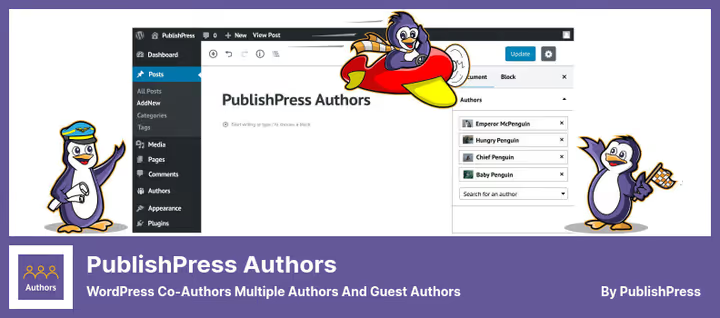
The main all-in-one tool for managing authors. Adds multiple co-authors to a post, guest authors without an account and custom author boxes with five layouts to choose from.
In practice it looks like this: an Authors panel appears in the right sidebar of the editor, you select participants from the site's user list and set their display order by dragging. The box with co-author information is displayed under the post, in a widget, via shortcode or Gutenberg block.
According to WordPress.org data, the plugin is actively maintained: version 4.15.0 was released on June 4, 2026. Regularly updated for new WordPress versions and PHP 8.
Pros:
- Unlimited co-authors per post
- Guest authors without creating a WordPress account
- Custom profile fields: links, email, WYSIWYG, social networks (Pro)
- Five author box layouts out of the box + builder in Pro
- Author categories ("Editors", "Photographers") and separate profile pages
Cons:
- Pro version needed for custom fields and advanced layouts
- When the plugin is deactivated, author boxes disappear, data is tied to the plugin
Price: Free version on WordPress.org. Pro from $49 for 1 site, $129 for 5 sites, $199 for unlimited (annual subscription, official PublishPress site).
🔗 PublishPress Authors on WordPress.org
2. Co-Authors Plus
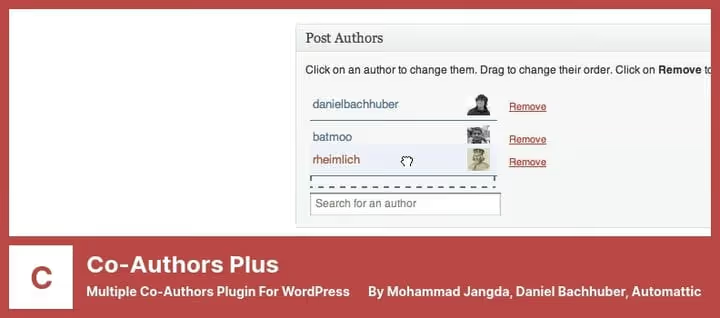
A plugin from the WordPress VIP team, used by TechCrunch and Time. Unlike PublishPress Authors with its visual boxes, Co-Authors Plus solves exactly one task: it adds multiple bylines to a post, page or custom post type. Minimalist, without extra settings.
Co-authors are visible in the RSS feed, on the author archive page and in search results. Guest authors can be added without creating a WordPress account, they're mapped to an existing user. The order of co-authors is changed by drag and drop.
According to wordpress.org statistics the plugin was updated June 26, 2026 (version 4.1.1). Used by major media and corporate blogs.
Pros:
- Developed and maintained by Automattic (WordPress VIP)
- Minimalist: doesn't bloat the admin with extra settings
- Guest authors without an account
- Template tags for displaying the list of co-authors anywhere in the theme
Cons:
- No ready-made author boxes, only template tags, theme edits needed
- No visual profile builder
- May conflict with plugins using custom taxonomies for authors
Price: Free.
🔗 Co-Authors Plus on WordPress.org
3. Molongui Authorship
A budget alternative with a good balance of price and functionality. The author box appears automatically under each post, and the appearance is configured without code: colors, sizes, avatar shape, shadows and effects.
The plugin can assign multiple authors to a post and add guest authors without registration. Nice SEO bonuses: Person schema markup, author meta tags and attributes for external links.
According to WordPress.org statistics the plugin was updated February 16, 2026, version 5.2.9. Compatible with PHP 8 and the latest WordPress versions.
Pros:
- Automatic author box with deep customization without CSS
- Schema markup for author snippets in search
- Search content by author name on the frontend
- RTL support, responsiveness, third-party plugin shortcodes inside the box
Cons:
- Pro needed for advanced layouts and additional social networks
- Fewer layouts out of the box than PublishPress Authors
Price: Free version on WordPress.org. Pro $29/year (official Molongui site).
🔗 Molongui Authorship on WordPress.org
4. Simple Author Box

A popular solution for those who need a visually customizable author box without extra complications. More than 70,000 active installations as of June 2026. A box with author information, social networks and recent posts appears automatically under the publication, configured via live preview.
The plugin works with a single author per post (no multiple co-authors), but allows flexible appearance changes: avatar shape, color schemes, element positioning, social media icons. Compatible with Gutenberg, AMP and multilingual plugins.
According to WordPress.org data the last update was May 21, 2026 (version 2.60). Actively maintained, compatible with PHP 8.2 and WordPress 6.5+.
Pros:
- Visual editor with live preview of changes
- Ready-made color schemes and avatar shapes (circle, square, rounded corners)
- Integration with 30+ social networks: Facebook, X (Twitter), LinkedIn, Instagram, YouTube
- Compatibility with AMP, WPML, Polylang and caching plugins
Cons:
- No support for multiple co-authors (only one author per post)
- Pro features (advanced layouts, custom fields) require a subscription
Price: Free version on WordPress.org. Pro from $39/year for 1 site (official wpauthorbox.com site).
🔗 Simple Author Box on WordPress.org
5. PublishPress Capabilities
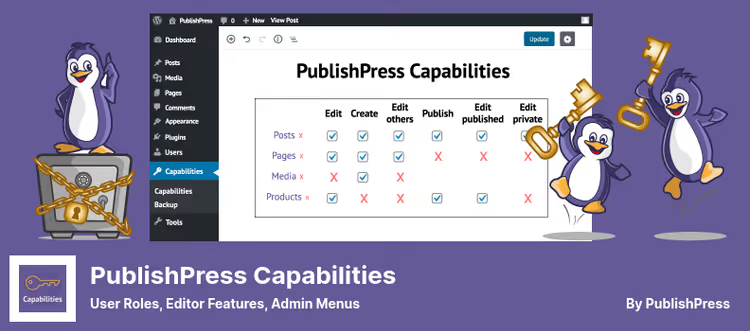
Without proper role distribution, a multi-author blog is an incident waiting to happen: an author accidentally deleted someone else's post, a contributor published a raw draft. PublishPress Capabilities (formerly Capability Manager Enhanced) closes this gap: it controls every permission on the site.
The plugin gives granular control over roles. You configure who sees specific admin menu items, who uploads files to the media library, who edits which post types and categories. A separate plus is WooCommerce support: permissions for products, orders and coupons.
According to WordPress.org data version 2.45.0 was released June 11, 2026. More than 100,000 active installations.
Pros:
- Full control of all WordPress permissions and roles, from admin to subscriber
- Creating and copying roles, transferring between sites
- Granular permissions for categories, post types and media library
- Backup of permissions before each change
- WooCommerce: control of products, orders and coupons
Cons:
- Pro version needed for custom statuses, multisite and WooCommerce permissions
- Requires care: you can accidentally block admin from some functions
Price: Free version on WordPress.org. Pro $69/year (official PublishPress site).
🔗 PublishPress Capabilities on WordPress.org
6. User Role Editor
If PublishPress Capabilities is an all-in-one tool, then User Role Editor is a sharp knife. 300,000+ active installations, minimalist interface: permission checkboxes next to each role, Update button, done.
The plugin allows hiding menu items, managing widgets and sidebars for each role, restricting access to admin sections and specific plugins. Via shortcodes you can hide content from certain roles on the frontend.
According to wordpress.org statistics updated May 21, 2026, version 4.65. Compatible with PHP 8 and multisite.
Pros:
- Simple interface: permission checkboxes, nothing extra
- Hiding menu items, widgets and sidebars by role
- Restricting access to plugins, sections and custom post types
- Shortcodes for hiding content on the frontend from selected roles
Cons:
- Pro version needed for frontend restrictions and multisite
- Fewer "smart" features than PublishPress Capabilities (no WooCommerce, no permission backups)
Price: Free version on WordPress.org. Pro $29/year (official role-editor.com site).
🔗 User Role Editor on WordPress.org
7. Editorial Calendar
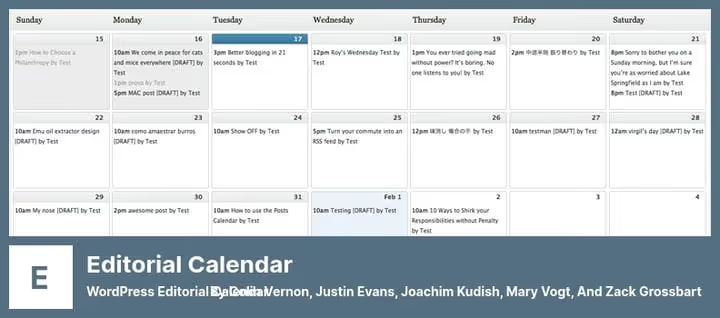
One of the oldest editorial calendars for WordPress. As of June 2026 still alive, version 3.9.4, updated May 26, 2026. Shows all scheduled and published posts in a calendar grid. Convenient when the blog has 5+ authors and you need to see the whole picture.
Works via drag and drop: dragged a draft from the sidebar to a date, scheduled it. Dragged it back, unpublished it. You can edit the title and content of a post directly from the calendar. Custom CSS for changing the colors and styles of posts in the grid.
Pros:
- Drag and drop scheduling: draft → calendar → date
- Sidebar with unpublished drafts
- Quick editing of title, content and time from the calendar
- Custom CSS for color-coding posts
- Free, no Pro restrictions
Cons:
- Only calendar, no Kanban board, no integration with external calendars
- Not suitable for complex editorial processes (multi-stage review)
Price: Free.
🔗 Editorial Calendar on WordPress.org
8. Pre-Publish Checklist
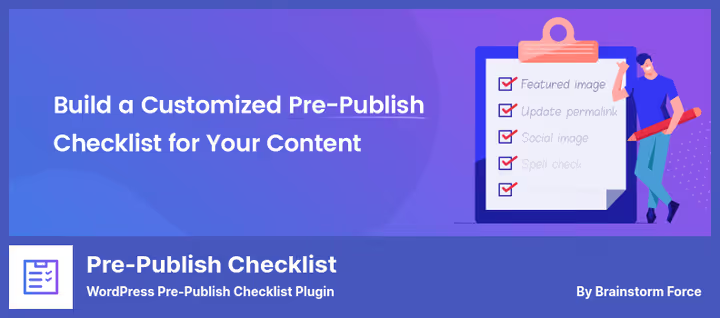
A small plugin that solves a specific pain: the author clicked Publish, but the post has no alt texts, no internal links and a broken headline. Pre-Publish Checklist adds a custom checklist to the editor sidebar. Until all items are checked, the Publish button shows a warning.
For a multi-author blog this is a cheap editor replacement: a checklist for each post type (posts, pages, custom types), completion percentage and a custom message when trying to publish without a complete list.
According to wordpress.org data version 1.1.4 was updated January 19, 2026. Compatible with Gutenberg block editor and classic editor.
Pros:
- Simple mechanism: created list → linked to post type → works
- Progress indicator: you can see how many items are completed
- Custom message when skipping items, configurable
- Free, no ads and no restrictions
Cons:
- Checklist is the same for all posts of a type, no dynamic checklists by category
- Only basic mechanics: no required fields, no escalation
Price: Free.
🔗 Pre-Publish Checklist on WordPress.org
9. Author Avatars List
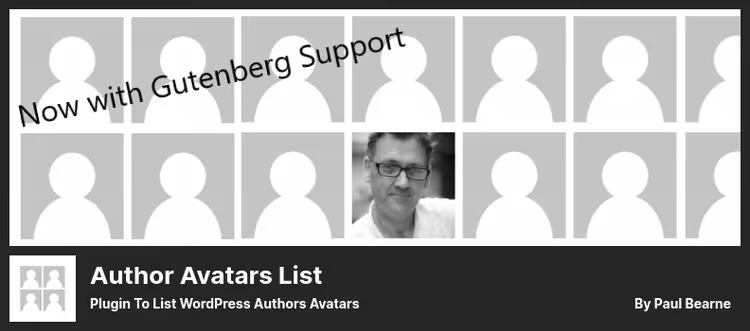
A narrow plugin for one task: display a list of blog author avatars in a sidebar, page or post. Uses native WordPress functions to get avatars, supports grouping by role and sorting.
Works via widget, shortcode or Gutenberg block. You can hide individual users, configure avatar size and sort order. Supports authors from Co-Authors Plus, Ultimate Member, BBPress and BuddyPress.
According to wordpress.org data the plugin was updated May 21, 2026 (version 2.1.26). Lightweight, doesn't conflict with caching.
Pros:
- Three display modes: widget, shortcode, Gutenberg block
- Grouping by role + excluding specific users
- Support for Co-Authors Plus, Ultimate Member, BBPress, BuddyPress
- Free
Cons:
- Only avatar list, no bios, no boxes, no links to author posts
- Minimal design, customization only size and sorting
Price: Free.
🔗 Author Avatars List on WordPress.org
10. User Notes
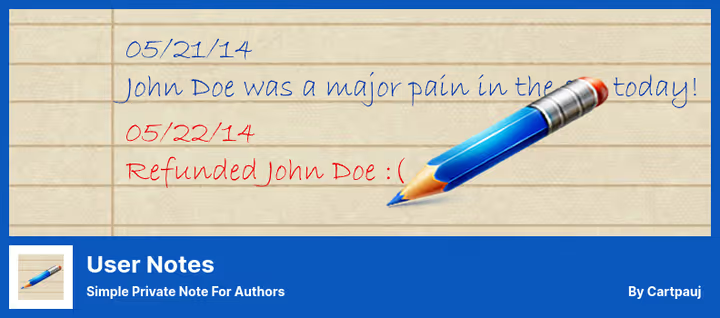
A plugin for internal use: adds a text editor to each user's profile where the admin writes private notes. Only the administrator sees them.
In a multi-author blog this is convenient for recording context: "author missed deadlines three times in April", "writes well but doesn't add alt texts", "guest author, contract until December". Without this, context lives in the editor's head, but with User Notes it's in the admin panel, next to the profile.
According to wordpress.org statistics last update June 14, 2026 (version 2.1.0). Lightweight, no dependencies.
Pros:
- Notes are visible only to the admin, authors don't know about them
- You can save note drafts
- Public and private note types
- Free, open source
Cons:
- Text only, no tags, note categories, reminders
- Doesn't display notes in a general list, need to go into each profile
Price: Free.
11. Better Notifications for WP

100,000+ active installations, completely free, and yet covers a critical need for a multi-author blog: automatic email notifications. New post published, the author gets an email. Post sent for revision, the author knows. User role changed, notification goes automatically.
Unlike the closed WP Email Users (removed from WordPress.org in 2022 due to security issues), Better Notifications for WP is actively maintained, works with SMTP and custom post types, supports shortcodes in the email body and export of mailing lists to CSV.
According to wordpress.org statistics last update September 8, 2025, version 1.9.9.1. Compatible with PHP 8 and new WordPress versions.
Pros:
- Automatic notifications about publishing, status change and role
- WYSIWYG email editor, HTML and shortcode support
- Sending via SMTP or PHP mail
- Export of recipient lists to CSV
- 100,000+ active installations, regular updates
Cons:
- No Pro version, all features are free, but support is community format
- Spartan interface, no visual email builder
Price: Free.
🔗 Better Notifications for WP on WordPress.org
Basic setup of a multi-author site: roles, permissions and displaying author boxes. An example of the PublishPress Authors + User Role Editor combo on a fresh WordPress installation is shown.
⁉️🤔 Frequently asked questions
Do I need a co-authors plugin if I can just specify the author manually?
Standard WordPress allows exactly one author per post. If three people worked on the material, only one will get into the byline. Plugins like Co-Authors Plus and PublishPress Authors remove this limitation and add guest authors without an account. For a blog with invited experts, this is a basic need, not a luxury.
Can I combine PublishPress Authors and PublishPress Capabilities?
Yes, they are designed to work together. Authors is responsible for displaying co-authors and author boxes, Capabilities for permissions and roles. Together they cover the full cycle: who writes, who edits, who publishes and how authors are shown to the reader. Both plugins from the same developer, no conflicts.
How does Co-Authors Plus differ from PublishPress Authors?
Co-Authors Plus is a minimalist tool from Automattic: only assigning co-authors and guest authors, without ready-made boxes. Display is done via template tags in the theme. PublishPress Authors is an all-in-one tool with five author box layouts out of the box, custom fields, author categories and widgets. The choice: simplicity and free versus ready-made visuals and Pro features.
Is it mandatory to install an editorial calendar?
Not mandatory, but for a blog with 5+ authors Editorial Calendar pays off instantly: you see gaps in content, topic overlaps and author workload on one grid, without summary tables in Google Sheets. Drag and drop scheduling saves time daily.
Which notification plugin should I use instead of WP Email Users?
WP Email Users was closed in January 2022 due to security issues and should not be used. Better Notifications for WP is a direct replacement: the same automatic notifications (publishing, role change, new user), but with active support, SMTP and WYSIWYG editor. 100,000+ installations confirm reliability.
Can I give a guest author access only to their post?
Yes, this is covered by a combination of two plugins. Co-Authors Plus or PublishPress Authors add a guest author to the byline without a full account. And PublishPress Capabilities or User Role Editor restrict the Guest role to only their posts, without access to other people's content and settings.
What to install in 2026: final breakdown
If you have a blog with 2-3 regular authors, start with Co-Authors Plus and Editorial Calendar. The first will add co-authors to the byline, the second will show the publication picture a month ahead. Both are free and don't burden the admin.
If there are more than five authors and there are guests among them, get PublishPress Authors with a Pro license from $49/year. Custom box layouts, profile fields with social networks and author pages pay off on the first external expert: the reader sees not an anonymous nickname, but a real person with a bio and links.
For permission control, PublishPress Capabilities (if you need WooCommerce and multisite) or User Role Editor (if only WordPress). Both are free in the base, Pro for specific scenarios.
The Pre-Publish Checklist + Better Notifications for WP + User Notes combo covers discipline: the checklist doesn't let you publish a raw post, notifications keep authors informed, and notes preserve context that otherwise gets lost in correspondence.
Choose for your team, not for someone else's rating. The plugins in this collection are alive, updated in 2026 and tested in practice. Write in the comments which combo covered your editorial process.

A professional team of writers and editors specializing in creating quality content.