













 AIIllustrative image: AI-generated
🥇 7 best post grid plugins for WordPress 2026 (free and paid)
The standard blog feed works fine when you have three pages of content. By the fiftieth, readers get tired of scrolling and leave. A post grid solves this problem radically: six to twelve cards with covers, dates, and categories on one screen, and visitors see the entire scope of topics in a second.
For content projects, this is a direct path to increased page depth. When a reader scans a card display instead of a column of headlines, they notice materials they would have simply scrolled past in a feed. Time on site grows, bounce rate drops, verified on dozens of sites.
But among the fifty or so grid plugins, half either conflict with themes and caching or load three scripts per card. We've selected seven genuinely working options: from lightweight free solutions to premium combines with isotope filtering and WooCommerce. Each verified for relevance in 2026.
💡 Quick overview:
- Determine what goes into the grid: blog posts, custom post types, WooCommerce products, or everything together.
- Choose a plugin for the task. For a quick start, The Post Grid or Content Views. For design flexibility, PostX or The Grid. For minimalism, WP Ultimate Post Grid.
- Install the plugin, configure the content source and number of columns, insert the shortcode or Gutenberg block on the target page.
Comparison table: all 7 plugins in 30 seconds
Plugin | Free version | Pro price | Grid type | Isotope filter |
|---|---|---|---|---|
The Post Grid | ✅ | $25 | Grid, List, Isotope | ✅ |
Content Views | ✅ | $39 | Grid, List | ❌ |
The Grid | ❌ | $38 | Grid, Slider, Masonry | ✅ |
PostX | ✅ | from $49 | Grid, List, Slider | ✅ |
Smart Post | ✅ | from $49 | Grid, Carousel, Slider | ✅ |
Post Grid (PickPlugins) | ✅ | $19 | Grid, List, Filterable | ✅ |
WP Ultimate Post Grid | ✅ | from $29 | Grid, Isotope | ✅ |
1. The Post Grid
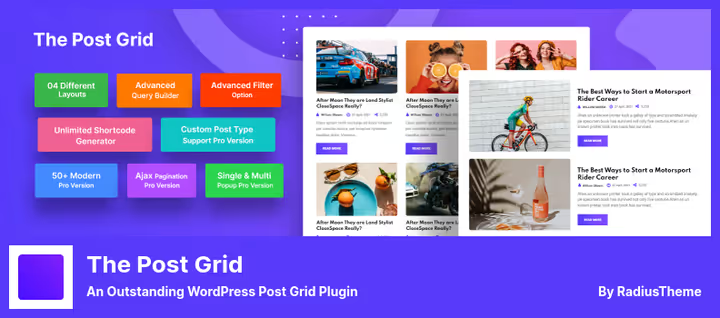
The Post Grid from RadiusTheme, one of the most popular free grid plugins in the WordPress repository: 100,000+ active installations and a 4.7 rating. The plugin works through Gutenberg blocks, Elementor widgets, Divi modules, and classic shortcode.
The main advantage, 8 preset layouts to choose from: grid, list, isotope, masonry, and hover effects. Custom post types, taxonomies, and sorting by date, title, and page order are supported. Responsive out of the box: the number of columns is configured separately for desktop, tablet, and mobile.
Filtering, by categories, tags, authors, and keywords. You can display filter buttons above the grid or a dropdown list. The Pro version adds AJAX filtering and pagination, an archive page builder, frontend post submission, and AI content generation via ChatGPT.
- Pros: 8 layouts with responsive settings for each device, compatibility with all popular page builders, 100,000+ installations, active community.
- Cons: AI features only in Pro, some advanced filters behind paywall.
- Price: Free Lite version on WordPress.org. Pro, $25 on developer's site.
🔗 The Post Grid on WordPress.org
2. Content Views
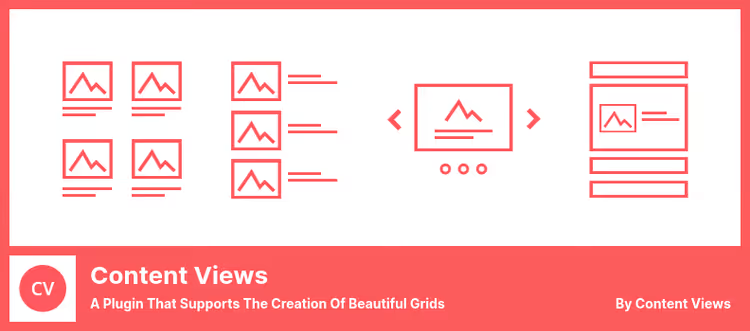
Content Views, a lightweight plugin that displays posts in a grid or list via shortcode without a single line of code. 40,000+ active installations on WordPress.org confirm this is a workhorse for quick content display setup.
Strong side, SEO-optimized output. The plugin doesn't just render cards but thinks through schema markup so search engines index the output correctly. Pagination, child pages, output by ID, tags, authors, categories, and keywords are supported.
In practice, Content Views covers most typical scenarios: "latest posts from category X on the homepage," "related articles under a post," "child pages on a parent page." The Pro version ($39) adds AJAX filters, masonry layout, sliders, WooCommerce integration, and Replace Layout function, replacing the theme's default output with a custom grid without code editing.
- Pros: SEO-friendly schema markup, 20+ layouts including Pinterest and Timeline, Replace Layout for theme output replacement.
- Cons: No isotope filtering, card design less flexible than premium competitors.
- Price: Free Lite version on WordPress.org. Pro, $39.
🔗 Content Views on WordPress.org | 🔗 Content Views Pro
3. The Grid
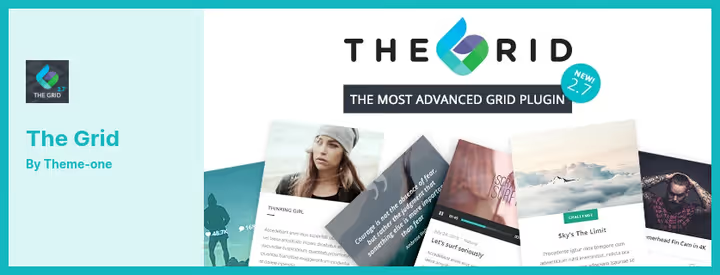
The Grid from CodeCanyon, this is a designer tool. Not a "set it and forget it" utility, but a full environment for visual grid construction: drag-and-drop builder, skin editor, 30+ ready skins, 13 preloader animations, 40+ element animation styles.
The plugin supports any post types: standard, video, audio, galleries, links, quotes, custom. Integrates with WooCommerce for product grid display. WordPress media library is used directly, no additional media hosting costs.
The main downside, no free version. Only premium for $38 on CodeCanyon. Documentation and support included in the license. For projects where grid design is critical, portfolios, magazines, creative blogs, this is a justified investment.
- Pros: Visual drag-and-drop builder, 30+ skins and 40+ animations, support for all post types and WooCommerce.
- Cons: Only paid version ($38), no free trial period, learning curve above average.
- Price: Premium only, $38 on CodeCanyon.
4. PostX

PostX from WPXPO, a Gutenberg-native grid builder that replaced an entire class of premium plugins from closed marketplaces. 65,000+ active installations and a 4.8 rating on WordPress.org (260+ reviews) make it one of the fastest-growing solutions in the niche. Version 5.0.31, updated July 2026.
PostX isn't limited to grid post display, it's a full site builder for blogs: 45+ Gutenberg blocks, 250+ ready patterns, archive page builder, custom templates for categories, tags, and authors. Post grid, just one of seven layouts (Grid, List, Slider, Carousel, News Ticker, Timeline, Module), and for each there's fine-tuned query control via Query Builder: filter by categories, tags, authors, custom fields, and taxonomies.
AJAX filtering, search, and pagination work without page reload. Worth mentioning separately are ChatGPT integration for content generation right in the editor and compatibility with Elementor, Divi, WPBakery, Oxygen, and Bricks Builder. The Pro version adds dynamic content from custom fields, frontend post submission, and advanced templates.
- Pros: 45+ blocks and 250+ patterns out of the box, Gutenberg-native site builder, Query Builder with detailed filtering, updated July 2026.
- Cons: 65,000+ installations, community smaller than The Post Grid, some advanced templates only in Pro.
- Price: Free version on WordPress.org. Pro, from $49 on developer's site.
5. Smart Post

Smart Post from ShapedPlugin (formerly known as Smart Post Show / Post Carousel), one of the fastest-growing grid plugins in the WordPress repository. A 4.9 rating on Trustpilot and 129+ five-star reviews speak for themselves.
The plugin has gone far beyond "just a grid": 60+ Gutenberg blocks, 250+ ready patterns, carousels, sliders, news ticker, timeline layouts, and an archive page builder with 19+ blocks. Special emphasis on ready design libraries, you can assemble a page from patterns in minutes.
AJAX filtering, search, and pagination work without page reload. The Pro version adds image galleries, featured video, post badges, and a saved template system for reuse.
- Pros: 60+ Gutenberg blocks and 250+ patterns, 6+ layout types including News Ticker and Timeline, archive builder with 19+ blocks.
- Cons: Some design libraries only in Pro, interface may seem overwhelming to beginners.
- Price: Free Lite version on WordPress.org. Pro, from $49 on Smart Post Show.
🔗 Smart Post on WordPress.org | 🔗 Smart Post Pro
6. Post Grid (PickPlugins)
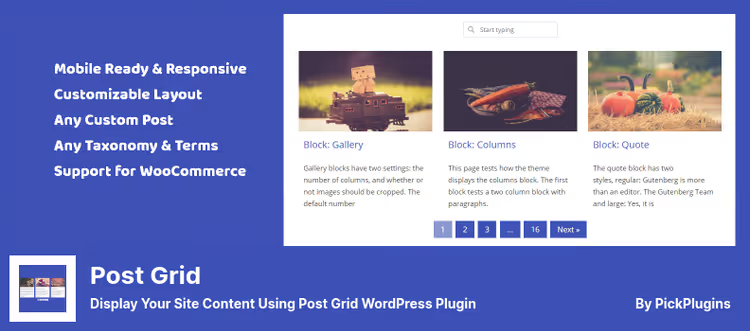
Post Grid from PickPlugins stands out with a reactive admin panel: the grid builder runs on React and gives live preview. You see the result immediately, without switching tabs. Splide.js under the hood ensures smooth sliders and carousels.
The plugin supports any custom post types, including WooCommerce products and Easy Digital Downloads. Masonry layout, filterable grid, and a library of ready templates, all configured visually, without CSS. For those who want to dig deeper, there's a style generator with access to :hover, ::before, and ::after pseudo-selectors.
The Pro version for $19 adds advanced pagination types (AJAX Load More, infinite scroll), grid search, and custom field filtering.
- Pros: React builder with live preview, Splide.js for smooth sliders, WooCommerce and EDD support, lowest Pro price ($19).
- Cons: Fewer ready layouts than The Post Grid, smaller community.
- Price: Free Lite version on WordPress.org. Pro, $19.
🔗 Post Grid on WordPress.org | 🔗 Post Grid Pro
7. WP Ultimate Post Grid
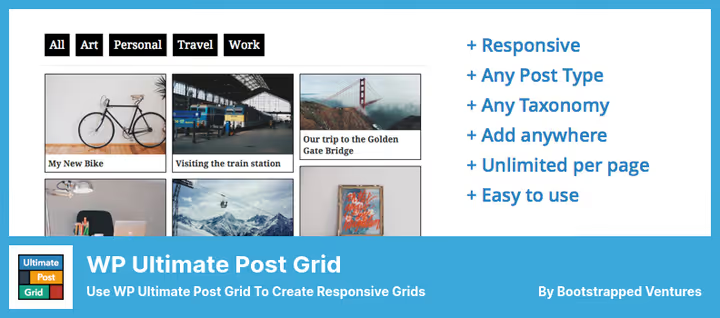
WP Ultimate Post Grid from Bootstrapped Ventures, a minimalist but flexible isotope filter for posts, pages, and custom types. Live preview when building the grid, standard: all changes are visible immediately on the same page.
Strong side, template editor. You're not tied to a fixed set of skins: you assemble the post card from blocks (text, link, image, icon) like a constructor. Deep-linking to the filtered grid allows direct links to filter results, useful for catalogs and portfolios.
The Pro version (from $29) unlocks dropdown filters, checkboxes with multi-select, post count on filter terms, Load More, and infinite scroll. The plugin is actively developed, the last update was released in 2025.
- Pros: Card builder from blocks, deep-linking to filters, minimalist code without bloat.
- Cons: Fewer ready skins than competitors, some filters only in Pro.
- Price: Free Lite version on WordPress.org. Pro, from $29.
🔗 WP Ultimate Post Grid on WordPress.org | 🔗 WP Ultimate Post Grid Pro
⁉️🤔 Frequently asked questions
How does Post Grid differ from the standard theme post output?
The standard theme output is a vertical feed of posts, one after another. Post Grid arranges posts in cards, 2-4 per row, like a showcase. The reader scans the page faster, sees covers and categories. A grid with filtering reduces bounce rate through quick visual scanning, and isotope additionally arranges multi-format content without "holes" in the layout.
Which plugin is best for a WooCommerce store?
The Post Grid, Content Views Pro, PostX, and The Grid, all four have direct WooCommerce integration. For a product grid with price and attribute filtering, Content Views Pro (from $39) is optimal: it has the best WooCommerce filter support. PostX provides Query Builder with custom field and taxonomy filtering, stores with complex catalog structure will appreciate this. The Grid, an option for a designer product showcase with a visual editor for each card.
Can you get by with free versions?
Yes, for most content projects, free versions are sufficient. The Post Grid (Lite), Content Views (Lite), PostX (free), and Post Grid from PickPlugins cover the vast majority of typical scenarios: latest posts output, category grid, related articles. Pro features like AJAX filtering and infinite scroll are needed when interaction speed is critical or post count exceeds 500.
How does the grid affect site loading speed?
A good grid plugin adds 20-50 KB to page size, within margin of error. Problems start when the plugin loads 5 scripts and 3 styles on each page. From our seven, the lightest are WP Ultimate Post Grid and Content Views. The Grid and PostX are heavier due to animations and builders, caching is recommended for them.
How does PostX differ from The Post Grid and who should choose what?
The Post Grid, a proven tool with 8 layouts and compatibility with all builders. PostX, a Gutenberg-native site builder: 45+ blocks, 250+ patterns, archive builder, and Query Builder with custom field filtering. If you live in Gutenberg and build a blog from blocks, choose PostX. If you need a reliable shortcode working in any theme and with any builder, The Post Grid.
Is it worth getting a premium plugin instead of free?
Depends on the project. The Grid (license $38) gives a level of card design unattainable by free solutions, for portfolios and creative blogs this is justified. PostX (free minimum + Pro from $49), the golden mean: Gutenberg-native, with powerful Query Builder and archive builder. For a standard blog or news site, the difference between free and premium solutions doesn't pay off, choose The Post Grid or Content Views.
What to install in 2026: final breakdown
The choice comes down to three scenarios. If you need "set it and forget it" with minimal settings, Content Views: SEO-friendly grid, shortcode without code, covers the vast majority of typical tasks. The free version is enough for most blogs.
If you need flexibility and are ready to spend 15-20 minutes on setup, The Post Grid will give 8 layouts, filtering, and compatibility with all page builders. Pro for $25 unlocks AJAX and archive builder.
If card design is critical, look toward PostX (free minimum + Pro from $49) or The Grid ($38). PostX wins on Gutenberg block ecosystem and pattern assembly speed, The Grid, on skin customization depth.
Of the seven plugins we reviewed, all seven are alive and updated in 2025-2026. This is rare for the WordPress plugin niche, where a third of projects die within 2-3 years. So any choice from the list is a safe time investment.

A professional team of writers and editors specializing in creating quality content.