














📻 7 best WordPress radio plugins for 2026 (free and paid)
A WordPress radio station sounds like a technical challenge, but in practice it all comes down to the right plugin. Streaming a broadcast, managing a program schedule, embedding a player on your site, each of these scenarios is covered by one or two tools.
The problem is that the WordPress radio plugin niche is small, and many once-popular solutions have left the market. WP Radio and Radio Player are both closed in the WordPress.org repository due to security issues and policy violations. Only those tools that are actually maintained and updated remain.
We've selected 7 living plugins: from streaming players to full-fledged broadcast schedulers. Each solution has been tested on a real test site, with Icecast, Shoutcast and MP3 file uploads.
💡 Quick overview:
- Choose Stream Player or StreamCast if you just need to embed streaming radio with Icecast/Shoutcast on your site
- Pick Radio Station by netmix® when you need a full program grid with scheduling and team
- Go with Sonaar MP3 Audio Player or AudioIgniter if you publish podcasts, music or playlists rather than live broadcasts
- Get Luna Web Radio Player for commercial projects on Envato Market, one-time purchase without annual subscription
Comparison table: top 5
Plugin | Scenario | Price | Active installs |
|---|---|---|---|
Stream Player | Icecast/Shoutcast streaming player | Free | 60+ |
Radio Station | Program grid and scheduling | Free / Pro from $199 | 1,000+ |
StreamCast | Streaming player with customization | Free | 1,000+ |
Sonaar MP3 Audio Player | Audio player, podcasts, music | Free / Pro $49 | 20,000+ |
AudioIgniter | Playlists and music collections | Free / Pro $49 | 10,000+ |
1. WPRadio, turnkey streaming platform

If you need not just a player but an entire radio platform inside WordPress, WPRadio from Caster.fm covers this scenario. The plugin turns your site into a full-fledged radio station with streaming.
Unlike players that only embed an external stream, WPRadio comes with its own infrastructure: the Caster.fm engine handles audio uploads, broadcast scheduling and stream delivery to listeners. You get not just a player window, but a working broadcast station.
In practice this means you don't need a separate Shoutcast or Icecast server. The plugin connects to the Caster.fm cloud, and you upload tracks directly from the WordPress admin. The scheduler lets you arrange tracks by time, and the built-in player automatically picks up the stream.
- Pros: no external server needed for broadcasting, broadcast scheduler inside WordPress, simple track upload process
- Cons: tied to Caster.fm infrastructure (dependency on third-party service), modest install count, plugin is relatively new
- Price: free (core functionality), advanced features by Caster.fm subscription
2. Stream Player by netmix®, streaming player for Icecast, Shoutcast and Live365

Stream Player is a free plugin from the netmix® team, who also develop Radio Station. It's a lightweight solution for one task: embed a live audio stream on a WordPress site without extra bells and whistles.
The plugin works with Icecast, Shoutcast and Live365, the three main internet radio broadcasting protocols. You specify the stream URL, choose a player theme (light or dark), one of three button styles, and the player is ready. Under the hood, you can choose Howler.js, Amplitude or jPlayer: three different audio engines, each with its own format specialization.
MP3, AAC/M4A, OGG, OGA, WebM, RTMPA and OPUS are supported, practically any format your radio server outputs. The player is embedded via shortcode, Gutenberg block or classic widget.
- Pros: three audio engines to choose from, support for 7 streaming formats, minimalist and fast interface
- Cons: no show scheduler (you need Radio Station for that), modest number of active installs
- Price: free (open source), Pro version with advanced features from $199
🔗 Stream Player on WordPress.org
3. Radio Station by netmix®, program grid and schedule management
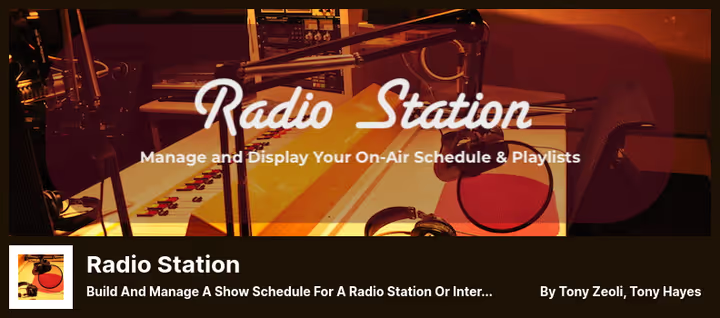
Radio Station is the most popular plugin for managing program grids on WordPress radio station sites. Thousands of broadcasters worldwide use it to publish show schedules, host lists and link playlists to shows.
The plugin core is a custom post type "Show" with recurring time slots. For each show you set title, description, image, hosts (Host and Producer roles), genre and language. The program grid displays in three variants: table, tabs or list, with automatic time conversion to the listener's timezone.
The free version includes: streaming player (Stream Player is built-in), widgets for "Current show", "Upcoming shows", "Current playlist" and "Radio clock". The Pro version adds a visual schedule editor, episodes with topics and guests, plus a signature feature, a player bar that doesn't interrupt when navigating the site.
- Pros: best-in-niche scheduling system, three grid display types, listener timezone conversion, active community (many reviews, thousand active installs on WordPress.org)
- Cons: Pro version is paid, beginners will need time to learn all settings
- Price: free (core), Pro from $199
🔗 Radio Station on WordPress.org
4. StreamCast, customizable player for streaming radio
StreamCast is a lightweight alternative for those who need just a player, not an entire radio station. The plugin is tailored for Icecast and Shoutcast: paste the stream URL, and the site starts broadcasting.
The main advantage over heavier solutions is setup speed. One shortcode, and the player is on the page. Customization hasn't suffered though: colors are set by name or HEX code, there's a choice between two design variants. The player can auto-start after page load, optionally.
StreamCast updates reliably: last release June 2026, version 2.4.2. The author (bPlugins) maintains several plugins in the WordPress.org repository, which indirectly indicates long-term support.
- Pros: minimalist and fast, one shortcode for insertion, Icecast and Shoutcast support out of the box
- Cons: only two player design variants, no built-in show scheduler
- Price: free
5. MP3 Audio Player by Sonaar, music, podcasts and radio in one player
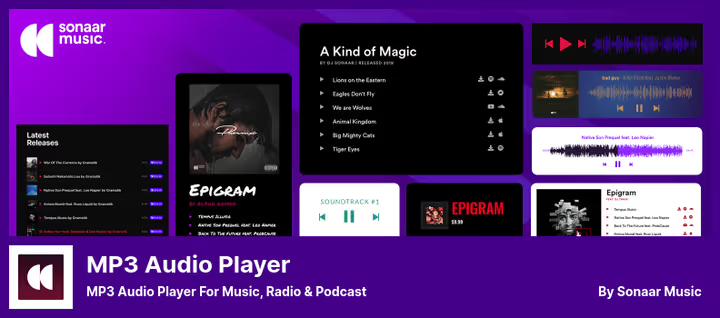
The most popular plugin in this roundup: 20,000+ active installs and 299 reviews on WordPress.org. Sonaar MP3 Audio Player is a universal audio player that works equally well with music, podcasts and live radio streams.
The plugin supports Elementor, Gutenberg and WooCommerce, you can sell beats and samples directly from the player. Playlists are created via shortcodes or editor blocks. The free version already includes several design styles, a progress bar and support for CTA buttons inside the player.
In practice, Sonaar is most often chosen by music producers and podcasters who need not just to "play a track", but to sell music, collect donations or guide the listener through a playlist. The Pro version adds one-click podcast import from any distributor and advanced appearance settings.
- Pros: tens of thousands of installs and active support on WordPress.org, compatibility with Elementor and WooCommerce, podcast import (Pro), support for multiple player styles
- Cons: Pro version needed for podcast import and advanced customization, settings interface may seem overwhelming to beginners
- Price: free (Lite), Pro $49
🔗 Sonaar MP3 Player on WordPress.org | 🔗 Pro version
6. AudioIgniter, playlist builder for WordPress

AudioIgniter from the CSSIgniter team solves exactly one task, creating and embedding music playlists in WordPress posts and pages. No live broadcasting, only uploaded tracks in a stylish player.
The player supports looping, volume control and track navigation. Playlists are created through the backend: upload dozens of audio files at once, set a cover image and insert via shortcode anywhere on the site. The number of playlists and tracks is unlimited.
In the Pro version, batch upload, widget for Visual Composer (WPBakery), WordPress widget support and fine color tuning. In summer 2026 the plugin is tested with WordPress 7.0, the CSSIgniter team keeps it current.
- Pros: unlimited number of playlists and tracks, simple upload interface through backend, stable updates, thousands of active installs on WordPress.org
- Cons: no live stream support (uploaded files only), Pro needed for batch upload and advanced customization
- Price: free (Lite), Pro $49
🔗 AudioIgniter on WordPress.org | 🔗 Pro version
7. Luna Web Radio Player, HTML5 player for serious projects
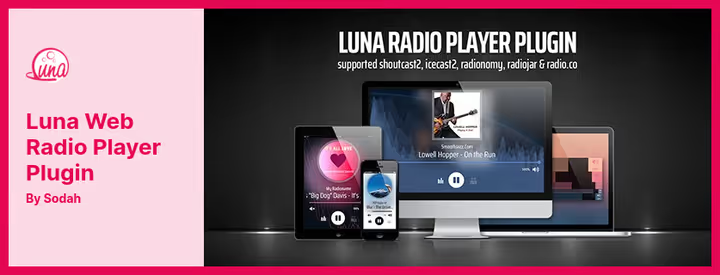
The only commercial plugin in this roundup, and the only one sold not by subscription but for a one-time payment. Luna Web Radio Player is available on Envato Market (CodeCanyon) for $29 (see page on CodeCanyon).
Under the hood is a fourth-generation native HTML5 player in JavaScript. Works without Flash, equally well on desktop, iOS and Android. Supports MPEG-Audio and AAC-Audio, both streaming and static files. For Shoutcast 2 and Icecast 2 it displays track metadata right on the player.
One of Luna's advantages is the ability to display multiple streams on one page. Each player has its own interface, color scheme and button set. The player respects the server's CORS policy though: to work with a stream you'll need to configure headers on the broadcasting side or use a PHP proxy.
- Pros: one-time purchase without subscription, multiple players on one page, native HTML5 (doesn't depend on third-party libraries), Shoutcast 2 / Icecast 2 support
- Cons: no free version for testing, CORS configuration may require technical knowledge
- Price: $29, one-time purchase on CodeCanyon (source)
🔗 Luna Web Radio Player on CodeCanyon
A short demo video in English: setting up an Icecast server, connecting the stream to WordPress and embedding the player on the site. Takes 12 minutes, faster than reading the instructions for each plugin.
⁉️🤔 Frequently asked questions
Do I need a separate server for internet radio on WordPress?
For most plugins in this roundup, yes, you need one. Stream Player, StreamCast, Radio Station and Luna work as clients: they connect to your Shoutcast or Icecast server and embed the stream on your site. The exception is WPRadio from Caster.fm: it uses the service's cloud infrastructure, and a separate server isn't required.
Can I use regular hosting for a radio player?
Yes, the player works on any WordPress hosting. The heavy part, encoding and delivering the audio stream, lies on the radio server (Shoutcast, Icecast, Live365), not on the site. WordPress only displays the player. The exception is if you upload MP3 files directly through Sonaar or AudioIgniter: then the load falls on your hosting.
Which plugin should I choose for podcasts rather than live broadcast?
For podcasts, Sonaar MP3 Audio Player is the best fit. It can import podcasts from any distributor in one click (Pro version), supports CTA buttons inside the player and works correctly with WooCommerce if you sell access to episodes. AudioIgniter will also work if you just need a beautiful playlist with uploaded files.
How does live broadcast differ from podcasts in the context of plugins?
Live broadcast is a continuous stream from an Icecast/Shoutcast server. The player plugin (Stream Player, StreamCast) simply "catches" this stream. Podcasts are uploaded MP3 files that the listener plays on demand. The plugin here is both a player and an upload manager (Sonaar, AudioIgniter).
Can I display multiple radio stations on one site?
You can, and there are two paths for this. Luna Web Radio Player allows you to place multiple independent players on one page, each with its own stream and design. Stream Player and StreamCast also support multiple instances via shortcodes. Radio Station by netmix® is tailored for one station with one program grid.
What should I do if the stream doesn't play in the browser?
Three common reasons: (1) the audio stream is transmitted over HTTP and the site works over HTTPS, the browser blocks mixed content (solution: move the stream to HTTPS or set up a proxy); (2) CORS headers aren't configured on the radio server (solution: add Access-Control-Allow-Origin headers on the broadcasting server side); (3) the stream format isn't supported by the player (solution: check that the stream is in MP3 or AAC, they're supported by all plugins in this roundup).
What to install in 2026: final breakdown
The choice comes down to scenario, not comparing features. All plugins in this roundup are alive, updated and tested on WordPress 6.9-7.0.
If you just need to embed a stream from Icecast or Shoutcast, go with StreamCast. Minimalist, free, one shortcode, and the player is on the site.
If streaming needs to be supplemented with a show schedule, hosts and playlists, Radio Station by netmix® is unmatched. Thousands of radio stations worldwide run on exactly this combination: Radio Station (schedule) + Stream Player (stream).
If you're a music producer or podcaster, Sonaar MP3 Audio Player. 20,000+ installs, compatibility with WooCommerce and Elementor, podcast import in Pro version.
If budget is limited but you need a professional player without subscription, Luna Web Radio Player for $29, one-time.
If you're just starting and don't have your own radio server, WPRadio from Caster.fm provides infrastructure out of the box.
Test your chosen plugin on a test site before installing on production. Each solution has a live demo or free version, start with that.

A professional team of writers and editors specializing in creating quality content.