














🥇 7 best white label plugins for WordPress in 2026
The client logs into the WordPress admin and sees someone else's logo, standard widgets and a menu where half the items are incomprehensible. This is not your site, this is WordPress with factory settings. Trust evaporates before their eyes.
White label plugins solve this problem. They remove traces of WordPress and third-party extensions, replace them with your brand and leave in the admin only what the client needs. After setup, the client sees not "yet another WordPress site," but a professionally crafted product. No menu confusion, no third-party logos.
We've selected 7 working plugins for white label WordPress in 2026. Among them are both fully free solutions and tools for deep admin customization. Each has been verified: the plugin is alive, the developer maintains updates, the code doesn't conflict with the current WordPress version.
💡 Quick overview:
- Determine what exactly needs to be customized: just the login page, the entire admin or even frontend elements like email notifications and footer copyright.
- If the budget is minimal, start with
White Label CMSorBranda: both are free and cover basic needs. - For fine-tuning menus and user permissions, take
Ultimate Dashboard, for maximally deep rebranding,WpAlterorWhite Labelfrom WhiteWP. - Be sure to hide menu items leading to plugin settings from clients, white label without this loses its meaning. Every plugin in the list can hide admin elements by roles.
You can visually see the process of white labeling a WordPress admin from plugin installation to final result in this video:
Comparison table
Plugin | Free version | Pro price | Login customization | Admin customization | Role management |
|---|---|---|---|---|---|
WpAlter | No | $31 | Yes | Full | Yes |
White Label CMS | Yes | Free | Yes | Basic | Yes |
AGCA | Yes | $49 (site unavailable) | Yes | Full | Limited |
LoginPress | Yes | From $49/year | Yes | No | No |
Branda | Yes | $7/month | Yes | Full | No |
White Label | Yes | $39/year | Yes | Full | Yes |
Ultimate Dashboard | Yes | $58/year | Yes | Full | Yes |
1. WpAlter
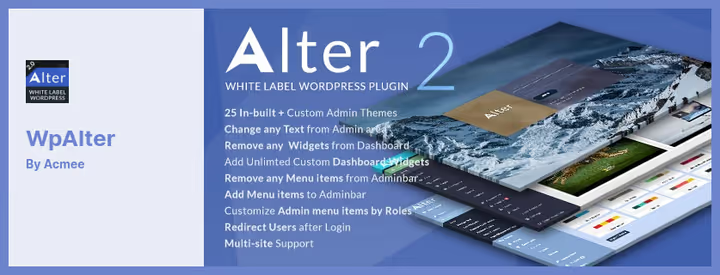
The only plugin in the selection without a free version, and simultaneously the most flexible. WpAlter changes practically every admin element: from color scheme and logo to menu items and dashboard widgets. 25 built-in design themes and unlimited color palette allow fitting the admin to any client's brand book.
The plugin is tailored for multisite work. Settings are applied by roles: the site admin can keep full access, the editor can be shown only necessary sections, and the client can get a trimmed admin without a single mention of WordPress.
Works out of the box with WooCommerce, Contact Form 7 and most popular plugins without conflicts. A separate plus, white label for email notifications: registration and password reset emails arrive with your logo and in your style.
Pros:
- Deep customization of every admin element without exceptions
- 25 ready-made themes and unlimited color customization
- White label for system email notifications
Cons:
- No free version, only purchase for $31
- Beginners will need time to master all settings
Price: $31 for a license with 12 months of support and updates.
2. White Label CMS
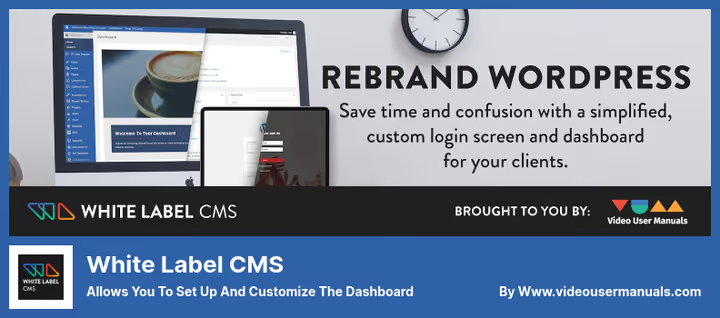
Fully free plugin with 200,000+ active installations. After activation, you're greeted by a step-by-step wizard that walks you through all customization stages in 5 minutes: logo replacement, login page setup, choosing visible menu items for different roles.
Unlike many competitors, White Label CMS provides live preview of the login page, you see changes before publishing. You can add a company or client logo, background image, custom CSS styles. The result is a neat branded page without a line of code.
The plugin is focused on basic customization, not deep rebranding. It doesn't deal with dashboard styling, only hides unnecessary widgets. But for agencies that need to quickly tidy up a client's admin for free, this is the best start.
Pros:
- Step-by-step setup wizard, results in 5 minutes
- Live preview of login page
- Completely free, without Premium cuts
Cons:
- No tools for dashboard styling (colors, fonts)
- Can't add new menu items, only hide existing ones
Price: Free.
🔗 White Label CMS on WordPress.org
3. AGCA, Absolutely Glamorous Custom Admin
A veteran of the white label niche with emphasis on visual customization. Changes the color of each admin element separately: background, menu items, icons, widgets, text blocks. Built-in icon library and custom CSS support with JavaScript give practically unlimited design possibilities.
The free version of AG Custom Admin lives on WordPress.org and receives updates, the latest v7.2.6 came out in May 2025. However, the developer's site (cusmin.com), where the Pro version was sold, is currently unavailable. This means purchasing the paid version with extended themes and premium support is not possible at the moment.
For basic admin rebranding, the free version is more than enough: change colors, logo, hide unnecessary menu items, add custom content to dashboard. But if you need guaranteed support and regular Pro updates, look at Branda or White Label.
Pros:
- Detailed color customization of each admin element
- Custom CSS and JavaScript without limitations
- Free version is functional and updated
Cons:
- Pro developer site (cusmin.com) unavailable
- User role management limited
Price: Free version on WordPress.org. Pro version for $49 currently unavailable.
🔗 AG Custom Admin on WordPress.org
4. LoginPress
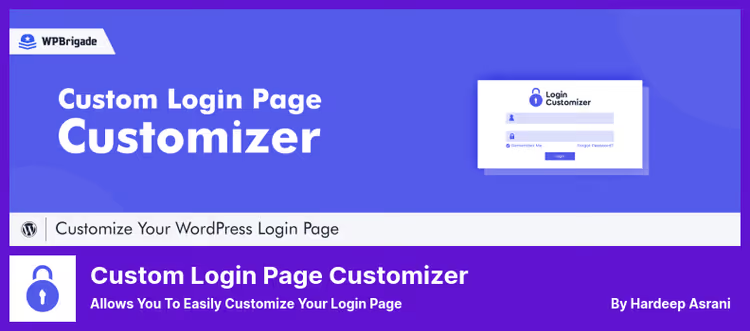
A highly specialized tool, login page only. And that's its strength. LoginPress integrates into the built-in WordPress customizer: change logo, background, colors, form styles and immediately see the result in real time. Not a line of code.
200,000+ active installations and a 4.8 rating speak for themselves. The free version covers 80% of needs: custom logo, background, input field and button styling. The Pro version adds Google reCAPTCHA, Social Login (login via Google, Facebook), auto-login, login attempt limiting and a dozen ready-made templates.
The plugin doesn't touch the dashboard, only the login, registration and password reset pages. Ideal for agencies that need to quickly tidy up the login page of a dozen client sites: settings can be exported and imported between sites with one click.
Pros:
- Live preview through built-in WordPress customizer
- Import/export settings between sites
- 14-day money back, no questions asked
Cons:
- Login page only, doesn't touch dashboard
- Pro features like Social Login require annual subscription
Price: Free version on WordPress.org. Pro, from $49/year.
🔗 LoginPress on WordPress.org🔗 LoginPress Pro site
5. Branda
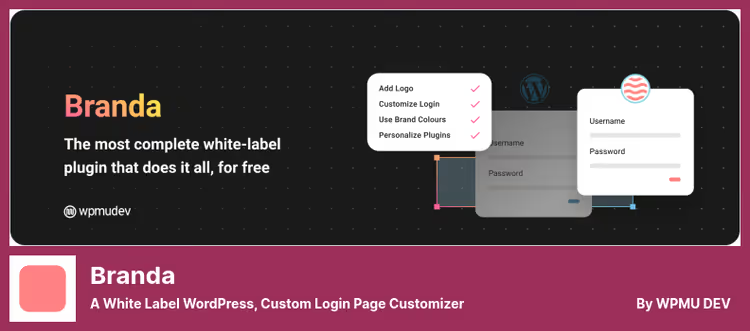
A product from the WPMU DEV team, and it shows in the execution. Branda is 100% free, without a Premium wall. All functions are available immediately, just enable the needed modules in one window. Modular architecture means unused parts of the plugin don't load the site.
Coverage is maximally wide: login page customization, dashboard, admin bar, system email notifications, footer, cookie notices, "Coming Soon" and "Maintenance Mode" pages. There's even white label for RSS widgets and author blocks in posts.
Special mention deserves work with tracking codes: you can insert Google Analytics, Facebook Pixel or any other code in different places of the site through a single interface. Settings are exported and imported, convenient for multisite work.
The Pro version through WPMU DEV ($7/month) adds even more tools, but for white label the free functionality is enough.
Pros:
- 100% of functions free, without Premium limitations
- Modular architecture, lightweight and fast
- Widest coverage: from admin to frontend
Cons:
- No user role management
- Abundance of modules can confuse beginners
Price: Free. Pro as part of WPMU DEV, $7/month.
🔗 Branda on WordPress.org🔗 WPMU DEV (Pro)
6. White Label
A product from Link Software, installed on 10,000+ sites. Lightweight, fast and with an excellent free version, most core functions are available without payment.
The free version changes the login page (logo, background, colors, layout), cleans the admin bar, hides menu items and plugins from clients, adds custom dashboard widgets with your content. You can even hide individual dashboard widgets selectively.
Pro version ($39/year) adds white label for Yoast SEO, Gravity Forms, SearchWP and Elementor, agencies that install these plugins on every client site will appreciate this. Plus renaming menu items, hiding update notifications and custom CSS for admin.
A separate feature, changing the login page URL. Instead of standard /wp-admin you can make your own address, which additionally protects the site from brute-force attacks.
Pros:
- Core functions available free, without watermarks
- White label for popular plugins (Yoast, Gravity Forms, Elementor) in Pro
- Change login page URL, both security and branding
Cons:
- Can't add new menu items
- Pro license tied to one site (Personal) or unlimited number (Business $99/year)
Price: Free version on WordPress.org. Pro Personal, $39/year, Business, $99/year.
🔗 White Label on WordPress.org🔗 White Label Pro site
7. Ultimate Dashboard

Relatively new, but already earning 4.7 stars plugin. Covers a niche that other participants in the selection avoid: creating a fully custom dashboard with its own widgets and content.
After installation, you get a clean dashboard where you can add anything: text with instructions for the client, widgets with metrics, links to documentation, support contact details. Everything is assembled in a visual editor without code.
The free version provides dashboard customization, hiding menu items by roles and logo replacement. Pro ($58/year) adds login page customizer, creating custom post types for dashboard and advanced access management.
Ideal for agencies that hand over the site to the client and want to leave on the dashboard only what's needed: a brief guide, "Contact support" button and link to hosting payment. No clutter, no third-party widgets.
Pros:
- Custom dashboard widgets with arbitrary content
- Intuitive visual dashboard editor
- Clean admin without distracting elements
Cons:
- Login page customization only in Pro
- Setup takes more time than White Label CMS
Price: Free version on WordPress.org. Pro, $58/year.
🔗 Ultimate Dashboard on WordPress.org
⁉️🤔 Frequently asked questions
Is white label needed if the site is being made for yourself, not for a client?
No, white label is specifically tailored for agencies and developers handing over sites to clients. If you're the only admin user, spending time replacing the WordPress logo is pointless. But the login page is still worth customizing through
LoginPress: the standard/wp-adminlooks foreign on any commercial site.
Is a free plugin enough or is Pro needed?
For basic white label (logo, menu hiding, custom login page),
White Label CMSorBrandaare enough, both are free and not cut down. Pro makes sense when you need to: a) rename menu items (not just hide them), b) do white label for specific plugins like Yoast SEO or Elementor, c) get priority support. Among free solutions,Brandagives the most functions without payment.
Which plugin to choose for Elementor?
The most direct path,
White LabelPro from WhiteWP. In the Pro version ($39/year) there are separate modules for white labeling Elementor, Yoast SEO and Gravity Forms, rename the plugin, change the icon, remove Elementor mentions from the admin. The old separate White Label Branding for Elementor plugin was closed on WordPress.org due to security issues, don't install it.
Can you use multiple white label plugins simultaneously?
Technically yes, but you shouldn't. Functions overlap, and two plugins changing the same admin elements can conflict. Choose one main one for your tasks. Exception, the
LoginPress(login page) combination with any plugin for dashboard, becauseLoginPressonly touches login and doesn't overlap with others.
Does a white label plugin slow down the site?
Quality plugins from the selection:
White Label,BrandaandWhite Label CMSonly load the admin and don't affect frontend speed.Brandauses modular architecture, unused modules don't load.White Labelfrom WhiteWP is specifically designed lightweight and consumes minimal memory. On the frontend, visitors won't notice the difference.
What to install in 2026: final breakdown
Budget $0, take White Label CMS or Branda. Both 100% free, both cover basic needs. Branda gives more functions, White Label CMS is simpler to set up.
Deep admin and email customization needed, WpAlter for $31. No subscription, one license forever. Optimal for a one-time task.
Login page and only it, LoginPress. Best in its niche, 200K+ installations, integration with customizer. The free version will suffice for most.
Handing over the site to a client and want a clean dashboard, Ultimate Dashboard. You'll assemble the admin from scratch: only necessary widgets, instructions and support contacts. Nothing extra.
Maximum coverage for $39/year, White Label Pro. White label for Elementor, Yoast SEO and Gravity Forms in one license. The choice of agencies that install these plugins on every project.
Choose for the specific task, not for someone else's rating. And be sure to check how the admin looks from the client role before giving access. One unhidden menu item can spoil the whole impression.
Current as of June 2026. All plugins verified: alive, updated, compatible with the current WordPress version.

A professional team of writers and editors specializing in creating quality content.