














🔐 6 best WordPress custom login page plugins 2026 (free and paid)
A client visits the site, clicks "Log In," and sees a gray screen with a WordPress logo. The administrator doesn't care, but for a paying subscriber or course participant this screen hints: "the site was thrown together."
A custom login page kills three birds with one install. First: your logo instead of someone else's, the client understands from the doorstep where they've landed. Second: reCAPTCHA and attempt limits cut off brute-force bots before they reach the database. Third: a styled password recovery form reduces the flow of emails to support, the user figures it out themselves without "write to the admin."
Below, 6 plugins we checked in 2026. From free customizers on the Customizer API to white-label combines that repaint everything: login, admin panel, system emails, dashboard. No code, no theme functions, no risk of breaking the site with crooked CSS.
💡 Quick overview:
- Compared 6 custom WordPress login page plugins: live screenshots, honest pros and cons, current prices
- For quick logo and color replacement through the native Customizer, Colorlib Login Customizer, completely free
- Need turnkey white-label (login + admin panel + emails + dashboard), Branda covers everything with one install
- Site with user registration (courses, membership, forum), Theme My Login puts login on the frontend in the theme's style
Comparison table: all 6 plugins
Plugin | Free | Pro | Installs | Rating | Templates | White-label | Security |
|---|---|---|---|---|---|---|---|
LoginPress | ✅ | $49/year | 200,000+ | 4.8 | 12+ | Pro | Pro (2FA, reCAPTCHA) |
Colorlib Login Customizer | ✅ | ❌ | 50,000+ | 4.7 | ✅ | ❌ | ❌ |
Login Customizer | ✅ | Pro (from $49) | 90,000+ | 4.6 | ✅ | ❌ | ❌ |
Branda | ✅ | WPMU Dev ($15/month) | 300,000+ | 4.5 | ✅ | ✅ | ❌ |
Login Designer | ✅ | ❌ | 30,000+ | 5.0 | ❌ | ❌ | ❌ |
Theme My Login | ✅ | $75/year | 90,000+ | 4.3 | ❌ | ❌ | reCAPTCHA |
1. LoginPress
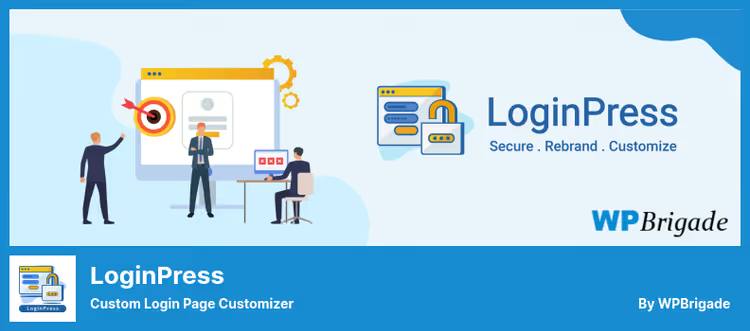
The most popular login customizer in the WordPress repository: 200,000+ active installs and a 4.8 rating. Works on top of the native Customizer, you change the logo, background, form fields and immediately see the result on the adjacent half of the screen.
The strength of LoginPress, pre-made templates. A dozen designs: from strict corporate to animated with gradients. You choose a template, substitute your logo, adjust colors to the brand, the login page is ready in 5 minutes. A visual button editor (WYSIWYG) allows you to fine-tune every detail without a single line of CSS.
What's customizable in the free version: background (color, image, position, repeat), logo (size, margins, link on click), form (width, shadows, field rounding), login error text, welcome message after login. Pro for $49/year adds Social Login (Google, Facebook, Twitter), auto-login by link, redirects after login, attempt limits and reCAPTCHA v3.
But: two-factor authentication and social login, strictly paid. The free version handles visuals excellently, security will have to be covered with a separate plugin.
🔗 LoginPress on WordPress.org | 🔗 LoginPress Pro site
Pros:
- 12+ templates, start without a designer
- Live preview through native Customizer, no surprises after saving
- Detailed customization of every element down to error text
- Import and export configuration between sites
Cons:
- Social Login, 2FA, Auto Login and reCAPTCHA only in Pro
- Pro, annual subscription, not a one-time payment
2. Custom Login Page Customizer by Colorlib
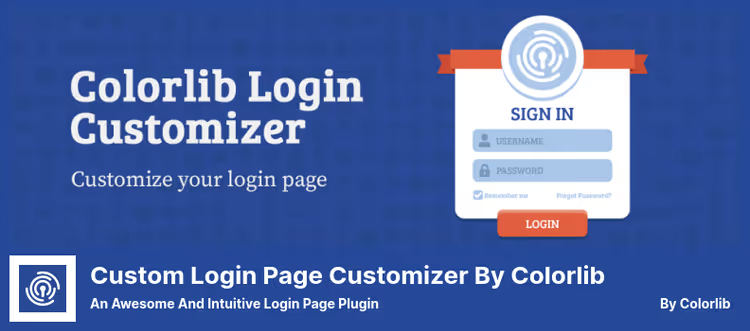
Completely free plugin from the Colorlib team, the same ones who made one of the most popular universal WordPress themes. No Pro plans and hidden upgrades. Everything the plugin can do is given in the free version.
The mechanics are the same: Appearance → Customize → Custom Login Page Customizer. You change the logo, background, form width and margins, rounding, borders, the preview updates in real time. A set of templates is included so you don't start from a blank slate.
The main advantage of Colorlib, layout flexibility. The number of columns changes, vertical form alignment, logo visibility and its caption. For a free plugin this is an unexpectedly high level of layout control. Updated regularly (last update, January 2026), compatible with the current version of WordPress.
What's missing: Social Login, two-factor, reCAPTCHA, attempt limits. This is a purely visual tool. Security, at your discretion, with a separate solution.
🔗 Colorlib Login Customizer on WordPress.org
Pros:
- Completely free, no hidden Pro plans
- Ready-made templates speed up launch
- Fine-tuning of columns, alignment and element visibility
- Stable updates from a well-known team
Cons:
- No security features (2FA, reCAPTCHA, attempt limits)
- Fewer templates than LoginPress
3. Login Customizer
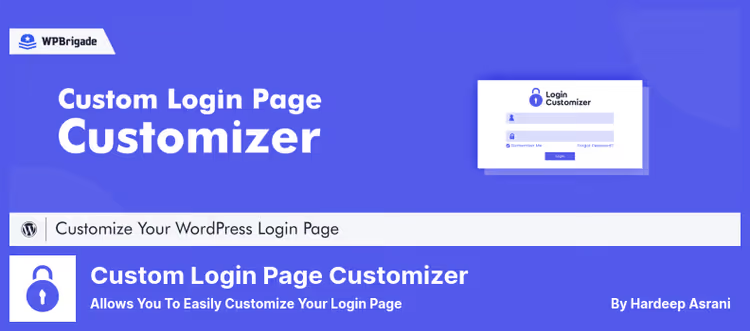
Login Customizer, another plugin from the creators of LoginPress, but with a different focus: speed and simplicity. 90,000+ installs, 4.6 rating. If LoginPress is a Swiss Army knife, then Login Customizer is a screwdriver for one task: quickly change the appearance of wp-login.php.
The interface is the same WordPress Customizer. You go to Appearance → Custom Login Page Customizer and get a live preview. Settings are exactly as many as needed: background, logo, form, button, colors, fonts. Nothing extra, you won't get lost.
What's the difference from LoginPress. Login Customizer doesn't try to be a platform, it covers precisely visual customization, without giant templates and an ecosystem of add-ons. Due to this the interface is more responsive and lighter. Responsive layout out of the box: mobile users see a neat form without shifted fields and crooked margins.
The Pro version (essentially a transition to LoginPress Pro) adds extended templates and additional styling options.
🔗 Login Customizer on WordPress.org | 🔗 Plugin Pro version
Pros:
- Minimalist interface, setup in a couple of minutes
- Live preview through Customizer
- Responsive design without additional actions
- Free version fully covers basic customization
Cons:
- Fewer options than LoginPress (conscious limitation)
- Pro is actually the same LoginPress Pro
4. Branda
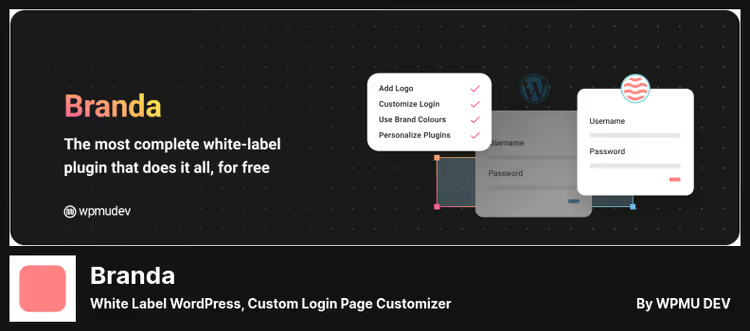
Branda is not just a login customizer, but a full white-label combine from the professional WPMU Dev team. 300,000+ installs, 4.5 rating, update, June 2026.
What Branda repaints with one install: the login page (logo, background, form, colors), WordPress system emails (subject, logo, signature), admin panel (logo, color scheme, dashboard widgets), admin footer, database error page, maintenance mode (coming soon and maintenance mode). Plus analytics code insertion in admin panel and import/export of the entire configuration for a network of sites.
The free version of Branda is enough for a small agency: you make a client site, remove all traces of WordPress, brand the admin panel and login, the client sees "their" product. Pro (as part of WPMU Dev subscription for $15/month) adds a custom dashboard, extended control over the admin menu and advanced widgets.
The downside: if you only need a custom login, Branda is excessive. Half of its functions will remain unused. In this scenario it's easier to take Colorlib Login Customizer or LoginPress.
🔗 Branda on WordPress.org | 🔗 WPMU Dev (Pro)
Pros:
- White-label of the entire site: login, admin panel, emails, dashboard, with one install
- Frequent updates from the professional WPMU Dev team
- Import and export configuration for a network of sites
- Free version covers small agency scenarios
Cons:
- Excessive if the goal is only the login page
- Pro access through general WPMU Dev subscription, not as a separate product
5. Login Designer
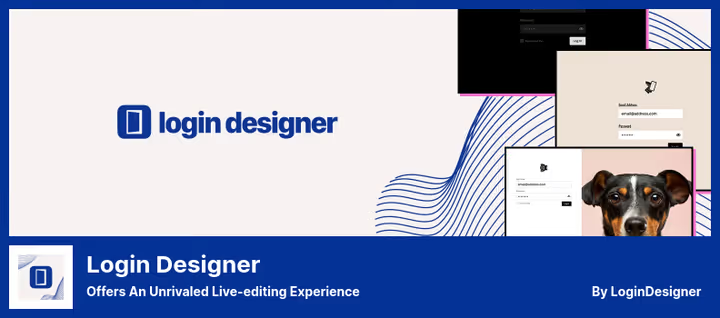
A niche plugin for those who value editing UX above the number of options. 30,000+ installs and a perfect 5.0 rating on WordPress.org. Completely free.
The feature of Login Designer, the "clicked on element, edited" approach. You hover over the logo in the preview, click, and settings for precisely that logo open on the right. You click on the form, form settings. No navigation through Customizer sections, no tree-like menus. Context-dependent interface saves a lot of time on switching.
Customizable: text colors, backgrounds, logos, margins, fonts, shadows. Design strictly from scratch, no ready-made templates. Security features (two-factor, reCAPTCHA, attempt limits) are also absent, this is a purely visual tool.
Login Designer is worth taking for designers and those who want pixel-level control over the login page. If you need a quick "out of the box" result, look towards LoginPress or Colorlib.
🔗 Login Designer on WordPress.org
Pros:
- Unique UX: click on element, edit that element
- Completely free, no limitations and Pro plans
- Contextual previews without wandering through menus
- Perfect 5.0 rating
Cons:
- No ready-made templates, only design from scratch
- No security features (2FA, reCAPTCHA, attempt limits)
- Modest community and support relative to leaders
6. Theme my login
Theme My Login solves the task differently than all previous plugins. It doesn't customize wp-login.php, it replaces the system login page with frontend pages styled to match the active WordPress theme.
The result: login, registration, password recovery and profile pages look like an organic part of the site. No "falling out" design, gray background and someone else's logo. The user goes to the /login/ link and sees the same header, same fonts, same colors as on other pages.
Included: reCAPTCHA, redirects after login and logout, custom email notifications, user moderation (account confirmation by administrator). Pro for $75/year adds Themed Profiles, user profiles on the frontend in the theme's style, custom profile fields and integration with WooCommerce.
Important nuance: visual customization here is not through Customizer, but through CSS inheritance from the theme. If the theme doesn't provide form styling, the result may require manual tweaking. Theme My Login is a choice for sites with active user registration: LMS, membership portals, forums, closed sections.
🔗 Theme My Login on WordPress.org
Pros:
- Login and profiles as part of the site, not the system wp-login.php page
- reCAPTCHA and user moderation out of the box
- Themed Profiles in Pro, user profiles on the frontend
- For sites with registration (LMS, membership, forum) this is the best approach
Cons:
- Customization depends on theme CSS, not always predictable
- Pro is an annual subscription ($75/year)
- Excessive if you just need to change the logo on wp-login.php
Setting up the login page through a visual editor is faster than figuring out hooks and CSS. Here's a 6-minute tutorial: from plugin installation to saving a custom design.
⁉️🤔 Frequently asked questions
Can I customize the login page without a plugin?
Yes, through functions.php and CSS. But this requires editing theme code, and an error in functions.php crashes the entire site, you'll have to restore through FTP. Plugins do the same thing through a visual editor in 5-10 minutes, without the risk of a typo. If you're not a developer and don't want to mess with backing up every change, a plugin is more reliable.
Which plugin is best for free customization?
Colorlib Login Customizer, completely free, with templates and live preview through Customizer. If besides visuals you need protection (reCAPTCHA, attempt limits), take the free version of LoginPress, cover security with a separate specialized plugin, this is more reliable than one "all in one" combine.
Is it safe to change the WordPress login page?
Customization itself is safe: plugins don't touch the WordPress core, they override styles and elements through standard hooks. For additional protection use reCAPTCHA, login attempt limits and two-factor authentication. From our selection LoginPress Pro and Theme My Login already include reCAPTCHA, Branda covers access to sensitive admin panel elements.
What is white-label and why does an agency need it?
White-label hides all WordPress mentions: the logo on the login page is replaced with yours, links in the admin footer are removed, system emails come with your logo and name, dashboard widgets are customized. The client, entering the admin panel, sees your brand, not WordPress. For agencies delivering turnkey sites, this is a quality standard. Branda from our selection is the best free tool precisely for this scenario.
Can I install two login customization plugins at the same time?
No. Both plugins will try to override the same elements through hooks, the result is unpredictable: style conflicts, button duplication, script loading errors. Choose one and cover all needed functions with it. Security (2FA, reCAPTCHA) is better added with a separate specialized plugin, it doesn't conflict with a visual customizer.
What happened to the seventh plugin from the original review?
The original featured Custom Login Page Templates, it hasn't been updated for 5 years and is marked as unverified with the last three major WordPress versions. Keeping it in the 2026 selection is dishonest to the reader. If you need a light customizer with templates, Colorlib Login Customizer or Login Designer will close this role better and without compatibility risk.
What to install in 2026: final breakdown
We ran through 6 live custom WordPress login page plugins. The choice comes down to the scenario, not an abstract rating.
If the budget is zero and you need a result immediately: install Colorlib Login Customizer. Templates, live preview, not a penny for Pro.
If you're ready to pay for convenience and security: LoginPress Pro for $49/year covers everything, templates, Social Login, reCAPTCHA, auto-login, redirects. The most balanced option for a commercial site.
Delivering turnkey sites to clients: Branda white-labels everything with one install. The free version is enough for login, admin panel, emails and dashboard.
The site has live user registration (courses, membership, forum): Theme My Login puts login and profiles on the frontend in your theme's style. The user doesn't see the system wp-login.php at all.
You value editor speed above the number of options: Login Designer with the "click on element, edit" interface gives the best customization UX among free plugins.
Any plugin from this six installs in a minute and configures without a single line of code. Choose for your task.

A professional team of writers and editors specializing in creating quality content.