














🗜 7 best WordPress image compression plugins 2026
Images are the main heavyweight of any WordPress page. According to HTTP Archive data from 2025, images account for about 45% of a page's total weight on average. If your hosting can't handle delivery and a visitor waits more than three seconds for loading, you lose both search rankings and conversions.
Manually compressing each image before uploading to the media library is a road to nowhere, especially when a site has dozens or hundreds of images. Compression plugins solve this task automatically: you upload photos as usual, and optimization happens on the fly.
We tested seven popular WordPress image compression plugins, from completely free solutions to powerful cloud platforms with CDN and Retina adaptation. In this review, only tools that actually work and are updated in 2026.
💡 Quick overview:
- Compare plugins by key criteria in the summary table: prices, limits, WebP support and optimization type
- Choose the right plugin: for a small blog, free reSmush.it or EWWW is enough, while for a high-traffic store it's better to look at Optimole or ShortPixel with CDN
- Install the plugin, run bulk optimization of existing images and configure auto-compression for new uploads
Comparison table: 7 image compression plugins
Plugin | Free version | Premium (from) | Optimization type | WebP | Free version limits |
|---|---|---|---|---|---|
EWWW Image Optimizer | Yes | $7/month | Local + API | Yes | No limits |
Imagify | Yes | $9.99/month | Cloud | Yes | ~200 MB/month |
Smush | Yes | $3/month | Local + CDN | Yes | 50 images per batch |
WP Compress | Yes | $9/month | Local + cloud | Yes | No limits |
Optimole | Yes | $19.08/month | Cloud + CDN | Yes | 5000 visits/month |
ShortPixel | Yes | $3.99/month | Cloud | Yes | 100 credits/month |
reSmush.it | Yes | - | Cloud (API) | No | 5 MB per file |
1. EWWW Image Optimizer
EWWW Image Optimizer is a veteran among compression plugins, active since 2012 and installed on more than a million sites. The main difference from competitors: optimization happens locally on your server (through built-in utilities like JPEGtran and PNGout), not on a third-party cloud. This is a plus for privacy, but a minus for weak hosting, as bulk optimization loads the CPU noticeably.
The plugin can compress JPG, PNG, GIF, PDF and convert images to WebP. Both lossless and lossy modes are available. Separately worth noting: EWWW has no monthly limits on the number of processed images even in the free version, a rare exception among competitors.
Pros:
- Unlimited free version by number of images
- Local optimization, no external APIs and data leaks
- PDF compression and WebP conversion
- Works on multisite without extra charges
Cons:
- On weak shared hosting, bulk compression can load CPU
- Console-like interface, less friendly than cloud alternatives
Price: free version without volume limits; premium EWWW Image Optimizer on WordPress.org, from $7/month for priority support and additional API tools.
🔗 EWWW on WordPress.org🔗 EWWW site
2. Imagify
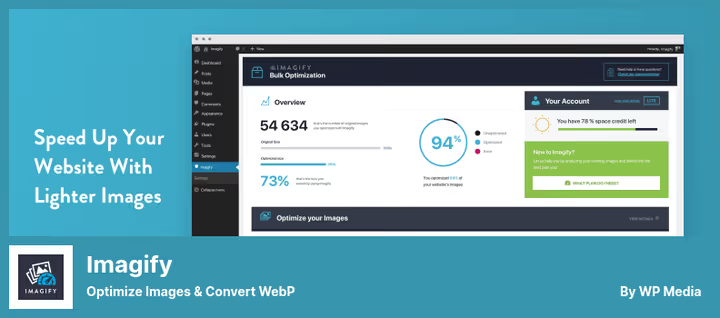
Imagify is a product of the WP Rocket team, one of the most respected developers in the WordPress ecosystem. The plugin is fully cloud-based: images are sent to Imagify servers, compressed and returned back. Your server is not loaded at all.
Imagify has three compression levels: Normal (lossless, no quality loss), Aggressive (lossy, strong compression with minimal noticeable difference) and Ultra (maximum compression for speed). According to developer tests, Aggressive mode reduces PNG size by times with visually unnoticeable difference, in our projects the savings consistently exceeded 50%.
Nice touches include: automatic WebP version creation, compatibility with WooCommerce and NextGen Gallery, ability to exclude certain images. The downside is that the free tier is strictly limited to about 200 MB per month, which is not enough for an active blog.
Pros:
- Three compression levels with transparent quality control
- Zero server load (cloud processing)
- Compatibility with WooCommerce, galleries and Retina plugins
- Original backups with rollback option
Cons:
- Monthly free tier limit (~200 MB) is small for active sites
- Premium is relatively expensive as volume grows
Price: free version, about 200 MB/month; premium Imagify, from $9.99/month for unlimited.
🔗 Imagify on WordPress.org🔗 Imagify site
3. Smush
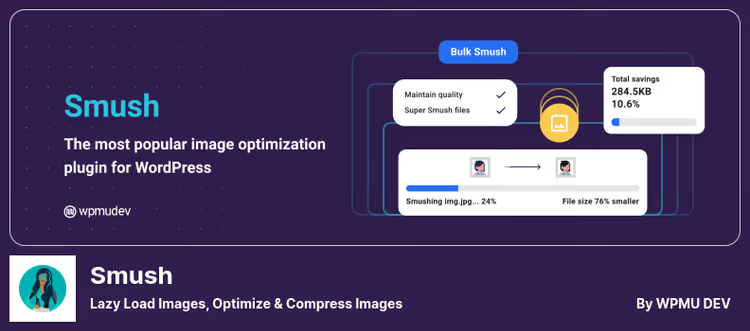
Smush by WPMU DEV is one of the most recognizable image optimization plugins (over a million active installs). Unlike purely cloud solutions, Smush compresses images locally, while an external service handles additional optimization and CDN.
The plugin automatically "tames" images on upload, finds "heavy" pictures in the media library, enables lazy loading and detects wrong sizes (when an image larger than necessary is inserted in the img tag). The Pro version adds WebP conversion and CDN with automatic device resizing.
The free version of Smush has two limitations: bulk optimization of no more than 50 images at a time and a maximum file size of 1 MB for individual compression. This is not critical for a small site, but on a project with thousands of images you'll either have to run batches manually or upgrade to Pro.
Pros:
- Simple and clear interface, setup in a couple of minutes
- Lazy loading and detection of "bloated" images
- Built-in space savings statistics
- CDN in Pro version
Cons:
- Batch limit of 50 images in free (inconvenient on large media libraries)
- 1 MB limit on individual compression in free
Price: free version with basic optimization; Smush Pro, from $3/month as part of WPMU DEV subscription.
🔗 Smush on WordPress.org🔗 Smush Pro on WPMU DEV
4. WP Compress
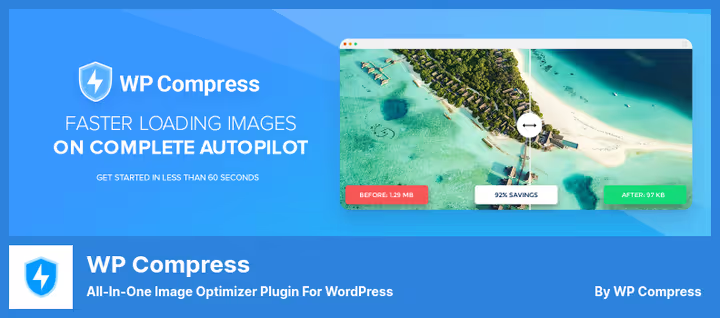
WP Compress is a less promoted but functionally rich plugin that uses a hybrid approach: local optimization for quick edits and cloud for deep compression. It contains a built-in CDN and can deliver images in WebP automatically to supporting browsers.
A notable feature is over-compression protection: the plugin analyzes each image and doesn't apply compression if it's already optimized. Plus, detailed statistics for each compressed file and PDF report export.
The free version of WP Compress has no strict limits on the number of images, which favorably distinguishes it from Imagify and Optimole. But Pro tiers are in the upper price category.
Pros:
- Hybrid local-cloud optimization
- Protection against repeated over-compression
- Automatic WebP and Retina support
- No image limits in free
Cons:
- Smaller community and updates less frequently than top competitors
- Pro tiers start at $9/month
Price: free version without file limits; premium WP Compress, from $9/month with CDN and priority processing.
🔗 WP Compress on WordPress.org🔗 WP Compress site
5. Optimole

Optimole is a cloud plugin from the creators of the Neve theme. Its main feature: images are not just compressed, but adaptively resized for the visitor's device through its own CDN. A user on a mobile phone gets a reduced version, on desktop a full-size one. All this happens on the fly, without involving your server.
Optimole has an "autopilot" mode: after installation, the plugin automatically selects compression parameters and activates lazy loading. No manual settings required, appreciated by those who don't want to dive into details. The interface is modern and minimalist.
The main limitation: the free version is tied not to image volume, but to the number of visits, 5000 visits per month. For a growing blog this is enough at the start, but a site with traffic will quickly hit the limit.
Pros:
- Adaptive CDN with automatic device resizing
- "Autopilot" mode, no setup required
- Cloud processing saves hosting resources
- WebP and Retina support "out of the box"
Cons:
- 5000 visits/month limit in free version (by traffic, not images)
- Pro tiers are relatively high
Price: free version for 5000 visits/month; premium Optimole, from $19.08/month for unlimited traffic.
🔗 Optimole on WordPress.org🔗 Optimole site
6. ShortPixel Image Optimizer

ShortPixel is one of the fastest cloud optimizers with three compression algorithms: lossy, lossless and proprietary Glossy (golden mean for photos, compression stronger than lossless, but virtually no artifacts). It's the Glossy mode we most often recommend for blogs with photo content.
The plugin automatically converts PNG to JPG where appropriate (savings up to 80% of size) and creates WebP versions. Additional advantages include: compatibility with any galleries and sliders, optimization of images uploaded via FTP, integration with Modula Gallery.
The free version of ShortPixel gives 100 credits per month (about 100 images). This is generous for getting acquainted, but for regular use you need a paid plan. Prices are among the most affordable among cloud competitors.
Pros:
- Glossy algorithm, ideal quality/size compromise
- Auto-conversion of PNG to JPG
- FTP upload optimization and support for any galleries
- Low Pro tiers
Cons:
- 100 credits/month in free, runs out quickly on an active site
- Registration and API key required even for free version
Price: free version, 100 credits/month; premium ShortPixel, from $3.99/month for 5000 credits.
🔗 ShortPixel on WordPress.org🔗 ShortPixel site
7. reSmush.it
reSmush.it is a completely free plugin without premium tiers and registrations. It works through the open API of the reSmush.it service, which uses several compression algorithms (including JPEGtran and OptiPNG). No keys, accounts and credit cards, install and it works.
The plugin optimizes images automatically on upload and can bulk process the existing media library. The only limitation is that file size should not exceed 5 MB (which is rarely a problem for web images). There's a backup of originals in case you want to roll back.
reSmush.it doesn't support WebP and doesn't have a CDN, it's purely a compressor. For a simple blog or landing page, where milliseconds of loading are not critical, its capabilities are more than enough.
Pros:
- Completely free, without premium tiers and API keys
- Simple interface, install and forget
- Auto-compression on upload and bulk optimization
- Original backups
Cons:
- No WebP support
- 5 MB per file limit
- No CDN and adaptive resizing
Price: completely free plugin reSmush.it on WordPress.org.
In practice, Themeisle tested the top image optimization plugins in one video, watch the comparison before making a decision.
⁉️🤔 Frequently asked questions
Lossy or lossless, what to choose for my site?
Lossless preserves the original quality pixel-by-pixel, but reduces size quite modestly. Suitable for a photographer's portfolio or a site with medical images. Lossy removes data invisible to the eye and compresses much more aggressively, this is the standard choice for blogs, online stores and news sites. Most plugins in the review offer both modes. Our advice: for a regular content site, take Aggressive/Glossy mode, you won't see the difference in quality, and loading speed will increase noticeably.
Is it mandatory to convert images to WebP?
Highly recommended. WebP compresses images on average 25-35% stronger than JPG with comparable quality, and Google uses loading speed as a ranking signal. All plugins from the review, except reSmush.it, support WebP conversion. If your hosting doesn't support WebP at the server level, the plugin will create WebP copies itself and configure delivery through.htaccess rules or through the picture tag.
Why did the image become blurry after compression?
This happens with aggressive lossy compression, when the algorithm removes too much data. Solution: reduce the compression level in plugin settings (switch from Ultra to Aggressive in Imagify, or from Max to Medium in Optimole) and re-optimize the image. If the original is already low resolution, first reduce the physical size of the image through an editor, then apply compression. The lower the original resolution, the more noticeable the artifacts with strong compression.
Which plugin is best for WooCommerce?
For a WooCommerce store we recommend Optimole or ShortPixel. Optimole automatically resizes images for the buyer's device through CDN and doesn't load the server, this is critical when the catalog has hundreds of products with galleries. ShortPixel wins on price and the Glossy algorithm for product photos. Both plugins are compatible with WooCommerce Gallery and correctly process all product thumbnail sizes.
Can I use two compression plugins at the same time?
Not recommended. Two plugins will conflict: one compresses the image, the second tries to compress the already compressed and may over-compress to quality loss. Besides, duplicate processes create unnecessary server load. Choose one plugin for your task, the comparison table at the beginning of the article will help you decide.
What to install on a site in 2026: final breakdown
We tested seven plugins in real conditions and here's our verdict for different scenarios:
- Minimal budget, simple blog, take EWWW Image Optimizer. Free without limits, compresses on server, supports WebP. For the vast majority of sites it's enough.
- **You value speed and don't want to load **hosting, your choice is Imagify (from WP Rocket creators). Cloud processing, three compression levels and excellent integration with popular plugins.
- WooCommerce or a site with thousands of products, Optimole with adaptive CDN or ShortPixel with economical Glossy mode. Both handle large catalogs without speed degradation.
- Need CDN and lazy loading in one package, Smush Pro as part of the WPMU DEV ecosystem. Best price/functionality ratio if you need other WPMU tools anyway.
- No budgets and registrations, reSmush.it. Completely free, without accounts, just works.
The main rule we derived from years of working with WordPress: don't chase the number of features. Choose a plugin, close the image optimization task with it and don't touch the settings for months. Consistent and continuous optimization of each uploaded image gives more speed gain than a one-time "cleanup" of the media library with a perfect tool.

A professional team of writers and editors specializing in creating quality content.