













 AIIllustrative image: AI-generated
🚪 15 best plugins for customizing the WordPress login page in 2026
The standard WordPress login page looks identical across millions of sites: gray WordPress logo, white form, blue button. A visitor arrives at your carefully designed site only to land on the impersonal wp-login.php. This isn't just a cosmetic flaw, it's a missed opportunity to reinforce your brand at a moment when users are most engaged.
Yet customizing the login page is no longer a developer task. Modern plugins do this in minutes: upload a logo, choose a background, adjust colors, activate reCAPTCHA. Without a single line of code.
We've compiled 15 current plugins for customizing the WordPress login page in 2026, from minimalist logo replacement tools to full white-label powerhouses. Each has been verified: the plugin is alive, updated, and available in the official WordPress.org catalog.
💡 Quick overview:
- Log into WordPress admin and go to "Plugins → Add New"
- Find the plugin by name from the table below and install it
- Go to Appearance → Customize (or the plugin's menu) and customize the login page for your brand
- Save changes and open wp-login.php in a private window to evaluate the result
Plugin comparison table
Plugin | Free version | Premium | Key feature |
|---|---|---|---|
Login Designer | Yes | No | Live Customizer + templates |
White Label | Yes | No | White-label admin + login page |
LoginPress | Yes | Yes (Pro) | Error and greeting customization |
Adminify | Yes | Yes (Pro) | White-label + menu editor + login |
Customizer Login Page | Yes | No | Simple login page Customizer |
Colorlib Login Customizer | Yes | No | Custom CSS + border radius |
Branda | Yes | No | White-label powerhouse: admin, emails, login |
Loginfy | Yes | Yes (Pro) | Ready templates + live preview |
Login Customizer | Yes | No | Minimalist login Customizer |
User Registration | Yes | Yes (Pro) | Drag-and-drop form builder |
Login & Register Customizer | Yes | Yes (Pro) | Login popup + slider + inline |
BM Custom Login | Yes | No | Simple, lightweight, time-tested |
AJAX Login Modal | Yes | No | AJAX login and registration popup |
OA Social Login | Yes | No | 40+ social networks for login |
Login With Phone Number | Yes | Yes (Pro) | OTP login via phone number |
1. Login Designer
🔗 Login Designer on WordPress.org
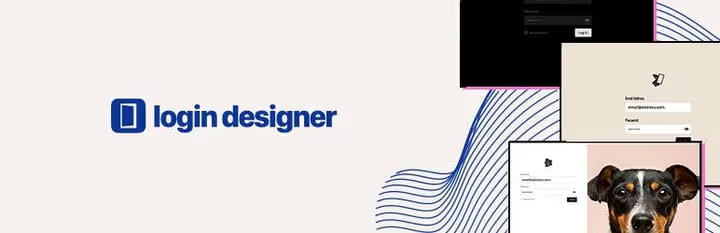
Login Designer, one of the simplest ways to get your login page in order. The plugin works through the native WordPress Customizer: go to Appearance → Customize → Login Designer and see all changes in real time.
Three preset layout templates to choose from: form centered, left, or right of the background image. You can change the logo (with or without a link to the site), background (color or your own image), fonts, spacing. For basic branding, this is more than enough.
Pros: free, no ads, live preview, lightweight. Cons: no premium extensions, features more modest than Branda or Adminify.
2. White Label

🔗 White Label on WordPress.org
White Label, a free plugin that solves two problems at once: customizes the login page and replaces standard WordPress identity in the admin with yours. Upload a logo and it appears on wp-login.php, in the top bar, on the dashboard, and in the admin footer.
For the login page, available options include: background image or color, form customization (colors, borders, shadows), custom CSS. There's an option to hide the "Forgot password?" link and customize error messages. Ideal for agencies delivering sites to clients: white label from door to exit.
Pros: completely free, replaces WordPress branding site-wide. Cons: no premium extensions, fewer templates than Branda.
3. LoginPress

LoginPress, a catalog veteran with over 200,000 active installations. The free version covers virtually everything: logo, background, form colors and borders, button and field fonts, spacing. Special attention deserves the customization of system messages like "Incorrect password", "Check your email", and welcome notifications. You write them yourself in your brand's tone.
The Pro version adds social login, login attempt limits, post-login redirects, custom widget, and auto-login via link. But for most sites, the free core is sufficient.
Pros: deep message customization, live Customizer, active development. Cons: some advanced features only in Pro.
4. Adminify

Adminify, a multifunctional white-label powerhouse where login page customization is one of dozens of capabilities. Besides the login builder, the plugin provides: admin menu editor (drag-and-drop), dark theme for admin, custom dashboard, media folders, two-factor authentication, and Google reCAPTCHA on login.
The login builder is visual: upload a logo, choose a background (color, gradient, or image), customize the form and buttons, change links. All options in a single plugin interface, no jumping between tabs. Suitable for those who want one plugin to cover admin branding, security, and login.
Pros: rich functionality, active development (updated June 2026), reCAPTCHA and 2FA out of the box. Cons: excessive if you only need a login customizer.
5. Customizer Login Page

🔗 Customizer Login Page on WordPress.org
Customizer Login Page adheres to the philosophy of "less is more". Install it, go to Appearance → Customize, see the "Login Page" section, and change the logo, background, form and button colors. No settings in a separate menu, no pro version advertising. It just works.
The plugin also fixes a technical problem: if after customization the "Back to site" link leads nowhere, Customizer Login Page lets you set the correct URL. A detail that saves time.
Pros: minimalist, fast, no intrusive upsells. Cons: no templates or advanced options.
6. Colorlib Login Customizer
🔗 Colorlib Login Customizer on WordPress.org
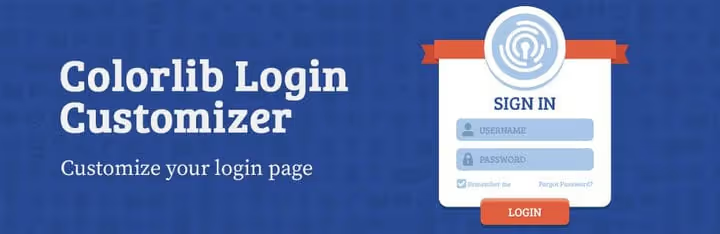
Colorlib Login Customizer, another plugin working through the native WordPress Customizer. But it has a distinctive feature: depth of form customization. You can change not only colors and logo, but also form width, border radius, shadows, field spacing, placeholder text color, and custom CSS. This is for those who find "just changing the logo" insufficient and need pixel-perfect styling.
The plugin is free and has no pro version. The developers (Colorlib team) maintain it consistently: last update, January 2026.
Pros: fine form tuning, custom CSS, live preview. Cons: no templates for quick start.
7. Branda

Branda by WPMU DEV, the most powerful free white-label plugin in the WordPress catalog. Besides the login page builder, it replaces the admin logo, customizes system emails, removes or replaces dashboard widgets, adds maintenance mode and coming soon page. And all this for free.
The login builder includes ready templates for quick start, logo upload, background image or color, field styling, form transparency, and shadows. After installation, you get not just a login plugin but a tool for complete WordPress rebranding.
Pros: functional powerhouse, templates, completely free, active support. Cons: many options can confuse beginners.
8. Loginfy

Loginfy, a relatively new player (first release 2025) but with a thoughtful approach. The plugin offers ready professional templates: choose one, apply it, and get a styled login page in 30 seconds. The free version includes 4 templates, Pro adds 16 more.
Works through WordPress Customizer: logo, background, layout, form, buttons, all customizable with live preview. Special mention goes to Google Fonts support and custom CSS for those who see templates as just a starting point.
Pros: ready templates save time, fresh code, active development. Cons: young plugin, community still small.
9. Login Customizer

🔗 Login Customizer on WordPress.org
Login Customizer, exactly what's on the label: login page customizer through WordPress Customizer. No additional menus, no white-label admin, no Pro upsell. Logo, background, form, fields, button, configure and forget.
The plugin suits those who value minimalism and don't want to deal with multifunctional powerhouses like Branda or Adminify. Installs, configures in 5 minutes, and creates no extra load on the admin.
Pros: ultra-simple, lightweight, no ads. Cons: no templates, no advanced features.
10. User Registration

🔗 User Registration on WordPress.org
User Registration solves a broader task: not just customizing the login page but providing a builder for registration, profile, password reset, and logout forms. Drag-and-drop interface: drag fields, change their order, configure validation.
For the login page, a separate style customizer: colors, fonts, borders, spacing, buttons. If the site has user accounts, membership, or WooCommerce, User Registration will cover the entire chain: registration → profile → login in a unified visual style.
Pros: form builder, WooCommerce integration, active development. Cons: login customization is not the main function.
11. Login & Register Customizer

🔗 Login & Register Customizer on WordPress.org
Login & Register Customizer stands out among competitors with its form factor: it can display login and registration not only on a separate page but also in a modal popup, slider, or inline block. This solves the problem of "user clicked 'Login' in menu and flew off to impersonal wp-login.php", instead, a styled popup opens over the current page.
Configuration through Customizer: background, colors, fonts, fields, buttons, post-login redirects. Pro version adds WooCommerce integration, social login, and custom registration fields. The free core is sufficient for basic login and registration popup.
Pros: modal popup, multiple display modes, active development. Cons: WooCommerce features in Pro.
12. BM Custom Login

🔗 BM Custom Login on WordPress.org
BM Custom Login by Binary Moon, a veteran with a long history that sticks to the principle "if it works, don't touch it". The plugin is extremely simple: upload a background image, logo, and set basic styles through the settings panel. No Customizers, templates, or popups.
Despite the spartan approach, the plugin updates (April 2026) and remains compatible with current WordPress versions. The user community collects examples of customized login pages in a Flickr group where you can find ideas.
Pros: ultra-lightweight, time-tested, no extra. Cons: no live preview, minimal options.
13. AJAX Login and Registration Modal Popup

🔗 AJAX Login Modal on WordPress.org
AJAX Login Modal, a specialized tool for one task: add a modal login and registration popup to the site that works without page reload. Supports login via email or username, registration with password confirmation, and custom fields.
The plugin integrates via [lrm] shortcode or programmatic call, you can attach the popup to any button or link. Built-in support for Google reCAPTCHA v3, brute force protection, and post-login redirect. For sites that need only quick AJAX login without page change, a targeted solution.
Pros: AJAX without reload, reCAPTCHA out of the box, shortcode. Cons: no wp-login.php appearance customization.
14. OA Social Login
🔗 OA Social Login on WordPress.org
OA Social Login, not a login page customizer in the classic sense but a bridge between your site and 40+ social networks. LinkedIn, GitHub, PayPal, YouTube, Reddit, VKontakte, Instagram, users log in through an existing account with one click, no form filling.
The plugin adds social network buttons to the login page, registration page, and below the comment form. Each button can be enabled or disabled, order and icon configured. Combined with a login customizer (like LoginPress or Branda), you get both a branded page and convenient passwordless login.
Pros: 40+ social networks, reduces registration friction, free. Cons: doesn't customize the page itself.
15. Login With Phone Number

🔗 Login With Phone Number on WordPress.org
Login With Phone Number replaces the classic "email + password" combo with phone number login via one-time password (OTP). User enters number, receives SMS or WhatsApp message with code, and logs in without password. No "forgot password", no credential leaks.
The plugin supports WooCommerce, integration with popular SMS gateways (Twilio, MSG91, Vonage), and GDPR compliance. Pro version adds custom gateways, OTP for email, and country whitelist. For sites with mobile audiences or projects where email isn't the primary channel, this radically simplifies login.
Pros: passwordless OTP login, WhatsApp + SMS, WooCommerce. Cons: requires SMS gateway, doesn't customize wp-login.php visuals.
⁉️🤔 Frequently asked questions
Can you customize the login page without a plugin?
Yes, through filters and actions in functions.php or via custom CSS in the theme. But this requires knowledge of PHP and WordPress API. A plugin does the same thing through a visual interface in 5 minutes without risk of breaking the site with a typo in code. For most users, a plugin is faster and safer.
Will the plugin slow down the site?
Plugins listed in this collection are specialized: they load styles and scripts only on the wp-login.php page, not site-wide. Frontend performance impact is zero. Exceptions are AJAX Login Modal and Login & Register Customizer, which may load popup scripts on all pages (as needed). In any case, we're talking about tens of kilobytes, not megabytes.
What to choose: free Login Designer or Branda?
If the task is only the login page, take Login Designer or Login Customizer: they're simpler and don't overload the admin. If you plan to rebrand the control panel, system emails, and dashboard, Branda or Adminify will cover everything with one plugin. Paradox: free white-label powerhouses (Branda, Adminify) can replace 3-4 separate plugins.
Why are only plugins from the WordPress.org catalog in the collection?
Plugins from the official catalog pass manual security and compatibility checks. Each has a public update history and bug tracker. CodeCanyon alternatives (Saraagna, Loginstyle, Digits) popular in 2020-2021 were removed or abandoned by 2026, no point recommending them. We deliberately limited the collection to verified plugins from the catalog.
Is a separate login plugin needed if using a theme with page builder?
Some themes (Total, Avada, Flatsome) and page builders (Elementor Pro, SeedProd) include login page customization in their settings. If your theme can do this, a separate plugin isn't needed. Check in Appearance → Customize or theme settings: often the option is already there, you just didn't know about it. If not, any plugin from the collection will solve the task.
Which login page plugin to choose for your task
The choice comes down to three scenarios. If you just need to replace the logo and background in 5 minutes, take Login Designer, Login Customizer, or Customizer Login Page. Minimalist, free, without diving into the depths.
If white-label for the entire admin is important besides login, Branda or Adminify. They will replace standard WordPress branding with yours at all contact points: from wp-login.php to the client's dashboard.
If you need a specific scenario, OA Social Login for social networks, Login With Phone Number for OTP via SMS, AJAX Login Modal for popup without reload. These plugins don't conflict with login customizers: you can install Branda for visuals and OA Social Login for social buttons, they work together.
Fifteen minutes for installation and configuration, and standard wp-login.php transforms into a page that works for your brand, not against it.

A professional team of writers and editors specializing in creating quality content.