













 AIIllustrative image: AI-generated
🚀 21 best slider plugins for WordPress in 2026
WordPress sliders in 2026 still raise questions for site owners. Some say any slider tanks speed, others quietly install Slider Revolution. The truth, as usual, lies somewhere in between.
A modern lightweight slider, when configured properly, does not hurt Core Web Vitals. It holds attention on key sections, boosts CTA click-through rates and gives visitors a quick visual response. The market has shifted significantly over the past three years: some old CodeCanyon solutions have been archived, replaced by Gutenberg-native blocks and AI tools.
We gathered 21 plugins, from free open source to premium powerhouses, broke down the pros, cons and use cases so you can pick the right tool for your specific needs.
💡 Quick overview:
- Decide on the slider type: hero banner, gallery, post slider or logo carousel.
- If speed is critical, go with MetaSlider or Smart Slider 3; for design freedom, Slider Revolution or LayerSlider.
- Working with Elementor or Divi? Check the built-in modules first.
- Before installing, verify compatibility with your page builder and PHP version.
Comparison table: key features
Plugin | Free version | Slider types | Builder | Pro price (from) |
|---|---|---|---|---|
MetaSlider | Yes | Images, video (Pro) | Drag-and-drop | $39.50/year |
Smart Slider 3 | Yes | Images, video, posts | Visual editor | $49 |
Theia Post Slider | No | Posts (pagination) | Shortcodes | $29 |
Soliloquy | Yes (Lite) | Images, video, WooCommerce | Visual | Pricing on site |
Slider by 10Web | Yes | Images | Screen-by-screen editor | $20 |
Elementor Slider | Included in Pro | Images, video | Visual | $59/year |
Divi Slider | Included in Divi | Images, video | Visual | $89/year |
Slider Revolution | No | Images, video, social media | Drag-and-drop | $35 |
Master Slider | Yes | Images, video | Drag-and-drop | $25 |
LayerSlider | No | Images, video | Layer builder | $25 |
Responsive Zoom Slider | No | Images | Settings | $20 |
Depicter | Yes | Images, video, popups | Visual + AI | $49/year |
Royal Slider | No | Images, video, HTML | Settings | $22 |
Accordion Slider | Yes | Accordion | Settings | Free |
Prime Slider | Yes (Lite) | Hero, posts, logos, WooCommerce | Elementor widgets | $29/year |
Ultimate Image Slider Pro | Yes | Images | Drag-and-drop | $15 |
Super Block Slider | Yes | Images, content | Gutenberg block | Free |
Carousel Slider | Yes | Images, video (Pro) | Minimal settings | Pricing on site |
GS Logo Slider | Yes | Logos | Settings | Pricing on site |
Kadence Blocks Slider | Yes | Images (carousel) | Gutenberg block | Free |
Getwid Slider | Yes | Images, posts | Gutenberg block | Free |
1. MetaSlider

MetaSlider from the UpdraftPlus team is one of the most reliable free sliders in the WordPress.org directory. Over 600,000 active installations speak for themselves.
The plugin was among the first to transition from shortcodes to native Gutenberg blocks. The free version includes a drag-and-drop editor, image cropping, SEO fields for each slide, 4 transition types and built-in Unsplash search. According to Hostinger benchmarks, it adds about 693 KB to the page, one of the best results in this roundup.
- Pros: regular updates, native Gutenberg block, SEO fields for each slide, minimal footprint
- Cons: design customization weaker than Smart Slider 3 and Slider Revolution
- Price: Free; Pro from $39.50/year
- Download: 🔗 MetaSlider on WordPress.org | 🔗 MetaSlider Pro
2. Smart Slider 3

Smart Slider 3 is the main MetaSlider competitor, and in our experience it wins where performance, design and customization depth matter. Rating 4.9/5 on WordPress.org, over 800,000 active installations.
The free version is more generous than average: importable template library, background animations, responsive fonts. Compatible with Gutenberg, Elementor and Divi. The visual editor shows results without switching to preview, saving time. Breakpoint configuration and autoplay settings help keep performance in check: according to the Hostinger benchmark, about 986 KB and 586 ms load time.
- Pros: live preview without switching, rich free version, template library
- Cons: Pro more expensive than CodeCanyon alternatives, documentation only in English
- Price: Free; Pro from $49 one-time with 14-day money-back guarantee
- Download: 🔗 Smart Slider 3 on WordPress.org | 🔗 Smart Slider 3 Pro
3. Theia Post Slider

Theia Post Slider occupies a unique niche: it does not create image sliders. The plugin turns long posts into slideshows, breaking content into screens with intuitive navigation. For galleries this is not your choice; it does exactly one thing and does it well.
Why would you need this? It increases page views and ad impressions since each slide refreshes the ad block. Plus it improves UX for long-form content: readers scroll through portions without losing the thread. Over 200 styling themes included.
- Pros: the only mature plugin for post pagination, no need to restructure existing posts, SEO-optimized
- Cons: paid only, no free trial, works only with posts
- Price: $29 one-time
- Download: 🔗 Theia Post Slider
4. Soliloquy

Soliloquy from the Envira Gallery team is a lightweight plugin with a free Lite version. Its main advantage: despite rich functionality, it barely affects load speed. According to Hostinger tests, the plugin shows 918 KB and 547 ms load time, among the best numbers in this roundup.
Premium unlocks WooCommerce carousels, Instagram, PDF, video with automatic content sourcing. It includes image protection from copying, scheduled display and SEO tools for each image.
- Pros: lightweight code despite rich functionality, full Gutenberg integration, SEO for images, WooCommerce sliders in Pro
- Cons: free version heavily limited, Pro more expensive than CodeCanyon alternatives
- Price: Lite free; Pro, pricing on site
- Download: 🔗 Soliloquy Lite on WordPress.org | 🔗 Soliloquy Pro
5. Slider by 10Web
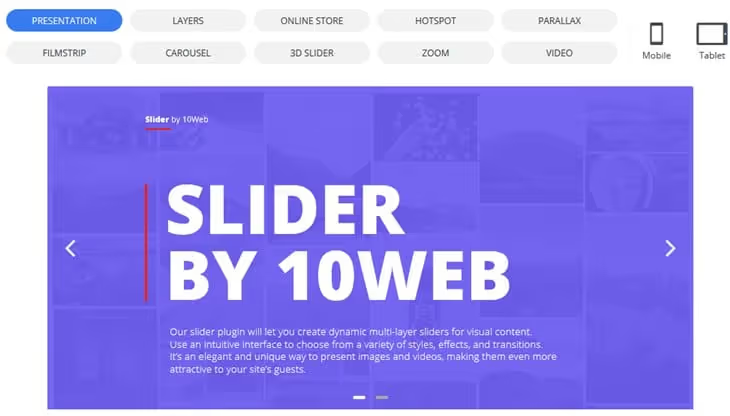
A free responsive image slider with a screen-by-screen editor: all elements visible at once, no tabs. The UX polish falls short of MetaSlider and Smart Slider 3, but for basic tasks it is self-sufficient.
The free version includes animation effects, fast rendering and Gutenberg compatibility. Pro unlocks layers, parallax effects, carousels and post sliders.
- Pros: quick start, lightweight code, screen-by-screen interface without extra tabs
- Cons: falls behind leaders in design customization depth, smaller community
- Price: Free; Pro from $20 on 10web.io
- Download: 🔗 Slider by 10Web
6. Elementor slider module

If you already use Elementor Pro, you probably do not need a separate slider plugin. The built-in widget covers basic needs: responsive layers, full-width slides, transition effects, customizable arrows and navigation. It falls short of specialized solutions in animation depth, but for typical hero banners and galleries the capabilities are sufficient.
The main advantage: zero additional footprint. The downside: useless outside Elementor. If your site runs on a different builder or pure Gutenberg, look at the universal plugins in this list.
- Pros: zero additional weight, integration with the Elementor ecosystem, no separate plugin needed
- Cons: only for Elementor Pro users, layer animation weaker than specialized plugins
- Price: included in Elementor Pro from $59/year
- Download: 🔗 Elementor Pro
7. Divi Builder slider module
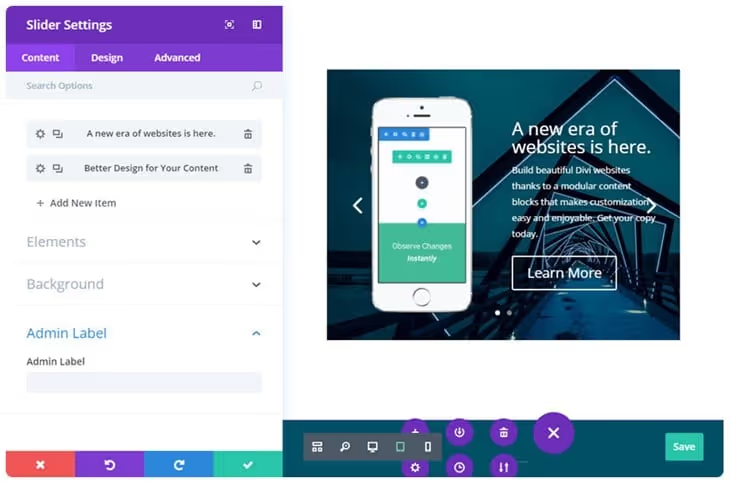
Similar to Elementor: if your site is built on Divi, the built-in module covers most tasks. Video backgrounds, customizable arrows, parallax effects, deep design customization, all out of the box without additional plugins.
Practical advice: test the built-in tool before looking for a third-party option. In most Divi projects it is enough. Outside the Divi ecosystem, of course, you need a universal plugin.
- Pros: deep customization, video backgrounds and parallax at no extra cost, one plugin instead of two
- Cons: only for Divi users, useless outside the ecosystem
- Price: included in Divi from $89/year (Elegant Themes)
- Download: 🔗 Divi Builder
8. Slider Revolution
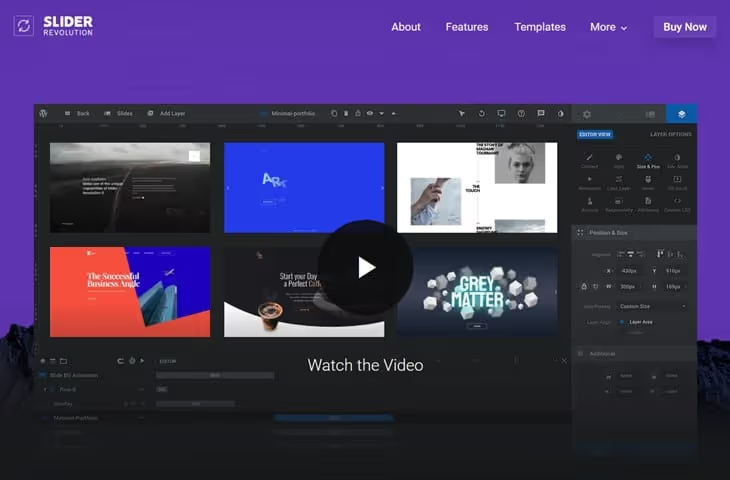
Slider Revolution is the most feature-rich premium slider in the WordPress ecosystem. Modern animations, a huge template library, the deepest layer control and 3D parallax effects. Many premium themes include it for free.
Content sources: Flickr, Instagram, WooCommerce, Facebook, YouTube, Vimeo. Recent versions added an AI assistant for slide generation. But the power comes at a speed cost: according to Hostinger load tests, it adds 1.8 to 2.3 MB of resources and 2 to 2.4 seconds of load time. On sites where every kilobyte counts, look toward MetaSlider or Smart Slider 3.
- Pros: largest template library, automatic content from social media, AI tools, often comes free with a theme
- Cons: footprint of 1.8 to 2.3 MB, steep learning curve, slows down on weak hosting
- Price: from $35 on Envato Market
- Download: 🔗 Slider Revolution
9. Master Slider
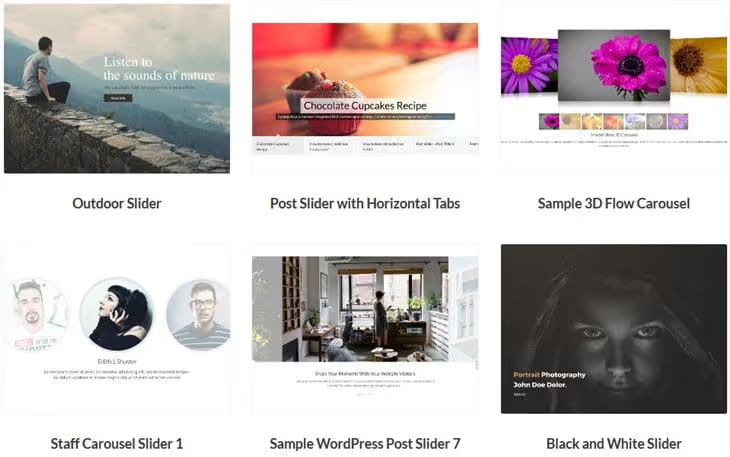
Master Slider is a plugin with a collection of professionally designed templates. The drag-and-drop editor allows working with each layer, and results are visible immediately. The free version includes fullscreen and widescreen slideshows, hotspot navigation on images and 8 ready-made examples to start with.
Pro adds animated layers, post sliders and extended support. Over 60,000 active installations on WordPress.org.
- Pros: beautiful templates out of the box, image hotspots, free version available
- Cons: post sliders and extended animation only in Pro, smaller community than MetaSlider
- Price: Free; Pro from $25
- Download: 🔗 Master Slider
10. LayerSlider

LayerSlider is a direct Slider Revolution competitor, and in some areas of layer work it surpasses it. The editor resembles a professional desktop tool: multi-layer timelines, interactive slides with scrolling, unique "origami" transitions.
Performance-wise, LayerSlider is surprisingly good in recent versions: asynchronous script loading reduces load time. Templates are tailored for business scenarios, from hero banners to product presentations.
- Pros: precise multi-layer timelines, unique "origami" transitions, asynchronous loading, business-focused templates
- Cons: paid only, fewer templates and integrations than Slider Revolution
- Price: from $25
- Download: 🔗 LayerSlider
11. Responsive Zoom In/Out Slider
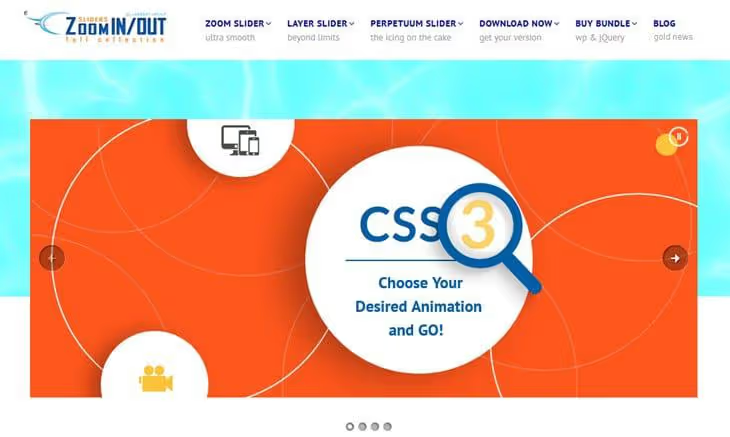
A lightweight, specialized plugin focused on zoom and pan effects. It does not offer Slider Revolution depth but does not burden your site either. Responsive layers, good touch navigation, several skins.
A solid choice for marketing landing pages and portfolios where the zoom effect is part of the visual concept, not just decoration.
- Pros: unique zoom effects not found in competitors, lightweight code, good touch navigation
- Cons: paid only, narrow specialization, loses to universal solutions outside zoom scenarios
- Price: $20 on CodeCanyon
- Download: 🔗 Responsive Zoom Slider on CodeCanyon
12. Depicter

Depicter is one of the fastest-growing visual builders for WordPress. It came to replace old CodeCanyon bestsellers and offers what classic sliders lacked: an AI slide generation wizard, a built-in popup and carousel builder, and a unified visual editor for all of it.
Over 80,000 active installations on WordPress.org, rating 4.7/5. The free version is not stripped down: you can create unlimited sliders, popups and notification bars. Pro ($49/year) unlocks extended AI features, premium templates and priority support. The interface is intuitive, with a gentle learning curve even for beginners.
- Pros: AI slide generation, popups and carousels in one plugin, generous free version, modern interface
- Cons: AI features only in Pro, fewer social media integrations than Slider Revolution
- Price: Free; Pro from $49/year
- Download: 🔗 Depicter on WordPress.org | 🔗 Depicter Pro
13. Royal Slider
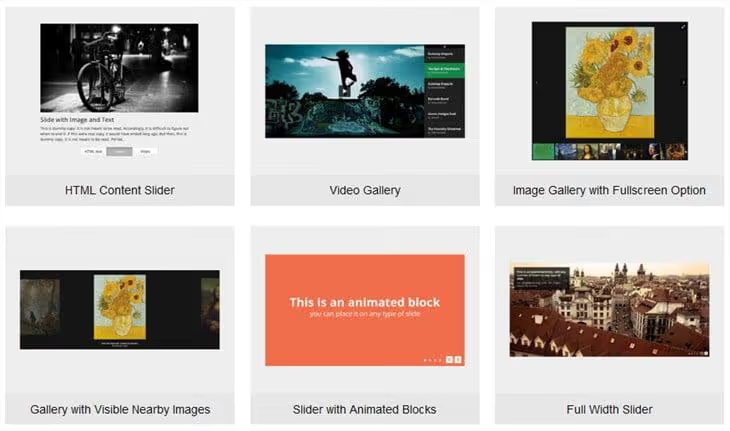
Royal Slider bets on smoothness and polished touch navigation. Out of the box: lazy loading, deep linking for SEO, video embedding and fullscreen HTML5 slides. The template collection is more modest than competitors, and animation effects are limited to essentials. But this is enough for hero banners, product galleries and video sliders.
- Pros: smooth touch navigation, deep linking for SEO, lazy loading out of the box
- Cons: paid only, modest template library, minimal animations
- Price: $22 on CodeCanyon
- Download: 🔗 Royal Slider on CodeCanyon
14. Accordion Slider

Accordion Slider from bqworks is a specialized solution for accordion sliders. Horizontal and vertical accordion, preset templates, combining custom slides, video, WooCommerce content, posts and Flickr in one slider.
Configuration looks like a native part of the WordPress admin. Touch-enabled and responsive layers, modular architecture. Available free in the WordPress.org directory and regularly updated.
- Pros: horizontal and vertical accordion, native interface, WooCommerce and Flickr as sources, free version
- Cons: narrow specialization, not for classic image sliders
- Price: Free on WordPress.org
- Download: 🔗 Accordion Slider on WordPress.org
15. Prime Slider

Prime Slider from BdThemes is an Elementor addon that bridges the gap between the built-in widget and a full-featured slider builder. Over 100,000 active installations, 75+ ready-made slider layouts, 30+ free widgets. The Lite version is generous: hero sliders, post carousels, logo sliders and WooCommerce product sliders are available for free.
Unlike universal plugins, Prime Slider is tailored specifically for Elementor and uses its drag-and-drop editor. For Elementor users this means no need to leave the familiar interface; all slider settings are right in the Elementor sidebar.
- Pros: 75+ ready-made layouts, rich free version, native Elementor integration without extra interfaces
- Cons: only for Elementor, useless on other builders and Gutenberg
- Price: Free (Lite); Pro from $29/year
- Download: 🔗 Prime Slider on WordPress.org | 🔗 Prime Slider Pro
16. Ultimate Responsive Image Slider Pro

This plugin from WP Frank does exactly what you expect: a classic image slider without trying to be everything at once. Photo gallery with titles, descriptions, thumbnails and navigation buttons.
The Pro version adds 6 slider layouts, font styles, drag-and-drop ordering and color settings. Works with multilingual plugins. Over 30,000 active installations on WordPress.org.
- Pros: simplicity without compromising functionality, multilingual support, drag-and-drop in Pro
- Cons: no free version for testing, smaller community than WP.org leaders
- Price: $15
- Download: 🔗 Ultimate Image Slider Pro
17. Super Block Slider

Super Block Slider is a lightweight Gutenberg-native plugin that lets you create sliders from any editor blocks. Not images in a carousel, but actual blocks: text, buttons, columns, media, anything you can insert in Gutenberg can go into a slide.
Ideal for content sliders, hero sections with text over images and promo banners. Free, with no push toward Pro, supporting the classic editor via shortcodes. Over 9,000 installations, actively developed, last update in 2026.
- Pros: completely free, native Gutenberg block, any content can go into a slide
- Cons: smaller community, fewer ready-made templates than leaders
- Price: Free
- Download: 🔗 Super Block Slider on WordPress.org
18. Carousel Slider
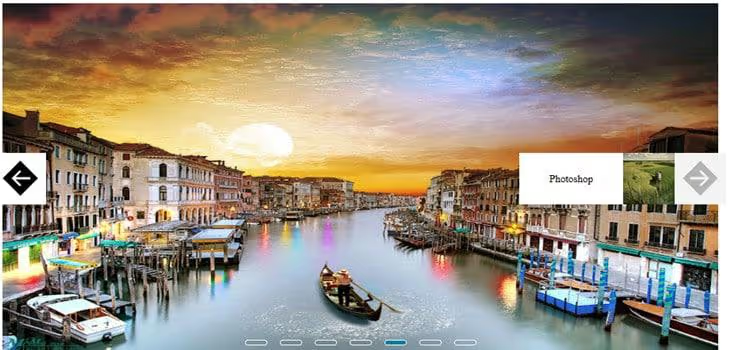
The fastest way to add a slideshow to WordPress: select images, choose slider type, pick a few animation effects, and done. No complex editors or lengthy learning. Fullscreen, full-width and boxed layouts available.
The Pro version adds video slides, more navigation styles and effects. Ideal if you need a slider quickly without diving into dozens of settings.
- Pros: extremely simple setup, no learning curve, multiple layouts
- Cons: free version lacks video, fewer design options than competitors
- Price: Free; Pro, pricing on site
- Download: 🔗 Carousel Slider
19. GS Logo Slider
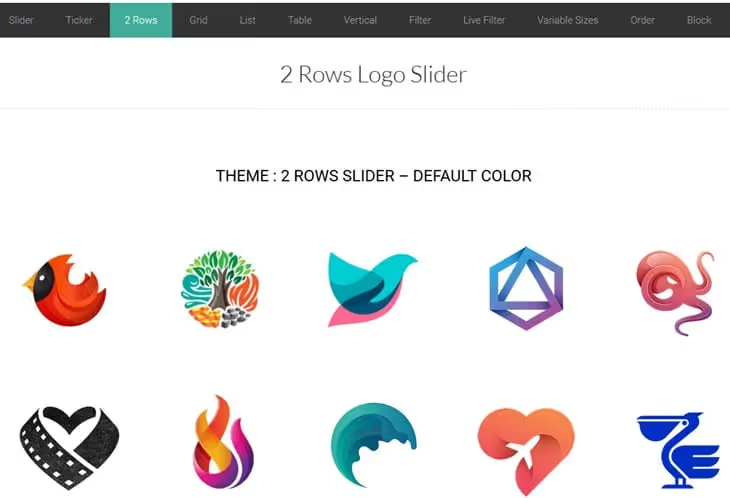
A specialized plugin for logo carousels: partners, clients, brands. Flexible logo sizes, pause on hover, controlled speed and animation, dedicated Gutenberg block.
Pro adds more layouts, tooltips and category-based display. Lightweight and tailored for a specific task: if you need a logo carousel, take this instead of a universal powerhouse.
- Pros: lightweight code, Gutenberg block, flexible speed settings, easy to configure
- Cons: logos only, advanced features in Pro
- Price: Free; Pro, pricing on site
- Download: 🔗 GS Logo Slider
20. Gutenberg slider by Kadence Blocks

Kadence Blocks is one of the most popular Gutenberg block collections. The Advanced Gallery block creates carousels and classic sliders right in the editor, without separate plugins. Last update: June 2026.
Customizable design parameters, lightbox support, transition effects, all free. If you already use the Kadence theme or its blocks, the built-in functionality covers most scenarios.
- Pros: completely free, native Gutenberg integration, lightbox out of the box, active development
- Cons: functionality below specialized plugins, maximum benefit within the Kadence ecosystem
- Price: Free
- Download: 🔗 Kadence Blocks on WordPress.org
21. Gutenberg slider by Getwid

Getwid is a Gutenberg block collection with dedicated slider blocks. Five slideshow types, image and media support, dynamic content: latest posts and custom post types.
Customization options are limited compared to specialized plugins, but slides inherit the active theme styles, setup is minimal and results are predictable. Completely free.
- Pros: completely free, 5 slideshow types, dynamic content from posts, inherits theme styles
- Cons: fewer settings than specialized plugins, limited functionality
- Price: Free
- Download: 🔗 Getwid on WordPress.org
Watch a video comparison of slider interfaces and settings:
⁉️🤔 Frequently asked questions
Do WordPress sliders slow down sites in 2026?
A good slider by itself does not slow down a site. The problem lies in which plugin is chosen and how it is configured. MetaSlider, Smart Slider 3 and Soliloquy are optimized for Core Web Vitals: lazy loading, minimal CSS/JS, asynchronous scripts. Heavy powerhouses like Slider Revolution load 1.8 to 2.3 MB, but with proper CDN configuration the difference is imperceptible to visitors.
Can you use two slider plugins at the same time?
Technically yes, but we do not recommend it. Each plugin adds its own scripts and styles; two slider solutions almost guarantee CSS conflicts and performance drops. Better to choose one universal option (Smart Slider 3 or Slider Revolution) and cover all scenarios with it. Exception: a specialized plugin like GS Logo Slider alongside your main one; conflicts are rare, but test on staging.
Is a free slider enough or do I need Pro?
For most sites, free MetaSlider or Smart Slider 3 is more than enough. Pro features are needed when you know exactly why: video backgrounds, scheduled slides, extended animations. Advice: start with the free version, understand your real needs and only then invest in Pro. Upgrading MetaSlider Free to Pro takes a couple of minutes, all settings are preserved.
Which slider is lightest on performance?
According to the Hostinger comparison review, MetaSlider and Soliloquy show the best results: about 693 KB and 918 KB respectively. Smart Slider 3 is also lightweight at about 986 KB in the free version. Avoid Slider Revolution on sites where every millisecond is critical unless you are ready to spend time on fine-tuned optimization.
Do I need a separate plugin if I have Elementor or Divi?
For typical hero banners and galleries, no, the built-in modules are sufficient. A separate plugin is justified if you need post sliders, accordion, zoom effects, automatic content from social media, WooCommerce or deep layer animation that standard builder widgets lack.
What is the difference between Slider Revolution and LayerSlider?
Both are premium powerhouses with layer builders, and the choice often comes down to personal preference. Slider Revolution wins on template count, social media integrations and AI tools. LayerSlider is stronger in animation precision and shows better load speed thanks to asynchronous script loading.
Bottom line: what to install in 2026
The choice comes down to three questions: what slider type you need, what is your budget and how critical is speed.
- Need a lightweight, free and reliable image slider? Go with MetaSlider.
- Want more design control without sacrificing performance? Smart Slider 3.
- For maximum visual freedom, and willing to accept the weight, Slider Revolution or LayerSlider.
- Site on Elementor? Check the built-in module first, then Prime Slider if it is not enough.
- Need a narrow feature (accordion, post slider, logo carousel)? Take a specialized solution: it is lighter and tailored exactly for the task.
The main rule: one site, one slider plugin. Do not multiply entities. Choose the tool for your task, configure it once and leave it alone. Tell us in the comments which slider you use on your site and why.

A professional team of writers and editors specializing in creating quality content.