













 AIIllustrative image: AI-generated
🚀 20 best Elementor addons for WordPress in 2026
The free version of Elementor gives you 40 widgets, Pro adds another hundred, but for dynamic filters, mega menus, or product cards with custom fields you need a third-party addon. WordPress.org lists 130+ extensions, half haven't been updated in years, a third are closed due to vulnerabilities.
We filtered out dead plugins and clones. What remains are 20 addons with active development, millions of installations, and concrete value: from universal collections (Essential Addons, ElementsKit) to specialized tools for dynamic content (Crocoblock) and AI site generators (Starter Templates).
💡 Quick overview:
- Install a universal addon: Essential Addons or ElementsKit give you 110+ widgets and free Theme Builder, Mega Menu Builder.
- For dynamic sites add Crocoblock with JetEngine (custom post types, AJAX filters) or Dynamic Content for Elementor for ACF.
- Enable modular widget management to disable unused elements for faster page load speeds.
Comparison table
Addon | Free version | Widgets in Pro | Active installs | Key feature |
|---|---|---|---|---|
Elementor Pro | ❌ | 100+ | 22M+ | Theme Builder, Popup Builder, WooCommerce Builder |
Essential Addons | ✅ (65 widgets) | 110+ | 2M+ | Modular system, 6500+ Templately templates |
ElementsKit | ✅ (46 widgets) | 110+ | 2M+ | Mega Menu Builder, Header Footer Builder free |
Crocoblock | ❌ | 200+ | 100K+ | JetEngine for code-free dynamic sites |
Unlimited Elements | ✅ (40 widgets) | 200+ | 100K+ | Widget Creator, build your own widgets |
Happy Addons | ✅ (143 widgets) | 143+ | 400K+ | Theme Builder free (Header, Footer, Single, Archive) |
Dynamic Content | ✅ (20 elements) | 140+ | 40K+ | Dynamic visibility, ACF, Toolset, Pods |
The Plus Addons | ✅ (20 widgets) | 120+ | 30K+ | Cross-domain widget copy-paste |
PowerPack | ❌ | 70+ | 80K+ | Lightweight widgets for landing pages, designer quality |
Starter Templates | ✅ | AI generator | 2M+ | AI creates a site in 2 minutes with copy and stock images |
1. Elementor Pro
Before looking elsewhere, check out the official Pro extension. The free version gives you 40 basic widgets, while Pro adds Theme Builder (visual editing of headers, footers, post templates), Popup Builder, WooCommerce Builder, forms with integrations, dynamic content.
From version 4.0, Atomic Editor: atomic blocks, global design systems (Variables, Classes), caching, lazy loading. Pro widgets: Portfolio, Slides, Price Table, Flip Box, Mega Menu, Code Highlight, Video Playlist, PayPal Button, plus 90 more.
- Pros: native integration, 22 million sites, most tested foundation.
- Cons: $59 per year subscription per site, multi-site is pricier ($99 for 3, $199 for 25).
- Price: from $59 per year.
- Download: 🔗 Elementor Pro on official site
2. Exclusive Addons for Elementor

Exclusive Addons, 31 free and 70+ Pro widgets. In the Free version: Image Magnifier, Image Comparison, Timeline, Team, Contact Form 7, Pricing Tables. Pro adds Mega Menu, Off Canvas Menu, Instagram Feed, WooCommerce Add to Cart.
- Pros: cross-domain widget copy-paste, 600+ ready-made blocks.
- Cons: smaller community than Essential Addons.
- Price: Free, Pro from $49 per year.
- Download: 🔗 Exclusive Addons on official site
3. Master Addons for Elementor
Master Addons, 40+ free widgets and 100+ templates. Focus on responsiveness: custom breakpoints, particle effects, animated gradients. Extensions for Contact Form 7, Ninja Forms, WPForms.
- Pros: pixel-perfect responsiveness control.
- Cons: not all widgets are polished on mobile.
- Price: Free, Pro from $39 per year.
- Download: 🔗 Master Addons on WordPress.org
4. The Plus Addons for Elementor
The Plus Addons, 120+ widgets, cross-domain copy-paste (widgets between sites), 4 custom post types (Portfolio, Team, Testimonials, Clients). The free Lite version gives 35+ widgets for testing, including Unused Widget Scanner (the only tool in its class for disabling unused widgets).
Pro widgets include Advanced Posts, WooCommerce Grid, Dynamic Gallery, Page Scroll, Animated Service Boxes, Social Feed, Dark Mode switcher. Strong point, custom post types: you can create a portfolio or testimonials block directly from the plugin without installing a separate CPT plugin.
- Pros: huge collection of 120+ widgets, cross-domain copying, modular script loading management.
- Cons: on weak hosting this many widgets can slow the editor, modular management is essential.
- Price: Free Lite (35 widgets), Pro from $49 per year.
- Download: 🔗 The Plus Addons on WordPress.org🔗 Pro version and demo
5. Dynamic Content for Elementor
Dynamic Content for Elementor, an addon for those building sites on ACF (Advanced Custom Fields), Toolset, Pods, or using Elementor Pro dynamic content. 58 widgets, 20 extensions, 4 page settings, all about displaying and manipulating dynamic data.
Key features: dynamic visibility (show or hide elements by user role, time of day, URL parameters), sticky header, interactive cursor, animated text, page export to PDF, parallax, SVG shapes, custom post type templates. ACF integration: galleries from repeaters, sliders from Gallery fields, maps from Address Field, displaying relationships.
- Pros: without it ACF and Elementor work at 30 percent of their capabilities, most powerful tool for dynamic catalogs, classified sites, portals.
- Cons: requires understanding of ACF and dynamic content, difficult for beginners, documentation is sometimes outdated.
- Price: Free (20 elements), Pro from $49 per year.
- Download: 🔗 Dynamic Content on WordPress.org🔗 Official site and pricing
6. Essential Addons for Elementor
Essential Addons, the long-time leader. 2 million installs according to WordPress.org as of January 2026, 110+ widgets (65 free), 4.9/5 rating. Developer WPDeveloper.
Free highlights: Post Grid, Post Timeline, Fancy Text, Countdown, Team Members, Filterable Gallery, Advanced Tabs, WooCommerce Product Grid. Pro: Lightbox, Image Comparison, Instagram Feed, Protected Content, Figma to Elementor Converter.
Modular system: enable only the widgets you need, the site doesn't load unnecessary JS and CSS.
- Pros: largest community, most tested, 6500+ templates, modular loading management.
- Cons: some cool widgets (Figma Converter, 360 Viewer, Protected Content) are Pro-only, free version limited to 65 widgets.
- Price: Free (65 widgets), Pro from $39 per year.
- Download: 🔗 Essential Addons on WordPress.org🔗 Pro version and templates
7. Crocoblock: JetPlugins ecosystem

Crocoblock, an ecosystem of 20+ JetPlugins, 200+ widgets. 100,000+ sites according to Crocoblock as of January 2026, Trustpilot rating 4.8. Flagship JetEngine: custom post types, taxonomies, relationships, forms with logic, code-free dynamic templates.
Package: JetElements (40 widgets), JetBlocks (headers and footers), JetTricks (hotspots, tooltips, parallax), JetSmartFilters (AJAX filters), JetFormBuilder, JetWooBuilder (custom WooCommerce product pages), JetAppointment.
Niche-specific solutions: marketplaces, booking, real estate catalogs, car dealerships. Crocoblock replaces 10-15 separate plugins.
- Pros: most powerful solution for dynamic Elementor sites, the ecosystem has no internal conflicts, all plugins integrate out of the box.
- Cons: price $199 per year for All-Inclusive (all plugins) or $399 per year for Unlimited (no project limits), steep learning curve, plan 2-3 weeks to master JetEngine.
- Price: from $75 per year for individual plugin, All-Inclusive $199 per year (all plugins, 1 project), Unlimited $399 per year.
- Download: 🔗 Crocoblock on official site🔗 Demo and ready-made solution templates
8. JetElements

JetElements, part of the Crocoblock ecosystem, focuses on design widgets. 40+ elements: Advanced Carousel, Animated Box, Bar Chart, Circle Progress, Countdown Timer, Download Button, Dropbar (dropdown menu on scroll), Horizontal Timeline, Image Comparison, Lottie Animation, Portfolio, Pricing Table, Subscribe Form, Vertical Timeline, Video Player, Weather (weather widget with API).
Works as a standalone plugin, doesn't require JetEngine. Ideal if you only need the visual part of Crocoblock without dynamic content. Each widget is pixel-perfect: margins, shadows, entrance animations, styles for each state (hover, active, visited).
- Pros: rich visual collection, independence from JetEngine, high code quality.
- Cons: price, purchased either separately ($23 per year) or in the Crocoblock All-Inclusive package.
- Price: from $23 per year separately, or in All-Inclusive for $199 per year.
- Download: 🔗 JetElements on Crocoblock site
9. Ultimate Addons for Elementor

Ultimate Addons, a product from Brainstorm Force, the same team behind Astra theme and Starter Templates. 21+ widgets with emphasis on WooCommerce and content blocks: Woo Product Grid, Woo Product Carousel, Post Grid, Post Carousel, Info Box, Price List, Team, Timeline, How To Schema, Table of Contents (automatic page heading outline).
Modular management like Essential Addons: enable only needed widgets, the rest don't load. Perfect compatibility with Astra theme: widgets automatically inherit the theme's typography and colors.
- Pros: perfect compatibility with Astra, lightweight code, each widget is well polished.
- Cons: only 21 widgets, fewer compared to competitors (Essential Addons gives 65 free, ElementsKit 46), but the quality of each is higher.
- Price: Free.
- Download: 🔗 Ultimate Addons on WordPress.org
10. JetBlocks

JetBlocks from Crocoblock, a specialized plugin for headers and footers. Widgets: Site Logo, Nav Menu, Search, Login Form, WooCommerce Cart, Sticky Header.
- Pros: detailed navigation customization, sticky separately for desktop and mobile.
- Cons: very specialized, justified only for complex projects.
- Price: from $23 per year, or in All-Inclusive.
- Download: 🔗 JetBlocks on Crocoblock site
11. Element Pack
Element Pack from BdThemes, a collection of 300+ widgets with emphasis on unique elements: Advanced Image Gallery, Custom Gallery (unconventional layouts), Advanced Google Map, Time Circled (circular timer), Scroll Button, Crypto Currency (crypto rates widget with API), Fancy Icons, Hover Box.
Free version available on WordPress.org with 40+ widgets. Pro includes 300+ widgets and regular updates, the team releases new widgets almost every month. Suitable for those who need unusual elements not found in Essential Addons or ElementsKit.
- Pros: sea of rare widgets (Crypto Currency, Advanced Timeline, unconventional galleries), active development.
- Cons: modest free version (40 widgets), Pro costs $49 per year, some widgets duplicate Essential Addons functionality.
- Price: Free (40 widgets), Pro from $49 per year.
- Download: 🔗 Element Pack on WordPress.org🔗 Pro version and demo
12. PowerPack for Elementor
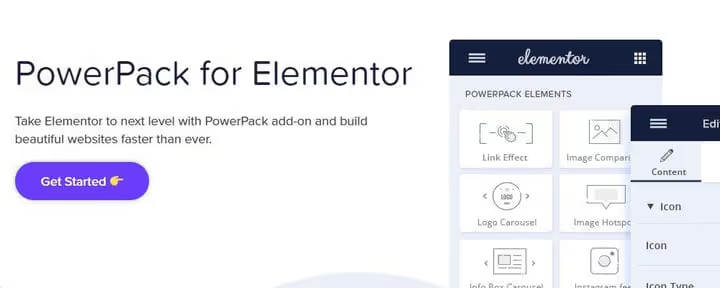
PowerPack, 70+ lightweight widgets for landing pages, portfolios, and business cards. Strong point, each widget is design-polished: Advanced Posts, Animated Headlines, Business Hours, Content Ticker, Fancy Cards, Image Separator, Logo Grid, Price Menu, Team Carousel, Tiled Gallery.
No free version, only Pro ($49 per year according to official pricing). Because of this the community is smaller than Essential Addons, but each widget doesn't conflict with other plugins and minimally loads the DOM (page element tree). In practice designers choose PowerPack when they need beautiful widgets without configuration hassle.
- Pros: designer-quality widgets, lightweight code, fast page loading.
- Cons: no free version, fewer widgets (70) than competitors for the same price (Essential Addons Pro gives 110+).
- Price: from $49 per year (no Free).
- Download: 🔗 PowerPack on official site
13. JetTricks

JetTricks from Crocoblock, visual effects: Hotspots, Tooltips, Sticky Elements, Parallax, Satellite Widget. Useful for landing pages and portfolios with interactivity.
- Pros: quality animation without manual JavaScript.
- Cons: very specialized, justified only for visual projects.
- Price: from $18 per year, or in All-Inclusive.
- Download: 🔗 JetTricks on Crocoblock site
14. Happy Addons for Elementor
Happy Addons, a project from weDevs, a team with reputation (they also made Dokan, the multi-vendor plugin for WooCommerce). 143 widgets (free and Pro). Main advantage: free Theme Builder, creating Header, Footer, Single Post Template, Archive Page Builder without Elementor Pro. No competitor offers this in their free version.
Other free features: Shape Dividers (18 new section dividers), Tooltip, Equal Heights (column height alignment), Text Outline, Floating Effects, CSS Transform, Reading Progress Bar (article reading progress bar), Custom Mouse Cursor. Pro adds Mega Menu, Cross Domain Copy-Paste, Image Masking, Display Conditions (element display conditions), Particle Effects, 400+ design presets.
- Pros: free Theme Builder and Header Footer Builder, huge savings ($59 per year versus Elementor Pro), 143 widgets.
- Cons: some widgets duplicate Elementor Pro, not always necessary if you already have official Pro.
- Price: Free (Theme Builder included), Pro from $49 per year.
- Download: 🔗 Happy Addons on WordPress.org🔗 Pro version and demo
15. Unlimited Elements for Elementor

Unlimited Elements, this is the wildcard in the Elementor addon world. 200+ Pro widgets plus Widget Creator: a builder where you assemble your own widget without code from ready-made blocks (drag and drop controls, responsive design, integrate any API through templating). Nobody else has this.
Strong categories: Post Widgets (Post Tabs, Post Accordion, Post Carousel, Post Filters with AJAX), WooCommerce Widgets (Product Grid, Product Carousel, Filters with AJAX), Gallery Widgets (Slider, Tile, Compact, Masonry, Carousel), Form Builder (TextField, Star Rating, Multi Step), Marketing (Review Box, Timer Countdown, Testimonial Card, Instagram Feed), Menu Widgets (Mega Menu, Fullscreen Menu, Side Menu).
In practice Widget Creator replaces a developer for simple elements: you can build a custom widget with currency API, weather, stock quotes, Google reviews in 15 minutes.
- Pros: Widget Creator, a tool that replaces a developer for simple elements, 200+ widgets.
- Cons: 200+ widgets can overload the editor, modular management is essential (disable unused categories).
- Price: Free (40 widgets), Pro from $49 per year.
- Download: 🔗 Unlimited Elements on WordPress.org🔗 Pro version and Widget Creator
16. ElementsKit
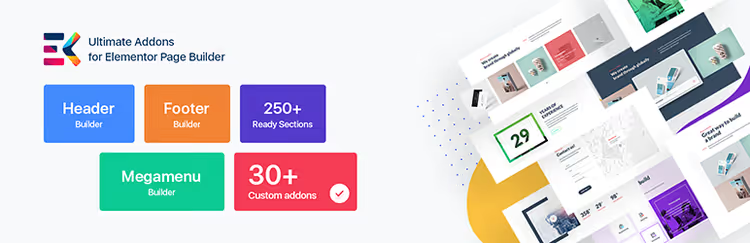
ElementsKit, WPDeveloper's second flagship. 50 million downloads, 2 million users according to WordPress.org data as of January 2026, 110+ widgets, 1000+ sections.
Three killer modules free: Header and Footer Builder, Mega Menu Builder (drag and drop, multi-level), Custom Widget Builder (creating widgets without code). Free widgets: Accordion, Tab, Countdown, Image Comparison, Testimonial, Pricing Table, FAQ, MailChimp, Lottie.
Pro: Advanced Accordion, Vertical Menu, Hotspot, Video Gallery, Popup Modal, Google Map, Fancy Animated Text, WooCommerce widgets.
- Pros: three free builders (Header, Mega Menu, Widget) not in Elementor Pro, huge template library.
- Cons: some widgets (buttons, headings) duplicate basic Elementor, the gain isn't always noticeable.
- Price: Free (46 widgets), Pro from $39 per year.
- Download: 🔗 ElementsKit on WordPress.org🔗 Pro version and templates
17. Premium Addons for Elementor
Premium Addons, not a widget collection but a package of enhancements for EXISTING Elementor widgets. Adds CSS recording mode, SVG masks, column management, Text Outline, Gradient Fill for headings.
- Pros: unique approach, enhances standard widgets, lightweight code.
- Cons: not suitable for those looking for ready-made widgets.
- Price: Free, Pro from $39 per year.
- Download: 🔗 Premium Addons on WordPress.org
18. Sina Extension for Elementor
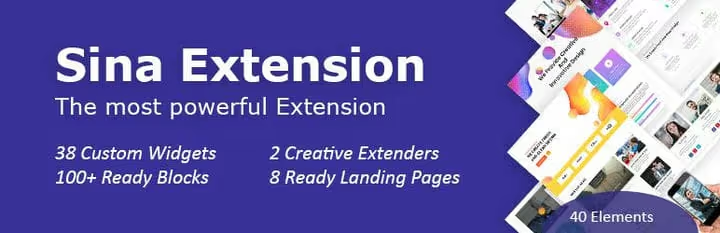
Sina Extension, 40 widgets and 100+ blocks. Fully translated into 6 languages, good choice for multilingual projects (WPML, Polylang, TranslatePress). Widgets: Carousel, Chart, Team, Table, Counter, Timeline.
- Pros: multilingual, lightweight.
- Cons: updates less frequently than leaders, small community.
- Price: Free.
- Download: 🔗 Sina Extension on WordPress.org
19. Stratum: free business widgets

Stratum from MotoPress, one of the best free options if you don't want to pay for Pro versions of addons. 20+ widgets: Advanced Slider, Advanced Google Maps, Advanced Posts, Instagram, Advanced Accordion, Banner, Circle Progress Bar, Masonry Gallery, Price List, Testimonial Carousel, Countdown, Lottie Animations.
Unique feature, auto-theme style inheritance: widgets inherit the typography and colors of the active theme without manual configuration. Updated in December 2025 (version 1.6.2), 20,000+ active installations.
- Pros: truly free access to business widgets, auto-styling to active theme.
- Cons: free version limited to 20 widgets, fewer than Essential Addons or Happy Addons.
- Price: Free.
- Download: 🔗 Stratum on WordPress.org
20. Starter Templates: AI site generator

Starter Templates from Brainstorm Force, not quite a classic addon but an AI site generator. Describe your business (niche, colors, preferences), AI selects design, generates copy, picks stock images from Pexels and Unsplash, creates a site in 2 minutes. 2 million installs, 4500+ reviews.
Works with Elementor, Spectra (block editor for Gutenberg), and native Gutenberg. 280+ ready-made Elementor templates, 200+ sections and pattern blocks. Built-in AI assistant (like ChatGPT but for WordPress): writes copy, translates, generates HTML and CSS, answers setup questions.
In practice Starter Templates saves hours at project start: instead of assembling a landing page from scratch in a day, you get a ready site in minutes, then edit details.
- Pros: AI generator saves hours at start, huge template library, built-in AI assistant for copy.
- Cons: fine-tuning after generation still requires other addons from this list, AI copy requires editing.
- Price: Free (280+ Elementor templates, AI generator), Pro from $49 per year (premium templates, additional AI features).
- Download: 🔗 Starter Templates on WordPress.org🔗 AI generator and demo
⁉️🤔 Frequently asked questions
Do I need Elementor Pro if I use third-party addons?
Yes, you do. Third-party addons provide widgets, but Theme Builder, Popup Builder, WooCommerce Builder are only in Elementor Pro. Exception: Happy Addons and ElementsKit provide free Theme Builder, an alternative to Elementor Pro for blogs. Optimal combination: Elementor Pro plus Essential Addons or Crocoblock.
How not to slow down the site with a dozen addons?
Use ONE large addon (Essential Addons or ElementsKit) and enable modular management, disable unused widgets. Each addon loads its own CSS and JS. Test with PageSpeed Insights after installation. If an addon hasn't been updated in a year, remove it: it's a security risk and compatibility issue.
Which addon is best for WooCommerce?
Crocoblock with JetWooBuilder gives maximum control: custom product pages, archives, cart, checkout, attribute filters with AJAX, sorting. If you need ready-made Woo widgets (Product Grid, Product Carousel, Add to Cart) without deep customization, Essential Addons and ElementsKit are simpler to set up but less flexible. Among free options, Ultimate Addons with WooCommerce focus (Woo Product Grid, Carousel).
Can I use multiple Crocoblock addons simultaneously?
Yes, they don't conflict. But on weak hosting JetEngine plus JetElements plus JetBlocks is serious load, better limit to two plugins. Crocoblock is sold as All-Inclusive package for $199 per year for all 20+ plugins, then enable only needed ones per project.
Is it worth replacing Elementor Pro with a combination of free addons?
Technically, yes. Happy Addons (free Theme Builder) plus Essential Addons (65 free widgets) will cover 80 percent of Elementor Pro functionality. But you'll lose Popup Builder, WooCommerce Builder, Pro dynamic content, official support. For commercial projects saving $59 per year doesn't justify the risks. For a personal blog, it's a working scheme.
What to install in 2026: final breakdown
For most projects the combination of Elementor Pro plus Essential Addons covers everything: 100+ Pro widgets, 110+ from Essential Addons, Theme Builder, 6500+ templates. Dynamic sites (catalogs, marketplaces, classified sites), Crocoblock with JetEngine is unmatched. Budget landing pages, Happy Addons plus Stratum free.
Main point: DO NOT install addons just in case. Each plugin loads hosting and creates an attack vector. Choose one or two for the task, enable only needed widgets through modular management.

A professional team of writers and editors specializing in creating quality content.