














🧩 12 Elementor addons in 2026: free and premium
The free version of Elementor is a great start. But sooner or later you'll hit its limitations: no proper tables, can't build a header, missing widgets for dynamic content. Should you buy Elementor Pro for $59/year? Not always justified, especially if the site budget is zero.
Third-party Elementor addons fill these gaps. Some are free and available on WordPress.org. Others cost money, but provide functionality that's not even in the Pro version. I've collected 12 current addons, from must-have free ones to premium powerhouses like Crocoblock. All entries are verified: the plugins are active, updated, and work with Elementor 3.27+.
💡 Quick overview:
- Cover the basics: Happy Addons (140+ free widgets + Theme Builder) and Header Footer Builder for the header.
- Fill specific gaps: Table Addons for tables, CF7 Widget for forms, Addon Elements for Pro widgets.
- Scale up: Crocoblock for dynamic content, PowerPack for landing pages, Boosted Elements for WooCommerce.
Comparison table: all 12 addons in 30 seconds
Addon | Type | Widgets | Price | Active installations |
|---|---|---|---|---|
Happy Addons | Free + Pro | 143+ | $0 / Pro from $39 | 400,000+ |
Master Addons | Free + Pro | 55+ | $0 / Pro from $29 | 30,000+ |
Header Footer Builder | Free | 4+ | $0 | 1,000,000+ |
Livemesh Addons | Free + Pro | 13 free | $0 / Pro $39 | 20,000+ |
Addon Elements | Free | 40+ | $0 | 10,000+ |
Table Addons | Free | 1 (tables) | $0 | 8,000+ |
CF7 Widget | Free | 1 (forms) | $0 | 20,000+ |
Crocoblock JetPlugins | Premium | 150+ | from $199/year | - |
PowerPack | Premium | 70+ | from $19.99 | 80,000+ |
Livemesh Addons Pro | Premium | 45+ | $39 | - |
Boosted Elements | Premium | 20+ | $18 | - |
Elementor Extras | Premium | 31+ | €26 | - |
A visual review of the five best free addons in action, demonstrating the interface and key features:
Free Elementor addons
Verified plugins that install from WordPress.org in a minute. No credit card needed.
1. Happy Elementor Addons
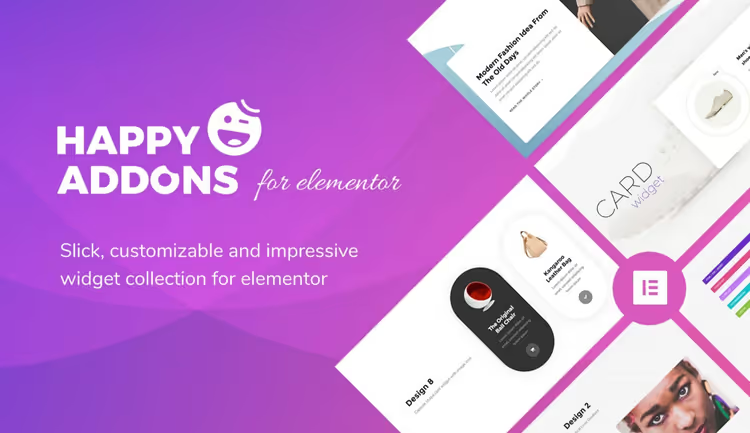
Happy Addons from weDevs is the most functional free addon for Elementor. 143+ widgets in the free version (including Theme Builder for headers, footers, and archives), plus 500+ ready-made templates. This isn't just "adding a few buttons," it's a full-fledged replacement for the Pro version in many areas.
Killer features include Cross Domain Copy Paste (copy a section from one site and paste it on another), Live Copy (duplicate elements between pages in real time), 400+ one-click design presets. There are floating effects, CSS Transform, unlimited section nesting, and responsive column ordering.
Pros: Theme Builder free, huge widget library, cross-domain copying.
Cons: interface is overloaded (143 widgets, not all needed), Pro version is pricey for a single site.
Price: free; Pro from $39/year for 1 site.
🔗 Happy Addons on WordPress.org
2. Master Addons for Elementor
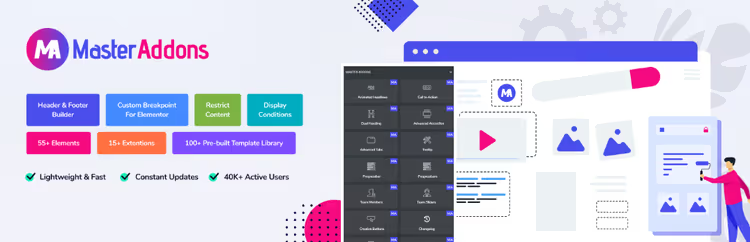
Master Addons offers 55+ widgets and 20+ extensions with a focus on performance. Unlike Happy Addons, which loads everything at once, Master Addons lets you enable/disable widgets individually, keeping the interface clean. Notable features: Theme Builder, Popup Builder, Widget Builder (create your own widgets without code), and a growing library of Template Kits.
There's white label: rename the plugin, change the logo and description to your studio brand. Extensions include Display Conditions (element display conditions), Custom Breakpoints, Entrance Animation, Floating Effect, and fields for custom CSS/JS.
Pros: modularity (enable only what you need), Widget Builder, white label.
Cons: fewer widgets than Happy Addons, some key features are in Pro.
Price: free; Pro from $29.
🔗 Master Addons on WordPress.org
3. Elementor Header & Footer Builder

A plugin from Brainstorm Force, the same folks who make the Astra theme. It lets you build site headers and footers in Elementor without the Pro version. Supports Astra, GeneratePress, OceanWP, and Genesis themes, meaning most popular themes. Create a template through the Elementor interface, assign it as a header or footer, done.
Additionally, it can create Blocks that you can insert anywhere on the site via shortcode. Over a million active installations, the plugin is time-tested.
Pros: solves the main pain of free Elementor (header/footer), 1M+ installations, from the creators of Astra.
Cons: only supported themes, no mega menu in the free version.
Price: free.
🔗 Header Footer Builder on WordPress.org
4. Livemesh Addons for Elementor
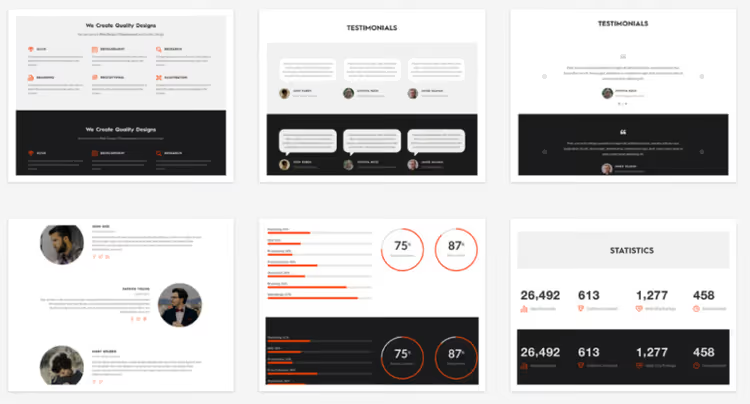
A free plugin from Livemesh with 13 professional addons. Unlike powerhouses like Happy Addons, each widget here is more deeply developed, not chasing quantity. In the free version: Services, Portfolio Grid, Blog Grid, Team Profiles, Odometer Counters, Bar Charts, Animated Pie Charts, Testimonials, Posts Carousel, and Pricing Plans.
Perfect for corporate sites and portfolios: you can build an "About us" or "Services" page in half an hour without a single line of code. There's a Pro version with additional widgets (tabs, accordions, galleries, see premium section).
Pros: quality development of each widget, perfect for portfolio and corporate sites.
Cons: fewer elements than competitors, some widgets only in Pro.
Price: free; Pro, license cost $39.
5. Addon Elements for Elementor
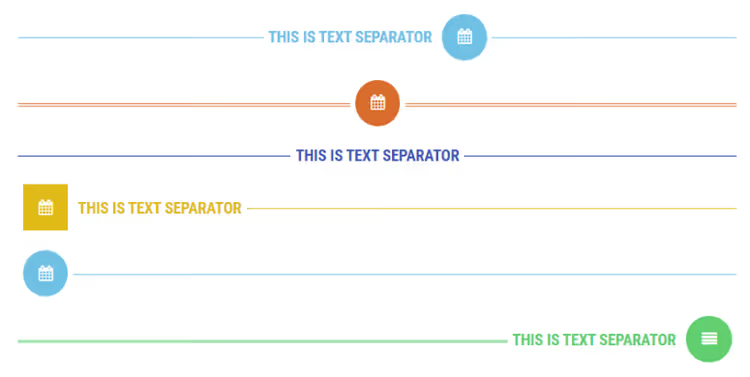
Previously called Elementor Addon Elements, now renamed. 40+ widgets and extensions: Flip Box, Text Separator, Pricing Table, Post List, Animated Text, Split Text, and dozens more. Some widgets duplicate Elementor Pro functionality, but you get them for free.
Interesting features: responsive tabs, accordions, image sliders with gallery. Suitable for those who need specific Pro widgets without buying Pro.
Pros: replaces some Pro widgets for free, lightweight, modular.
Cons: modest set compared to Happy or Master Addons, confusion from renaming.
Price: free.
🔗 Addon Elements on WordPress.org
6. Table Addons for Elementor

A narrow but extremely useful plugin for creating tables directly in the Elementor interface. Without it, tables in free Elementor have to be built with columns or inserted via third-party shortcodes, which is inconvenient. Table Addons provides a full-fledged table widget with row, column, header, and style settings.
Suitable for comparison pages, price lists, specifications, and any tabular content. Not as fancy as wpDataTables, but for "making a table in 2 minutes," it's perfect.
Pros: addresses a specific need without overhead, works out of the box.
Cons: only tables (one widget), fewer settings than premium alternatives.
Price: free.
🔗 Table Addons on WordPress.org
7. Contact Form 7 Widget for Elementor

If you use Contact Form 7 (that's 5+ million sites), this plugin adds native integration of forms with Elementor. Instead of inserting a CF7 shortcode in a text block, you drag a widget, select a form from a dropdown, and style it directly in Elementor.
A plugin from Void Coders, minimalist and does exactly one thing. 20,000+ active installations confirm it's in demand. For sites with contact forms, applications, and subscriptions, it's a must-have.
Pros: native CF7 integration with Elementor, visual form styling without CSS.
Cons: narrow niche (only for CF7 users), no advanced features.
Price: free.
Premium Elementor addons
Plugins for those who make money from sites: dynamic content, WooCommerce, complex filters, and professional layouts.
8. Crocoblock JetPlugins

Crocoblock is not a plugin, but an ecosystem of 20+ Jet plugins with 150+ widgets. The core is JetEngine: creates custom post types, meta fields, taxonomies, and dynamic content without coding. Essentially replaces ACF + CPT UI + Toolset, but with a visual interface.
Other key plugins: JetSmartFilters (9 filter types for catalogs), JetWooBuilder (custom WooCommerce store pages), JetPopup (popups), JetFormBuilder (forms of any complexity), JetBooking (booking), JetMenu (mega menu). There's integration with Bricks and Gutenberg.
Pros: complete set for dynamic sites without code, ACF+Toolset replacement, active development.
Cons: high price, learning curve, excessive for a simple blog.
Price: from $199/year (All Inclusive, all plugins).
9. PowerPack Addons for Elementor

Previously called Essential Elementor Powerpack. 70+ widgets and 200+ templates with modular architecture: enable only the elements you need, keeping the interface clean. Unique features: widgets for Instagram feed, image comparison, creative buttons, a "Ready Blocks" section with ready-made sections to insert on a page in a couple clicks.
Positioned for marketers: landing pages, CTA sections, pricing. There are 20+ ready landing page templates.
Pros: modularity, ready blocks, good documentation.
Cons: price bites for a single site, loses to Crocoblock on dynamic content.
Price: from $19.99 for 1 site.
10. Livemesh Addons for Elementor Pro
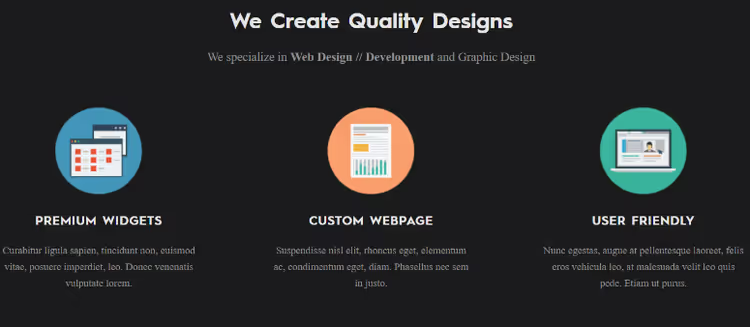
Pro version of the free Livemesh Addons (position #4). Adds 45+ widgets: tabs, accordions, sliders, image and video galleries, carousels, FAQ blocks, icons with text, and extended services. Modular architecture: activate only what you use.
Suitable for those who started with the free version, appreciated the quality, and want to expand their toolkit without switching to another addon. All widgets are developed at premium design level, don't look "cheap."
Pros: continuity with free version, quality of development, modularity.
Cons: fewer widgets than PowerPack for the same $39 license.
Price: $39.
11. Boosted Elements
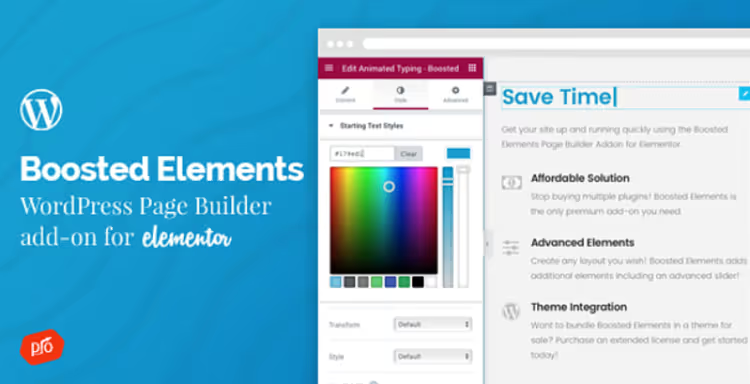
An addon from CodeCanyon with 20+ widgets that aren't in free Elementor: advanced button, animated text, floating button, Google Maps, popups, sliders, WooCommerce widgets (products, categories, add-to-cart button), countdown timer, and image comparison.
Strong suit is WooCommerce integration: you can build custom store pages even on free Elementor. Plus 20+ ready template designs.
Pros: WooCommerce widgets without Pro, one-time payment (not a subscription), low price.
Cons: fewer widgets than competitors, support through CodeCanyon (slower).
Price: $18 one-time.
🔗 Boosted Elements on CodeCanyon
12. Elementor Extras
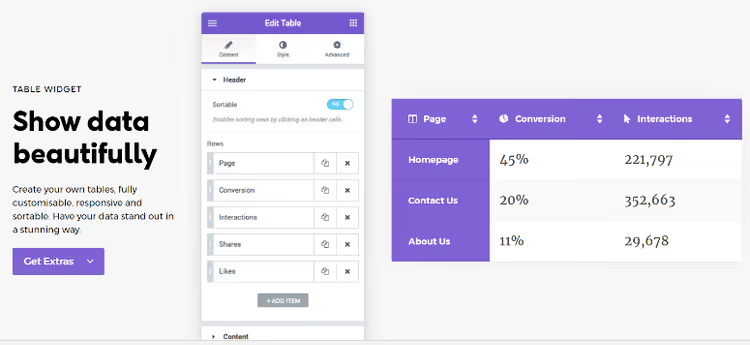
31+ unique widgets from Namogo with a focus on interactivity: tables, news feed, HTML5 video, hotspots (interactive points on an image), unfold (expandable sections), button effects, sticky elements, and parallax. Most of these widgets aren't found in any competitors.
Important note: the original developer (Namogo) has paused active development. There's a maintained fork from Dovi Solutions with the same widgets and compatibility with current Elementor versions. I recommend getting the fork.
Pros: unique interactive widgets (hotspots, parallax) that competitors don't have.
Cons: instability of original developer, need the fork for full stability.
Price: €26.
⁉️🤔 Frequently asked questions
Do I need Elementor Pro if I use these addons?
For most tasks, no. Happy Addons provides Theme Builder (header, footer, archives) for free. Header Footer Builder solves the header/footer issue. Livemesh and Addon Elements copy some Pro widgets. Elementor Pro is justified if you need Popup Builder with advanced triggers, custom fonts, and priority support, these features aren't covered by third-party addons.
Which addon should I choose if my budget is zero?
The combination of Happy Addons + Header Footer Builder + Table Addons will cover the vast majority of needs. That's 143+ widgets, a header/footer builder, tables, and 500+ templates. All three are from WordPress.org, free.
Crocoblock or PowerPack, which is better?
Different niches. Crocoblock is for dynamic sites: custom post types, meta fields, filters, booking (replaces ACF + Toolset). PowerPack is for landing pages and marketing: ready CTA sections, Instagram feeds, pricing tables. If you have an online store or catalog, Crocoblock. If a sales landing page, PowerPack.
Can I use multiple addons simultaneously?
Yes, all listed plugins are compatible with each other. But the more addons, the higher the load on the admin panel. All premium ones (PowerPack, Livemesh, Crocoblock) have modular widget activation, disable unused ones so the interface doesn't lag.
What happened to Modal For Elementor from old roundups?
The plugin hasn't been updated in several years and was removed from the WordPress.org repository. If you need modal windows, use Popup Builder in Elementor Pro or the free Popup for Elementor (40,000+ installations, actively updated).
How do I check that an addon won't slow down my site?
Before installation, check the plugin page on WordPress.org: the "Support" tab will show recent topics (bugs, response speed). Look at the "Active installations" section and the last update date. A plugin without updates for more than a year is risky. Also test on a staging copy: open PageSpeed Insights before and after installation.
Which Elementor addon to install in 2026?
A quick breakdown by scenario:
- Blog or content site: Happy Addons + Header Footer Builder. Covers header/footer, provides 143+ widgets, all free.
- Portfolio or corporate site: Livemesh Addons (free) or Livemesh Pro. Widgets for services, portfolio, testimonials, and team are developed to premium design level.
- WooCommerce online store: Boosted Elements + free addons for tables and forms. Or Crocoblock All Inclusive if you need filters, dynamic product pages, and booking.
- Maximum functionality for free: Master Addons (modular, 55+ widgets) + Addon Elements (another 40+) = almost 100 free widgets with flexible settings.
- Developer/agency: Crocoblock for client projects (no white label, but custom post types and dynamic content cover everything) + PowerPack for quick landing pages.
The main principle: don't install 10 addons at once. Start with one powerhouse (Happy or Master Addons), and fill specific gaps (tables, headers, forms) with specialized plugins as needed. Test speed and conflicts on a staging copy, and go.
If you have a favorite addon that didn't make the list, tell us about it in the comments. Tools change, and the best recommendations come from real experience.

A professional team of writers and editors specializing in creating quality content.