














17 best WooCommerce plugins 🛒 2026 (free and premium)
A WooCommerce store is like a construction kit: the base setup works, but real flexibility comes from plugins. Without them you are stuck with mediocre search, clunky checkout, and zero analytics. With the right stack, though, you get conversion rates on par with expensive SaaS solutions.
The problem is that the WordPress catalog has over 60,000 plugins, and the WooCommerce category is one of the most crowded. Choosing blindly means risking compatibility, speed, and security.
Below is a vetted list of 17 WooCommerce plugins for 2026: free and premium solutions that cover everything from SEO and multi-currency support to wholesale sales and live chat. Every entry is a plugin with a real user base, recent updates, and a documented API.
💡 Quick overview:
Scan the table to see which plugins address which needs (SEO, email campaigns, security, wholesale, multilingual)
Pick 3-5 plugins for your specific scenario: launching a store from scratch, scaling B2B, or expanding internationally
Install plugins via WordPress Admin → Plugins → Add New, activate them, and immediately verify compatibility with your theme
Comparison table
Plugin | Primary function | Free version | Premium from | Best for |
|---|---|---|---|---|
Elementor WooCommerce Builder | Visual store builder | Yes (Lite) | $59/yr | No-code designers |
WP Engine Automated Migration | Migration to managed hosting | Yes | $50/mo | Those moving off shared hosting |
B2B for WooCommerce | Wholesale pricing, roles, hidden products | - | $149/yr | B2B stores |
OptinMonster | Popups, email capture, exit-intent | Yes | $9/mo | Marketers |
Yoast SEO | SEO optimization for products and categories | Yes | $99/yr | All stores |
MonsterInsights | Google Analytics eCommerce in the dashboard | Yes | $99.50/yr | Analytics teams |
Constant Contact | Email marketing and automation | Yes | $12/mo | Email marketing beginners |
Advanced Coupons | Extended coupons, BOGO, loyalty | Yes | $99/yr | Those building a loyalty program |
LiveChat | Real-time chat with visitors | Yes | $16/mo | Customer support |
AffiliateWP | In-store affiliate program | Yes | $149.50/yr | Those launching an affiliate channel |
Wholesale Suite | Wholesale pricing, minimum orders | Yes | $297/yr | Wholesale warehouses |
WooCommerce Multilingual | Multilingual store (WPML) | Yes | $39/yr | International stores |
WooCommerce Multi-Currency | Auto-detect currency by location | Yes | $99/yr | Those selling cross-border |
FiboSearch | Smart AJAX product search | Yes | $49/yr | Stores with large catalogs |
WooCommerce Shipping & Tax | Print USPS/DHL labels + tax calculation | Yes | - | Those shipping physical goods |
YITH Dynamic Pricing | Volume-based dynamic discounts | - | $129.99/yr | Those who want flexible promotions |
Sucuri Security | Malware scanner + WAF | Yes | $199.99/yr | All stores |
1. Elementor WooCommerce Builder
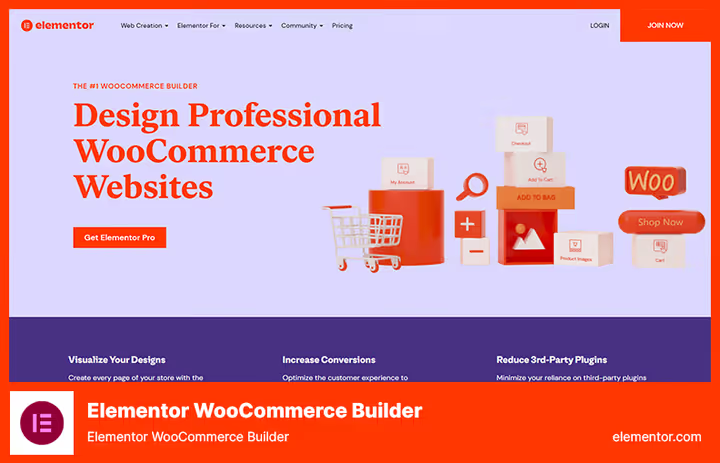
Elementor is not just a page builder; it is a full-fledged visual constructor for WooCommerce. WooCommerce Builder lets you edit product cards, the cart page, the checkout page, and product archives without writing a single line of code. Everything is drag-and-drop.
What matters here: you see the result instantly, with no "editor → preview" toggling. For a small store without an in-house developer, this saves dozens of hours.
WooCommerce Builder runs on top of the free Elementor core. You get a set of 20+ WooCommerce widgets: "Cart," "Checkout," "My Account," "Related Products," "Breadcrumbs." Theme Builder lets you customize the header and footer for the entire store.
Pros:
- Full design control without code
- Compatible with most WooCommerce themes
- Active community and 300+ third-party add-ons
Cons:
- Noticeable server load with complex layouts
- Premium version required for most WooCommerce widgets
💰 A free Lite version is available in the WordPress catalog. Premium starts at $59/yr.
🔗 Elementor WooCommerce Builder
2. WP Engine Automated Migration
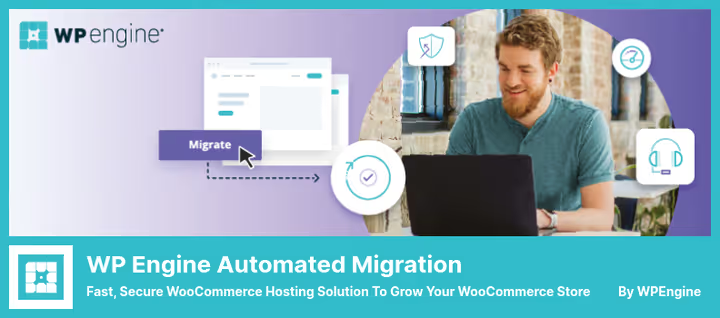
This is not a plugin in the traditional sense; it is a migration tool that automates moving your store to WP Engine's managed WooCommerce hosting. If your store has outgrown cheap shared hosting and started lagging, this plugin removes the headache of manual migration.
The process looks like this: you install the plugin, enter your WP Engine account credentials, and the system transfers files, the database, the media library, and settings on its own. All URLs stay unchanged, so SEO is unaffected. The plugin also runs search-and-replace in the database so that paths match the new server.
After migration you get: a compute-optimized architecture, a built-in CDN, SSL out of the box, and automatic backups. For a store with over 10,000 unique visitors per month, this is critical.
Pros:
- One-click migration, no phpMyAdmin needed
- Preserves the SEO URL structure
- Enterprise-grade security and speed after the move
Cons:
- Works only with WP Engine (vendor lock-in)
- The hosting itself starts at $50/mo, which is pricier than budget alternatives
💰 WP Engine hosting starts at $50/mo. The migration tool is included in the plan.
3. B2B for WooCommerce
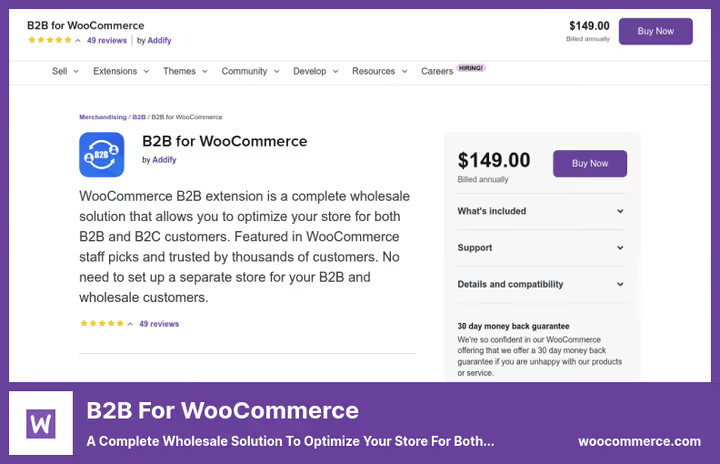
If you sell to both retail customers and wholesale clients simultaneously, standard WooCommerce does not distinguish between the two audiences. B2B for WooCommerce fixes this: it hides prices from unregistered visitors, lets you set role-based pricing (one price for B2C, another for B2B), controls product visibility by role, and collects wholesale registration requests.
The registration workflow is well thought out: a new user fills out a B2B form, the admin receives an email with an approve-or-reject link. Approval takes a single click directly from the email.
Once logged in, the wholesale buyer sees their own prices, minimum order quantities, and separate payment methods. Prices can be displayed with or without VAT depending on the role.
Pros:
- A full B2B portal on top of WooCommerce
- Flexible product visibility management by role
- Built-in Request a Quote form
Cons:
- No free version for testing
- Complex initial setup of roles and rules
💰 Single plan at $149/yr, includes all features. 30-day money-back guarantee.
4. OptinMonster
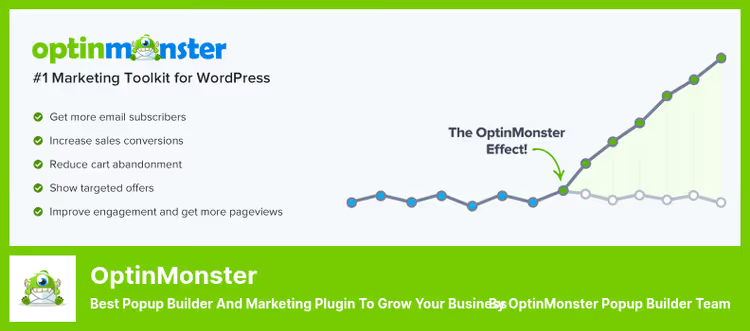
OptinMonster is a marketing plugin for capturing email addresses through popups, floating bars, welcome mats, and slide-in forms. For a WooCommerce store this means: building a mailing list on autopilot, abandoned cart recovery, and geo-targeted messages.
The Exit-Intent technology tracks mouse movements and displays a popup at the exact moment a visitor is about to close the tab. According to OptinMonster, this brings back 10-15% of visitors who would otherwise leave for good.
The plugin also supports: a countdown timer in the header/footer, a Spin the Wheel gamification element, A/B testing of headlines, and a scroll-depth trigger.
Pros:
- The most powerful exit-intent on the market
- Integration with 40+ email services
- Free account to get started
Cons:
- Advanced features only available in paid plans
- The visual editor occasionally lags on large forms
💰 Free version available at WordPress.org. Premium starts at $9/mo.
🔗 OptinMonster (Lite)🔗 OptinMonster Pro
5. Yoast SEO
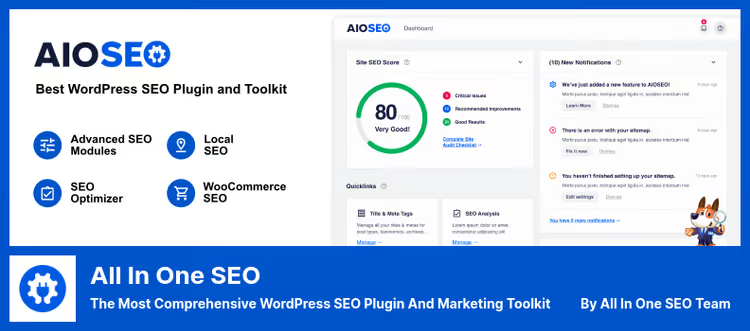
As a WooCommerce store grows, SEO settings need to be configured not just for posts but for hundreds of products, categories, and tags. Yoast SEO automates product meta descriptions (via templates), generates XML sitemaps for products, adds breadcrumbs, and provides schema.org markup for prices, availability, and ratings.
The WooCommerce integration covers: product SEO titles, Open Graph markup for social networks, canonical URLs (to prevent duplicates), and product image optimization. For local stores there is a Local SEO block with address, business hours, and a map.
Pros:
- Automatic meta templates for hundreds of products
- XML sitemap for products and categories
- Free version covers 80% of needs
Cons:
- Premium required for multiple focus keyphrases and internal linking
- Native breadcrumbs are weaker than WooCommerce Native
💰 Free Lite version, the most popular WordPress SEO plugin. Premium is $99/yr.
🔗 Yoast SEO (Lite)🔗 Yoast WooCommerce SEO
6. MonsterInsights
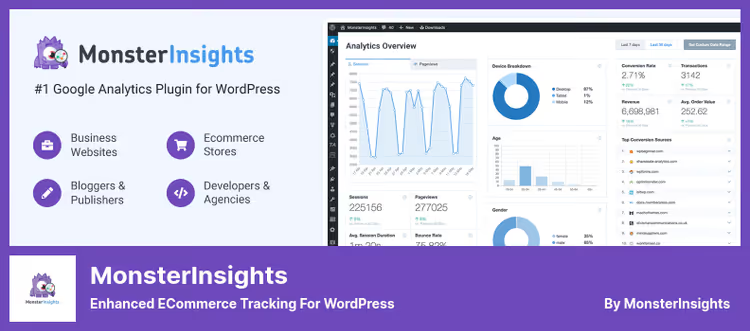
MonsterInsights brings Google Analytics directly into the WordPress admin panel. For WooCommerce this means: conversion rate, average order value, revenue, top products, traffic sources, all in the "Insights → Reports" section, without navigating to analytics.google.com.
The plugin sets up enhanced eCommerce tracking: product impressions, clicks, add-to-cart events, checkout, and refunds. You can see at which funnel step the most users drop off.
GDPR-compliant: supports IP anonymization and integration with cookie consent plugins. It also works with Easy Digital Downloads for digital products.
Pros:
- eCommerce reports right in the WP dashboard
- Automatic enhanced eCommerce setup
- Affiliate link and click tracking
Cons:
- Some reports are Pro-only
- On large datasets it can slightly slow down the admin panel
💰 Free Lite version. Pro starts at $99.50/yr.
🔗 MonsterInsights (Lite)🔗 MonsterInsights eCommerce
7. Constant Contact

Constant Contact is an email marketing platform with a dedicated WordPress plugin. For WooCommerce it provides: automatic email capture at checkout, abandoned cart emails, customer segmentation by purchase history, and personalized product recommendations.
Unlike OptinMonster, which focuses on capturing emails, Constant Contact covers the entire cycle: signup forms → email automation → A/B testing of emails → open and click analytics.
The plugin includes mobile-friendly email templates with a drag-and-drop editor. All collected addresses automatically land in Constant Contact lists, with no manual export/import required.
Pros:
- Full email marketing cycle out of the box
- Automatic segmentation by purchase history
- Free plan for up to 500 contacts
Cons:
- Requires a Constant Contact account (external service)
- Free plan limits on the number of emails
💰 Free Lite version. Constant Contact premium starts at $12/mo.
🔗 Constant Contact Forms (Lite)🔗 Constant Contact Pro
8. Advanced Coupons

The built-in WooCommerce coupon system is fine for getting started but not enough for serious promotions. Advanced Coupons adds: BOGO offers (buy one get one), URL Coupons (the customer follows a link and the coupon applies automatically), coupon scheduling, role-based conditions, and a loyalty program.
A standout feature is Cart Conditions: you set up rules that activate a coupon (for example, "cart total > $50" or "user with VIP role"), and the system automatically applies the right coupon.
For a store owner this means: less manual coupon management and fewer chances of a customer accidentally applying someone else's promo code.
Pros:
- URL Coupons: the coupon activates via a link, no code entry needed
- Built-in BOGO promotions
- Lightweight, does not conflict with most themes
Cons:
- Loyalty program only in Pro
- Overkill for small stores (<50 products)
💰 Free Lite version. Pro starts at $99/yr.
🔗 Advanced Coupons (Lite)🔗 Advanced Coupons Pro
9. LiveChat

Over 33,000 companies use LiveChat to communicate with visitors in real time, and that is no coincidence. Unlike email support (average response time: 12 hours), live chat delivers an answer in 30-45 seconds. For WooCommerce this means: the buyer does not abandon the cart because of unclear shipping terms or product specs.
The plugin integrates with Facebook Messenger, CRM systems, Google Analytics, and email marketing services. The chat window can be customized to match the store's design, and the mobile version works without sacrificing features.
An extra plus is offline forms: when operators are not online, messages are saved and enter the system as tickets.
Pros:
- Real-time responses in 30-45 seconds
- Integration with dozens of services
- Mobile app for operators
Cons:
- After the 30-day free trial, only paid plans are available
- Can be overkill for small stores (<100 visitors/day)
💰 Free Lite version. Pro starts at $16/mo.
🔗 LiveChat (Lite)🔗 LiveChat Pro
10. AffiliateWP

AffiliateWP lets you launch an affiliate program directly inside your WooCommerce store, without third-party platforms. Affiliates get a personal dashboard, unique referral links, and earnings stats. You get full control over commission rates (flat fee or percentage of sale), payout schedules, and affiliate tiers.
WooCommerce integration means: automatic tracking of sales from referral links, commission accrual after order payment, and stats displayed in the admin panel. No manual calculations.
AffiliateWP does not take a cut of affiliate commissions; you only pay for the plugin license. This sets it apart from SaaS solutions like ShareASale or CJ Affiliate, where the platform fee eats up 20-30%.
Pros:
- 0% platform fee, license only
- Full WooCommerce integration
- Built-in affiliate dashboard
Cons:
- You need traffic to attract quality affiliates
- The Pro version is pricey ($149.50/yr)
💰 Free Lite version. Pro starts at $149.50/yr.
🔗 AffiliateWP (Lite)🔗 AffiliateWP Pro
11. Wholesale Suite
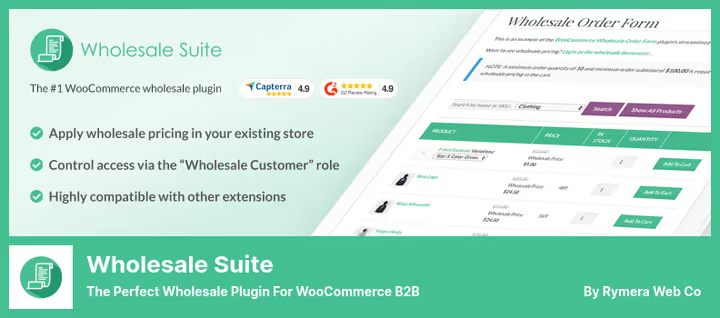
If B2B for WooCommerce is an all-in-one solution for complex B2B scenarios, Wholesale Suite is a more focused tool designed specifically for wholesale pricing. The plugin lets you set wholesale prices without duplicating products, configure minimum order quantities to unlock wholesale pricing, and create tier pricing (10 units at one price, 50 units at a lower price).
Wholesale Order Form is a separate module that generates a responsive order table. The wholesale buyer sees all products with prices in a single table, enters quantities, and adds to cart in bulk, without navigating through individual product pages.
For warehouses this is critical: a customer orders 30-50 items at once, and the standard catalog interface turns the process into an hour-long ordeal.
Pros:
- Tier pricing without duplicating products
- Wholesale Order Form for bulk orders
- Compatible with any WooCommerce theme
Cons:
- Premium at $297/yr is more expensive than alternatives
- Lite version limited to a single wholesale price level
💰 Free Lite version. Premium is $297/yr.
🔗 Wholesale Suite (Lite)🔗 Wholesale Suite Pro
12. WooCommerce Multilingual
WooCommerce Multilingual is the bridge between WooCommerce and WPML, the most popular multilingual WordPress plugin. If your store is expanding internationally, this connection gives you: translated product pages, categories, attributes, and even email notifications in the buyer's language.
The plugin does not split products by language; you manage a single catalog, and translations are layered on top. This means: inventory tracking stays unified regardless of how many languages a product is displayed in.
Multi-currency is also supported: prices can be shown in the buyer's local currency, and payment gateways can be filtered by location.
Pros:
- Full WooCommerce + WPML integration
- Single catalog for all languages
- Automatic email notification translation
Cons:
- Requires WPML (a separate purchase)
- Complex debugging when conflicts arise with caching
💰 Free Lite version. Premium starts at $39/yr (not including the cost of WPML).
🔗 WooCommerce Multilingual (Lite)🔗 WPML
13. WooCommerce Multi-Currency
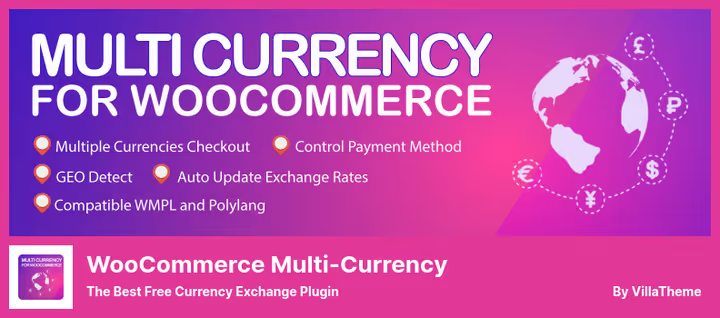
Unlike WooCommerce Multilingual, which works in tandem with WPML, this plugin is a standalone multi-currency solution. It automatically detects the visitor's country by IP and switches prices to the local currency. A customer from Germany sees euros, from the US sees dollars, from Ukraine sees hryvnias.
Exchange rates are updated automatically via API. You can add a conversion fee (for example, +2% on top of the market rate) to cover acquiring costs in different currencies.
A currency selector widget can be placed in the sidebar or via shortcode, letting the customer switch currencies manually if auto-detection did not work. The switch happens without a page reload (AJAX).
Pros:
- Automatic currency detection by IP
- Configurable conversion fee
- Works without WPML
Cons:
- Lite version does not support fixed prices in different currencies
- Conflicts with some caching plugins
💰 Free Lite version. Pro is $99/yr.
🔗 Woo Multi-Currency (Lite)🔗 Multi-Currency Pro
14. FiboSearch
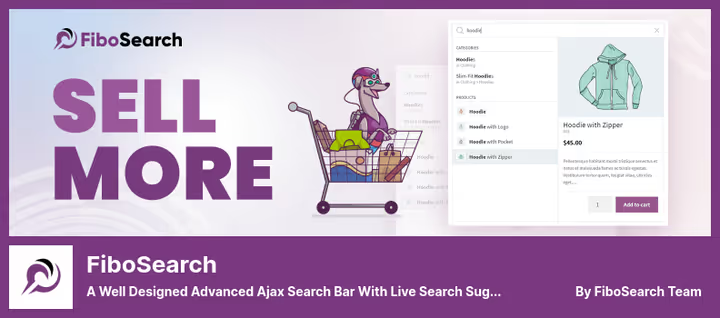
The built-in WooCommerce search is slow and clunky. FiboSearch (formerly Ajax Search for WooCommerce) replaces it with an AJAX search featuring live suggestions. The shopper starts typing a product name and immediately sees: the image, price, discount, SKU, and an "Add to cart" button, all in the search results, without navigating to the product page.
The Pro version includes an inverted index, which speeds up search by 10x on catalogs with 1,000+ products. The plugin searches by title, short description, full description, and SKU. Fuzzy search corrects typos: "iPhоne" finds "iPhone."
The mobile version is well designed: the search bar adapts to the screen size, and results do not overlap the content.
Pros:
- Instant AJAX search with images and prices
- Search by SKU, description, and attributes
- Fuzzy search with typo correction
Cons:
- Inverted index only in Pro
- On catalogs with <100 products the advantage is barely noticeable
💰 Free Lite version. Pro starts at $49/yr.
🔗 FiboSearch (Lite)🔗 FiboSearch Pro
15. WooCommerce Shipping & Tax
A free plugin from Automattic (the same team behind WooCommerce and WordPress.com). It lets you print USPS and DHL labels directly from the WooCommerce admin panel at up to 90% off retail rates. It also calculates taxes automatically based on the buyer's address.
After installation the plugin pulls USPS rates in real time, fills out customs forms for international shipments, and lets you pay for shipping through PayPal (all you need is an email address linked to a PayPal account).
For a small store shipping 5-30 orders per day, this saves roughly 30 minutes per order (manual label filling plus a trip to the post office).
Pros:
- Free, no premium tiers
- Up to 90% off USPS/DHL rates
- Automatic tax calculation
Cons:
- Works only with USPS and DHL
- Tied to a WordPress.com account (Jetpack)
💰 Completely free.
16. YITH WooCommerce Dynamic Pricing and Discounts
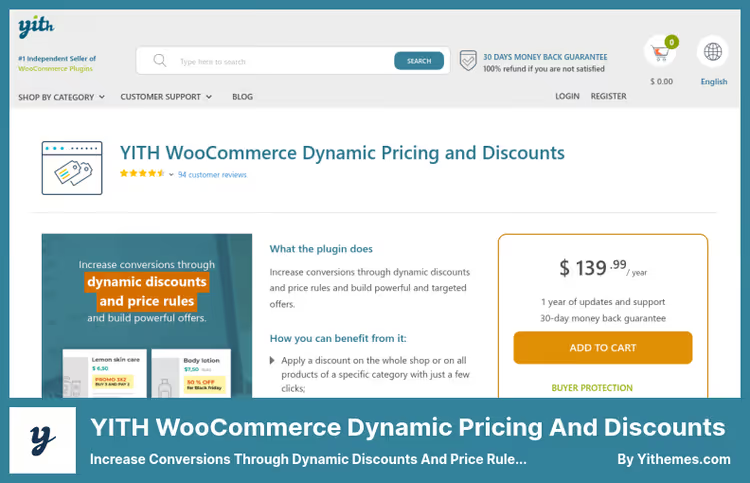
Dynamic pricing means the discount is applied automatically based on item quantity, cart total, or buyer role. YITH Dynamic Pricing lets you create rules such as: "Buy 3, get 10% off," "Orders over $100 get free shipping," or "A free gift with the first purchase."
Unlike Advanced Coupons, where the customer enters a coupon code, here the discount triggers on its own. This increases the average order value without friction: the buyer sees "Add 1 more item to get 15% off" in the cart, and adds it.
The plugin supports cumulative discounts, role-based restrictions, and rule scheduling (a promotion running from the 1st to the 15th of the month).
Pros:
- Automatic discounts without coupons
- Flexible rules by quantity, total, and role
- Cumulative discounts for complex promotions
Cons:
- No free version
- Conflicts with other dynamic pricing plugins
💰 $129.99/yr (includes all features, 12 months of support and updates).
🔗 YITH WooCommerce Dynamic Pricing
17. Sucuri Security

A WooCommerce store is a tempting target for attackers: logins, passwords, card data (even when processed through Stripe/PayPal, the customer database stays on the server). Sucuri Security locks down the perimeter: it scans files for malicious code, monitors changes to the WordPress core, checks the site against blacklists (Google Safe Browsing, Norton, PhishTank, Yandex, Opera), and sends instant alerts about suspicious activity.
The Pro version adds a Website Firewall (WAF), a cloud proxy that filters traffic before it reaches the server. This blocks DDoS attacks, brute-force attempts on wp-login.php, and SQL injections at the network level. On top of that, it speeds up the site through caching at Sucuri's global points of presence.
The free version covers basic needs (scanner + file integrity audit + WordPress hardening), and that is enough for a small store.
Pros:
- Free scanner + file integrity audit
- Cloud WAF in Pro (filtering before the server)
- Blacklist monitoring (Google, Norton, Yandex)
Cons:
- WAF only in Pro ($199.99/yr)
- Alerts are sometimes overly "alarming" for minor changes
💰 Free Lite version. Pro (with WAF) is $199.99/yr.
🔗 Sucuri Security (Lite)🔗 Sucuri Pro
⁉️🤔 Frequently asked questions
Do I have to install all 17 plugins?
No. This list is a menu, not a checklist. To get started, 4-5 are enough: Yoast SEO (search visibility), MonsterInsights (analytics), WooCommerce Shipping & Tax (shipping), and FiboSearch (product search). Add the rest as you grow: B2B when wholesale clients appear, Multi-Currency when you go international.
Do plugins significantly slow down a WooCommerce store?
Well-coded plugins from this list add 50-200 ms to load time each, within the margin of error when proper caching is in place. Problems start when an owner installs 30+ plugins or duplicates functionality (two coupon plugins, three SEO tools running simultaneously). Check compatibility through Query Monitor before activating on a production site.
Which plugin should I choose for email campaigns, OptinMonster or Constant Contact?
They solve different problems. OptinMonster is for capturing emails (popups, exit-intent); Constant Contact is for sending emails and automating sequences. In practice, stores install both: OptinMonster collects the list, Constant Contact sends the emails. If the budget allows only one, go with OptinMonster (building a list matters more at the start).
Is it worth buying premium versions when free ones exist?
It depends on revenue. A store earning under $1,000/mo usually gets by on free versions. At $3,000+/mo, premium features (Sucuri's WAF, FiboSearch's inverted index, MonsterInsights' enhanced eCommerce) pay for themselves through better speed, conversion, and security. The rule of thumb: one lost customer due to slow search or a breach costs more than an annual license.
Is the WP Engine plugin just for migration, or does it include hosting too?
WP Engine Automated Migration is a free tool for moving to WP Engine hosting. The hosting itself is billed separately (from $50/mo). The point is that manually migrating a complex WooCommerce store takes 3-6 hours and is error-prone, while the plugin does it in 15-20 minutes with automatic data integrity checks.
What to install in 2026: the bottom line
There is no universal stack; everything depends on the stage of your store. Here are three proven scenarios:
Starting from scratch: Yoast SEO + MonsterInsights + FiboSearch + WooCommerce Shipping & Tax. Four plugins cover SEO, analytics, search, and shipping. Free.
Growth and marketing: add OptinMonster (email capture), Constant Contact (campaigns), Advanced Coupons (promotions). You now have a customer retention system with repeat sales and no extra ad spend.
B2B / international market: B2B for WooCommerce or Wholesale Suite + WooCommerce Multilingual + Multi-Currency. Wholesale pricing, multi-currency support, localization: a full stack for cross-border commerce.
And the main rule: do not install a plugin "just in case." Every plugin on this list solves a specific problem. If your store does not face that problem, the plugin is not needed.

A professional team of writers and editors specializing in creating quality content.