













 AIIllustrative image: AI-generated
🚀 8 best WordPress quiz plugins in 2026
Average time on page: 52 seconds. Bounce rate on commercial content exceeds 70%. A reader opens an article, skims the first two paragraphs, and leaves for competitors. You invest hours in text, and Google records short dwell time and lowers rankings.
Sound familiar?
Video helps. Podcasts, too. But all of this requires production: script, recording, editing, thumbnail, hosting. One episode takes days. And the result still isn't guaranteed: a viewer might close the video at the 15-second mark.
Now imagine a different scenario. A visitor lands on the page, sees the question "What type of entrepreneur are you?", answers 7 items, gets a personalized result, and shares it with friends on Telegram. In 3 minutes they spent more time on the site than during the previous 5 articles combined. This isn't fantasy, this is quiz mechanics, and it works long-term.
💡 Quick overview:
- Define your goal: viral personality test, graded quiz, or calculated survey
- Pick a plugin from the table and review below based on task and budget
- Connect an email service to the plugin for lead capture
Why quizzes work better than regular content
BuzzFeed built a media empire on quizzes. Their test "What City Should You Actually Live In?" collected over 20 million views. Disney with the quiz "Who Is Your Disney Spirit Animal" got over 800,000 participants. And Liverpool Football Club once discovered that their most popular content of the year wasn't transfer news or a match review, but a quiz on Beatles lyrics.
The mechanics are simple: people like learning something new about themselves. A quiz provides instant feedback and creates a desire to share the result. Hence the virality that regular articles can't achieve.
From a technological standpoint, a quiz solves three tasks at once: increases dwell time (a signal for SEO), reduces bounce rate, and generates shares. Add a subscription form before the result, and you also get email list growth. No other content format delivers this package for the same effort.
Comparison table: all 8 plugins at a glance
Plugin | Type | Free version | AI generation | Email integrations | Best scenario |
|---|---|---|---|---|---|
Thrive Quiz Builder | Premium | ❌ | ❌ | ActiveCampaign, Mailchimp, ConvertKit | Viral tests with A/B testing |
Quiz and Survey Master | Freemium | ✅ | ❌ | Via addons | Exams, certification, timed tests |
WPForms Quiz Addon | Freemium | ✅ | ✅ | Mailchimp, Constant Contact, Drip | Fast AI quiz generation in one minute |
Formidable Forms | Freemium | ✅ | ❌ | Mailchimp, AWeber, GetResponse | Calculated surveys with conditional logic |
Opinion Stage | Freemium | ✅ | ❌ | Via integrations | Branded quizzes without server load |
Riddle | Freemium | ✅ | ❌ | Mailchimp, AWeber + Zapier | Lead capture through interactive content |
Watu | Freemium | ✅ | ❌ | Via Watu to Mailchimp Bridge | Flexible quizzes with open-ended questions |
Quiz Cat | Freemium | ✅ | ❌ | Mailchimp, ConvertKit, Drip, ActiveCampaign | Easy start in 5 minutes |
1. Thrive Quiz Builder, premium powerhouse for viral quizzes

Thrive Quiz Builder is the most powerful dedicated quiz builder for WordPress. In practice, this is the only plugin in the niche that provides full A/B testing of quizzes: you can deploy two variants of one test and see which generates more leads.
Five quiz types out of the box: right/wrong, number score, percentage, personality test, and survey. The builder is visual, you drag questions, configure branching (next question depends on previous answer), assign weights to answers.
Worth noting separately are dynamic results: each outcome variant can be assigned a personalized block with different text, different CTAs, and different links. This is critical for lead generation: the "You're a strategist" result can lead to an email course on strategy, while "You're a tactician" goes to a service page.
Pros: A/B testing of quizzes, 5 types, visual builder, question branches, dynamic result screens.
Cons: premium only (from $99 per year), no free version, higher barrier to entry than average.
Price: from $99/year (1 site, all features).
🔗 Thrive Quiz Builder on developer website
2. Quiz and Survey Master, free all-rounder with 40,000+ active installs

Quiz and Survey Master (QSM) is a niche veteran that stays on top not by inertia. The plugin updates every few weeks, version 11.1.5 came out in June 2026. The free version can do more than some premium competitors: 9 question types (multiple choice, true/false, fill-in-the-blank, file upload, matching, and others), time limit, hints, answer explanations, comment fields.
QSM is the choice for those building exams and certification. There are addons for proctoring (integrity control: image capture from camera, full-screen lock), certificates, email result delivery, and export to CSV/PDF. In our experience, the "QSM + Quiz Proctor Addon" combination covers employee online testing scenarios without third-party LMS.
Pros: powerful free tier, frequent updates, exam addons (proctoring, certificates), active community.
Cons: interface is conservative, not as visually native as Thrive; weaker fit for viral personality tests.
Price: free (basic version); premium addons from $49/year.
🔗 Quiz and Survey Master on WordPress.org
3. WPForms Quiz Addon, AI quiz generation in one minute

WPForms is a form builder on 6 million sites, and its 2026 Quiz addon changes the game. You write in free form: "Create a 10-question test on WordPress cybersecurity with weighted scores", and in 40 seconds you get a ready working quiz. Questions, answer options, scores, all generated.
Three quiz types: graded, personality, and weighted. Results are visualized with charts right in the admin panel, exported to JPEG and PDF. Native integration with Mailchimp, Constant Contact, Drip, and a couple dozen other services via Zapier means the lead after the quiz goes into email automation without glue and workarounds.
In our experience, WPForms is the optimal choice when quizzes are needed as part of a broader form strategy: capture forms, surveys, payments, all in one plugin.
Pros: AI quiz generation, drag-and-drop, templates, visual analytics, out-of-the-box integrations.
Cons: Quiz addon requires Pro plan and higher ($49.50/year), AI won't replace fine tuning of weighting for complex personality tests.
Price: from $49.50/year (Pro plan, includes Quiz addon).
4. Formidable Forms, calculated quizzes and advanced logic

Formidable Forms is a form builder focused on calculations and conditional logic, and its Quiz functionality inherits this DNA. If you need not just "answered → got score", but a service cost calculator based on answers, rating with floating coefficients, or a questionnaire with formulas, choose Formidable.
The visual builder (drag-and-drop) supports 10+ field types, cascading dropdowns, and conditional logic of any nesting. Results can be displayed as charts, tables, and dynamic reports. Integrations with Mailchimp, AWeber, GetResponse, and a dozen other services come out of the box.
The plugin fits B2B scenarios: lead qualification, project assessment, technical audit. Where you need not virality but precise calculation.
Pros: powerful calculations and conditional logic, visual builder, data export, REST API.
Cons: overkill for simple personality tests, higher barrier to entry than WPForms.
Price: free version available; premium from $39.50/year.
🔗 Formidable Forms on developer website
5. Opinion Stage, branded quizzes without load on your server
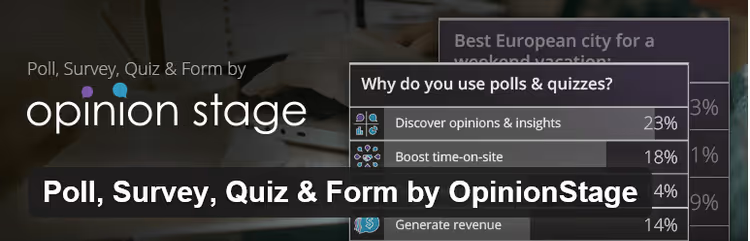
Opinion Stage is a hosted solution: the quiz engine lives on Opinion Stage servers, and you embed it with a shortcode on the page. This means that even a quiz with 50,000 participants won't create load on your hosting.
The platform is geared toward branding: colors, fonts, logo, everything customizes to your style without CSS. Among clients are BBC, MTV, Reader's Digest, which speaks to infrastructure reliability. Three formats: poll, detailed survey, and quiz. We care about the third.
The free tier allows launching a basic quiz. Premium (from $19/month) unlocks deep social media integrations, advanced analytics, and lead capture.
Pros: doesn't load your server, deep branding, enterprise reliability, simple interface.
Cons: quiz content on external server (vendor lock), premium is monthly subscription.
Price: free (basic); premium from $19/month.
🔗 Opinion Stage on WordPress.org
6. Riddle, lead capture through interactive content

Riddle is another hosted solution, but with a focus on lead generation. A visitor takes the quiz, and before showing the result you offer a form: name + email. AWeber, Mailchimp, and any CRM via Zapier are supported.
Riddle's feature is built-in image search: you can search and insert images from Facebook, Instagram, and Google Images directly in the editor into quiz questions. Saves half an hour on each quiz.
The platform is used by AdWeek and Huffington Post. Free tier exists. The downside, like Opinion Stage, is quiz content stored on the vendor side: if the service goes down, the quiz disappears from the site.
Pros: focus on lead capture, image search and insertion in editor, cross-channel email service integration.
Cons: hosted (vendor dependency), design customization limited by tiers.
Price: free (basic); premium from $27/month.
7. Watu, flexible freemium with open-ended questions

Watu is a WordPress.org catalog veteran that doesn't try to be "one platform for everything". It does one thing and does it well: classic quizzes with multiple-choice, single-choice, and open-ended questions.
Each question can be assigned a unique score, and at the end of the quiz the plugin builds a simple bar chart: participant result against average score of all test-takers. For educational scenarios, perfect.
Watu to Mailchimp Bridge is a separate free companion plugin that automatically adds quiz participants to a Mailchimp list. In practice, this means leads aren't lost.
The premium version (from $49/year) adds timers, result export, login-only quizzes, and "fill-in-the-blanks" and "sort values" types. The $87 plan includes the ability to charge for quiz access.
Pros: open-ended questions, result chart, flexible scoring system, Mailchimp companion.
Cons: spartan interface, not designed for viral BuzzFeed tests.
Price: free (basic); premium from $49/year.
8. Quiz Cat, easy start in 5 minutes

Quiz Cat by Fatcat Apps is a plugin we recommend to those who want to launch their first quiz today, not in a week. The interface is minimalist: you create questions with answer options, assign scores, and the quiz is ready. Shortcode or Gutenberg block inserts it on any page.
The free version handles knowledge tests and trivia quizzes. Premium ($49/year) adds personality tests, weighted answers, email capture with integration to Mailchimp, ConvertKit, Drip, ActiveCampaign, and lead segmentation by tags.
The plugin is lightweight, doesn't slow down the site even on cheap hosting. 60-day money-back on premium. In our experience, Quiz Cat is the best entry point for content sites that haven't worked with quizzes before.
Pros: minimal barrier to entry, lightweight code (doesn't slow site), Gutenberg block, 60-day refund.
Cons: premium quiz types (personality, weighted) unavailable in free version, no AI.
Price: free (basic); premium $49/year.
What video to watch before choosing
To see how a quiz is assembled in real time, watch a 5-minute tutorial on Quiz and Survey Master, the most popular free plugin from our selection:
⁉️🤔 Frequently asked questions
What quiz type to choose for lead generation?
For lead generation, personality quizzes with result gating for email work best. A person answers 7-10 questions about themselves, invests emotionally, and before the finish sees a form "Enter email to get your result". Conversion of such forms in practice is many times higher than standard pop-ups: the visitor is already engaged and wants to see their result. Optimal plugins for this scenario: Thrive Quiz Builder and Riddle.
Can I create a quiz for free and without code?
Yes, several plugins in the selection work completely free and without a line of code. Basic quizzes (multiple-choice) are assembled through a visual editor in 5-10 minutes. Quiz and Survey Master, Watu, and Quiz Cat have free versions with sufficient functionality to start. If you need more, check premium tiers in the plugin cards above, prices start from the budget segment.
Does a quiz plugin slow down site speed?
Hosted solutions (Opinion Stage, Riddle) don't affect speed at all, the quiz engine lives on the vendor's server. Among self-hosted plugins, the lightest are Quiz Cat and Watu: they load minimal scripts and are compatible with caching plugins. Heavy builders (Thrive, Formidable) add 100-300 KB of scripts, on good hosting this is unnoticeable, but on cheap shared hosting it's better to go lighter.
What to do if the quiz plugin conflicts with the theme or another plugin?
Switch to the standard Twenty Twenty-Four theme and disable other plugins, if the quiz works, enable them one by one to find the conflict. In most cases the problem is in jQuery libraries: some themes and plugins load outdated versions. Plugins from our selection use the standard WordPress approach to scripts, which minimizes conflicts. Didn't help, write to developer support; QSM and WPForms response time is usually within 24 hours.
Is consent for data processing needed when using quizzes?
Yes, if you collect email and names, this is personal data, and you must obtain consent. Add a checkbox "I agree to data processing" with a link to privacy policy BEFORE the submit button. Plugins like WPForms and Formidable Forms have built-in GDPR fields. Quiz Cat stores data in the WordPress database and supports native GDPR tools (export and delete data) added in WordPress 4.9.6.
Is it worth putting a quiz on the site in 2026
The short answer: yes, if you're ready to spend an hour on setup. A quiz doesn't replace content, it complements it and provides what text doesn't have: interactivity, virality, and lead capture in one package.
Our practical breakdown by scenarios:
If you need a fast AI quiz and you already use forms, choose WPForms. Want a viral personality test with A/B testing, Thrive Quiz Builder. Building exams and certification, Quiz and Survey Master. Need calculated surveys with formulas, Formidable Forms. Budget is zero and you need a quiz yesterday, Quiz Cat or Watu. Don't want to load hosting, Opinion Stage or Riddle.
Spend 20 minutes installing a plugin and building a first quiz of 5 questions. After a week, compare dwell time of the page with the quiz and site average. Numbers will say more than any review.

A professional team of writers and editors specializing in creating quality content.