













📘 16 WordPress themes in Facebook Timeline style: 2026 collection
Choosing a theme for a site with a chronological feed is harder than it seems. Themeforest has hundreds of options tagged "Timeline Style," but open the demo and you'll see an ordinary blog grid that's just been renamed.
We checked the catalog manually and selected 16 themes that actually implement a chronological feed format: for blogs, social networks, forums, portfolios and business sites. Three criteria: live demo, real buyer ratings and last update date. Five items from the original 2022 collection have become outdated or been pulled from sale, we replaced them with current alternatives.
Below: comparison, live demos and honest drawbacks of each theme. No compromises on speed and compatibility with modern PHP versions.
💡 Quick overview:
- Check the comparison table: it will quickly rule out unsuitable options by niche and price
- Decide on your niche (blog, forum, social network, portfolio) and open live demos of 2-3 suitable themes
- Check the last update date: a theme without updates since 2020 is almost certainly incompatible with modern PHP versions
- Look at compatibility with the plugins you need: BuddyPress, bbPress, WooCommerce, Elementor
Comparison table
Theme | Niche | Price | Page Builder | Last Update | Rating |
|---|---|---|---|---|---|
TheGem | Multipurpose | $59 | WPBakery | 2022 | 4.86 |
Avada | Multipurpose | $60 | Fusion Builder | 2022+ | 4.77 |
Disputo | Forum (bbPress) | $49 | WPBakery | 2022 | 4.71 |
Cirkle | Social Network (BuddyPress) | $59 | Elementor | 2025 | 4.80+ |
Pin | Blog / Masonry | $59 | none | 2025 | 4.65+ |
AWSM | Portfolio | $59 | none | 2022 | 4.67 |
Vertica | Resume / CV | $48 | WPBakery | 2019 ❗ | 4.40 |
SeaShell | Blog | $49 | none | 2022 | no data |
Vlog | Video Site | $59 | none | 2025+ | 4.75+ |
Gridbee | User Content | $59 | none | 2024 | 4.70+ |
Ideahub | Business / Startup | $79 | none | 2022 | no data |
Matebook | Social Network (PeepSo) | $59 | none | 2021 ❗ | no data |
NEW | Business Card / vCard | $48 | WPBakery | 2019 ❗ | 3.93 |
Lilac | Wedding Site | $44 | WPBakery | 2022 | no data |
Arcmos | Portfolio | $59 | Elementor | 2022 | no data |
Diego | Portfolio (one page) | $49 | none | 2026 | 4.85+ |
Themes marked ❗ haven't received updates in over three years. Test on a staging environment before purchase.
1. TheGem
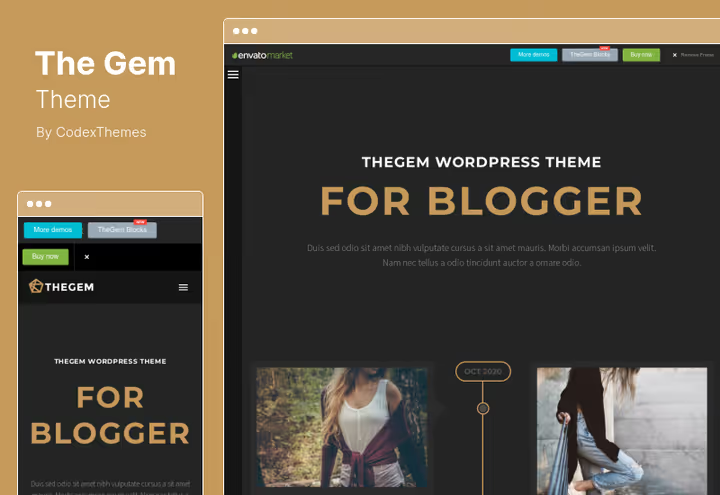
TheGem, a multipurpose theme with over 66,000 sales on Themeforest and a 4.86 rating. This isn't a niche tool but a full design ecosystem: 400+ demo templates, WPBakery builder and built-in WooCommerce support.
For the Timeline format, under the hood there's an interactive hero with particle animation, fullscreen vertical scroll, parallax and video backgrounds. In practice, the feed looks expensive without additional plugins.
Pros:
- 400+ ready demos: launch a site in one evening
- WooCommerce out of the box
- Over 20 custom widgets and unlimited sidebars
Cons:
- Heavy bundle slows down on weak hosting
- Excessive for a simple blog
Price: $59 on Themeforest (6 months support + lifetime updates)
🔗 TheGem on Themeforest | 🔗 Live demo
2. Avada
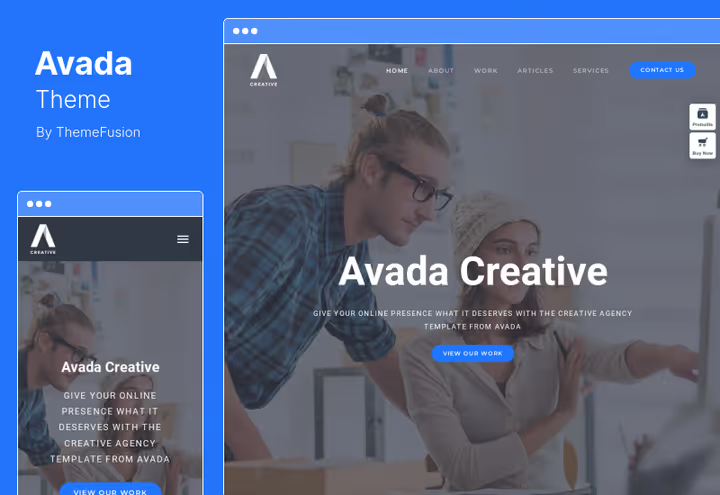
Avada, a Themeforest veteran with hundreds of thousands of sales. Fusion Builder gives live preview while editing, and the demo set covers practically any niche: from blog to corporate portal.
For Timeline style, it's important that Avada lets you customize post grids, add timestamps and change feed display without third-party plugins.
Pros:
- Fusion Builder with live editing: see results immediately
- Huge demo base and community: solution to any problem googleable in a minute
- Regular updates and security patches
Cons:
- Many demos look generic, customization required
- Fusion Builder is tied to the theme: change theme, lose layout
Price: $60 on Themeforest (6 months support)
🔗 Avada on Themeforest | 🔗 Live demo
3. Disputo
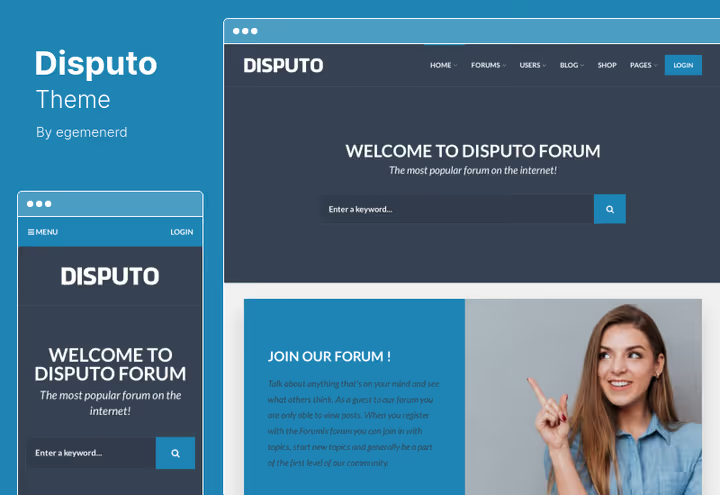
Disputo, a niche theme for bbPress forums with a 4.71 rating and over 1,000 sales. Minimalist design, large fonts, clean navigation through threads. The forum looks modern, not like phpBB from 2005.
Built-in ad manager and WooCommerce allow forum monetization without third-party plugins. There's a private messaging system, "Solved question" marker and custom user role names.
Pros:
- Optimized for bbPress: minimal conflicts with forum engine
- Built-in Facebook Comments and live customizer
- 12 WPBakery widgets for forum pages
Cons:
- Narrow specialization: forum only, won't suit a blog
- Without bbPress the theme loses its purpose
Price: $49 on Themeforest
🔗 Disputo on Themeforest | 🔗 Live demo
4. Cirkle

Cirkle, a modern replacement for the outdated Besocial: a theme for a social network on BuddyPress with a rating above 4.80 and regular updates. BuddyPress here isn't bolted on top, it's built into the architecture from day one.
In practice this means: member ratings, profile search, custom login page and social login work without tweaking. Elementor out of the box gives layout flexibility that was lacking in the previous generation of BuddyPress themes.
Pros:
- Native BuddyPress integration with minimal conflicts
- Social login and custom profiles out of the box
- Elementor for flexible customization without code
Cons:
- Only for BuddyPress: without it the theme makes no sense
- Demanding on hosting with large user numbers
Price: $59 on Themeforest (6 months support)
🔗 Cirkle on Themeforest | 🔗 Live demo
5. Pin

Pin, a blog theme with Masonry layout in Pinterest style. Replaced the discontinued Twisted, but with broader functionality: frontend submission, review system, 13 custom widgets and live search with preview.
Main feature: post grid where each element automatically takes the optimal position. Plus built-in user content system, readers submit posts directly from the site without admin panel access.
Pros:
- Masonry grid out of the box, no plugins
- Frontend submission with unlimited forms
- 13 widgets, review system and live search
Cons:
- No built-in page builder: edits through customizer
- Limited flexibility beyond blog format
Price: $49 on Themeforest (6 months support)
🔗 Pin on Themeforest | 🔗 Live demo
6. AWSM
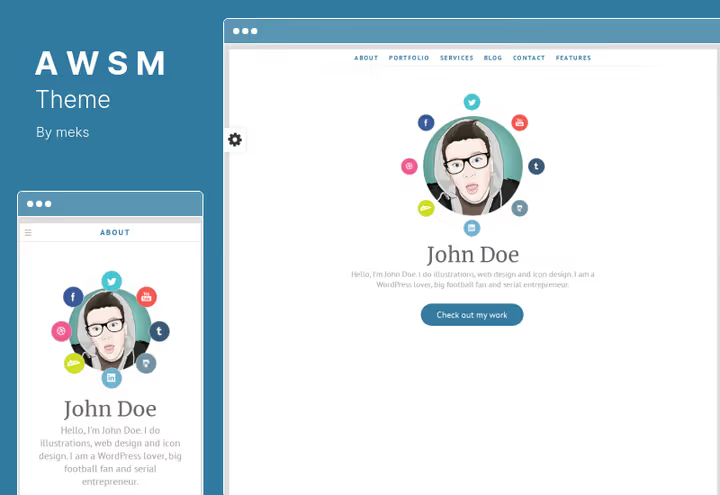
AWSM, a portfolio theme from developer Meks with a 4.67 rating and 726 sales. Key element: built-in career timeline where you add videos, images and descriptions to each stage.
37 social network buttons, 3 post display styles, unlimited colors. For Timeline format, this is practically a resume builder.
Pros:
- Career timeline: rare feature, cleanly implemented
- 6 custom widgets
- Shortcodes insert directly into widgets
Cons:
- Last update in January 2022: not the freshest
- Narrow focus on portfolio, won't suit a blog or social network
Price: $59 on Themeforest
🔗 AWSM on Themeforest | 🔗 Live demo
7. Vertica
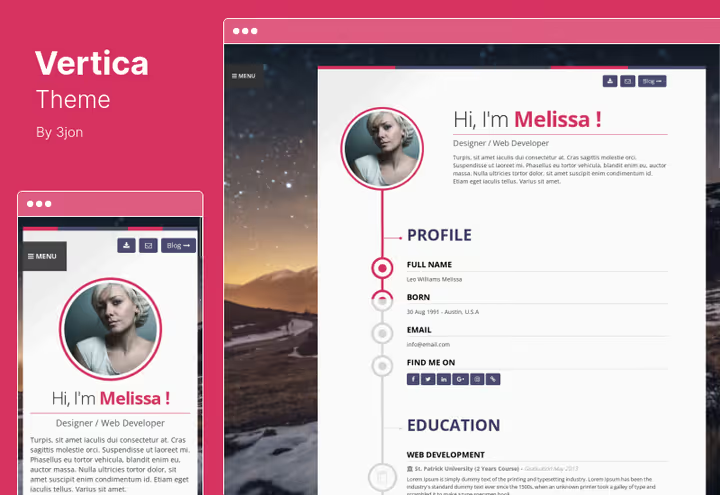
Vertica, a one-page theme for resume and portfolio with a 4.40 rating and 636 sales. Standout detail: "Download Resume" button at the top of the page, visitor downloads CV in one click.
WPBakery built in, there's one-step demo import and child theme support. Critical point: last update in May 2019. Test on staging environment before purchase.
Pros:
- Resume download button: stands out from competitors
- WPBakery out of the box
- Simple setup, minimal content types
Cons:
- Last update 2019: critical red flag
- Purchase not recommended without staging testing
Price: $48 on Themeforest (6 months support + lifetime updates)
🔗 Vertica on Themeforest | 🔗 Live demo
8. SeaShell
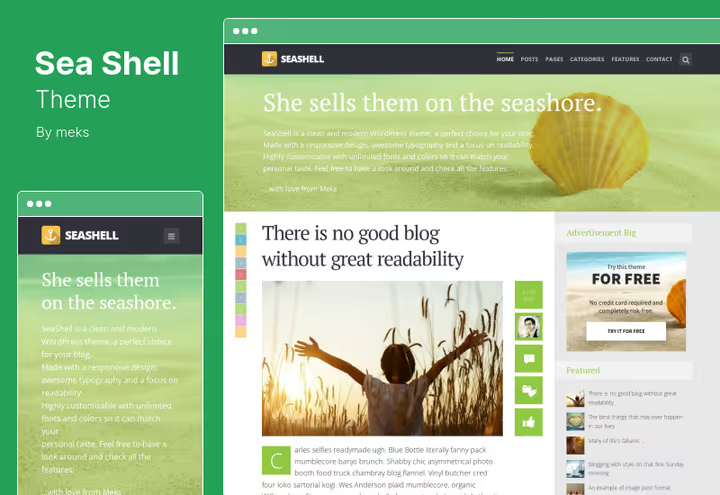
SeaShell, a responsive blog theme with focus on content. Fonts, colors and title alignment customize to brand style, content stays center. No visual noise.
Flexible blog layouts, quick post navigation, built-in social sharing and translation support via pot file.
Pros:
- Clean content-centric design
- Flexible post metadata customization
- Translation to any language via pot file
Cons:
- No built-in page builder: edits only through customizer
- Few sales for objective support level assessment
Price: $49 on Themeforest (6 months support + lifetime updates)
🔗 SeaShell on Themeforest | 🔗 Live demo
Short video overview of WordPress themes with Timeline format: how the chronological feed looks in practice and what to check before installation.
9. Vlog

Vlog, a theme for video sites from Meks, replacing the discontinued VideoPro. Full video management: playlists, YouTube and Vimeo auto-import, watch later mode and cinema mode for immersive viewing.
Over 200 layout combinations for videos and posts, built-in monetization via banners, automatic video thumbnails. The theme has a WP Requirements Compliance certificate from Envato.
Pros:
- YouTube and Vimeo video auto-import in a couple clicks
- Playlists via Series: ideal for video tutorials
- Cinema mode and watch later out of the box
Cons:
- Excessive if video isn't the primary content format
- Niche binding: doesn't suit a regular blog
Price: $59 on Themeforest (6 months support)
🔗 Vlog on Themeforest | 🔗 Live demo
10. Gridbee

Gridbee, a theme for user content sites, replacing PressGrid. Key function: frontend submission. Users submit posts directly from the site without admin panel access, with unlimited customizable forms.
CopyScape integration for uniqueness checking, email notifications to admin and author, WooCommerce, Masonry and Grid layouts. Three ready demos, including a variant for cooking sites with WP Recipe Maker.
Pros:
- Frontend submission with unlimited forms: more flexible than PressGrid
- CopyScape and email notifications out of the box
- WooCommerce and Masonry grid included
Cons:
- Last update in August 2024: check compatibility
- Specific niche, excessive for a classic blog
Price: $59 on Themeforest
🔗 Gridbee on Themeforest | 🔗 Live demo
11. Ideahub

Ideahub, a business theme for startups with left side menu, built-in video functionality and 208 sales. Highest price in the collection.
There's a team presentation block, Instagram Feed Widget, flexible typography, contact form shortcode and several portfolio layouts. For a corporate Timeline site, a working option if budget allows.
Pros:
- Built-in video and side menu: save on plugins
- Portfolio, shop and blog templates in one theme
- Powerful admin panel with grid size selection
Cons:
- High price with small number of sales
- Last update in February 2022: check compatibility
Price: $79 on Themeforest
🔗 Ideahub on Themeforest | 🔗 Live demo
12. Matebook
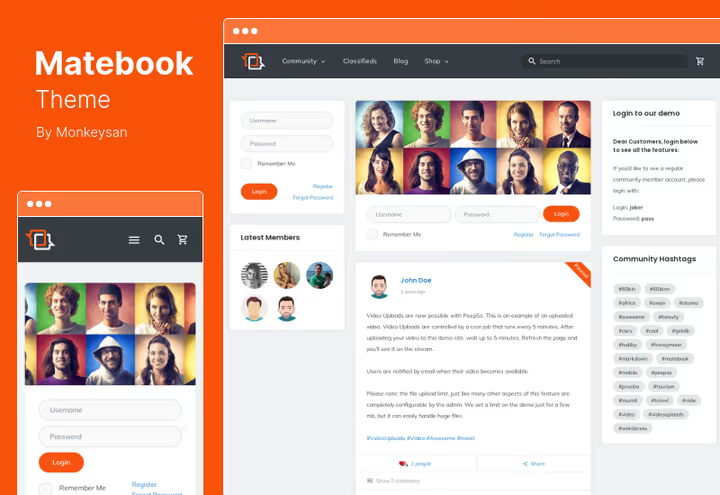
Matebook, a theme for a social network based on the free plugin PeepSo 3, only 40 sales. Concept is interesting: niche design, retina-ready layout, custom SVG icons.
404 and Coming Soon pages built in, valid HTML5. One problem: last update in July 2021. Conflicts with modern WordPress practically guaranteed.
Pros:
- PeepSo 3 out of the box: social network without plugin fees
- Clean HTML5 and SVG icons
- Friends page and translation via pot file
Cons:
- Last update 2021: high risk of conflicts with modern WP
- Only 40 sales, community practically nonexistent
Price: $59 on Themeforest
🔗 Matebook on Themeforest | 🔗 Live demo
13. NEW
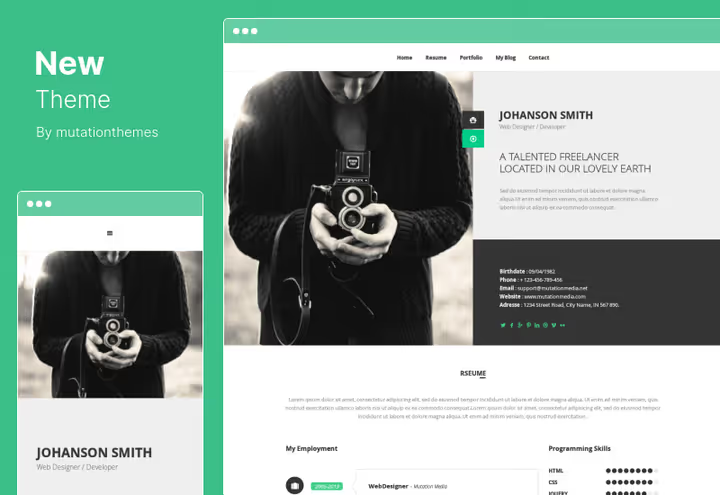
NEW, a business card theme for personal portfolio with a 3.93 rating, lowest in the collection. WPBakery Page Builder, clean HTML5/CSS3, responsive design, RTL language support.
For $48 on the product page lifetime 24/7 support is claimed. But last update in January 2019. Theme is highly likely incompatible with modern PHP versions without manual fixes.
Pros:
- WPBakery with drag-and-drop
- RTL support and unlimited color schemes
- One-page navigation
Cons:
- 3.93 rating: users aren't thrilled
- Last update 2019: critical red flag
Price: $48 on Themeforest
🔗 NEW on Themeforest | 🔗 Live demo
14. Lilac
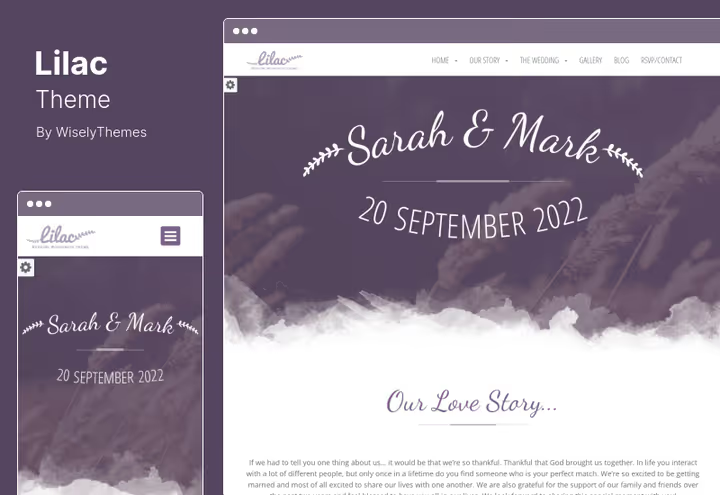
Lilac, a niche theme for wedding sites. One-page structure, event timeline, countdown timer, location section and photo gallery. Everything needed for a wedding site.
Responsive retina-ready layout, Google Fonts, drag-and-drop page builder. In its niche, a ready solution for $44 on the product page.
Pros:
- Event timeline and countdown timer: ideal for weddings
- Gallery, bridesmaids and groomsmen sections
- Google Fonts and retina-ready
Cons:
- Narrow niche: wedding sites only
- Doesn't suit a Timeline blog or social network
Price: $44 on Themeforest
🔗 Lilac on Themeforest | 🔗 Live demo
15. Arcmos
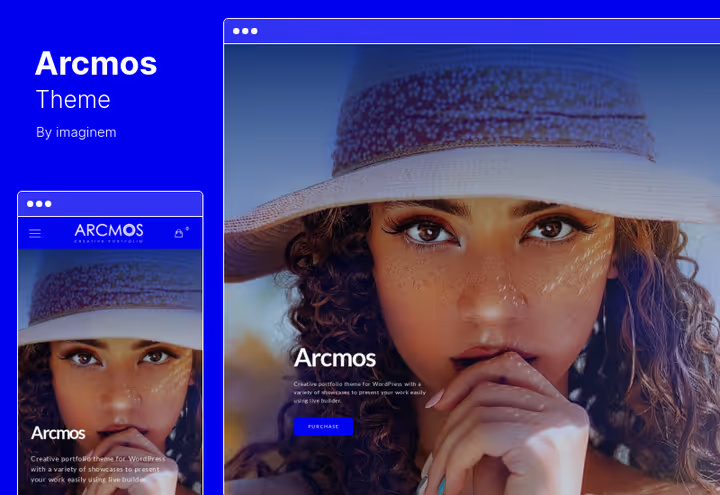
Arcmos, a theme for creative portfolio on Elementor. 7 homepage variants, image lazy loading, customization of overlays and hover icons.
Grid from 1 to 5 columns, portfolio category filtering, fine-tuned responsive layout. For a Timeline portfolio of a designer or photographer, a workhorse.
Pros:
- Elementor: not tied to theme when changing
- 7 home pages and image lazy loading
- Flexible grid (from 1 to 5 columns)
Cons:
- Portfolio only, little blog functionality
- Typography customization takes time
Price: $59 on Themeforest
🔗 Arcmos on Themeforest | 🔗 Live demo
16. Diego

Diego, a one-page theme for personal portfolio and resume, replacing the discontinued Mini. Modern minimalist design, RTL support and retina-ready layout. Last update in January 2026, freshest theme in the collection.
Quick demo data import, customization without code, responsive portfolio grid with filtering. Suits a developer or designer who needs a portfolio urgently and with guaranteed compatibility with current WordPress versions.
Pros:
- Freshest theme in the collection: updated January 2026
- One-page structure with smooth navigation
- RTL, retina-ready, responsive grid with filtering
Cons:
- Only one page, no good for a blog
- Less customization compared to multipurpose themes
Price: $49 on Themeforest
🔗 Diego on Themeforest | 🔗 Live demo
⁉️🤔 Frequently asked questions
How to choose a theme for Facebook Timeline Style if I'm not a designer?
Look at three things: post grid (Masonry or chronological feed, not classic blog tiles), custom post type support and demo loading speed. If the demo lags on Themeforest, it will be even worse on your hosting. Start with TheGem or Avada, they cover most scenarios.
Can I use a multipurpose theme like TheGem or Avada for a Timeline site?
Yes, and it's often the best choice. Both themes let you finely tune post grids for a chronological feed without third-party plugins. Downside: you pay for functionality you may never use. If you only need a blog with a feed, take Pin or SeaShell, they're lighter and cheaper.
Themes without updates since 2019, how critical is that?
Critical. Modern PHP versions changed error handling and removed dozens of deprecated functions. A theme without updates since 2019 will almost certainly cause fatal errors on modern hosting. Vertica and NEW are marked with a red flag in the table for exactly this reason. If you decide to risk it, only after full testing on a staging environment.
How does theme replacement differ from changing design in the customizer?
Changing the theme changes the entire site architecture: widget placement, custom post types, plugin integrations. The customizer only changes colors and fonts. Always make a full backup before changing themes.
Which theme suits a BuddyPress community best?
Cirkle. Unlike multipurpose themes, BuddyPress here is built into the architecture from day one: profile search, social login and member ratings work without tweaking. Matebook on PeepSo is an alternative, but with a caveat: last update 2021, high risk of conflicts.
Do I need a page builder for a Timeline theme?
Not mandatory, but faster with one. Themes with WPBakery or Elementor (TheGem, Vertica, Arcmos) let you build a feed drag-and-drop in one evening. Themes without page builder (Pin, SeaShell, Vlog) configure through the customizer, slower, but code is cleaner and site is faster.
Which theme to get for a Timeline site in 2026
If you need a universal "install and go" option, get TheGem or Avada. They cover any niche: blog, portfolio, shop, forum. Yes, you pay for excessive functionality, but you save weeks on tweaking.
For niche tasks, the map is simpler:
- Social network on BuddyPress → Cirkle. Modern architecture, regular updates.
- Blog with Masonry feed → Pin. Grid like Pinterest, plus frontend submission for readers.
- Video site → Vlog from Meks. YouTube auto-import, playlists, cinema mode.
- User content → Gridbee. Unlimited submission forms and CopyScape.
- Portfolio on one page → Diego. Freshest theme in the collection: updated January 2026.
Themes with red flags (Vertica, NEW, Matebook) haven't been updated in years. Buying without staging testing is playing roulette with the white screen of death.
Open live demos of 2-3 suitable themes, check speed on PageSpeed Insights and compatibility with your plugins. Half an hour of testing now saves days of debugging later.

A professional team of writers and editors specializing in creating quality content.