














🔍 How to add Google Custom Search to a WordPress site
The standard WordPress search is primitive: it queries the database, calls WP_Query, and returns what it finds in post_title and post_content. No relevance ranking, no custom field support, no speed on heavy sites. On WordPress.org forums, the "how to improve WordPress search" topic collects hundreds of threads annually, and one of the simplest and fastest answers is Google Custom Search.
Google Custom Search Engine (CSE) is a search engine that lives on Google's servers and indexes only the pages you specify. The result: instant results, spam filtering, and the ability to earn from ads. In this guide, two methods for integrating Google CSE into WordPress and an overview of alternatives for those who don't want Google search.
💡 Quick overview:
- Register a search engine at programmableSearchEngine.google.com
- Get your Search Engine ID and install one of the integration plugins
- Configure the appearance of results and optionally enable monetization through AdSense
- If Google CSE isn't your choice, pick a local search plugin (Ajax Search Lite or SearchWP)
What is Google Custom Search and why does a WordPress site need it
Google Custom Search (recently renamed Programmable Search Engine) uses Google's search infrastructure but limits results to specified domains. You create an engine, specify your site's address (or multiple sites), and visitors get Google search results limited to your content.
The main advantage over standard WordPress search is zero server load. All queries are processed on Google's side: your hosting doesn't spend resources on WP_Query, doesn't build JOINs on wp_postmeta, and doesn't suffer from slow full-text indexes. For a site with 500+ pages on shared hosting, the difference is immediately noticeable, the results page loads in 200-400 ms instead of 1.5-3 seconds with native search.
Beyond speed, Google CSE provides three things that WordPress's built-in search doesn't have:
- Relevance. Google ranks pages using the same algorithms as in the main search, not just matching substrings in titles.
- Monetization. You can connect AdSense and show ads in search results. Revenue is fractions of a cent per click, but on a high-traffic site it adds up.
- Customization. Search result appearance is configured in the Google panel: colors, fonts, layout, without a single line of CSS.
Limitation: Google CSE shows only indexed pages. If an article hasn't made it into the index yet, it won't appear in search.
Method 1: Better Google Custom Search, premium turnkey integration
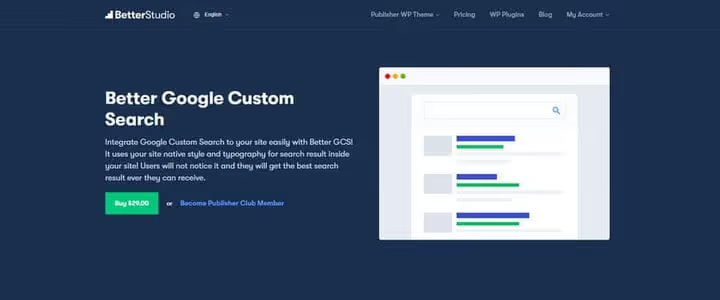
Better Google Custom Search is a premium plugin that embeds Google CSE into WordPress while preserving your theme's typography and styles. Users don't notice the transition: search results look like a native page of your site, not like a foreign iframe.
Key features: hide Google ads in results (AdSense is optional), 38 interface languages, RTL language support, custom loading text. The plugin sells for $29 but is included free in the Pro package of the Publisher theme (BetterStudio).
After installation and activation, a "Better Studio → Google Search" item appears in the WordPress sidebar menu. Open it and you'll see a field for entering your Search Engine ID.

Paste the code, configure ad display and loading text, and save. The plugin automatically picks up the active theme's styles, no additional CSS tweaking needed. The result looks like this:
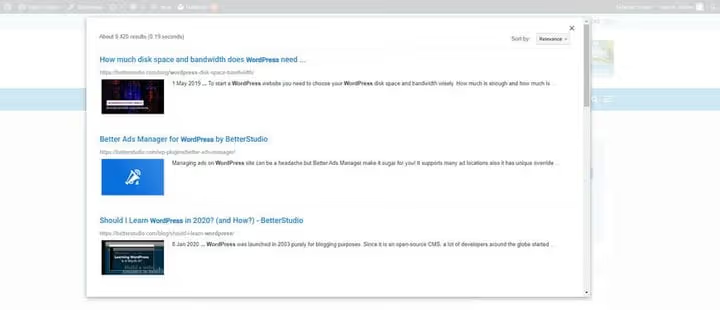
Pros: full integration with site style, ad management, translation into 38 languages, tech support from Publisher theme developers. Cons: paid ($29), tied to the BetterStudio ecosystem, not updated on wordpress.org (distributed through the developer's site).
🔗 Better Google Custom Search on BetterStudio site
Method 2: WP Google Search, free widget plugin
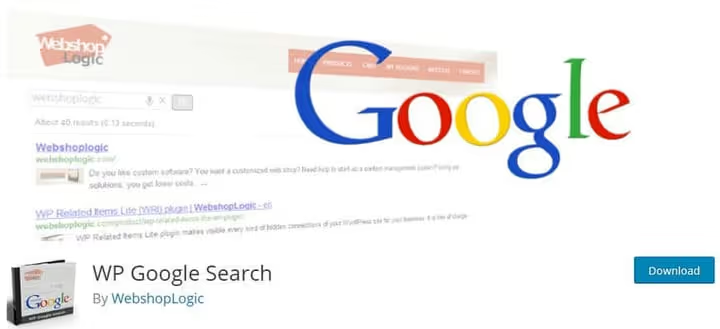
WP Google Search on WordPress.org is a free plugin that adds Google search through a widget. Same principle: register an engine in Google CSE, get an ID, paste it in settings, and search works.
Unlike Better Google Custom Search, there's no integration with theme styles: the plugin outputs Google's standard search block through a widget or [wp_google_searchbox] shortcode. Results can be displayed on a separate page or in an overlay window.

Installation: "Plugins → Add New" → search for "WP Google Search" → install and activate. Then "Settings → WP Google Search" → paste Search Engine ID → save. The search block is added through "Appearance → Widgets" or via shortcode anywhere on the site.

The plugin is translated into 9 languages, including Russian (translation by Timofeev Ilya). Installed on 5,000+ sites, rated 4.4 stars on WordPress.org.
⚠️ Important: the plugin hasn't been updated in 4 years and hasn't been tested with the last three major WordPress versions. It works on the current version (6.7+), but there are no future compatibility guarantees. If the site is in production, test on staging before installing.
Pros: free, simple (just ID and save), widget + shortcode, Russian localization. Cons: not updated, no integration with theme styles, widget mode only.
🔗 WP Google Search on WordPress.org
Why replace standard WordPress search with Google CSE
Standard WordPress search is honest but weak. It searches titles and content, ignores custom fields and taxonomies, doesn't understand typos, and can't rank by relevance. On a site with 300+ posts, this becomes a lottery: a user enters a query and gets results sorted by date, not by meaning.
Google Custom Search solves these problems systematically:
- Speed. The query goes to Google servers and returns in 200-400 ms. The WordPress database isn't involved at all.
- Accuracy. Google's algorithms account for semantics, synonyms, and context. A typo in the query doesn't break results, Google corrects it automatically.
- Monetization. AdSense connects: search results show ads, you get a revenue share. On a site with 10,000+ visits per month, the amount is modest but not zero.
- Ease of implementation. Both described plugins are configured in 5 minutes. No code, no WP-CLI, no editing
functions.phpneeded.
There's exactly one downside: Google must index the pages. A fresh publication won't appear in search until the crawler reaches it. For news sites this is critical; for blogs and content projects, it's acceptable.
Alternative search plugins (non-Google)
If for some reason Google CSE doesn't fit, you need search across custom fields, PDF files, WooCommerce products, or real-time indexing, there are local plugins that replace standard WordPress search under the hood. Here are two actively maintained options for 2026.
SearchWP, premium search with full indexing

SearchWP is a premium plugin that builds its own search index and replaces standard WordPress search without external dependency on Google. Indexes: titles, content, custom fields, PDF files, WooCommerce products, taxonomies, comments, and ACF content.
After activation, SearchWP automatically indexes the site and replaces native search with its own engine. Relevance tuning is done through a visual slider: set the weight of title, content, custom fields, taxonomies. Works with WooCommerce, bbPress, Easy Digital Downloads, and WP Job Manager.
Price: from $99/year for one site (Standard plan). 50,000+ active installations.
Pros: full control over relevance, indexes PDFs and custom fields, integrates with WooCommerce. Cons: paid, server load when indexing large sites.
Ajax Search Lite, live search with filters

Ajax Search Lite on WordPress.org is a free live search plugin with 263 reviews and a 4.9-star rating. Shows results as you type, like Google Suggest, but on your site.
Free version features: search titles, content, excerpts, categories, tags, and custom fields; 10+ built-in result templates; filters by categories and post types; result caching for speed; Google Analytics integration. Pro version adds search in PDFs and media files, result grouping, date and price filters, 100+ design themes.
Actively updated: version 4.14.4 (June 2026), regular compatibility fixes with new WordPress versions. Free version requires no registration, stores no data on external servers.
Pros: free version with live search, active development, responsive support on wordpress.org. Cons: Pro features are paid, filter setup requires time to learn.
🔗 Ajax Search Lite on WordPress.org
Video: Google search integration in 5 minutes
If it's easier to watch than read, here's a visual guide for adding Google Search to a WordPress site. The author shows the entire path: from registering an engine in Google CSE to a working search on the site.
⁉️🤔 Frequently asked questions
Is Google Custom Search free?
The basic version of Google Programmable Search Engine is free and includes showing ads in search results. Disabling ads costs from $5 per 1,000 queries (Search Element plan), but for most sites ads aren't critical, revenue from them often covers the cost of their absence.
How is Google CSE better than plugins like SearchWP?
Speed and no server load. Google CSE processes queries on its own infrastructure; SearchWP builds an index locally and every search query hits your database. But SearchWP wins on depth: it searches PDFs, custom fields, and WooCommerce products, which Google CSE doesn't do.
Can I use Google CSE on a multilingual site?
Yes. You register a separate search engine for each language version and specify the corresponding subdomain or directory (
/en/,/ru/). Integration plugins pick up the right ID through a language filter.
What should I do if WP Google Search stops working after a WordPress update?
Switch to direct code integration, Google provides a ready snippet in the CSE panel that you insert into the theme template (
search.php). Or consider Better Google Custom Search if budget allows. The third option is switching to a local search plugin (Ajax Search Lite).
Does Google CSE affect SEO?
Directly, no (search results on your site don't affect positions in Google). Indirectly, yes: fast and accurate search reduces bounce rate and increases page depth, and these are behavioral signals that search algorithms consider.
Which search to choose for a WordPress site
Choosing between Google CSE, a premium indexer, and live AJAX search comes down to three factors: budget, indexing requirements, and tolerance for external dependency.
If the site is content-focused and speed matters more than indexing depth, Google Custom Search through WP Google Search (free) or Better Google Custom Search (premium, $29) will solve the task. Search works like Google, the server isn't loaded, setup takes 5 minutes.
If you need search across custom fields, PDF files, WooCommerce products, and taxonomies, look at SearchWP (from $99/year) for maximum control over relevance or Ajax Search Lite (free) for live search with filters without external dependency on Google.
Try both approaches on staging: enable Google CSE on a subdomain, compare result accuracy with a local plugin, and keep whichever works better with your site's content.

A professional team of writers and editors specializing in creating quality content.