













🔟 10 WordPress themes for a multivendor marketplace in 2026
You launched WordPress, installed WooCommerce, and now you need sellers to register on their own, list products, and you collect a commission on every sale. Sounds like a ready-made business. But without the right theme, a multivendor marketplace turns into chaos: sellers get lost in the interface, buyers can't find products, and you drown in support.
A multivendor theme is not just a "pretty wrapper." It has to play nice with plugins like Dokan and WCFM Marketplace, keep the registration form on the frontend, give sellers a personal dashboard, and calculate commissions correctly. We picked 10 themes that actually handle this job, not on paper, but on test installations.
💡 Quick overview:
- Compare the top 5 themes in the comparison table and pick the option for your segment.
- Review each entry: screenshot, description, pros and cons, price, demo links.
- Watch the video overview of the WCFM + WooCommerce combo and see how the theme works with the marketplace plugin.
Comparison table: top 5 multivendor themes
Theme | For whom | Price | Key feature |
|---|---|---|---|
Woostroid2 | Universal marketplace | from $75 | 1000+ ready-made sections, Jet plugins |
Makplus | Digital goods, freelance | from $75 | Seller profiles with photos and contacts |
OuiOui | Physical goods marketplace | from $75 | One-click multivendor demo |
Gtech | Electronics, gadgets | from $75 | 40+ grid styles, catalog without cart |
BestShop | Niche stores | from $75 | Layout configurator for every page |
1. Woostroid2
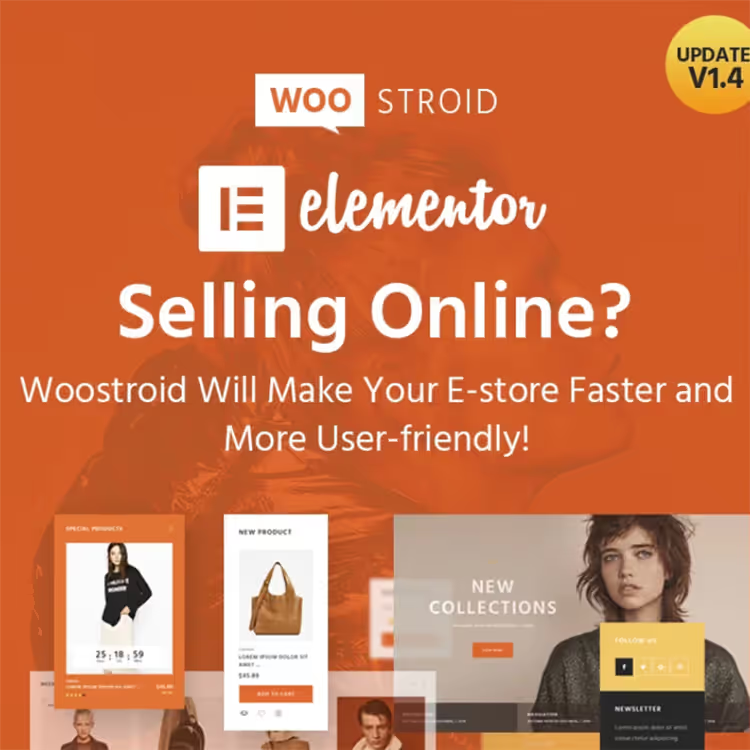
Woostroid2, an Elementor-based theme with a drag-and-drop builder. The main advantage: you don't need to code store pages from scratch. The package includes over a thousand sections and templates, you assemble the catalog, product card, and storefront like a construction kit.
The theme is built for WooCommerce out of the box: dropdown cart, product tabs, custom post type for portfolio. Sellers connect multiple payment systems, from Stripe to PayPal. The mobile layout is not "responsive in general," but comes with separate layouts for phones.
- Pros: 1000+ sections and templates, store skins, Jet plugin bundle included.
- Cons: Overkill on options for a minimalist store.
- Price: from $75 (one-time, license for 1 site).
- Download: 🔗 Woostroid2 on TemplateMonster | 🔗 Live demo
2. Makplus

Makplus is designed specifically for multivendor: sellers get a personal dashboard with a photo, contacts, and a product list. Buyers see individual seller storefronts, not a general product dump.
The theme's control panel lets you move blocks, change colors and fonts without code. The monetization system stands out: the platform owner can charge a listing fee, take a percentage of each sale, or sell ad placements.
- Pros: Extended seller profiles, flexible monetization, built-in page builder.
- Minuses: Built for digital goods, physical products require extra work on shipping.
- Price: from $75 (one-time).
- Download: 🔗 Makplus on TemplateMonster | 🔗 Live demo
3. OuiOui
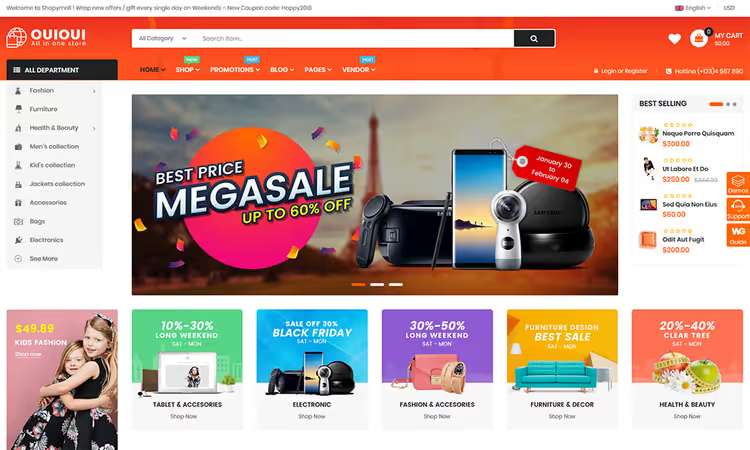
OuiOui is compatible with all major multivendor plugins, Dokan, WCFM, WC Vendors. A ready-made marketplace demo comes in the package: import it in one click and immediately see what a storefront with sellers looks like. Shortcodes for the seller list and a custom store sidebar come out of the box.
The theme is flexible: 10+ mobile layouts, an options panel for fonts and colors, support for bundle products. It's convenient for buyers, product and seller search runs fast.
- Pros: One-click multi-vendor demo, vendor shortcodes, 10+ mobile layouts.
- Cons: Some bundled plugins may duplicate your current stack.
- Price: from $75 (one-time).
- Download: 🔗 OuiOui on TemplateMonster | 🔗 Live demo
4. Gtech
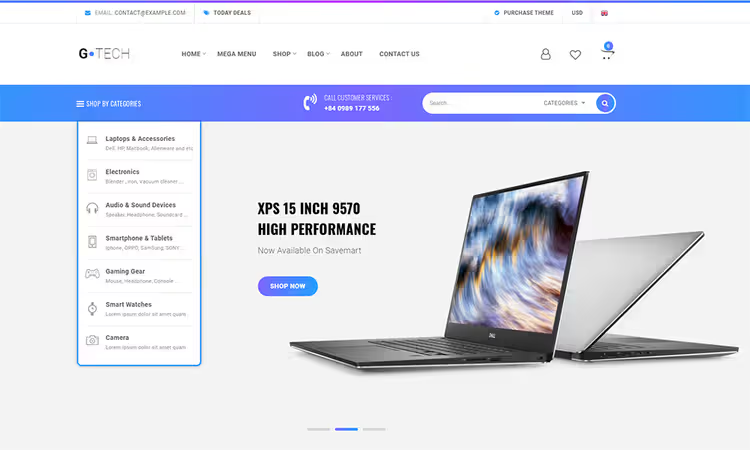
Gtech, an electronics store theme with multi-vendor support. Visitors register, publish listings, and other users submit inquiries. The theme switches between page layouts, supports background images, and includes a contact form.
A useful feature for niche marketplaces: WooCommerce Catalog Mode, where you display products without a cart when deals happen off-site. Post grid, 40+ styles, so the storefront doesn't look cookie-cutter.
- Pros: 40+ grid styles, catalog mode without cart, Elementor.
- Minuses: Narrow specialization, for non-electronics the design will need reworking.
- Price: from $75 (one-time).
- Download: 🔗 Gtech on TemplateMonster | 🔗 Live demo
5. BestShop
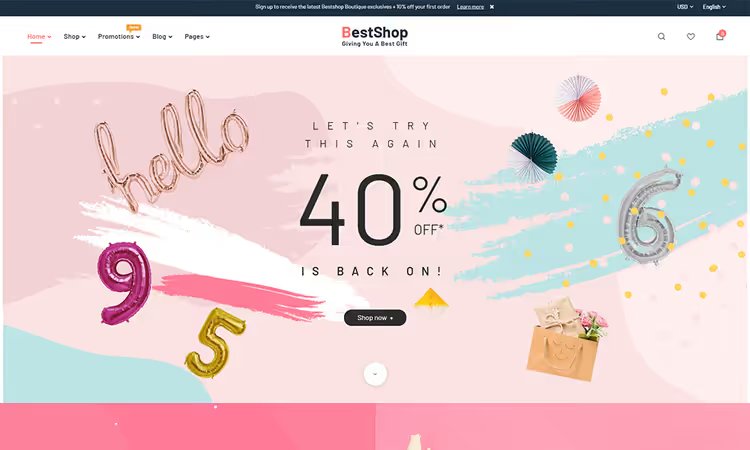
BestShop stands out with its layout configurator: you set a separate structure for the blog, menu, static pages, and storefront. Colors and fonts are changed via the control panel. Google Fonts are connected in two clicks.
For monetization, the theme uses a percentage of the transaction amount; the system automatically calculates the commission and pays out to vendors. The buyer pays the seller, the platform takes its cut, transparent and without manual accounting.
- Pros: Layout configurator for each page, auto commission calculation, WPBakery included.
- Minuses: Only 5+ homepage layouts, may lack a ready-made design for a narrow niche.
- Price: from $75 (one-time).
- Download: 🔗 BestShop on TemplateMonster | 🔗 Live demo
6. Huawe
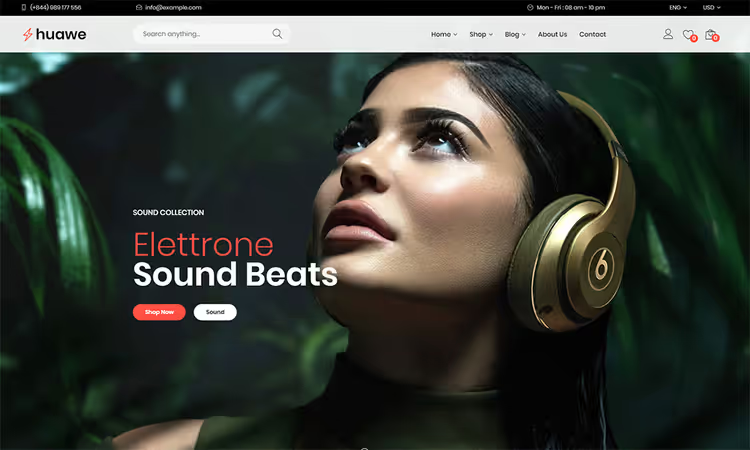
Huawe, a fast and ultra-responsive theme. Vendors create stores, manage payments, and communicate with buyers through a built-in private messaging system. The design is clean and elegant, without visual noise, keeping the buyer focused on the products.
Each vendor gets a dashboard for store management and a public profile for promotion. The profile can be used as a mini landing page: photo, description, links to products.
- Pros: Built-in private messaging, Elementor, vendor dashboard.
- Cons: Fewer ready-made demo layouts than Woostroid2.
- Price: from $75 (one-time).
- Download: 🔗 Huawe on TemplateMonster | 🔗 Live demo
7. Electroshop
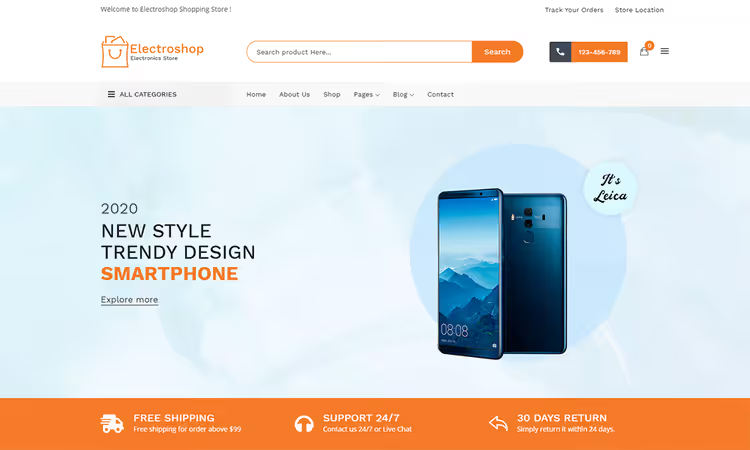
Electroshop, a theme with a modern layout for physical and digital goods. The theme control panel gives quick access to settings for colors, fonts, and logo. A built-in page builder helps customize demo content and create your own layouts.
The theme supports multiple homepage layouts, works for an electronics marketplace as well as an accessories store. Mobile layouts are designed separately, not just "shrunk to fit a phone."
- Pros: 5+ homepage layouts, WPBakery, SEO-optimized code.
- Cons: Part of the original description overlaps with Gtech, similar functionality.
- Price: from $75 (one-time).
- Download: 🔗 Electroshop on TemplateMonster | 🔗 Live demo
8. Alchoi
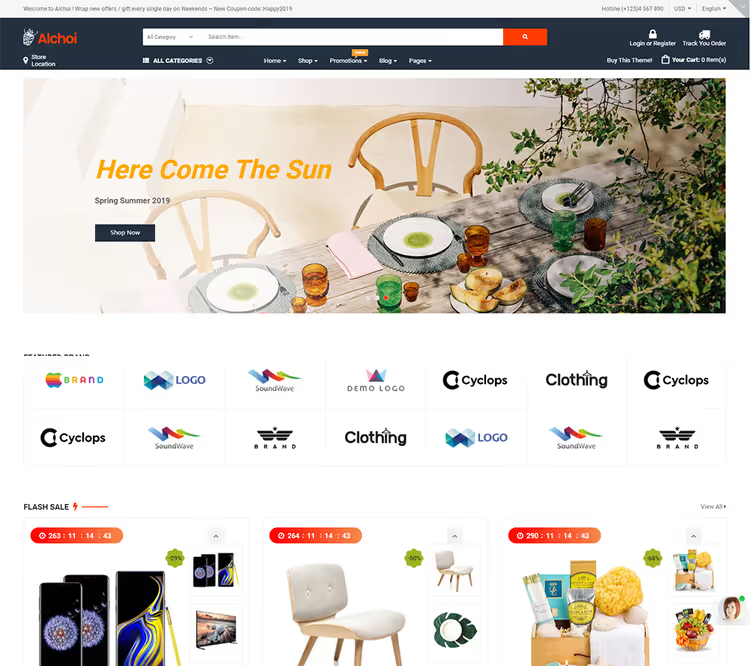
Alchoi, a megastore theme with Dokan and WC Vendors support. Seven homepage layouts, Megamenu, multiple header styles. One-click install, the developers focused on a fast launch.
Everything is thought through for shoppers: Minicart Pro, quick view, Ajax compare, live search, and wishlist. Unlimited color schemes let you match the store to your brand without editing CSS.
- Pros: 7+ homepage layouts, RTL support, live search and Ajax compare.
- Cons: Visual Composer instead of Elementor; if you are used to Elementor, there is a learning curve.
- Price: from $75 (one-time).
- Download: 🔗 Alchoi on TemplateMonster | 🔗 Live demo
9. Shop4U
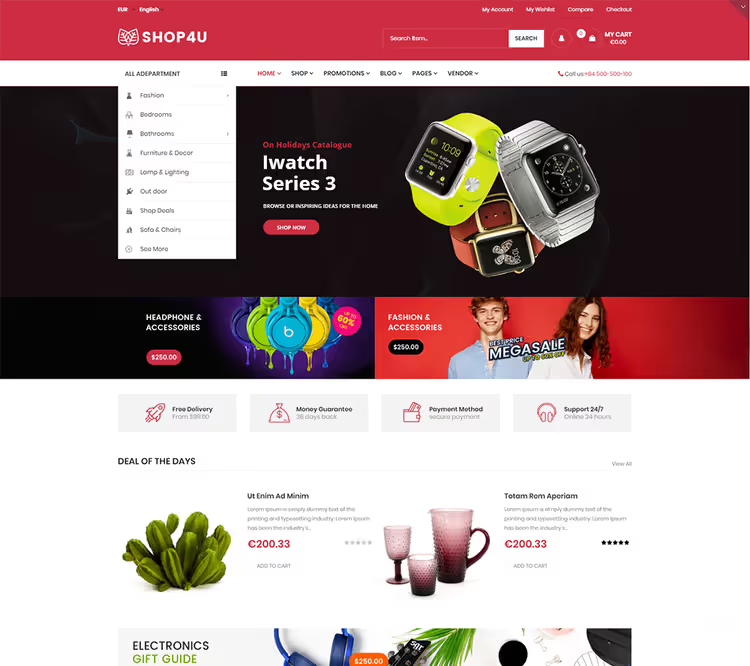
Shop4U, a flexible theme with two homepage demos: a furniture store and a HiTech showcase. Integration with WC Vendors and Dokan turns WooCommerce into a full multi-vendor marketplace. The clean style meets modern web design trends.
Included: Megamenu, Ajax Live Search Pro, Revolution Slider. Lifetime updates and PSD files are included in the license, a plus for those who want to refine the design in a graphics editor.
- Pros: Two ready-made demos (furniture + HiTech), Ajax Search Pro, free lifetime updates.
- Cons: Only 2 demos, for other niches you will have to start from scratch.
- Price: from $75 (one-time).
- Download: 🔗 Shop4U on TemplateMonster | 🔗 Live demo
10. DresShop
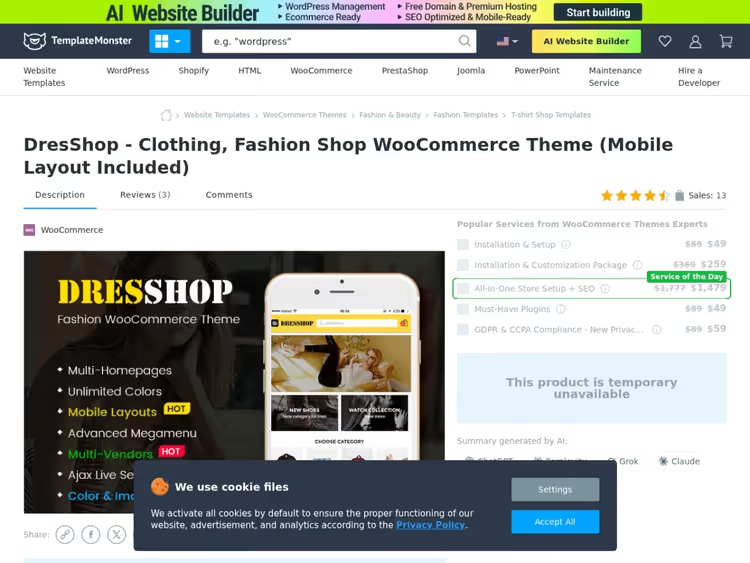
DresShop, a theme for a fashion marketplace: unlimited color schemes, blog, header, and shop layouts to choose from. Compatible with Elementor and Visual Composer, so you work in the builder you are used to.
Responsive layout, RTL support, SEO-optimized code. eCommerce features include: Minicart Pro, Ajax compare, wishlist, color and image swatches for products. A good choice if your marketplace is clothing, footwear, or accessories.
- Pros: Unlimited color schemes, RTL, product swatches, Elementor and Visual Composer.
- Minuses: Narrow niche (fashion), the design will not suit electronics or digital goods.
- Price: from $75 (one-time).
- Download: 🔗 DresShop on TemplateMonster | 🔗 Live demo
Video: how the theme works with the marketplace plugin
Any theme from the list above is the frontend. The multi-vendor logic (seller registration, commissions, payouts) is handled by a plugin like WCFM Marketplace or Dokan. See how the "theme + WCFM" combination looks in practice:
⁉️🤔 Frequent questions
How does a multi-vendor theme differ from a regular WooCommerce theme?
A regular WooCommerce theme is designed for a single store with one seller: you add products, buyers see them. A multi-vendor theme correctly displays storefronts for multiple sellers, the frontend registration form, the seller dashboard, and the commissions page. Without support at the theme level, these elements can break the layout or conflict with the marketplace plugin.
Do I need a separate multi-vendor plugin or does the theme handle everything?
The theme provides the layout and visuals. The logic, seller registration, commission distribution, and payouts are handled by a plugin. The most popular ones: Dokan (200,000+ installs on WordPress.org), WCFM Marketplace, and WC Vendors. All themes in this review are compatible with them.
Can I use a free theme for a multi-vendor marketplace?
Technically, yes, but in practice you will run into limitations. Free themes are rarely tested with Dokan and WCFM, and seller pages can break. Moreover, you will almost certainly need to tweak the storefront layouts, and without a page builder that means hours of manual work. Saving on the theme often results in developer costs.
Which is more important: the theme or the multi-vendor plugin?
The plugin is more important functionally, as it handles all the marketplace logic. But the theme determines how that looks for the seller and the buyer. A bad theme turns even Dokan Pro into a clunky interface where sellers cannot find the "Add product" button. Choose the theme and the plugin together, not separately.
Are these themes suitable for a physical goods marketplace or only for digital products?
Most themes on the list are universal: Woostroid2, OuiOui, BestShop, Huawe work with both physical and digital goods. Makplus is geared toward digital products, DresShop toward fashion. Check the specification in the specific theme's demo before purchasing.
Is it worth buying a theme on TemplateMonster for a multi-vendor marketplace in 2026?
All 10 themes in this review are from TemplateMonster, and that is no coincidence. The marketplace offers a lifetime license for a one-time fee, unlike ThemeForest's subscription model. For a multi-vendor project you are launching for the long haul, that is significant savings.
If you are launching a general marketplace, go with Woostroid2: 1000+ sections and complete assembly freedom. For digital goods and a freelance marketplace, Makplus is better with its seller profiles. For a fashion marketplace, DresShop is the clear choice. And if your niche is electronics, take a closer look at Gtech or Electroshop: their grids and catalog mode are built specifically for gadgets.
Install WCFM Marketplace or Dokan under any of these themes, and you will get a full-fledged multi-vendor platform without a Foundry-level budget for custom development.

A professional team of writers and editors specializing in creating quality content.