














🔖 What HTML tags are and how they work
Every web page you open in a browser looks like a continuous stream of text under the hood. But the browser somehow turns it into headings, paragraphs, images, buttons, and forms. The secret behind this transformation is HTML tags.
Beginners often treat tags like magic spells: copy, paste, it works. But without understanding their logic, any edit becomes guesswork. One missing closing tag, and the layout breaks while the form stops sending data.
Let's take a look at how HTML tags work internally, what groups of tags exist, and why they are critical for search engine optimization. No fluff, with examples and a focus on practice.
💡 Quick overview:
- A tag consists of a name in angle brackets and optional attributes: the browser reads them and decides how to display the content
- Paired tags wrap content (opening + closing), single tags insert an element onto the page (image, line break, metadata)
- HTML5 semantic tags, header, nav, main, article, section, and footer, describe the meaning of blocks, not just their appearance, which is the foundation of accessibility and SEO
- Search engines analyze heading tags (h1-h6), link tags (
a), image tags (imgwith alt), and meta tags to understand the page structure and rank it by keywords - Correct tag nesting is critical: browsers forgive mistakes, but valid HTML guarantees correct display on all devices
What HTML tags are and why they are needed
An HTML tag is a markup element enclosed in angle brackets < and >. The browser does not show the brackets themselves to the user: it reads the tag name and decides what to do with the content.
Let's take a simple example: <p>Это абзац.</p>. The browser sees the opening <p>, understands "a paragraph started", displays the text, and reaches the closing </p>, the paragraph is finished. Everything between them is the paragraph's content.
Tags solve three tasks simultaneously. First, they describe the document structure: where the heading is, where the navigation is, where the main text is. Second, they control display: bold font, italics, line break. Third, they embed external resources: images, videos, scripts, and style sheets.
Anatomy of an HTML tag
Every tag consists of three parts: a name, attributes, and, for paired tags, content between the opening and closing elements.
The tag name is written in Latin characters and defines its function: p for paragraph, h1 for heading, a for link. Case does not matter (<P> and <p> are the same), but the standard recommends lowercase.
Attributes refine the tag's behavior. Take <a href="https://example.com">: the href attribute tells the browser where the link leads. And in <img src="photo.jpg" alt="Описание фото"> the src attribute specifies the file path, while alt provides a text alternative. Attribute values are enclosed in quotes, and the attributes themselves are separated by spaces.
The most important rule: paired tags are always closed. You opened <div>, close it with </div>. Single tags: img, br, input, meta, link, hr, do not require a closing pair. And the nesting order: <p><strong>текст</strong></p> is correct, <p><strong>текст</p></strong> is wrong (crossed).
Main groups of HTML tags
The HTML5 specification contains a multitude of different tags, but for practical work it is enough to know the main groups. They cover 95% of a frontend developer's tasks.
Document structure tags
Every HTML page starts with a skeleton:
<html>, the root element, wraps the entire document<head>, the service section: tab title, meta tags, linking styles and scripts<body>, the visible page content<title>, the text in the browser tab (indexed by search engines)<meta>, encoding, page description, viewport for mobile
The user does not see these tags directly, but without them the page will not work: the browser will not understand the encoding, the search engine will not read the description, and the mobile layout will break.
HTML5 semantic tags
Before HTML5, developers laid out everything with <div>s and classes. A search engine saw the page as a continuous stream of <div>s, where the menu was, where the article was, where the footer was, was unclear. HTML5 solved this with semantic tags:
<header>, the header of the site or a section (logo, menu, search)<nav>, a navigation block (main menu, breadcrumbs)<main>, the unique content of the page (only one per document)<article>, a self-contained unit of content (post, product card, comment)<section>, a thematic group of content with its own heading<aside>, a sidebar or supplementary content<footer>, the footer: contacts, copyright, site map
Semantic layout is not a tribute to fashion. Screen readers (programs for blind users) rely specifically on <nav> and <main>, skipping repetitions. And search engines extract key ranking signals from semantic blocks.
Text content tags
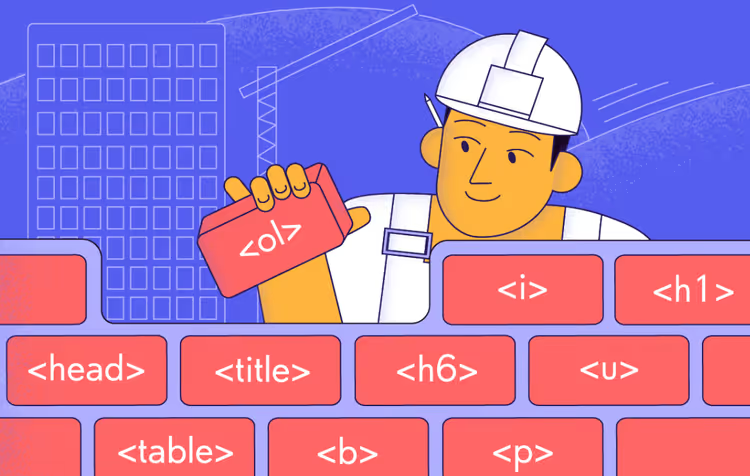
The basic set for working with text:
- From
<h1>to<h6>: six heading levels, from the main one to subordinate ones. On a page, exactly one<h1>, the rest form a hierarchy like a book's table of contents <p>, a paragraph, the main container for text<strong>and<em>, semantic emphasis: important and accentuated (not just bold and italics)<blockquote>, a quotation with a source specified via theciteattribute<pre>and<code>, preformatted text and a code fragment
Standing apart is <span>, an inline container with no inherent meaning. It is used for targeted style application to a text fragment inside a paragraph.
Link and media tags
<a href="URL">анкор</a>, the most powerful tag on the internet. It is links that connect pages into a single web. The target="_blank" attribute opens the link in a new tab, rel="nofollow" tells the search engine not to pass weight to the destination page.
For images, <img src="путь" alt="описание">. The alt attribute is critical: screen readers and search engines read it. Without alt, an image simply does not exist for them. Technically, src can point to any public URL, but it is better to store images locally, which is faster and more reliable.
<video> and <audio> embed media with native controls. And <figure> with <figcaption> group an image with a caption, so the search engine understands they are a related pair.
List and table tags
Lists come in three types: <ul> (unordered), <ol> (ordered), and <dl> (definition list with <dt>-term and <dd>-description pairs).
Tables are built in a cascade: <table> → <tr> (row) → <th> (column header) or <td> (data cell). <caption> gives a title to the whole table, <thead>/<tbody>/<tfoot> logically group rows. And yes, tables are still used for data, do not lay them out with divs.
Form tags
<form> collects input fields and sends them to the server using the GET or POST method. Inside a form, the following work:
<input>, a universal field (text, password, email, number, date, file, the type is set by thetypeattribute)<textarea>, multiline text<select>with<option>, a dropdown list<button>, a submit or reset button<label>, a text label linked to a field via theforattribute
The pairing of <label for="email"> with <input id="email"> is a must-have for accessibility: clicking the label moves focus to the field.
How HTML tags affect SEO
Search robots do not see a page with their eyes. They read the source code, and tags become their only coordinate system.
Heading tags (h1-h6) form the semantic skeleton. The search engine understands the hierarchy: <h1> sets the main topic of the page, <h2> highlights key subtopics, <h3> reveals details. The more accurately headings reflect the content and contain keywords, the higher the chances of ranking.
The <title> tag (in <head>) is what the user sees in search results. This is not h1, although they often coincide in meaning. A well-crafted <title> contains the keyword closer to the beginning and is written in natural language, a clickable title brings more clicks at the same positions.
The <meta name="description"> tag forms the snippet under the title in search results. It does not directly affect ranking, but a well-written description increases CTR, and behavioral factors then work for the position.
The <a> tag with the href attribute is the basis of interlinking. Internal links distribute weight among the site's pages, external ones pass authority. The link anchor (the text between <a> and </a>) hints to the search engine what the destination page is about.
The alt attribute on images is another source of keywords. Images without alt do not participate in image search and do not give the search engine additional context about the page.
HTML5 semantic tags help the robot separate content from navigation and advertising. <main> and <article> get priority during indexing, while <nav> and <aside> do not. This saves crawl budget.
Video: HTML tags from scratch
To reinforce theory with practice, watch this English-language lesson, it visually demonstrates how a browser processes HTML tags in real time:
⁉️🤔 Frequent questions
How does a paired tag differ from a single tag?
A paired tag wraps content and requires closing:
<p>текст</p>. A single tag inserts an element without content: img, br, input. In HTML5, the closing slash (<br />) is optional but allowed. The rule is simple: if there is content between the tags, the tag is paired; if not, it is single.
How many <h1> can there be on a page?
Exactly one. The HTML5 specification technically allows multiple
<h1>if they are separated into<article>and<section>, but search engines still work best with a single main heading. Put one<h1>per page, you cannot go wrong.
What happens if you do not close a tag?
The browser will try to "guess" where you intended to close it and will build the DOM tree on its own. But different browsers guess differently: in Chrome the page may look normal, while in Safari or a screen reader it will fall apart. Therefore, valid HTML with correct tag closing is not pedantry, it is insurance against surprises.
How does <b> differ from <strong>, and <i> from <em>?
<b>and<i>are purely visual: bold and italics.<strong>and<em>are semantic: "this is important" and "emphasis on this". The search engine and screen reader take semantic tags into account when analyzing the page, while visual ones are ignored. If you are emphasizing meaning, use<strong>and<em>; if purely for design, use<b>and<i>.
Is it mandatory to write alt for all images?
For meaningful images, it is mandatory: this is both accessibility and SEO. For decorative ones (background pattern, separator), use an empty
alt=""so the screen reader skips them. An image without analtattribute at all is a gross error: the HTML validator will flag it.
Which tags are the most important for SEO?
Five critical ones:
<title>(the title in search results),<meta name="description">(the snippet),<h1>-<h6>(structure and keywords),<a>(internal and external interlinking),<img alt="...">(image search and additional context). If these five are well done, the foundation of technical SEO is already laid.
What to remember about HTML tags
HTML tags are not magic or syntax for the chosen few. It is a system of rules, understandable to both people and machines. The browser turns tags into a visual page, the search engine into ranking signals, the screen reader into a voice for a blind user. The same markup serves three completely different interfaces.
The main thing to take away: close paired tags, maintain proper nesting, use HTML5 semantic tags instead of anonymous <div>s, and always provide alt for meaningful images. These four habits at the start save hours of debugging later.
If the material was useful, bookmark it, you will come back when you need to refresh the syntax before layout work.

A professional team of writers and editors specializing in creating quality content.