














🚀 25 Best WordPress plugins in 2026: a proven selection
Installed a plugin, the site went down. White screen, admin panel won't load, the client is calling. Anyone who administers WordPress has been in this situation at least once.
Over a decade of working with WordPress, we've gone through hundreds of plugins: installed, broke, fixed, compared. This list is the tools that actually work on our projects. No "revolutionary solutions" or marketing promises, only what has passed the test of updates, traffic, and time.
Below, 25 plugins that cover most site owner tasks: from caching and security to multilingual and email newsletters.
💡 Quick overview:
- Speed: WP Rocket, Autoptimize, and WP Super Cache handle caching, minification, and lazy loading. TinyPNG and Imsanity compress images with no visible quality loss.
- Security and backups: Solid Security, Block Bad Queries, and Antispam Bee protect against brute force, spam, and malicious requests. BackWPup makes daily copies to the cloud.
- Content and layout: Elementor, Kadence Blocks, and Slider Revolution cover design without code. ACF and Yoast Duplicate Post save dozens of hours on structure and cloning.
- SEO, forms, and legal: All in One SEO Pack, Contact Form 7, Borlabs Cookie, and OMGF, without this set your site is invisible to search engines or violates GDPR.
Comparison table: top 10 essential plugins
Plugin | Task | Free version | Premium from |
|---|---|---|---|
Elementor | Visual page builder | ✅ Free | $59/yr |
WP Rocket | Caching and speed optimization | ❌ | $59/yr |
Solid Security | Protection and firewall | ✅ Free | $99/yr |
Contact Form 7 | Contact forms | ✅ Free | Free |
WooCommerce | Online store | ✅ Free | Per extension |
BackWPup | Backup | ✅ Free | $69/yr |
All in One SEO | Search engine optimization | ✅ Free | $49/yr |
Kadence Blocks | Blocks for Gutenberg | ✅ Free | $149/yr |
Antispam Bee | Comment spam protection | ✅ Free | Free |
Borlabs Cookie | Cookie consent (GDPR) | ❌ | €39/yr |
1. Elementor
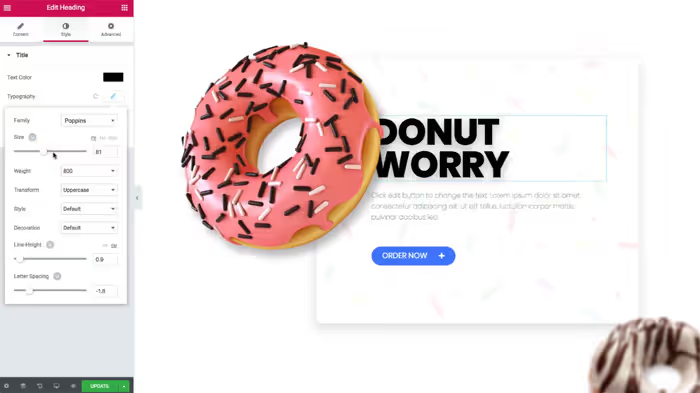
The most popular visual builder for WordPress: over 5 million active installs and a 4.5 rating on WordPress.org. You build pages by dragging and dropping widgets and see the result instantly. The Popup Builder in the Pro version lets you create popups, menus, and subscription forms inside the same editor. Hundreds of templates speed up the start.
- Pros: live preview without reloading, responsive settings for each device, Popup Builder (Pro), hundreds of ready-made templates.
- Cons: Pro version is paid; extra widgets add page weight if not disabled.
- Price: free on WordPress.org, Pro from $59/yr.
- Download: 🔗 Elementor on WordPress.org | 🔗 Official site
2. Kadence Blocks
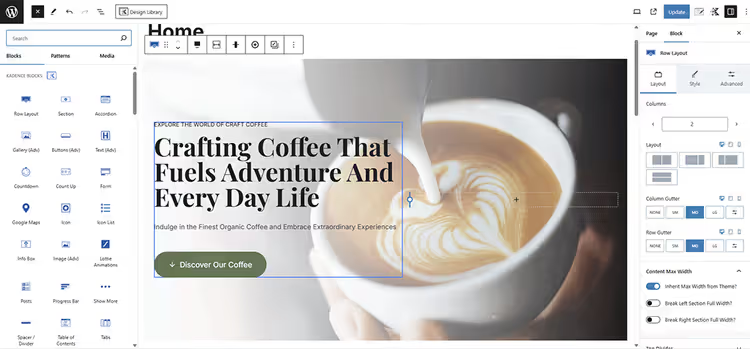
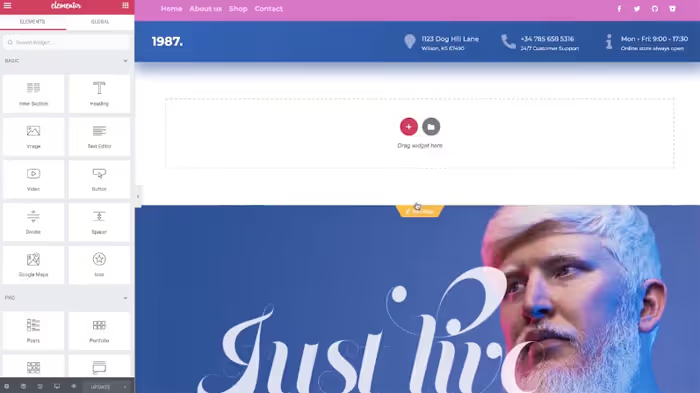
Elementor replaces the native editor, Kadence Blocks enhances it. The plugin adds rows with columns, advanced galleries, forms, tabs, and icons to Gutenberg. Everything works natively, without a page builder layer. Integration with the Kadence theme gives you global typography and color settings right from the customizer.
- Pros: native Gutenberg blocks with no lag, responsive settings, dynamic data from ACF, built-in Form Block.
- Cons: some blocks are Pro only; for complex landing pages with animations a Page Builder is more convenient.
- Price: free on WordPress.org, Pro from $149/yr.
- Download: 🔗 Kadence Blocks on WordPress.org | 🔗 KadenceWP site
3. Slider Revolution
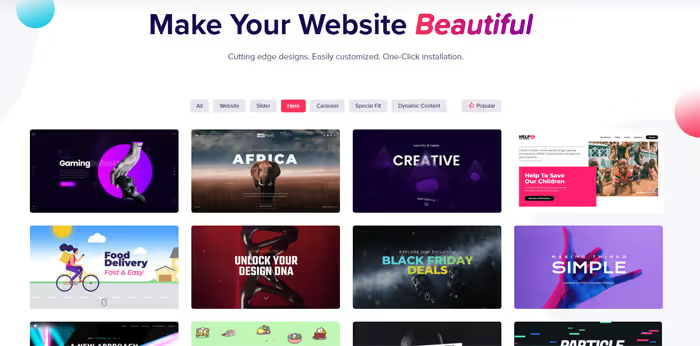
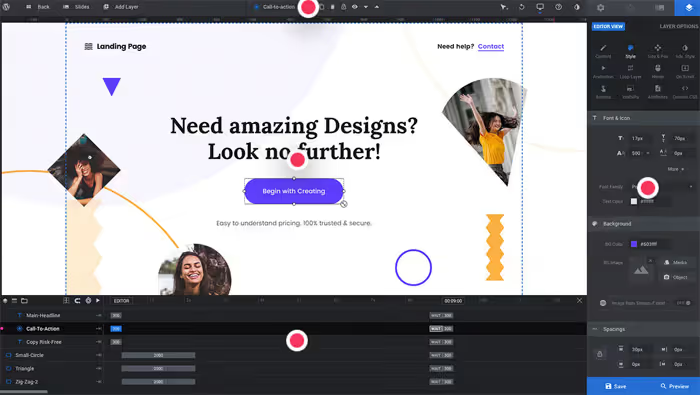
An animated content builder: hero banners, product carousels, parallax sections. Assembly by dragging and dropping layers: text, buttons, video, and images are combined into scenes with timeline animation. Often bundled with premium themes, so you essentially get it for free.
- Pros: visual editor with timeline, video and dynamic content support, hundreds of templates, responsive breakpoints.
- Cons: steep learning curve; price bites if you didn't get it bundled with a theme.
- Price: from €45/year.
- Download: 🔗 Slider Revolution official site
4. WooCommerce
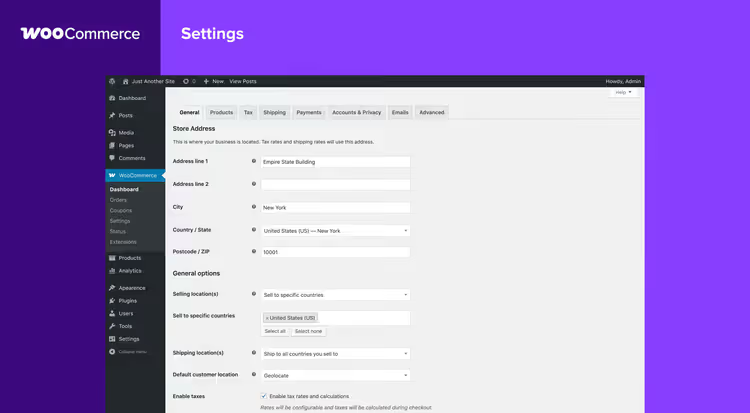
The WordPress e-commerce standard. Out of the box: product cards, cart, checkout, shipping and tax calculation. PayPal and Stripe payment gateways set up in a couple of clicks. Free engine with thousands of extensions, from digital goods to apartment booking.
- Pros: free start, thousands of extensions, full data control, automatic invoices and taxes.
- Cons: a 500+ product catalog needs solid hosting; some extensions are paid.
- Price: free on WordPress.org, extensions from $29/year.
- Download: 🔗 WooCommerce on WordPress.org | 🔗 Official site
5. WPML
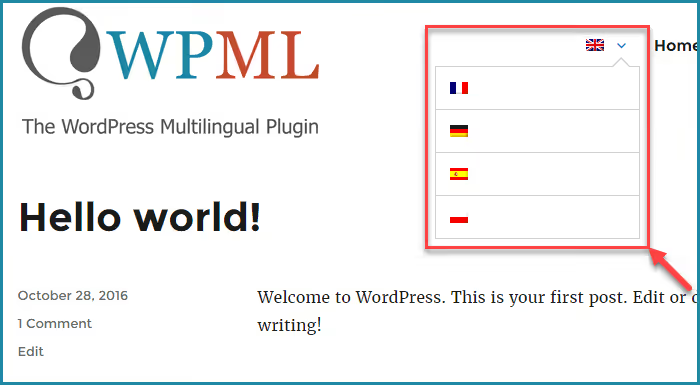
WordPress doesn't do multilingual out of the box. WPML fills that gap: translation of pages, menus, taxonomies and theme strings. Each language gets its own URL and hreflang tags. DeepL and Google Translate integration speeds up draft translation.
- Pros: full coverage of WordPress entities and WooCommerce, SEO for each language (hreflang, sitemaps), compatible with Elementor and Gutenberg.
- Cons: price with annual renewal; adds load on weak hosting.
- Price: from €39/year.
- Download: 🔗 WPML official site
6. Yoast Duplicate Post
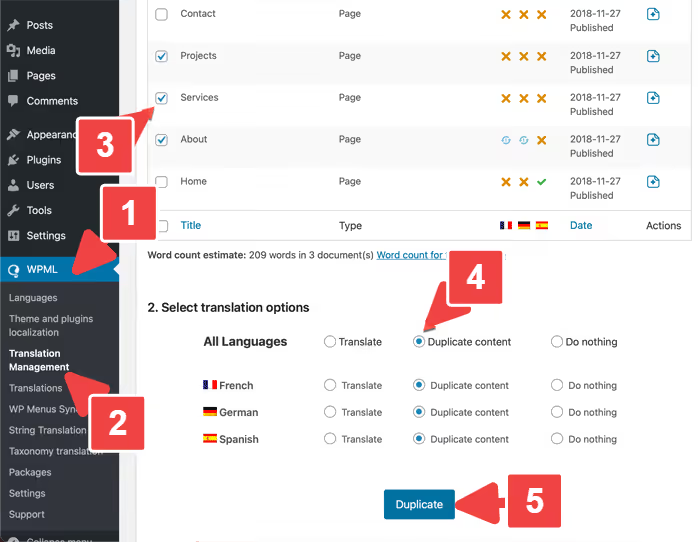
A simple plugin that saves hours: clones any post, page, or custom type with one click. On projects with repetitive structure, service landing pages, product cards, templated news, it cuts routine work in half.
Copies everything: meta fields, taxonomies, SEO settings. From the Yoast team, so support and compatibility are clear.
- Pros: one action instead of ten, copies meta fields and taxonomies, free and ad-free.
- Cons: does not copy Page Builder settings if those store data in a non-standard way (rare case).
- Price: free on WordPress.org.
- Download: 🔗 Yoast Duplicate Post on WordPress.org
7. Advanced Custom Fields

ACF adds custom fields to the editor: text blocks, repeaters, galleries, Google Maps, taxonomy selects. Essentially you build a content entry interface for a specific layout, the editor fills in fields rather than composing the page. Fields are output in the theme with a couple of PHP lines. Pro adds Repeat Field and Flexible Content for modular layouts.
- Pros: any field types, clear interface, clean PHP API, Gutenberg integration (Pro).
- Cons: requires basic PHP to output fields in the template; Pro is paid.
- Price: free on WordPress.org, Pro from $49/year.
- Download: 🔗 ACF on WordPress.org | 🔗 Official site
8. WP Migrate DB Pro
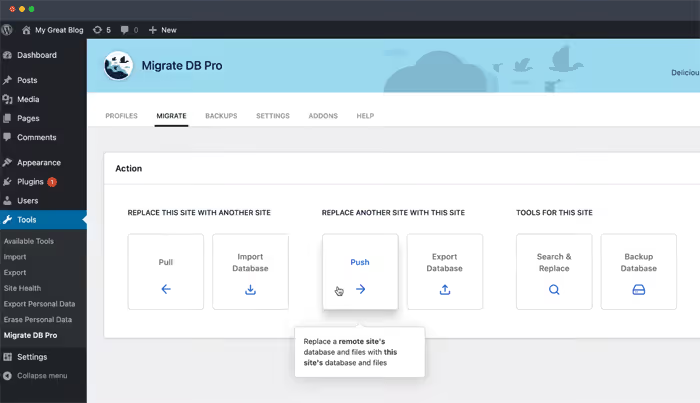
Moving a site between servers, an operation where you cannot afford mistakes. WP Migrate DB Pro exports the database with automatic URL replacement, pulls in media files and plugins. Push and pull between servers, in two clicks. WP-CLI available for automation.
- Pros: push/pull between servers, auto URL replacement in the database, media and plugin migration, CLI and API.
- Cons: paid only; the free version can only export the database.
- Price: from $99/year.
- Download: 🔗 WP Migrate DB Pro
9. WP Rocket

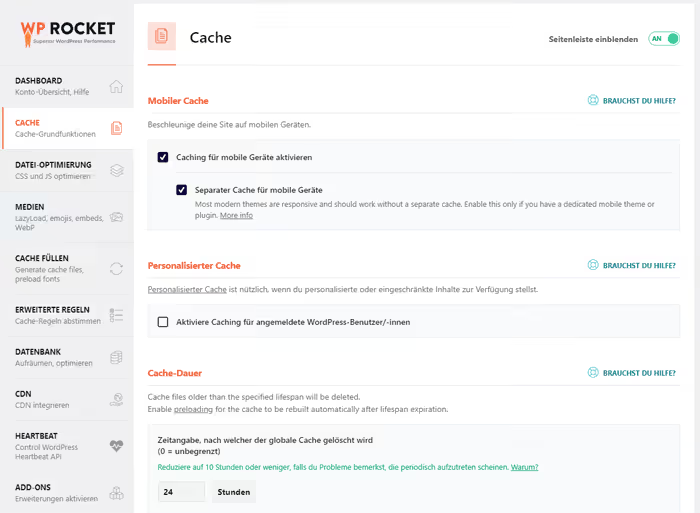
The best caching solution, we install it on every project. WP Rocket handles everything for Core Web Vitals: caching, CSS and JS minification, deferred script loading, lazy load. Separate cache for desktop and mobile, built-in CDN. Works out of the box, turn it on and forget about it.
- Pros: works out of the box, separate desktop/mobile cache, database cleanup, deferred JS loading.
- Cons: paid only.
- Price: from $59/year.
- Download: 🔗 WP Rocket
10. WP Super Cache
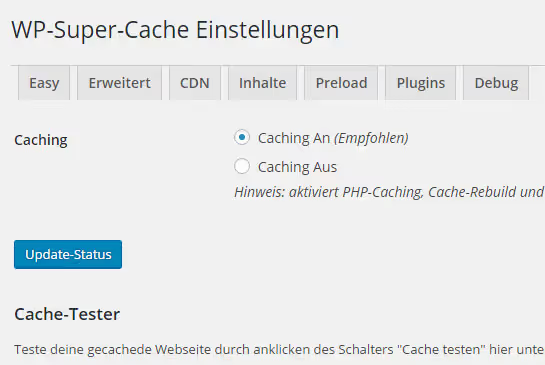
A free alternative to WP Rocket from Automattic, the same folks behind WordPress.com. It generates static HTML pages and serves them to visitors without repeated server processing. The preload feature builds the cache in advance. For a typical blog or brochure site, the feature set is more than enough.
- Pros: free, from Automattic, simple interface, cache preloading.
- Cons: no minification or CDN out of the box; functionality is a bit thin for stores and dynamic sites.
- Price: free on WordPress.org.
- Download: 🔗 WP Super Cache on WordPress.org
11. Autoptimize

WP Rocket is a combine harvester. Autoptimize is a sharp tool specifically for code optimization. It merges CSS and JavaScript into single files, minifies them, and can move non-critical CSS to the page footer. Plus Google Fonts optimization and image optimization with WebP conversion.
The authors honestly warn: aggressive JS merging can break theme scripts. The rule is simple: check the box, test the site, if it works, keep it.
- Pros: powerful minification and JS/CSS merging, deferred CSS loading, image-to-WebP conversion, free.
- Cons: aggressive settings can conflict with theme JS; manual testing is needed after every change.
- Price: free on WordPress.org.
- Download: 🔗 Autoptimize on WordPress.org
12. Imsanity
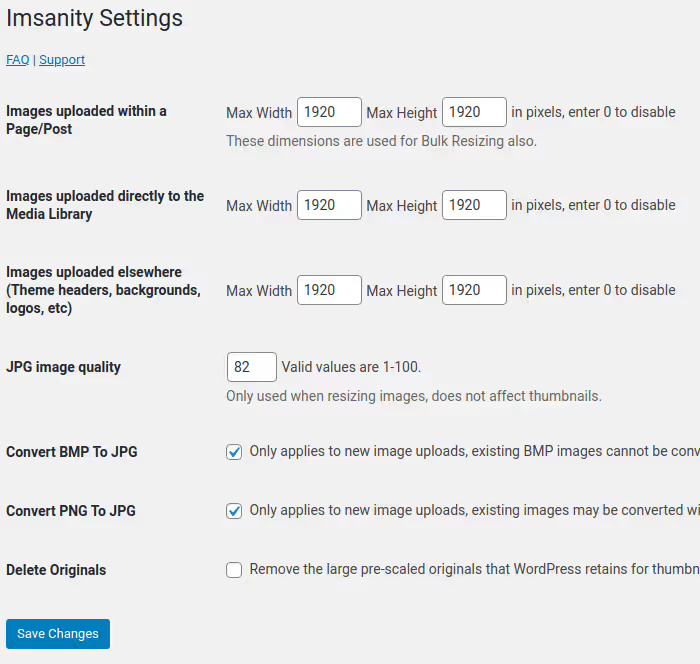
A problem every admin knows: an editor uploads a full-resolution photo from their phone, and the product page weighs megabytes instead of kilobytes. Imsanity automatically caps the maximum dimensions of uploaded images and compresses JPEGs to a reasonable quality level.
It works at the upload stage, leaves existing images untouched, and only handles new ones. For the existing media library, there is a bulk processing button.
- Pros: automatic resizing on upload, configurable width, height, and quality limits, bulk processing of old images.
- Cons: only size limiting; for advanced compression you need TinyPNG (next on the list).
- Price: free on WordPress.org.
- Download: 🔗 Imsanity on WordPress.org
13. Compress JPEG & PNG images (TinyPNG)

TinyPNG pairs with Imsanity. The first limits dimensions; this one squeezes extra bytes out of the files themselves: compression with no visible quality loss, automatic conversion to WebP and AVIF. The algorithm strips metadata and details invisible to the eye, so the output image weighs half as much with no noticeable difference.
The free tier is 500 compressions per month, enough for a typical blog. For a store with daily catalog updates, go with a paid plan.
- Pros: visually lossless compression, auto-conversion to WebP and AVIF, background processing on upload, integration with Imsanity.
- Cons: limit of 500 free compressions per month.
- Price: free for the first 500/month, then from $0.009 per compression.
- Download: 🔗 TinyPNG on WordPress.org
14. OMGF, host Google fonts locally

Google Fonts loaded from Google's servers violate GDPR: the visitor's IP address is transmitted to the US. Fines for this are not theoretical, they are a reality in European courts. OMGF solves the problem in two clicks: it scans the fonts in use, downloads them to your server, and rewrites the CSS to local paths.
Beyond legal compliance, local fonts load faster: no DNS lookup to fonts.googleapis.com, no external connection.
- Pros: full GDPR compliance, faster loading with no external requests, auto-updating fonts, setup in a couple of clicks.
- Cons: when switching to a theme that uses its own fonts you need to rerun the scan (the plugin will warn you).
- Price: free version on WordPress.org, Pro from €49/year.
- Download: 🔗 OMGF on WordPress.org
15. Contact Form 7
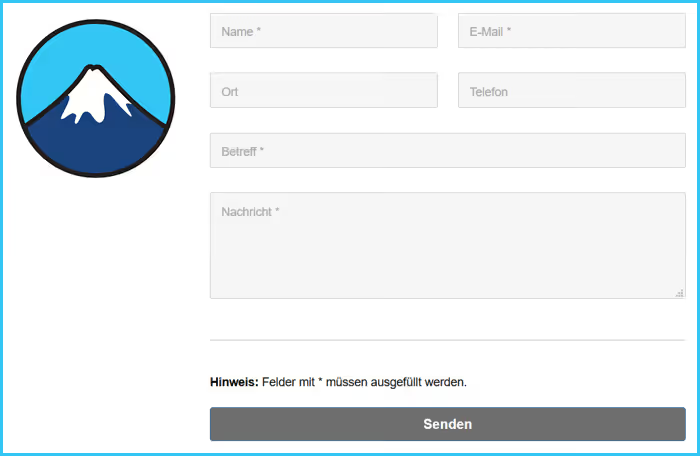
The most downloaded form plugin for WordPress: 5 million active installs. Simple as a hammer and just as reliable. AJAX submission without page reload, reCAPTCHA v3 out of the box, flexible email templates. Hundreds of free add-ons cover integrations with CRMs and email marketing.
- Pros: free, AJAX submission, reCAPTCHA, file uploads, flexible email templates.
- Cons: styling requires CSS; complex multi-step forms, through the paid alternative.
- Price: free on WordPress.org.
- Download: 🔗 Contact Form 7 on WordPress.org
16. Solid Security
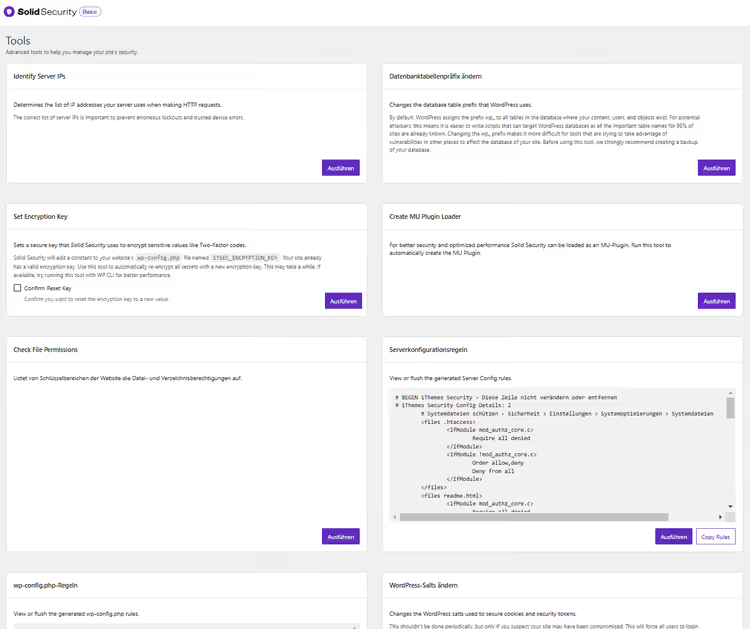
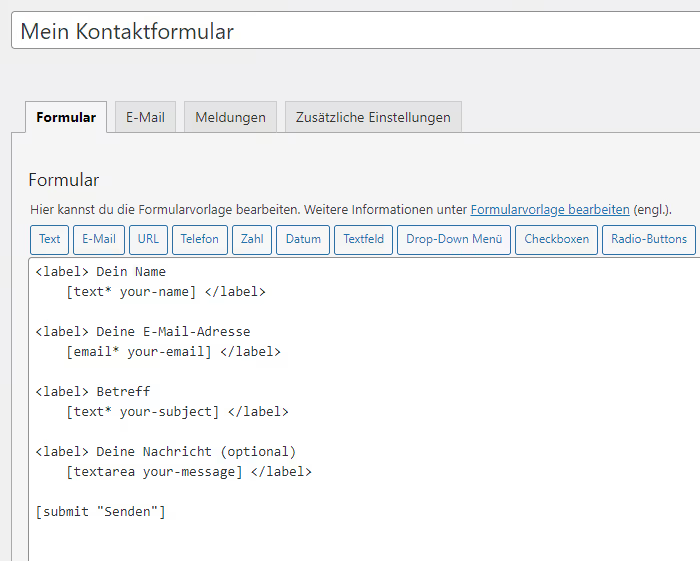
Formerly iThemes Security. In 2024 the plugin was renamed to Solid Security. It covers the main attack vectors: brute-force login protection, IP blocking, hiding wp-login.php, preventing PHP execution in the uploads folder.
The free version is enough for basic protection. Pro adds two-factor authentication, login attempt logging, and automatic rule application.
- Pros: basic protection free, two-factor authentication (Pro), login attempt logging.
- Cons: advanced features only in Pro.
- Price: free on WordPress.org, Pro from $99/year.
- Download: 🔗 Solid Security on WordPress.org | 🔗 SolidWP website
17. Block Bad Queries

A compact firewall that works at the.htaccess level. It blocks malicious requests before they reach WordPress, the plugin does not load the database or run PHP for every check. Essentially, it is the fastest firewall available.
Setup boils down to "set it and forget it." No conflicts with other security plugins: BBQ works at a different layer and complements Solid Security rather than duplicating it.
- Pros: ultra-lightweight, no false positives, zero-config, compatible with any other security plugin.
- Cons: firewall only, no login attempt logging, two-factor authentication, or other all-in-one features.
- Price: free on WordPress.org.
- Download: 🔗 Block Bad Queries on WordPress.org
18. Antispam Bee

Akismet is the standard, but connecting it to an external server violates GDPR: the visitor's IP is sent to Automattic's servers in the US. Antispam Bee works entirely locally: it analyzes the comment against a set of rules, checks a honeypot field, and looks at the sender's language and country.
After years of use, not a single complaint about false positives. Blocking stats are visible in the admin panel, useful for gauging the scale of a spam attack. The plugin is completely free, with no restrictions and no ads.
- Pros: 100% GDPR-compliant, local operation with no external APIs, no captcha for users, free with no restrictions.
- Cons: comments only, does not protect Contact Form 7 forms (those use their own reCAPTCHA).
- Price: free on WordPress.org.
- Download: 🔗 Antispam Bee on WordPress.org
19. BackWPup

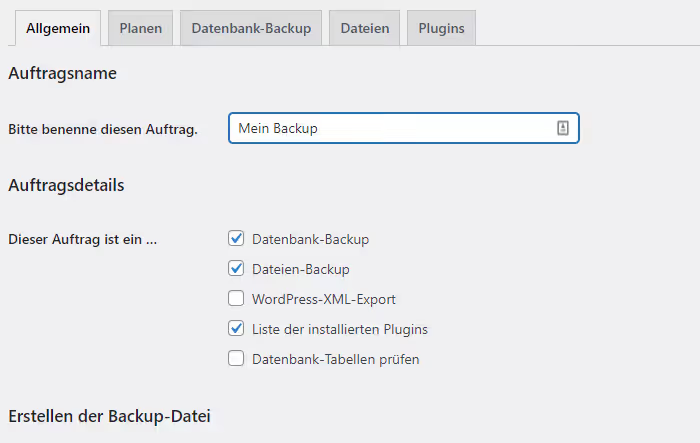
Backups, rule number one. BackWPup creates daily copies of the database and files, sending them to external storage: Dropbox, S3, FTP, or a separate folder. Flexible scheduling: a full backup once a week, the database every day. If something breaks after an update, you pull the archive and restore.
- Pros: automatic scheduled backups, cloud uploads (Dropbox, S3, FTP), compression, restore via WP-CLI.
- Cons: the interface is spartan; restoration is manual, unzip and upload.
- Price: free version on WordPress.org, Pro from $69/year.
- Download: 🔗 BackWPup on WordPress.org
20. WP Maintenance Mode

The site is under construction, visitors should not see a broken layout or database errors. WP Maintenance Mode puts up a splash page with a clean design and timeline info. Logged-in administrators continue to see the working site as usual. You can add a subscription form, social media links, and a countdown timer.
- Pros: one-click activation, custom splash page design, timer and subscription form, administrators see the site.
- Cons: only a splash page, does not protect against unauthorized admin access (use Solid Security for that).
- Price: free on WordPress.org.
- Download: 🔗 WP Maintenance Mode on WordPress.org
21. All in One SEO Pack

An SEO plugin for WordPress is not a luxury, it is a necessity. All in One SEO Pack delivers the full set: meta title and description for every page, Open Graph markup for social networks, an XML sitemap, robots.txt, and canonical URLs. Compared to Yoast SEO, it is slightly lighter and less intrusive in the admin area.
- Pros: meta tags, Open Graph, XML sitemap, robots.txt, WooCommerce integration.
- Cons: advanced features are Pro-only.
- Price: free on WordPress.org, Pro from $49/year.
- Download: 🔗 All in One SEO on WordPress.org | 🔗 Official site
22. Borlabs Cookie

If your site uses YouTube, Google Analytics, or advertising pixels, you need a consent manager. Otherwise, you risk a GDPR violation with a fine of up to 4% of annual turnover. Borlabs Cookie is a German solution built for the strict requirements of European legislation: a banner with category choices, script blocking until consent is given, and a consent log for audits. It works correctly with caching plugins and does not break the layout.
- Pros: full GDPR compliance, script blocking until consent, consent log, compatibility with caching plugins.
- Cons: paid only.
- Price: from €39/year.
- Download: 🔗 Borlabs Cookie
23. Quiz and Survey Master

Surveys and quizzes are an underrated engagement tool. Quiz and Survey Master provides a builder for quizzes, surveys, and exams right inside the WordPress admin. Results are stored locally, with no external services. The free version covers basic scenarios; Pro adds conditional logic, email notifications, and detailed statistics.
- Pros: quiz builder from scratch, local result storage, insertion via shortcode or Gutenberg block, certificates for exams (Pro).
- Cons: the admin interface could be fresher; some useful add-ons are paid.
- Price: free version on WordPress.org, Pro from $99/year.
- Download: 🔗 Quiz and Survey Master on WordPress.org
24. OneSignal

Browser push notifications bring visitors back to your site without collecting email addresses. OneSignal sends a notification about a new post to subscribers, who see it right on their desktop or smartphone. The free plan covers an unlimited number of subscribers, and segmentation by language and behavior is already available in the free version.
- Pros: free with no subscriber limits, segmentation, A/B testing, simple integration.
- Cons: advanced analytics are in paid plans.
- Price: free (unlimited subscribers), Pro from $9/month.
- Download: 🔗 OneSignal on WordPress.org
25. Mailster
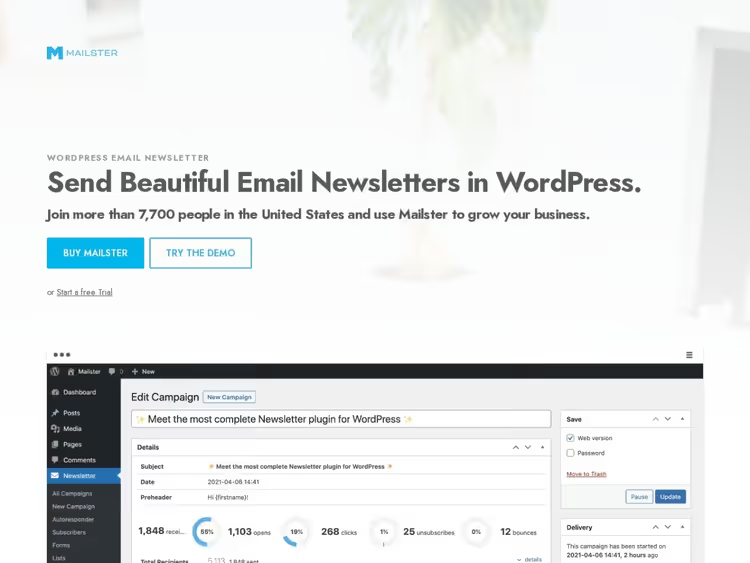
Email marketing is the highest-converting channel. But Mailchimp and similar tools are not fully GDPR-compliant: subscriber data is stored on servers in the US. Mailster runs entirely on your own server: address collection, campaigns, autoresponders, and analytics, all inside WordPress. You can connect Amazon SES for sending, which is an order of magnitude cheaper than Mailchimp at high volumes.
- Pros: 100% self-hosted (GDPR out of the box), low cost via Amazon SES, autoresponders and segmentation, open-rate analytics.
- Cons: one-time license purchase, but SES setup requires minimal technical literacy.
- Price: from $79 (one-time, CodeCanyon).
- Download: 🔗 Mailster on CodeCanyon
Video: how to choose plugins without harming your site
Even the best plugin won't save you if you install everything in sight. In this video, the "less is more" principle applied to WordPress.
⁉️🤔 Common questions
How many plugins can I install without hurting speed?
There is no specific number. One poorly coded slider will slow your site down more than ten lightweight utilities from reputable developers. The rule is simple: install only what you actually use, and delete deactivated plugins.
Which security plugin is the most reliable?
One plugin is not enough. We recommend the combination of Solid Security + Block Bad Queries + regular core updates. Two-factor authentication is mandatory for administrators, and it is included in Solid Security Pro.
Elementor or Kadence Blocks, which one to choose?
Elementor replaces the entire editor and gives you full visual control. Kadence Blocks extends Gutenberg while staying native and fast. Go with Elementor for complex landing pages with animations, Kadence Blocks if speed is your top priority. You do not need both at the same time.
Is it worth paying for WP Rocket if there are free alternatives?
The combination of WP Super Cache + Autoptimize covers most needs and is sufficient for a blog. WP Rocket gives you fine-grained control: separate mobile cache, deferred JS without conflicts, built-in CDN. If your Core Web Vitals are in the red, WP Rocket pays for itself.
Is a consent banner mandatory for a site outside the EU?
If your audience includes visitors from the EU, formally yes. CCPA and LGPD also require consent for data collection. A banner with category choices (like the one in Borlabs Cookie) is the safest option.
How often should I run backups?
Database daily, files weekly. Before updating the core or a major plugin, run an extra backup. Keep at least three copies in different locations: Dropbox, a local drive, and another cloud service.
Which plugin set to choose for your use case
Do not install everything at once; this is a menu, not a checklist. Choose based on your use case.
For a blog: WP Rocket (or WP Super Cache + Autoptimize), TinyPNG, Antispam Bee, BackWPup, All in One SEO Pack, Borlabs Cookie. Seven plugins, and your site is fast, visible in search, and legally compliant.
For an online store: WooCommerce, WP Rocket, Solid Security, BackWPup, OMGF, Borlabs Cookie, All in One SEO Pack. Add WP Migrate DB Pro as insurance when moving to a new hosting provider.
For a freelancer site with landing pages: Elementor, Contact Form 7, Solid Security, BackWPup, All in One SEO Pack, Antispam Bee. Six plugins cover design, lead capture, and basic security.
The principle is simple: every plugin must solve a specific problem you can state out loud. Not "for SEO in general," but "I need an XML sitemap and Open Graph markup."

A professional team of writers and editors specializing in creating quality content.