













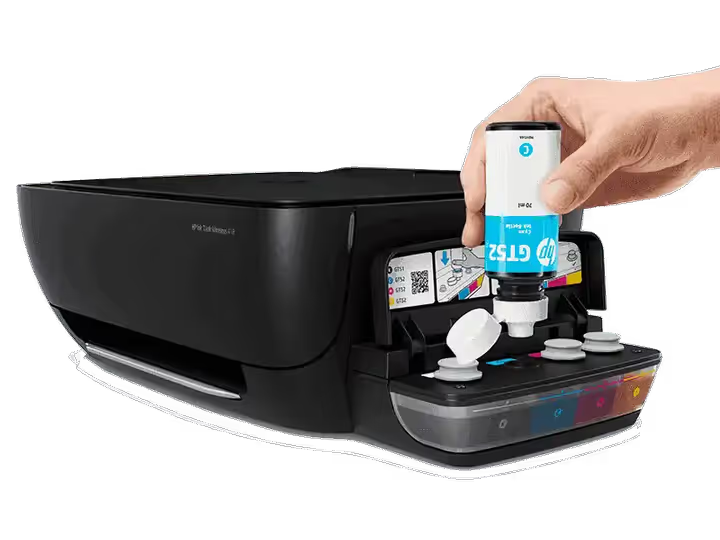
🔥 Best CISS printers 2026: 8 models from $70 to $220
An inkjet cartridge printer once sat in every other home. It printed rarely but with deadly accuracy, until the ink dried up at the worst possible moment. Then the service bill arrived and the desire to print vanished forever.
CISS, a continuous ink supply system, flipped that whole dynamic. Instead of expensive replaceable cartridges holding 5-10 ml, you get reservoirs of 70-135 ml. One refill bottle prints as much as three to four dozen disposable cartridges. Over a few years of home printing, the savings run into hundreds of dollars.
We rounded up eight models from HP, Epson, Canon, and Brother that have passed the real-world test: from ultra-budget single-button devices to MFPs with an auto document feeder and wireless printing. Each entry is a specific model with known strengths and honest weaknesses, not some vague "just buy this brand" advice.
💡 Quick overview:
- Step 1: determine your monthly print volume. Up to 50 pages, the budget
Epson L120will do. From 50 to 200 pages, your pick is theEpson L3150orHP Smart Tank 517. Over 200, look at theBrother InkTank. - Step 2: decide whether you need Wi-Fi. The
L120andL3110connect via USB only. All other models in this roundup print wirelessly from a phone or laptop. - Step 3: check whether you need a scanner auto document feeder. Out of the eight models, only the
Canon G4111has one, and it saves hours on batch scanning. - Step 4: keep payback in mind. A CISS pays for itself after the first two or three refills: a bottle of ink costs about as much as a café lunch and prints thousands of pages.
Model | Type | Color pages/refill | Wi-Fi | Auto feeder |
|---|---|---|---|---|
Epson EcoTank L120 | Print only | 4,500 | ❌ | ❌ |
Epson EcoTank L3110 | MFP | 7,500 | ❌ (USB) | ❌ |
HP Ink Tank 416 | MFP | 8,000 | ✅ | ❌ |
HP Smart Tank 517 | MFP | 8,000 | ✅ | ❌ |
Canon MegaTank G3111 | MFP | 7,000 | ✅ | ❌ |
Canon MegaTank G4111 | MFP | 7,000 | ✅ | ✅ (20 sheets) |
Brother InkTank | MFP | 5,000 | ✅ | ❌ |
Epson EcoTank L3150 | MFP | 7,500 | ✅ | ❌ |
1. Epson EcoTank L120: when all you need is printing and nothing else
The Epson EcoTank L120, an ultra-budget workhorse with no pretensions. It doesn't scan, doesn't copy, doesn't connect via Wi-Fi. It just prints. But it does so at such a low cost per page that the model still gets resold on the secondary market for two-thirds of its original price.
The device is built for school projects, web pages, and documents. The resolution is modest, 720×720 dpi (manufacturer spec), yet it's more than enough for text and graphics. The included bottle yields 4,500 color pages. At a typical workload of 30-50 sheets a month, you'll refill once every year and a half to two years.
In practice, the L120 is a "set it and forget it" deal: a USB cable, a power button, a driver from the official Epson website in two minutes. No cloud registrations or forced firmware updates.
- Pros: the lowest printing cost in the roundup, simple setup, compact body (one of the smallest on the CISS market).
- Cons: no scanner or copier, no Wi-Fi, USB cable connection only.
- Price: from $120 at launch; from $70 on the secondary market.
- Where to look: Epson EcoTank L120 on the manufacturer's site
2. Epson EcoTank L3110: an MFP with record resolution for its price
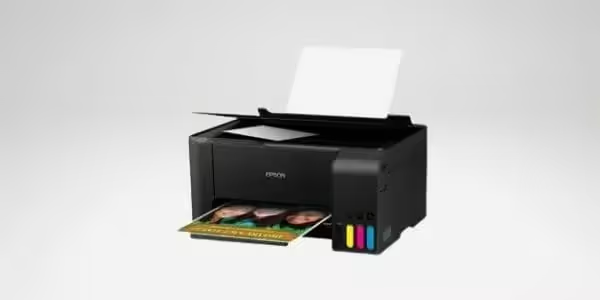
The Epson EcoTank L3110 takes a step up from the L120: it adds a scanner and copier while keeping the same "ink for years" philosophy. Resolution goes up to 5760×1440 dpi (Epson spec), the best in its class for the money.
Yield: up to 4,500 black-and-white and 7,500 color pages from the included fill. The compact design with a front-facing reservoir lets you check ink levels without lifting the lid. Speed is 33 ppm in black-and-white, 15 ppm in color.
There is exactly one downside: no Wi-Fi. In 2026, lugging your laptop over to the printer just for one ticket is already a hassle. But if the printer sits permanently next to a desktop and prints over a cable, you won't notice this shortcoming.
- Pros: best-in-class 5760×1440 dpi resolution, high speed for a budget MFP, simple setup.
- Cons: no Wi-Fi (USB only), no scanner auto document feeder.
- Price: from $150 at launch, now from $90 used.
- Where to look: Epson EcoTank L3110 support page
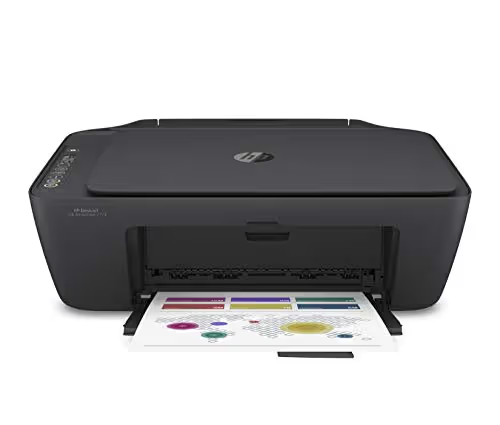
3. HP Ink Tank 416: record refill volume and leak protection
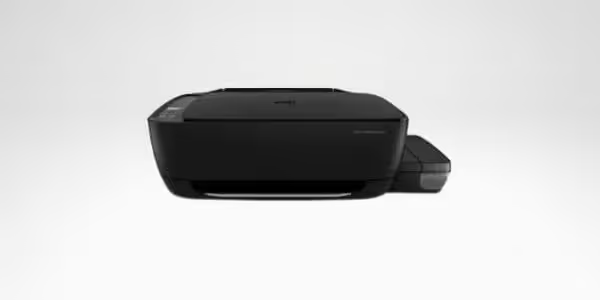
The HP Ink Tank 416 stands out for its reservoir volume: 80 ml black and 70 ml color, versus the typical 40-50 ml from competitors. That delivers up to 6,000 black-and-white and 8,000 color pages without topping up, enough for a small office for a year.
Refilling is leak-protected: a valve mechanism keeps you from spilling ink past the neck, even if your hands are shaky in the morning. In practice, that saves half an hour of scrubbing the desk and your fingers at every top-up. Resolution is 1200×1200 dpi (HP data), standard for this segment, not record-breaking but consistent.
Bluetooth, Wi-Fi, Wi-Fi Direct, Apple AirPrint, a full set of wireless interfaces. Printing from a phone via the HP Smart app works without any fuss: you snap a document with the camera, tap "print," and you're done.
- Pros: leak-proof refilling, record-breaking tank capacity, full set of wireless interfaces.
- Cons: large footprint (not for a cramped desk), average print speed.
- Price: from $180 at launch.
- Where to look: HP Ink Tank 416 on the HP website
4. HP Smart Tank 517: all-in-one with LCD panel and 256 MB memory
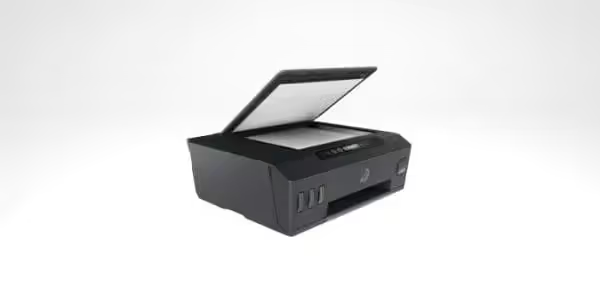
HP Smart Tank 517, the successor in the Ink Tank line with the "Smart" label: they added an LCD panel, 256 MB of built-in memory, and a dedicated smartphone app. Yield: up to 12,000 black-and-white and 8,000 color pages. This is an all-in-one you can place in a shared office hallway and forget about for six months: the print queue stays intact, the ink never runs out.
Wi-Fi + Wi-Fi Direct + Apple AirPrint come standard. The USB cable is not included, so keep that in mind when buying. The LCD panel simplifies navigation: you can select the number of copies, enable duplex printing, or check ink levels without launching the phone app.
The flip side: print speed is below the average for this roundup, and the range of supported paper formats is limited. Glossy photo paper heavier than 200 g/m² is best avoided; it will jam.
- Pros: huge cartridge yield (12,000 black-and-white), Wi-Fi + Wi-Fi Direct + AirPrint, 256 MB memory for the print queue.
- Cons: low print speed, USB cable sold separately, limited range of paper formats.
- Price: from $200 at launch.
- Where to look: HP Smart Tank 517 on the HP website
5. Canon MegaTank G3111: 12,000 black-and-white pages and an intuitive LCD
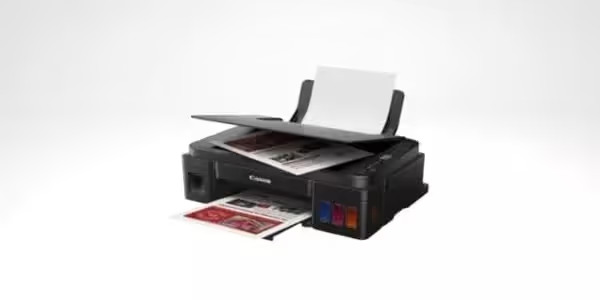
Canon MegaTank G3111 belongs to the MegaTank family with an honest yield: up to 12,000 black-and-white and 7,000 color pages. Print resolution (Canon spec) is not flagship-level, but text and graphics come out sharp, without streaks or smudges.
The tray holds 100 sheets, twice as many as the entry-level Epson models. With a monthly workload of 200-300 pages, you will refill paper once every 10-12 days rather than every three days. The 1.2-inch LCD shows printer status and ink levels, although the menu is confusing in places; it is best not to toss the manual.
Built-in Wi-Fi, speed: 16.5 ppm (black-and-white) and 12.5 ppm (color). Not a record, but acceptable for a home all-in-one. The main user complaint: the Wi-Fi setup guide reads as if it was translated through three languages.
- Pros: 12,000 black-and-white pages on one fill, 100-sheet tray, built-in Wi-Fi.
- Cons: average print speed, confusing setup guide.
- Price: from $170 at launch.
- Where to look: Canon MegaTank G3111 on the Canon website
6. Canon MegaTank G4111: 20-sheet ADF for batch scanning
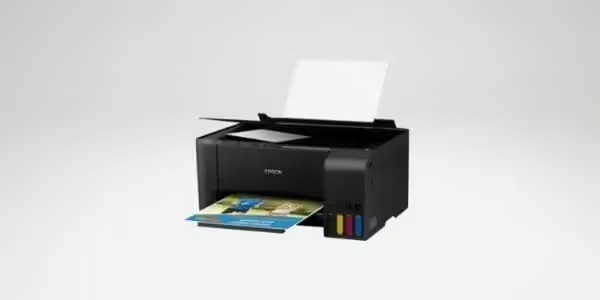
Canon MegaTank G4111, the only model in this roundup with a 20-sheet automatic document feeder. If you regularly scan multi-page contracts, statements, or school papers, this feature turns half an hour of manual page-flipping into three button presses.
Specs are close to the G3111: same 12,000 black / 7,000 color pages, same 16.5 / 12.5 ppm speeds. Color print resolution is slightly lower than the G3111, but the difference is only visible to the naked eye on A4 photo prints with very fine detail.
100-sheet input tray, Wi-Fi, fax. A budget price tag for an MFP with an ADF makes the G4111 a logical choice for a micro-office: one device covers printing, scanning, copying, and fax.
- Pros: 20-sheet ADF, 100-sheet tray, fax included.
- Cons: average print speed, color resolution lower than the G3111.
- Price: from $200 at launch.
- Where to look: Canon MegaTank G4111 on the Canon website
7. Brother InkTank: two trays, 231 sheets for high-volume work
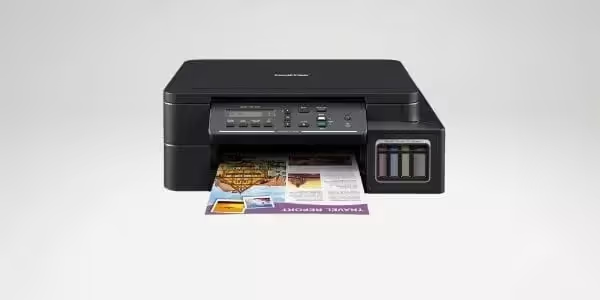
Brother InkTank bets on speed and input capacity: 27 ppm in black and two trays totaling 231 sheets. That is the best figure in this roundup for the "print three reams of paper by lunch" scenario.
1200 dpi resolution delivers sharp photos without smudging. Ink yield is up to 13,000 black and 5,000 color pages. The black cartridge here is record-breaking; the color one is more modest than average. Ideal for office document workflows where the vast majority of printing is black and white, with color used only occasionally.
Downside: color speed drops to 10 ppm. If your workload is an even split of color and black pages, take a closer look at the Epson L3150.
- Pros: 27 ppm in black, two trays for 231 sheets, 13,000 black page yield.
- Cons: low color print speed (10 ppm), modest color yield (5,000 pages).
- Price: from $220 at launch.
- Where to look: Brother InkTank on the manufacturer's website
8. Epson EcoTank L3150: best for photos with Wi-Fi out of the box
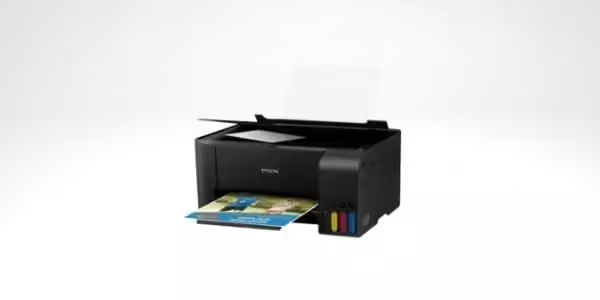
Epson EcoTank L3150 fixes the main problem of the L3110 by adding Wi-Fi. At the same time, it keeps the flagship resolution and 33 ppm speed (black). In practice, that means: you send a photo to print from your phone in the next room, and a minute later you pick up the finished print.
Yield is 4,500 black and 7,500 color pages. The input tray is designed for a small stack, and loading it to the brim can cause paper skew. But that is the trade-off for compactness: the printer itself is noticeably smaller than the HP Ink Tank 416.
It accepts a wide range of paper formats and types, from plain office paper to glossy photo paper. There is no preview screen, so you will need to crop photos on your computer or phone before sending them to print.
- Pros: 5760×1440 dpi resolution (best for photos), Wi-Fi + Wi-Fi Direct, 33 ppm speed, wide paper type support.
- Cons: small input tray (paper skew possible), no preview screen.
- Price: from $200 at launch.
- Where to look: Epson EcoTank L3150 support page
A short video on the topic: a technician with 11 years of printer repair experience breaks down seven current ink-tank models for 2026. From budget to flagship, with real cost-per-print figures and typical failures.
⁉️🤔 Common questions
Ink-tank vs. cartridge printer: what is the practical difference?
A single ink-tank reservoir holds roughly 35 to 40 cartridges' worth of ink by volume. The price difference: a 70 ml bottle costs about as much as a café lunch and prints 4,000 to 8,000 pages; a set of cartridges with the same total ink volume will cost several times more. But there is a catch: an ink-tank printer needs to be used at least once every 1 to 2 weeks, otherwise the ink dries in the nozzles. A cartridge also dries out when idle, but replacing it is cheaper than repairing an ink-tank print head.
Laser printer or ink-tank: which one to choose?
A laser printer prints text faster and does not mind idle periods, toner does not dry out. But a color laser device costs noticeably more than an inkjet, and photo quality is worse: glossy paper does not fuse evenly, gradients look grainy. Ink-tank wins on color reproduction and entry price. If you print mostly text, get a laser. If you have photos, graphics, or color presentations, go ink-tank.
Do I need to refill an ink-tank printer with original ink?
Manufacturers scare you with warranty voiding, but in practice the quality of compatible ink costing a few dollars is almost indistinguishable from the original. The difference shows up after 2 to 3 years: non-original ink can leave sediment and clog the nozzles. For home printing with an annual volume of 500 to 1,000 pages, the difference is unnoticeable; for an office doing 5,000+ pages a year, it is better not to risk it and buy original.
Which model is best for printing photos?
From our roundup, the
Epson EcoTank L3150: flagship resolution, glossy paper support, Wi-Fi. If you need a professional level with six colors, look at theEpson EcoTank ET-8550(A3+ format, six colors plus gray), but its price is three times higher than the models in this review.
Is an ink-tank printer worth it if I print 10 to 20 pages a month?
At that volume, a cartridge printer is cheaper to buy and easier to maintain. An ink-tank printer pays off starting at 50 to 70 pages a month: savings on consumables cover the printer price difference over a few years. But if those 10 to 20 pages are color photos once a month, an ink-tank is still more cost-effective: cartridges for photo printers cost as much as half a new device.
💎 Which ink-tank printer to get in 2026
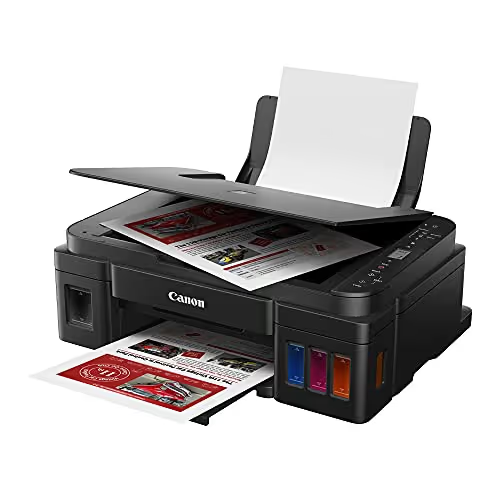
In the four years since the first wave of ink-tank printers, these eight models have been proven in real-world use. Their successors are already on the market (HP Smart Tank 7001, Epson ET-2850, Canon G3270), but they cost twice as much with similar core specs.
- If you need the lowest possible entry price, get the
Epson L120. It just prints and prints, no fuss. - If you need a family all-in-one with Wi-Fi, the
Epson L3150: photos, documents, printing from your phone without cables. - If you run a small office with batch scanning, the
Canon G4111: the 20-sheet ADF saves hours of manual work. - If you print a huge volume of black-and-white documents, the
Brother InkTank: two trays, 27 ppm, 13,000 black page yield.
Before buying, check the current price in the Comfy catalog: these models regularly appear in promotions and warehouse clearance sales. And if you already use an ink-tank printer, drop a comment with your model and how many years it has lasted without repairs.

A professional team of writers and editors specializing in creating quality content.