













🎮 How a gaming graphics card differs from a professional one: a selection guide
Choosing a graphics card and don't understand why you should overpay for a "professional" one when a gaming card is more powerful? You're not alone. The question isn't which one is "better", they are built for fundamentally different work.
According to Tom's Hardware data for 2026, the price gap between a flagship gaming card and its professional equivalent can reach 3-5x with similar hardware. Why that happens, and what's worth your money specifically for you, let's break it down below.
💡 Quick overview:
- Determine what you spend most of your time on: gaming, video editing, 3D modeling, CAD, or neural networks
- Compare key parameters: drivers, memory capacity, compute precision, stability under 24/7 load
- A gaming card is for games and light creative work; a professional card is for when a calculation error costs the client money
Architecture and drivers: optimization for the workload
The main difference isn't in the hardware, but in how the graphics card interacts with software.
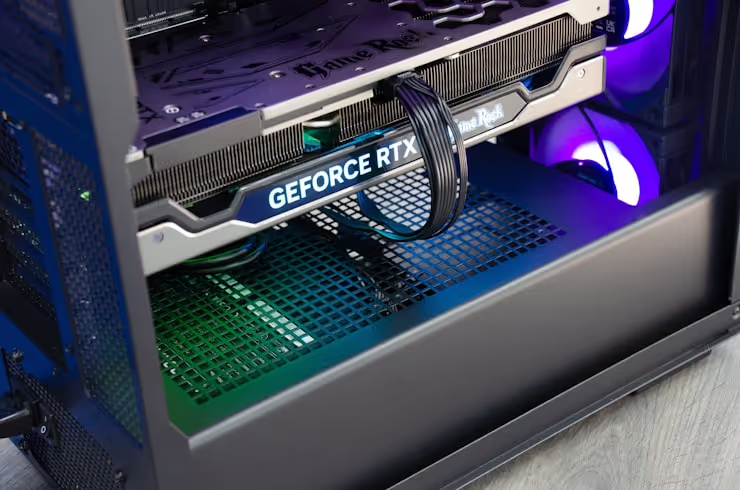
Gaming cards, GeForce RTX 5000 series (Blackwell) from NVIDIA and Radeon RX 9000 (RDNA 4) from AMD, are optimized for DirectX and Vulkan: maximum FPS, low latency, aggressive frequency boost. Drivers are tuned for specific game releases, NVIDIA issues Game Ready drivers for every major AAA title.
Professional cards, NVIDIA RTX PRO (formerly the Quadro/RTX A line) and AMD Radeon PRO, use the same chips but are certified for professional applications: Autodesk, SolidWorks, Siemens NX, Adobe Premiere, DaVinci Resolve. Drivers here are not about "squeezing out maximum FPS", but about guaranteed stability, absence of artifacts in the viewport, and floating-point calculation accuracy.
The price of such certification is not a myth: ISV certification (Independent Software Vendor) means the software vendor tested the specific model and guarantees correct operation. If you run a commercial studio, a render failure costs more than the price difference between cards.
Characteristic | Gaming (GeForce / Radeon RX) | Professional (RTX PRO / Radeon PRO) |
|---|---|---|
Driver priority | Maximum FPS, Game Ready | Stability, ISV certification |
API support | DirectX, Vulkan | DirectX, Vulkan, OpenGL (full profile) |
Typical cooling | Air, 2-3 fans | Passive / air, for 24/7 load |
VRAM capacity and type
VRAM capacity directly determines which projects you can work on without stuttering and crashes. For gaming in 2026, 16 GB is a solid reserve for 1440p and most 4K projects. But in professional workloads, the picture is different.
Professional cards are equipped with ECC (Error-Correcting Code) memory, which corrects single-bit errors on the fly. In molecular dynamics rendering or CFD simulation, such a glitch is invisible to the eye but distorts the physics, making the entire simulation unreliable. In games, ECC is unnecessary, you simply won't notice an artifact in a single pixel.
Capacities on professional cards are multiples higher: NVIDIA RTX PRO 5000 Blackwell carries 48 GB versus 32 GB on the RTX 5000 Ada Generation. For training large language models (LLMs), memory capacity is the bottleneck, and the professional card wins not by speed, but by the ability to load the model entirely.
Performance in numbers: synthetics and real-world tasks
If you compare the gaming GeForce RTX 5090 and the professional RTX PRO 5000 Blackwell on the same chip, in 3D games the former will be faster due to more aggressive frequencies and gaming driver optimization. In tasks like 3D rendering (Blender, V-Ray), the gap narrows to a small margin, reflecting the shared architecture.
But in specialized professional scenarios, ray tracing in SolidWorks Visualize, simulation in Ansys, 8K video editing with RAW color grading, the professional card pulls ahead: ECC memory and ISV drivers eliminate artifacts and crashes, while a gaming card may overheat under 24/7 load.
Specific numbers from tests: in the SPECviewperf 2020 benchmark (professional viewports), the RTX PRO 5000 significantly outperforms the RTX 5090 in scenes with wireframe models and shadows, the gap can reach 40-80% according to independent tests. In games, the reverse is true: GeForce is ahead.
Reliability, cooling, and service life
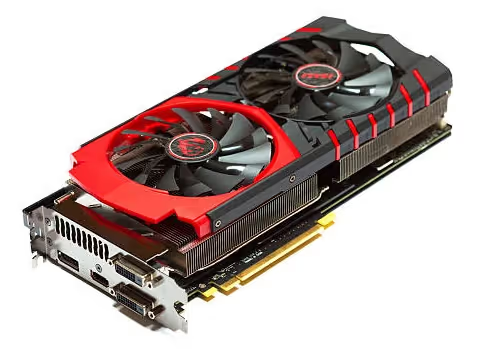
A gaming card is designed for a load of 2-6 hours a day: you play, you turn it off. A professional card is designed for 24/7 render farms or data centers, where the card runs for weeks without stopping.
Hence the difference in cooling: professional lines more often feature blower-style coolers (exhausting hot air outside the case), rather than open fans that heat everything inside the system unit. Passive cooling is also common, fewer moving parts, fewer points of failure.
The service life of a professional card under intensive load is 5-7 years, and the vendor supports drivers for that entire period. Gaming models are refreshed every 2 years, and driver support for the previous generation quickly fades.
Price and payback

This is where the gap is most painful. The GeForce RTX 5090 has a recommended price of $1999 (NVIDIA data), and actual retail often exceeds $3000. The professional RTX PRO 5000 Blackwell starts at $6000, and that's for the same GB202 chip as the flagship GeForce.
What you get for the extra cost: ECC memory, ISV certification, extended warranty, drivers with enterprise support, and the ability to order a card replacement within 24 hours, no questions asked. For a freelance designer, losing a day of work costs hundreds of dollars, one such delay pays back the difference.
The AMD side is structured similarly: Radeon RX 9070 XT with an MSRP of $599 (TechPowerUp data) versus Radeon PRO W7900 around $3500. Same RDNA 4 architecture, but ECC memory, professional drivers, and SolidWorks/Catia certification.
The rule is simple: if your graphics card earns money and its downtime is costly, the professional card pays for itself. If the card is needed for gaming and home creativity, a graphics card for your computer from the gaming series will cover 95% of tasks with plenty of headroom.
⁉️🤔 Frequent questions
Can you game on a professional graphics card?
You can, and in most games the frame rate will be close to the gaming equivalent. But drivers are not optimized for new releases, at launch a game may noticeably lag in FPS until a patch arrives. Paying twice as much for gaming is pointless.
Is a gaming GeForce suitable for video editing in DaVinci Resolve?
Yes, it's more than enough for most tasks. Limitations arise when working with 8K RAW, multi-cam editing, and complex color grading with noise reduction. If the render consistently crashes, the problem is not performance, but a driver that wasn't tested for your scenario.
Should you get a professional card for neural networks and AI?
If you are training models, yes, memory capacity is decisive. 48 GB on the RTX PRO 5000 versus 32 GB on the RTX 5090 allows you to load the model entirely. For inference (using an already trained model), the gaming flagship handles it perfectly.
Why are professional cards so expensive if the chip is the same?
You are paying not for the hardware, but for certification, ECC memory, drivers with extended support, and a warranty with replacement within 24 hours. This is insurance for business, not a consumer product.
How do I know if a gaming card is enough for my tasks?
Write down which programs you work in. Find the list of certified GPUs for each of them on the vendor's website. If your model is on the list, a professional card is unnecessary. If not, test a trial version of the software on a gaming card before buying.
What to choose for your task in 2026
A gaming and a professional graphics card are not "good" and "better", but tools for different types of work. If you are a gamer, video blogger, or aspiring 3D artist, get a flagship GeForce or Radeon RX and don't overpay. Modern gaming cards handle creative tasks more confidently than ever.
If, however, your income depends on render stability, simulation accuracy, or continuous 24/7 operation, the extra cost for a professional card pays for itself with the first downtime that didn't happen.
Check your scenario against the table:
Your task | Get |
|---|---|
1440p-4K gaming, streaming | GeForce RTX 5070 / RX 9070 XT and above |
Video editing up to 4K, vlogging | GeForce RTX 5080 / RX 9070 XT |
3D rendering (Blender, V-Ray) - freelance | GeForce RTX 5090 |
3D rendering - commercial studio | RTX PRO 5000 and above |
CAD/CAM, engineering calculations | RTX PRO / Radeon PRO (any ISV-certified) |
AI/ML - model training | RTX PRO 5000 (48 GB) / RTX 5090 (32 GB, budget) |
Don't overpay for features you won't use. And don't skimp on stability when it costs the client money.

A professional team of writers and editors specializing in creating quality content.