













⚙️ What tasks server processors perform and how to choose them
A server without a processor is just a box of disks. The CPU determines how many concurrent users a site can handle, how fast a transaction processes, and whether the database falls over at peak hour. Server processors are a separate class of hardware that lives by its own rules: different sockets, different fault-tolerance requirements, and a completely different view of the "cores vs. frequency" balance.
The problem is that the Xeon and EPYC branding tells a beginner nothing. Thousands of models, dozens of parameters, and the cost of a mistake is business downtime. Let's break down what tasks a server CPU actually solves, how it differs from a regular one, and how to choose for your workload, without the marketing fluff.
💡 Quick overview:
- A server CPU is built for 24/7 operation: RAS technologies, ECC memory, hot-swap, things a desktop processor can only dream of.
- The choice comes down to three questions: what workload (web / database / virtualization), how many concurrent users, and the platform budget.
- Key parameters: cores and threads, base and turbo frequency, L3 cache, socket, TDP, ECC and DDR5 support.
- In 2026, the market is split between Intel Xeon Scalable (4th and 5th generation) and AMD EPYC (9004/9005 series). Choosing between them is not religion, it's math for the task.
What tasks a server processor solves
Formally, a server CPU does the same thing as any other: it executes instructions. But the nature of the workload is fundamentally different. A desktop waits for the user; a server waits for everyone at once.
Handling many parallel requests. A web server at peak holds thousands of HTTP connections; a database, hundreds of concurrent transactions. Here, core count is decisive: the more cores, the more threads are processed without queuing. A modern 64-core EPYC handles a load that would choke a desktop i9 in seconds.
Virtualization and containerization. A single physical server today is dozens of virtual machines or hundreds of Docker containers. The processor distributes cores to guest environments, isolates memory, and orchestrates access to PCIe devices. Here, hardware virtualization support (Intel VT-x / AMD-V) and the number of PCIe lanes are critical, so SSDs and network cards have enough bandwidth.
Heavy computation. Financial modeling, rendering, CPU-based machine learning, scientific calculations. A task may run for minutes or hours, but the processor has no right to crash due to an ECC error halfway through, otherwise it's a restart from scratch. These workloads demand AVX-512, large L3 cache volumes, and high per-core frequency.
File and mail servers, Active Directory, DNS. Here the CPU load is more modest, but stability is stricter. The processor must work for years without a reboot, correctly handle interrupts from network cards and RAID controllers, without degrading under a background of hundreds of small I/O operations.
How a server CPU differs from a desktop one
The difference is not "server means more powerful." A desktop Core i9 beats many entry-level Xeons in single-core performance. The difference is in the architecture for a specific operating regime.
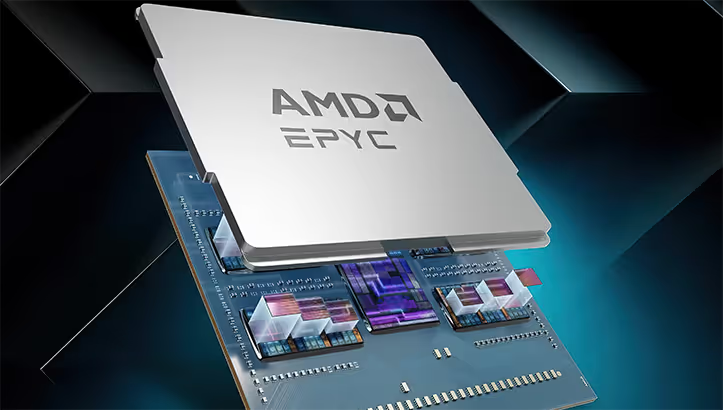
ECC memory support. A server CPU can work with error-correcting code (ECC) memory. A single bit flip in RAM is a routine event over a scale of months, but on a desktop it goes unnoticed, while in a database or hypervisor it causes a crash or data corruption. The ECC controller is built into the processor; it's a hardware barrier, not a software crutch.
RAS complex (Reliability, Availability, Serviceability). Server processors are designed with self-diagnostics and recovery in mind. Machine Check Architecture logs errors in cache, buses, and memory controllers. On a critical failure, the CPU isolates the affected core rather than bringing down the entire system. Technologies like Intel Run Sure or AMD Advanced RAS are not marketing, they are real fault-tolerance mechanics unavailable in the desktop lineup.
Multi-socket capability. A single server motherboard holds two, four, or in high-end systems, eight physical processors. They work through inter-socket links (UPI for Intel, Infinity Fabric for AMD) as a single pool of cores. A desktop CPU is physically incapable of this topology; it lacks the QPI/UPI lanes.
24/7 operation and conservative frequencies. A server processor does not boost to 6 GHz on three cores. It holds a stable frequency on all cores around the clock at a TDP of 120-350 W. Cooling is industrial: passive heatsinks in the chassis fan airflow, no tower cooler. Replacing a processor without powering down the server (hot-swap on some platforms) is also a feature of this class.
How to choose a processor for a server: 8 parameters
Choosing a server CPU is not a search for "the most powerful." It is a balancing act between cores, frequency, cache, budget, and the specific workload. Below are the parameters that actually affect performance, not just fill a spec sheet line.
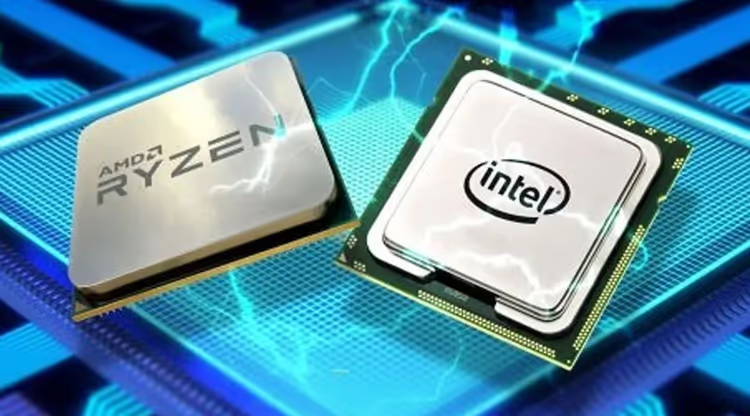
1. Number of cores and threads. The main question is how many parallel tasks the processor can handle without context switching. For a web server and PHP, 8-16 cores are enough; for a database, 16 and up; for dense virtualization, 32 and above. Hyper-Threading / SMT adds +1 logical thread per physical core, but the real gain is noticeable, not double.
2. Clock frequency. Base frequency is the guaranteed minimum on all cores under full load. Turbo frequency is the peak boost of a few cores with sufficient cooling. For 1C and single-threaded database operations, turbo frequency is critical. For web and virtualization, it is less important than core count.
3. L3 cache memory. A large shared cache reduces accesses to RAM. On EPYC 9004, L3 volume reaches 384 MB per socket. For databases and analytics, this gives a direct performance boost: data sits closer to the cores. For a file server, it makes almost no difference.
4. Socket and generation. The socket determines which processors fit the motherboard and what RAM is supported. Relevant in 2026: LGA 4677 (Xeon Scalable 4th/5th gen, DDR5), SP5 (EPYC 9004/9005, DDR5). Buying a server on LGA 3647 (Xeon 1st/2nd gen) today only makes sense if the budget is severely constrained and the workload is not critical.
5. Memory support: ECC, DDR5, capacity. A server platform without ECC is money down the drain. Capacity: a web server needs 32-64 GB; virtualization, 128-256 GB; databases and SAP, 512 GB and above. The memory controller is built into the processor; the number of channels (usually 8 or 12) sets the bandwidth ceiling.
6. PCIe lanes. Every NVMe device, every 25/100 Gbit network card, every GPU is a consumer of PCIe lanes. 5th-gen Xeon provides up to 80 PCIe 5.0 lanes per socket; EPYC 9005, up to 128. Do the math: 4 lanes per NVMe drive, 8-16 per network card, 16 per GPU. A shortage of lanes means devices run at half width or do not start at all.
7. TDP and cooling. Thermal Design Power is how many watts the processor dissipates under full load. Entry-level Xeons are 120-150 W; top-end EPYCs, up to 400 W. A data center bills for electricity and cooling; a 100 W difference per processor across 10 servers turns into noticeable figures over a year.
8. Integrated GPU. Most server CPUs have no video output; they rely on a BMC (Baseboard Management Controller) with a primitive video chip for the KVM console. But if the server is built for video transcoding or VDI, processors with an integrated accelerator (Intel Quick Sync) save a discrete graphics card.
Parameter | For a web server | For a database | For virtualization |
|---|---|---|---|
Cores | 8-16 | 16-32 | 32+ |
Frequency (turbo) | 3.0+ GHz | 3.5+ GHz | 2.5+ GHz |
L3 cache | 16-32 MB | 64+ MB | 32+ MB |
ECC | mandatory | mandatory | mandatory |
DDR5 | desirable | desirable | mandatory |
PCIe lanes | 40+ | 40+ | 80+ |
Intel Xeon or AMD EPYC: what people buy in 2026
Two camps, and the balance of power shifts every year. As of mid-2026, the situation looks like this.
Intel Xeon Scalable (5th generation, Emerald Rapids). Up to 64 cores per socket, 8 DDR5 channels, up to 80 PCIe 5.0 lanes. The strong side is single-core performance and the ecosystem: any enterprise software is certified for Xeon, with virtually no compatibility issues. The downside is a higher price per core than the competitor and a lower core count ceiling.
AMD EPYC (9005, Turin). Up to 192 cores per socket, 12 DDR5 channels, up to 128 PCIe 5.0 lanes. It wins in core density and memory bandwidth; for virtualization and multi-threaded workloads, this is a decisive advantage. Software certification has caught up: SAP, VMware, Oracle fully support EPYC. The downside: single-core performance is slightly lower, and the secondary market selection is narrower than for Xeon.
A short rule: if the workload is many small threads (web, PHP, containers), look at core count and go with EPYC. If per-thread frequency is critical (1C, billing, monolithic database), go with Xeon.
Choosing between Xeon and EPYC is not reading tea leaves. For orientation: under a web workload with high concurrency (Nginx + PHP-FPM + MySQL, dozens of sites), a 32-core EPYC traditionally shows better throughput for the same money than a comparable Xeon, thanks to a larger L3 cache and memory bandwidth. Under a monolithic database where frequency matters, a Xeon with a high turbo frequency will give lower transaction latency. More details on architectural differences and figures from independent tests are in the video below.
⁉️🤔 Frequent questions
Can you put a desktop processor in a server?
Formally, yes, there are server platforms on LGA 1700 and AM5. But you lose ECC, RAS, multi-socket capability, and support for large RDIMM capacities. For a home lab or test environment, it's okay. For production, where downtime costs money, no.
What about a server for a small business?
For an office of 10-20 people, a file server, or 1C:Accounting, an entry-level Xeon E-2400 (4-8 cores, ECC, DDR5) will cover the task with headroom. Such a platform costs only slightly more than a desktop one, while stability is an order of magnitude higher. The price difference for the system board and ECC memory is not critical for a business, but a single unscheduled downtime event will wipe out those savings instantly.
What is more important for a web server, cores or frequency?
Cores. Web workloads (Nginx, Apache, PHP-FPM) parallelize perfectly; each request is handled by a separate worker. 16 cores at 2.5 GHz will serve more users than 8 cores at 4 GHz. The exception is if the site generates pages dynamically and heavily (complex SQL queries, cart calculations), then turbo frequency starts to matter.
How much RAM does a server need?
The rule is simple: 2-4 GB per physical core is the minimum for a web server. Virtualization: 4-8 GB per VM plus overhead for the hypervisor. Database: the active dataset volume plus overhead for caches and service structures. Do not skimp on memory: slow swap on NVMe hits performance harder than a lower-tier processor.
Is it worth buying a used server processor?
If the seller is reliable and the processor is no older than 3-4 generations, yes, the savings are quite substantial. Server CPUs rarely die on their own; they are decommissioned on a refresh cycle, not due to wear. Check for bent contacts (LGA), verify the model is recognized in BIOS, and run a 24-hour stress test. And buy with at least a one-month warranty.
AMD or Intel, which is more reliable?
At the processor level, there is no difference in reliability; both vendors offer parity RAS capabilities in their server lineups. Failure statistics published by large cloud infrastructure providers show comparable figures for both platforms under proper cooling. The choice between Xeon and EPYC is a question of performance for the specific task, not reliability.
Which processor to buy: the final breakdown
Selecting a server CPU is an honest answer to three questions. What is the workload? How many concurrent users or operations? What is the platform budget, including memory and cooling?
If you are running a web farm, SaaS, or dense virtualization, look at AMD EPYC 9004/9005. The core-count advantage for the same money is decisive here. If you are running 1C, billing, or a monolithic database where a single thread cannot be parallelized, an Intel Xeon with a high turbo frequency will give better response.
For most mid-scale business tasks, 16-32 cores with ECC DDR5 and a reserve of PCIe lanes is the sweet spot that will not become obsolete for the next 4-5 years.
All that remains is to pick a model for your socket and budget. Check current offerings from trusted suppliers, and do not skimp on error-correcting memory. A single flipped bit the night before a report costs more than any processor.

A professional team of writers and editors specializing in creating quality content.