














🔐 What type of hash does WordPress use
The password to your admin panel is the last thing standing between a hacker and full control over your site. A weak password or an outdated storage mechanism turns expensive hosting and a paid firewall into mere decorations.
Over twenty years, WordPress has evolved from MD5 to industrial-grade bcrypt. Starting with version 6.8, password hashing became modern right out of the box, without plugins or workarounds. But every site owner should understand exactly what happens to their password after clicking "Log In."
Below is the entire chain: from entering a password in the login form to the hash string in the database. With code, filters, and specific settings for those who want more than what the core provides.
💡 Quick overview:
- WordPress 6.8 and newer hashes passwords using the bcrypt algorithm, the same standard used by banks and government systems
- Old hashes (MD5, phpass) are automatically upgraded to bcrypt on the user's next login; the migration is seamless and requires no manual action
- The
wp_hash_password_algorithmfilter lets you switch to Argon2 with a single line of code, no plugins needed - The PHP Native Password Hash plugin remains a viable option for versions below 6.8 and provides fine-tuned Argon2 parameter configuration through
wp-config.php
What hashing is and why WordPress needs it
Hashing is a one-way cryptographic transformation. From a string of any length, you get a fixed-size "fingerprint." Reversing a hash back to the original password is mathematically impossible; you can only try different inputs and compare the resulting hashes.

Unlike encryption, where data can be recovered with a key, a hash is a one-way ticket. When you enter a password during login, WordPress runs it through the same hash function and compares the result with what's stored in the database. If they match, access is granted. If not, access is denied.
WordPress stores hashes in the wp_users table, in the user_pass field. If the database leaks (and this has happened even to giants: LinkedIn, Yahoo, and Tumblr lost hundreds of millions of records), an attacker gets not readable passwords but long bcrypt strings. Recovering the password from such a string is impossible. But guessing it through a dictionary attack is possible if the algorithm is weak or outdated. That's exactly why the evolution of hashing in WordPress matters so much.
How WordPress used to hash passwords: MD5 and phpass
Before version 2.5 (2008), WordPress used plain MD5. The algorithm transforms any password into a 128-bit hash consisting of 32 hexadecimal characters. It looks secure, but MD5 is vulnerable to rainbow tables (precomputed databases of hashes for billions of common passwords). A hacker with database access simply looks up the hash in such a table and instantly retrieves the original password.
Starting with version 2.5, WordPress switched to phpass, a portable library based on bcrypt (Blowfish). It added random "salt" to the password and ran the result through the hash function multiple times (by default, 2^8 = 256 iterations). Salt made rainbow tables useless: two identical passwords for different users produced different hashes. At the same time, phpass maintained backward compatibility with MD5; old passwords didn't break and were smoothly upgraded to the new format upon login.
This was sufficient for many years. But the industry moved forward: modern hardware (GPU farms and ASICs) can try billions of hashes per second. The bcrypt algorithm with a configurable cost factor became the industry standard. And starting with WordPress 6.8, the core uses it natively.
WordPress 6.8 and bcrypt: what changed
The WordPress 6.8 "Cecil" release (April 2025) brought a complete transition to bcrypt. Previously, the core used its own PasswordHash class from the phpass library; now it calls the native PHP function password_hash() with the PASSWORD_BCRYPT constant.
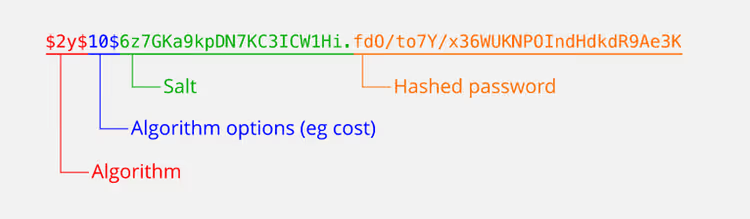
Key changes in the wp_hash_password() function:
- bcrypt by default. All new passwords are hashed via
password_hash()using the bcrypt algorithm and the cost factor set by the PHP server (usually 10). - Auto-migration of old passwords. When a user logs in, WordPress checks via
password_needs_rehash()whether the hash needs updating. The old phpass format ($P$...) is seamlessly replaced with bcrypt. - Protection for long passwords. bcrypt truncates passwords longer than 72 bytes, reducing entropy. WordPress 6.8 solves this by pre-hashing with SHA-384 using the domain key
wp-sha384and encoding in base64. A 100-character password retains its full strength. - Filters for flexible configuration. New hooks appeared:
wp_hash_password_algorithm(algorithm selection) andwp_hash_password_options(parameters: cost, memory_cost, threads).
The wp_hash_password() call in WordPress 6.8 core looks like this:
1 function wp_hash_password( $password ) { 2 global $wp_hasher; 3 4 if ( ! empty( $wp_hasher ) ) { 5 return $wp_hasher->HashPassword( trim( $password ) ); 6 } 7 8 if ( strlen( $password ) > 4096 ) { 9 return '*'; 10 } 11 12 $algorithm = apply_filters( 'wp_hash_password_algorithm', PASSWORD_BCRYPT ); 13 $options = apply_filters( 'wp_hash_password_options', array(), $algorithm ); 14 15 if ( PASSWORD_BCRYPT !== $algorithm ) { 16 return password_hash( $password, $algorithm, $options ); 17 } 18 19 $password_to_hash = base64_encode( 20 hash_hmac( 'sha384', trim( $password ), 'wp-sha384', true ) 21 ); 22 23 return '$wp' . password_hash( $password_to_hash, $algorithm, $options ); 24 }
The function first checks whether the hashing logic has been overridden by an external plugin (the global variable $wp_hasher). It then rejects passwords longer than 4096 characters; such login attempts return *, making authentication impossible. Next comes the interesting part: the wp_hash_password_algorithm filter determines the algorithm. If the selection is NOT bcrypt, the password is hashed directly. If bcrypt is selected, the password first goes through SHA-384 with the key wp-sha384, is encoded in base64, and only then is passed to password_hash(). The output is a hash with the $wp prefix, which distinguishes "WordPress" bcrypt from vanilla bcrypt. This is useful for database audits or integration with external systems.
How to strengthen hashing with Argon2
bcrypt is an excellent baseline. The next step is Argon2, the winner of the 2015 Password Hashing Competition. Argon2 was specifically designed to resist GPU attacks: it's memory-intensive, and video cards are the bottleneck here.

Option 1: the wp_hash_password_algorithm hook (WordPress 6.8+)
Add this to your child theme's functions.php or via the Code Snippets plugin:
1 add_filter( 'wp_hash_password_algorithm', function() { 2 return PASSWORD_ARGON2ID; 3 });
In a couple of seconds, WordPress switches to Argon2ID. Old passwords are automatically rehashed when users log in. Your hosting must support Argon2 in PHP; you need version 7.3 or newer for Argon2ID. You can check availability by calling password_algos().
For fine-tuning parameters, use the companion hook:
1 add_filter( 'wp_hash_password_options', function( $options, $algorithm ) { 2 if ( PASSWORD_ARGON2ID === $algorithm ) { 3 return array( 4 'memory_cost' => 65536, // 64 MB 5 'time_cost' => 4, 6 'threads' => 2, 7 ); 8 } 9 return $options; 10 }, 10, 2 );
The memory_cost parameter determines how much memory the algorithm must use when computing the hash; the higher the value, the harder GPU-based brute-forcing becomes. time_cost sets the number of iterations, and threads sets the number of threads.
Option 2: the PHP Native Password Hash plugin
For WordPress versions below 6.8, the PHP Native Password Hash plugin does the same thing. It replaces all hashing logic with native password_hash(), supports bcrypt and Argon2, and has no interface; all settings are configured through constants in wp-config.php:
1 define( 'WP_PASSWORD_HASH_ALGO', PASSWORD_ARGON2ID ); 2 define( 'WP_PASSWORD_HASH_OPTIONS', [ 3 'memory_cost' => 65536, 4 'time_cost' => 4, 5 'threads' => 2, 6 ] );
The plugin hasn't been updated in over two years, but its code is minimal and stable. With WordPress 6.8, its functionality is built into the core, so you can uninstall it and use native filters instead.
Hash generators: what works today
There are situations when you need to generate a hash manually: writing a password directly to the database via phpMyAdmin or migrating users from an external system.
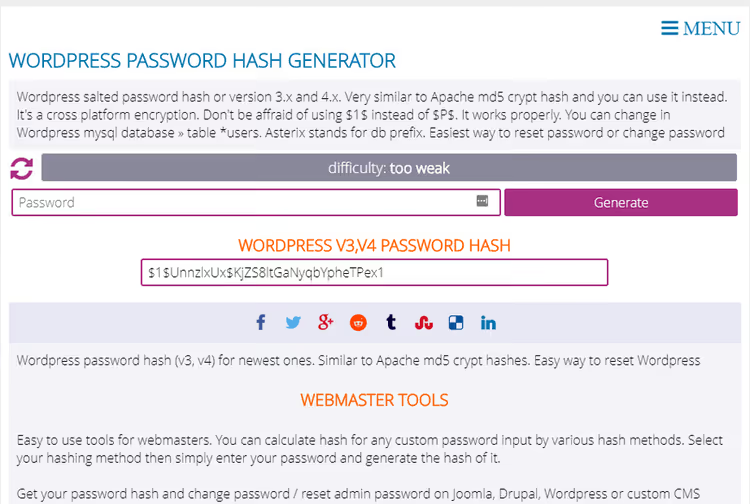
The online generator from passwordtool.hu, popular in the era of older WordPress versions, is no longer available: the site changed ownership. Working alternatives today:
- WP-CLI: the command
wp user update <id> --user_pass="newpassword"does everything correctly throughwp_hash_password(). Fast, secure, and guaranteed to be correct. - A PHP script in the site root: temporarily create a file with a call to
echo wp_hash_password('password');and delete it immediately after use. - Any online bcrypt generator: for example, bcrypt.online. But remember: WordPress 6.8 adds the
$wpprefix and SHA-384 pre-hashing, so a vanilla bcrypt hash won't work for direct insertion into the database.
In practice, WP-CLI is the most reliable option.
How to choose a password that won't be cracked
Even bcrypt won't save you if the password is admin123. Hackers start their attack with dictionary brute-forcing.

The zxcvbn tool from Dropbox, built into WordPress for password evaluation in the admin panel, rejects common patterns: birth dates, 123456 and qwerty, pet names. It analyzes passwords against dictionaries, keyboard layouts, and character substitution patterns. A "weak" rating means the password can be guessed in seconds.
Three practical rules:
- Random words, not character soup. A password made of four or five unrelated English words with separators (for example,
correct-horse-battery-staple) is easier to remember thanTr0ub4dor&3and takes far longer to crack. - Length matters more than complexity. Sixteen random lowercase letters provide greater entropy than 8 characters with special symbols. And bcrypt in WordPress 6.8 preserves the entropy of passwords of any reasonable length through SHA-384 pre-hashing.
- Use a password manager. Human memory is a poor tool for managing a dozen unique passwords. 1Password is the paid gold standard with a family plan, KeePass is free open source with a local database, Bitwarden is the happy medium: free, cloud-based, and open source.
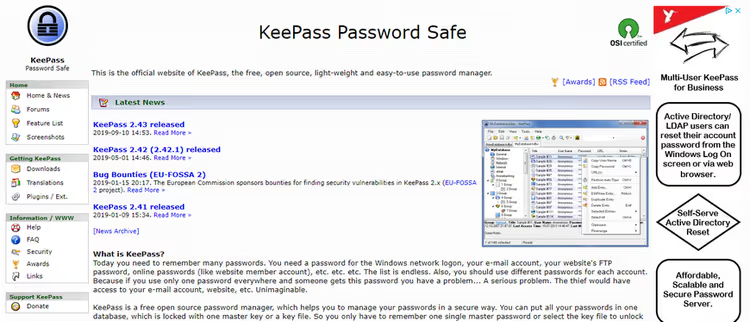
A password manager generates, stores, and auto-fills passwords. You only need to remember one master password. And if the site supports two-factor authentication, enable it without fail. A password plus a one-time code from an app makes login virtually invulnerable.
Video: how password hashing works in WordPress
A brief explanation of the hashing mechanism, from entering a password to storage in the WordPress database:
⁉️🤔 Frequently asked questions
Do passwords hashed with old MD5 still work in WordPress 6.8+?
Yes. When a user logs in, WordPress detects the old hash format, verifies the password using the previous algorithm, and if everything checks out, seamlessly upgrades the hash to bcrypt. There's no need to delete old users or force password resets.
Is the PHP Native Password Hash plugin needed on WordPress 6.8 and newer?
No. Everything the plugin did (hashing via
password_hash()and Argon2 support) is now available through the native filterswp_hash_password_algorithmandwp_hash_password_options. The plugin remains relevant only for versions below 6.8.
Can I switch back from Argon2 to bcrypt?
Technically yes, by changing the algorithm in the filter. But old Argon2 hashes won't be recognized, and users will have to reset their passwords. If you're experimenting with algorithms on a live site, make a full database backup first.
Does bcrypt help if the database leaks?
bcrypt makes brute-forcing passwords from leaked hashes hundreds of thousands of times slower than MD5. With a cost factor of 10, one hash on a modern CPU takes about 0.1 seconds to compute; a billion attempts would take years. But if the password is
password, it will be found in the very first iteration of a dictionary attack. The algorithm protects complex passwords; nothing can save weak ones.
How do I verify that my passwords are being hashed with bcrypt?
Check the
wp_userstable via phpMyAdmin. Theuser_passfield for new users (and those who logged in after upgrading to 6.8) should start with the$wpprefix (the marker for WordPress's new bcrypt format). Old phpass hashes look like$P$B.... For a bulk check, run this SQL query:SELECT COUNT(*) FROM wp_users WHERE user_pass NOT LIKE '$wp$%' AND user_pass NOT LIKE '$P$%';. It will show how many passwords are stuck in an outdated format, if any.
What to do about WordPress hashing right now
If your WordPress site is on version 6.8 or newer, you're already protected by bcrypt; there's nothing you need to do. The core automatically upgrades old hashes when users log in, and the migration is completely seamless.
If you want Argon2, add the wp_hash_password_algorithm filter with PASSWORD_ARGON2ID to functions.php. First, make sure your hosting supports Argon2: run var_dump(password_algos()); via a test script. Most modern hosting providers have support.
For versions below 6.8, install the PHP Native Password Hash plugin; it will give you bcrypt or Argon2 without updating the core. And schedule a WordPress update while you're at it: every major update closes dozens of vulnerabilities, not just in hashing.
And most importantly, change admin123 to something decent. No algorithm can save you from a dictionary attack if your password is in the first hundred entries of the rockyou.txt list.

A professional team of writers and editors specializing in creating quality content.