














👰📸 13 best WordPress themes for wedding photography 2026
A bad website kills a good wedding photo faster than a client finishes reading the price. You spend years building a portfolio, and when it comes to the website, you pick the first theme with a blurry mobile grid and a slow gallery. The bride leaves for a competitor before she sees the first photograph.
Choosing a WordPress theme for a wedding photographer in 2026 is not about "making it pretty." It's about a responsive gallery on mobile, loading speed, selling prints directly from the portfolio, and a password-protected client area. Below are 13 themes that handle these tasks without hiring a developer.
💡 Quick overview:
- Check the comparison table: prices, page builder, and WooCommerce for all themes
- Pick a demo that matches your scenario: clean portfolio, selling prints, or booking dates
- Open live demos and run them through PageSpeed Insights, a score below 70 means an overloaded theme
- Watch the video overview: best WordPress themes for photographers in 2026
Themes comparison table:
Theme | Price | Page Builder | WooCommerce | Demos |
|---|---|---|---|---|
Solene | $69 | Elementor | Yes | 12 |
Amie | $69 | No | Yes | 1 |
Tilia | $45 | Elementor | Yes | 13 |
Artale | $59 | Elementor | Yes | 1 |
Kirsten | $59 | WPBakery | Yes | 1 |
Photography | $59 | No | Yes | 1 |
Core | $39 | No | No | 3 |
Novo | $59 | No | Yes | 6 |
Oyster | $59 | No | Yes | 1 |
Wiso | $29 | No | Yes | 5 |
Fluxus | $55 | No | No | 1 |
Photographer | $75 | No | Yes | 1 |
The Aisle | $69 | Elementor | No | 1 |
1. Solene
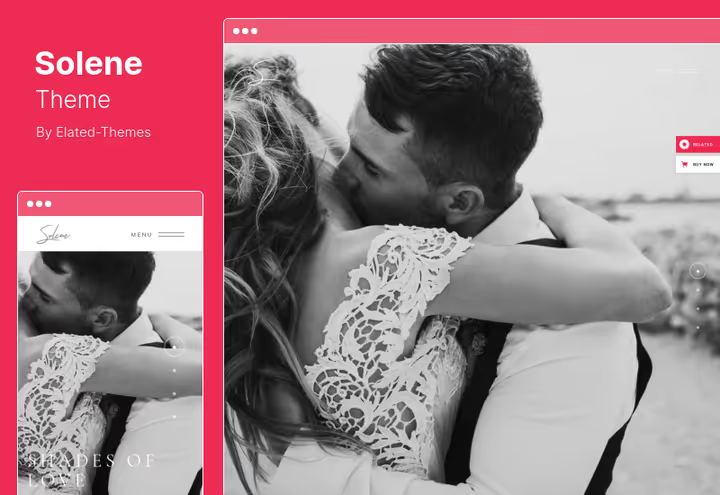
On ThemeForest the theme offers 12 ready-made homepage demos: pick the closest one by style, upload your photos, the portfolio is ready to show.
Elementor out of the box, no code needed: move blocks with your mouse, change fonts and colors from the admin panel. In practice, for a photographer who wants a website without hiring a developer, Solene handles the task completely.
Pros:
- Rich set of demos and inner pages
- Elementor out of the box, visual assembly without code
- Retina-ready layout
Cons:
- Above average in price
- Some demos are stylistically similar
Price: $69 on ThemeForest (6 months support, lifetime updates)
🔗 Solene on ThemeForest🔗 Live demo
2. Amie
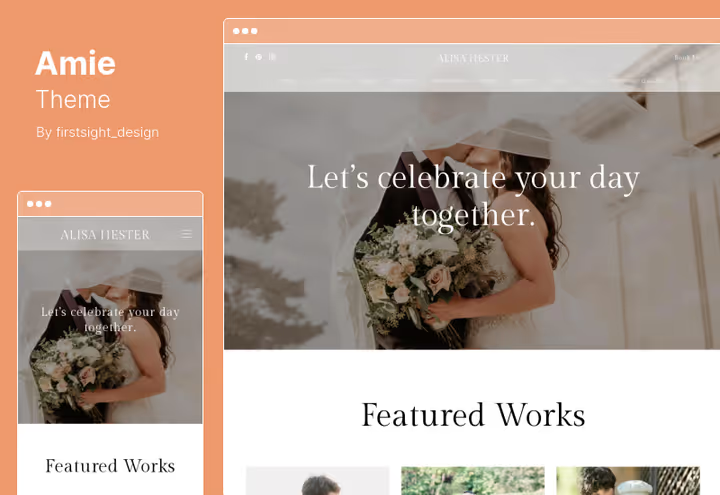
Client galleries with password protection. The client logs in with an individual password, sees their photo selection, approves shots. No messengers and no confusion with versions.
Modular grid, SEO-optimized headings, multilingual support. WooCommerce is there, but Amie is more about client service than a print shop.
Pros:
- Client galleries with password protection
- Clean SEO heading structure
- Multilingual support
Cons:
- One homepage demo, requires manual setup
- No built-in page builder
Price: $69 on ThemeForest (6 months support, auto-updates)
🔗 Amie on ThemeForest🔗 Live demo
3. Tilia

A theme with 13 homepage variations and advanced gallery settings. Grid, masonry, packery, fullscreen, metro: for a photographer who needs more than one gallery template, Tilia provides a tool for precise control over how shots are presented.
Elementor is built in, you can assemble pages visually without a single line of CSS. Compatibility with WordPress 6.8 and Gutenberg, one-click demo import.
Pros:
- 13 homepage variations and flexible gallery layouts
- Elementor out of the box, visual customization
- Compatibility with WordPress 6.8 and Gutenberg
Cons:
- Fewer ready-made pages than Solene
- No built-in booking function
Price: $45 on ThemeForest (6 months support, lifetime updates)
🔗 Tilia on ThemeForest🔗 Live demo
4. Artale
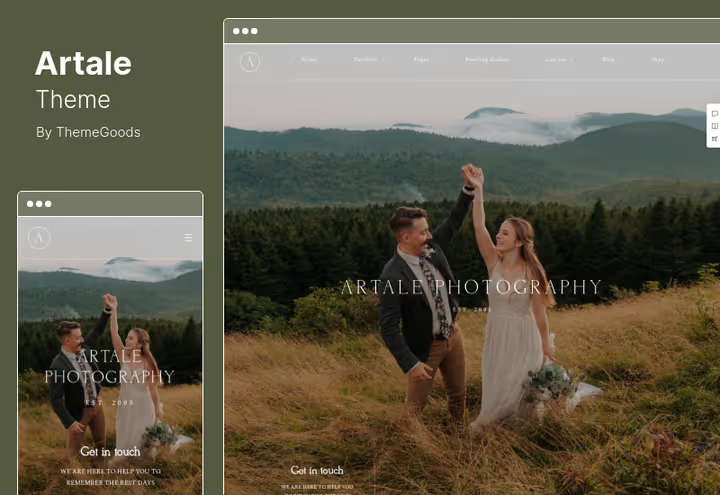
On ThemeForest the theme offers more than 30 slider layouts, more than 30 portfolio and gallery layouts, more than 60 page templates.
Elementor is built in, video galleries are supported. You can mix photos and videos in one slider. Seven blog formats let you maintain a shooting diary without additional plugins.
Pros:
- Extensive choice of gallery and portfolio layouts, flexible presentation
- Video galleries in sliders
- Wide selection of page templates
Cons:
- Excess of options can make choosing difficult at the start
- One homepage demo
Price: $59 on ThemeForest (6 months support)
🔗 Artale on ThemeForest🔗 Live demo
5. Kirsten
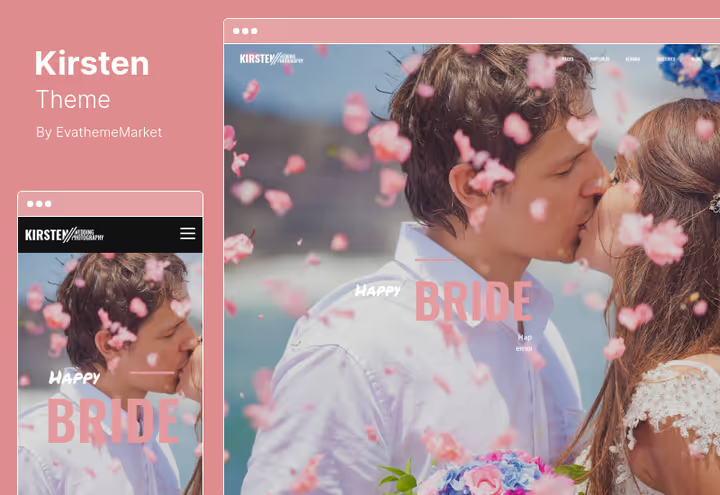
A minimalist theme with a clean grid and predictable structure. Not overloaded with options: upload photos, set up the menu, and get back to shooting.
WPBakery is included, WooCommerce is supported. Parallax effects and several gallery options add depth. The theme was removed from ThemeForest, the current version with updates is available on TemplateMonster.
Pros:
- Clean design without visual noise
- WPBakery and WooCommerce included in the price
- Lifetime updates
Cons:
- Removed from sale on ThemeForest, available only on TemplateMonster
- Parallax is disabled on mobile, the difference with desktop is noticeable
Price: $59 on TemplateMonster (Personal License)
6. Photography
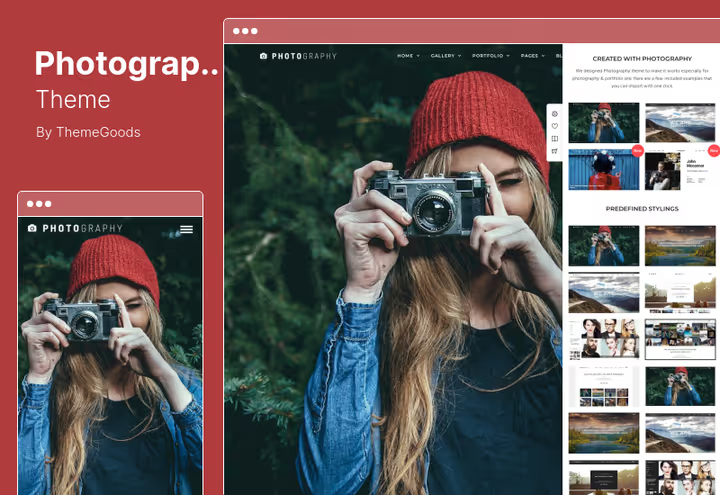
If the goal is selling prints directly from the website, Photography handles this task better than other themes in the roundup. WooCommerce is integrated into the gallery: the buyer sees the price under each photo and pays right there.
Unlimited color palette and choice of backgrounds provide space for branding. The theme is built on current WordPress technologies.
Pros:
- Direct photo sales from the gallery through WooCommerce
- Unlimited colors and backgrounds for branding
- Modern WordPress stack, good speed
Cons:
- No built-in page builder
- One demo, requires manual setup for your style
Price: $59 on ThemeForest (6 months support)
🔗 Photography on ThemeForest🔗 Live demo
7. Core
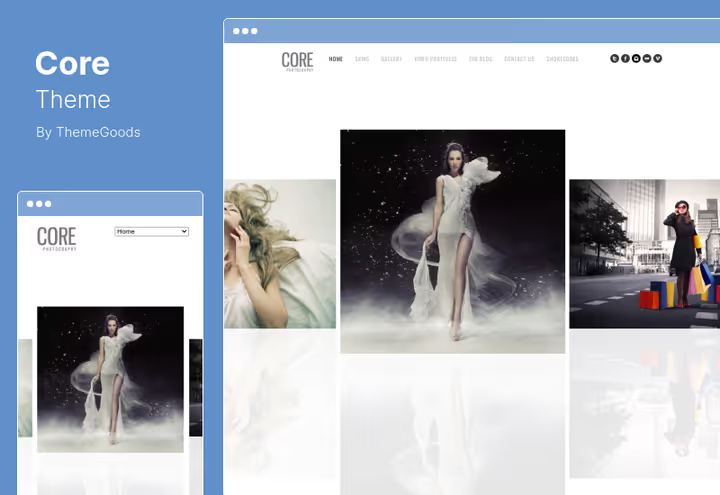
The most affordable theme in the roundup on ThemeForest: three homepage styles, four portfolio formats. Light and fast: the code is minimalist, without bloated builders.
Full-screen slideshow and video portfolio support. Light and dark themes switch with one click.
Pros:
- Best price in the roundup, lifetime updates
- Full-screen slideshow and video portfolio
- Light code without page builder, high speed
Cons:
- No WooCommerce, portfolio only without sales
- Three homepage styles, less choice than competitors
Price: $39 on ThemeForest (lifetime updates, all plugins)
🔗 Core on ThemeForest🔗 Live demo
8. Novo
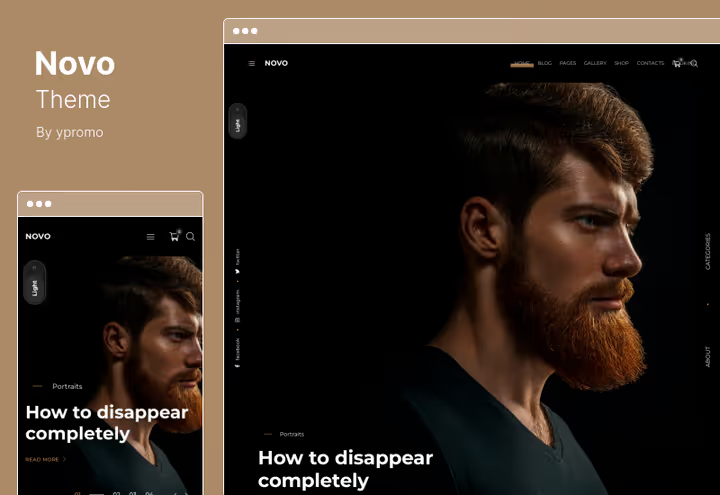
On ThemeForest the theme offers six homepage variations, WooCommerce support, and a booking function. Novo goes beyond a clean portfolio: accept date requests, sell prints, and show galleries in one place.
Light and dark theme versions. HTML5 and CSS3 code, responsive grid.
Pros:
- Booking function, a studio website, not just a portfolio
- Multiple homepage demos, more starting points
- Light and dark versions
Cons:
- No built-in page builder
- Booking depends on a third-party plugin, requires setup
Price: $59 on ThemeForest (lifetime updates, 6 months support)
🔗 Novo on ThemeForest🔗 Live demo
9. Oyster
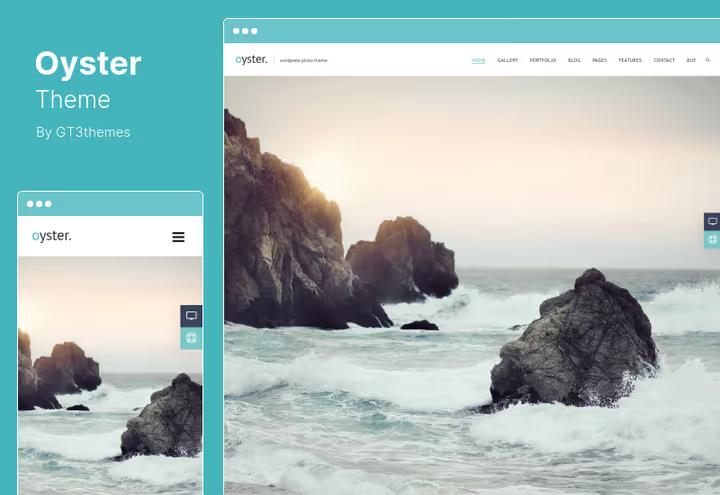
Fullscreen design: photos take up the entire screen, the menu is minimalist. For a wedding photographer with a strong visual style, Oyster works as a digital showcase without distracting panels.
WooCommerce and Contact Form 7 are compatible, the settings panel is advanced: fonts, colors, and spacing without code.
Pros:
- Fullscreen design, maximum focus on photos
- WooCommerce and Contact Form 7 out of the box
- Lifetime updates
Cons:
- Fullscreen format doesn't suit everyone, blog and text take a back seat
- One demo, launch without ready-made layouts
Price: $59 on ThemeForest (lifetime updates)
10. Wiso
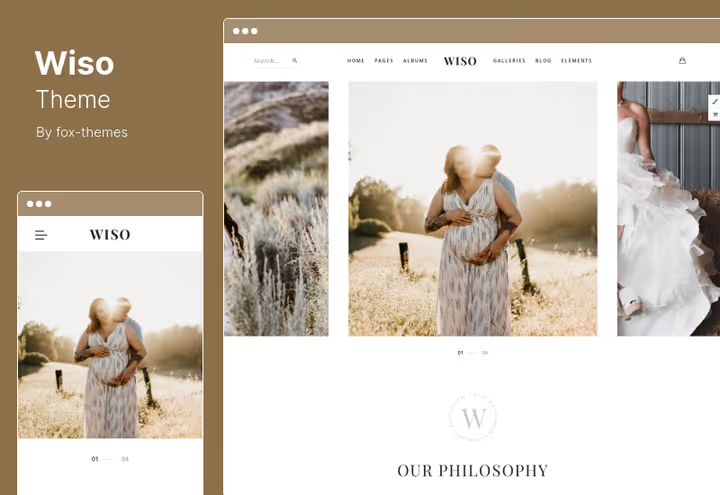
The most affordable full-featured theme: WooCommerce, Contact Form 7, unlimited colors, multiple homepage layouts.
Regular updates and responsive layout. For a photographer at the start of their career or for a test site, the optimal choice by price-to-feature ratio.
Pros:
- Best price for full functionality
- WooCommerce for selling prints
- Unlimited color schemes
Cons:
- Average code quality, not for high-traffic sites
- Simple demos, requires manual refinement for premium style
Price: $29 on ThemeForest (lifetime updates, 6 months support)
11. Fluxus
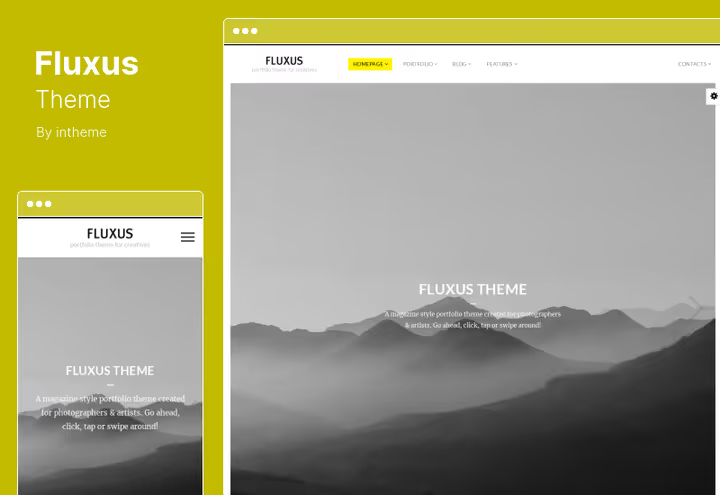
The main feature is a horizontal portfolio. Photos line up in a feed with horizontal scrolling, unusual for WordPress themes. For a photographer with panoramic wedding shots, this format beats the classic grid.
Full-page slider, hover effects, built-in lazy loading: the site doesn't slow down even on large galleries. The price on ThemeForest in 2026 is $55.
Pros:
- Horizontal portfolio, unique presentation in the niche
- Lazy image loading, saves traffic
- Full-page slider
Cons:
- Horizontal scrolling on mobile is inconvenient for some users
- No WooCommerce, portfolio only
Price: $55 on ThemeForest
🔗 Fluxus on ThemeForest🔗 Live demo
12. Photographer
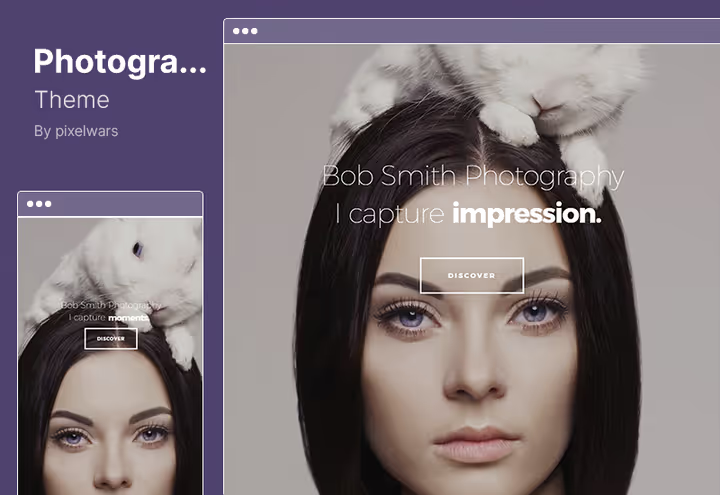
Minimalism in its purest form: white space, large photos, two blog layouts. If you have quality wedding shots, the theme presents them without distracting elements.
On ThemeForest the theme includes more than 30 social media icons, unlimited portfolios. Image zoom works on all devices.
Pros:
- Minimalist design, focus on photographs
- Unlimited portfolios and sidebars
- Photo zoom on mobile
Cons:
- Highest price in the roundup with one demo
- Social media icons require manual link setup
Price: $75 on ThemeForest (lifetime updates, 6 months support)
🔗 Photographer on ThemeForest🔗 Live demo
13. The Aisle
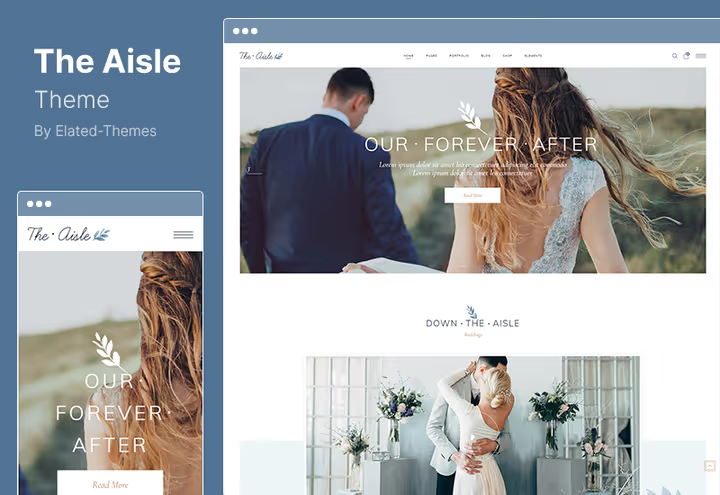
The only theme in the roundup tailored for a wedding event, not just for a photographer. Venue map for guests, gift registry, invitations, and RSVP: The Aisle builds a complete wedding website.
Elementor is included, no coding needed. The admin panel is powerful: manage fonts, colors, and page structure without editing CSS.
Pros:
- Wedding functionality: guest map, gift registry, invitations, RSVP
- Elementor out of the box, visual customization
- Rich settings panel
Cons:
- No WooCommerce, print sales not included
- High price without store support
Price: $69 on ThemeForest (6 months support, lifetime updates)
🔗 The Aisle on ThemeForest🔗 Live demo
⁉️🤔 Frequently asked questions
What's more important when choosing a theme for a photographer: design or speed?
Speed. A visitor decides to leave within seconds. A slow-loading gallery loses the bride before she sees the first photo. Before buying, open the live demo and run it through PageSpeed Insights. A mobile score below 70 means the theme is overloaded with scripts.
Do you need a page builder in a wedding photographer theme?
If you're not planning to hire a developer for every edit, yes, you need one. Elementor is more convenient than WPBakery: lighter, faster to work with, larger ready-made block library. Solene, Tilia, Artale, and The Aisle come with Elementor out of the box. The rest with WPBakery or without a builder.
Can you sell prints directly from a WordPress website?
Yes, 9 out of 13 themes in the roundup support WooCommerce. The best store integration is in Photography (direct prices under photos in the gallery) and Novo (store plus date booking). If selling prints is the main source of income, pick a theme with the deepest WooCommerce integration, not just "compatibility."
What to do with the old theme when switching to a new one?
Make a full backup before installation. Switching themes doesn't delete content, all posts remain. But menus, widgets, and customizer settings may reset. Install the new theme in a staging environment, check galleries and the mobile version, then activate it on the live site.
Which theme is best for a wedding photographer in 2026?
Depends on the scenario. For a clean portfolio without sales: Core, best price with decent functionality. For selling prints: Photography with direct WooCommerce integration into the gallery. Portfolio plus booking plus sales: Novo covers three tasks in one theme.
Which theme to pick for your task
Selling prints? Pick Photography or Novo. Speed and budget matter? Core handles the portfolio at the best price. Creating a wedding website with invitations? The Aisle, the only theme for this scenario.
Open live demos and see how the theme looks on mobile. Ten minutes of testing beats an expensive theme that lags when scrolling.

A professional team of writers and editors specializing in creating quality content.