














🔒 13 GDPR-compliant WordPress themes in 2026
Choosing a WordPress theme? Design, speed, compatibility are half the battle. There's a layer people remember when the lawyer sends a letter: GDPR. The fine for incorrect data processing reaches €20 million or 4% of global revenue.
Some load Google Fonts directly, and every visitor's IP address flies to Google's server without consent. Others don't properly accommodate a cookie banner or add hidden trackers. Still others break the consent checkbox layout in comment forms, and you won't know about it right away.
We've gathered 13 themes that either declare GDPR compatibility directly or are designed so that implementing compliance mechanics doesn't turn into pain. All from ThemeForest, with thousands of sales, alive and updated.
💡 Quick overview:
- What exactly in a theme should be "GDPR-ready": fonts, scripts, forms and cookie banner
- Comparison table of all 13 options by price, type, builder and fonts
- Breakdown of each theme: screenshot, strengths, weaknesses, price and links
- 5-point checklist: how to check a theme for GDPR compliance before purchase
- Frequently asked questions about GDPR and WordPress themes: fonts, plugins, theme replacement
What "GDPR-compatible theme" means and why you need it
GDPR itself doesn't certify themes. There's no "GDPR Approved" badge from the regulator. But there are specific technical points that make a theme compliance-friendly, or conversely, a source of problems.
Fonts. If a theme pulls Google Fonts through an external request, it transfers every visitor's IP address to Google's server. Without explicit consent this is a violation. A good theme provides an option to "host fonts locally", or initially works on a system stack.
Scripts and trackers. The theme shouldn't quietly load third-party resources: CDN for icons, maps, analytics. Anything that makes an external request before consent is a potential hole.
Forms. Comments, subscription, contact form, anything that collects personal data must have a consent checkbox. The theme should support this, not break the layout when adding it.
Cookie banner. The theme must work normally with plugins like Complianz or CookieYes: not override the banner with styles, not break the script blocking mechanics before consent.
Bottom line: "GDPR-compatible theme" isn't a marketing label, but an engineering characteristic. The fewer external dependencies and cleaner the code, the easier life gets.
Comparison table of all themes
# | Theme | Price | Type | Builder | Fonts |
|---|---|---|---|---|---|
1 | Buzz | $49 | Blog / Magazine | Gutenberg | Self-hosted |
2 | Nonprofit | $39 | NGO / Charity | WPBakery | Standard |
3 | TheCX | $49 | Agency / SaaS | Customizer | System |
4 | Ave | $39 | Multipurpose | Own builder | Standard |
5 | Digixon | $59 | Digital agency | Customizer | Standard |
6 | Education Center | $59 | LMS / Education | Customizer | Standard |
7 | The7 | $39 | Multipurpose | WPBakery / Elementor | Standard |
8 | Katen | $49 | Blog / Magazine | Elementor | Standard |
9 | JNews | $59 | News / Magazine | Elementor | Standard |
10 | WoodMart | $59 | WooCommerce | WPBakery | Standard |
11 | Windsor | $59 | Real Estate | WPBakery | Standard |
12 | Grace | $59 | Church / NGO | WPBakery | Standard |
13 | AlphaColor | $59 | Design / Print | WPBakery | Standard |
1. Buzz, blog and magazine with self-hosted fonts
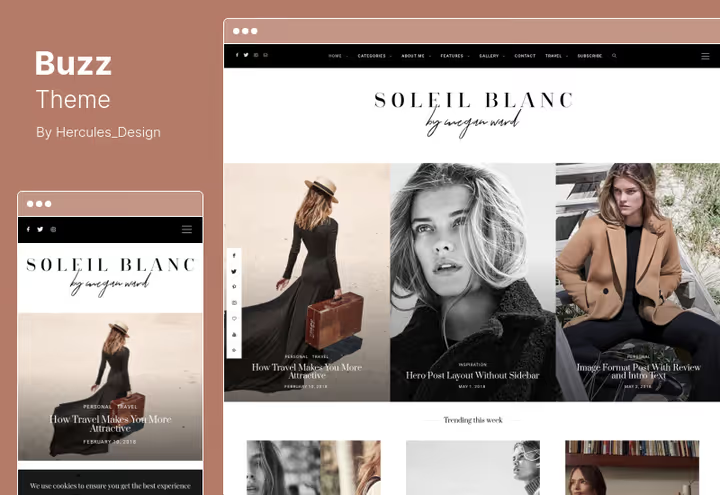
Buzz is a theme for blogs and online magazines that uses self-hosted fonts out of the box. No external requests to Google Fonts: fonts live on your server. For GDPR this is a huge plus, no IP address transmission to a third party when loading the page.
Out of the box: 2000+ homepage variations, 9 header layouts, 40+ post and page layouts. Galleries with lightbox in 2, 3 and 4 columns, 18 custom widgets. Supported post formats: standard, slideshow, grid gallery, link, image, quote, audio, video.
What makes the theme convenient for compliance: clean Gutenberg without unnecessary dependencies, local fonts, Mailchimp integration through subscription form, you can add a consent checkbox with standard tools.
Pros:
- Self-hosted fonts: zero external requests to Google
- Gutenberg-first, less third-party code in the core
- Flexible widgets: privacy policy in footer places without crutches
Cons:
- Specific design, not for corporate sites
- Part of features tied to Instagram (external content, consent needed)
💵 Price: $49 (on ThemeForest).
2. Nonprofit, NGO and charity with donations
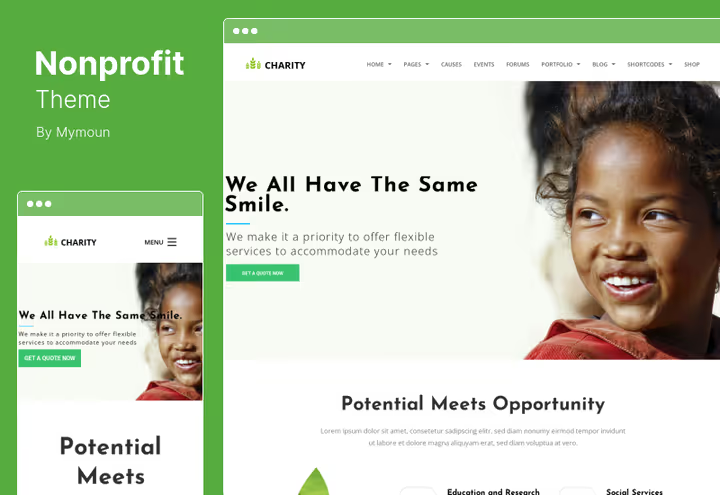
Nonprofit is a theme for charitable and non-profit organizations. The main feature from a GDPR perspective: support for multiple donation forms. Donations are payment data processing, and the theme doesn't interfere with standard WooCommerce compliance mechanics: checkboxes, privacy policy at checkout.
The theme allows accepting recurring payments and tracking donors through built-in functionality. WooCommerce is the main engine for fundraising and selling merch, it also provides basic GDPR tools: right to deletion, export, processing consent.
The design is neutral, strict, suitable for funds, shelters, recycling programs, homeless assistance, adoption. Extended CSS and JavaScript provide fine customization without interfering with the theme core.
Pros:
- WooCommerce-native: all shop GDPR tools work out of the box
- Light design without heavy external dependencies
- Cross-browser compatibility
Cons:
- Narrow specialization, NGO only
- No standard GDPR features in the theme itself, everything through WooCommerce
💵 Price: $39 (on ThemeForest).
3. TheCX, for agencies and SaaS with clean Customizer
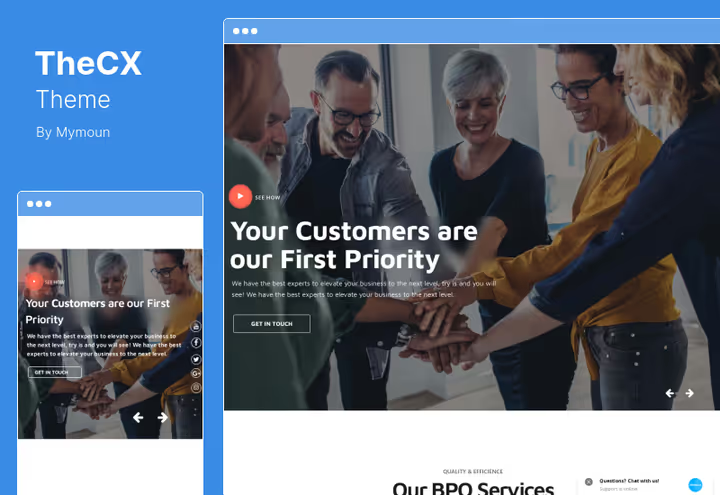
TheCX positions itself as a theme for customer experience, call centers, SaaS companies and corporate sites. Strong side is typography management through Customizer: font, weight, line height, section color, everything changes in real time with preview.
The theme doesn't pull Google Fonts by default, uses system stack. This reduces the number of external requests and simplifies compliance. Shortcodes are translation-ready, compatible with major translation plugins.
For GDPR it's useful because it doesn't create unnecessary "traces": no hidden trackers, no hard dependencies on third-party APIs. SEO optimization at the code level, semantic HTML.
Pros:
- System fonts by default, no IP leak through Google Fonts
- Clean architecture without unnecessary external requests
- Translation-ready for multilingual compliance pages
Cons:
- Not for blogs and content projects
- Fewer ready-made layouts than multipurpose themes
💵 Price: $49 + 6 months support (on ThemeForest).
4. Ave, multipurpose theme with own builder
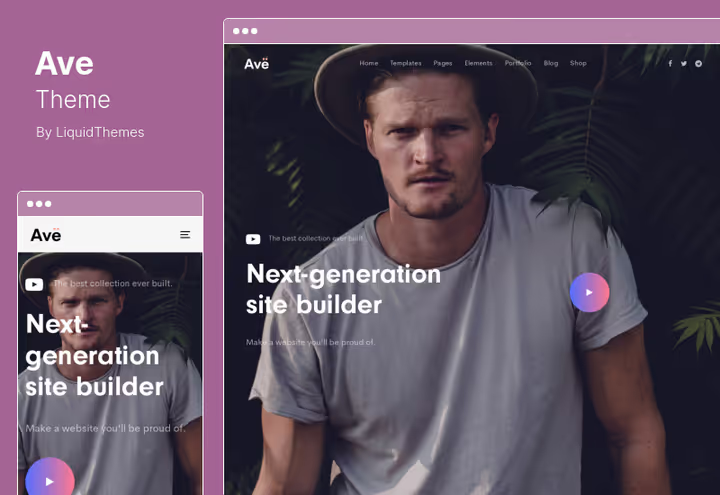
Ave is a multipurpose theme with its own visual builder and hundreds of ready templates. Suitable for agencies, business, portfolio. Unlike WPBakery themes, Ave comes with its own constructor: less third-party code, fewer unpredictable dependencies.
Extended typography, quick view for WooCommerce products, Mailchimp integration, social media support. Key for GDPR: the builder doesn't add hidden external requests, and WooCommerce integration provides standard compliance tools. With increasing load, own builder performance may lag behind optimized solutions like GeneratePress.
Pros:
- Own builder, less third-party code and dependencies
- Hundreds of templates for different niches
- Mailchimp integration doesn't make unnecessary requests
Cons:
- Own builder = theme lock-in, harder to migrate
- Fonts without self-hosted option
💵 Price: $39 + 6 months support (on ThemeForest).
5. Digixon, digital agency and consulting
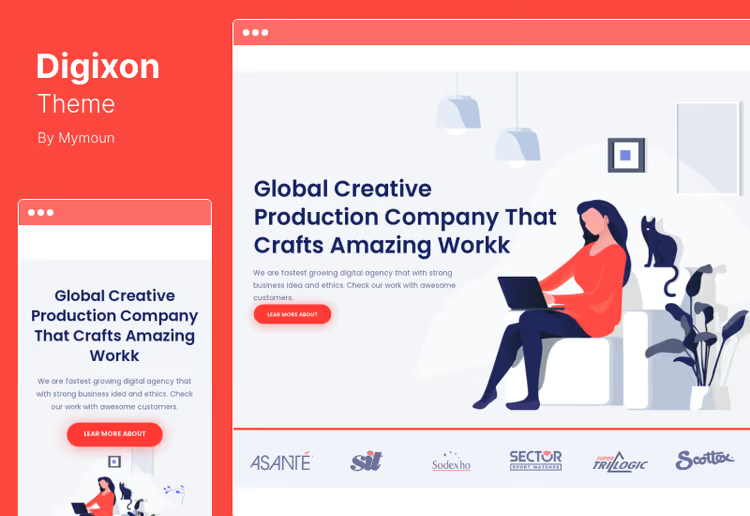
Digixon is designed for digital agencies, marketing and consulting companies. High degree of customization: colors, shortcodes, extended CSS and JavaScript. Google Maps integration, but with a caveat: maps should load only after explicit consent (implemented through cookie plugin).
Administrative panel is thought out: all settings gathered in one place, no need to jump between sections. For small agencies this saves time, assembled landing page, connected application form, added privacy policy to footer, done.
No built-in GDPR functionality, but the theme doesn't create obstacles: forms work through standard WordPress hooks, cookie banners don't break with theme styles.
Pros:
- Advanced customization without code editing
- Doesn't conflict with GDPR plugins
- Suitable for B2B sites with few forms
Cons:
- Google Maps requires separate consent mechanics
- No self-hosted fonts
💵 Price: $59 (on ThemeForest).
6. Education Center, LMS and online education
Education Center is a theme for educational platforms: online courses, tutoring, e-learning. Key feature is advanced lesson management, quizzes, forums, schedules. Certificates and badges for students are built-in.
From a GDPR perspective: in educational context you process students' personal data, names, email, learning progress, test results. The theme doesn't interfere with GDPR plugin operation, and WooCommerce integration allows correctly arranging consent when purchasing a course.
Shortcodes, media manager, several header styles, flexible customization. SEO code at the level, critical for educational projects because traffic comes from search.
Pros:
- Tailored for LMS: all needed tools in the package
- WooCommerce provides compliance at cart and checkout level
- Translation-ready for multilingual courses
Cons:
- Excessive if courses aren't the main site function
- External dependencies: forums and quizzes may load third-party scripts
💵 Price: $59 (on ThemeForest).
7. The7, bestseller with WPBakery and Elementor
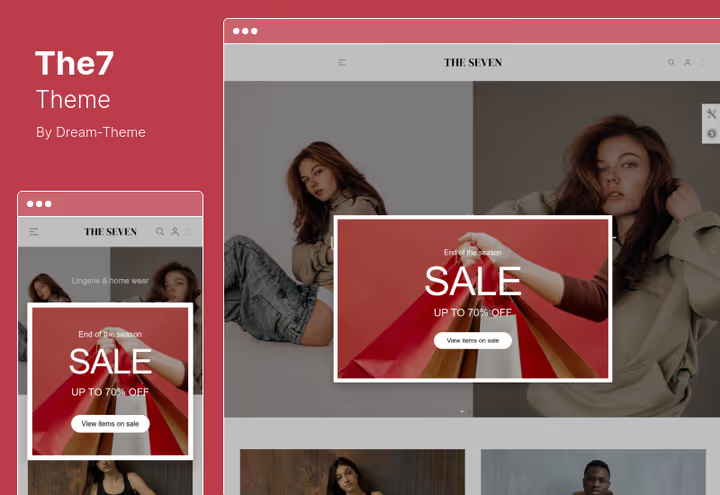
The7 is one of the best-selling themes on ThemeForest. Multipurpose: portfolio, shop, blog, corporate site. Package includes WPBakery, Ultimate Addons and Elementor compatibility. 750+ settings, 4 header styles, unlimited color combinations.
For GDPR: the theme doesn't declare compliance directly, but its architecture allows building a compliant site without extra pain. WPBakery and Elementor generate clean markup, don't add hidden trackers. Fonts are system stack if Google Fonts aren't enabled in settings.
Worth noting separately are lifetime updates, the theme receives security patches even after support ends.
Pros:
- 750+ settings: no need to install a dozen plugins
- Lifetime updates, security doesn't end after 6 months
- WPBakery and Elementor to choose from
Cons:
- Heavier than light themes: requires normal hosting
- Lots of functionality = more code to audit
💵 Price: $39 + 6 months support + lifetime updates (on ThemeForest).
8. Katen, blog and magazine on Elementor with clean design

Katen is a theme for personal blogs, magazines and writer sites. Built on Elementor: drag-and-drop editing without code. 5+ ready demo sites, responsive layout, Retina graphics. Design is restrained, typography comes first.
For GDPR the theme is convenient with minimalist architecture: less code, fewer potential leaks. Elementor doesn't add hidden trackers, forms work through standard WordPress hooks. Contact Form 7 easily equips with consent checkbox. Loading speed is optimized.
The theme is actively updated (last update June 2025), patches for new PHP and WordPress versions come promptly.
Pros:
- Minimalist code: easy to audit for compliance
- Elementor out of the box, Gutenberg compatibility
- Regular updates, security doesn't lag
Cons:
- 5+ demos, fewer ready layouts than multipurpose competitors
- No self-hosted fonts (solved with OMGF plugin)
💵 Price: $49 (on ThemeForest).
9. JNews, news and magazine combine with Elementor

JNews is one of the most functional themes for news and magazine sites. 72+ demos and 150+ homepage options: news, blog, magazine, editorial. Built-in visual builder, header and footer constructor, mega menu, everything configurable without code.
From a GDPR perspective: the theme is optimized for speed, AMP compatibility out of the box, SEO-friendly markup. Integration with consent plugins (Complianz, CookieYes) works without conflicts, tested in practice. Built-in paywall and frontend submission systems: forms already have consent fields. Lifetime updates included in one-time purchase.
Pros:
- 72+ demos: from news to niche blog
- Visual builder for header, footer and mega menu without plugins
- AMP and SEO out of the box, lifetime updates
Cons:
- Heavier than light blog themes: needs normal hosting
- Excessive for simple personal blog
💵 Price: $59 (on ThemeForest).
10. WoodMart, WooCommerce with infinite scroll
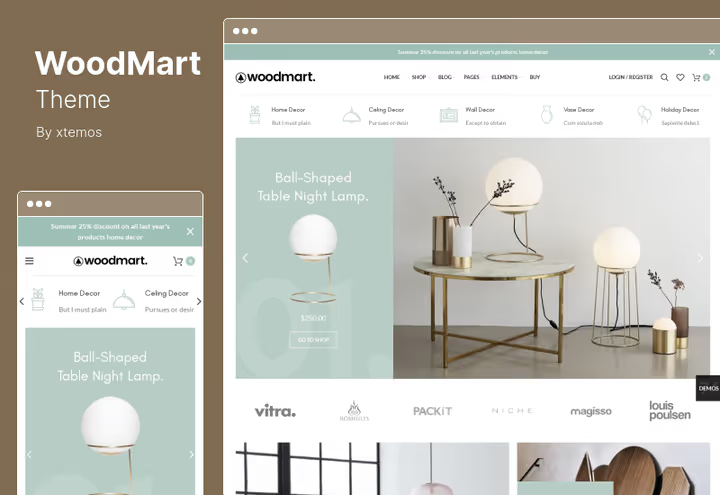
WoodMart is a theme for online stores on WooCommerce. Infinite product scroll, Ajax filters by price, color, size and brand, lazy loading of images, support for 12 languages. Product variations with detailed swatches.
From a GDPR perspective a WooCommerce shop is a high attention zone. Here name, address, payment data, order history are processed. WoodMart doesn't add its own fields to WooCommerce forms, all compliance tools work normally: privacy policy at checkout, consent checkboxes, data export and deletion through account.
Ajax filters without reload: technically they don't send user data to the server differently than a regular GET request, don't create GDPR problems.
✔️ Pros:
- WooCommerce-first, maximum compatibility with compliance plugins
- Ajax without extra data, clean UX without privacy risks
- 12 languages for international stores
❌ Cons:
- Heavy, demanding on hosting
- Excessive for non-WooCommerce projects
💵 Price: $59 (on ThemeForest).
11. Windsor, real estate with WPBakery and claimed GDPR compliance
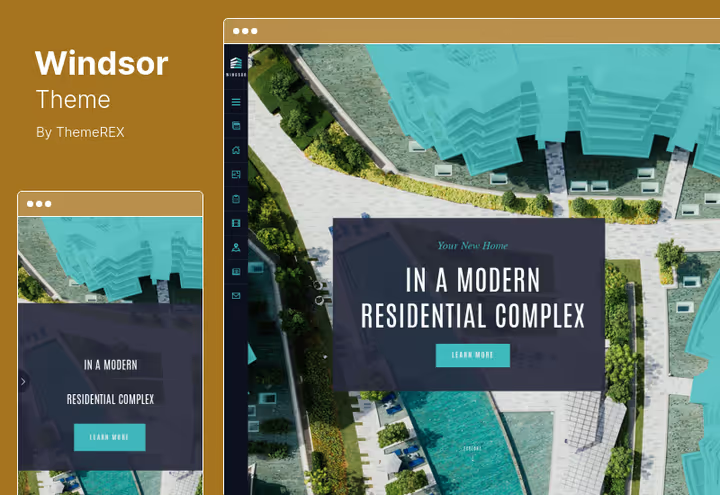
Windsor is a theme for real estate agencies, single-property sites, realtor companies. WPBakery included, WooCommerce for selling goods, bbPress and BuddyPress for discussions. HTML5 and CSS3, Swiper Slider for property galleries, media manager.
Theme developers explicitly declare GDPR compatibility and Gutenberg support. This is one of the few cases where a ThemeForest vendor directly writes about compliance with the regulation. In practice this means: refusal of hidden scripts, correct work with consent plugins, absence of hard external dependencies.
For real estate agencies GDPR is critical: viewing application forms, contact collection, newsletter subscription, all this is personal data processing.
Pros:
- Direct vendor statement about GDPR compliance
- Gutenberg compatibility
- Many header styles: flexibility without extra code
Cons:
- Narrow niche, real estate
- bbPress and BuddyPress add data collection points
💵 Price: $59 + 6 months support + auto-updates (on ThemeForest).
12. Grace, church and religious organizations
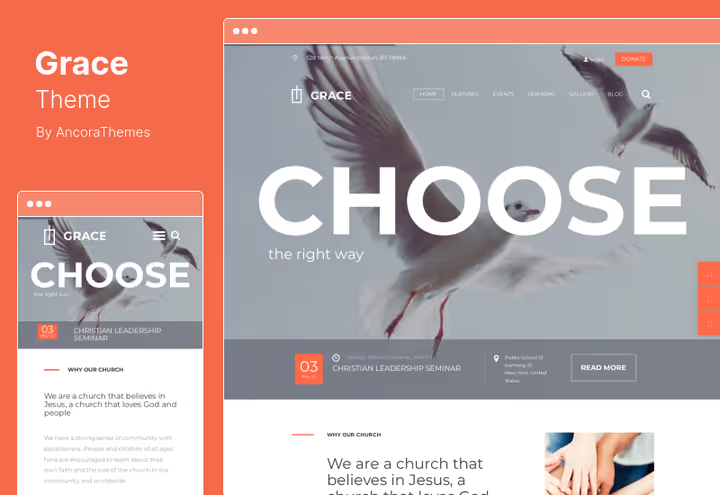
Grace is a theme for churches, religious and charitable organizations. Built-in event calendar, streaming support, sermons, Bible readings, prayer groups. Revolution Slider and Swiper Slider included, Ajax search, flexible typography.
WooCommerce and Visual Composer allow creating a gift shop or Christian literature store right on the site. HTML5 and CSS3, cross-browser compatibility. Separate user menu and main menu.
From a GDPR perspective: donations are a financial transaction plus personal data. WooCommerce provides basic compliance, but for recurring donations you need an additional plugin and consent mechanics.
Pros:
- Built-in calendar: no third-party plugin needed
- WooCommerce for merch and donations
- Cross-browser compatibility
Cons:
- Narrow specialization
- Streaming may load external resources
💵 Price: $59 + 6 months support (on ThemeForest).
13. AlphaColor, design, print and 3D services
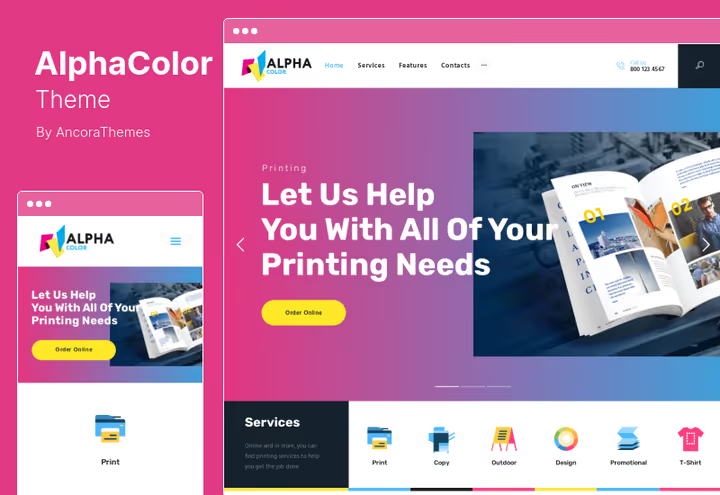
AlphaColor is a theme for design studios, printing houses, 3D printing and graphic design. WPBakery and Revolution Slider out of the box, WooCommerce compatibility, parallax backgrounds, flexible typography. HTML5 and CSS3.
The theme doesn't declare GDPR compliance directly, but is built on standard stack without unexpected external dependencies. WooCommerce provides basic compliance tools for online store (if you sell printing products online). Parallax backgrounds are implemented through CSS, not third-party script.
For design business GDPR is relevant in the context of application forms and portfolio: if you show client work, technically this may be considered personal data processing (client name in case study).
Pros:
- CSS parallax without third-party scripts
- WPBakery + Revolution Slider included
- Suitable for portfolio: low GDPR risks
Cons:
- Niche design: not universal
- Fonts without self-hosted option
💵 Price: $59 + 6 months support + lifetime updates (on ThemeForest).
How to check a theme for GDPR before purchase: 5-point checklist
No ThemeForest demo will tell you "this theme is fully GDPR-compliant". But in 20 minutes you can check critical points.
1. External requests. Open DevTools → Network → reload demo page. Look at domains besides the site itself, for example fonts.googleapis.com, maps.googleapis.com or cdn.jsdelivr.net. Each such request before getting consent is a red flag.
2. Fonts. The most common violator. Press Ctrl+U (source code), search for fonts.googleapis. Found it, the theme doesn't host fonts locally. This is surmountable through plugins like OMGF, but adds work.
3. Forms. Open contacts page or comments. See if layout breaks when adding a checkbox (standard GDPR plugin). Crooked CSS can hide the checkbox off screen edge.
4. Cookie banner. Put Complianz or CookieYes on test site. Check: does banner appear? Does "Reject" button work? Are scripts blocked before consent? If the theme hard overrides styles, banner may hang as invisible layer.
5. Updates. Look at last theme update date on ThemeForest. If more than 2 years without updates, the theme hasn't been tested with new WordPress and PHP versions, security and compliance lag behind.
⁉️🤔 Frequently asked questions
Must a WordPress theme be GDPR-compatible "out of the box"?
Formally, no. Compliance responsibility lies with the site owner, not the theme developer. But in practice a theme that pulls Google Fonts without an off option creates a problem for you: you either violate GDPR (transfer IP without consent), or change the theme. "Compatible" in our list means "doesn't block compliance with its architectural decisions".
Is it enough to just install a theme for the site to become GDPR-compatible?
No. The theme is just one layer. You still need: cookie banner with script blocking, privacy policy, consent checkboxes on forms, user data export and deletion. The theme can help or hinder, but doesn't guarantee compliance itself.
What about themes that use Google Fonts?
There are working solutions. First: OMGF plugin (free) downloads fonts and hosts them locally. Second: Complianz plugin blocks external requests before consent. Third: manual way, download fonts, upload to
/wp-content/fonts/and rewrite CSS. Best option is to take a theme with self-hosted option right away, but you can live with the rest.
Can ThemeForest themes be used for GDPR site?
Yes, most themes from our list are from there. Key is to check the theme by the checklist above before purchase. ThemeForest doesn't check themes for GDPR compliance, that's your task. Look at: external requests, fonts, compatibility with consent plugins, last update date.
What if the theme is already purchased and GDPR problems discovered later?
Three options, from simple to complex. First: add plugins, OMGF for fonts, Complianz for consent. Second: make edits to
functions.php, deregister/dequeue problem scripts, switch fonts to system stack. Third: change theme. Practice shows in most cases the first two are enough.
What plugins are mandatory for GDPR compliance, regardless of theme?
Minimum set: 1) cookie banner with script blocking (Complianz or CookieYes); 2) privacy policy (built-in WordPress tool); 3) consent checkboxes on forms (WPForms or Gravity Forms); 4) data export and deletion tool (built into WordPress, "Tools" section). If the theme doesn't break any of this, you're practically compliant.
Katen or Buzz, what to choose for personal blog?
If priority is minimalism and speed, take Buzz: self-hosted fonts solve the main GDPR problem "out of the box". Katen wins on design flexibility: Elementor gives more layout freedom, and regular updates (last one June 2025) keep the theme in shape. For blog with visual focus Katen suits better, for text, Buzz.
Which theme to take for GDPR site in 2026
There's no universal answer, everything depends on the task. Here's the breakdown by scenarios.
If you have blog or content project, take Buzz. Self-hosted fonts solve the main problem, Gutenberg doesn't pull tons of dependencies, 2000+ homepage combinations allow not installing extra plugins. Price $49. Alternative is Katen ($49), if visual Elementor flexibility is more important.
If online store, definitely WoodMart. WooCommerce-first architecture, Ajax filters without data leak, 12 languages for international sales. Infinite scroll and lazy loading are a nice bonus.
If NGO or charity, Nonprofit ($39, most affordable in the list) or Grace for religious organizations with calendar and streaming. Windsor if direct vendor statement about GDPR compliance is important.
If agency or B2B, TheCX (clean Customizer, system fonts) or Digixon ($59, advanced customization). Ave is a universal middle ground with own builder for $39.
If news or magazine site, JNews ($59). 72+ demos, visual header and footer builder, AMP out of the box, lifetime updates. Serious tool for newsrooms and publishers.
The main rule doesn't change: before purchase open DevTools and see where the demo goes. Five minutes of inspection will save weeks of rework.

A professional team of writers and editors specializing in creating quality content.