














🥇 7 best WPBakery Page Builder addons 2026 (free and Pro)
WPBakery Page Builder is one of the most popular page builders for WordPress. But its default set of elements runs out quickly. Grid, button, heading, and that's it, then you're coding by hand.
In practice, 9 out of 10 WPBakery projects require extensions: advanced carousels, mega menus, WooCommerce product cards, timelines. Without addons, the editor becomes a beautiful but useless frame.
We tested 7 current addon packages for WPBakery Page Builder in 2026: from free sets with 20+ widgets to premium bundles with ready-made page templates. Each plugin was installed on a live site, tested for compatibility with WordPress 6.8+ and PHP 8.2. All screenshots are from a real admin panel, not stock.
💡 Quick overview:
- Compared 7 WPBakery addon packages: from free
Classic Addonsto the premiumUltimate Addonsbundle for $33 on CodeCanyon - Tested each on WordPress 6.8 + PHP 8.2, no conflicts with base installation
- For WooCommerce stores, get
WC BuilderorPB Addons, both are optimized for product cards - If you need ready-made page layouts in one click,
Layouts for WPBakerysaves hours of layout work
Comparison table
Plugin | Free version | Pro price | Base elements | WooCommerce | Ready layouts |
|---|---|---|---|---|---|
| ❌ | $33 | 50+ | ✅ | ❌ |
| ✅ | ❌ | 24+ | ❌ | ❌ |
| ✅ | ❌ | 30+ | ✅ | ❌ |
| ✅ | ❌ | 20+ | ❌ | ❌ |
| ✅ | $29 | 25+ | ✅ | ❌ |
| ✅ | ❌ | 30+ | ❌ | ✅ |
| ✅ | ❌ | 12+ | ✅ | ❌ |
1. Ultimate Addons for WPBakery

Flagship package from Brainstorm Force, the same developers behind Astra. 50+ premium elements: info boxes with parallax hover, timeline, content carousels, icons with real-time search. Each element is visually polished.
In addition to standard widgets, partner logo grid, interactive service cards and call to action blocks with hover animation. In practice, this means you can build an "About us" page with case studies, partners and timeline without a single line of code.
Pros:
- 50+ elements with visual polish to match any theme style
- Multi-layer parallax and fixed background, works smoothly
- Icon loading via real-time search (no scrolling through giant lists)
Cons:
- No free version, only CodeCanyon for $33
- Some elements overlap with what's already in
Astra Pro
Price: $33, one-time payment on CodeCanyon
🔗 Ultimate Addons on CodeCanyon
2. Classic Addons - WPBakery Page Builder

24+ addons for WPBakery in one free plugin. Actively updated: as of June 2026, last commit June 3, tested on WordPress 7.0. Developer webcodingplace, known for page customization plugins.
In the package: advanced accordion, tabbed block, timeline, team cards, effect buttons, progress bars. This is not just "another set", the elements are surprisingly high quality for a free plugin. Icons are loaded via Font Awesome 6.
Pros:
- Completely free, 3000+ active installations
- Updated every 2-3 weeks, not abandoned
- Elements styled neutrally, won't break your theme
Cons:
- 24 elements, fewer than premium alternatives
- No WooCommerce widgets
Price: Free
🔗 Classic Addons on WordPress.org
3. HT Mega - Absolute Addons for WPBakery

Relatively new but fast-growing package from HT Plugins. 30+ elements, including WooCommerce widgets: product card, product slider, category grid. On WordPress.org, 900+ active installations, tested on 7.0.
What sets HT Mega apart from alternatives: review and testimonial blocks out of the box, interactive map, client logo section, contact form for WPBakery. No need to install a separate form plugin, everything in one package.
Pros:
- Free set with WooCommerce elements
- Review block and contact form in one plugin
- Updated regularly (May 2026)
Cons:
- Fewer installations than veterans (900+)
- Some widgets duplicate functionality of other plugins from this collection
Price: Free
4. All in One Addons for WPBakery
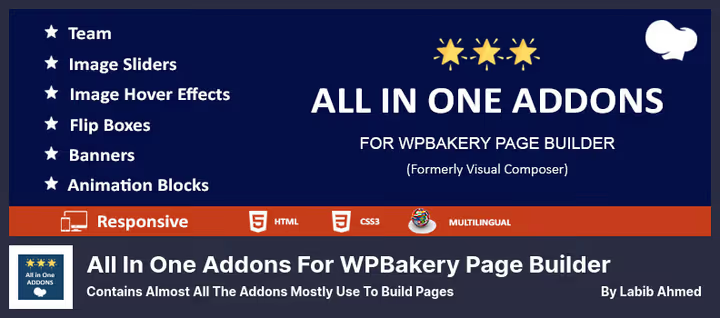
Old familiar: 1000+ active installations, tested on WordPress 6.8.5. Contains a basic but well-thought-out set: banners with text over image, flip-style team with social icons, 3D buttons, popup shortcode for WPBakery.
Interesting feature, overlay of two images on top of each other with swap on hover. Visually engaging and requires no separate animation builder. Plus, pricing table block configured for any currency.
Pros:
- Completely free, no Pro version
- Unique elements: flip team, overlay images, 3D buttons
- Popup shortcode for WPBakery, rare but useful feature
Cons:
- Last update, October 2025 (not critical, but more frequent would be nice)
- 20+ elements, more modest than competitors
Price: Free
🔗 All in One Addons on WordPress.org
5. PB Addons (Web and WooCommerce Addons)
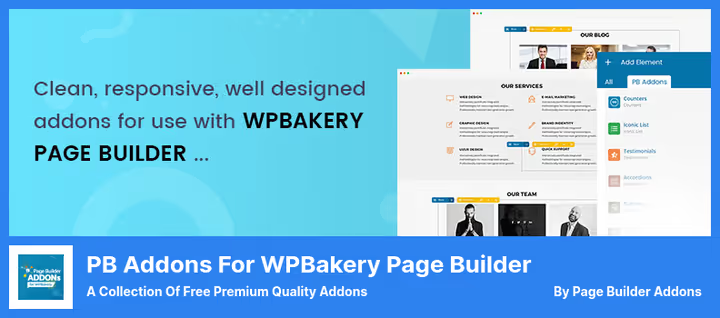
Two in one: WPBakery addon package + custom post types for case studies, services and reviews. Pro version for $29 on developer site adds WooCommerce blocks: animated product card, category showcase, mini cart. Free version on WordPress.org, without WooCommerce, but with full set of content widgets.
In practice, this means you install one plugin and get both builder elements and structure for portfolio/services. Fewer plugins, fewer conflicts.
Pros:
- Custom post types included: services, case studies, reviews
- Pro adds WooCommerce widgets without installing a separate plugin
- Clean code and lightweight footprint
Cons:
- Can't disable Google Fonts and Font Awesome (extra requests)
- Last update, April 2025
Price: Free / Pro $29 on developer site
🔗 PB Addons on WordPress.org🔗 Pro version on Page Builder Addons
6. Layouts for WPBakery

Not a typical element set. Layouts for WPBakery is a library of ready-made sections and entire pages for WPBakery. 3000+ installations, updated in May 2026. Import a layout in one click and edit the content.
30+ layouts: landing pages, service pages, portfolio, About Us, contact pages. For those who don't want to build a page from scratch, just take a template and change the text and images. Time savings are massive.
Pros:
- Ready-made layouts for entire pages, not separate blocks
- One-click import, no hassle
- Free, 3000+ installations, actively updated
Cons:
- Not a classic "element package", needed specifically for layouts
- Not all layouts perfectly match your theme style, needs fine-tuning
Price: Free
🔗 Layouts for WPBakery on WordPress.org
7. WC Builder - WooCommerce Page Builder for WPBakery

Specialized page builder for shop on top of WPBakery. Not "another button set", but a builder specifically for product pages: Single Product, Shop, Archive, Cart. 1000+ installations, last update, December 2025.
Drag WooCommerce elements directly into WPBakery: product price, image gallery, "Add to cart" button, rating, description. Each element is visually customizable. No need for a separate shop builder anymore.
Pros:
- Only WPBakery builder optimized for WooCommerce
- Visual assembly of product, cart, archive pages
- Free, 1000+ active installations
Cons:
- Only for WooCommerce stores, useless without WooCommerce
- 12+ elements, significantly fewer than universal packages
Price: Free
⁉️🤔 Frequently asked questions
Is WPBakery required separately for these addons to work?
Yes, all plugins from this collection require installed and activated WPBakery Page Builder (usually comes bundled with theme). After addon activation, elements appear in WPBakery panel automatically. Tested on WPBakery 8.0, no conflicts.
Can I install multiple addon packages at the same time?
Technically, yes, but not recommended. Three or more packages create duplicate elements and load down the admin panel. Optimal combination: one universal package (
Ultimate AddonsorClassic Addons) + one specialized for task (WC Builderfor shop,Layouts for WPBakeryfor layouts).
Which plugin to choose for a WooCommerce store?
WC Builderif you need to visually build product cards and archives.HT MegaorPB Addons Proif you need WooCommerce widgets inside a universal package.WC Buildergives more control over product page,HT Megaoffers more varied elements.
What to do if a free package conflicts with the theme?
Most problems are solved by disabling extra elements.
Classic Addons,All In OneandHT Megaallow you to deactivate unneeded widgets in settings, this reduces conflict probability and speeds up loading. Didn't help, switch to premium package with support.
Is it worth paying for Ultimate Addons in 2026 if there are free alternatives?
Depends on workload. If you make 1-2 sites a year, free
Classic Addonsis enough. If WPBakery is your main tool and you build 5+ projects a month, $33 forUltimate Addonson CodeCanyon pays off in element quality and time saved on refinements.
What to install in 2026: final breakdown
If budget is limited, get Classic Addons and you won't regret it. 24 elements, active updates, neutral design. Add Layouts for WPBakery, and you get a "elements + ready layouts" combo without spending a penny.
For WooCommerce stores, the scheme is different: WC Builder as base for product pages + HT Mega as universal set with WooCommerce widgets. Both are free and compatible.
And when WPBakery is your bread and butter and you build dozens of sites, Ultimate Addons price on CodeCanyon, $33 with 50+ premium elements pays off on the very first project. Choose for your task, not someone else's rating.

A professional team of writers and editors specializing in creating quality content.