














🏅 14 best Pinterest-style WordPress themes 2026
A site that looks like an endless Pinterest feed: cards of different heights, not a single gap between them, each post decides how much space to take. Sounds like a content project's dream. In reality, most themes break masonry on mobile, take three seconds to load on an empty grid, and require dancing around child templates.
We've selected 14 themes that maintain Pinterest aesthetics without compromising on speed. All from real projects, not test demos. Each is tailored to its own scenario: from a personal blog with frontend publishing to a news magazine with AdSense optimization.
💡 Quick overview:
- Figure out which specific Pinterest style you need: masonry blog, portfolio grid, news aggregator, or content platform with user submissions
- Check the comparison table below: prices, key features, and scenarios for each theme collected in one place
- Choose 2-3 candidates for your task, open the live demos, and test with real content before purchasing
To understand the theme, here's a video breakdown of masonry grids in WordPress: from classic grid to Pinterest layout with floating card heights.
Setting up a masonry grid in WordPress is like assembling a puzzle: each element finds its place without gaps. Here's what the result looks like on a real project when the grid is configured correctly.

Comparison table: all 14 themes
Theme | Price | Type | Grid | Builder | WooCommerce |
|---|---|---|---|---|---|
| $59 | Blog + UGC | Masonry | No | No |
| $59 | News/editorial | Grid | Boosted Elements | No |
| $59 | UGC platform | Masonry | No | No |
| $59 | Personal blog | Masonry | No | No |
| $75 | Multipurpose | Grid + portfolio | WPBakery | Yes |
| $75 | Portfolio | Split slides | WPBakery | Yes |
| $59 | Portfolio | Masonry + grid | No | No |
| $79 | Portfolio + shop | Grid | WPBakery | Yes |
| $49 | Personal blog | Masonry + grid | No | No |
| $39 | News/AdSense | Grid | Built-in | No |
| $59 | Magazine/fashion | Grid | Ruby Composer | Yes |
| $69 | Multipurpose | Masonry grid | WPBakery | Yes |
| $75 | Blog + portfolio | Grid | WPBakery | Yes |
| $69 | Universal | Grid + animations | WPBakery | Yes |
1. Pin
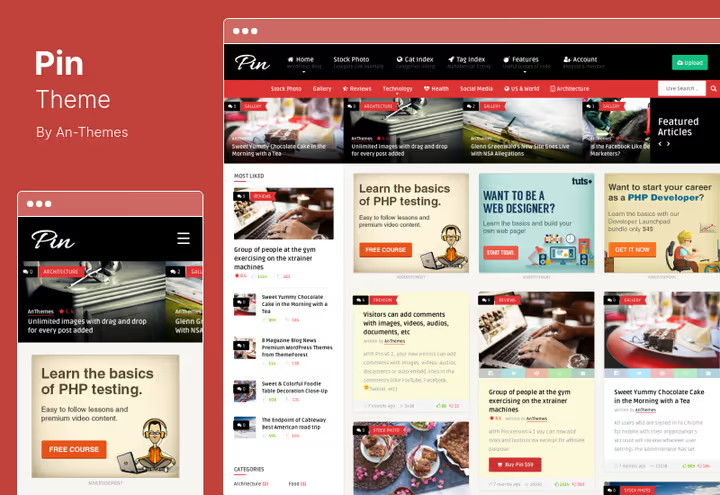
A theme built around one idea: visitors publish content directly on the site. No admin panel. User logs in, creates a post, edits, deletes. Everything on the frontend. For communities, public boards, and crowd platforms, this approach saves moderator hours.
The masonry grid automatically adjusts to each card's height. The feed looks like a live Pinterest board, without a single empty gap. On mobile, a fly-out menu activates, navigation doesn't eat up the screen.
Pros:
- Frontend post publishing and editing by users without admin access
- Built-in rating system: likes, dislikes, stars
- Live search and 13 custom widgets out of the box
- Random articles block in footer boosts engagement
Cons:
- No WooCommerce integration
- No built-in page builder, only native editor
Price: $59, including 6 months of support (ThemeForest).
🔗 Pin on ThemeForest 🔗 Live demo
2. Bayside
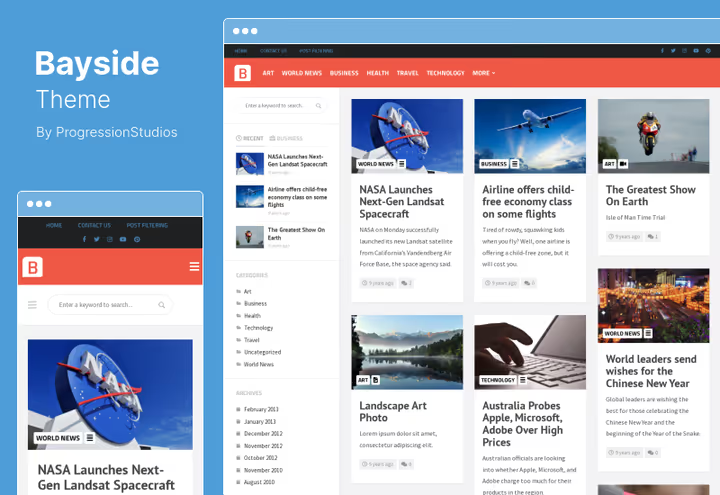
A news theme with an editorial focus. Key feature: Boosted Elements plugin included. Sliders, pricing tables, Google Maps, and mega menus added without code. Under the hood is a responsive grid that doesn't fall apart on tablets.
Sticky header and sticky navbar keep the menu in view when scrolling. Pagination options: standard, "Load More," or infinite scroll, depending on what works best for your reading pattern.
Pros:
- Boosted Elements: sliders, pricing tables, maps, mega menu without programming
- Three pagination types, including infinite scroll
- Translation to any language via PO file
- Unlimited color scheme
Cons:
- No WooCommerce
- Geared toward news format, excessive for portfolio
Price: $59 (ThemeForest).
3. Foot
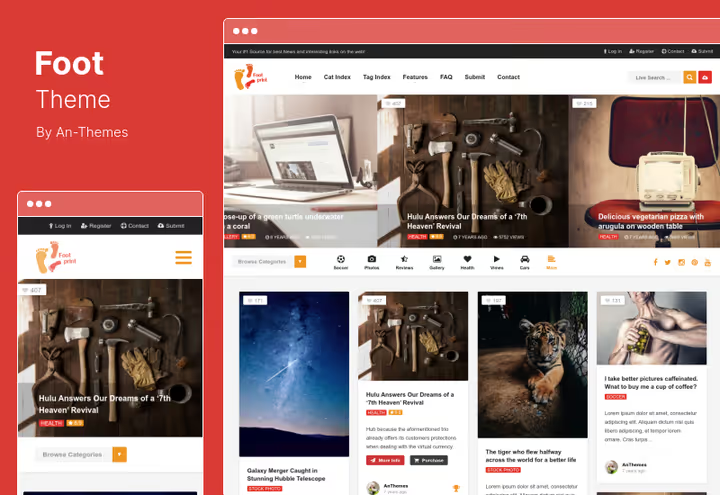
Another theme with frontend publishing, but with a focus on building community. Users submit posts, the administrator reviews, and content lands on the homepage. Same mechanics as Pin, but with pre-moderation and tighter structure.
Built-in review system via Taqyeem plugin and 10 custom widgets for tags. Live search and category menu with icons speed up navigation.
Pros:
- Pre-moderation of user-generated content
- Built-in review and rating system (Taqyeem)
- 10 widgets and category menu with icons
- Contact Form 7 integration
Cons:
- Price requires verification of licensing model on product page
- No page builder
Price: $59 (licensing model verification required, current price on ThemeForest).
🔗 Foot on ThemeForest 🔗 Live demo
4. Tumli
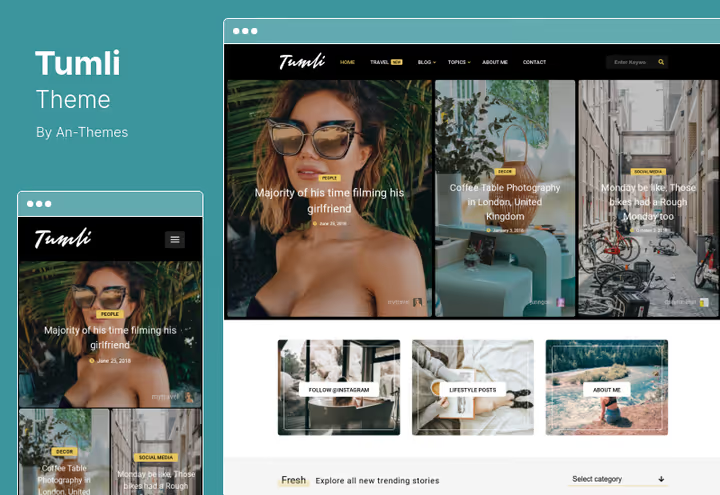
A personal masonry blog with live customization via WordPress Customizer: change fonts, colors, block placement, and see results immediately. Tailored for content projects with ad monetization, several ad placements above and below popular posts.
Hover zoom on cards provides pleasant visual feedback without interface overload. RTL script support out of the box.
Pros:
- Live customization via WordPress Customizer
- Several ad placements tied to popular posts
- Hover zoom and MailChimp integration for newsletters
- Gutenberg and RTL language compatibility
Cons:
- Personal blog only, weak for editorial
- No WooCommerce
Price: $59 (ThemeForest).
🔗 Tumli on ThemeForest 🔗 Live demo
5. Neva
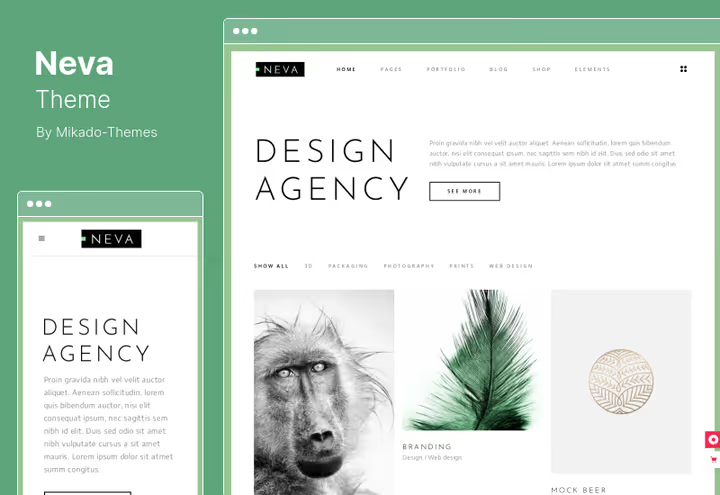
A multipurpose theme with 15 demo homepages, one of which is a Pinterest portfolio. WPBakery Page Builder included, 7 icon sets, demo import in one click. Covers blog, online store, and portfolio.
WooCommerce out of the box, physical and digital products. Embedded Twitter and Instagram feeds bring the page to life without third-party plugins.
Pros:
- 15 homepage variants, including Pinterest portfolio
- WPBakery Page Builder and 7 icon sets included
- WooCommerce for physical and digital products
- One-click demo import and tons of shortcodes
Cons:
- Price above average for this collection
- 15 demos can confuse when choosing a starting point
Price: $75, including all plugins, 6 months of support, and lifetime updates (ThemeForest).
🔗 Neva on ThemeForest 🔗 Live demo
6. Tamashi
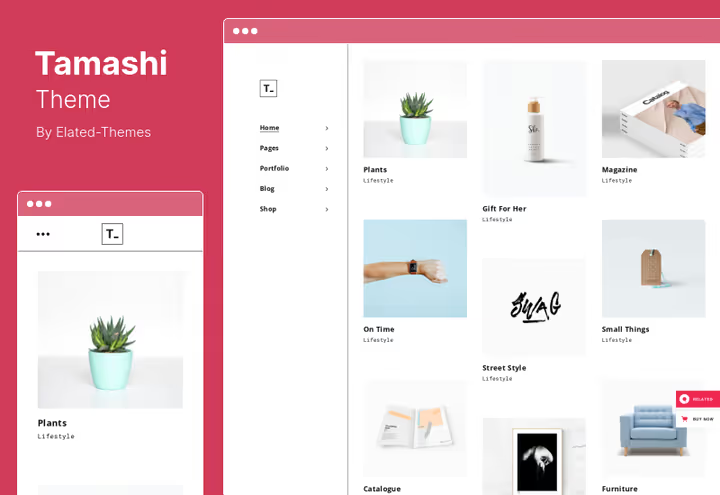
A portfolio theme with minimalist presentation of visual content. Nothing extra: full-screen sections, split slides, and horizontal scroll. Images and videos take center stage, text doesn't distract.
WPBakery Page Builder and Slider Revolution included. Drag blocks, build layouts. Shortcodes for Google Maps, pricing tables, and CTA buttons.
Pros:
- Full-screen sections and split slides for maximum visual focus
- WPBakery Page Builder and Slider Revolution included
- Horizontal scroll and e-commerce compatibility
- Shortcodes for maps, pricing tables, and CTAs
Cons:
- Not for text projects, visuals must be strong
- High price for a portfolio theme
Price: $75 (ThemeForest).
🔗 Tamashi on ThemeForest 🔗 Live demo
7. Anders
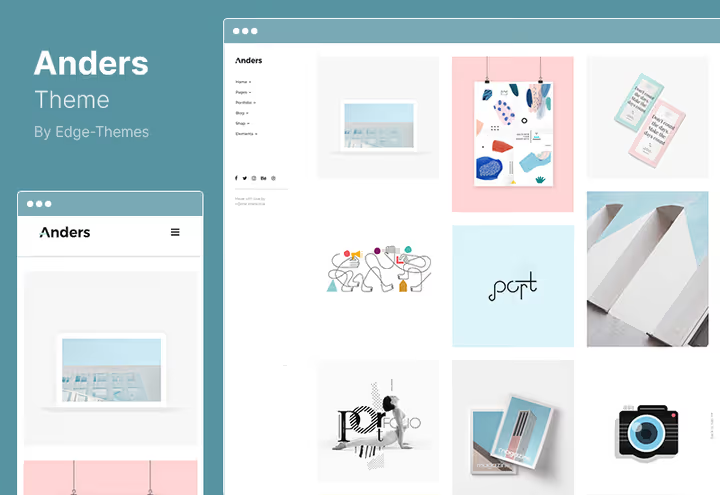
A designer portfolio theme with a full set of layouts: masonry, grid, Pinterest style, and carousels. A collection of templates for individual projects lets each case look unique.
Three pagination types for portfolio lists and one-click demo import. Powerful project list customization options without diving into code.
Pros:
- Masonry, grid, and Pinterest portfolio layouts in one theme
- Three pagination types for project lists
- One-click demo import
- Separate templates for each project
Cons:
- No built-in page builder
- Portfolio only, not suitable for blogs without visual content
Price: $59 (ThemeForest).
🔗 Anders on ThemeForest 🔗 Live demo
8. Penumbra
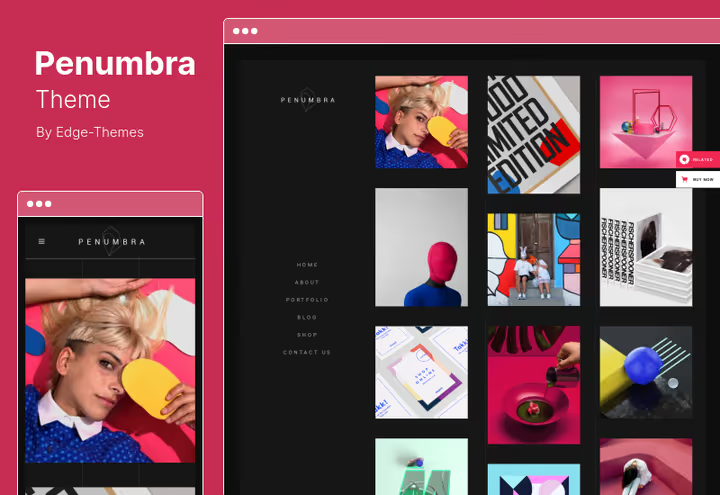
A dark, modern portfolio theme with minimalist design. Parallax effects and scroll animations create depth without overload. WPBakery included.
WooCommerce integration with dropdown cart: the shop doesn't look foreign on a portfolio site. WPML compatibility for multilingual projects.
Pros:
- Stylish dark design with parallax animations
- WPBakery Page Builder included
- WooCommerce with dropdown cart
- Ajax category filter and WPML compatibility
Cons:
- Dark aesthetic doesn't suit all niches
- Most expensive theme in the collection
Price: $79, including 6 months of support and auto-updates (ThemeForest).
9. Veen

A lightweight personal blog from EstudioPatagon. Veen focuses on speed and clarity: AMP out of the box, lazy loading of images, no bloated code. For those who value readability and page load time over marketing bells and whistles.
10 homepage options, 11 widgets, 5 post formats. The theme is specifically designed for personal and travel blogs, but in practice covers any content project where images and text go hand in hand. Gutenberg compatibility and live customizer: edit styles and see results immediately, without saving and refreshing the page.
Pros:
- AMP and lazy loading out of the box, page flies on mobile
- 10 homepages and 5 post formats
- Minimalist design without visual noise
- Gutenberg compatibility and live customizer
Cons:
- No built-in page builder, native editor only
- No WooCommerce, purely content theme
Price: $49, including 6 months of support from EstudioPatagon (ThemeForest).
🔗 Veen on ThemeForest 🔗 Live demo
10. RedMag
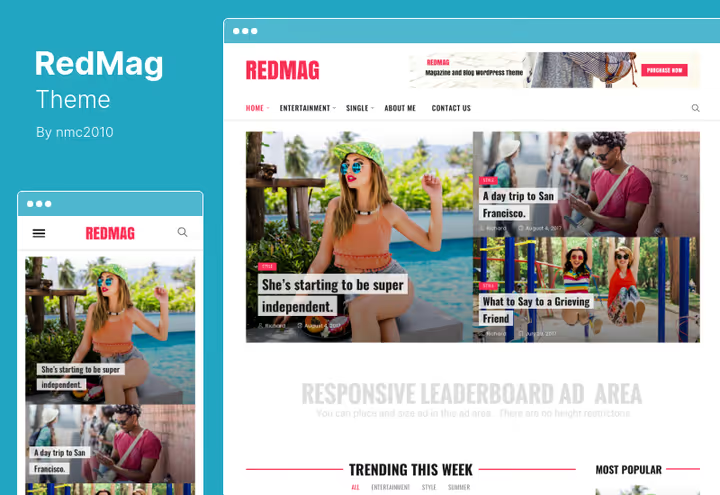
An AdSense-optimized news theme in material design. Ad blocks are strategically integrated into the content grid: they don't break the layout and don't annoy the reader. On mobile, AdSense displays as cleanly as on desktop.
Slideshows optimized for mobile. Unlimited colors via backend picker and several header styles.
Pros:
- AdSense optimization: ads integrated into content grid
- Material design, correct at all resolutions
- Fast and SEO-optimized structure
- Most affordable theme in the collection
Cons:
- News format only, not suitable for portfolio
- Built-in page builder inferior to WPBakery in flexibility
Price: $39 (ThemeForest).
11. Pixwell
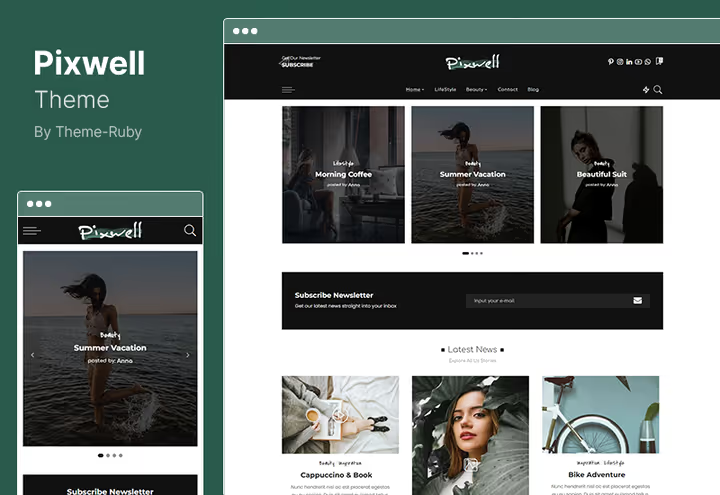
A modern magazine theme with Ruby Composer, a drag-and-drop builder tailored for media. Fashion, food, lifestyle, those niches where visuals decide. Fully AMP compatible: mobile version flies.
Live search, SEO-ready markup, "Read Later" function, and multilingual out of the box. WooCommerce and Wishlist: you can add a merch store or digital products.
Pros:
- Ruby Composer: drag-and-drop for media layouts
- Full AMP compatibility
- Live search and "Read Later" function
- WooCommerce + Wishlist
Cons:
- Ruby Composer is proprietary, no community like WPBakery
- Geared toward magazines, not for minimalist blogs
Price: $59, including 6 months of support (ThemeForest).
🔗 Pixwell on ThemeForest 🔗 Live demo
12. Dorian
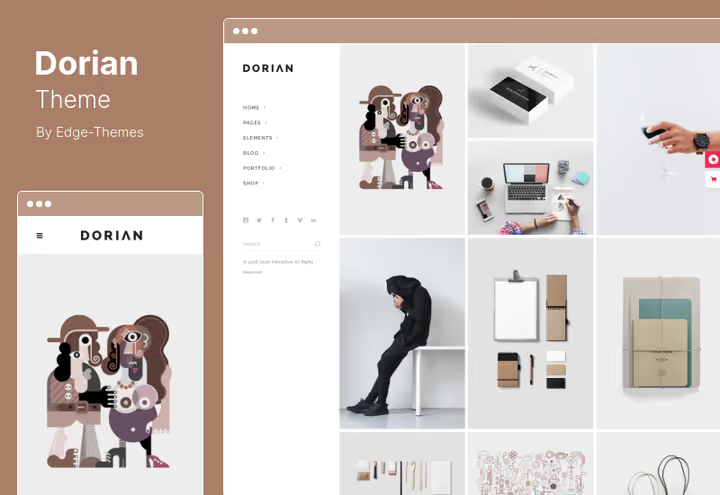
A multipurpose theme with 21 demo homepages: combine blocks and assemble a unique layout. Card grid in Pinterest aesthetic with hover animations, on hover the card comes alive without overloading the interface.
WPBakery Page Builder included. WooCommerce, Instagram feed, Google Maps. 45 shortcodes and one-page site configuration.
Pros:
- 21 demo homepages for combining
- Hover animations on grid cards
- WPBakery Page Builder and 45 shortcodes
- WooCommerce, Instagram feed, and Google Maps
Cons:
- 21 demos require time for selection and setup
- No frontend publishing, author content only
Price: $69 (ThemeForest).
🔗 Dorian on ThemeForest 🔗 Live demo
13. Kanna
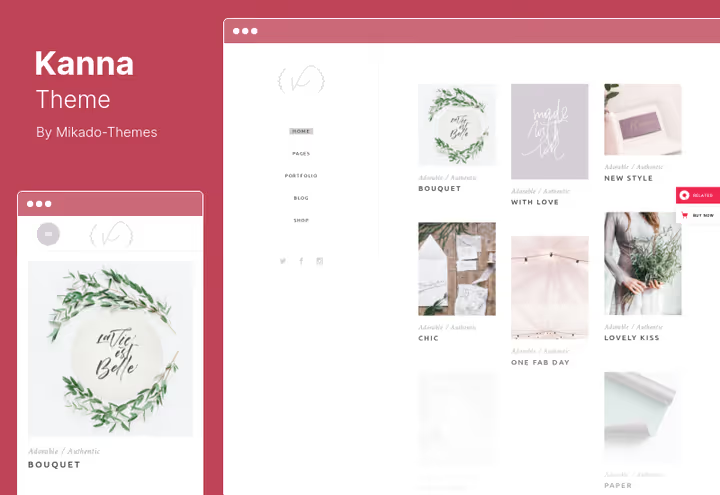
An elegant multipurpose theme with 15 homepage variants. Feature: choice between vertical and horizontal navigation. Not every theme gives this freedom. Blog, portfolio, and shop are configured independently.
Multiple hover effect types for portfolio and a color palette that doesn't look cheap. WPBakery Page Builder included.
Pros:
- 15 homepages to choose from
- Vertical or horizontal navigation
- Different hover types for portfolio cards
- Multiple typography sets
Cons:
- High price for a simple blog
- No built-in membership system
Price: $75 (ThemeForest).
🔗 Kanna on ThemeForest 🔗 Live demo
14. Tactile
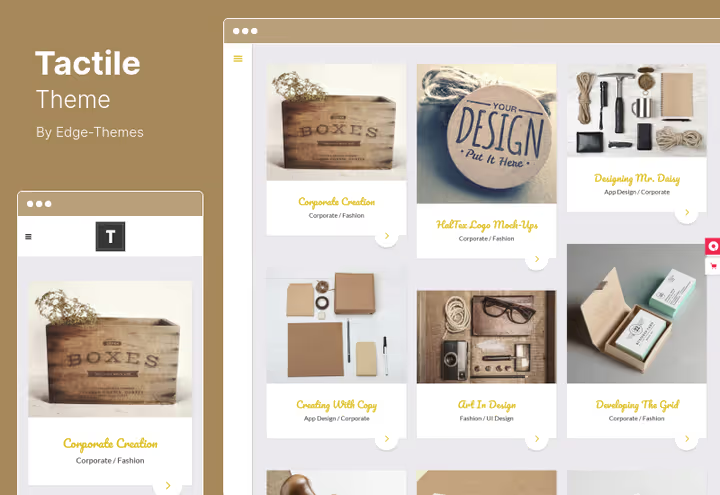
A universal theme with 14 demos, parallax transitions between sections, and animated hamburger menu. Yellow header cards provide recognizable accent that doesn't shout. Video backgrounds for sections add dynamics without third-party plugins.
WPBakery Page Builder, Contact Form 7, carousel sliders, and built-in contact sections. Timelines for chronological projects.
Pros:
- Parallax effects and animated hamburger menu
- Video backgrounds for sections
- WPBakery Page Builder and Contact Form 7
- Carousel sliders and timelines
Cons:
- Yellow color scheme is noticeable, doesn't suit all brands
- 14 demos, fewer than Dorian (21) and Neva (15)
Price: $69 (ThemeForest).
🔗 Tactile on ThemeForest 🔗 Live demo
⁉️🤔 Frequently asked questions
How do I choose a Pinterest-style theme if I'm not a designer?
Look at three things: native masonry grid, mobile layout without jumps, and speed under 2 seconds to LCP on desktop. Open the demo on your phone and scroll 3-4 screens. If cards jump, close the tab. Run the demo URL through PageSpeed Insights. Pin and Veen maintain masonry out of the box without plugins.
Do I need a page builder for a Pinterest theme?
Depends on the scenario. For a personal blog (Pin, Tumli, Veen), a page builder isn't needed: masonry is already configured, you just publish posts. For multipurpose themes, WPBakery included (Neva, Dorian, Kanna) builds a unique homepage drag-and-drop. Themes without a builder (Anders, Foot) require working through the Customizer: less flexibility, but cleaner code.
Does masonry grid affect load speed?
A standard masonry library adds about 10-15 KB. The real problem is images inside cards: 14 posts with unoptimized images of 500 KB each give 7 MB per page. Solution: WebP or AVIF and lazy loading. RedMag and Pixwell out of the box work well with WP Rocket and optimize delivery. Veen goes further: AMP and lazy loading enabled by default.
Are these themes suitable for an online store?
Seven of fourteen themes support WooCommerce: Neva, Tamashi, Penumbra, Pixwell, Dorian, Kanna, and Tactile. Neva and Penumbra are geared toward shops: products look native in the grid. Pixwell and Dorian add WooCommerce as an addition, for merch or digital products. A store with 500+ SKUs is better built on a specialized WooCommerce theme, and leave Pinterest style for the blog.
Can I save money and get a free theme?
Free themes on WordPress.org provide basic masonry grid, but without card customization and ad placements. Premium themes immediately include multiple layouts, page builder, and support. If budget is tight, RedMag for $39 gives maximum for minimum price, and Veen for $49 is the best option for a personal blog with speed in mind.
Which theme to choose in 2026
If you need a platform where users publish content themselves, get Pin or Foot. They're built for this from scratch. For a personal masonry blog with ad monetization, Tumli or Veen work. Need a multipurpose theme with WooCommerce and page builder, Neva covers most tasks without tweaking. News project with AdSense: RedMag for $39 looks like a steal. And when visuals and portfolio are the priority, Anders or Tamashi provide clean, genuine presentation of work.
Go through the live demos, open on your phone, load 10 test posts with real images. Only then will masonry show itself honestly.

A professional team of writers and editors specializing in creating quality content.