














🔑 5 best WordPress password protection plugins 2026 (free and paid)
The password "123456" is still used by 4.3 million WordPress accounts, according to WPScan data for 2025. An admin panel secured with a weak password turns a site into an easy target: a brute-force bot can break through such protection in seconds.
The problem goes deeper than one password. On a project with a dozen editors and contractors, someone will inevitably set qwerty, putting the entire site at risk. WordPress built-in tools provide no complexity policy, no forced rotation, and no audit.
We've gathered five plugins that close these gaps: from protecting individual pages to mass auditing passwords for all staff. Each has been tested on live WordPress 6.7, all with active updates as of June 2026.
💡 Quick overview:
- Comparison table of all five plugins: prices, protection types, key features
- Detailed breakdown of each plugin: interface, strengths, limitations, and cost
- Video demonstration of PPWP: protecting pages and the entire site in 3 minutes
- FAQ: can you manage without a plugin, which to choose for WooCommerce, and what to do in case of a breach
Comparison table of plugins
Plugin | Protection type | Active installations | Lite version | Pro version | Main feature |
|---|---|---|---|---|---|
Passster | Pages, content, entire site | 100,000+ | Free | $199.99 | Password lists with expiration |
Passwords Manager | Password vault | 100+ | Free | - | AES-128 encryption, categories |
Password Policy Manager | Complexity policies | 10,000+ | Free | $79 | Forced rotation + 1-click reset |
PPWP | Pages, posts, categories | 10,000+ | Free | $190.80 | Role-based passwords + reCAPTCHA |
Mass Users Password Reset | Mass reset | 6,000+ | Free | $29 (CodeCanyon) | Group reset by role with report |
1. Passster, content and page protection
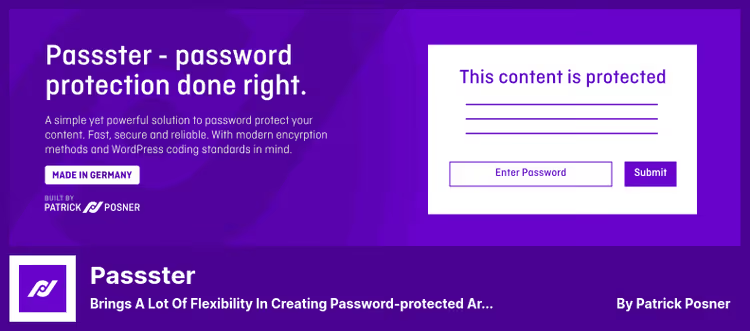
Passster is the most popular plugin in this niche: 100,000+ active installations and a 4.0 rating on wordpress.org. Developer WP Chill maintains it aggressively: the latest release 4.3.5 came out on June 2, 2026, with 14 updates in a year.
The plugin operates in three modes. First, protecting individual sections within a page via the [passster] shortcode. Second, complete blocking of pages and posts. Third, global protection of the entire site with a single password.
In the free version you get: AJAX unlock without reload, form customization (design, labels, description), cookie access to multiple protected areas, and automatic protection of child pages.
The Pro version adds features that no one else has: password lists with configurable lifetime. You can set: password valid for 2 uses, or the first 24 hours, or a week. For a client portal with temporary access, this is indispensable. Pro also includes WooCommerce integration, selling access to protected content with automatic generation and distribution of passwords. Pro price is $199.99, according to the plugin page.
Pros:
- Fastest AJAX unlock among competitors
- Password lists + usage tracking (Pro)
- WooCommerce: selling access to content out of the box
- Compatibility with Elementor, Gutenberg, Divi, Beaver Builder, Oxygen, WPBakery
Cons:
- Pro version is the most expensive in the collection ($199.99, current on wordpress.org)
- Free version has no reCAPTCHA, password-only protection
- Some recent reviews (April 2026) complain about sudden validation failures
💰 Free version, Passster on WordPress.org | Pro, $199.99 at passster.com
2. Passwords Manager, personal vault for passwords inside the admin panel
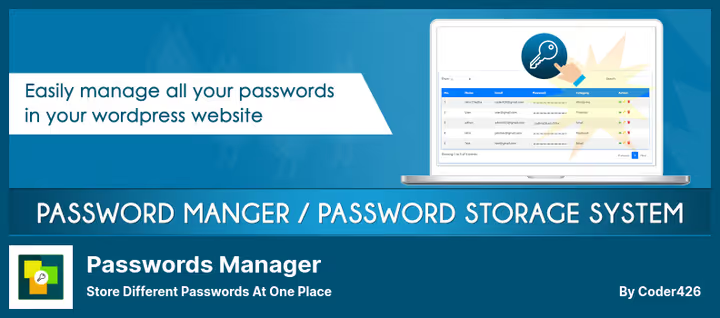
Passwords Manager solves a different problem: not protecting pages from visitors, but storing the team's own credentials. All passwords are stored in the WordPress database in encrypted form (AES-128, key set during installation). Categories, search, tables, interface built on Bootstrap.
The plugin is frankly niche: 100+ installations, last update in January 2025. This is not a tool for production security policies, but rather a convenient notepad for a small team that needs to store access to social media, hosting, and external services.
On the plus side: passwords can be exported/imported, there's a [passwords_manager] shortcode for displaying the table on an internal team page, and version 1.5.2 (January 2025) received translations into Russian, Spanish, Hindi, Japanese, and Chinese. The plugin is completely free, page on wordpress.org.
Pros:
- Simple interface, mastered in a minute
- AES-128 encryption, key set by administrator
- Export/import + shortcode for page display
- Completely free
Cons:
- Only 100+ installations, microscopic user base
- Last update over a year ago (January 2025)
- Password storage in WordPress database, architecturally questionable solution for sensitive data
💰 Free, Passwords Manager on WordPress.org
3. Password Policy Manager, strict rules for users
Password Policy Manager by miniOrange is not about content protection, but about user discipline. The plugin forces everyone who enters the admin panel to follow rules: minimum length, uppercase and lowercase, numbers, special characters, password history, expiration period.
10,000+ active installations. Unlike Passster, miniOrange doesn't spend effort on content protection, instead providing maximum control over user accounts.
The free version covers the basics: forced password change on next login, enforced complexity policies, automatic password expiration (fixed at 7 weeks, which is annoying according to reviews, but works), password strength assessment for each user, and one-click reset on suspicion of breach.
The Pro version for $79 (according to the plugin page) removes limitations: role-based policies (different rules for editors and subscribers), configurable expiration period, random generation of strong passwords with email delivery, inactive user blocking, and history of used passwords so no one alternates between two favorites.
Pros:
- Most complete set of complexity policies in the collection
- One-click reset of all passwords + forced session logout
- Role-based policies in Pro (different rules for different roles)
- Support for custom login forms: WooCommerce, Elementor Pro, Ultimate Member, MemberPress, BuddyPress
Cons:
- Free auto-expiration rigidly fixed at 7 weeks, cannot be changed
- Does not protect content from visitors, only user accounts
- Interface typical for miniOrange, functional but not the most user-friendly
💰 Free version, Password Policy Manager on WordPress.org | Premium, $79 at miniOrange
4. PPWP, page protection with role-based access
PPWP (Password Protect WordPress Page) is the second most popular plugin in the niche with 10,000+ installations and active updates: version 1.9.20 from June 16, 2026. The developer, Prevent Direct Access, is a Vietnamese team specializing precisely in WordPress content protection.
The key advantage of PPWP is the role-based model. Each post or page can be assigned an individual password, and for different user roles, different passwords. Editors enter one, subscribers another, visitors without a role a third. The built-in generator creates a random password in one click.
Bot protection with reCAPTCHA v2/v3 on the password entry form. This reduces the risk of automated brute-forcing to zero. A user, once entering a password, receives a cookie, no repeat entry required.
Important caveat: PPWP protects the pages and posts themselves, but does NOT protect attached files. If a PDF is attached to a protected page, the direct file URL remains open. The developer recommends installing PDA (Prevent Direct Access) to close this vector.
The Pro version for $190.80 (according to the official page) adds: unlimited number of passwords per role, one-time passwords with expiration by time or number of uses, protection of all posts in a category with one setting, and form customization with error messages.
Pros:
- Role-based passwords, different access for different user groups
- Built-in random password generator + reCAPTCHA
- Protection of entire categories with one setting
- Active updates (June 2026)
Cons:
- Does not protect attached files, needs additional PDA plugin
- Pro version is expensive ($190.80, details on site), though cheaper than Passster
- Interface simpler than Passster, less flexibility in form design
💰 Free version, PPWP on WordPress.org | Pro, $190.80 at passwordprotectwp.com
5. Mass Users Password Reset, emergency reset for the entire team
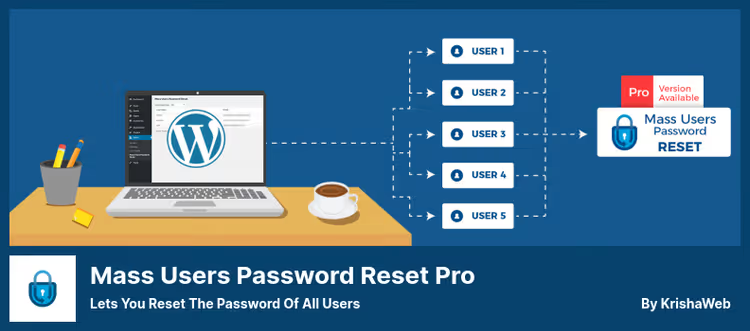
Mass Users Password Reset is a highly specialized tool for one scenario: breach or suspicion of compromise. One click, and the passwords of all users (or a selected role) are reset, sessions terminated, new credentials sent to email.
6,000+ installations, version 2.2.0 from May 26, 2026. The developer maintains the plugin consistently: releases every 2-3 months. This is not a comprehensive solution, but an emergency tool.
The free version allows: grouping users by role, resetting passwords for a selected group, sending new passwords to email, and viewing reset reports. The Pro version for $29 on CodeCanyon (plugin page) adds custom email templates, scheduled regular reset, and audit log.
In combination with Password Policy Manager, this plugin closes the full cycle: first you set strict complexity policies (PPM), and if a password still leaks, you reset everything in one move (Mass Reset).
Pros:
- Maximally simple task, maximally simple interface
- Group operations: all users, one role, multiple roles
- Reset report for audit
- Pro only $29, cheapest in the collection
Cons:
- Narrow specialization, reset only, without policies and content protection
- Free version has no scheduled regular reset
- No integration with third-party plugin login forms
💰 Free version, Mass Users Password Reset on WordPress.org | Pro, $29 on CodeCanyon
Video: PPWP in action
Watch how PPWP protects pages, posts, and the entire site, from installation to configuring role-based passwords in three minutes:
⁉️🤔 Frequently asked questions
Can you password-protect a site without plugins?
WordPress's built-in "Visibility: Password Protected" mechanism covers one page or post with one password. This is enough for a personal blog with a couple of hidden entries. But as soon as you need: different passwords for different roles, protection of entire categories, enforced complexity policies, or usage audit, a plugin becomes necessary. Out of the box, WordPress provides no expiration period, no reCAPTCHA, and no password lists.
Which plugin to choose for a WooCommerce store?
Passster Pro is the only one with native WooCommerce integration. You protect a page with premium content, and access is sold as a product: after payment, a password is generated and sent to the buyer automatically. PPWP also works with WooCommerce pages at the role level, but without built-in payment logic.
Is Passwords Manager really safe for storing passwords?
The plugin uses AES-128 encryption with a key you set during installation. Passwords are stored encrypted in the WordPress database. For storing team social media access or FTP, this is acceptable. But for critical credentials (payment systems, corporate accounts), it's better to use dedicated password managers like Bitwarden or 1Password that have undergone independent security audits. Passwords Manager has not undergone such an audit, and its user base (100+) is too small for serious scrutiny.
What to do in case of user password breach?
A two-step algorithm: first, Mass Users Password Reset resets all passwords for selected roles with one click and terminates active sessions, then Password Policy Manager enables forced change on next login with new complexity rules. In parallel, audit host logs and files for unauthorized changes.
Do you need both Password Policy Manager and Mass Users Password Reset?
PPM is prevention (complexity, expiration, history). Mass Reset is incident response. PPM protects against weak passwords daily; Mass Reset saves you when prevention fails. For a project with 3+ users in the admin panel, they complement each other.
Which password protection plugin to install in 2026?
The choice comes down to the task, not the brand. The matrix is simple:
- Protect content from visitors, Passster or PPWP. Passster is richer in features (lists, WooCommerce), PPWP is simpler in role configuration. Pro price difference is $9 in favor of PPWP.
- Force the team to use normal passwords, Password Policy Manager. The only one that can do enforced policies with role separation.
- Prepare for an incident, Mass Users Password Reset, free. Cheap insurance that will save hours in a real breach.
- Store team access in the admin panel, Passwords Manager, but with a caveat: for critical data, get a dedicated password manager.
If three editors and a handful of contractors access the site, start with the combination of Password Policy Manager (free) + Mass Users Password Reset (free). Cover the basics. Then add Passster or PPWP for content protection when needed.
🔗 Passster on WordPress.org | 🔗 PPWP on WordPress.org | 🔗 Password Policy Manager on WordPress.org

A professional team of writers and editors specializing in creating quality content.