














🎥 5 video conferencing plugins for WordPress in 2026: from Zoom to self-hosted WebRTC
Video calls have evolved from a niche tool for Gen Z into a workplace standard. Doctors hold appointments over video, realtors show apartments remotely, and students defend their theses from home. But when you need to embed the same scenario into a WordPress site, the standard "Zoom link in an email" approach looks amateurish: no branding, no control over recordings, no automation.
Over the past two years, the WordPress video conferencing plugin market has been heavily disrupted. Agora Video shut down back in 2022, KI Live Video Conferences in 2025 due to a security vulnerability. Mature tools have taken their place: with WooCommerce integration, AI-generated emails, and open-source Jitsi/WebRTC solutions.
Below are five relevant video communication plugins for WordPress in 2026. From free Jitsi solutions to professional webinar platforms with built-in payments.
💡 Quick overview:
- First, choose your backend: Zoom (stability and ecosystem), Jitsi Meet (free with no time limits), or self-hosted WebRTC (complete autonomy on your own server). The backend determines everything: price, scalability, and use cases.
- If you're selling consultations or webinar access through WooCommerce, your choice is eRoom or WebinarIgnition. Both embed payment directly into the registration process, without Excel spreadsheets and manual distribution of links.
- For a quick start with zero budget, begin with Video Conferencing with Zoom (free core, over 70,000 installs) or FlexMeeting on Jitsi, with no meeting duration limits and no API keys.
- Before paying for a license, test recording and audio on mobile devices. Some plugins lose audio on iOS when calling through a browser, and this only shows up in real-world testing.
Plugin | Backend | Free version | Paid from | WooCommerce | Active installs |
|---|---|---|---|---|---|
eRoom | Zoom | No | $29 (one-time) | Yes | Commercial |
Video Conferencing with Zoom | Zoom | Yes | Pro add-ons | Yes (via add-ons) | 70,000+ |
WebinarIgnition | Zoom / YouTube / Vimeo / 100ms | Yes (unlimited) | $99/month | Yes (built-in) | 5,000+ |
FlexMeeting | Jitsi Meet | Yes | No | No | 1,000+ |
LiveSmart Video Chat | WebRTC (self-hosted) | Yes | $69 (one-time) | No | 30+ |
1. eRoom, Zoom Meetings & Webinar
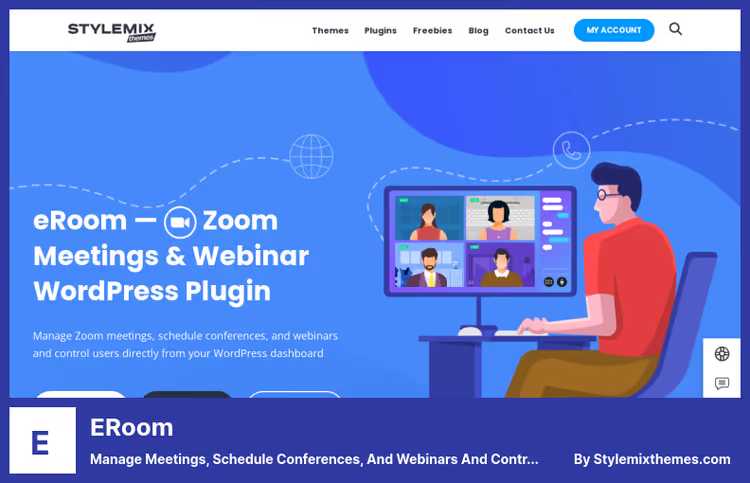
eRoom by StylemixThemes is a commercial plugin that turns the WordPress admin into a command center for Zoom. Its main advantage isn't the number of features, but how deeply it's integrated with WooCommerce.
You create a meeting as a regular post: date, time, recurrences. The plugin automatically generates a Zoom link, shortcode for inserting on any page, and a countdown timer. Next, you add this meeting as a WooCommerce product, set a price, and the customer automatically receives the link via email after payment. No manual emails, no fussing with registrations.
For info-businesses and consulting sites, this saves hours every week. Synchronization with Google Calendar and iCalendar out of the box: participants get the event in their calendar and don't miss the meeting. A year of updates and support is included in the license.
Pros:
- Complete cycle: creation → payment → reminder → conduct → engagement report.
- Deep WooCommerce integration: one-click product, link after payment, automatically.
- Google Calendar and iCalendar synchronization out of the box.
Cons:
- Starting price of $29 with no free version, unjustified for one-off meetings.
- Hard dependency on Zoom: without a Zoom account, the plugin is useless.
💵 From $29 for a single-site license. 🔗 eRoom on CodeCanyon
2. Video Conferencing with Zoom
The most popular free Zoom plugin for WordPress: over 70,000 active installs and over 200 reviews on wordpress.org. Developed by the CodeManas team, updated in June 2026. Unlike eRoom, here you get a fully functional tool with no upfront payment.
In practice, this means video consultations on your site can be launched in an evening. The plugin supports Gutenberg, seven built-in blocks, plus Elementor and Beaver Builder. A meeting can be inserted with a shortcode on any page or post. The "Join via Browser" module allows participants to join Zoom without installing the app, critical for mobile clients.
Pro add-ons unlock recurring meetings, registrations, webhooks, and integrations with WooCommerce, WCFM, WooCommerce Bookings, and Appointments. For educational projects, native compatibility with LearnPress and LearnDash.
Pros:
- Free core with full functionality: meetings, recordings, reports, user management.
- Seven Gutenberg blocks and shortcodes for any insertion scenario.
- Active development: security patches are released promptly.
Cons:
- Pro add-ons are paid separately, total cost can approach eRoom.
- Requires a Zoom account; for large groups, you need a paid Zoom Pro plan.
💵 Free. Pro add-ons by subscription. 🔗 Video Conferencing with Zoom on WordPress.org
3. WebinarIgnition

WebinarIgnition is not just a video conferencing plugin, but a full-fledged webinar platform living inside WordPress. The fundamental difference from Zoom plugins: here you get registration pages, AI reminder emails, a waiting room, and built-in WooCommerce checkout. And all of this with no participant limits even on the free tier.
The plugin's AI wizard generates three registration page variants and four reminder emails in 24 languages, including Russian, in a few minutes. Registration forms are inserted with shortcodes anywhere: in the footer, sidebar, popup. Participants click the link in the email and are already registered, without refilling the form.
Built-in live video on 100ms (up to 20,000 viewers) is available on the Plus tier. If you're already using YouTube Live or Zoom, simply connect them as a broadcast source on any tier.
Pros:
- Free version with no limits on webinars or participants, not a "14-day demo."
- WooCommerce checkout directly inside the webinar room (Plus tier): customers don't lose purchase momentum.
- 24 languages, multi-currency, GDPR compliance.
Cons:
- $99/month for Plus, significant for a solo info-business owner at launch.
- Tailored for webinars and sales; excessive for simple daily video calls.
💵 Free (Free forever). Plus at $99/month. 🔗 WebinarIgnition on WordPress.org
4. FlexMeeting, Jitsi Meet

FlexMeeting by WPPOOL is a young and rapidly growing plugin: over 1,000 active installs, full compatibility with WordPress 7.0. The bet is on Jitsi Meet, an open video communication standard that requires neither API keys nor monthly billing. You either use the public Jitsi server or connect your own, and the conference works.
The main advantage of Jitsi over Zoom: no meeting duration limit and no need to install an app. Everything works in the browser, including mobile devices. The plugin supports room branding, your logo and colors on the conference page, recording, and the ability to set an entry password.
FlexMeeting is the ideal option for nonprofits, educational projects, and anyone who needs video communication without vendor lock-in and recurring payments.
Pros:
- Completely free: neither the plugin nor Jitsi Meet require payment.
- Room branding: your logo and colors on the conference page.
- WordPress 7.0 compatibility, fresh codebase.
Cons:
- Video quality depends on the Jitsi server: public instances can lag under load.
- No WooCommerce integration, only video communication without a payment layer.
💵 Free. 🔗 FlexMeeting on WordPress.org
5. LiveSmart Video Chat

LiveSmart Video Chat is a veteran among WordPress video communication plugins. Its key difference from all previous solutions: it's a self-hosted WebRTC platform. You deploy the server component on your VPS, install the WordPress plugin, and get a completely autonomous video chat system independent of Zoom, Jitsi, or cloud providers.
The stack includes file transfer, collaborative whiteboard, screen sharing, and private rooms. The plugin supports HTML5 chat on all platforms without additional browser plugins. For sales through consultations, there's a "Call" button with customizable text and CSS.
⚠️ Important: the plugin has about 30 active installs and a niche audience. Version 1.3 was released in May 2026, but the community around the plugin is small. The server component can be purchased on CodeCanyon for $69. Consider LiveSmart only if you specifically need self-hosted WebRTC without external dependencies and are prepared for independent technical support.
Pros:
- Complete autonomy: video, chat, and files only on your server.
- Free version with basic functionality.
Cons:
- Only about 30 active installs, community and support are limited.
- Requires installation of server component, not "activate and it works."
💵 Basic version free. Premium at $69 on CodeCanyon. 🔗 LiveSmart Video Chat on WordPress.org
Detailed video tutorial in English: installing the Zoom plugin, generating API keys, and configuring meetings directly from the WordPress admin.
⁉️🤔 Frequently asked questions
Do I need a paid Zoom account for these plugins?
For Video Conferencing with Zoom and eRoom, yes, you need a Zoom account. Free Zoom limits meetings to 40 minutes and 100 participants. Zoom Pro plan removes the time limit and adds cloud recording. FlexMeeting on Jitsi Meet doesn't require Zoom at all, meetings work without accounts and without duration limits.
How does eRoom differ from Video Conferencing with Zoom if both use Zoom?
eRoom is a commercial product with deep WooCommerce integration "out of the box": product-meeting, payment, automatic link sending. Video Conferencing with Zoom is a free core with the option to purchase Pro add-ons for specific tasks. For info-businesses with paid consultations, eRoom pays for itself through automation. For sites where video calls are a supporting function, the free Video Conferencing with Zoom is sufficient.
Which plugin should I choose if my budget is zero?
FlexMeeting on Jitsi Meet: free with no time limits. If you need WooCommerce and LMS integration, Video Conferencing with Zoom: the free core covers basic needs. WebinarIgnition Free gives unlimited webinars at no cost for the plugin.
Is Jitsi Meet in FlexMeeting secure?
Jitsi Meet uses end-to-end encryption for one-on-one meetings and AES-128 for group meetings. Public Jitsi servers (meet.jit.si) log meetings minimally, without conversation content. For maximum confidentiality, set up your own Jitsi server on a VPS and connect via FlexMeeting.
Why aren't Agora and KI Live Video plugins in the selection?
Both were closed on WordPress.org: Agora Video for WordPress in October 2022 (policy violation), KI Live Video Conferences in May 2025 (security vulnerability). Closed plugins don't receive security updates, using them on a live site is not allowed.
Can I use two video communication plugins simultaneously?
Technically yes, but we don't recommend it. Different plugins can conflict due to WebRTC connections and API calls to Zoom. If you need both webinars and daily calls, get WebinarIgnition: it covers both scenarios in one plugin.
Which video communication plugin to install on a site in 2026
The five plugins in the selection cover three fundamentally different scenarios.
If you're selling consultations or webinar access through WooCommerce, get eRoom (one-time license $29, deep payment integration) or WebinarIgnition (free core, turnkey webinar funnel). eRoom is better for regular paid consultations where "paid, got link" automation matters. WebinarIgnition is for webinar funnels with registrations, reminders, and in-room sales.
If your budget is zero and you need video communication for meetings and training, FlexMeeting on Jitsi will handle the task without a single payment. For educational projects on LearnDash or LearnPress, Video Conferencing with Zoom makes more sense with native compatibility for these LMS platforms.
And only if you specifically need self-hosted WebRTC and are prepared to support the server component independently should you look at LiveSmart Video Chat.
Before installing any plugin, test it on staging: check recording, audio quality on mobile, and integration with your payment system. Half an hour of testing will save you days of fixes on a live site.

A professional team of writers and editors specializing in creating quality content.