













 AIIllustrative image: AI-generated
🚚 5 best WooCommerce shipping plugins in 2026
Customers expect precise delivery costs before checkout. If the cart displays a vague "calculated separately" or a single shipping method priced twice the product cost, the sale falls through. Standard WooCommerce zones provide basic settings: flat rate, free shipping, local pickup. But when you need to display real-time FedEx rates, dynamically adjust pricing by weight, or enable free shipping exclusively for premium customers, the defaults fall short.
The right plugin solves this completely: pulls live carrier rates, calculates costs based on dozens of conditions, prints labels, and delivers tracking numbers to customers. We've selected 5 WooCommerce tools that cover every scenario, from simple flat rates to multi-carrier API integrations.
💡 Quick overview:
- Determine which carriers you need: FedEx, UPS, USPS, or all combined, and whether you need live API rates
- If flexible rules matter (weight, order total, user role), check out Flexible Shipping or Conditional Shipping
- For a specific carrier with label printing, choose a dedicated plugin: FedEx Shipping or ELEX EasyPost (multi-carrier)
- To configure free shipping conditions, Advanced Free Shipping provides full control over triggers
Comparison table
Plugin | Free version | Carriers | Live rates | Label printing | Pro price |
|---|---|---|---|---|---|
ELEX EasyPost | ❌ | FedEx, UPS, USPS | ✅ | ✅ | from $69 |
Flexible Shipping | ✅ | Any (manual) | With add-ons | With add-ons | $89-$249 |
WooCommerce FedEx Shipping | ✅ | FedEx | ✅ | In Pro | from $69 |
Conditional Shipping | ✅ | Any (conditions) | ❌ | ❌ | Pro from $59 |
Advanced Free Shipping | ✅ | Any (manual) | ❌ | ❌ | Free |
1. ELEX EasyPost

ELEX EasyPost, a premium plugin that connects your store to three carriers at once: FedEx, USPS, and UPS, through the unified EasyPost API. This is the most direct path to live rates without separate integrations for each carrier.
The plugin runs automatically: customers add products to cart, the system queries EasyPost for current rates based on the recipient's address, and buyers see exact delivery costs before checkout. After payment, you print labels and generate tracking numbers directly from the WooCommerce admin without switching between services.
Useful features include built-in shipment insurance through EasyPost, support for commercial rates (discounted from retail), and automatic calculation for all three carriers simultaneously. License pricing, $69 per site, subscription to EasyPost itself is billed separately.
Pros: one plugin equals three carriers, label printing from admin, live rates out of the box. Cons: no free version, requires EasyPost account, price higher than single-carrier alternatives.
🔗 ELEX EasyPost on developer site
2. Flexible Shipping, table rate shipping
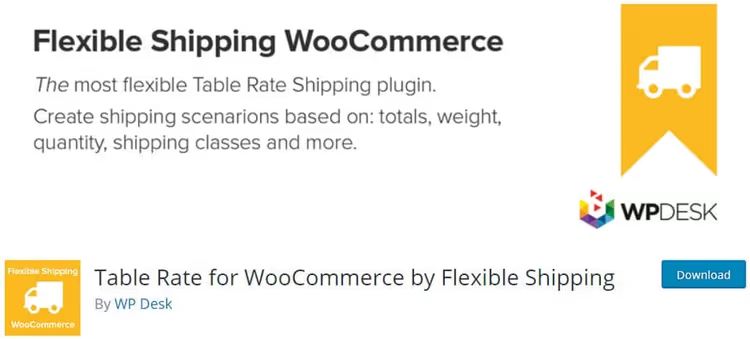
Flexible Shipping by Octolize (formerly WP Desk), the most powerful free plugin for table rate shipping in WooCommerce. Over 100,000 active installs and full compatibility with WordPress 7.0, this is effectively the standard for stores needing flexible rules without being tied to a specific carrier.
The free version calculates costs based on cart weight and total order value. You define ranges: for example, up to 2 kg one price, 2 to 10 kg another, and when the order total exceeds a certain threshold, shipping becomes free. Unlimited methods and rules, each can have a name and description visible to customers.
Pro version ($89-$249) adds: calculation by dimensions and volumetric weight, shipping class support, free shipping coupons, conditional logic (AND/OR/NOT), rule stopping on match, and AI assistant for configuring scenarios in natural language. Separate add-ons connect live rates for FedEx, UPS, DHL, USPS, Australia Post, Canada Post, Royal Mail, meaning Flexible Shipping scales to any scenario.
Pros: powerful free version, unlimited rules, add-on ecosystem, AI assistant. Cons: live rates only through paid add-ons, rule setup requires time initially.
🔗 Flexible Shipping on WordPress.org | 🔗 Flexible Shipping PRO
3. WooCommerce FedEx Shipping

A specialized plugin for stores working exclusively with FedEx. Developed by PluginHive, a company deeply integrated with the FedEx API and maintaining carrier certification. Available in free and premium versions.
The basic version pulls live FedEx rates directly from your account: the system sends weight, package dimensions, sender and recipient addresses, FedEx returns current pricing. Customers see it in cart and at checkout. The free version suffices for small businesses with standard shipments.
Pro version at $69 adds: FedEx Ground and Home Delivery ground shipping, hazardous materials shipping, alcohol delivery, FedEx On-Site, and multi-vendor shipments (when orders are assembled from different warehouses). Label printing is in Pro.
Pros: certified FedEx integration, live rates in free version, single-carrier specialization. Cons: FedEx only (no UPS/USPS), label printing is paid, requires FedEx account.
🔗 WooCommerce FedEx Shipping on PluginHive
4. Conditional Shipping for WooCommerce

Conditional Shipping for WooCommerce by WP Trio, a free plugin for managing shipping method visibility based on conditions. Instead of creating new rates, it operates on top of existing ones: enables, disables, or overrides methods depending on order parameters. 10,000+ active installs.
How it works: you create rule sets (ruleset), each rule is a combination of conditions and actions. For example: "If total cart weight exceeds 30 kg, hide 'Economy Shipping' method and show only 'Freight'." Or: "If cart contains a product from 'Oversized' category, disable all methods except specialized."
The free version supports conditions based on products, weight, dimensions (length, width, height), volume, and order total. Pro version adds: conditional pricing (percentage markup for large items), method name overrides, custom notices, conditions by user role, category, shipping class, and coupons. Debug mode allows rule testing directly at checkout.
Pros: works with existing zones and methods, lightweight and fast, debug mode, regular updates (compatible with current PHP versions and HPOS). Cons: free version limited to basic conditions, Pro is paid, requires thoughtful rule configuration.
🔗 Conditional Shipping on WordPress.org
5. Advanced Free Shipping for WooCommerce
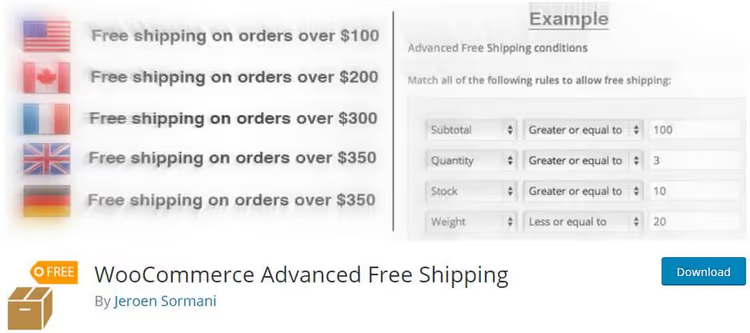
Advanced Free Shipping (formerly WooCommerce Advanced Free Shipping, author Jeroen Sormani), a specialized free plugin for configuring free shipping conditions. Over 30,000 active installs.
Standard "Free Shipping" in WooCommerce handles only one condition: free from order total. Advanced Free Shipping provides full control: you create OR condition groups, inside each, AND conditions. For example: "Free for users with Premium role OR for orders with products from 'Sale' category AND total above a certain threshold AND in USA."
Available triggers: country, zip code, user role, shipping class, product category, weight, volume, total, quantity. Plugin code is open and extensible, you can add custom conditions. Translated into Spanish, Italian, Portuguese, and Greek.
Pros: best free control over free shipping triggers, AND/OR conditions, extensible code. Cons: free shipping only (no paid rates), no live rates, one method at a time (doesn't display multiple options simultaneously).
🔗 Advanced Free Shipping on WordPress.org
⁉️🤔 Frequently asked questions
Do I need a separate carrier account for plugins with live rates?
Yes, for plugins with API rates (ELEX EasyPost, FedEx Shipping) you need a carrier account, FedEx, UPS or USPS, and API keys. The plugins themselves don't "know" these rates: they merely pass package parameters to the carrier API and receive responses. Registration at fedex.com or ups.com is free, but commercial rates may require business verification. EasyPost (for ELEX) acts as an aggregator, one EasyPost account provides access to all three carriers at once.
Can I combine multiple shipping plugins from this list?
Yes, and it's a common scenario. For example: Flexible Shipping for paid table rates + Advanced Free Shipping for free shipping trigger + Flexible Shipping FedEx add-on for that carrier's live rates. Plugins don't conflict, each registers its methods in WooCommerce zones. The only nuance: with overlapping conditions, customers will see multiple shipping options, this is normal, but watch the sort order in zone settings.
Which plugin should I choose if the store is just starting and budget is minimal?
Starter stack: Flexible Shipping (free) for table rates by weight and total + Advanced Free Shipping (free) for free shipping conditions. Both plugins cover small store needs for the first 6-12 months. When you need live rates for a specific carrier, add a Flexible Shipping add-on (FedEx/UPS/USPS) or switch to ELEX EasyPost for three carriers at once.
Do these plugins work with HPOS (High-Performance Order Storage)?
All five plugins are compatible with HPOS (custom WooCommerce order tables). Flexible Shipping, Advanced Free Shipping, Conditional Shipping, all are declared HPOS-compatible. ELEX EasyPost and FedEx Shipping by PluginHive update regularly and also support HPOS. Before installation, check PHP version: all plugins require minimum 7.4, recommended 8.1+.
How can I test shipping rules without real orders?
Enable shipping debug mode: WooCommerce → Settings → Shipping → Options → "Debug mode". The system will stop caching rates and display all available methods for the current cart. Add products with different weights, change delivery address on the cart page, and watch which methods appear. For complex scenarios, Flexible Shipping and Advanced Free Shipping show in admin which rule triggered and why.
Which WooCommerce shipping plugin should I choose?
The choice boils down to three questions. First: do you need live rates from a specific carrier? If yes and the carrier is one (FedEx), choose WooCommerce FedEx Shipping. If multiple carriers, ELEX EasyPost or Flexible Shipping add-ons.
Second: do you need flexible rules? If the store needs just "flat rate + free from total," standard WooCommerce zones suffice. If logic is more complex, Flexible Shipping (free) covers the vast majority of scenarios.
Third: how to manage free shipping? The standard "from order total" trigger is primitive. Advanced Free Shipping provides unlimited multi-dimensional condition setup for free, and it's the best free tool in its niche.
For a typical WooCommerce store, we recommend the starter combination: Flexible Shipping + Advanced Free Shipping. It's free, covers most scenarios, and scales with add-ons for live rates from any carrier.

A professional team of writers and editors specializing in creating quality content.