














🔑 7 password protection plugins for WordPress 2026
A page hidden from prying eyes, exclusive content for subscribers or an entire section of a site accessible only to your team, without WordPress password protection, such scenarios cannot be implemented. The built-in WordPress features provide only basic functionality: one password per page and no flexibility.
When clients, content and access levels exceed two or three, the standard mechanism falls apart. There's nowhere to track passwords, you can't set expiration dates, you can't grant temporary access without creating an account. This is where specialized plugins come to the rescue.
We tested a dozen and a half solutions and selected 7 best plugins for password protecting WordPress, from protecting individual pages to bulk password management for users. We tested each of them on the current version of WordPress, with live projects and different access scenarios.
💡 Quick overview:
- Choose Passster if you need comprehensive protection with WooCommerce integration and password usage statistics.
- Install PPWP when you need flexible protection by user roles and post categories.
- Pick Temporary login without password for temporary access for contractors and clients without creating accounts.
Plugin | Protection type | Multi-passwords | Expiration | WooCommerce | Price (Pro) |
|---|---|---|---|---|---|
Passster | Site / pages / blocks | Yes | Date and usage count | Yes | from $49/year |
PPWP | Pages / posts / categories | Yes | Date | No | $190.80 |
Temporary Login Without Password | Temporary login links | No | Date/time | No | Free |
Access Category Password | Post categories | Yes | No | No | Free |
Frontend Reset Password | Frontend password reset | No | No | No | Free |
WP Edit Password Protected | Login page customization | No | No | No | Free |
MASS Users Password Reset | Bulk password reset | No | No | No | $49 |
1. Passster
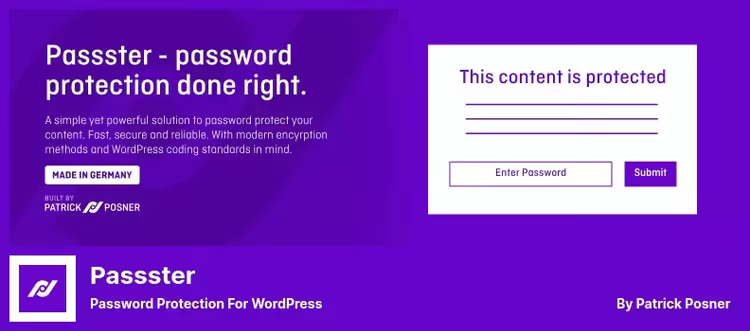
Passster, the flagship password protection plugin with the widest scope of scenarios among all participants in the selection. It can password protect the entire site, individual pages, posts, WooCommerce products and even content fragments inside a page via shortcode.
In practice, this means that with one plugin you solve three different tasks: protecting premium content for subscribers, selling access to closed sections through WooCommerce and restricting access to specific paragraphs or forms on a page. Passster is not tied to standard post types, it works with ACF, widgets and the block editor.
Three protection modes cover virtually any scenario. You can set one password, a list of passwords (each with its own expiration and usage limit) or connect Google reCAPTCHA / hCAPTCHA for access without entering a text password. Integration with Bitly allows you to create encrypted magic links: the user follows a URL and gains access without manually entering a password.
The Pro version elevates the plugin to the level of a small membership system without registration. Passwords are tied to WooCommerce orders and automatically sent to the buyer after payment. Built-in statistics show which password was used how many times, from which IP and browser.
Key features:
- Global site, page, post and content fragment protection
- Password lists with expiration by date and number of uses
- Magic links via Bitly for access without entering a password
- Selling passwords through WooCommerce with automatic delivery
- Statistics: IP, browser, number of uses for each password
💵 Free version on WordPress.org, Pro from $49/year on passster.com (1 site), Developer $89/year (3 sites), Unlimited $299/year.
🔗 Passster on WordPress.org🔗 Passster Pro
2. PPWP, Password Protect WordPress Page
PPWP (Password Protect WordPress Page), the most powerful plugin for granular content protection by roles and categories. If Passster is a universal combine, then PPWP is a scalpel for precise access rights configuration at the WordPress user role level.
The main advantage of PPWP over competitors is role-based protection. You create different passwords for subscribers, editors and clients, and each role sees exactly what it's supposed to. One password can open access to multiple pages at once, and categories are protected entirely, after unlocking one post, the user automatically gets access to all content in the category.
The plugin does not save uploaded images and files in protected sections, which is a plus for privacy, but a minus if you planned to distribute protected PDFs. Password setup is activated in a couple of clicks directly from the post editor, without fiddling with shortcodes.
The Pro version adds master passwords (one password for the entire site), protection for custom post types and direct links to protected posts without re-entering the password.
Key features:
- Protection by user roles: different passwords for different roles
- Group protection: one password for a category or set of pages
- Automatic access to other category posts after unlocking
- Direct links to protected posts (Pro)
- Does not save media files from protected sections
💵 Free Lite version, Pro $190.80 on passwordprotectwp.com.
🔗 PPWP Lite on WordPress.org🔗 PPWP Pro
3. Temporary login without password
Temporary Login Without Password solves a narrow but damn sought-after task: temporary site access for contractors, clients and support. No permanent accounts, no "reset the password in an hour": you generate a self-destructing link, send it to the person, and they log into the site with one click.
The WordPress role system is used to the fullest: when creating a temporary login, you specify the role (admin, editor, subscriber) and expiration period, from several hours to months. After expiration, the link turns into a pumpkin, access is automatically revoked. The user can be redirected to a specific page upon login.
The plugin keeps a log: login and logout times, number of link uses. This is convenient for auditing, you always know who and when accessed the site via temporary access. It works through standard WordPress security mechanisms, without homemade hacks.
The key difference from competitors like Temporary Access is that the Unlimited version is completely free, without limiting the number of temporary logins.
Key features:
- Self-expiring links for login without password and username
- Binding temporary access to standard WordPress roles
- Redirecting the user to a specified page after login
- Login/logout log with timestamps
- Unlimited number of temporary logins
💵 Completely free.
🔗 Temporary Login Without Password on WordPress.org
4. Restrict User Access

Restrict User Access, a lightweight plugin for managing content access through WordPress levels and roles. It locks pages, posts, categories and custom post types behind one or multiple access levels tied to user roles.
Unlike rigid password plugins, Restrict User Access builds a flexible system: you create an access level (for example, "Premium" or "Staff"), tie roles to it and specify what content is hidden. A user with the required role sees the content automatically, without entering a password. Content can be opened on a schedule (content dripping): first lesson now, second in a week.
The plugin does not require a separate login page, it works through standard WordPress authentication. For each level, optional redirection of unauthorized visitors to any site page is configured. The built-in customization system for access denial messages allows you to show the user clear text instead of the standard placeholder.
The free version covers basic scenarios: role-based restriction, level priorities, category and custom type protection. The Pro extension adds temporary membership periods, IP and geolocation protection, integration with WooCommerce Memberships.
Key features:
- Multi-level access control to pages, posts and categories
- Content dripping: opening content on schedule
- Binding access levels to WordPress roles
- Customizable message for users without access
- Redirecting unauthorized users to any page
💵 Free version on WordPress.org, Pro with advanced features available on the developer's website.
🔗 Restrict User Access on WordPress.org
5. Frontend Reset Password
Frontend Reset Password adds a password recovery form to the frontend of the site, without going to the standard wp-login.php page. The user enters an email or username, receives a reset link and sets a new password without leaving the public part of the site.
The plugin is indispensable for two scenarios: sites with disabled admin access for users and projects on Easy Digital Downloads, where the standard password recovery form breaks the user experience. The form design is minimalist, inherits the theme styles, no need to adjust manually.
The entire process goes through native WordPress hooks, so there are no security issues, the plugin does not invent its own authentication, but uses built-in mechanisms. If the username or email is incorrect, an error message is displayed.
Among the limitations: the plugin is lightweight and does exactly one thing. No customization of the reset link email, no statistics, no brute force protection beyond the standard. If the site is on WooCommerce, it's better to use the built-in WooCommerce password recovery form, it's richer.
Key features:
- Frontend password reset form without wp-login.php
- Works through standard WordPress security mechanisms
- Easy Digital Downloads support
- Error messages for incorrect username or email
💵 Completely free.
🔗 Frontend Reset Password on WordPress.org
6. WP Edit Password Protected

WP Edit Password Protected, a specialized plugin for customizing the password entry page that appears when trying to open a protected post. If the standard WordPress form looks dull (an input field and a "Submit" button), this plugin turns it into a page with text, social media icons and custom design.
The plugin offers four ready-made design templates for the protected page. You can add arbitrary text with HTML tags, an instruction, a greeting or contact details. Social media icons are placed in three positions: above the form, below the form or in the page footer.
You create as many unique pages for different protected sections as you want, each with its own text, icons and color scheme. For client portals and membership areas, this provides a neat branded login instead of WordPress stock.
The plugin is simple to the point of asceticism: only form customization, it doesn't add any protection logic. It works in pair with any plugin that creates password protection (Passster, PPWP, standard WordPress mechanism).
Key features:
- Four ready-made password entry page design templates
- Adding arbitrary text with HTML markup
- Social media icons in three positions
- Unlimited number of unique entry pages
💵 Completely free.
🔗 WP Edit Password Protected on WordPress.org
7. MASS Users Password Reset
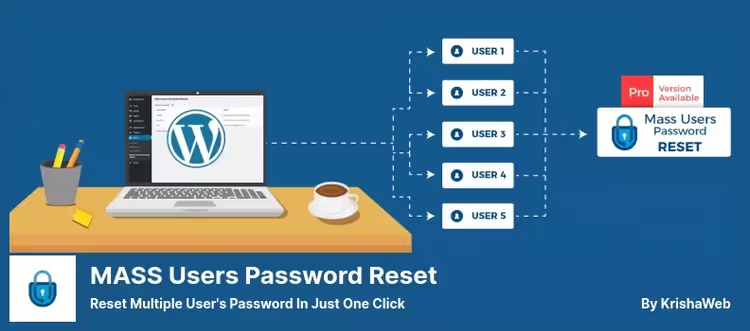
MASS Users Password Reset, a tool for administrators of sites with hundreds and thousands of users, where manually resetting passwords one by one turns into torture. The plugin can reset passwords in bulk: you select users by roles or custom fields and with one click generate new passwords for the entire group.
The scenario is typical for membership sites and educational platforms: after a leak or scheduled rotation, you need to reset passwords for all subscribers of the "Basic" plan. Without a plugin, this is hours of manual work through the admin panel. With MASS Users Password Reset: select a role, click "Reset", done.
Users receive a notification by email. The email template is customized through placeholders: you can insert the username, new password, login link. The Pro version adds several email formats to choose from and advanced reset methods, a link for self-setting a password or plain text in the email.
Compatibility with WooCommerce and BuddyPress makes the plugin a safe choice for large community projects and stores. Among the cons: the Pro version is distributed through CodeCanyon, which means a separate account and manual updates.
Key features:
- Bulk password reset by roles and custom fields
- Grouping users for selective reset
- Customizable email notification template with placeholders
- WooCommerce and BuddyPress compatibility
- Sending a reset link or plain-text password (Pro)
💵 Free version, Pro $49 on CodeCanyon.
🔗 MASS Users Password Reset on WordPress.org🔗 MASS Users Password Reset Pro
⁉️🤔 Frequently asked questions
Which plugin to choose for protecting multiple pages with different passwords?
PPWP allows you to assign a unique password to each page and link it to a specific WordPress role. One editor sees all pages with their password, a subscriber sees only theirs. Passster provides similar capabilities, but its core is password sales and usage statistics, not role-based separation. For pure content protection, PPWP is a more direct and specialized tool.
Can you password protect not the entire page, but only part of the text?
Passster via the
[passster]shortcode locks any page fragment: a paragraph, a subscription form, a download link. PPWP Pro offers a similar mechanism. The other plugins from the selection operate on entire pages, posts or categories, partial protection is not their profile. For paywall scenarios and content funnels, take Passster: shortcode + WooCommerce access sales give a ready-made paid content mechanic without installing a membership plugin.
How does Temporary Login Without Password differ from creating a temporary account?
When creating a temporary account, you manually set a username/password and must remember to delete it. Temporary Login Without Password generates only a self-expiring link: the user clicks and logs in with the assigned role. No passwords, no forgotten accounts, full login log. For one-time contractor access for a couple of hours, an ideal tool.
Do these plugins work with caching?
PHP sessions and cookies work independently of cache, so basic scenarios with WP Rocket or W3 Total Cache don't create problems. With full-page caching (NGINX FastCGI, Cloudflare APO), protected URLs need to be excluded. Passster and PPWP do this automatically via
DONOTCACHEPAGE. For Restrict User Access and Temporary Login Without Password, add protected page URLs to cache exclusions manually.
Do I need a separate password reset plugin if I already have a protection plugin?
For 50 users, no, standard email reset works. With 500+ users and the need for selective reset by roles, MASS Users Password Reset pays for itself instantly. Frontend Reset Password is not about administration, but about user experience, it removes wp-login.php from the recovery process, which is useful on any site with a user frontend.
Which password protection plugin to choose in 2026?
Passster is the most balanced option: protection of any content, WooCommerce password sales, detailed statistics and active development. Price from $49/year for 1 site, see plans on passster.com. PPWP Lite covers basic page and category protection scenarios for free, Pro for $190.80 on passwordprotectwp.com. For targeted tasks (temporary access, bulk reset, form customization), take specialized free plugins, they don't duplicate functionality, but complement it.

A professional team of writers and editors specializing in creating quality content.