














📣 7 best WordPress banner plugins 2026 (free and premium)
A banner with no clicks, just a colored image. And a banner plugin that slows down the site and loads 200 KB for a single strip, that's minus conversion and plus bounce rate.
We tested 7 tools for creating banners, notifications and ad inserts in WordPress. We selected those that actually work, not by the description on the plugin page, but by behavior on a live site. In the selection, both lightweight solutions for a single task and combines with A/B tests and role-based targeting.
💡 Quick overview:
- Determine which type of banner you need, an ad block, notification, WooCommerce slider or widget insert
- Compare plugins by table: price, display type, targeting and WooCommerce compatibility
- Choose a tool for your task, from free
Simple BannertoAdvanced Adswith Google partnership - Install, configure display triggers and launch your first banner in 5-10 minutes
Plugin comparison table
Plugin | Type | Free version | Premium from | WooCommerce | Complexity |
|---|---|---|---|---|---|
| Ad manager | Yes | $49/year | No | Medium |
| Code insertion | Yes | $20/year | No | Below medium |
| Top/bottom bar | Yes | Pro (from $29) | No | Minimal |
| WooCommerce banners | Yes | $99/year | Yes | Below medium |
| Widget insert | Yes | No | No | Minimal |
| Notification bar | Yes | No | No | Minimal |
| Notification bar | Yes | Pro (from $29) | No | Minimal |
1. Advanced Ads
Advanced Ads, the most powerful ad manager for WordPress according to Google Partner. You manage banners, inserts, sticky ads and AdSense from one interface, without editing templates.
The plugin works with all ad networks: Google AdSense, Google Ad Manager, Media.net, Amazon Ads. Code is inserted automatically, in the post body, after a specific paragraph, in sidebar or footer. Display is configured separately for mobile, tablets and desktop.
In practice, this means you set up rules once and ads are displayed without manual intervention. A/B tests, click fraud protection and revenue tracking, in the premium version.
Pros:
- Full integration with Google AdSense and Google Ad Manager
- Automatic insertion into content by position and page type
- Visual placement editor without code
- AMP and lazy loading support
Cons:
- Learning curve, will need an hour to master
- Noticeable difference between free and premium version
Price: free version on WordPress.org, premium from $49/year.
🔗 Advanced Ads on WordPress.org🔗 Advanced Ads website
2. Ad Inserter
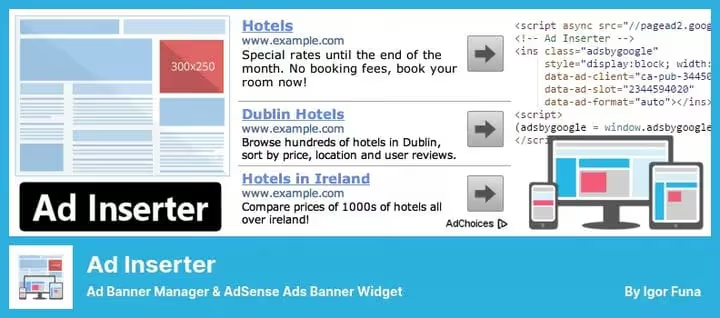
Ad Inserter is focused on one thing: inserting ad code where you need it. Supports Google AdSense, Amazon Native Shopping Ads, Media.net, Infolinks and banner rotation. Plus, any arbitrary HTML, JavaScript or PHP.
The main difference from Advanced Ads, detailed control over each insertion. You specify position relative to paragraphs, headings, images. The plugin will show why code wasn't inserted if something went wrong. Visual editor with syntax highlighting and interactive CSS, unexpectedly convenient for a utility that looks spartan.
Pros:
- Manual insertion control with paragraph precision
- Syntax highlighting in built-in editor
- Clear insertion error diagnostics
- Floating blocks left/right with custom CSS
Cons:
- Interface looks outdated
- No built-in AMP integration (out of the box)
Price: free Lite version on WordPress.org, Pro from $20/year.
🔗 Ad Inserter on WordPress.org🔗 Ad Inserter Pro website
3. Simple Banner
When you need one strip with an announcement at the top or bottom of the site, Simple Banner solves the task in a minute. Write text, choose background and text color, save. The banner is displayed on the whole site or on separate pages.
Since version 3.0, up to 5 banners are supported simultaneously. You can set a display period, the banner will disappear automatically. Close button and z-index setting solve the problem of overlapping the theme header. Pro version allows displaying banners sequentially, convenient for ad campaigns with schedules.
The plugin remains one of the lightest in its category. No jQuery, pure JavaScript.
Pros:
- Set and forget, setup in a minute
- Automatic banner expiration
- Close button with cookie memory
- Multiple banners in Pro
Cons:
- Not suitable for complex ad logic
- May conflict with themes on absolute positioning
Price: free on WordPress.org, Pro from $29.
🔗 Simple Banner on WordPress.org
4. Dotstore Banner
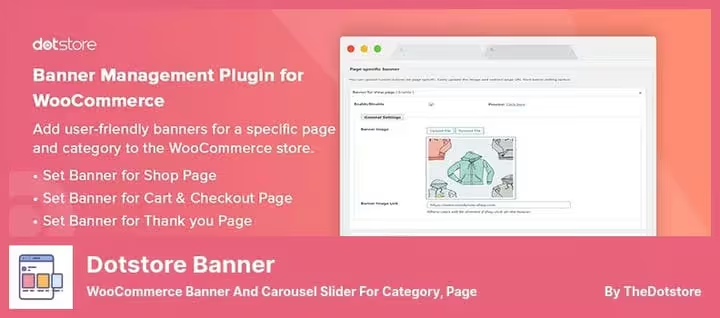
The only plugin in the selection created specifically for WooCommerce. Dotstore Banner places banners and carousels on the storefront, category pages, products, cart and checkout.
You can attach a banner to a specific product or category. Pro version adds scheduling, set start and end dates for a campaign and the banner turns on automatically. All WooCommerce themes and latest plugin versions are supported.
Pros:
- Native WooCommerce integration
- Banners on all key store pages
- Display scheduling in Pro
- Banner carousel
Cons:
- Only for WooCommerce, useless without a store
- Premium noticeably more expensive than alternatives
Price: free Lite on WordPress.org, Pro from $99/year.
🔗 Dotstore Banner on WordPress.org🔗 Dotstore website
5. Meks Easy Ads Widget
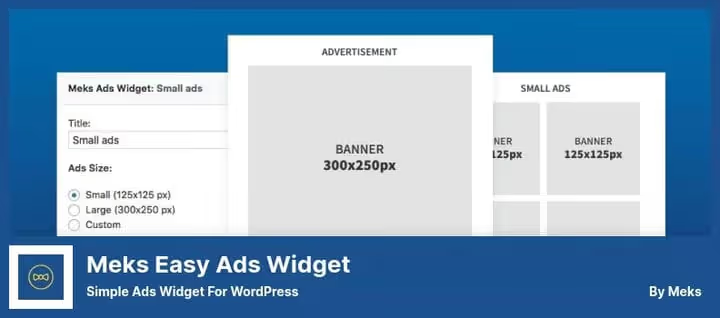
Meks Easy Ads, a niche tool for one task: displaying banners through widgets. Create unlimited ad placements in sidebar or any area supporting widgets.
Choose a standard banner size or set your own. You can enable random display order, useful for A/B testing creatives. Limiting the number of displays per page load saves visitor attention. Both graphic banners and script inserts are supported.
Pros:
- Couldn't be simpler: created widget, banner on site
- Random display order
- Limit on number of banners per load
- Script and image support
Cons:
- Only widgets, no content insertion
- No AdSense integration out of the box
Price: completely free on WordPress.org.
🔗 Meks Easy Ads on WordPress.org
6. Easy Notification Bar

Lightweight notification bar that doesn't slow down the site. Easy Notification Bar, a solution for situations "need to urgently hang a banner about a discount or holiday closure".
Configured through WordPress customizer: text, colors, font, position. The bar can be fixed (scrolls with page) or static. Call to action button is added optionally. Close button is written in vanilla JavaScript, minimal lines of code.
Responsive design looks correct on mobile. You can limit display to specific URLs or, conversely, exclude pages.
Pros:
- Extremely light, minimal code
- Setup through WordPress customizer
- Fixed bar with scroll support
- CTA button and close icon
Cons:
- One bar per site
- No display scheduling
Price: completely free on WordPress.org.
🔗 Easy Notification Bar on WordPress.org
7. WPFront Notification Bar

WPFront Notification Bar came to replace outdated alternatives like WP Notification Bars. Fifty thousand active installs and a 4.5 rating speak for themselves.
The plugin displays a bar with message and button at the top or bottom of the page. Configurable: height, display delay, auto-close after N seconds, position (fixed or scrollable). Shortcodes in message text are processed, you can insert a subscription form directly into the banner. Pro version adds multiple bars, TinyMCE editor and scheduling.
A separate plus, filtering by user roles and pages. Show the bar only to guest visitors or, conversely, only to authorized users.
Pros:
- Shortcode processing in banner text
- Filtering by roles and pages
- Display delay and auto-close
- 50,000+ active installs, WP 7.0 compatibility
Cons:
- Settings interface looks dated
- "Reopen" button can be confusing
Price: free on WordPress.org, Pro from $29.
🔗 WPFront Notification Bar on WordPress.org
Watch a review of three ad plugins from the Elegant Themes team, visually shows the difference between approaches to banner management in WordPress.
⁉️🤔 Frequently asked questions
Do I need a separate plugin for banners if I use a page builder?
Builders like Elementor or Gutenberg blocks allow you to layout a banner, but don't manage display logic. If there are more than three banners or you need triggers, by time, roles, scroll percentage, a plugin is necessary. For one static banner on the homepage, a builder is enough.
Is a banner plugin compatible with caching plugins?
Most plugins from the selection work correctly with
WP Rocket,W3 Total Cacheand server cache. The point is that the banner is rendered on the server through PHP hooks, not on the client through JS, so cache doesn't interfere. The only nuance: after changing banner settings, clear the cache.
Can I use two banner plugins simultaneously?
Technically, yes. In practice, don't. Two plugins managing content inserts will start conflicting over the same hooks. Exception, a combination of widget plugin (
Meks Easy Ads) and content plugin (Ad Inserter): they work in different page areas.
Which plugin to choose for Google AdSense?
Advanced Ads, the only one in the selection with Google Partner status. It pulls ad blocks directly from AdSense account, generates ads.txt and checks violations. If AdSense, main revenue source, take it.
Why a plugin for banners if I can insert code in the template?
Manual insertion in
header.phporsingle.phpworks until the first theme update. The plugin isolates ad logic from the theme, when changing design banners don't fall off. Plus targeting by roles, pages and devices through functions.php takes longer to write and is more dangerous.
Which banner plugin to install in 2026
The choice comes down to one question: what are you showing and where.
If you manage ad inventory with AdSense and multiple networks, Advanced Ads. This is the industry standard, and for good reason.
If WooCommerce store and banners should live on the storefront, in categories and on product page, Dotstore Banner was created exactly for this scenario.
Need one bar with an announcement and nothing more? Simple Banner for top/bottom of site or Easy Notification Bar for temporary notifications will close the task without a single extra line of code.
For widget ads in sidebar, Meks Easy Ads gives exactly what it promises, and not a byte more.
And if you replaced WP Notification Bars (plugin hasn't been updated for 4 years) with live WPFront Notification Bar, you already won in speed and WordPress 7.0 compatibility.
Choose for the task, not for someone else's rating.

A professional team of writers and editors specializing in creating quality content.