














🎮 Choosing a gaming monitor: what really matters and what's not worth overpaying for
Choosing a gaming monitor is not about "bigger is better." A gamer needs response speed, smooth visuals, and no artifacts in fast-paced scenes. Get the specs wrong, and even a top-tier graphics card won't save you: ghosting behind objects, screen tearing, and eye strain after an hour of gaming are guaranteed.
In practice, most buyers only look at screen size and price. And then they wonder: why does a budget 4K monitor tear in online shooters? The thing is, a gaming display is a balance of resolution, panel type, refresh rate, and adaptive sync. Below, no fluff: what really matters, and what's not worth overpaying for.
💡 Quick overview:
- Decide on screen size: 24-27 inches for competitive gaming, 32+ for consoles and single-player campaigns.
- Pick a resolution that matches your graphics card: FHD for budget builds, QHD as the sweet spot, 4K for high-end rigs.
- Understand panel types: TN for maximum speed, IPS for color and viewing angles, VA for contrast, OLED for a perfect picture with caveats.
- Check adaptive sync support: FreeSync for AMD, G-Sync for NVIDIA, VRR for consoles.
- Don't skimp on ergonomics: height and tilt adjustment affects reaction speed just as much as refresh rate does.
Screen size: why bigger is not always better
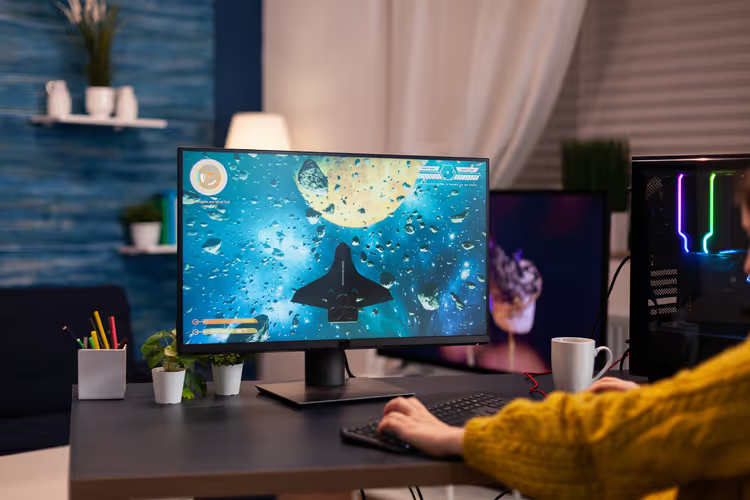
For esports titles, the optimal screen size is 24-27 inches. On a larger screen, your peripheral vision gets overloaded: you waste precious milliseconds spotting movement in the corner. And in CS2 or Valorant, those milliseconds decide the round.
27 inches is the universal standard for most gaming monitors in the mid-range and high-end segments. This screen size is comfortable for both shooters and RPGs. If you play with a gamepad or on a console from the couch, look at 32-34 inches and above. The viewing distance is different there, and a larger screen works for immersion rather than against your reaction time.
Curved models at 27 inches are mostly marketing. The curve actually makes sense starting at 32 inches: it compensates for the difference in distance from your eyes to the center and to the edges of the screen.
Resolution: FHD, QHD, or 4K
The choice of resolution comes down to your graphics card's power. There's no point in buying a 4K monitor if your RTX 3060 pushes 40 frames in esports titles at those settings. As of 2026, as market analysis shows, three main formats are relevant:
- FHD (1920×1080) for budget builds and esports. At 24-25 inches, the picture stays sharp, and the graphics card isn't overloaded. Ideal for 240+ Hz on affordable GPUs (current models on RTINGS.com).
- QHD (2560×1440), the 2026 sweet spot. At 27 inches, pixel density is comfortable, text isn't grainy, and mid-range graphics cards (RTX 4070 / RX 7800 XT) deliver a stable 144+ frames in most games.
- 4K (3840×2160) for high-end rigs with an RTX 4090 / RX 7900 XTX or next-gen consoles. At 32 inches, the picture is flawless, but even flagship GPUs don't always hold 120+ frames in AAA titles.
Note: at 27 inches, the difference between QHD and 4K is noticeable but not revolutionary. The load on the graphics card, however, nearly doubles. For most gamers, QHD at 27 inches is the optimal point.
Panel type: TN, IPS, VA, or OLED
This is the main compromise when choosing. Fast, colorful, or high-contrast: in the mid-range segment, you'll have to pick one. Let's compare:
Panel type | Response (GTG) | Colors and viewing angles | Contrast | Best for |
|---|---|---|---|---|
TN | 0.5-1 ms | Weak | Low (~1000:1) | Esports, shooters |
IPS | 1-4 ms | Excellent | Medium (~1000:1) | All-rounder: gaming + work |
VA | 2-5 ms | Good | High (3000:1+) | Single-player games, movies |
OLED | 0.03 ms | Superb | Infinite | All genres (expensive, burn-in risk) |
TN (Twisted Nematic) is the choice of esports athletes. Response speed is unattainable for other LCD panels: 0.5-1 ms without artifacts. But viewing angles and color reproduction are frankly weak. A monitor for those who only care about milliseconds.
IPS (In-Plane Switching) is the most balanced option. Modern Fast IPS panels deliver 1-2 ms response, excellent color reproduction, and viewing angles up to 178 degrees. For a gamer who also works on the same monitor, this is the best choice.
VA (Vertical Alignment) is the contrast champion among LCDs. Black is truly black, not dark gray. Ideal for atmospheric single-player games and movies. But response time in dark transitions can produce noticeable ghosting, the so-called black smearing.
OLED is a technology that became noticeably more accessible over 2024-2026. Instant response (0.03 ms), absolute black, HDR without compromises. Downsides: risk of burn-in from static elements (game UI, taskbar), price is still high (budget 27-inch QHD OLED models start at several hundred dollars), peak brightness is lower than mini-LED competitors.
The video below clearly shows the difference between TN, IPS, VA, and OLED in fast-paced gaming scenes; pay attention to ghosting behind moving objects and black depth in shadows:
Refresh rate and response time
Refresh rate is how many times per second the monitor updates the picture. And there are clear perception thresholds here:
- 60 Hz is an outdated standard. We don't consider it for gaming.
- 144 Hz is the minimum threshold for comfortable gaming. The difference from 60 Hz is felt instantly: the cursor moves smoothly, scenes are free of stutter.
- 240 Hz is the sweet spot for competitive shooters. Beyond 240 Hz, not all players notice the increase in smoothness.
- 360+ Hz is the domain of professional esports athletes. For an average gamer, the difference from 240 Hz is minimal.
An important nuance: a high refresh rate is useless if the graphics card doesn't push the same number of frames per second. A 240 Hz monitor with a GPU delivering 100 fps is idling. Match the refresh rate to the graphics card, not the other way around.
Response time is the second critical parameter. The marketing "1 ms" on the box is almost always the minimum value in a specific overdrive mode, which can produce artifacts. The real GTG (gray-to-gray) response for a good IPS panel is 3-5 ms. Anything above 5 ms means noticeable ghosting in fast-paced scenes.
Adaptive sync: FreeSync, G-Sync, and VRR
Screen tearing occurs when the graphics card's frame rate doesn't match the monitor's refresh rate. Adaptive sync solves this problem by adjusting the refresh rate to the actual fps.
- FreeSync is AMD's technology, an open standard. It works with Radeon graphics cards and, more recently, with NVIDIA GTX 10xx and newer via DisplayPort. Most budget and mid-range monitors support FreeSync out of the box.
- G-Sync is NVIDIA's technology, requiring a proprietary chip in the monitor. More expensive, but guarantees flicker-free operation across the entire frequency range, from 1 Hz to the maximum. There's a simplified variant, G-Sync Compatible: the same FreeSync monitors that have passed NVIDIA certification.
- VRR (Variable Refresh Rate) is the console equivalent via HDMI 2.1. Relevant for PlayStation 5 and Xbox Series X/S. If you play on a console, check that the monitor specifically supports HDMI 2.1 VRR, not just HDMI 2.0.
Check before buying: a monitor with FreeSync Premium or Premium Pro guarantees adaptive sync operation down to at least 120 Hz without flickering. Plain "FreeSync" on the box may disable below 48 frames per second, so tearing will return in heavy scenes.
Ergonomics and eye care
Height, tilt, and swivel adjustment is not a whim but a direct contribution to reaction speed. If the screen sits below eye level, you slouch, strain your neck, and lose concentration during long sessions. A good stand provides: height adjustment of 10-15 cm, tilt from -5 to +20 degrees, and left-right swivel. Pivot to portrait mode is a nice bonus but not critical for gaming.
Eye care technologies worth paying attention to:
- Flicker-Free (Anti-Flicker) eliminates backlight flickering at low brightness. PWM dimming at low frequencies causes fatigue and headaches after just an hour of gaming. Don't buy a monitor without Flicker-Free.
- Low Blue Light is a hardware blue spectrum filter. A built-in filter is better than a software one (like Windows Night Light): it yellows the picture less and preserves color reproduction.
- Anti-glare coating: a matte screen is essential for rooms with windows and bright lighting. Glossy panels look beautiful in ads but are unplayable during the day.
⁉️🤔 Common questions
What screen size should I choose for CS2 and Valorant?
24-25 inches, FHD, 240+ Hz. This is the professional scene standard: the field of view is fully covered, and the graphics card delivers maximum frames without being overloaded by a high resolution. At 27 inches, you risk missing movement at the edge of the screen.
Is it worth overpaying for OLED in 2026?
If the budget allows, yes, but with caveats. OLED delivers zero black and instant response unattainable for LCD, but static UI elements (minimap, health bar) over hundreds of hours can leave a residual image. For fast-paced games, OLED is flawless. For a "gaming plus document work" scenario, a quality IPS is better.
How is FreeSync Premium different from regular FreeSync?
Regular FreeSync works in a limited frequency range (typically from 48 Hz). FreeSync Premium guarantees at least 120 Hz at Full HD and Low Framerate Compensation (LFC). FreeSync Premium Pro adds HDR support. For serious gaming, aim for at least Premium.
Do I need a curved screen for gaming?
Not for screen sizes up to 27 inches. The curve makes sense at 32 inches and above: it reduces the difference in distance from your eyes to the center and to the edges, improving immersion. Curved panels are not used for esports; a flat, predictable viewing angle is important.
Can I connect a 4K monitor to a console at 120 Hz?
Yes, PlayStation 5 and Xbox Series X support 4K at 120 Hz via HDMI 2.1. But check that the monitor specifically has HDMI 2.1 (not 2.0), otherwise you'll only get 60 Hz at 4K. Look for models marked "HDMI 2.1 VRR" for full compatibility.
What really matters when choosing: a final checklist
A gaming monitor is a balance of five parameters, and there is no single "best" option. Here's a quick compass by scenario:
- Esports / shooters: 24-25 inches, FHD, TN or Fast IPS, 240+ Hz, FreeSync Premium.
- All-rounder: gaming + work: 27 inches, QHD, IPS, 144-180 Hz, FreeSync Premium or G-Sync Compatible.
- Atmospheric single-player campaigns: 32 inches, 4K or ultrawide QHD, VA or OLED, 120+ Hz, HDMI 2.1 VRR.
- Budget start: 24-25 inches, FHD, IPS, 144 Hz, FreeSync. In the budget segment, you get a nearly full-fledged gaming experience.
If you're browsing gaming monitors, the criteria are the same: start with an honest assessment of your graphics card. A monitor reveals itself exactly as much as the GPU allows.
What monitor sits on your desk and what irritates you most about it? Tell us in the comments, let's compile a community rating of gaming displays.

A professional team of writers and editors specializing in creating quality content.