













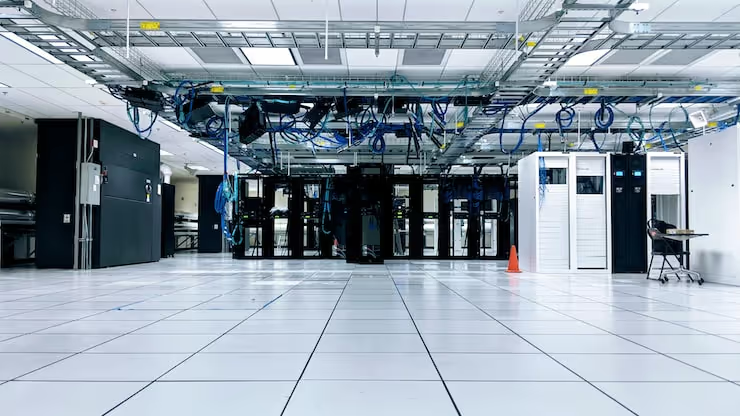
 AIIllustrative image: AI-generated
💰 Is it expensive to rent a dedicated server in 2026: real numbers and breakdown
The site has grown, traffic has surpassed a couple thousand visitors per day, and pages take 4 seconds to load. The hosting that kept everything running can no longer handle it. It's time to move to something more serious, and the first thing the owner of such a project thinks is: "How much will this cost me?"
Renting a dedicated server is the logical next step after shared hosting and VPS. But the price tag of a physical machine is intimidating: figures range from "inexpensive" to "the budget of an entire department." In reality, the price spread is explainable, not all servers are created equal. The configuration chosen by an online store with 10,000 products and the configuration for a three-page landing page are two completely different worlds.
Below, no fluff: what makes up the rental cost, what figures are realistic in 2026, and what to look for when choosing a provider.
💡 Quick overview:
- Dedicated server rental: from a few dozen dollars per month for a basic configuration to several hundred for a high-performance machine and above, for enterprise builds.
- Main price factors: processor, amount of RAM, disk type (HDD/NVMe), bandwidth, and data center country.
- A dedicated server gives you all resources at your full disposal, unlike VPS, where you share the physical hardware with neighbors.
- You will need at least basic administration experience to manage it, or a willingness to pay extra for the provider's managed services.
What a dedicated server is and who needs one
A dedicated server is a physical machine in a data center that the provider rents out in its entirety. The entire processor, all the RAM, all the disks belong only to your project. No neighbors who can "eat up" resources at a peak moment.
In practice, this format is needed by three categories of projects. First, high-load websites: online stores with thousands of SKUs, news portals, forums with active communities. Second, non-standard applications requiring specific software or a non-standard server configuration: for example, your own SMTP server, a specific PHP build, or a non-standard stack. Third, projects with increased requirements for security and data isolation: financial services, CRMs with sensitive client information.
On a dedicated server, you can install any OS, assemble any software stack, and change the configuration as the project grows. But there is a flip side: administration falls on you, updates, backups, monitoring, security. If you don't have your own sysadmin, providers offer managed plans where their technical support covers these tasks.
What makes up the price: 5 main factors
The rental cost is not pulled out of thin air. Here is what actually affects the figure on the bill.
Processor. The most expensive component. The difference between a junior Xeon E-2300 and a senior 5th-gen Xeon Scalable is several times over. Cores, clock speed, architecture generation, everything goes into the price.
Memory and disks. 32 GB DDR4 versus 128 GB DDR5, two completely different worlds in terms of money. Same with disks: SATA HDDs cost pennies, NVMe SSDs are noticeably more expensive but deliver latency that is tens of times lower.
Bandwidth. 100 Mbps is inexpensive, 1 Gbps with guaranteed bandwidth is already significant. 10 Gbps is for those who serve heavy content or streaming video.
Geography. A data center in Europe or the US is on average more expensive than one in Ukraine or Russia. But for an audience in a specific region, latency to the server is critical, saving on location can result in losing visitors.
Support level. Unmanaged, you pay only for the hardware and bandwidth, you administer it yourself. Managed, the plan includes setup, monitoring, backups, and technical support. The price difference between these options ranges from two or three dozen to a hundred dollars per month.
How much rental costs: real figures
So you understand the order of magnitude, here are market benchmarks for 2026. Prices are per month of rental, excluding one-time setup and control panel fees.
Level | Configuration | Price per month |
|---|---|---|
Entry | Xeon E-2300, 16-32 GB RAM, 2× SSD | from $40 |
Mid-range | Xeon Silver, 64 GB RAM, 2× NVMe | $100-200 |
High-performance | Xeon Gold / AMD EPYC, 128 GB RAM, 4× NVMe | $300-600 |
Enterprise | Dual Xeon / EPYC, 256+ GB RAM, NVMe RAID | $600-2000+ |
Specific plans vary among providers. For example, ProfitServer rental prices start from two or three dozen dollars for entry-level configurations and go up to several hundred for powerful builds. Timeweb's market-price range starts from fifty dollars. Selectel offers machines in the mid-price segment, from fifty to two hundred. Smartape keeps the entry threshold at three to four dozen dollars. These are approximate benchmarks; exact figures depend on current promotions and the availability of specific hardware.
Ukrainian providers, including the company "Deltahost," operate in the same price field, but with an advantage: servers are physically located in Ukrainian data centers, so latency for your audience is minimal. the cost of renting dedicated equipment https://deltahost.ua/ and related services are calculated individually for the project, managers select a configuration for specific requirements, rather than selling a standard plan that will turn out to be excessive or, conversely, too weak.
Dedicated server or VPS: what to choose
The main difference is in the level of isolation and predictability of resources.
On a VPS, you get a virtual machine on a physical server that you share with other clients. You are allocated a share of the processor and memory, but if a neighbor on the hardware maxes out their processes, your project can slow down. This is called the "noisy neighbor effect." For most WordPress sites, this is not critical, but for a store during peak hours, it is noticeable.
A dedicated server has no such problem. All cores, all memory, all disk I/O are yours alone. You do not depend on someone else's load. For this, you pay more and take on more responsibility for administration.
When to choose VPS: a website or blog with moderate traffic, test environments, staging platforms, small online stores. When to choose a dedicated server: the project has grown to tens of thousands of visitors per day, you need guaranteed performance or a specific configuration that cannot be assembled on a virtual machine.
Regarding cost: an inexpensive VPS will run you a few dollars per month, a high-performance one, several dozen. A dedicated server starts from an amount comparable to a top-tier VPS. The difference at the start is not as big as is commonly believed. But as the load grows, a VPS hits a ceiling, while a physical machine can be scaled by upgrading components.
What to look for when choosing a provider
Besides price, there are things that will come back to haunt you a month or two after payment. Here is a checklist.
Bandwidth and real speed. The claimed 1 Gbps on paper is not a guarantee. Clarify what bandwidth is actually available, and ask to test the speed to your audience. A good provider will give a test IP for traceroute and ping measurement.
Technical support level. If you are not a sysadmin, a managed plan is not an option, it's a necessity. Check whether it includes: initial OS and software setup, security update installation, availability monitoring, backup creation and storage, incident response. Clarify the SLA, how many minutes it takes the team to react to a critical failure.
Data center location. For a Ukrainian audience, a server in Kyiv or Lviv will give a ping of 5-15 ms. A server in the Netherlands or Germany, 40-60 ms. For an online store, a 50 ms difference on every request turns into seconds of page load time, and that means lost conversions.
Upgrade capability. The project grows, you need more memory, another disk, a more serious processor. Find out in advance how easy it is to change the configuration and how much it costs. Ideally, the provider allows you to upgrade the server without migrating to another machine.
⁉️🤔 Frequent questions
Do I need a dedicated server if I am just launching a site?
No. At the start, shared hosting or an inexpensive VPS is enough. A dedicated server makes sense when the project is already bringing in traffic and money, and its slowdowns are starting to burn that money. As a guideline: if you have fewer than 5,000-10,000 visitors per day and a standard stack (WordPress on PHP/MySQL), a VPS on a good plan will handle it without issues.
A dedicated server is a scaling step, not a launch pad. As long as the site hasn't hit the ceiling of a virtual machine, there is no point overpaying for a physical machine. Start with a VPS, monitor the load, and migrate when the processor or memory consistently approach their limit values.
Can I save money by taking a used server or one from a "server outlet"?
Yes, and this is a working option. Large providers (for example, Cherry Servers, Hetzner Server Auction) sell off previous-generation machines at a substantial discount. The hardware may not be the newest, but for typical WordPress site hosting, a Xeon E5 v4 with 64 GB DDR4 still performs excellently. The downside is the limited lifespan of the drives: check how many operating hours the disks have and whether a warranty replacement is available.
Previous-generation servers from official provider outlets are a legitimate way to get dedicated resources for a few dozen dollars a month. The main thing is to check disk wear and replacement conditions. For projects where peak performance is not critical, the savings can amount to hundreds of dollars a year.
Is it mandatory to know how to administer the server yourself?
If you take an unmanaged plan, it is mandatory. You will need to install and update the OS, configure the web server, database, firewall, monitoring, backups, and log rotation. Without Linux administration experience, this is a path to a broken site and security holes. The alternative is a managed plan, where the vast majority of these tasks are handled by the provider. The price difference is offset by the absence of headaches.
On managed plans, the provider takes on updates, monitoring, and backups. You pay a few dozen dollars more per month, but you eliminate the need to keep a sysadmin. For most site owners whose main business is not IT, this is the only sensible choice.
Which provider is suitable for a project with a Ukrainian audience?
For a Ukrainian audience, the key factor is the data center location. A server in Ukraine gives minimal ping and maximum loading speed. Providers like "Deltahost" offer dedicated servers in Ukrainian data centers with round-the-clock support and flexible configuration. Prices are comparable to European ones, but due to the location, you get better performance for your visitor.
Ukrainian data centers give a ping of 5-15 ms, European ones 40-60 ms. For an online store or service where every second of loading affects sales, server localization provides a measurable increase in conversion. Choose a provider with a data center in your region and transparent upgrade terms.
So expensive or not? The bottom line
A dedicated server is not a cheap pleasure. But it's also not "only for corporations." The reality is this: for a few dozen dollars a month, you can get an entry-level machine that will confidently handle a project with tens of thousands of visitors per day. For one and a half to two hundred, a configuration on which online stores with an annual turnover of hundreds of thousands of dollars live.
What's expensive is not the hardware itself, but not knowing your real needs. Taking a server "for future growth" with a multiple-times reserve is overpaying. Taking one that barely fits is a risk that the site will go down at the first traffic spike. The golden mean: take a configuration that covers the current load with a moderate reserve, and check how quickly the provider can upgrade the machine.
If your project has already outgrown VPS, don't postpone the migration. Every day of slowdowns costs you visitors, search rankings, and money.

A professional team of writers and editors specializing in creating quality content.