













💡 Home 4G internet: what it is, how it works and whether to connect in 2026
Provider dragging its feet on hookup, and the cable in your area doesn't reach past the next street? Home 4G internet solves this in a single day: a SIM card, a router, and a power outlet are all you need to get going.
Plans with no annual contracts, speeds from 30 to 100 Mbps, and the ability to take your internet with you to the dacha: it's not a replacement for a wired connection for everyone, but for millions of households in 2026 it's a more than workable option. According to BroadbandSearch, the same cellular signal that serves smartphones now covers the average home's needs for streaming, video calls, and remote work at the level of a cable plan from five years ago.
Below, without the marketing: how home 4G is built, what it really costs, where it falls short, and when you should choose it over fiber.
💡 Quick overview:
- A 4G router with a SIM card picks up a cell tower signal and broadcasts Wi-Fi, with no cables, no phone line, and no technician visit.
- Speed in a good coverage area: 30 to 100 Mbps, enough for HD streaming, video calls, and normal use by several devices at once.
- The main plus: flexibility. Month-to-month plans, no tie to an address, you can take it with you when you move.
- The main minus: instability. Speed fluctuates with tower load and weather, and unlimited plans are rarer and cost more than wired equivalents.
What home 4G internet is and how it works
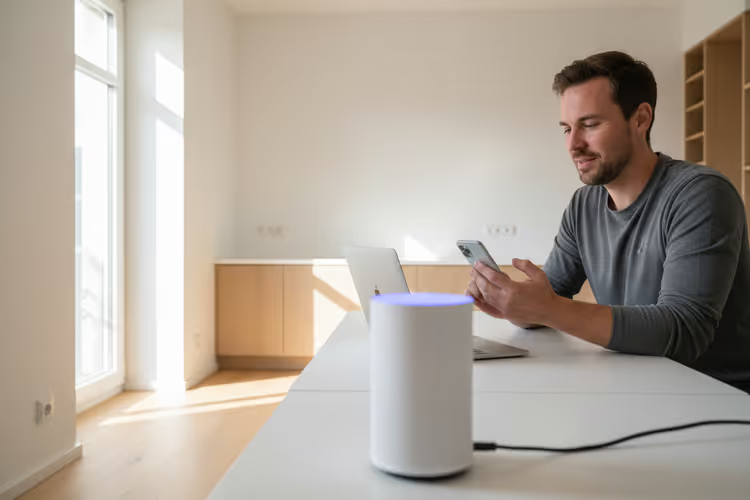
Home 4G internet is fixed wireless access over a fourth-generation mobile network. The kit looks like a regular Wi-Fi router, but inside it has a SIM card slot, the same kind that's in a smartphone. The router connects to the nearest cell tower of a mobile operator and converts the mobile signal into a home Wi-Fi network.
No cable from the building entrance, no phone line, and, importantly, no technician visit. The router arrives by courier or mail, you insert the SIM card, plug it into an outlet, and a couple of minutes later the house is online. That's exactly why 4G internet is widely chosen by renters, dacha owners, campers, and anyone who's been hearing "fiber in six months" for years now.
 AIIllustrative image: AI-generated
Technically, it's the same technology your phone uses for mobile internet. The difference is that the router is optimized for round-the-clock broadcasting: it has a more powerful antenna, more stable reception, and no limit on the number of connected devices. A laptop, a TV, a couple of smartphones, and a smart speaker all work simultaneously without issues.
Pros and cons: comparison with wired internet
Over five years, home 4G has gone from being a "backup channel in case of an outage" to the primary connection for millions of households. But it hasn't become perfect. Here's an honest breakdown in a table:
Criterion | Wired internet | Home 4G |
|---|---|---|
Setup | Technician visit, drilling, cable | Self-setup in 5 minutes |
Real-world speed | Up to 1 Gbps (fiber) | 30-100 Mbps |
Stability | Predictable, 24/7 | Depends on tower load and weather |
Mobility | Tied to an address | You can take it with you |
Contract | Often 12-24 months | From 1 month, prepaid available |
Price | From $20-30/mo (unlimited) | From $15-25/mo (with cap); unlimited costs more |
4G's strong suit is freedom. Month-to-month payment with no early termination penalties, moving without changing providers, and internet where cable physically can't reach. Its weak suit is unpredictability: in the evening, when the whole neighborhood sits down to watch YouTube, speed can drop by half, and during a thunderstorm the signal sometimes disappears entirely.
How much it costs and whether unlimited plans exist
Home 4G plans in 2026 range from $15 to $50 per month depending on data volume and region. Budget plans usually include 100 to 300 GB, which is more than enough for email, browsing, and background streaming. Heavy users, 4K video, torrents, cloud backups, need unlimited, and here prices are already comparable to fiber: $40-60 per month BroadbandSearch, 2026.
The router is often included free with a 12+ month contract or sold separately, with prices starting at $50 and reaching $150 for models with external antennas and boosted reception BroadbandSearch market review. The connection itself costs zero: the SIM card is activated remotely, and the router is configured via a web interface in a couple of minutes.
The main pricing nuance: plans labeled "unlimited" almost always have a hidden threshold. After 500-1000 GB, the provider may throttle speed to 1-2 Mbps until the end of the billing cycle. Before buying, check the fine print in the plan description: the word "unlimited" is not standardized by regulators, and each operator interprets it in its own way.
What you need to get connected and where to get equipment

The minimum kit to launch home 4G: a SIM card with a router plan and the 4G router itself. The SIM card can be bought from any mobile operator that supports "plans for modems and routers." These differ from phone plans by having no minutes or SMS, but a larger data package for the same money.
It's better to get a dedicated router rather than sharing internet from an old phone. A stationary 4G router holds the signal more reliably, doesn't overheat from round-the-clock operation, and supports external antennas. In a weak signal area, an external MIMO antenna adds 10 to 15 Mbps.
Where to find equipment for a DIY home 4G setup? Kits with proven routers, external antennas, and SIM cards are available at https://mobitech.com.ua/shop/category/internet-komplekti.
A separate note: before buying, check the 4G coverage map for a specific operator at your address. A corrugated metal fence, reinforced concrete walls, and low-lying terrain can "cut" the signal to zero even in a city. There's no universal "just buy it and it works" advice here.
When 4G beats fiber
4G internet doesn't compete with fiber on raw speed, but it wins in three specific scenarios:
- Rental housing. The landlord won't allow drilling walls for cable, a 4G router requires no installation, and you take it with you when you move.
- Dacha or country house. Fiber doesn't reach, ADSL over a copper line delivers 3-5 Mbps, 4G gives 30-50 Mbps in the same spot with no infrastructure investment.
- Temporary housing or a construction site. You need internet for a couple of months, but contracts start at a year, 4G turns on with a prepaid plan for any duration.
And conversely: for a home where fiber is already installed, there's no point in switching to 4G. Wired internet is more stable, faster, and cheaper per gigabyte. Here, 4G is a backup channel kept in case the main connection fails.
Video: how home 4G internet works
A short video from Broadband Savvy clearly explains how home 4G differs from wired internet and what specs to look at before choosing a plan:
⁉️🤔 Frequent questions
Is 30-100 Mbps enough for a family of three?
At 50 Mbps, three devices simultaneously handle HD streaming without buffering. The bottleneck isn't speed, it's stability: in the evening, when the tower is loaded by neighbors, real speed can drop to 15-20 Mbps. A single 4K stream already stumbles at that point. For regular browsing, 1080p YouTube, and Zoom, it's more than enough.
Can I use my phone as a router instead of buying a separate device?
Technically yes, every smartphone has a hotspot mode. In practice, a phone overheats after 1-2 hours of sharing, drains the battery, and loses signal on an incoming call. A dedicated 4G router is designed for continuous operation and holds the signal more reliably, the 5-10 Mbps difference comes precisely from the antenna.
4G or 5G, which to get in 2026?
If there's stable 5G coverage at your address, get 5G: speeds of 100-300 Mbps at a comparable plan price. But the 5G coverage map outside major cities is still patchy, whereas 4G is available almost everywhere. Most modern routers support both technologies and automatically switch to whichever is available.
Is it worth installing an external antenna?
Yes, if the tower is far away or there's a forest, hill, or dense buildings between you and it. An external MIMO antenna adds 10-20 Mbps compared to the built-in one. It's inexpensive and mounts on the facade or roof; in a city with a direct line of sight to the tower, the built-in antenna is enough.
The provider throttles speed after 500 GB, is that legal?
Yes, if the restriction is stated in the plan terms. Virtually all "unlimited" 4G plans have a fair-speed threshold: providers call this Fair Usage Policy. Before buying, look for the line in the plan description that says "after X GB, speed up to Y Mbps." If there's no such line, request the terms from support in writing.
Should you switch to home 4G in 2026
4G internet in 2026 is not a universal replacement for wired, but a tool for a specific situation. It wins where speed of setup and freedom from cable matter: rental housing, dacha, construction site, temporary office. It loses where predictable 24/7 speed and maximum traffic volume for minimum money are needed.
In short: if fiber is already installed, stick with it. If there's no cable and none in sight, 4G is your best option today. Before buying a kit, check coverage at your address and read the plan's fine print: the word "unlimited" is worth the five minutes you'll spend searching for the real speed threshold.

A professional team of writers and editors specializing in creating quality content.