













🛡️ Kaspersky in 2026: review of plans, tests and protection technologies
The site stopped opening, the browser warns about "malicious software", and there's an email from the hoster: "Your account has been blocked for sending spam." Sound familiar? Every day, over 400,000 new malware samples are detected worldwide, and infecting one device often means a chain reaction for all your accounts.
The good news: protection that handles this threat is not just for corporations. Since 1997, Kaspersky has maintained a 100% detection rate in independent AV-TEST evaluations and offers solutions for any scenario, from a free scanner to comprehensive family protection. Below, we break down what's behind those numbers and which plan makes sense for you.
💡 Quick overview:
- Run Kaspersky Free for a one-time check: the free version finds all known viruses but does not block them in real time
- Choose Standard for basic protection: antivirus, safe payments, and optimization on three devices
- Get Plus if you need a VPN and password manager: unlimited traffic and password storage are included in the plan
- Go with Premium for family protection: parental controls, leak monitoring, and personal data protection on five devices
- Use the 30-day refund: if the product isn't a fit, you get your money back, no questions asked
What's behind the Kaspersky name

Kaspersky Lab started in 1997 as an antivirus startup. Today, the company's products are used by millions of users across 200 countries, and its reach extends from home laptops to the networks of major banks.
The foundation of this protection is the Kaspersky Security Network (KSN). It's a cloud ecosystem: each user voluntarily shares anonymized data about encountered threats, and the information instantly propagates across the entire network. According to the Kaspersky Security Bulletin for 2025, the system detects hundreds of thousands of new samples daily, faster than the update cycles of traditional antivirus databases, which pull updates every few hours.
Independent labs confirm the effectiveness year after year. In AV-TEST evaluations for January-February 2026, Kaspersky received the maximum 6 points across all three criteria: protection, performance, and usability. The AV-Comparatives result for Q1 2026 is the same: 100% threat blocking in the real-world test with zero false positives. This isn't a one-off achievement; the product has held these scores for the last five consecutive years.
Product lineup: from free scanner to Premium
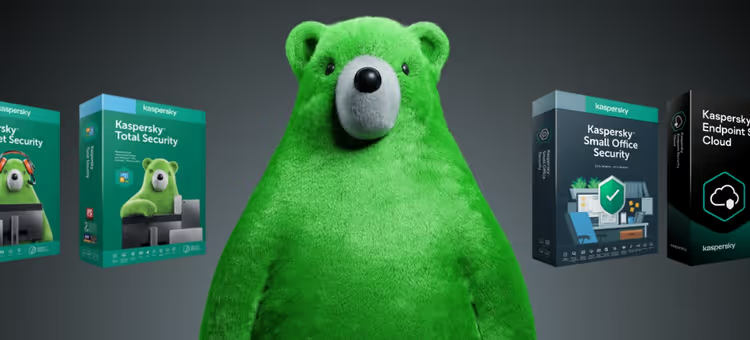
Kaspersky offers four levels of protection. Here's how they compare:
Feature | Free | Standard | Plus | Premium |
|---|---|---|---|---|
On-demand virus scanning | ✅ | ✅ | ✅ | ✅ |
Real-time protection | ❌ | ✅ | ✅ | ✅ |
Online payment protection | ❌ | ✅ | ✅ | ✅ |
VPN (unlimited) | ❌ | ❌ | ✅ | ✅ |
Password manager | ❌ | ❌ | ✅ | ✅ |
Personal data protection | ❌ | ❌ | ❌ | ✅ |
Parental controls | ❌ | ❌ | ❌ | ✅ |
Devices | 1 | 3 | 3 | 5 |
Price per year | Free | $29.99 | $49.99 | $74.99 |
The free version is an emergency diagnostic tool. It finds viruses that have already infiltrated the system but does not block them when they attempt to download. It's suitable if your computer is already behaving suspiciously and you need to determine whether it's infected.
Standard covers the "I just want the antivirus to work and stay out of my way" scenario. Three devices, automatic scans, Safe Money for banking transactions, performance optimization. The price is $29.99 per year, lower than most competitors with a comparable detection level.
Plus is the plan we recommend by default. For $49.99 per year, you get an unlimited VPN and a password manager as separate apps. On their own, a VPN of similar quality would cost around $40 per year, so you're essentially getting the antivirus for a small additional fee on top.
Premium is for when there are kids in the house or when the device stores things you can't afford to lose: work contracts, crypto wallet access, family documents. Leak monitoring checks whether your passwords have surfaced on the dark web, and the Identity Protection Wallet stores scans of passports and driver's licenses in encrypted form, accessible only via biometrics.
You can purchase a license through official partners: https://volmax.kz/kaspersky/.
Under the hood: technologies that work silently
Let's go over the key components that make up Kaspersky's protection and set it apart from dozens of fly-by-night antivirus products.
Safe Money. When you visit a bank or payment system website, Kaspersky automatically opens the page in an isolated browser. Extensions, keyloggers, and screenshot grabbers don't work there; even if the system is already infected, your card details won't leak. The technology annually proves its effectiveness in MRG Effitas tests for resilience against phishing attacks targeting banking sessions.
System Watcher. Instead of comparing files against a signature database, this module monitors process behavior. A ransomware starts encrypting documents, System Watcher terminates the process and rolls back changes from the shadow copy. On a test bench, encrypted files were restored within seconds, with the originals untouched.
Anti-Phishing. The KSN database contains millions of phishing URLs and updates in real time. Kaspersky checks links not only in the browser but also in email clients, messengers, and even incoming SMS; the "your package couldn't be delivered, pay the fee" scheme gets caught before you click the link.
Kaspersky Password Manager. Included in the Plus and Premium plans. It generates complex passwords, stores them in an encrypted vault, and syncs across Windows, macOS, Android, and iOS. A standalone manager of this kind would cost comparable money; here it's bundled in.
For home, family, and business: which scenario is yours
Different users come to Kaspersky with different needs. Here are three typical scenarios and the plans tailored to them.
Scenario 1: "I have one laptop, and I don't want to think about this." Go with Standard. Install it, forget about it, renew once a year. Kaspersky updates its databases on its own, scans files on open, and blocks suspicious sites on its own. All you see is a green checkmark in the system tray, and that's exactly what you need.
Scenario 2: "Work, banking, passwords for 40 services, I don't want to worry." Your plan is Plus. The password manager takes the headache out of remembering, the VPN covers your traffic in cafes and airports, and Safe Money isolates your banking sessions. In our view, this is the optimal entry point for a freelancer or remote worker.
Scenario 3: "A family with kids: tablets, game consoles, smart speakers." Premium on five devices. Parental controls filter content and limit screen time on children's devices (works on Android and iOS). Leak monitoring will alert you if your child's email appears in a breached database.
Large companies and growing businesses are served by a separate Kaspersky business lineup: endpoint protection, server security, and cloud solutions, but that's a topic for another discussion.
⁉️🤔 Frequently asked questions
How does Kaspersky Free differ from the paid versions, besides the price?
The free version scans the system only on demand, does not block threats in real time, does not include Safe Money, and does not check links in the browser. It's a diagnostic tool, not ongoing protection. For daily security, you need at least Standard.
Does Kaspersky slow down the computer?
In AV-TEST evaluations for April 2026, Kaspersky scored 6 out of 6 for performance, the maximum result. On a mid-range office laptop, the difference in app launch speed with the antivirus on versus off is practically unnoticeable. The exception is a full scan: it's best to schedule that overnight.
Can I pay monthly?
No, Kaspersky sells only annual licenses. But there is a 30-day money-back guarantee: buy it, test it, if you don't like it, you get a refund. This effectively gives you a free one-month test drive of a paid plan.
Does Kaspersky protect smartphones?
Yes. Kaspersky for Android includes antivirus, anti-phishing, anti-theft protection (remote lock and device location), and call filtering. The iOS version includes anti-phishing, password leak checks, and web browsing protection. Mobile apps are included in any paid plan.
Is Kaspersky safe after sanctions and bans in some countries?
Kaspersky products undergo regular audits by independent labs, and the company's data centers are geographically distributed. The decision to use it is yours, but technically the protection works equally reliably regardless of the political context; this is confirmed by AV-TEST results for 2026 with no geographic caveats.
Do I need a separate antivirus for Mac?
Technically, macOS is less vulnerable to classic viruses, but adware, phishing, and browser-based attacks hit Mac just the same. Kaspersky for Mac covers these vectors and barely loads the system; on M1/M2 processors, background CPU consumption is minimal.
What to install in 2026: final recommendation
Kaspersky doesn't try to be everything at once. It doesn't clean your registry for $9.99 or promise to speed up your computer tenfold. It does exactly what it says on the box: blocks threats with a 100% probability according to independent tests and stays out of your way.
If you have one laptop and a minimal budget, go with Standard. The cost is a starter plan from $29.99 per year for peace of mind that's worth an order of magnitude more.
If your work involves finances, passwords, and public Wi-Fi, go with Plus at the mid-tier price of $49.99 per year. The bundled password manager and VPN pay for the price difference on their own.
If you have a family with kids and tablets, go with Premium at $74.99 per year for five devices. Parental controls and personal data protection. There's no lifetime license, but an annual subscription with auto-renewal solves that.
Download the free version and check your system right now, if only to confirm there are no issues. And if there are, you'll already know which plan will address them.

A professional team of writers and editors specializing in creating quality content.