













🔧 TV buttons not working: 4 causes and step-by-step diagnostics
The remote is lost, the batteries are dead, but you need to turn on the TV right now. You walk up to the panel, press a button, and nothing happens. Press again. Silence.
Sound familiar? The buttons on the TV body are a backup control channel that must work regardless of the remote. When they fail, it is more than just an inconvenience: if the remote is lost, you are left without access to the menu, volume, and input switching.
Service center specialists at nadomu.dp.ua regularly deal with this problem. Below is a step-by-step diagnosis of four typical causes, from a harmless lock to a processor fault. Three out of four can be checked on your own in 10-15 minutes.
💡 Quick overview:
- Check whether child lock is enabled; this is the most common cause and can be turned off in the menu in under a minute.
- Inspect the buttons for mechanical damage: sticking, play, no click when pressed.
- Use a multimeter to measure the voltage on the button ribbon cable (2.5-5 V is normal; a deviation indicates a circuit problem).
- If both the buttons and the remote do not work at the same time, a processor or main board failure is likely, and service will be required.
1. Child lock is enabled
The child lock feature blocks the physical buttons on the body so that a child cannot accidentally change the channel, adjust the volume, or reset settings. Manufacturers add this function to virtually all modern models: Samsung, LG, Sony, Xiaomi. It is usually activated by holding one of the buttons for a long time or through the "Security / Parental Controls" menu item.
The problem is that a child can turn on the lock by randomly pressing buttons during play. Or you may have activated it several months ago and forgotten. The result is the same: the buttons stop responding, although the remote works as usual.
How to check and disable: go to the TV menu using the remote → find the "Settings" section → "Security" or "Parental Controls" → disable the "Button Lock" (or "Child Lock" / "Key Lock") option. On some models you need to hold the "Menu" button on the body for 10-15 seconds; the TV will beep or display a notification that the lock is off. Check the exact combination for your model in the manual.
After disabling, test all buttons one by one. Do they work? Great, you just saved a service call.
2. Mechanical damage or sticking buttons
If child lock is not the issue, the next step is a physical inspection of the panel itself. Over time, the contacts under the buttons oxidize, the plastic pushers wear out, and debris and dust clog the micro-gaps. Typical signs of a mechanical fault:
- The button does not respond on the first press; you have to press two or three times;
- You need to apply noticeable force or hold the button longer than usual;
- There is no tactile feedback (no click or characteristic "snap");
- The button physically sticks and does not return to its original position.
In practice, repairing mechanically worn buttons comes down to replacing the entire strip with microswitches. Restoring them individually is not worthwhile: new tactile switches cost pennies, and soldering takes a master about 20 minutes. For older models (10+ years) where finding an identical strip is difficult, cleaning the contacts with isopropyl alcohol sometimes helps, but this is a temporary fix.
We do not recommend disassembling the TV yourself without experience: the matrix ribbon cables and the power supply unit do not forgive mistakes. If a button is clearly broken, take it to a service center.
3. No voltage is supplied to the buttons
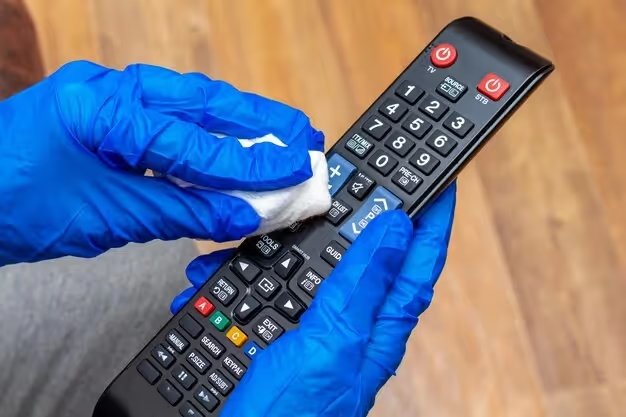
The buttons on a TV panel are part of a low-voltage circuit coming from the processor or microcontroller. The processor constantly polls the line: when a button is pressed, the voltage on it changes, and the TV interprets this as a command. If power is not reaching the button ribbon cable, presses are not registered, even if the buttons themselves are functional.
You will need a multimeter for this check. Find the ribbon cable running from the button board to the main board and measure the voltage on the contacts. The norm is 2.5 to 5 volts (depends on the model; look up the exact value in your TV's service manual). Zero or a value below 1 V indicates a problem in the power circuit.
Next, check the components on the path from the processor to the buttons: resistors and capacitors. Look for bulging or leaking capacitors, darkened resistors, and signs of oxidation on the contacts. Anything damaged needs to be replaced. This stage requires confident soldering skills and basic electronics knowledge. If you have never held a multimeter, call a technician: power circuit diagnostics at a service center is inexpensive, while the risk of killing the main board with a short circuit is real.
4. Processor fault
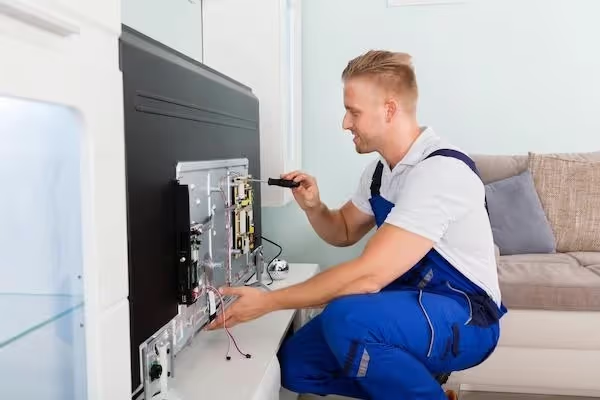
The most unpleasant, but also the rarest scenario. The processor (or control microcontroller) is responsible for polling the buttons, processing IR signals from the remote, and the overall interaction logic. If the contacts responsible for processing signals from the button panel have failed, the remote may still work (it has its own path). This very symptom, "remote works, body buttons do not," often points to the processor.
Replacing the processor on a TV is an expensive repair: you need to find an identical chip (often only from a donor board), carefully desolder the old one, and solder in the new one. There is a makeshift method of "reheating" the processor with a hot air station; it sometimes restores broken BGA solder joints, but the result is unpredictable: the problem returns in a month or two. And most importantly: if the reheating goes wrong, the TV may stop turning on altogether.
Our verdict: if diagnostics confirm a processor fault and the TV is more than five years old, the repair is not economically justified. The remote works, so keep using it. If the remote does not work either, see the next section.
5. Neither the panel buttons nor the remote work
When both control channels fail at the same time, localizing the problem is easier, but fixing it is harder. There are two possibilities:
Firmware glitch. A rare but real case: the TV "froze" at the software level and stopped processing any input commands. The fix is a full power cycle: unplug the cord from the outlet and wait 5-7 minutes (not 30 seconds; the power supply capacitors need time to discharge). After plugging it back in, test both channels.
Main board failure. If the reboot did not help, the problem is at the hardware level. Most often the main board is to blame, where the processor, the IR receiver, and the button panel ribbon cables are all soldered. DIY repair is impossible here without a serious workshop: you need an oscilloscope, a board schematic, and donor components.
In this situation, the only correct solution is to contact a service center. Experienced technicians perform full diagnostics and repair of TVs of any brand, from main board replacement to power circuit restoration.
Below is a video with a visual demonstration of typical causes of button failure and the first diagnostic steps:
⁉️🤔 Frequently asked questions
Why do the buttons on the TV work intermittently, sometimes responding and sometimes not?
Most often the cause is oxidized contacts or a worn pusher on a specific button. Over time, the metal on the contact pads develops an oxide film, and the press is registered inconsistently. The solution is replacing the strip with microswitches; cleaning with alcohol gives a temporary effect for 1-2 months.
Can I control the TV using only the buttons on the body, without the remote?
Yes, but with limitations. The panel buttons give access to basic functions: power on/off, volume, channel switching, and input source selection. Advanced settings (Smart TV menu, picture calibration, network parameters) are only accessible with the remote or through the manufacturer's mobile app (LG ThinQ, Samsung SmartThings).
How can I tell if the processor is broken, not the buttons?
The key symptom: the remote works (menu opens, channels switch), but the body buttons do not. If both channels are silent, a main board failure is likely, not just the processor. An accurate diagnosis is made with an oscilloscope at a service center.
Is it worth repairing the buttons on a TV older than 10 years?
Economically, rarely. The cost of replacing the button strip is not high (from 500 to 1500 $ including labor), but if problems with the power supply or backlight are found at the same time, the repair will cost half the price of a new budget TV. Before any repair, always request a full diagnostic with an assessment of all components.
What should I do if a child turned on the child lock and there is no remote?
Press and hold the "Menu" button or the central joystick button on the body for 10-15 seconds; on many models this resets the lock. If that does not help, look for a service button (recessed, behind a paperclip hole) on the back panel of the TV. The last resort is to unplug the TV from the power outlet for 5 minutes: on some models this resets the child lock.
TV ignores button presses: what to do in your case
A short algorithm that will save you time and money. Go through it from top to bottom and stop at the step that yields a result:
Remote works, buttons do not → check child lock in settings (step 1). Did not help → inspect the buttons for wear (step 2). Remote works, buttons are intact, no lock is on → a processor fault is likely (step 4).
Neither the remote nor the buttons work → unplug the TV for 5-7 minutes (step 5). Did it start working? You got lucky; it was a software glitch. No, the main board needs replacing, call a service center.
In most cases the problem is solved at the first or second step, without a soldering iron and extra costs. If the diagnosis has taken you further, do not risk a DIY repair: no technician can restore a disassembled TV with a damaged matrix ribbon cable.

A professional team of writers and editors specializing in creating quality content.