













📡 Which home internet plan to choose and for what: a breakdown by scenario
Technology doesn't stand still: just 15 years ago, 1 Mbps was considered normal, and today gigabit plans are no longer a novelty. Providers compete to offer 200, 300, 500 Mbps, and their prices aren't that much higher than basic ones. The temptation to get "the fastest one" is understandable. But do you actually need it?
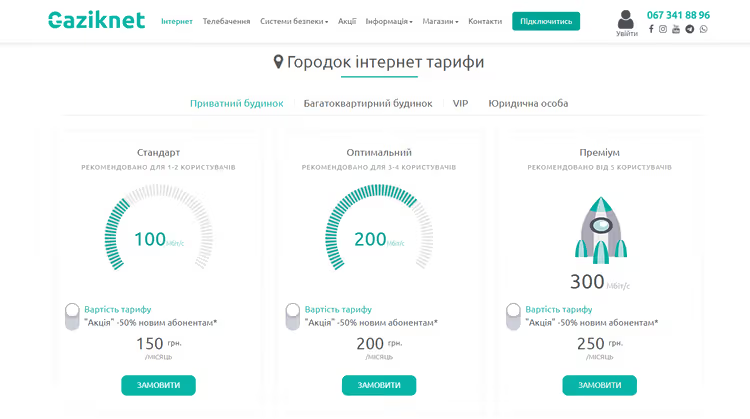
The problem is that overpaying for unused speed is money down the drain. A shortage of megabits, on the other hand, turns an evening movie into a slideshow and a work video conference into pixelated mush. You can connect to the internet in Horodok from provider Gaziknet with a suitable plan and forget about both extremes.
Below is a breakdown by real-life scenarios. No abstract "just get 100 Mbps and you'll be fine." With numbers, nuances, and honest recommendations.
💡 Quick overview:
- Determine how many people use the internet at home simultaneously; that's the main multiplier.
- For a family of 3-4 people, the comfortable minimum is 200 Mbps, optimal is 300 Mbps.
- Remote work with large files (video, photos, syncing) requires 300 Mbps or more.
- 4K video and game streaming: 200 Mbps minimum, 300+ is better.
- Gigabit plans (500-1000 Mbps) are justified only when all four scenarios overlap.
- Check your actual speed: providers often inflate numbers in advertising.
What affects speed: basic benchmarks
Before diving into scenarios, a quick primer. The plan speed is the maximum the provider promises "up to." The actual speed depends on network load, connection type (fiber, twisted pair, Wi-Fi), and how many devices share the channel. Router manufacturers and providers usually recommend building in a margin above the calculated need: the network rarely operates at its rated maximum.
A benchmark for calculation: 50 Mbps per active user, a comfortable figure for typical tasks (browsing, YouTube, social media, messengers). Add the "heavy" scenarios from the sections below, and tack on more.
Scenario 1: A family of three or more

A familiar picture: evening, everyone's home. One kid is watching YouTube on a tablet, another is playing an online game on a phone, one adult has opened Netflix on the TV, and the other is trying to answer work emails on a laptop. And the speed tanks for everyone at once. The reason isn't the provider; the channel is simply shared among devices, and each one gets a tiny slice.
You can solve the problem in two ways:
- Limit the number of simultaneously connected devices, an unrealistic option for a modern family.
- Get a plan with a speed margin. The minimum for a family of 3-4 people is 200 Mbps. If there are gamers or 4K enthusiasts, 300 Mbps.
The "50 Mbps per person" formula works as a lower bar. The comfortable level is when no one notices the others' presence. And that means around 300 Mbps in a family home.
Scenario 2: Remote work with large files
Developers, video editors, photographers, content managers, anyone who works with large data sets knows the value of every minute of upload time. You can't send a client a 5 GB edited project via email; you need speed. Real-time syncing with the cloud (Google Drive, Dropbox, OneDrive) also eats up megabits.
A background photo archive backup alone can clog the channel so much that a Zoom video call starts "falling apart." Add the family users from the first scenario, and a 100 Mbps plan is already critically insufficient.
For remote work with large files, aim for 300 Mbps and above. This gives you a margin for simultaneous syncing, a Full HD video conference, and a background system update without slowdowns.
Scenario 3: 4K video, streaming, and online gaming

Smart TVs and 4K content have long ceased to be a premium niche. Netflix recommends 15 Mbps for a single 4K stream, YouTube about 20 Mbps. That seems modest. But rarely does anyone limit themselves to just video: apps update in the background, game patches download, someone in the household is scrolling TikTok.
Streaming (Twitch, YouTube Live) is even more demanding; here, not only the download channel matters but also the upload. And online games are sensitive not so much to speed as to ping, but if the channel is congested, lag is inevitable.
For this scenario, the comfortable minimum is 200 Mbps. If 4K video is watched on two devices simultaneously or gaming traffic is added to streaming, go for 300 Mbps.
What about gigabit plans?
500 Mbps and 1 Gbps are attractive numbers in advertising. In practice, they are justified in three cases:
- You have a large family (5+ people), and everyone actively uses the internet at the same time.
- You work with truly huge files: regular upload/download of tens of gigabytes.
- You have a smart home set up with a dozen cameras, a NAS server, and other network equipment.
For everyone else, gigabit is overpaying. The difference between 300 and 500 Mbps in a typical family of 3-4 people is practically unnoticeable, while the plan can cost one and a half times more.
For more on how to avoid getting confused by the numbers and choose the right speed for your needs, see the English-language guide above. It explains things clearly and without marketing fluff.
⁉️🤔 Frequent questions
How do I check the actual internet speed at home?
Connect a laptop to the router with a cable (not via Wi-Fi) and run Ookla's Speedtest. Wi-Fi can significantly cut speed; a wired test will show the honest figure from the provider. Compare it with your plan: if the difference is substantial, that's a reason to call support.
Do I need a router with gigabit speed support if my plan is only 100 Mbps?
For 100 Mbps, almost any modern router will do. But if you plan to upgrade to 300+ Mbps in the future, get a model with gigabit ports and at least Wi-Fi 5 (802.11ac) support. Otherwise, the router will become a bottleneck.
What's more important for online gaming: speed or ping?
Ping (latency). Games consume 3-6 Mbps but are critical to connection stability. A ping to the server below 50 ms is good, below 20 ms is excellent. If your provider gives you high ping at normal speed, change the provider, not the plan.
Can an old laptop or phone "slow down" the internet for everyone?
Not by itself. But if the device is connected via an old Wi-Fi standard (802.11n or lower), the router may switch to compatibility mode, which cuts the overall network speed. The solution: replace the ancient Wi-Fi adapter or assign it a separate band in the router settings.
Should I get a plan with asymmetric speed (download > upload)?
For most home users, yes. Watching video, browsing, and downloading files are mostly download. Upload is important for video calls, streaming, and sending large files. But many providers have asymmetry "out of the box": 200/50 Mbps is a normal profile for home use.
The final breakdown: which plan to get for your needs
The main rule is to count not abstract megabits, but the number of simultaneous users and their habits. In short:
- You live alone, work with email and a browser: 100 Mbps is more than enough.
- A family of 3-4 people, YouTube, social media, Netflix: 200 Mbps, the comfortable minimum.
- Remote work with "heavy" files plus household users: 300 Mbps and above.
- 4K video, streaming, gaming, large family: from 300 Mbps, consider 500.
- Gigabit: only if all four scenarios converge under one roof.
And finally: providers often give a discount when signing up for a year. If possible, test the plan for a month, measure the actual speed, and only then commit long-term. Hanging gigabit on the wall just for a nice number on the contract isn't worth it.

A professional team of writers and editors specializing in creating quality content.