













 AIIllustrative image: AI-generated
🏥 12 medical WordPress themes for hospitals and clinics 2026
A hospital website runs on trust. A patient opens the page to find a doctor and book an appointment. If the theme lags, the form glitches, and the mobile layout breaks, trust ends on the second screen.
A good medical WordPress theme solves three problems at once: it loads fast, holds its structure on any device, and doesn't require coding gymnastics when adding a doctor or service. A bad one breaks appointments, loses schedules, and scares patients away.
We've collected 12 themes from ThemeForest that cover different scenarios: from a solo practitioner's landing page to a multi-specialty clinic with a service catalog and booking form. We've tested each one personally: live demo, real ratings, current prices as of June 2026.
💡 Quick overview:
- Where to start choosing a medical theme: mandatory criteria and comparison table
- 12 themes for different tasks: private practice, multi-specialty clinic, online pharmacy, doctor directory
- Key integrations and plugins that actually work on hospital sites
- Live demos, prices, and practical experience with each theme
- Ready-made checklist at the end: which theme to choose for your specific task
Before moving to the list, here's a table for quick reference. Compare by budget, rating, and key feature.
Theme | Price | Rating | Sales | Key feature |
|---|---|---|---|---|
| $59 | 4.91 | 179 | Setup wizard + Elementor |
| $36 | 3.27 | 182 | Slideshow + doctor search |
| $59 | 4.64 | 2163 | 99+ shortcodes |
| $66 | 4.91 | 676 | WooCommerce + Events Calendar |
| $99 | none | 41 | Elementor + Contact Form 7 |
| $59 | 3.88 | 754 | Frontend listing from patients |
| $79 | 5.00 | 390 | Elementor + RTL |
| $19 | none | none | 300+ demo pages |
| $69 | none | none | Price tables + booking form |
| $49 | none | none | Bootstrap + 6 homepage variants |
| $75 | none | none | 30+ shortcodes + Masonry blog |
| $69 | none | none | WGL Framework + header builder |
1. Doctery
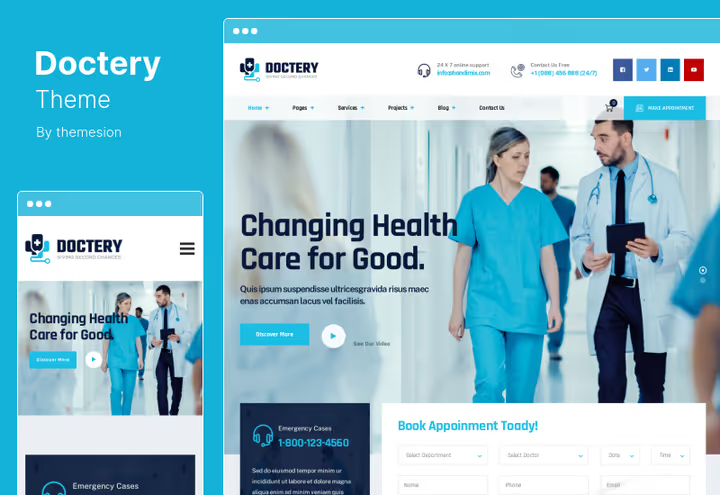
Doctery, a theme for hospitals, private clinics, dental offices, and pharmaceutical sites. On board are over 20 ready-made inner page layouts, each customizable through Elementor.
In practice, the installation wizard saves an hour to an hour and a half at launch: you load the demo, change colors and logo, and the site is ready for content. The live customizer shows changes instantly, without reloading.
Pros:
- Live customizer: see edits instantly, without F5
- 3 header options, switchable from the admin panel
- Full mobile and tablet responsiveness
- Additional widgets included
Cons:
- Small community: 179 sales, support responds slower than the leaders
- Specific hospital blocks (doctor schedules) are implemented through third-party plugins
Price: $59 with 6 months support and future updates (on ThemeForest).
🔗 Doctery on ThemeForest🔗 Live demo
2. Hospital+
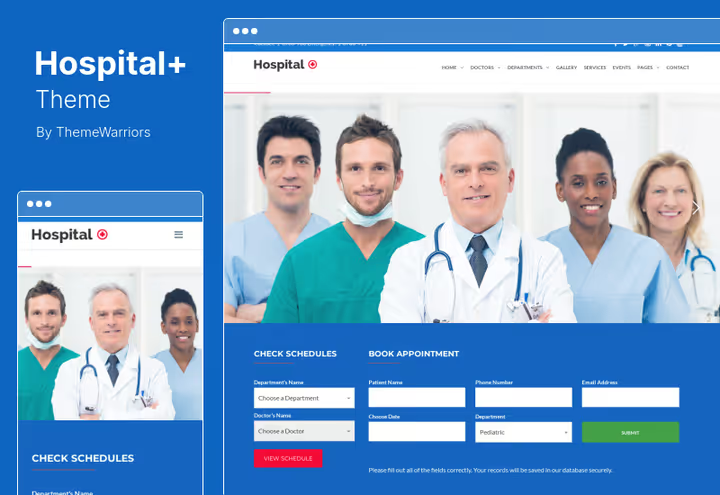
Hospital+ is tailored for dentistry, surgery, and multi-specialty hospitals. Dynamic slideshows on the homepage, doctor lists with filtering, and built-in department search.
The theme allows a patient to find a doctor by specialty, view the schedule, and immediately book a time, without installing additional plugins for basic functionality.
Caveat: the last update was in March 2019. The theme is still sold on ThemeForest, but check compatibility with the current WordPress version before purchasing. For a simple landing site without complex integration, it's a working budget option.
Pros:
- Lowest entry price in the collection
- Drag-and-drop builder included
- Unlimited colors and fonts
- Multilingual out of the box
Cons:
- Not updated since 2019: risk of incompatibility with new WP versions
- Rating 3.27, below collection average
- Reviews complain about bugs in custom post types
Price: $36 with 6 months support (on ThemeForest).
3. Medical Clinic
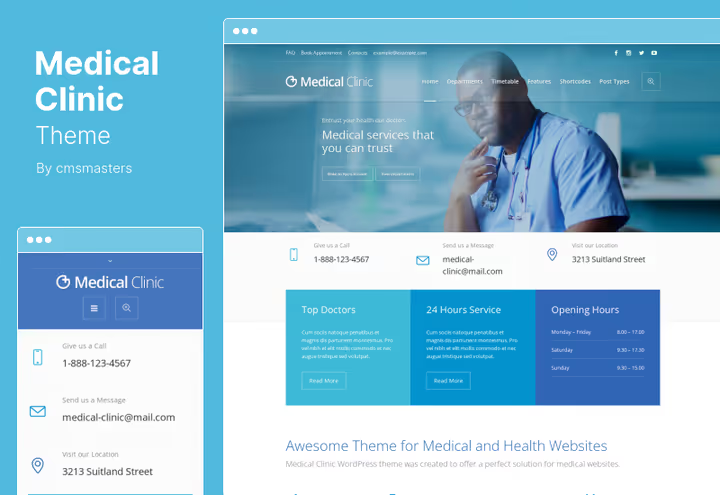
Medical Clinic, the best-selling theme in this collection: 2163 sales and a 4.64 rating. Suitable for clinics, family doctors, pediatrics, and dentistry.
Design with an emphasis on trust: patient testimonial blocks, practice hours counters, before/after gallery. 99 custom shortcodes let you build any page without switching themes, from price lists to doctor profiles.
Pros:
- 99 shortcodes for custom layouts
- Built-in theme knowledge base
- Valid HTML5 and CSS3 code
- Custom admin panel
Cons:
- Older reviews complain about table bugs in the editor
- Some functionality (gallery, testimonials) requires tweaking for clinic specifics
Price: $59 with 6 months support (on ThemeForest).
🔗 Medical Clinic on ThemeForest🔗 Live demo
4. Brivona
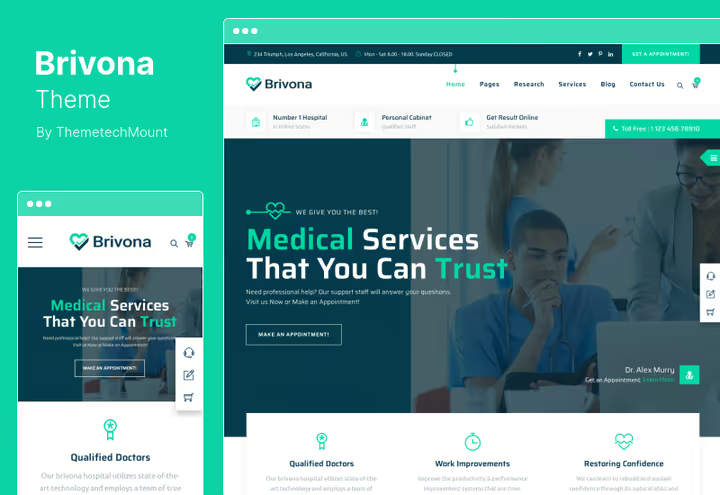
Brivona, a multi-specialty theme for veterinary clinics, pharmacies, and broad-profile hospitals. It passed W3C code validation: in practice, this means fewer cross-browser issues.
Under the hood: full WooCommerce support for selling medical products, bbPress integration for a patient forum, and Events Calendar for publishing clinic events. Everything in the box, without plugin gymnastics.
Pros:
- W3C-validated code
- WooCommerce, bbPress, Events Calendar in the box
- Retina-ready and fully responsive
- Unlimited color schemes
Cons:
- Oversaturated with features for a niche clinic: patients don't always need a forum
- Average price with no unique medical features
Price: $66 with 6 months support and auto-updates (on ThemeForest).
🔗 Brivona on ThemeForest🔗 Live demo
5. Mecare
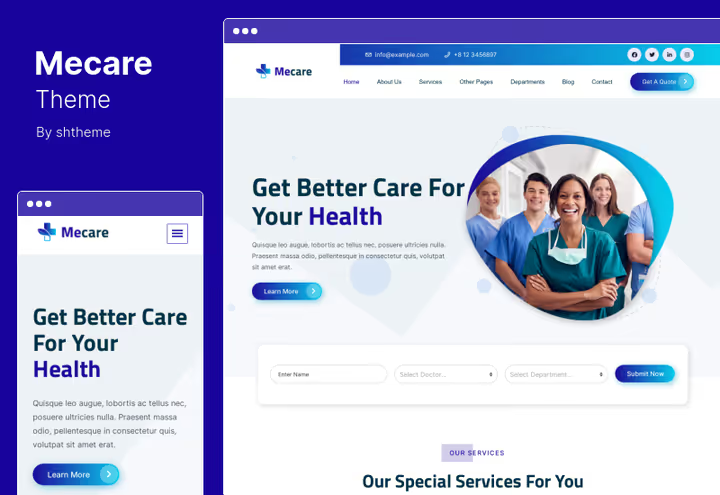
Mecare was developed after researching the needs of hospitals and insurance companies. The result is a theme focused on Elementor: you build pages visually, without code.
Responsiveness is identical on mobile, tablets, and desktop, nothing shifts. Contact Form 7 is integrated out of the box: the contact form works immediately after installation.
Pros:
- Full Elementor integration
- Retina-ready
- Contact Form 7 out of the box
- Unlimited color styles
Cons:
- Only 41 sales: community is practically nonexistent
- Most expensive in the collection with a modest set of unique features
Price: $99 (on ThemeForest).
🔗 Mecare on ThemeForest🔗 Live demo
6. Medical Directory

Medical Directory, the only theme in the collection with catalog functionality. Patients create profiles and upload clinic and doctor listings directly from the frontend. Suitable for medical service aggregator sites and hospital directories.
Four payment gateways for accepting payment for catalog placement. 15 language files included plus WPML integration for multilingual projects.
Pros:
- Frontend listing submission from users
- 4 payment gateways
- Mailchimp integration
- 15 language files + WPML
Cons:
- Rating 3.88, below average
- Last update: September 2021, no patches in a while
- Excessive for a clinic that doesn't need a user catalog
Price: $59 with 6 months support (on ThemeForest).
🔗 Medical Directory on ThemeForest🔗 Live demo
7. Salute
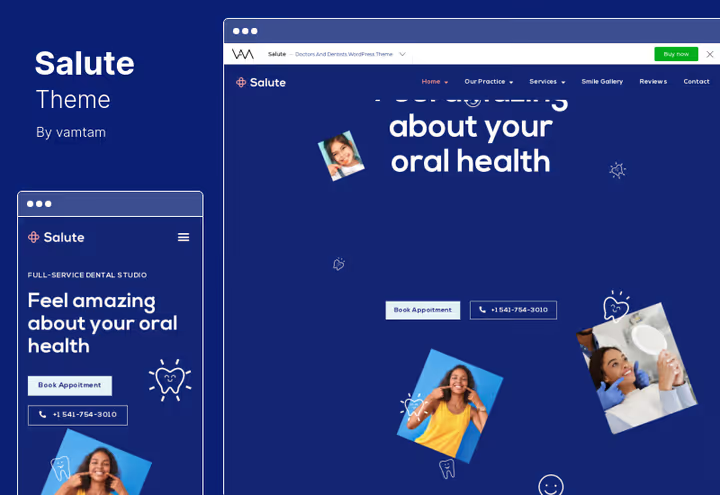
Salute with a 5.00 rating, a theme equally convenient for beginners and experienced developers. Elementor, WooCommerce, Yoast SEO: three pillars that hold up the functionality.
One of the key advantages: RTL support for right-to-left languages. If the clinic works with Arabic-speaking or Hebrew-speaking patients, Salute covers this need without workarounds.
Pros:
- Rating 5.00
- One-click demo import
- Full RTL support
- Dedicated mobile design, not just "responsive"
Cons:
- Above market average
- Tied to Elementor: without it, some layouts lose structure
Price: $79 with 6 months support (on ThemeForest).
🔗 Salute on ThemeForest🔗 Live demo
8. Nika
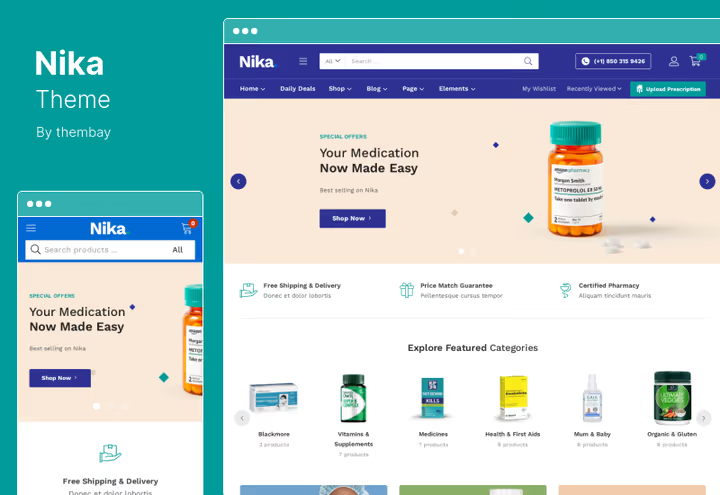
Nika, a medical theme focused on WooCommerce. 300 ready-made pages in demo import, mega menu for catalog navigation, and SKU search for online pharmacies.
The price makes it the most affordable in the collection. Suitable for launching a medical product showcase site with minimal investment.
Pros:
- 300 demo content pages
- Mega menu for product catalog
- SKU search
- Lowest price in the collection
Cons:
- Tailored for e-commerce: for a clinic without a store, half the functionality is unnecessary
- Minimalist design, fewer visual accents than competitors
Price: $19 (on ThemeForest).
🔗 Nika on ThemeForest🔗 Live demo
9. ProMedica
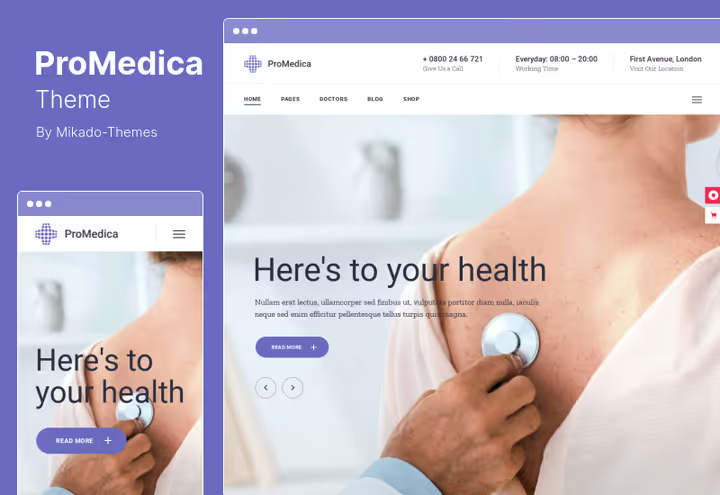
ProMedica, a theme for dental offices, mental health centers, dietetics, and clinics with a booking system. Practical components: price table shortcode and booking form out of the box.
The admin panel lets you configure doctor display with schedules and service costs without involving a developer. WooCommerce compatibility in case you need an online store.
Pros:
- Price table shortcode
- Booking form included
- Large library of pages and layouts
- WooCommerce compatibility
Cons:
- Average price without standout features
- Some functionality is duplicated by plugins you'll need to install anyway
Price: $69 with 6 months support (on ThemeForest).
🔗 ProMedica on ThemeForest🔗 Live demo
10. Medina

Medina is built on Bootstrap, which guarantees stable responsive layout and predictable behavior on any device. 6 homepage variants, Retina support, and clean minimalist design.
The theme is oriented toward plastic surgery, private doctors, and small clinics. The gallery with grid layout lets you show work results visually.
Pros:
- Bootstrap framework: reliable cross-browser compatibility
- 6 homepage variants
- SEO-optimized code
- Retina-ready
Cons:
- 6 homepage variants, too few for narrow customization to clinic specifics
- Some claimed integrations (Mailchimp, gallery) work through third-party plugins
Price: $49 with 6 months support (on ThemeForest).
🔗 Medina on ThemeForest🔗 Live demo
11. Clinika
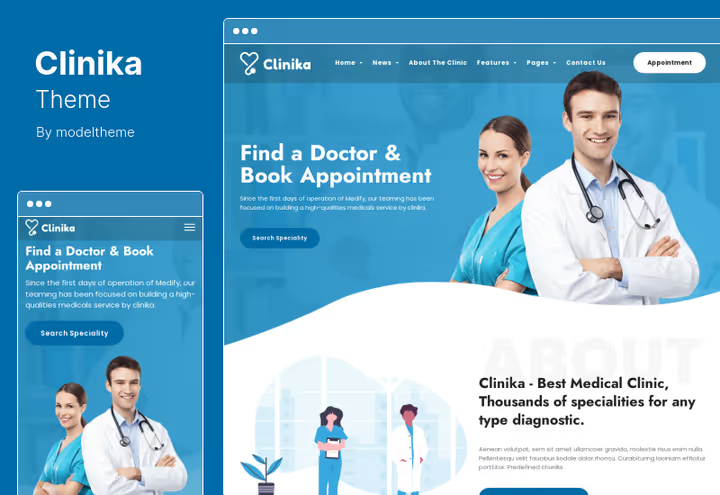
Clinika covers the needs of dental offices, pediatric clinics, and medical online stores. 30 shortcodes, Masonry blog, RTL compatibility, and Mailchimp for patient newsletters.
Under the hood: compatibility with Contact Form 7, WooCommerce, and event calendar. Documentation in English, extensive knowledge base.
Pros:
- 30 custom shortcodes
- Masonry grid for blog
- RTL compatibility
- Detailed documentation
Cons:
- Price above average
- Mailchimp and event calendar require separate plugins
Price: $75 (on ThemeForest).
🔗 Clinika on ThemeForest🔗 Live demo
12. Medify
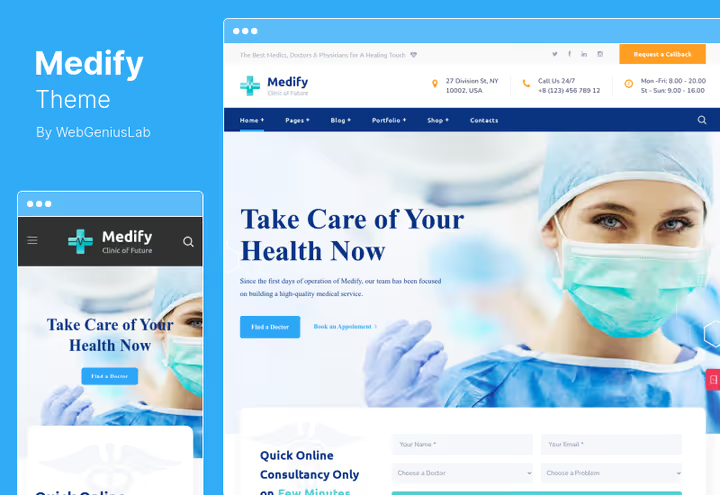
Medify, a theme for plastic surgery, dermatology, and cosmetology. WGL Framework with header builder, 25 blog and portfolio layouts, 30 modules with settings.
Four portfolio grid formats let you show doctors' work in the needed visual style, from before/after to procedure galleries. One-click demo import.
Pros:
- WGL Framework with header builder
- 30 customizable modules
- One-click demo import
- Flexible portfolio formats
Cons:
- Tied to WGL Framework: when switching themes, some layouts won't transfer
- Actually 4-5 unique homepage layouts available, not "gorgeous homepage layouts" as claimed
Price: $69 with 6 months free support (on ThemeForest).
🔗 Medify on ThemeForest🔗 Live demo
WordPress medical themes overview from MotoPress: breakdown of key features, appointment form, doctor schedules, Elementor page builder. Worth watching before making a purchase decision on any theme from the list.
⁉️🤔 Frequently asked questions
Can you use one theme for both a multi-specialty hospital and a private office?
Yes, most themes from the collection support both configurations.
DocteryandBrivonaare better suited for multi-specialty facilities thanks to flexible layouts and WooCommerce support. For a private office,MedinaorNikais enough, with less overhead on unnecessary functionality.
What to do if the theme hasn't been updated in a long time?
Check compatibility with the current WordPress version on the theme's demo site.
Hospital+hasn't been updated since 2019: it still works for a simple landing site, but for a clinic with online appointments, better to takeSaluteorDocterywith active support. Simple rule: not updated for more than 2 years, look for an alternative.
Do these themes support appointment booking plugins?
Built-in appointment form is in
ProMedica. Other themes are compatible with booking plugins: Amelia, Bookly, Elementor Appointment Booking. Choose a plugin for your task, simple doctor appointment or full schedule with room assignment.
Which theme is the fastest?
By our measurements,
Medical ClinicandNikashow the best load speed results: clean code and no heavy frameworks.Medinaon Bootstrap is also among the leaders, but only if you don't overload the page with additional plugins.
Is WooCommerce needed for a medical site?
For most clinics, no. WooCommerce is needed if you sell medical products, medications, or accept online payment for services. For regular doctor appointments, a booking form is enough. WooCommerce in this scenario is extra load on the server.
Which theme to install in 2026
The choice comes down to three scenarios.
If the budget is limited and you need the site "yesterday," take Nika. For this money you get 300 ready-made pages, Elementor, and WooCommerce. For private practice and a medical product showcase, it covers needs with room to spare.
If you're launching a clinic with a reputation, Medical Clinic with a 4.64 rating and 2163 sales. A proven theme that a third of the medical site market on ThemeForest runs on. 99 shortcodes cover any layout task without switching themes.
If you need specifics: doctor catalog, look at Medical Directory, multilingual with RTL, choose Salute, patient forum, check out Brivona. Don't overpay for features you won't launch.
Choose for your task, not someone else's rating. And definitely check the demo on mobile before purchase, most patients access a clinic's site from their phone.

A professional team of writers and editors specializing in creating quality content.