














💻 16 best WordPress hosting themes for WHMCS and domain business in 2026
Every hosting company client notices a generic WordPress theme on a hosting provider's website. They don't count or analyze. They feel it. And they leave for competitors with a specialized theme where domain search, pricing tables and order forms work out of the box, not assembled with plugins on the fly.
On ThemeForest there are hundreds of hosting themes: half are recolored generic templates with a server icon in the header, the other half haven't been updated since 2022 and will crash at the next major WordPress release. We've collected 16 live themes with WHMCS integration, domain search and an active update history. No abandoned projects and dead demos.
💡 Quick overview:
- Filter themes by comparison table: price, WHMCS, page builder, update date
- Open the live theme demo and check loading speed on different devices
- Check the last update date on the ThemeForest page (Changelog section)
Comparison table
Theme | Price | WHMCS | Page Builder | Updates |
|---|---|---|---|---|
Phox | $49 | Yes | Elementor | Regular |
Bluerack | $29 | Yes | Standard | Lifetime |
Linksy | $49 | Yes | WPBakery | Regular |
Cloudme Host | $69 | Yes | Drag-and-drop | Regular |
Elastix | $99 | Yes | Standard | Regular |
Hostinza | $49 | Yes | Elementor | Regular |
HostCluster | $75 | Yes | Standard | Regular |
Hostingo | $36 | Yes | Elementor | Regular |
Hoskia | $37 | Yes | Standard | Lifetime |
Aox Host | $99 | Yes | WPBakery | Regular |
UnlimHost | $59 | No | WPBakery | Regular |
Hostinkar | $29 | Yes | Elementor | Regular |
Multi Host | $69 | Yes | Built-in | Regular |
CleverSoft | $69 | Yes | Standard | Regular |
Bluishost | $39 | Yes | Standard | Regular |
Hostiko | $59 | Yes | Elementor | Regular |
1. Phox
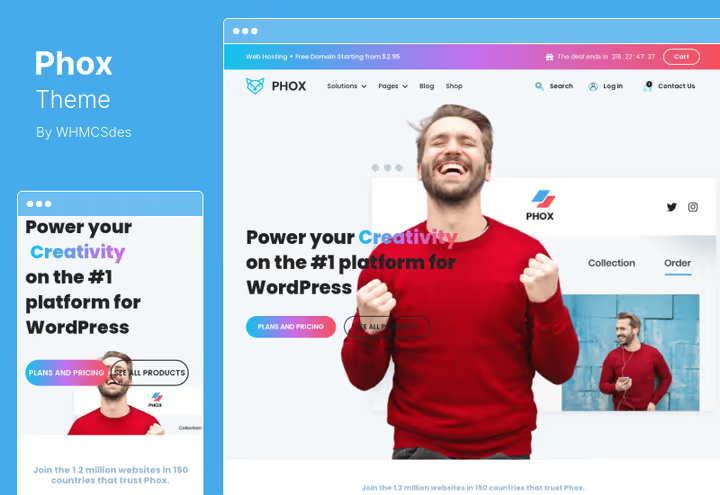
One of the most popular hosting themes on ThemeForest with direct WordPress and WHMCS integration through WHMCS Bridge. Three ready-made scenarios included: hosting agency, SaaS product and tech startup. All visuals are assembled with Elementor, edit layouts without a line of code. In practice you launch a project in a day, demo import and color customization take hours, not weeks of development.
Pros:
- Full WHMCS billing inside WordPress: invoices, orders, tickets open without switching between panels
- Theme options panel with control over fonts, colors and image sizes, changes without CSS editing
- Ready-made landing page layouts for services and internal pages for all main hosting scenarios
Cons:
- Hard dependency on Elementor, you won't migrate to another page builder without losing layouts
- No built-in domain search, requires a separate plugin or custom integration
Price: $49 on ThemeForest, includes 6 months support
Download: 🔗 Phox on ThemeForest🔗 Live demo
2. Bluerack
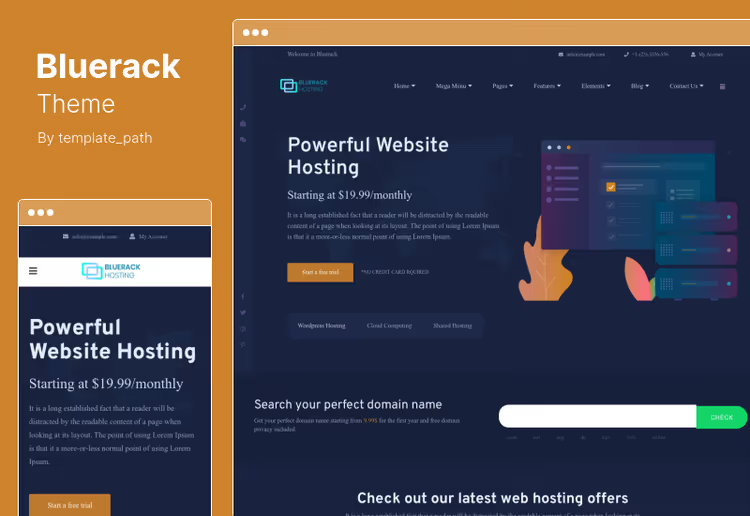
Budget option for startups and solo entrepreneurs who don't need visual builders. Imports HTML layouts and pricing tables directly from WHMCS, saves hours of manual coding. Layout through standard WordPress block editor, design is conservative but functional. Best price in the selection with lifetime updates.
Pros:
- Lifetime updates and the lowest price in the selection, $29 on ThemeForest
- Translation to any language by standard WordPress means through.po/.mo files
- Customizable sidebar, footer widgets and ready-made pricing table functions
Cons:
- No built-in page builder, layout through standard Gutenberg block editor
- Conservative design, for wow effect you'll need to refine with custom styles
Price: $29 on ThemeForest, lifetime updates
Download: 🔗 Bluerack on ThemeForest🔗 Live demo
3. Linksy
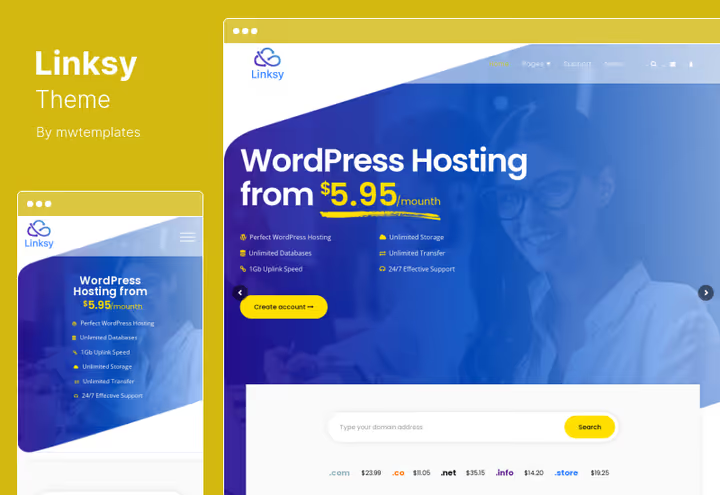
All-in-one for domain registrar: domain search, hosting pricing tables, blog and FAQ collected in one theme. Under the hood Revolution Slider, services plugin and a set of shortcodes for quick page assembly. WPBakery Page Builder out of the box provides visual assembly without code, although the builder itself is inferior to Elementor in performance.
Pros:
- WPBakery Page Builder out of the box, visual page assembly without file editing
- Ready sections for pricing tables, contact forms, FAQ and blog with different layouts
- Light and fast code, doesn't overload server even with Revolution Slider enabled
Cons:
- Dependency on Revolution Slider, when switching themes sliders will break without export-import
- WPBakery is inferior to Elementor in interface performance and element setup convenience
Price: $49 on ThemeForest, 6 months support
Download: 🔗 Linksy on ThemeForest🔗 Live demo
4. Cloudme Host
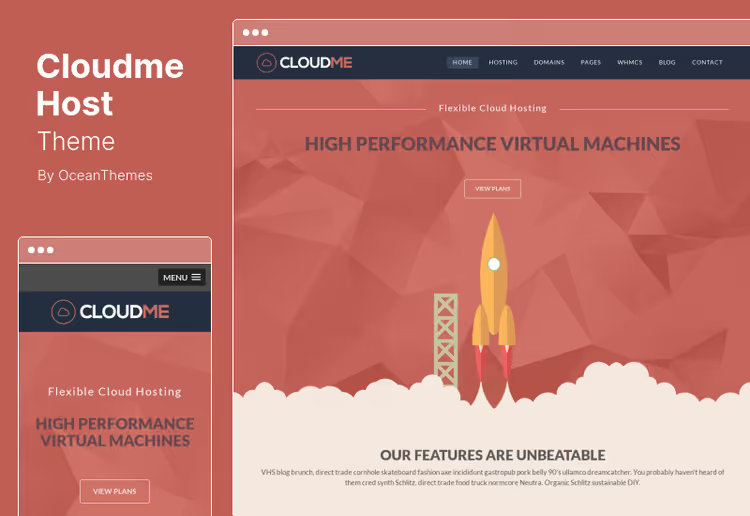
Multilingual theme with WPML support and its own drag-and-drop builder. Three homepage variants plus ready-made web elements included. Tailored for agencies and international hosting projects where multilingual support is needed without plugin workarounds. Retina-ready responsive video player, pricing table, blog, everything responsive out of the box.
Pros:
- Fully retina-ready: responsive video player, pricing tables, blog look sharp on all screens
- Custom colors through options panel, without editing files and compiling SCSS
- Sticky header and WPML multilingual support out of the box, rare for specialized themes
Cons:
- Custom drag-and-drop builder, not Elementor or WPBakery, you'll need to get used to the interface
- Price above average with standard 6 months support
Price: $69 on ThemeForest, auto updates
Download: 🔗 Cloudme Host on ThemeForest🔗 Live demo
5. Elastix
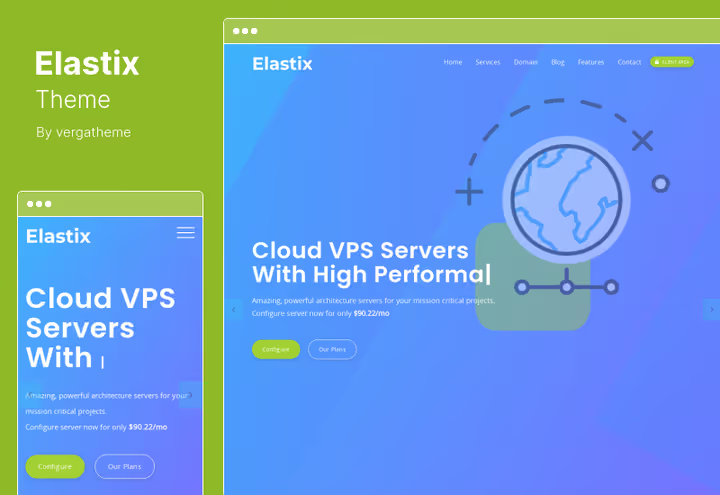
Designer theme for those who don't fit standard layouts. Animation on any element, retina compatibility, responsive, visually stands out among dozens of template hosting sites. Good for single-page projects and landing pages. Unlimited color schemes and unique page layouts, jQuery forms from scratch and step-by-step documentation.
Pros:
- Unlimited color schemes and unique page layouts, visual flexibility above average
- jQuery forms built from scratch without heavy plugins, step-by-step setup documentation
- Animation on any element without lags on mobile devices
Cons:
- Most expensive theme in the selection on ThemeForest
- WHMCS Bridge not explicitly mentioned in description, billing integration will need manual setup
Price: $99 on ThemeForest, 6 months support
Download: 🔗 Elastix on ThemeForest🔗 Live demo
6. Hostinza
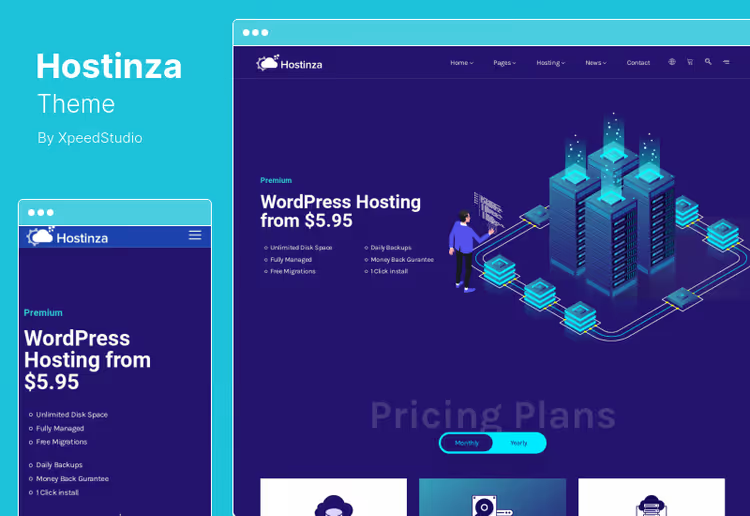
Isometric design, non-template approach to hosting theme. WHMCS integration with domain management and online payment acceptance, several pricing table templates for plan comparison, parallax sections and CSS3 animation. Isometric graphics make the site stand out in search results, but the style is subjective, not suitable for every niche.
Pros:
- Isometric graphics make the site stand out among template competitors with flat design
- Elementor plus options panel for controlling fonts, colors and layout without CSS
- Parallax sections and CSS3 animation, site is lively and dynamic, not static block
Cons:
- Isometric style is subjective, for conservative audience may look unserious
- Mega menu through separate builder, extra dependency on third-party plugin
Price: $49 on ThemeForest, 6 months support
Download: 🔗 Hostinza on ThemeForest🔗 Live demo
7. HostCluster
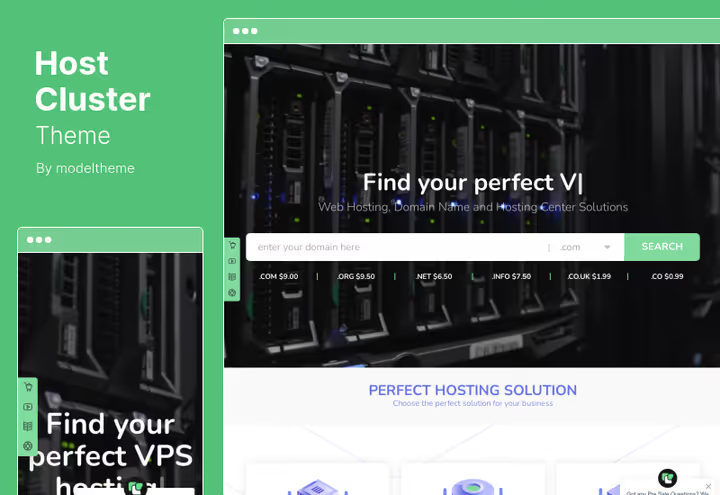
Theme for hosting company with physical data centers. Interactive maps of server locations, client testimonial modules and FAQ. WHMCS Bridge for billing and support directly inside WordPress. Optimized for speed: CSS animations without jQuery lags, interactive data center maps, rare among hosting themes.
Pros:
- Interactive data center maps, rare among hosting themes, show physical server locations
- Ready modules: client testimonials, FAQ, Ajax contact form without page reload
- Optimized for speed: CSS animations without jQuery lags, clean code without bloat
Cons:
- No popular page builder like Elementor or WPBakery, layout through standard editor
- Price above average without premium builder included
Price: $75 on ThemeForest, 6 months support
Download: 🔗 HostCluster on ThemeForest🔗 Live demo
8. Hostingo
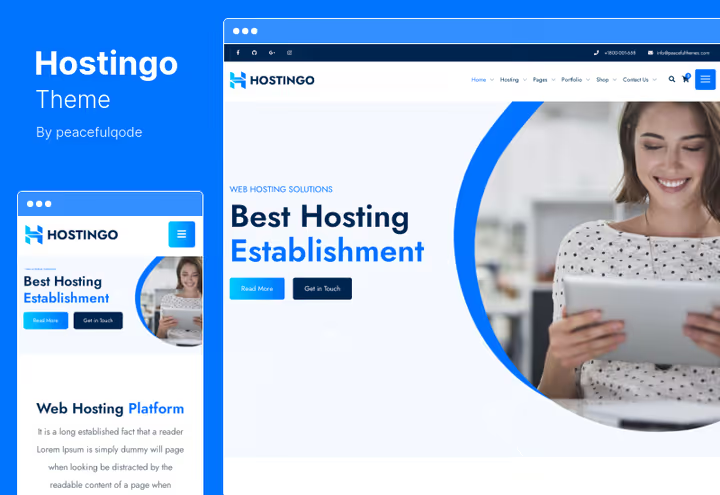
Most affordable theme with WHMCS integration in the selection. Elementor for visual assembly, ready-made pages About us, Services, Work process. Built-in domain search with registration through WHMCS out of the box, drag-and-drop through Elementor without coding knowledge. In practice fewer ready layouts than competitors, but enough for basic hosting site.
Pros:
- Best price among themes with Elementor and WHMCS, $36 on marketplace
- Domain search and registration through WHMCS out of the box, without separate plugins
- Drag-and-drop through Elementor, layouts are assembled visually, code not required
Cons:
- Fewer ready demo page layouts compared to competitors
- Advanced typography optional, base bundle doesn't include extended fonts
Price: $36 on ThemeForest, 6 months support
Download: 🔗 Hostingo on ThemeForest🔗 Live demo
9. Hoskia
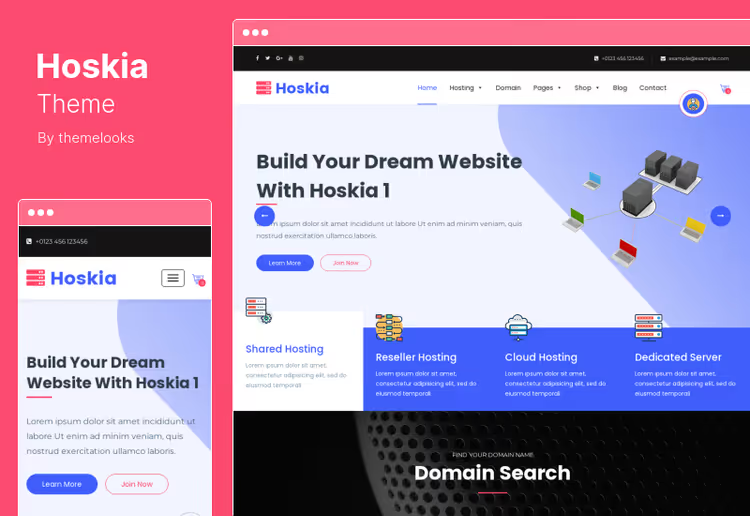
Multipurpose theme: cloud hosting, domain services, web hosting, software business, covers different scenarios. WHMCS Bridge for billing, custom templates for SSL certificates, affiliate marketing and data center contacts. MailChimp integration via Ajax, lead collection without page reload, Redux Framework for options panel.
Pros:
- MailChimp integration via Ajax, lead collection and email subscriptions without page reload
- Ready templates: SSL certificates, affiliate program, data center locations
- Redux Framework for options panel, flexible color and font customization without code
Cons:
- No popular page builder, layout through standard Gutenberg editor
- Lifetime updates for low price, check author history before purchase
Price: $37 on ThemeForest, lifetime updates and 6 months support
Download: 🔗 Hoskia on ThemeForest🔗 Live demo
10. Aox Host
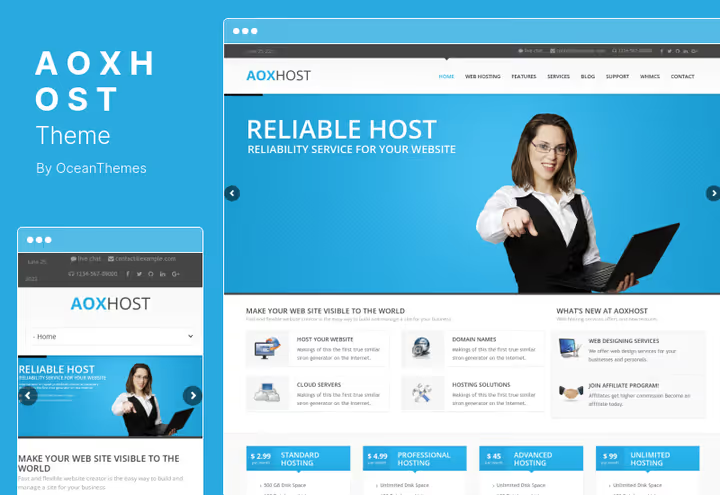
WPML plus WHMCS Bridge plus WPBakery, full set for multilingual hosting project. HTML5 and CSS3 foundation with responsive video, SEO optimization and Google Fonts. Logo, favicon and login page logo upload, full branding from theme panel. Bootstrap compatibility, Parallax backgrounds, Font Awesome icons included.
Pros:
- WPML and WHMCS Bridge in one theme, for international hosting companies with multiple languages
- Bootstrap compatibility, Parallax backgrounds, Font Awesome icons, modern tech stack
- Full branding from panel: logo, favicon, login page logo, everything configured without file editing
Cons:
- High price with standard 6 months support on ThemeForest
- WPBakery is inferior to Elementor in visual assembly convenience and interface performance
Price: $99 on ThemeForest, auto updates and 6 months support
Download: 🔗 Aox Host on ThemeForest🔗 Live demo
11. UnlimHost
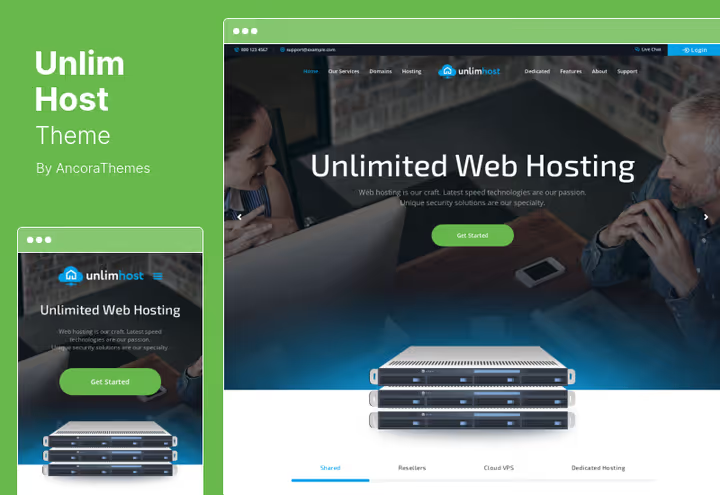
Technology theme with powerful set of premium plugins: Revolution Slider, Essential Grid, WPBakery Page Builder, MailChimp included. Retina-ready, speed optimized. WHMCS not explicitly stated in description, suitable for those accepting payments through third-party service like Stripe or PayPal without billing system.
Pros:
- Full set of premium plugins out of the box: Revolution Slider, Essential Grid, WPBakery, MailChimp
- Animation set for posts, shortcodes and custom post types for extending functionality
- Blog with variable styles and related posts, content marketing out of the box
Cons:
- No confirmed WHMCS integration, critical for hosting company with billing
- Overloaded with premium plugins, with careless setup loading speed will drop
Price: $59 on ThemeForest, 6 months support
Download: 🔗 UnlimHost on ThemeForest🔗 Live demo
12. Hostinkar

Fresh 2025 theme, replacement for discontinued MegaHost. Built on Elementor, WHMCS integration with billing and client cabinet out of the box. Domain search, pricing tables and service landing pages assembled visually, without code. Modern design, fast loading, clean code without baggage of old versions.
Pros:
- Elementor plus WHMCS: billing, tickets and domain search in one bundle without additional plugins
- Clean and light code, loading speed above market average for hosting themes
- Responsive for mobile and tablets without refinement, retina-ready images
Cons:
- New theme, fewer reviews and installations compared to market veterans
- Limited set of ready demo layouts, will need more manual assembly
Price: $29 on ThemeForest, introductory price (later $49), regular updates
Download: 🔗 Hostinkar on ThemeForest🔗 Live demo
13. Multi Host
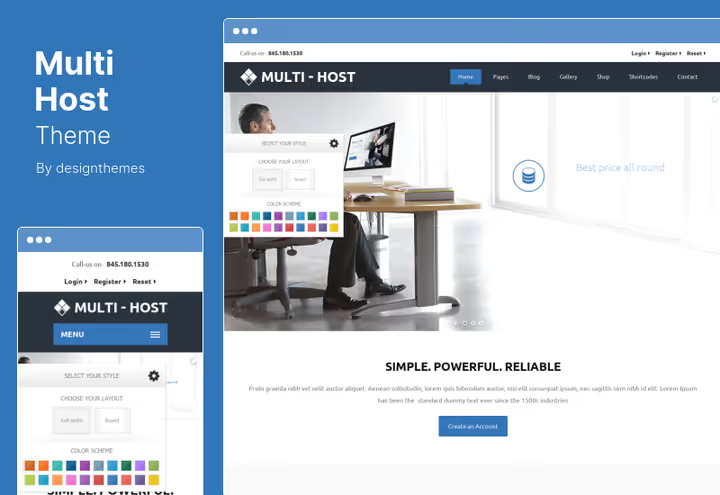
Theme with RTL language support and WPML, tailored for international projects. Built-in domain search and custom WHMCS templates for client account management. Shortcodes for pricing tables, search forms and client carousels. RTL plus WPML, for Arabic, Hebrew and other "right-to-left" languages without workarounds.
Pros:
- RTL plus WPML, for Arabic, Hebrew and other "right-to-left" languages out of the box
- Practical shortcodes: pricing table, domain search, client testimonial carousel
- jQuery validation for contact forms without additional plugins like Contact Form 7
Cons:
- Built-in page builder, not Elementor or WPBakery, possible limitations in flexibility
- Average price without standout features
Price: $69 on ThemeForest, auto updates and 6 months support
Download: 🔗 Multi Host on ThemeForest🔗 Live demo
14. CleverSoft
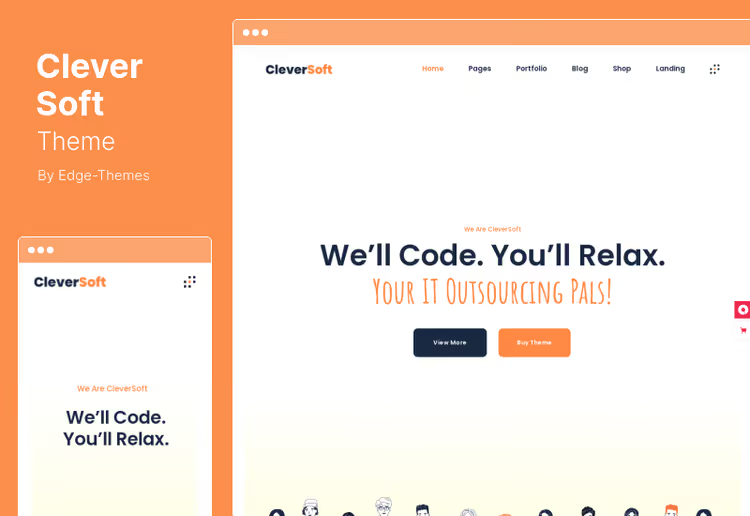
Hybrid theme: hosting companies, SaaS products, cybersecurity business, covers different verticals. Ready FAQ section with pre-made questions about plans and services, blog with social sharing and comments. WooCommerce compatibility for selling hosting services as products directly on site, without integration with billing system.
Pros:
- WooCommerce out of the box, sell hosting services as products with cart and payment
- Ready FAQ section for hosting topics, pre-made questions save time
- Social sharing and comments out of the box, without plugins for social media
Cons:
- No explicit page builder, possible dependency on standard Gutenberg editor
- WHMCS integration not confirmed in theme description, professional billing will require refinement
Price: $69 on ThemeForest, 6 months support
Download: 🔗 CleverSoft on ThemeForest🔗 Live demo
15. Bluishost
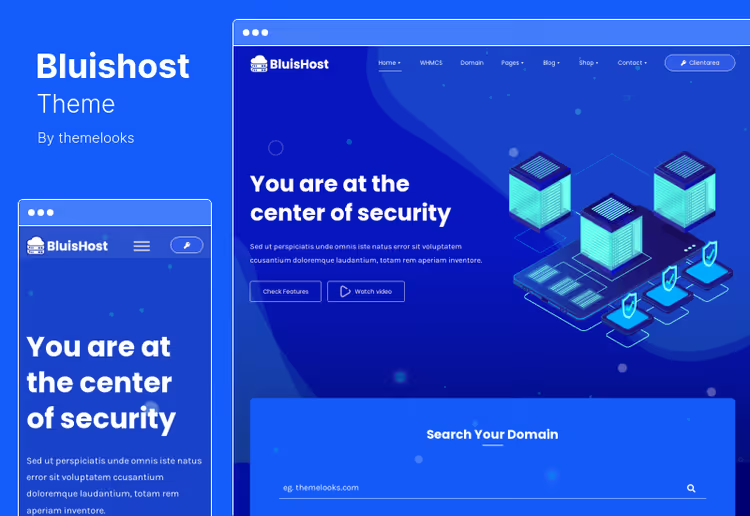
Tailored for domain business: domain search and registration, WHMCS Email Templates for branded client notifications, custom pricing tables for server configurations. Suitable for both technology blog and e-commerce through WooCommerce. Ajax integration for Mailchimp and CMB2 Framework for custom meta fields.
Pros:
- Domain search and registration out of the box, for domain registrars without additional plugins
- Custom WHMCS Email Templates, branded client notifications with your logo
- Ajax integration for Mailchimp and CMB2 Framework for extended post meta fields
Cons:
- Multipurpose focus, no deep specialization for pure hosting
- No popular page builder like Elementor or WPBakery, standard editor
Price: $39 on ThemeForest, auto updates and 6 months support
Download: 🔗 Bluishost on ThemeForest🔗 Live demo
16. Hostiko

Premium theme for web hosting, domain registrars and technology businesses. Two premium page builders included: Elementor and WPBakery, plus Revolution Slider for dynamic sliders. Wide selection of ready demo layouts for VPS hosting, shared hosting, dedicated servers and domain sales. Custom WHMCS templates for each demo layout, billing and client cabinet fully integrated.
Bootstrap foundation and modern icon fonts, code quality, full browser compatibility and performance on all devices. SEO optimization, WPML and RTL support, regular updates.
Pros:
- Two premium builders: Elementor and WPBakery plus Revolution Slider in one theme
- Wide selection of ready demo layouts, custom WHMCS templates for each layout
- Bootstrap foundation, modern code, regular updates
Cons:
- Large number of demos may complicate choosing starting variant
- Average price with high competition in this segment
Price: $59 on ThemeForest, 6 months support, regular updates
Download: 🔗 Hostiko on ThemeForest
Useful video on the topic
The WebHostingReviews channel author shows live examples of WordPress hosting themes and explains what to look for when choosing: demo loading speed, WHMCS integration quality and real appearance, not marketing screenshots:
⁉️🤔 Frequently asked questions
What's the difference between a hosting theme and a regular WordPress theme?
A hosting theme gives you out of the box: WHMCS integration for billing, tickets and client cabinet, domain search, ready pricing table layouts, plan comparison pages and hosting order form. A regular universal theme contains none of this, you'll have to add with plugins and code manually. The difference in launch time: a day versus a week of development.
Is WHMCS integration needed if I'm just starting a hosting business?
If you sell hosting and accept payments through a third-party service like Stripe or PayPal, WHMCS is formally not mandatory at launch. But as soon as you get plans with different billing cycles and a client cabinet for managing orders, automation through WHMCS saves hours of manual work. In practice even small companies implement WHMCS from first clients, migrating later is more painful and longer.
What's more critical: theme price or number of features?
More critical is the last update date. A theme without updates since 2022 will break at the next major WordPress release. Before purchase open the theme page on ThemeForest and check update history in the Changelog section. Better a live theme with six-month support at average price than an eternal abandoned one with a hundred features.
Can you launch a hosting site without a page builder?
You can, but it's inconvenient. Most hosting themes come with Elementor or WPBakery, pricing pages, domain search and order forms are assembled through visual builder. Without it you'll need to assemble layouts with standard Gutenberg editor or code, development time grows exponentially. Exceptions in the selection: Bluerack and HostCluster, working variants on standard editor if budget is tight.
Elementor or WPBakery, which to choose for a hosting theme?
For a hosting site the difference is not fundamental. Both builders are visual, both pull ready demo layouts out of the box. Elementor is slightly faster in operation and has a more active developer community, WPBakery is more deeply integrated into some old themes. Take a theme with the builder you're already familiar with, the learning curve for a new tool eats time.
Lifetime updates, marketing or real benefit?
Look at the theme author. If they have high sales volume and high rating on ThemeForest, the theme will more likely be updated for years. If the author is new and the theme appeared recently, lifetime updates may turn out to be lifetime for version 1.0 without further support. Proven author with history is more reliable than loud promises in description.
Is it worth taking a theme without explicit WHMCS integration and refining it?
Only if you already have a developer who specializes in WHMCS Bridge. For everyone else take a theme with stated WHMCS integration out of the box. Manual billing and client cabinet refinement is weeks of development and risk of incompatibility with each theme or WHMCS update. Savings on theme will turn into development costs.
Which hosting theme to choose for your task
The selection is large, and choice depends on launch scenario. Here's a recommendation matrix based on demo testing and real installation analysis:
- If budget is tight and you need minimum without extras, Bluerack for $29 on marketplace will cover basics
- If you need Elementor and full WHMCS at best price, Hostingo for $36 with lifetime updates provides domain search and billing out of the box
- If design matters and you're ready to pay for visuals, Hostinza with isometric graphics will set you apart from dozens of template sites
- If project is international and RTL is critical for Arabic or Hebrew, Multi Host with WPML and right-to-left language support is unmatched
- If starting in 2026 and want fresh code without baggage of old versions, Hostinkar for $29 introductory price provides modern Elementor plus WHMCS bundle
- If you need maximum demo layouts and builder flexibility, Hostiko with wide set of ready demos and two premium builders will cover any scenario
Check the live demo of each theme, open update history on ThemeForest, and take the one that will close your project tasks, not the one that got more stars in ratings. And if you're already working with any of these themes, write in comments how it performed on a real project.

A professional team of writers and editors specializing in creating quality content.