














🥇 20 best parallax themes for WordPress 2026
Your site looks flat, visitors leave the homepage before scrolling down, sound familiar? The parallax effect changes how a page is perceived: the background moves slower than the content, creating depth. The eye catches it, the finger scrolls further.
Over the years working with WordPress we've tested dozens of parallax themes for a photographer's portfolio, an agency landing page, a one-page product site. A good parallax theme should not just "move beautifully", it needs clean code, decent mobile performance and compatibility with Elementor or WPBakery without jumping through hoops.
Below, 20 parallax themes for different tasks: from a wedding photographer to a WooCommerce storefront. Each can be installed and customized without touching code.
💡 Quick overview:
- Decide on your site type: one-page landing, multi-page blog or store, each task has its own theme.
- Look at the built-in page builder: WPBakery, Elementor or native, this determines the learning curve.
- Check the demo: live preview shows real scroll smoothness and mobile framerate.
- Compare prices in the table below: among the top 5 there's a budget option, don't overpay for unnecessary bundled plugins.
A short video will show how the parallax effect looks in a real browser and how it differs from static scrolling:
Comparison table: top 5 themes to get started
Theme | For whom | Price | Key feature |
|---|---|---|---|
Olida | Agencies, portfolios | $27 | WPBakery + Revolution Slider bundled |
Swag | eCommerce, WooCommerce | $32 | QuickShop widget for storefront |
Royal | Portfolios, video backgrounds | $39 | Video parallax out of the box |
Newave | Business, agencies | $49 | 5 homepage versions + Ajax portfolio |
Mies | Architecture, presentations | $75 | Smart project builder + 600 fonts |
1. Newave
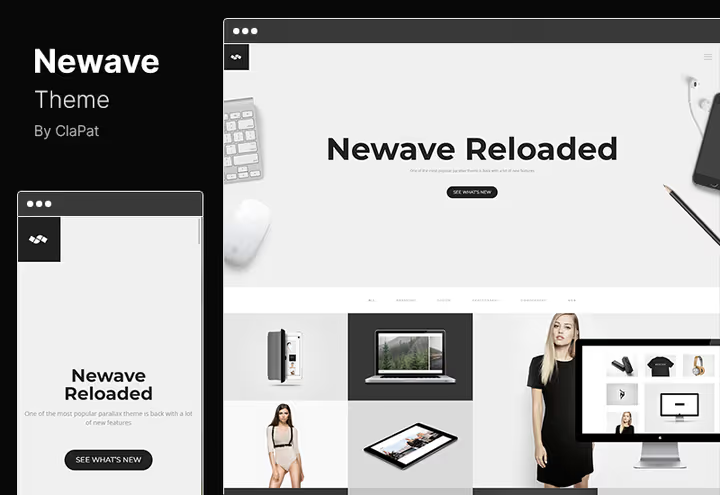
A universal one-page template with responsive layout for agencies, businesses and photographers. The theme is built around the idea of "take and customize": a library of ready-made elements lets you add pricing tables, video players, sliders without additional plugins.
In practice, the entire setup comes down to dragging sections in the customizer. Five preset homepage versions cover typical scenarios: from a clean portfolio to a rich corporate landing with a lead form.
- ✅ Pros: 5 ready homepage layouts, Ajax portfolio loading (no page reload), separate parallax sections.
- ❌ Cons: no built-in page builder, customization through Customizer (less flexible than drag-and-drop).
- 💰 Price: $49 (single site license, lifetime updates).
- 🔗 Newave on ThemeForest | 🔗 Live demo
2. North
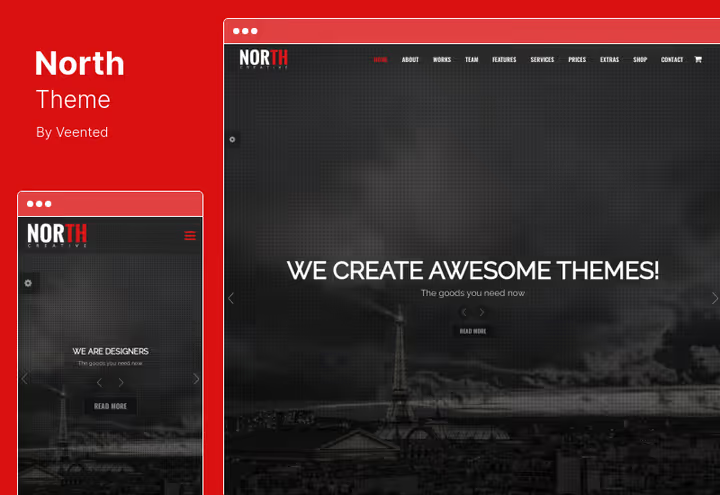
A dark one-page theme focused on video backgrounds and WooCommerce. North is good for sites where visuals decide: barbershops, music labels, design studios. Two premium sliders come bundled, Revolution Slider and LayerSlider: the license for each separately would cost dozens of dollars extra.
Full WooCommerce integration gives you a storefront out of the box without tweaking. Twelve homepage variations come with different section layouts: video header, portfolio grid, masonry blog.
- ✅ Pros: Revolution Slider + LayerSlider bundled, WooCommerce without extra setup, 12 homepage presets.
- ❌ Cons: dark palette by default (light projects take longer to recolor), documentation only in English.
- 💰 Price: $59.
- 🔗 North on ThemeForest | 🔗 Live demo
3. Skrollex
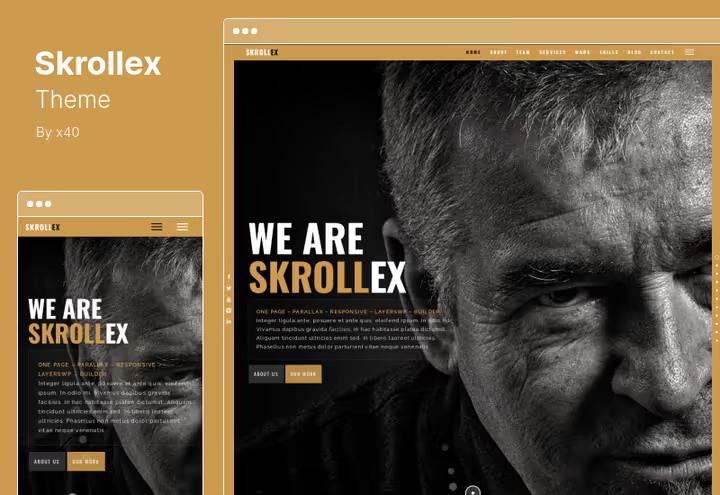
A creative theme with animated parallax backgrounds, what people come for. Skrollex can move the background at different speeds on different sections of one page. Supports RTL languages (Arabic, Hebrew) out of the box.
Pages can be built in any page builder (WPBakery, Elementor), the theme is not tightly coupled to one. Light and dark theme presets switch with one toggle. In practice, full customization takes an evening: parallax layers, colors, fonts, all in the admin panel.
- ✅ Pros: animated parallax (not static), RTL support, independence from a specific page builder.
- ❌ Cons: more complex to set up for a beginner (many layers), on shared hosting backgrounds may stutter.
- 💰 Price: $41.
- 🔗 Skrollex on ThemeForest | 🔗 Live demo
4. Doors
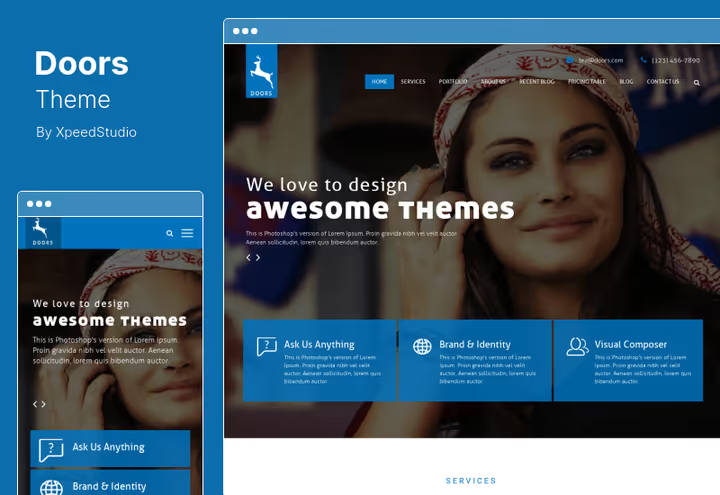
An answer for those who need cross-browser compatibility without compromise. Doors is tuned for beauty on all devices: mobile, tablets, desktop. Parallax works through CSS3 animations, not JavaScript, on weak devices scrolling stays smooth.
WPML compatibility comes out of the box: a multilingual site is assembled without polyfills. One-click demo import saves an hour or two at the start.
- ✅ Pros: CSS3 parallax (low CPU load), WPML-ready, demo import in one click.
- ❌ Cons: modest demo set (essentially one layout), limited header customization.
- 💰 Price: $49.
- 🔗 Doors on ThemeForest | 🔗 Live demo
5. Ananke
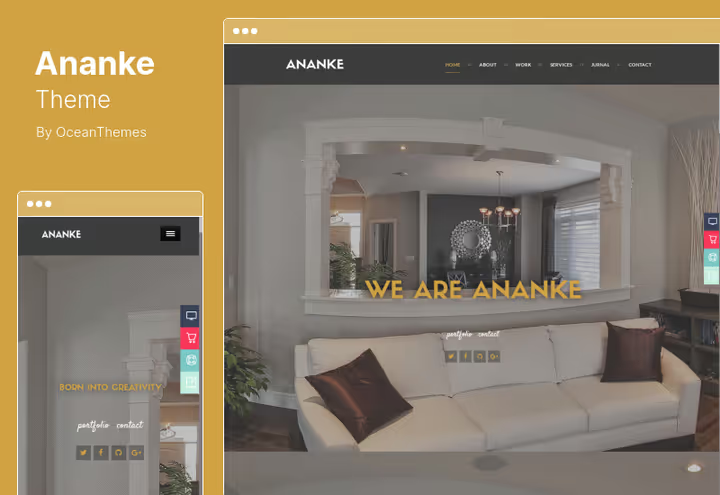
A one-page theme with 8 homepage variations and unlimited color palette. Inside, WPBakery (formerly Visual Composer): drag-and-drop page building is familiar to every second WordPress user.
Ananke comes with premium preloader Royal Preloader, which makes page loading visually faster. Translation to any language through POT file, without Loco Translate.
- ✅ Pros: 8 homepage layouts, WPBakery bundled, unlimited color schemes.
- ❌ Cons: WPBakery adds page weight (style loading), preloader requires fine tuning for hosting speed.
- 💰 Price: $59.
- 🔗 Ananke on ThemeForest | 🔗 Live demo
6. Royal
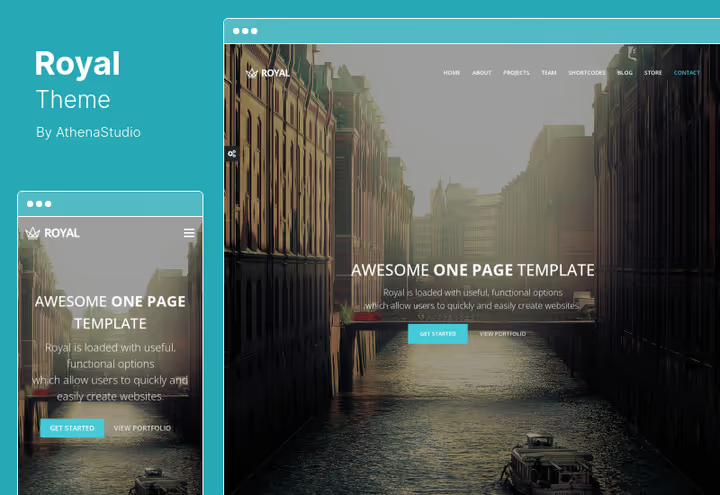
Video parallax, the main feature of Royal. Add a video to a section background, and it moves on scroll. For a videographer's portfolio or a product landing this works stronger than static images.
WPBakery (free bundled) assembles the layout like a constructor. Ready-made: masonry blog grid, sidebar templates, Contact Form 7. WooCommerce is integrated without conflicts, the product card inherits the theme style.
- ✅ Pros: video background with parallax, WPBakery + masonry blog, light weight (HTML5/CSS3).
- ❌ Cons: parallax video loads mobile traffic, no presets for event/restaurant.
- 💰 Price: $39.
- 🔗 Royal on ThemeForest | 🔗 Live demo
7. Jevelin

Jevelin, a multipurpose theme from Shufflehound, which replaced the discontinued Nonus. Hardware parallax (GPU-accelerated) ensures smooth scrolling even on long pages with heavy graphics. Bundled, WPBakery Page Builder and 40+ ready demos, from portfolio to corporate site.
The theme supports AMP out of the box and is compatible with WooCommerce, WPML and Yoast SEO. In practice, importing any demo takes a minute, then just replace content.
- ✅ Pros: hardware parallax (no FPS drop), 40+ demos + WPBakery, AMP-ready.
- ❌ Cons: such a number of demos requires time to choose, some settings are hidden deep in the customizer.
- 💰 Price: $59 (single site license, lifetime updates).
- 🔗 Jevelin on ThemeForest | 🔗 Live demo
8. Accio
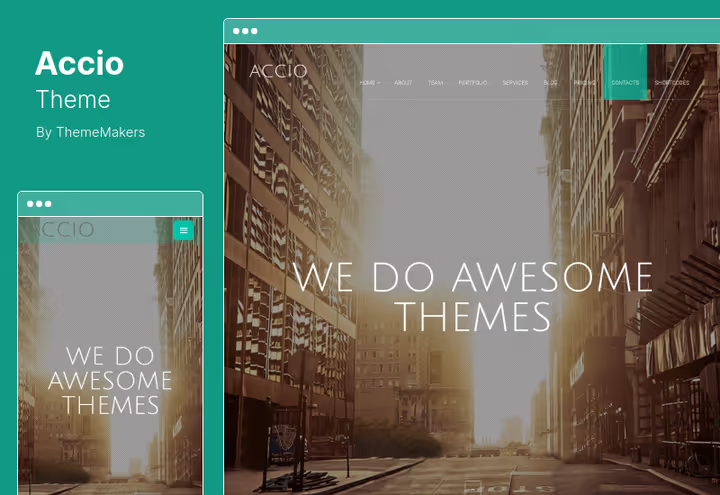
An agency one-page theme with a fullscreen super-slider on the homepage. Parallax effects and CSS3 animations work inside slides, a powerful tool for storytelling on a landing.
Advanced theme options panel allows changing styles without code. Four post types for the blog (standard, gallery, audio, video) cover agency content marketing.
- ✅ Pros: fullscreen parallax slider, 4 blog post formats, CSS3 animations without jQuery.
- ❌ Cons: tied to agency theme (inconvenient for a store), slider on mobile, a usability compromise.
- 💰 Price: $39 (with six months support).
- 🔗 Accio on ThemeForest | 🔗 Live demo
9. Angora
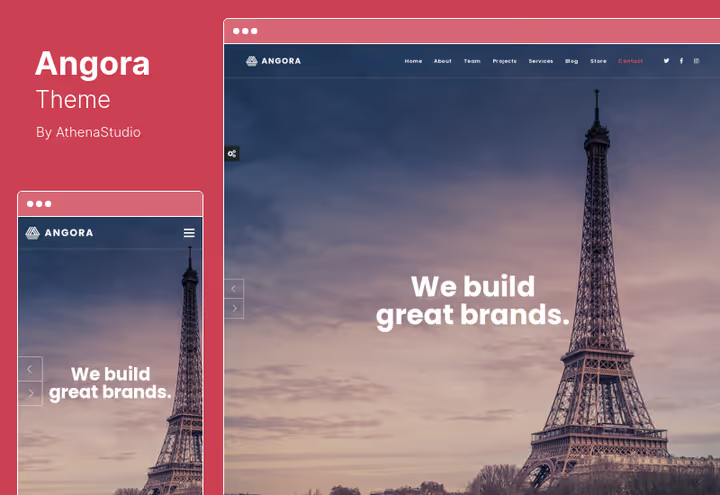
A Bootstrap theme with one-page parallax and retina-ready layout. Angora is good for WooCommerce storefronts: product grid, cart, checkout are styled in the overall design. The menu sticks on scroll (sticky), convenient for long pages.
Code (HTML, CSS, JavaScript) is commented and structured, a developer will figure it out in half an hour. Shortcodes for inserting buttons, columns, tabs allow layout without a page builder.
- ✅ Pros: Bootstrap framework (familiar to any front-end developer), sticky menu, commented code.
- ❌ Cons: no built-in page builder (only shortcodes), Bootstrap grid adds CSS overhead.
- 💰 Price: $39.
- 🔗 Angora on ThemeForest | 🔗 Live demo
10. Mies
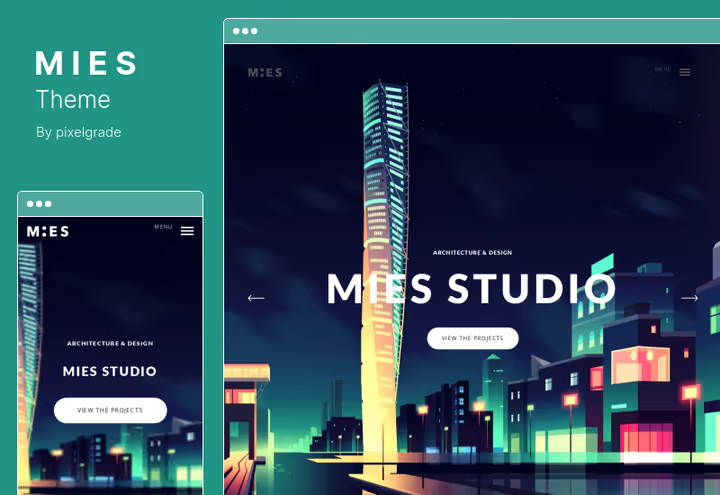
A theme for architectural firms and presentation sites. Mies' unique parallax scroll moves the background image smoothly even on long pages. Built-in support for fullscreen video and images.
Smart Project Builder allows managing a portfolio through custom meta fields: filtering projects by category, year, type. Six hundred plus Google Fonts and live preview of changes in the customizer.
- ✅ Pros: unique parallax scroll, project builder with filtering, 600+ fonts.
- ❌ Cons: narrow niche (architecture/presentations), price above average.
- 💰 Price: $75.
- 🔗 Mies on ThemeForest | 🔗 Live demo
11. Capella

Capella, a restaurant theme with parallax scrolling from ThemeGoods, a live replacement for the discontinued Osteria. Clean modern design suits restaurants, pubs, bars, bakeries and catering sites. Parallax sections on the homepage set the venue atmosphere from the first scroll.
Built-in HTML food menu, online table reservations and WooCommerce integration for accepting orders. One-click demo import, the site is ready to fill in an evening.
- ✅ Pros: specialization for restaurants (menu + reservations + orders), clean design without clutter, One Click Demo Import.
- ❌ Cons: narrow niche (food service only), no built-in page builder.
- 💰 Price: from $49 (price on theme page, lifetime updates).
- 🔗 Capella on ThemeForest | 🔗 Live demo
12. Ashade
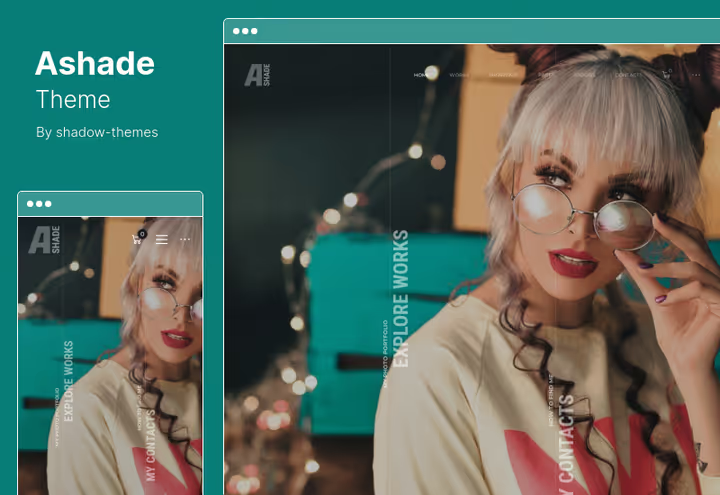
A dark theme for photographers. Parallax slider on the homepage and 18 background variations (video, static, gradient) allow building a portfolio with character. Built-in Client Proofing: the client enters a password-protected gallery and selects shots.
Smooth transitions between pages create a premium portfolio effect. WooCommerce support for selling prints or digital files.
- ✅ Pros: Client Proofing (private gallery for client), 18 background variations, WooCommerce for prints.
- ❌ Cons: dark palette is hard-coded (recoloring is labor-intensive), parallax slider on mobile loses effect.
- 💰 Price: $39.
- 🔗 Ashade on ThemeForest | 🔗 Live demo
13. Emily Nolan
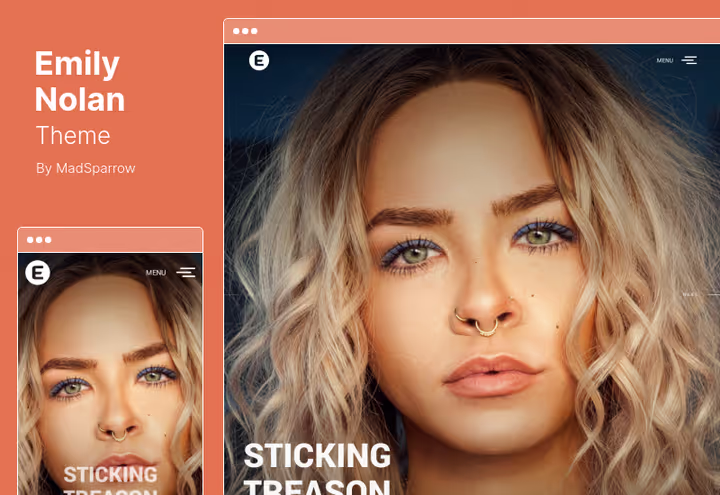
A minimalist portfolio for photographers and designers. Emily Nolan is built on Bootstrap 4: clean responsive layout works on iPhone, Android and desktop without glitches. SEO-friendly markup helps galleries get indexed.
Animated transitions between pages and Ajax contact form add smoothness. Unlimited color schemes, for any brand style.
- ✅ Pros: Bootstrap 4 (reliable responsive grid), Ajax contact form, retina-ready.
- ❌ Cons: Bootstrap 4 is outdated (current version, Bootstrap 5), no page builder.
- 💰 Price: $49.
- 🔗 Emily Nolan on ThemeForest | 🔗 Live demo
14. TheOne
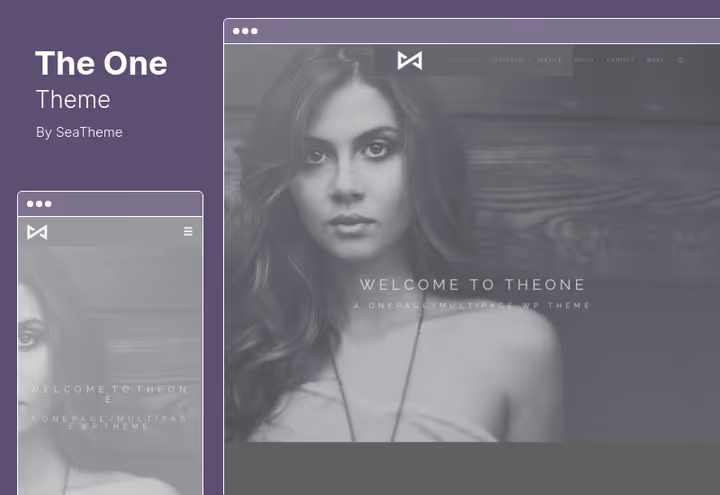
Nine professional demo layouts and drag-and-drop page builder on board. TheOne is designed for video backgrounds, events, photographers and multipurpose projects. Thirty useful modules (countdown timer, pricing table, team) are assembled like a constructor.
Slider Revolution is bundled for free. Animated scroll adds dynamics without losing performance: animations run on CSS3, not JS.
- ✅ Pros: 9 demos + 30 modules, Slider Revolution bundled, scroll animation on CSS3.
- ❌ Cons: drag-and-drop builder doesn't reach WPBakery/Elementor in flexibility, documentation is outdated in places.
- 💰 Price: $49 (with six months support).
- 🔗 TheOne on ThemeForest | 🔗 Live demo
15. Mountain
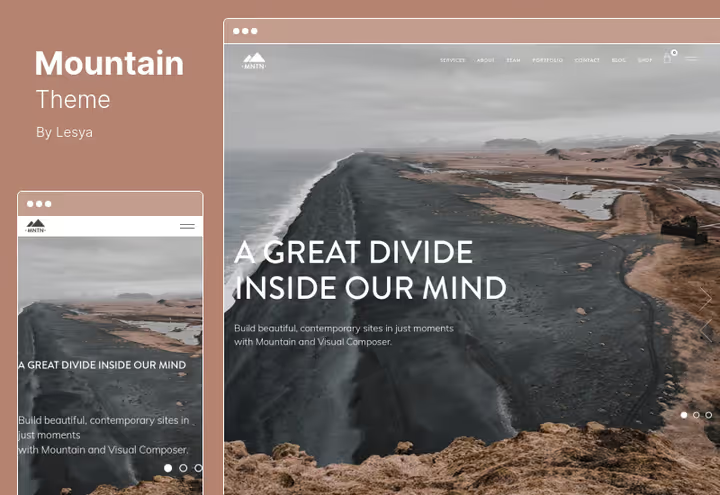
Fullscreen parallax sections with seasonal transitions, Mountain's feature. Enter the homepage, and a huge parallax block fills the entire screen. Bootstrap framework provides horizontal and vertical scroll without limits.
Visual Composer (WPBakery) bundled: assemble the page with a mouse. HTML5 and CSS3, clean markup without legacy code. Ajax contact form works without reload.
- ✅ Pros: fullscreen parallax, Visual Composer bundled, automatic updates.
- ❌ Cons: heavy (fullscreen images + parallax load the hosting), mainly suitable for image sites.
- 💰 Price: $59.
- 🔗 Mountain on ThemeForest
16. Swag
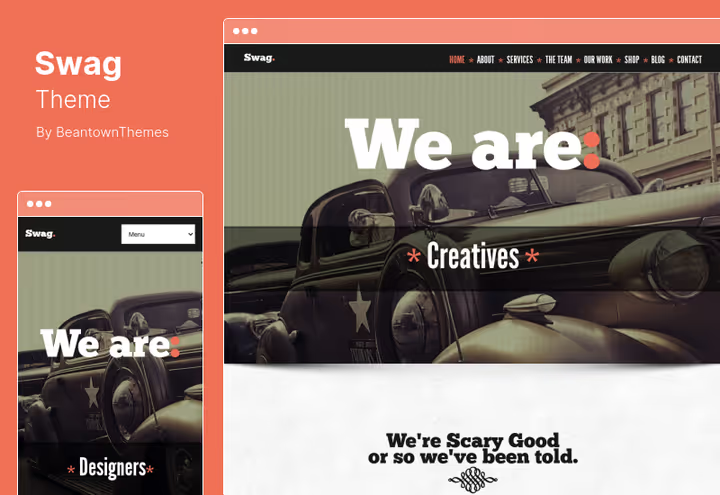
A parallax theme with the best WooCommerce integration in the selection. QuickShop widget displays the product card in a popup, fewer clicks to purchase. Four layout types (portfolio, team, services, shop) cover small business.
Parallax backgrounds on sections can alternate with sliders and shadows, the page rhythm doesn't tire the eye. Camera Slider and Backstretch slideshow work on pure CSS.
- ✅ Pros: QuickShop widget (quick product view), 4 layout types, lightweight CSS slider.
- ❌ Cons: price below average, but some bundled plugins require separate license renewal, demos require setup.
- 💰 Price: $32 (lifetime updates + 6 months support).
- 🔗 Swag on ThemeForest | 🔗 Live demo
17. Ronneby

Ronneby, a high-performance multipurpose theme, a live replacement for the discontinued Shard. Fifty plus ready demos cover business, portfolio, blog, shop and one-page landings. Bundled, WPBakery Page Builder with Ultimate Add-ons and Slider Revolution: two premium plugins that separately cost more than the theme itself.
Hardware parallax (GPU-accelerated) maintains smooth scrolling on heavy pages. WooCommerce checkout, cart and product card are styled in the theme design without conflicts.
- ✅ Pros: 50+ demos + WPBakery + Slider Revolution, hardware parallax, WooCommerce-ready.
- ❌ Cons: abundance of settings requires time to master, some demos overlap in style.
- 💰 Price: $59 (single site license, lifetime updates).
- 🔗 Ronneby on ThemeForest | 🔗 Live demo
18. Magician
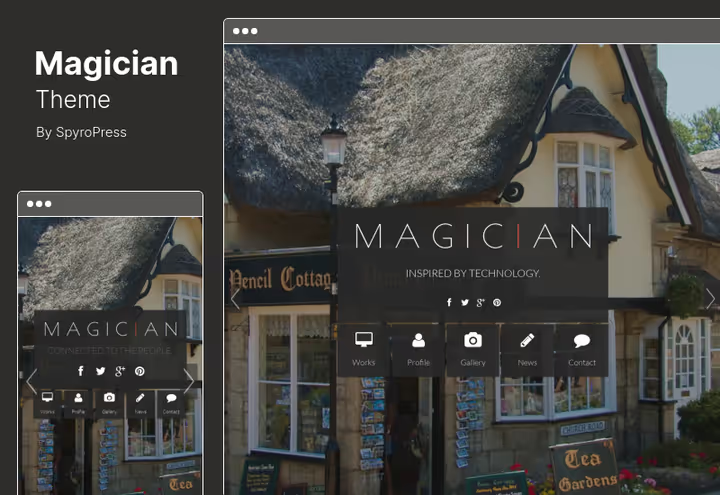
A corporate theme with clean semantic HTML code. Magician is good for blogs: built-in interlinking (internal links in the theme) and thoughtful navigation (main menu, secondary, footer) help search engines index content.
The slideshow supports touch and hardware acceleration, on iPad and iPhone works without jerks. CSS3 animation and cross-browser compatibility tested on Chrome, Firefox, Safari, Edge.
- ✅ Pros: semantic markup, touch slider with hardware acceleration, cross-browser compatibility.
- ❌ Cons: no page builder (only shortcodes + Customizer), design is concise (no "wow" effect).
- 💰 Price: $39.
- 🔗 Magician on ThemeForest | 🔗 Live demo
19. Olida
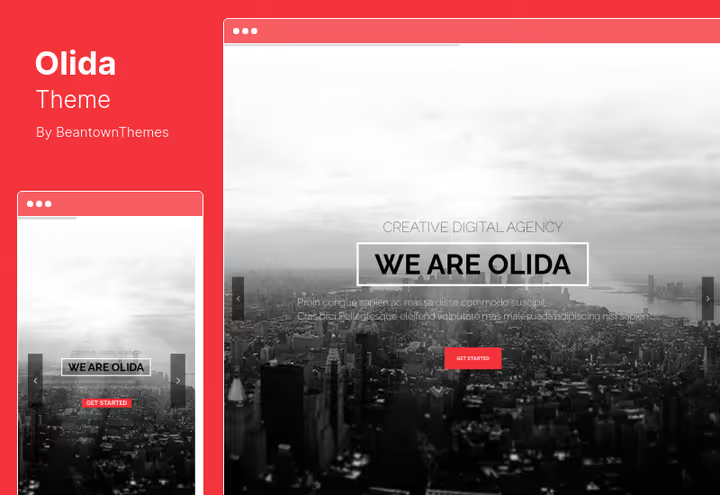
The best price to features ratio in the selection. For $27 you get WPBakery Page Builder, Revolution Slider and lifetime updates, confirmed on the theme page. Olida is tuned for agencies, designer and photographer portfolios.
Parallax sections, video backgrounds and Twitter feed are assembled in any order. Animated counters and skill bars visualize expertise. Google Maps built in for the contact section. Retina Font Awesome icons don't blur on HiDPI.
- ✅ Pros: WPBakery + Revolution Slider for $27, animated counters and skill bars, lifetime updates.
- ❌ Cons: design is somewhat old-school in places, video background on mobile disabled by default.
- 💰 Price: $27 (all features + all plugins + lifetime updates + 6 months support).
- 🔗 Olida on ThemeForest | 🔗 Live demo
20. One Click
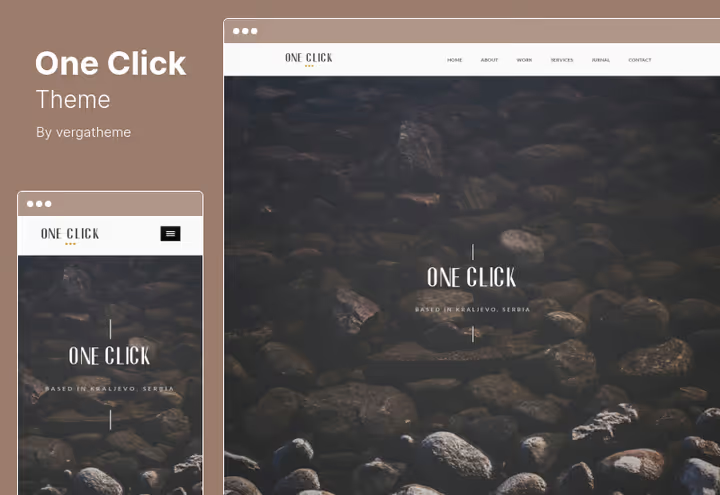
The only theme in the selection with Elementor, the most popular page builder for WordPress. One Click is designed for agencies and illustrators: unlimited color styles, animation of any elements, retina-ready.
jQuery animations add interactivity without over-engineering. Documentation is written clearly, a beginner will launch a site in a weekend. Single page project allows showing case studies on separate pages with parallax background.
- ✅ Pros: Elementor (leader among page builders), animation of any element on the page, clear documentation.
- ❌ Cons: the most expensive theme at $99, only one site license, support renewal is paid.
- 💰 Price: $99 (annual license).
- 🔗 One Click on ThemeForest | 🔗 Live demo
Comparison by niche: which theme for which task
Task | Theme | Reason |
|---|---|---|
Photographer portfolio | Ashade, Emily Nolan | Client Proofing, dark/minimalist presentation |
Agency / studio | Accio, TheOne, Olida | Fullscreen slider + modules |
WooCommerce storefront | Swag, North, Royal | QuickShop, ready integration |
Restaurant / cafe | Capella | Menu + reservations + orders out of the box |
Architectural firm | Mies | Smart Project Builder, project filtering |
Corporate site | Magician, Ronneby | Semantic markup, SEO-friendly |
Budget start | Olida, Swag, Accio | $27-39 with premium plugins |
Flexible customization | Skrollex, One Click | Not tied to one page builder |
⁉️🤔 Frequently asked questions
What is the parallax effect in web design and why is it needed?
Parallax, a technique where the background image scrolls slower than the foreground. Creates an illusion of depth on a flat screen. In WordPress implemented through CSS (preferable) or JavaScript. The main practical benefit: the visitor stays on the page longer because scrolling is interesting. But without measure it annoys, one or two parallax blocks per page, no more.
Does parallax slow down the site? How to check before buying?
Yes, parallax loads the browser with additional rendering. On weak devices and shared hosting framerate drops to 15-20 fps (visible jerks). Before buying a theme, open the live demo on the smartphone your clients actually use (not on a flagship). Run the demo through PageSpeed Insights. A good parallax theme scores 70+ on mobile performance. In the selection the lightest: Doors (CSS3 parallax), Magician (hardware accelerated slides), Skrollex (animated layers without JS).
The theme on ThemeForest hasn't been updated in two years. Take it or not?
Look at three factors: compatibility with the current PHP version, reviews from the last year, any complaints about conflicts with recent WordPress versions. A theme without updates for two years risks breaking on the next major WordPress update. For critical projects take themes with updates in 2025-2026: Jevelin, Ronneby, Divi, they lead in the multipurpose parallax theme niche for 2026.
Is a page builder needed for a parallax theme?
Not mandatory, but drastically speeds up launch. Themes with WPBakery (Ananke, Olida, Royal, Mountain, Ronneby, Jevelin) or Elementor (One Click) allow assembling a page with a mouse in an hour. Themes without a page builder (Newave, Angora, Magician) are customized through Customizer, more control, but higher barrier to entry. For client projects we recommend themes with a page builder: the client can edit content themselves.
Will these themes work for a WooCommerce shop?
Yes, but with a caveat. Swag, North and Royal integrate WooCommerce without conflicts: product card, cart, checkout are styled to the theme. Capella adds HTML food menu and online orders. However, for a full-fledged online store (50+ products, filters, variations) it's better to take a specialized WooCommerce theme (XStore, Flatsome), and leave parallax for landings and portfolios.
What to install in 2026: parallax theme or modern block builder?
Parallax themes aren't dead, but the market has shifted. In 2026 you're more likely to buy a universal theme (Divi, Astra, Blocksy) and add a parallax section through a block than take a purely parallax theme for one function. Nevertheless, for image projects, portfolios, event landings, product presentations, a specialized parallax theme gives a win in visuals and launch time.
Our main advice: before buying, open the live demo on your phone. If scrolling is smooth, and the design hits your style, take it. For a limited budget the best choice: Olida (all inclusive) or Swag (WooCommerce-ready). For premium portfolio: Mies (unique scroll). For maximum flexibility: One Click (Elementor).
Choose a theme that will close the task today. Parallax that loads the site and annoys the visitor isn't worth a cent. The one that works smoothly and holds the gaze pays for itself with the first client.

A professional team of writers and editors specializing in creating quality content.