













🔧 31 TeamViewer alternatives in 2026
Updating TeamViewer cost more than a new server. The corporate license crossed $600 per year (official pricing), while the free version blocks every other launch for mythical commercial use. Meanwhile, the 2024-2025 breaches punched its reputation straight through.
And even functionally, TeamViewer is no longer ahead. AnyDesk is faster on weak channels, Splashtop is ten times cheaper, RustDesk gives full control through a self-hosted server. The selection of 31 alternatives below covers everything, from browser solutions to enterprise combines with audit of every click. All prices are updated to January 2026 from vendor official sites (Splashtop, AnyDesk, Zoho Assist).
💡 Quick overview:
- Decide on the scenario: personal use, tech support, or corporate security
- Filter by the comparison table and test 2-3 candidates

The remote access market has gone through radical changes over the last three years: cloud solutions became faster than desktop ones, open-source tools caught up with commercial ones in functionality, and prices dropped ten times.
Comparison table: top alternatives
Product | Price (from) | Platforms | Free version | Encryption | Portable |
|---|---|---|---|---|---|
Getscreen.me | 299 ₽/mo | Browser | Yes (2 PCs) | HTTPS + TLS | Yes |
AnyDesk | Free / $14.90/mo | Win/Mac/Linux/Mobile | Yes (personal) | TLS 1.2 + RSA 2048 | Yes |
Chrome Remote Desktop | Free | Browser | Yes | SSL | - |
Splashtop | $60/yr | Win/Mac/Linux/Mobile | No | TLS + AES-256 | No |
DWService | Free | Browser | Yes | SSL | Yes |
RealVNC | Free / $55 | Win/Mac/Linux/Mobile | Yes (personal) | AES-128 | Yes |
RustDesk | Free / $11.88/mo | Win/Mac/Linux/Mobile | Yes | E2E + AES-256 | Yes |
Dameware | $349/yr | Win/Mac/Linux | No | AES-256 + TLS 1.2 | No |
LogMeIn Pro | $249.99/yr | Win/Mac | No | TLS 1.2 + AES-256 | No |
ISL Light | $149/yr | Win/Mac/Linux/Mobile | No | AES-256 + 2FA | Yes |
ConnectWise Control | $24/mo | Win/Mac/Linux/Mobile | No | AES-256 | Yes |
Zoho Assist | $10/mo | Win/Mac/Linux/Mobile | No (trial) | SSL + AES-256 | No |
BeyondTrust | On request | Win/Mac/Linux/Mobile | No | AES-256 + SAML | Yes |
Radmin | 1250 ₽ | Windows | No (trial) | AES-256 | Yes |
NoMachine | Free | Win/Mac/Linux/Mobile | Yes | NX + SSL | Yes |
1. Getscreen.me

Browser tool without bulky installation. 2 MB file, you launch it, send a link. No IDs, passwords, port forwarding. Personal account with device panel. Free for 2 computers, 299 ₽/mo for 10 machines with session recording.
- Pros: launch from browser without installing desktop client, three-month trial without feature limits, session recording on paid tier
- Cons: only 2 computers in free version, no native desktop client for those who prefer standalone apps
- Price: from 299 ₽/mo, free tier covers 2 devices
- Download: 🔗 Getscreen.me
2. Dameware Remote Everywhere
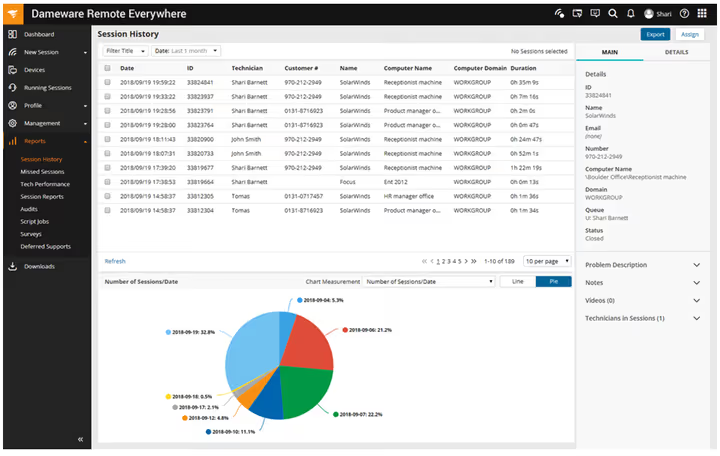
SolarWinds product for Windows administrators. Cloud SaaS with Active Directory integration: rights through AD groups, remote reboot, chat, screenshots. Integration with group policies deeper than competitors.
- Pros: full integration with Active Directory and group policies, built-in chat without installing add-ons, screenshots and reboot in one click
- Cons: price from $349 per year is higher than average segment, more complex in initial setup than cloud zero-config alternatives
- Price: from $349/yr
- Download: 🔗 Dameware Remote Everywhere
3. Mikogo
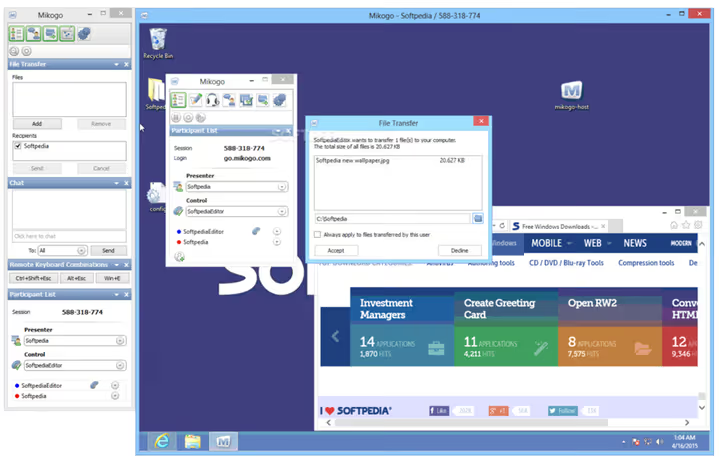
Group presentations: up to 25 viewers, chat, virtual whiteboard. Good for webinars. No free version, from $48/mo with 14-day trial. Basic tier: 5 computers.
- Pros: up to 25 simultaneous viewers in one session, virtual whiteboard and built-in chat, simple access rights setup for participants
- Cons: no permanent free version for personal use, only 5 computers in basic commercial tier
- Price: from $48/mo, 14-day trial period
4. Splashtop
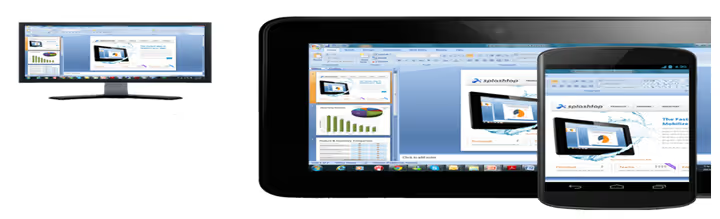
Best for video and audio. Stable transmission of heavy content: 4K 60fps, multichannel sound. All systems including mobile. From $60/yr, ten times cheaper than TeamViewer.
- Pros: best in class video and audio transmission with 4K 60 fps support, iOS and Android clients on par with desktop versions, multiple encryption layers simultaneously
- Cons: long installation and initial setup compared to portable solutions, free version only for non-commercial private use
- Price: from $60/yr
- Download: 🔗 Splashtop
5. Chrome Remote Desktop
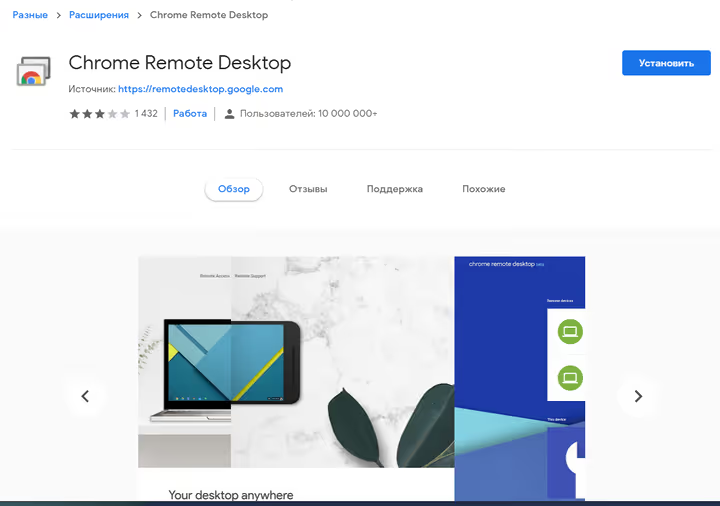
Chrome extension, access immediately after installation. Works anywhere Chrome exists. Completely free without limits. No chat, video calls, recording. For helping parents ideal, for tech support insufficient.
- Pros: completely free without limits and hidden fees, Chrome extension without installing heavy clients, instant connection through Google account
- Cons: no built-in chat and video communication with remote user, minimal functionality compared to commercial solutions
- Price: free
- Download: 🔗 Chrome Remote Desktop
6. Join.me (GoTo)

GoTo product for conferences with remote access. Free version with telephony, without participant limits. Pro from $19/mo with recording. Windows and macOS only.
- Pros: free version with full telephony, unlimited audio participants in one conference, simplicity of launching meeting with one click
- Cons: only Windows and macOS without Linux support, fewer detailed administration functions compared to enterprise solutions
- Price: free / from $19/mo (Pro)
- Download: 🔗 Join.me
7. RealVNC (VNC Connect)
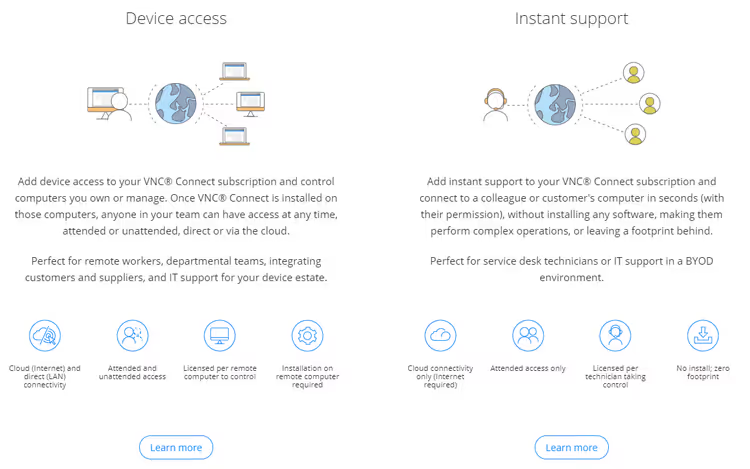
Cambridge development with dual protection: AES-128 plus session password. Classic VNC. Full cross-platform including Raspberry Pi. From $55 per seat with unlimited devices.
- Pros: dual protection level (AES-128 + session password), unlimited devices connecting to one workstation, doesn't require manual firewall setup
- Cons: no web conference and group presentation features, license from $55 per each managed workstation
- Price: free (personal use) / from $55 (Enterprise)
- Download: 🔗 RealVNC Connect
8. Webex Meetings

Cisco cloud for corporations. TeamViewer competitor: meetings, remote access, collaboration. Free version for teams, from $14.50/mo with recording and admin rights.
- Pros: Cisco infrastructure with high reliability and global coverage, full web conferences without participant limits, free version for small teams
- Cons: excessive for personal use scenarios like helping relatives, requires mandatory registration even for basic functions
- Price: free / from $14.50/mo
- Download: 🔗 Webex Meetings
9. LogMeIn Pro
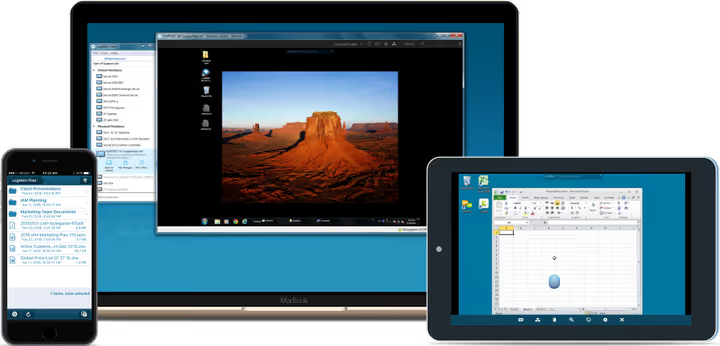
Access and cloud combine with 1 TB. TLS 1.2 with AES-256, remote printing, script automation. 8-10 session limit. Without group conferences. From $249.99/yr.
- Pros: 1 terabyte cloud storage bundled with license, dual encryption TLS 1.2 + AES-256, remote printing and IT scenario automation
- Cons: maximum 8-10 simultaneous users per account, no group video conference features
- Price: from $249.99/yr
- Download: 🔗 LogMeIn Pro
10. DWService
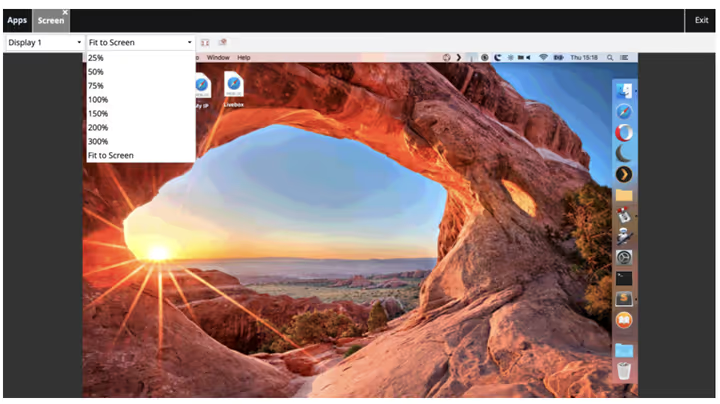
Completely free browser access. Windows, macOS, Linux. Without client installation. Punches through firewalls on HTTPS. For personal use and helping friends excellent.
- Pros: completely free without limits on machine count, access through browser without installing heavy clients, compatibility with most corporate firewalls
- Cons: limited corporate functionality like session audit, no native desktop client for those who prefer standalone
- Price: free
- Download: 🔗 DWService
11. Take Control (SolarWinds)
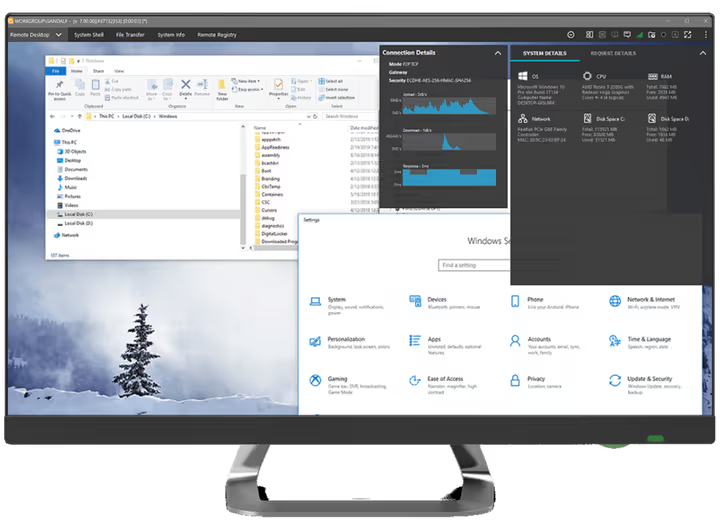
SolarWinds MSP for tech support: quick connection, diagnostics, chat, file exchange. For small MSPs. From $19/mo, basic tier is cut down.
- Pros: affordable price in MSP solutions segment, quick automatic connection problem diagnostics, built-in chat and file exchange in one window
- Cons: basic tier cut down on detailed rights management features, tight binding to SolarWinds ecosystem for full potential
- Price: from $19/mo
- Download: 🔗 Take Control
12. Ammyy Admin

Portable utility: one 2 MB exe, individual session ID. Without firewall setup. Good for presentations with file exchange. Windows only.
- Pros: one portable exe file without installation and dependencies, individual ID for secure session authorization, built-in tools for presentations and file exchange
- Cons: interface visually outdated by modern standards, only Windows supported without Linux and macOS versions
- Price: free for personal use
- Download: 🔗 Ammyy Admin
13. ThinVNC / Thinfinity Remote Desktop

Previously ThinVNC was open-source on HTML5/AJAX/JSON. Developers switched to commercial Thinfinity Remote Desktop with enterprise features and RDP. Old ThinVNC code on SourceForge. For production, look at active projects.
- Pros: access through browser without installing plugins and clients, mobile clients for iOS and Android, commercial successor Thinfinity with full RDP support
- Cons: free ThinVNC version actually frozen without updates, commercial Thinfinity is a paid product with closed source
- Price: ThinVNC free (frozen) / Thinfinity commercial license
- Download: 🔗 Thinfinity Remote Desktop🔗 ThinVNC on SourceForge
14. AnyDesk
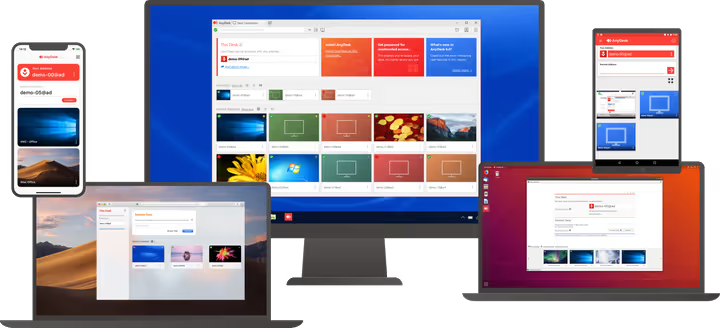
Part of the team created TeamViewer. DeskRT technology allows working in graphic editors even on 512 kbit/s. Free for personal use. Commercial from $14.90/mo.
- Pros: proprietary DeskRT technology with minimal latency even on weak channels, completely free for private non-commercial individuals, portable version without installation
- Cons: commercial tiers more expensive than many alternatives in segment, aggressively limits free users when suspected of commercial use
- Price: free (personal use) / from $14.90/mo (commercial)
- Download: 🔗 AnyDesk
15. UltraVNC
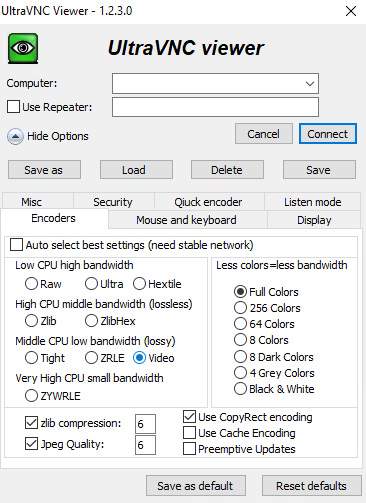
Open-source under GPLv2 for Windows. VNC, file exchange, chat. Broadcasts separate window instead of desktop. Interface from Windows 2000 era. Windows only.
- Pros: completely open source under GPLv2 license, broadcast one window instead of entire desktop, flexible setup at network protocol level
- Cons: interface visually from 2000s without design updates, only Windows supported without Linux and macOS
- Price: free
- Download: 🔗 UltraVNC
16. ISL Light
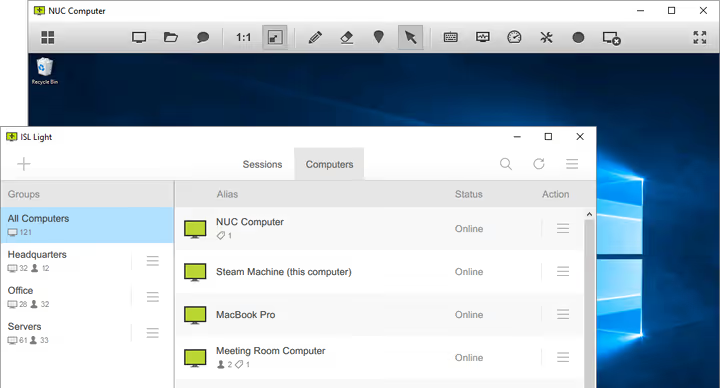
Hybrid storage: cloud and local network. AES-256, two-factor, session recording, RDP for unattended. Full cross-platform. From $149/yr per specialist.
- Pros: AES-256 with mandatory two-factor, built-in RDP support for permanent unattended access, hybrid data storage (cloud + local network)
- Cons: no permanent free version for non-commercial use, price from $149 per year per each technical specialist
- Price: from $149/yr
- Download: 🔗 ISL Light
17. RustDesk

Main open-source alternative with self-hosted under AGPLv3. On Rust: speed and memory safety. Full data control: own server, traffic inside network.
Full cross-platform. E2E encryption, portable, file exchange, chat. Free version for personal and small business. Pro from $11.88/mo: address book, audit, user management.
- Pros: completely open source (AGPLv3) with self-hosted deployment option, full control over data without third-party clouds, end-to-end encryption by default, all platforms including mobile
- Cons: self-hosted mode requires skills to configure own server, advanced corporate features available only in paid Pro tier
- Price: free (open-source) / Pro from $11.88/mo
- Download: 🔗 RustDesk
18. RemotePC
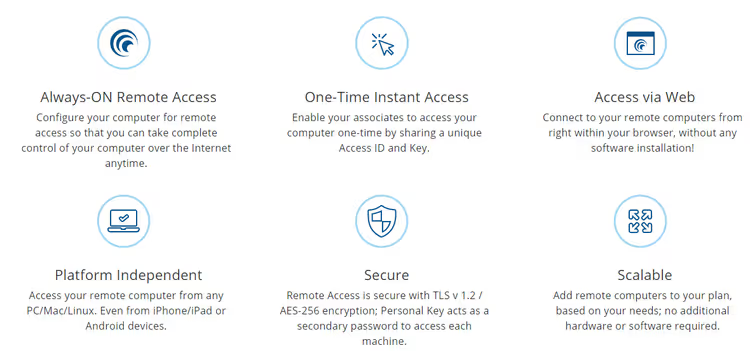
Fast and inexpensive. Chat, file exchange, video recording, mobile version. Only $22.12/yr, there's nothing cheaper.
- Pros: one of the lowest prices in commercial solutions segment, built-in video recording of all sessions, high connection and data transfer speed
- Cons: minimal set of corporate features without detailed rights, no group video conference and presentation features
- Price: from $22.12/yr
- Download: 🔗 RemotePC
19. ConnectWise Control
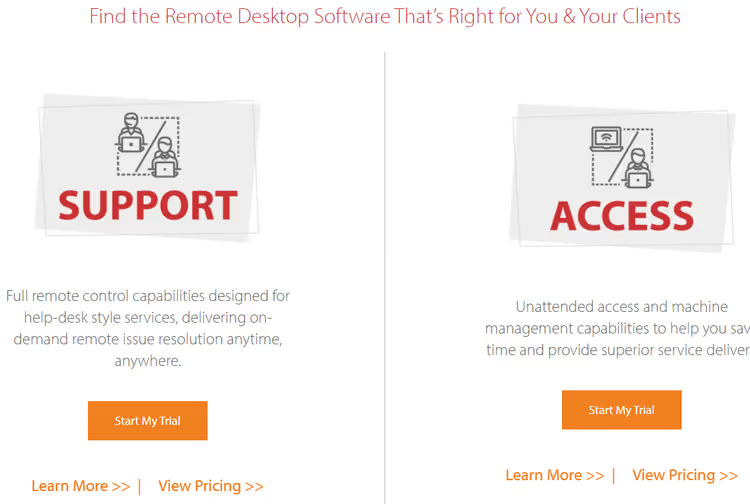
Modular for MSP: configuration for tasks. Unattended access, mass deployment, ticketing system integration. From $24/mo per specialist. For medium and large MSPs.
- Pros: modular configuration for specific tasks without overpaying for extras, quick connection to client machines, deep integration with popular ticketing systems
- Cons: price from $24 per month for each basic module adds up to serious sum, requires time for initial integration setup
- Price: from $24/mo
- Download: 🔗 ConnectWise Control
20. TigerVNC

High-performance open-source VNC implementation for remote access with emphasis on speed and image quality. Based on TightVNC with improved compression: Tight encoding and JPEG for efficient transmission even on slow channels. Full cross-platform: Linux, Windows, macOS. Actively maintained by community, regular security updates. Low CPU and memory consumption.
- Pros: advanced compression with Tight encoding and JPEG methods for slow channels, completely free without limits, active community support and regular security patches
- Cons: requires basic skills to configure VNC network parameters, no native conference and group presentation features
- Price: free
- Download: 🔗 TigerVNC
21. RescueAssist (GoTo)
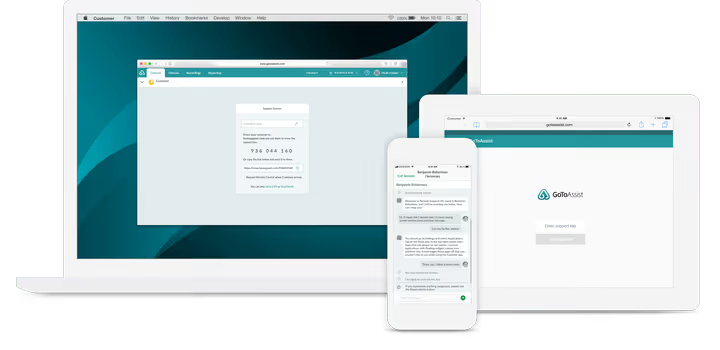
GoTo company product for professional remote client tech support: unattended access for permanent connection, automatic remote machine reboot with session recovery, recording of all sessions for subsequent audit. Dual encryption SSL + AES-256, detailed rights management at individual application level. Tiers from $55 per month per specialist. Good for teams serving dozens and hundreds of client machines simultaneously.
- Pros: unattended access with automatic reboot and session recovery, built-in recording of all sessions, dual encryption SSL + AES-256
- Cons: no free version even for personal use, price from $55 per month per each technical specialist
- Price: from $55/mo
- Download: 🔗 RescueAssist
22. SysAid
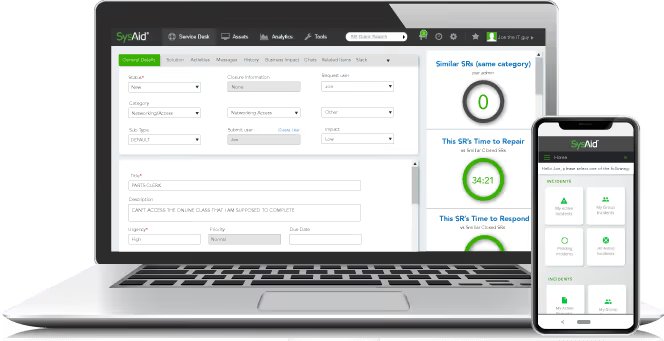
Not just remote access, but full ITSM platform with built-in ticketing system, organization IT asset management, and remote computer management module. Cross-platform support: Windows, macOS, Linux at all levels. No free version, price calculated individually on request. For organizations where tech support is formalized process with SLA and metrics, not one-off connections.
- Pros: full ITSM platform out of the box, built-in ticketing system and IT asset management, full cross-platform at all levels
- Cons: excessive for simple remote access without ITSM processes, price calculated individually on request without public pricing
- Price: on request
- Download: 🔗 SysAid
23. Radmin
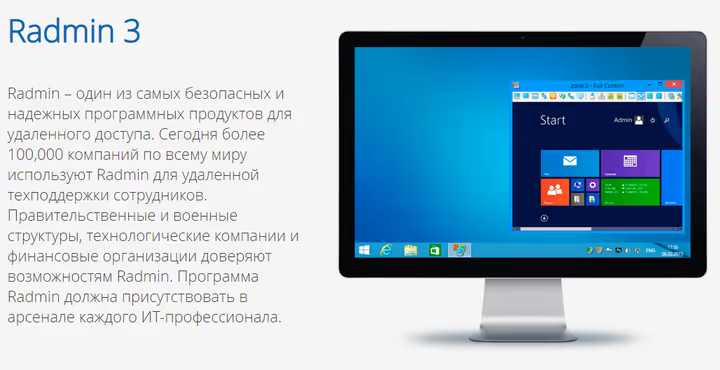
Time-tested tool from Famatech company, especially popular in CIS countries. Fast response even through VPN tunnels, low latency thanks to protocol optimization, AES-256 encryption by default. Several operation modes: full desktop control, view mode, file exchange, Telnet terminal. Only Windows supported without versions for other platforms. 30-day trial period, then license from 1250 ₽ one-time.
- Pros: high connection and response speed on Windows platform, AES-256 encryption of all traffic, several access modes to choose from
- Cons: only Windows supported without Linux and macOS, no permanent free version after trial period ends
- Price: from 1250 ₽ one-time
- Download: 🔗 Radmin on official site
24. Goverlan
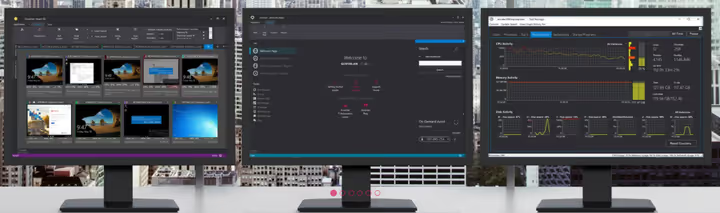
Tool for system administrators of pure corporate-level Windows environments. Deep integration with Active Directory at domain controller level, group policy management, mass software deployment to hundreds of machines simultaneously. Administration of entire computer fleet from one central console. Price from $399 per year per administrator, trial period available for testing.
- Pros: deepest integration with Active Directory and domain controllers, mass software deployment to hundreds of machines, powerful central management console
- Cons: only Windows supported without other platforms, high price in enterprise solutions segment
- Price: from $399/yr
25. Netop Remote Control

Forty years in enterprise solutions market, focus on secure remote access for critical infrastructure with heightened requirements. Netop works in banking sector and government structures where detailed audit of every action is mandatory by regulatory requirements. Full cross-platform including mobile devices. Free basic version available, paid tiers add detailed audit and compliance standards conformance.
- Pros: over 40 years experience in enterprise solutions industry, detailed audit and compliance out of the box for regulated industries, full cross-platform
- Cons: excessive for small business without audit requirements, interface visually conservative by modern standards
- Price: free (basic Free version) / commercial tiers on site
- Download: 🔗 Netop Remote Control
26. Parallels Access
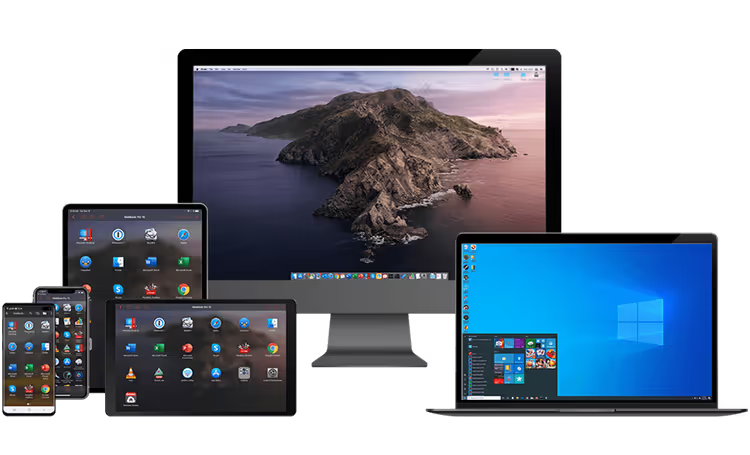
Remote access specifically optimized for mobile device control. You connect to your desktop computer from phone or tablet, all desktop applications are visually adapted and look like native mobile. Touch gestures work naturally, pinch zoom, copy-paste between devices without crutches. Only $19.99 per year per license. For those who regularly need access to desktop apps from mobile phone.
- Pros: native mobile gestures and touch control, visual adaptation of desktop apps for touch screen, very low annual price
- Cons: only Windows and macOS supported without Linux, no permanent free version even for personal use
- Price: from $19.99/yr
- Download: 🔗 Parallels Access
27. Supremo
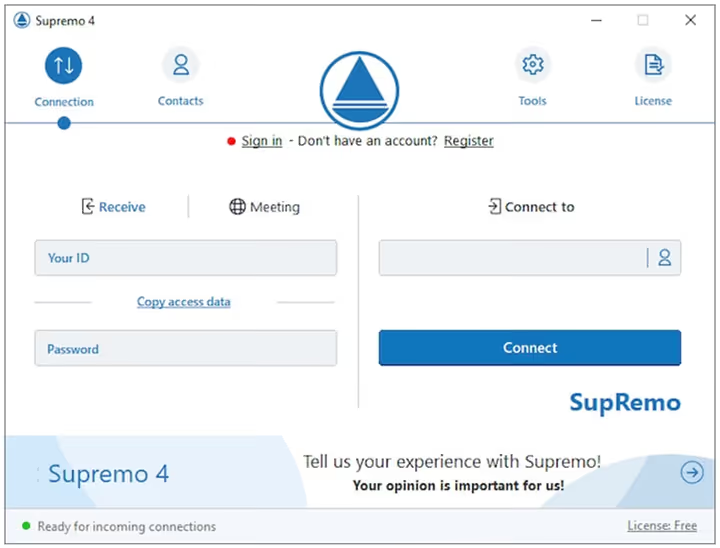
Italian development with philosophy of maximum ease of use. Launches without installing drivers and services, supports Windows, macOS and Linux at all levels. Within local network, completely free without session time limits. For remote connections through internet requires paid license. AES-256 encryption by default, centralized contact address book, unlimited managed devices in paid version.
- Pros: launch without installing drivers and system services, AES-256 encryption, completely free for local network work
- Cons: for remote connections through internet requires paid license, functionality too simple for enterprise requirements
- Price: free (LAN only) / paid license for WAN connections
- Download: 🔗 Supremo
28. BeyondTrust
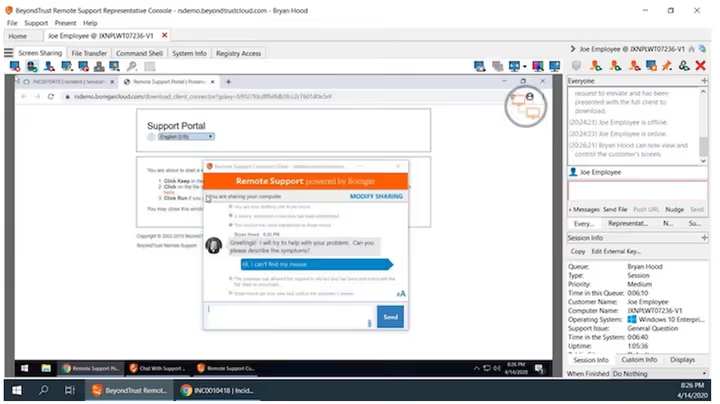
Highest level enterprise solution with focus on privileged access management to critical systems. This is not just "connect to remote desktop," but detailed management of who exactly, to which resources and with which specific rights can connect. AES-256 encryption of all traffic, SAML authentication through corporate systems, detailed audit of every action of every user. Full cross-platform, price calculated individually on request.
- Pros: privileged access with granular rights at resource level, dual encryption AES-256 + SAML authentication, full detailed audit of every action
- Cons: very high price in enterprise segment, excessive for small and medium business without compliance requirements
- Price: on request
- Download: 🔗 BeyondTrust
29. HopToDesk

Free cross-platform alternative with true end-to-end encryption for all peer communications. Completely open source, free for personal and business use without limits on computer count. Support for all platforms: Windows, Mac, Linux, Android, iOS. Lightweight, fast, without mandatory account registration for basic scenarios. File exchange, chat, remote printing, portable version. For companies and small MSP providers where full data control without subscriptions and device limits is important.
- Pros: completely free for personal and business use without limits, true end-to-end encryption of all communications, open source with full security transparency
- Cons: fewer corporate detailed audit features compared to paid enterprise solutions, requires basic technical literacy to configure self-hosted server (optional)
- Price: free
- Download: 🔗 HopToDesk
30. Zoho Assist
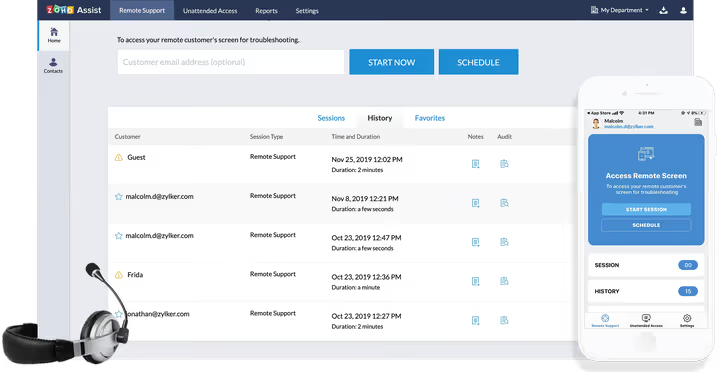
Part of large Zoho ecosystem specialized in remote client tech support tasks. Quick connection to client machine by access code, mode working with multiple monitors simultaneously, built-in recording of all sessions, deep integration with Zoho Desk ticketing system. Full cross-platform: Windows, macOS, Linux, Android, iOS at all levels. Tiers from $10 per month per specialist, one of the most affordable options in professional tech support segment.
- Pros: deep integration with Zoho Desk ticketing system, mode working with multiple monitors simultaneously, one of the lowest tiers from $10 per month
- Cons: no permanent free version even for personal use, tight binding to Zoho ecosystem for unlocking potential
- Price: from $10/mo
- Download: 🔗 Zoho Assist
31. NoMachine
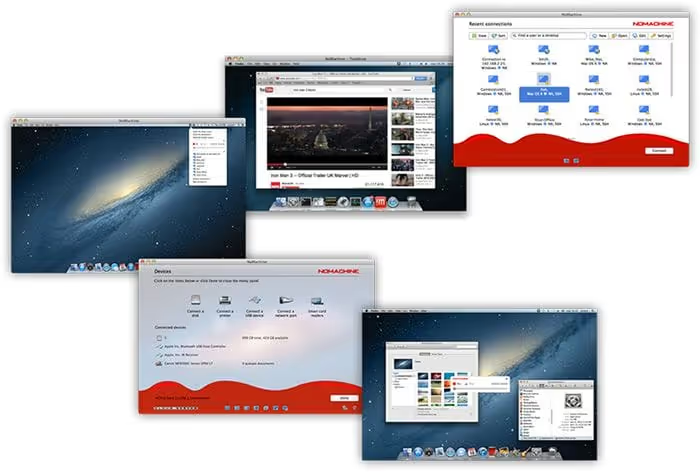
Open source with proprietary NX compression technology specifically optimized for transmitting video and multichannel audio in real time. By speed of operation on low bandwidth channels, one of absolute leaders in its class. Full cross-platform: Windows, macOS, Linux including ARM distributions, Raspberry Pi all generations, all mobile platforms. Completely free for personal use, Enterprise version adds detailed session audit and server clustering for high availability.
- Pros: proprietary NX technology optimized for multimedia content, completely open source, support for all platforms including Raspberry Pi
- Cons: advanced enterprise features available only in paid version, configuring own server requires technical skills
- Price: free for personal use / Enterprise commercial license
- Download: 🔗 NoMachine
⁉️🤔 Frequently asked questions
What makes TeamViewer worse than alternatives in 2026?
Main complaint is price without corresponding value. Corporate license costs over $600 per year while competitors like Splashtop ($60 per year) and Zoho Assist ($10 per month) provide comparable functionality for a tenth of the money. Second problem is aggressive blocking of free users: personal use increasingly mistakenly determined as commercial with session cutoff. Third, series of vulnerabilities and breaches 2024-2025 undermined corporate client trust in platform security.
Can TeamViewer be completely replaced with a free tool?
For personal use, yes without question. Chrome Remote Desktop, AnyDesk in personal mode, DWService, HopToDesk and RustDesk close overwhelming majority of home scenarios from helping parents to managing home server. For business, free solutions hit hard limits: few simultaneous connections, lack of detailed session audit, no built-in recording for incident analysis.
Which tool is best suited for supporting 100+ client machines?
ConnectWise Control and Zoho Assist are optimal options for medium and large scale tech support. Full unattended access with automatic reboot, mass agent deployment with one command, built-in recording of all sessions, deep integration with popular ticketing systems. If security requirements are critical at banking level, BeyondTrust with granular access rights at individual application level. For pure corporate-level Windows environments, Goverlan with native Active Directory integration.
What to choose instead of TeamViewer for working on Mac?
Any cross-platform tool from the selection works on macOS without limits. NoMachine with NX technology shows especially well on macOS thanks to UNIX kernel optimization, RealVNC uses native VNC protocol built into system, Parallels Access is ideal for mobile access to Mac from iPhone or iPad. Chrome Remote Desktop on Mac through browser works flawlessly for basic help scenarios.
RustDesk, real TeamViewer replacement or just toy for enthusiasts?
Quite real full replacement. Self-hosted server on your infrastructure gives level of data control that physically doesn't exist for TeamViewer or AnyDesk with their cloud servers. Free open-source version closes all basic personal use and small business scenarios, Pro tier from $11.88 per month adds centralized address book and detailed audit for corporate requirements. By speed of operation on weak channels, stands in one league with AnyDesk thanks to efficient Rust compression.
Is there even any point in paying for TeamViewer in 2026?
Only rational scenario is you already have large ecosystem built on TeamViewer: hundreds of deployed agents on client machines, trained tech support personnel knowing product inside out, ready integrations with your internal systems. In this case, full migration cost to another platform may outweigh license savings. In all other cases, alternatives are objectively cheaper and more functional dollar for dollar. Splashtop is ten times cheaper with same functionality, AnyDesk is faster on weak channels, Zoho Assist is more convenient for tech support processes with tickets.
What to install in 2026: final breakdown
Choosing the right tool comes down to three basic usage scenarios.
If you help relatives and friends on their calls, take Chrome Remote Desktop or DWService. Completely free, launch through browser without installing heavy clients, works on all operating systems out of the box.
If you are small IT company or MSP tech support provider, look at Splashtop (from $60 per year) or Take Control (from $19 per month). Close professional client tech support without giant overpayment for excessive enterprise features that aren't used.
If security and audit are critical by regulatory requirements, BeyondTrust or Dameware. Expensive compared to mass segment, but detailed audit of every action of every user and full compliance with industry compliance standards out of the box.
If you want full control over your data without third-party clouds, RustDesk with self-hosted server on your infrastructure. Open source under AGPLv3, end-to-end encryption by default, no traffic leaks to foreign data centers physically.
Test in battle. All tools except closed enterprise solutions have trial period or full-featured free version. Don't pay for TeamViewer out of inertia and habit, the remote access market has moved far ahead over the last three years.

A professional team of writers and editors specializing in creating quality content.