














📖 5 best WordPress ebook plugins 2026 (free and pro)
Selling e-books through a marketplace looks convenient until you receive your first payment. Amazon Kindle takes 30 to 65 percent of royalties, the customer base stays with the platform, and the rules can change without warning.
Your own store on WordPress flips this model. You only pay the payment gateway fee: Stripe charges around 2.9% plus $0.30 per transaction. The rest is yours. Plus you get direct email access to every buyer. The downside: stock WordPress doesn't handle digital file sales. That's what plugins are for.
We gathered and tested on a live site 5 tools that handle selling, protecting, and delivering e-books, without extra code and without WooCommerce overhead. Each solves a specific class of problems, from a simple "paid and downloaded" form to automatic generation of book content.
💡 Quick overview:
- Define your model: one-time sale, subscription, or automatic content generation for a book blog
- Choose a plugin for your task, upload the book, configure payment processing and file protection
- Launch your store on your own domain, without third-party commissions and without a line of code
- Accept payments through Stripe or PayPal and start selling
Comparison table
Plugin | Free version | Pro price | PDF protection | Cart | Unique feature |
|---|---|---|---|---|---|
| ✅ | From $30/year | ❌ | Premium | Minimalist form without cart |
| ✅ | From $99/year | Extensions | ✅ | 100+ integrations, full analytics |
| ✅ | $30 one-time | ✅ watermarks, encryption | ✅ via WooCommerce | Specialization only on books |
| ✅ | From $72/year | ❌ | ❌ | Blog conversion to PDF and ePub |
| ❌ | $21 one-time | ❌ | ❌ | Auto-generation of posts from Google Books |
1. Sell Downloads

The lightest member of this collection. Sell Downloads solves exactly one task: you upload a file, set a price, connect PayPal, and a visitor buys it without a cart, without a catalog, without extra interface. For minimalist scenarios, exactly what you need.
Under the hood are three layers of link protection. First: files are stored in the sd-downloads directory with its own .htaccess, direct browser access is forbidden. Second: link expiration time is configurable in days. Third: you can limit the number of downloads per purchase and request the buyer's email for verification. The plugin was updated in May 2026, version 1.2.2, rated 4 out of 5 on WordPress.org.
Pros:
- Extremely simple: file upload, price, PayPal, store ready in 5 minutes
- Three protection layers: hidden directory, link expiration, download limit
- Free version covers the basic "paid and downloaded" scenario
- Integration with Gutenberg, Elementor, BeaverBuilder, and SiteOrigin
Cons:
- Only PayPal in the free version, no Stripe out of the box
- Protection at the link level, but without encryption of the file itself
- Small installation base compared to niche leaders
Price: Free version on WordPress.org. Premium with cart, discounts, coupons, and widgets, on developer's site.
🔗 Sell Downloads on WordPress.org
2. Easy Digital Downloads
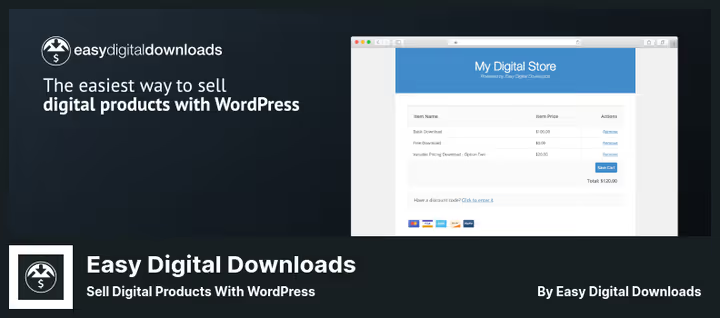
The most popular plugin for selling digital goods on WordPress. Over 50,000 active installations and more than 30 million processed orders. Built specifically for digital products: e-books, PDFs, software, subscriptions, licenses. No physical goods legacy from WooCommerce.
The plugin provides a full cart, flexible payment methods, and detailed sales analytics. The installation wizard takes you from activation to your first product in less than 10 minutes. Version 3.6.9, updated June 2026. The free Lite version is enough to get started.
Pros:
- Free Lite version with full functionality for launching a store
- Payment processing through Stripe, PayPal, Apple Pay, Google Pay, and 20+ more methods
- Detailed reports: revenue, customers, taxes, product conversion
- 100+ integrations: Mailchimp, Zapier, Dropbox, ConvertKit, AffiliateWP
Cons:
- Pro version from $99/year, more expensive than competitors
- PDF protection requires separate extensions
- Excessive if you only need free book distribution
Price: Lite, free. Pro, from $99/year, includes subscriptions, licensing, content protection.
🔗 Easy Digital Downloads on WordPress.org | 🔗 Easy Digital Downloads site
3. Ebook Store
Specialized plugin specifically for e-books. Can not only sell but also protect PDFs: file encryption, watermarks with buyer data on each page, password protection on opening. If the file leaks, it will have the email of who bought it and the name of who leaked it.
After payment, the buyer lands on a page with a download link. The file is duplicated to email with watermarks and password. Version 6.05, updated June 2026: the plugin is actively developed, form templates added, improved WooCommerce integration, expanded Stripe support. Out of the box, PayPal, Stripe, Apple Pay, Google Pay, and 6 more payment methods work.
Pros:
- Built-in PDF protection: encryption plus watermarks with buyer data
- Simple one-click order form with 3D book cover
- Supports PDF, ePub, TXT, Mobi, and ZIP archives
- QR code on protected book for quick buyer verification
Cons:
- Free version doesn't encrypt PDFs and doesn't add watermarks
- Support works slowly, according to user reviews
- File upload is inconvenient for books over 100 MB
Price: Free version with basic features on WordPress.org. Pro, $30, one-time payment, includes encryption, watermarks, and WooCommerce integration.
🔗 Ebook Store on WordPress.org
4. Print my blog
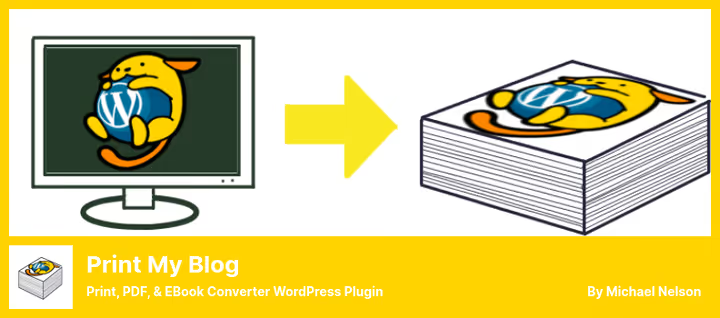
A plugin that turns WordPress posts into PDF, ePub, and print format. Unlike the other entries in this collection, it doesn't sell books, but converts site content into a readable offline document. Version 3.27.17, updated May 2026.
Especially useful in three scenarios. First: the blog needs to be packaged into a PDF backup or e-book for subscriber mailing. Second: site visitors need "Print," "PDF," "eBook" buttons for individual posts. Third: professional document layout with table of contents, footnotes, and cross-references via Pro subscription. Batch conversion of thousands of posts launches with one button. During printing, it automatically removes sidebars, logo, and footer.
Pros:
- Instant conversion of entire blog to PDF, ePub, or print
- Free version covers the vast majority of tasks
- "Print," "PDF," "eBook" buttons for site visitors
- Pro mode allows professional document layout with table of contents and footnotes
Cons:
- Doesn't sell books, only converts existing content
- Pro PDF Service requires paid subscription
- Documented conflicts with Divi theme
Price: Lite, free. Pro, from $72/year, includes professional layout, footnotes, automatic links to pages.
🔗 Print my blog on WordPress.org | 🔗 Print my blog site
5. Bookomatic
The most unusual member of this collection. Bookomatic doesn't sell books and doesn't convert posts. It automatically generates blog content via the Google Books API: creates posts about books with text synonymization and configurable publication status.
Suitable for standalone book blogs, recipe aggregator sites, and niche projects that need a constant content flow without manual filling. The plugin can import book preview (embedded reader), generate featured image, translate content via Google Translate, and replace keywords with specified links. In practice, the quality of auto-generation is lower than manual, posts require editing before publication.
Pros:
- Automatic posting based on Google Books database
- Built-in synonymization for text uniqueness
- Flexible post status settings: draft, published, pending
- Import of book preview and featured image, translation via Google Translate
Cons:
- Only paid version, no free trial period
- Auto-content quality lower than manual, editing required
- Tied to Google Books API, which may change terms of use
Price: $21 on CodeCanyon, including 12 months of support.
Installing any plugin from the collection is done the same way. Watch the short video, the whole process in 5 minutes.
⁉️🤔 Frequently asked questions
Do I need WooCommerce to sell e-books on WordPress?
No, you don't.
Easy Digital DownloadsandEbook Storework autonomously and don't require WooCommerce. WooCommerce is built for physical goods and adds extra load if you're only selling digital files. For a mixed store (paper books plus electronic versions), WooCommerce is justified. But for a purely digital store, EDD or Ebook Store handle it better: less overhead, simpler setup, built-in file protection.
How do I protect PDFs from copying and distribution?
Two main methods. First: file encryption with a password that's generated individually for each buyer. Second: watermarks with email, name, or buyer ID on each page. From the collection,
Ebook StorePro works best with protection, encrypts PDFs, adds watermarks with buyer data, and adds QR code for verification.Sell Downloadsuses a different approach: issues a temporary link that stops working after a set period, plus limits the number of downloads per purchase.
Can I sell e-books without platform commission?
Yes, that's the main advantage of a WordPress store. You only pay the payment gateway fee: Stripe, around 2.9% plus $0.30 per transaction, PayPal, comparable rate. For comparison: Amazon Kindle takes 30 to 65 percent of royalties depending on book price. On your own site, you keep the entire amount minus payment processing. Plus you get the buyer email database, which a marketplace will never give you.
Which plugin should I choose for free book distribution in exchange for email?
Easy Digital Downloadspaired with the free Free Downloads extension. Set up a product with zero price, add mandatory email field before download, and you get a lead magnet without a line of code. Alternative:Sell Downloadsalso can request email before download, but it's built specifically for sales via PayPal. EDD Lite is free and more than enough for book distribution.
Do these plugins work with Gutenberg and popular themes?
All 5 plugins work correctly with WordPress block editor.
Ebook Storeadditionally integrates with Elementor.Sell Downloadssupports Gutenberg, Elementor, BeaverBuilder, and SiteOrigin.Print My Bloguses active theme styles when converting to PDF, the result looks like a continuation of your site, not a foreign document. The only documented exception:Print My Blogcan conflict with Divi. The developer recommends making a database backup before first run on this theme.
Can I sell books through WordPress if I don't have a PayPal account?
Yes.
Easy Digital Downloadssupports Stripe out of the box, just register an account and connect API keys.Ebook Storealso accepts Stripe, Apple Pay, and Google Pay.Sell Downloadsin the free version only works with PayPal, premium version expands the gateway list.BookomaticandPrint My Blogdon't accept payments at all, they're about something else. So without PayPal you're not limited: EDD Lite and Ebook Store provide full payment processing through Stripe for free.
What to install for your task in 2026

The specific choice depends on the scenario, not the rating. Here's a "task, tool" matrix, tested on a live site:
If you're selling only PDF books and anti-piracy protection is critical, Ebook Store Pro for $30 one-time. Encryption, watermarks, QR verification out of the box. No subscriptions.
If you're building a full digital store with analytics, subscriptions, and dozens of products, Easy Digital Downloads. Free start, scaling to Pro, 100+ integrations. Industry standard for a reason.
If you want a simple "paid and downloaded" form without cart and catalog, Sell Downloads. Free, in 5 minutes, PayPal out of the box. For minimalists, can't do better.
If you need to package a blog into PDF or ePub for mailing, Print My Blog. Free version covers 90 percent of tasks. Conversion of thousands of posts with one button.
If you run a book blog and need automatic content flow, Bookomatic. But editing is required, auto-generation won't replace an author.
Choose for your task. All 5 plugins tested on current WordPress version in June 2026, each works stably.

A professional team of writers and editors specializing in creating quality content.