














🚀 6 best paraphrasing tools for marketers and content creators in 2026
Whether you're paraphrasing someone else's post for your blog or rewriting a website page, the line between honest retelling and plagiarism is thinner than it seems. Google doesn't impose a direct penalty for duplicates, but when your text matches someone else's, the search engine simply won't show your page in results. And a client who recognizes someone else's article in your "unique" material loses trust irreversibly.
Manually retelling a dozen pages of content takes hours. This is exactly where paraphrasing tools come into play: they rework sentence structure and vocabulary in seconds while preserving the original meaning. We tested popular services and selected the 6 best: from free utilities for short texts to AI powerhouses with content generation from scratch.
💡 Quick overview:
- What paraphrasing is and how it differs from plagiarism: a short primer
- Comparison table of all 6 tools by price, volume and modes
- Detailed breakdown of each service: interface screenshots, pros, cons and prices
- Which tool to choose for your task: final selection matrix
Comparison table of paraphrasing tools
Tool | Price | Free limit | Modes | AI generation from scratch |
|---|---|---|---|---|
Jasper | from $50/mo | 7-day trial | 50+ templates | Yes (GPT-4o) |
Paraphrase-Online.com | Free | 1,000 characters | 1 mode | No |
Spinbot | Free | 10,000 characters | 1 mode | No |
Paraphrase Online (.org) | Free | No limit | 5 modes | No |
Copy.ai | from $40/mo | 2,000 words/mo | Freestyle | Yes (GPT-4o) |
Quillbot | from $10/mo | 125 words | 7 modes (Premium) | No |
1. Jasper
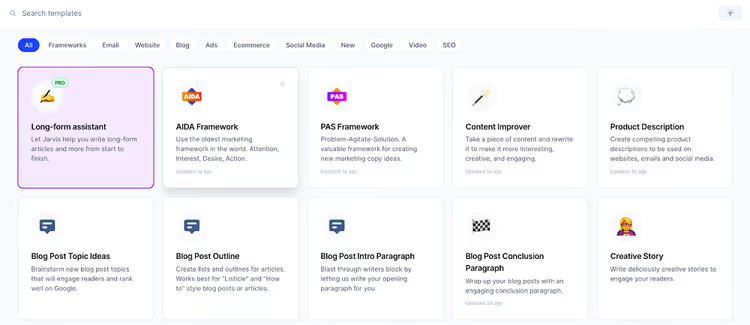
Jasper: an AI powerhouse for marketing content based on GPT-4o. Unlike simple "synonym replacers," it doesn't just paraphrase ready text but creates unique content from scratch or reworks your material in dozens of formats: from blog posts to email campaign sequences.
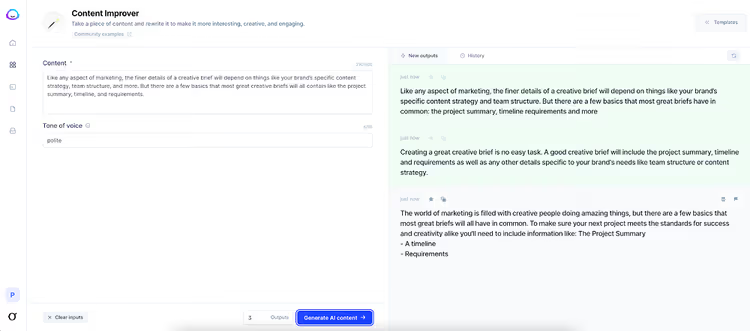
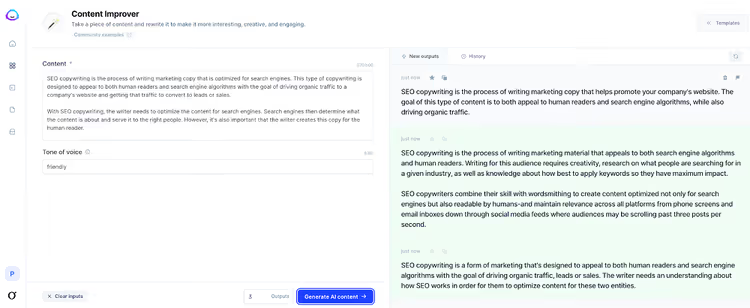
Jasper's key advantage: the Content Improver template. You paste the source text, select a tone (friendly, expert, bold) and get 3-5 rework variations in seconds. The model is trained on millions of texts and understands context: it doesn't swap words around but rebuilds the argumentation.
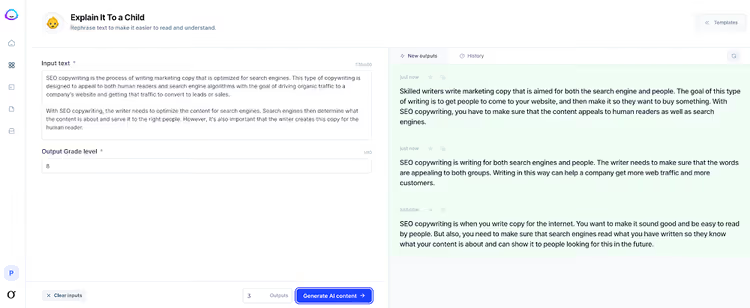
Another useful scenario: the "Explain It To a Child" template. It rewrites complex text to an 8th-grade reading level, breaking down jargon into simple sentences. For technology, SaaS, medical and financial companies, this is a way to turn dry documentation into a readable blog post in one pass.
The "Explain It To a Child" template works on a similar principle but with a different goal: it adapts the reading level for an eighth grader, making complex material accessible to an average audience.
Pros:
- Content generation from scratch, not just paraphrasing
- 50+ templates for different formats: blog, email, social media, landing pages
- Brand Voice: remembers your brand style and applies it to all texts
- Built-in plagiarism check (content is always unique)
Cons:
- High price tag: Pro from $59 per month, Business: custom
- Overkill if you only need paraphrasing (Quillbot will handle it cheaper)
- English-focused: works best with EN content
Price: Pro: $59/mo plan (7-day trial), Business: on request.
2. Paraphrase-Online.com
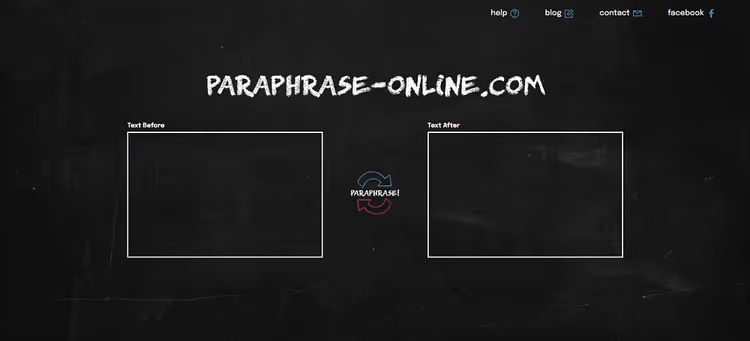
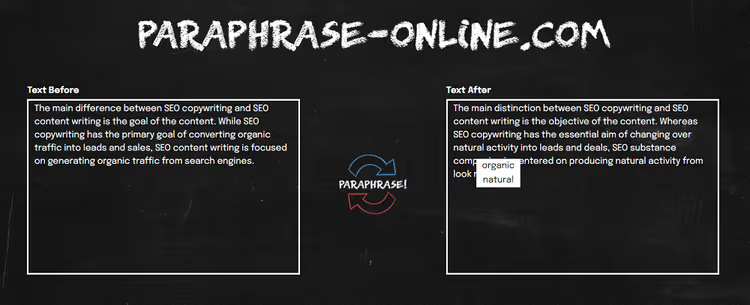
Paraphrase-Online.com: a minimalist free service that does exactly what it promises. Takes text in the left field and outputs a paraphrased version in the right. No tone settings, no templates: only algorithmic word replacement with synonyms and sentence structure rebuilding.
The main plus: interactive word replacement. If you don't like a specific synonym, click the word in the right field and choose an alternative from the dropdown list. This gives control that fully automatic tools lack.
Pros:
- Completely free, no registration
- Interactive synonym replacement by click
- Simple and fast: copy, press, get
Cons:
- 1,000 character limit per pass (long text must be split)
- One paraphrasing mode, no tone adjustment
- Algorithmic, not AI-based: quality lower than Jasper or Quillbot
- Requires manual output editing
Price: Free.
3. Spinbot
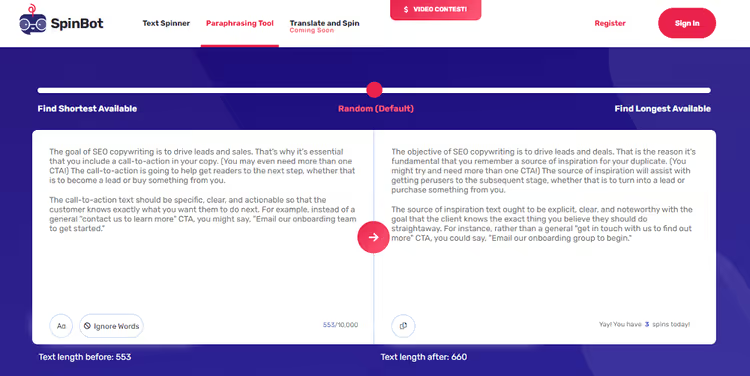
Spinbot: another free spinner that rewrites text by selecting synonyms and rebuilding phrases. Its key difference from Paraphrase-Online.com: a generous limit of 10,000 characters per pass (approximately 1,000 words). For comparison, Paraphrase-Online.com gives only a tenth of this volume.
Output quality is typical for algorithmic paraphrasing: text becomes unique but sounds unnatural in places. Editing after Spinbot is mandatory. However, for a rough retelling of long material, the tool saves a lot of time.
Pros:
- Free with a 10,000 character limit per pass
- No registration required
- Good for rough retelling of long texts
Cons:
- Algorithmic word replacement: context is not considered
- Average output quality, requires manual editing
- No tone or style selection
- Interface looks outdated
Price: Free (there's a paid plan without ads and captcha, around $10/mo).
4. Paraphrase Online (.org)
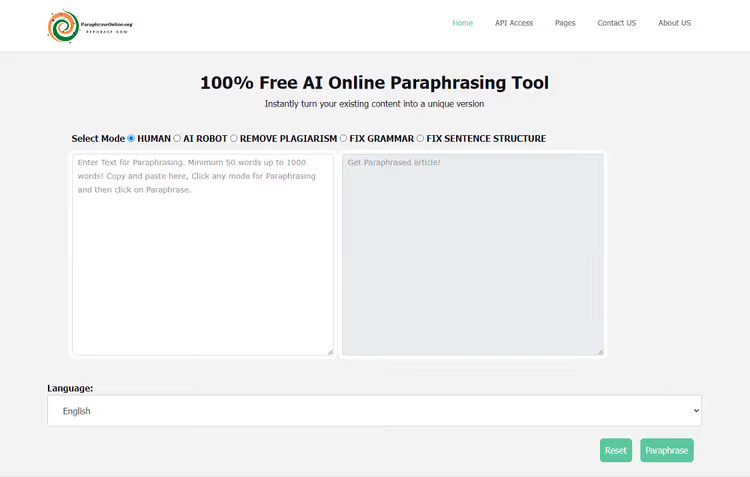
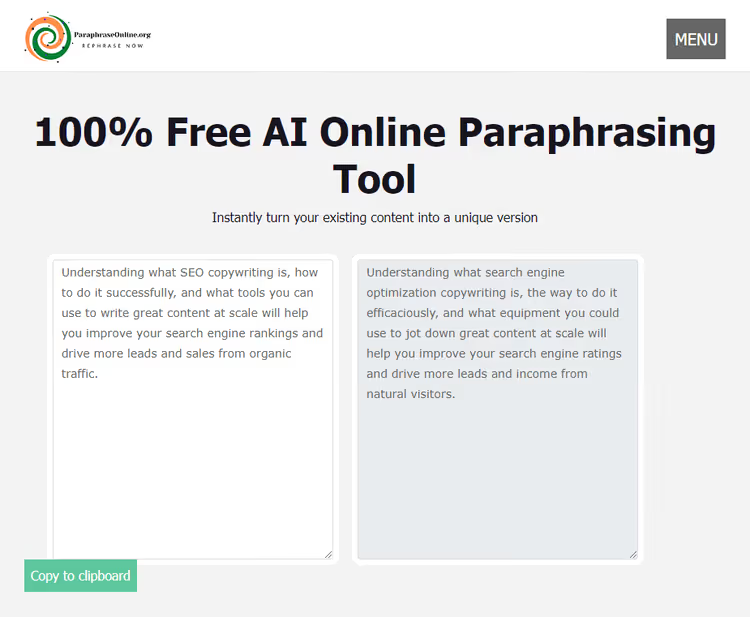
Don't confuse with Paraphrase-Online.com: this is a different service at paraphraseonline.org. It has five paraphrasing modes: Standard, Fluency, Human, Plagiarism Remover and Academic. Such variety is rarely found in a free tool, and this is the service's main feature.
We ran the same text through Human mode: the output was a coherent retelling, somewhat angular in places but with preserved meaning. Plagiarism Remover mode changes vocabulary more aggressively: suitable if uniqueness is critical and style is secondary.
Pros:
- 5 paraphrasing modes in free version
- No character limit
- Language support beyond English: Spanish, French and others
Cons:
- Quality noticeably lower than AI tools (Jasper, Quillbot)
- Word replacement without deep context analysis
- Requires multiple passes through different modes for good results
- Interface overloaded with ads
Price: Free.
5. Copy.ai
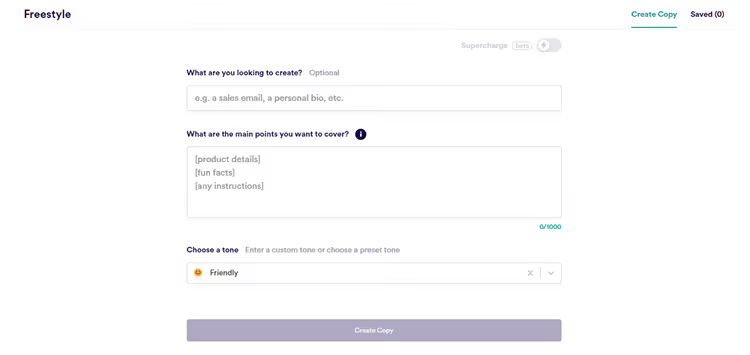
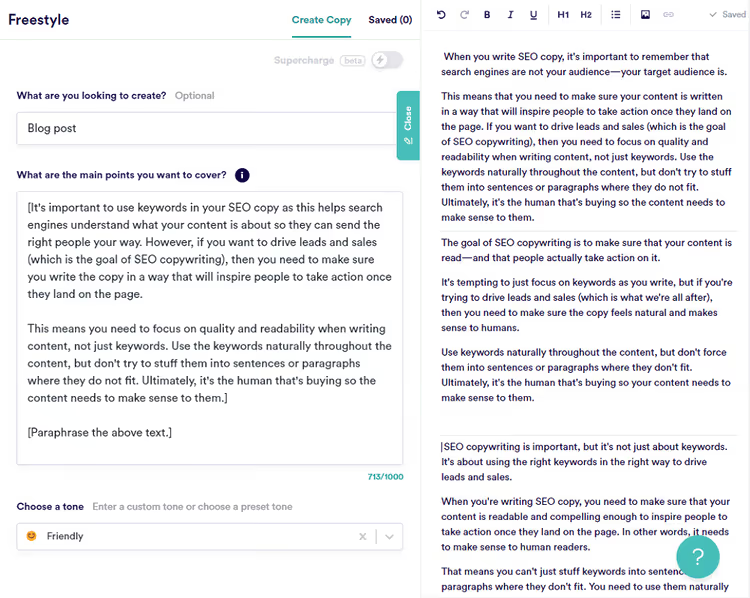
Copy.ai: an AI content generator on GPT-4o, a direct competitor to Jasper. It doesn't have a dedicated "paraphrasing tool," but has Freestyle: you describe the task in your own words (content type, what's inside, what tone), paste the source text with a "paraphrase" instruction and get results.
Unlike free spinners, Copy.ai produces 5 rework variations at once. They differ in style and wording, which is convenient: you're not tied to one "as it turned out" and can choose the most successful option or combine several.
Pros:
- 5 rework variations per request
- Content generation from scratch: not just paraphrasing but creating articles, posts, emails
- Brand voice tone adjustment
- Free plan: 2,000 words per month
Cons:
- No dedicated tool specifically for paraphrasing (only Freestyle)
- Pro plan price comparable to Jasper: from $49 per month
- With free limit, won't be enough for serious volumes
Price: Free (2,000 words/mo), Pro: $49/mo plan.
6. Quillbot
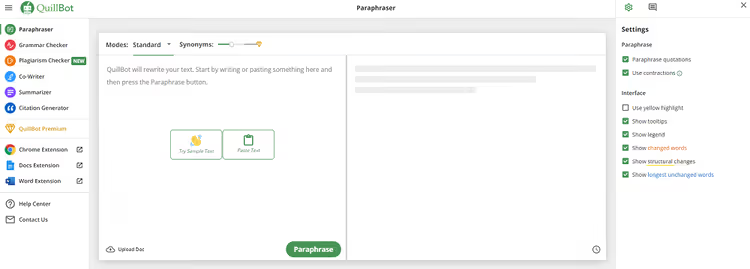
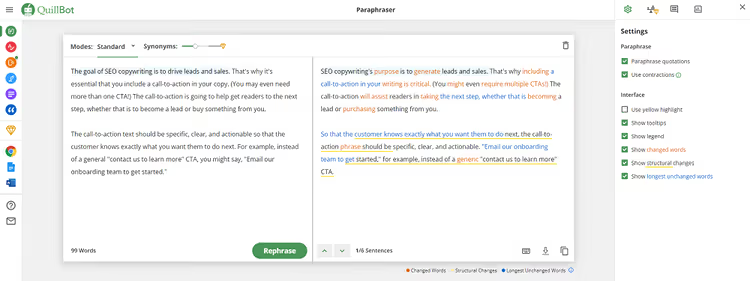
Quillbot: one of the world's most popular paraphrasing tools. Unlike Jasper and Copy.ai, it doesn't generate content from scratch but specifically paraphrases: this is its main and only specialization. The free version accepts up to 125 words and offers two modes: Standard and Fluency.
The Premium plan unlocks 7 modes: Standard, Fluency, Creative, Formal, Expand, Shorten and Custom. Creative mode completely rebuilds sentences, Expand adds details, Shorten compresses text, and Custom lets you manually set the balance between meaning accuracy and degree of changes.
Quillbot's feature: color coding of results. Changed words are highlighted in orange, changed structure in yellow, longest unchanged fragments in purple. This is a quick way to assess how deeply the text has been reworked and which parts require additional editing.
Pros:
- 7 paraphrasing modes in Premium (including Creative and Custom)
- Color coding of changes: instantly see what's been reworked
- Best choice for pure paraphrasing (without generation from scratch)
- Affordable price: Premium from $9.95 per month with annual payment
Cons:
- Free limit: only 125 words per pass
- Doesn't create content from scratch (only paraphrases)
- Free version has only 2 modes out of 7
Price: Free (125 words/pass, 2 modes), Premium: $9.95/mo plan (annual payment) or $19.95/mo (monthly).
🔗 Quillbot.com | 🔗 Premium pricing
See how AI paraphrasing works in practice: this video breaks down three simple steps that turn template text into lively and unique.
⁉️🤔 Frequently asked questions
How does paraphrasing differ from plagiarism?
Paraphrasing: retelling someone else's idea in your own words while preserving meaning but in a unique formulation. Plagiarism: direct borrowing of someone else's text without citing the source. The legal line runs through volume: if someone else's ideas (even retold) make up most of your material, it's plagiarism. Paraphrasing tools help avoid accidental matches but don't replace authorial reworking.
Can Google penalize paraphrased content?
There is no direct penalty for duplicate content: this has been confirmed by Google representatives repeatedly. However, ranking algorithms favor original material. If your text is 80% identical to an already indexed page, the search engine simply won't show your version in results. Quality paraphrased content with unique structure and vocabulary doesn't create this problem.
Can free tools be used for commercial content?
Yes, but with caveats. Free spinners (Spinbot, Paraphrase-Online) save time on rough retelling, but output quality requires mandatory manual editing. For client texts and content representing your brand, better to get Quillbot Premium (premium $9.95/mo) or Copy.ai/Jasper if you need generation from scratch. The quality difference between algorithmic word replacement and AI paraphrasing on GPT-4o is colossal.
Which tool to choose if you only need paraphrasing, without generation from scratch?
Quillbot: the definitive choice. This is the only tool from the list that specializes specifically in paraphrasing. The free version gives 125 words and 2 modes; Premium (subscription $9.95/mo) unlocks 7 modes and removes limits. Color coding of changes: a bonus that none of the competitors have.
What to do if text sounds unnatural after paraphrasing?
This is a typical problem with algorithmic spinners: they change words without considering context. Solution: run text through Human mode in Paraphrase Online (.org) or switch to an AI tool (Quillbot Creative mode, Jasper Content Improver). Second option: use interactive word replacement in Paraphrase-Online.com. Click on "unsuccessful" synonyms and choose alternatives manually.
Final breakdown: which paraphrasing tool to choose
The choice comes down to three scenarios. If you need to occasionally paraphrase a paragraph or two, take Quillbot Free or Paraphrase-Online.com: free, no registration, results in seconds. If paraphrasing is part of your daily pipeline (10+ texts per week), subscribe to Quillbot Premium: $9.95/mo for 7 modes and no limits. This is the best price-to-quality ratio for pure retelling.
If you create content at scale and besides paraphrasing need generation from scratch (blog posts, email sequences, landing pages), choose between Jasper and Copy.ai. Both on GPT-4o, with Brand Voice and templates. Copy.ai at $10/mo is cheaper, but Jasper offers more templates and a more mature Content Improver.
Test the free versions of all three (Quillbot, Jasper, Copy.ai) before paying. Jasper's seven-day trial and Copy.ai's 2,000 words per month are enough to understand whose interface and work style suits you better.

A professional team of writers and editors specializing in creating quality content.