













 AIIllustrative image: AI-generated
🖼 7 best lightbox plugins for WordPress 2026 (free and paid)
A click on an image in the standard WordPress gallery takes the reader to a separate attachment page. White background, a thumbnail in the center, a "back" button in the browser, and no navigation. Viewing is interrupted, and the next frame needs to be found again by closing the page.
For a photographer, designer, or online store, this scenario hurts revenue: the user doesn't browse the gallery but leaves the site. Worse, default WordPress behavior doesn't show video in an overlay at all, only images.
A lightbox plugin fixes this UX within 5 minutes of activation. Images, videos, and HTML content open on top of the page in a darkened popup with arrow navigation, zoom, and "share" buttons. Close it, stay in the same place, without transitions to a separate URL. We've gathered 7 current WordPress lightbox plugins for 2026: from ultra-light free solutions to premium powerhouses with WooCommerce, video overlay, and social features.
💡 Quick overview:
- Choose a plugin for your task: minimalists will like Firelight Lightbox or Simple Lightbox, photographers and designers need FooBox with "share" buttons, video bloggers will like WP Video Lightbox with YouTube autoplay in the overlay.
- Install the plugin from the WordPress catalog (or upload the premium version from the vendor's site), activate and configure the popup style to match the theme design, most solutions work out of the box without code editing.
- Test the lightbox on mobile: check gestures (swipe, pinch-zoom), opening speed, caption readability, and the close button, poor mobile UX cuts conversion harder than the absence of a lightbox.
Plugin comparison table
Plugin | Free version | Video in lightbox | Gallery/slideshow | WooCommerce | Pro price |
|---|---|---|---|---|---|
Responsive Lightbox | Yes (7 scripts) | Yes | Yes | Yes | $49/year |
Simple Lightbox | Yes | No | Yes | No | Free |
FooBox | No (Pro only) | Yes (YouTube, Vimeo) | Yes | Yes | $29/year |
Huge-IT Lightbox | Yes (basic) | Yes | Yes | No | $15 (one-time) |
Firelight Lightbox | Yes | Yes | Yes | No | $29/year |
WP Video Lightbox | Yes (Lite) | Yes (YouTube, Vimeo) | No | No | $20 (one-time) |
ARI Fancy Lightbox | Yes (wp.org) | Yes | Yes | No | $12/year |
1. Responsive Lightbox
The most popular lightbox plugin in the WordPress catalog: 200,000+ active installations and a 4.6-star rating on wordpress.org. Developer dFactory has maintained the product since 2011, version 2.7.7 was released in May 2026.
The main feature is seven lightbox scripts to choose from: PrettyPhoto, FancyBox, Nivo Lightbox, Featherlight, TosRUs, SwipeBox, and a proprietary implementation. Switch in the settings in a minute, without touching code. Each script gives different animation, overlay behavior, and content type support.
The plugin opens in the lightbox: single images, WordPress galleries, videos from YouTube and Vimeo, audio files, and WooCommerce products. Settings are flexible: popup size, background transparency, animation speed, "share" buttons, EXIF display, and photo captions.
Pros:
- Seven lightbox scripts in one plugin
- Video, audio, galleries, WooCommerce products
- Active development (May 2026 update)
- Free version in the WordPress catalog is fully functional
Cons:
- Support team doesn't respond instantly
- Some advanced settings are hidden in Pro
🔗 Responsive Lightbox on WordPress.org
2. Simple Lightbox
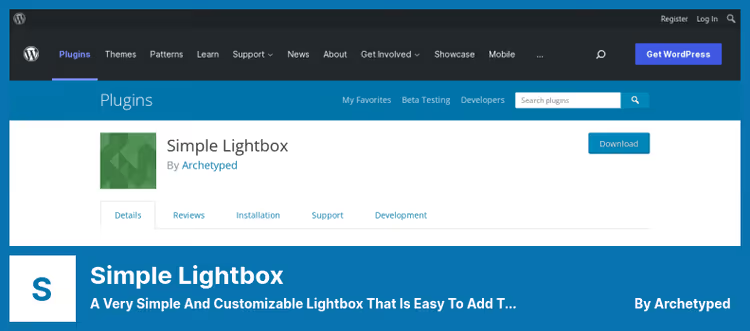
Simple Lightbox lives up to its name: installed, activated, works. Free plugin with 10,000+ installations and a 4.1 rating. Last update, February 2026 (v2.9.5).
The lightbox automatically picks up all links to media files in posts, widgets, and menus. Group images into a slideshow with one checkbox. Keyboard navigation, dark and light themes, animation speed and overlay transparency settings, all in the free version.
Addons extend functionality: conditional loading only on needed pages, CSS/JS caching, and fine-tuning selectors. The plugin doesn't overload the admin area and doesn't conflict with themes, tested up to WordPress 6.8.
Pros:
- Completely free, no Pro version
- Automatic operation without configuration
- Keyboard navigation and dark/light theme
- Lightweight, doesn't affect site speed
Cons:
- No video support in lightbox
- Minimalist design without WOW factor
🔗 Simple Lightbox on WordPress.org
3. FooBox
FooBox from FooPlugins studio, a premium lightbox with an emphasis on social sharing and beautiful UI. The plugin is used by 30,000+ sites, license price is $29/year with updates and support for 12 months.
Each image in the lightbox gets "share" buttons (Facebook, X, Pinterest, LinkedIn), this turns the gallery into a viral traffic channel. Visual effects are polished: smooth transitions, responsive layout, custom colors to match the site brand.
FooBox works with popular gallery plugins: Envira Gallery, NextGEN Gallery, Jetpack Tiled Galleries. Opens YouTube and Vimeo in the lightbox, HTML content (tables, lists), and WooCommerce products. Script-based configuration: enable and disable options with checkboxes in the admin area.
Pros:
- Built-in "share" buttons for social networks
- Compatibility with Envira, NextGEN, Jetpack
- Video, HTML content, and WooCommerce in lightbox
- Beautiful design out of the box
Cons:
- No free version
- $29/year at FooPlugins, more expensive than some competitors
4. Huge-IT Lightbox
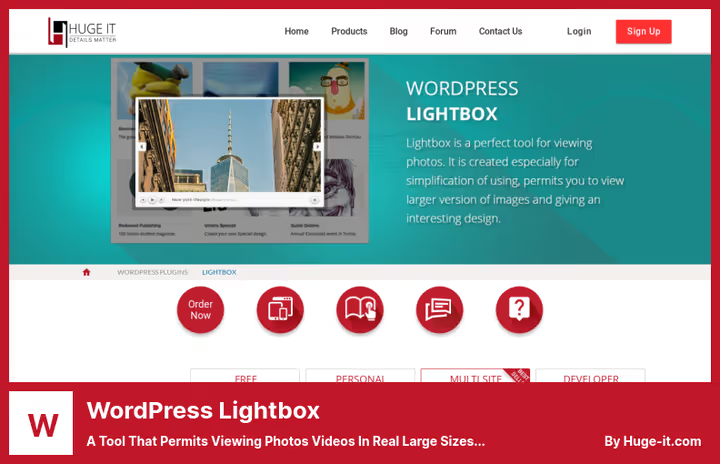
Product from Huge-IT fills the niche of "cheap and with video": lifetime license for $15 with full documentation and 24/7 support. Free version is available at huge-it.com with basic limitations: 3 frames versus 8 in Pro and reduced style settings.
The plugin offers 7 types of lightbox and 12 popup variants for images. Watermarks on photos inside the lightbox, a rare and useful feature for photographers and stock platforms. Streaming video from YouTube and Vimeo opens in the same overlay without context switching.
Responsive layout rebuilds the layout for mobile devices automatically: an important plus for sites where mobile traffic dominates. "Share" buttons are built in but are inferior to FooBox in the number of social networks.
Pros:
- $15 one-time (not subscription)
- Watermarks on photos in lightbox
- 7 types and 12 popup styles
- 24/7 support
Cons:
- Free version is heavily limited (3 frames)
- Interface design looks outdated
🔗 WordPress Lightbox on Huge-IT
5. Firelight Lightbox

Formerly Easy FancyBox, now Firelight Lightbox, the successor to the most massive WordPress lightbox plugin (200,000+ installations, 4.4 rating). In 2024, the plugin closed WP Featherlight due to a vulnerability, and Firelight took its niche: free, lightweight, with auto-detection of media.
Works without configuration: activated, and all links to images, YouTube, and Vimeo automatically open in a stylish responsive lightbox. Supports WordPress galleries, single photos, and videos. Pro version for $29/year adds slideshows, WooCommerce products in the popup, and advanced styling options.
The key advantage is weight: script and styles load only when there is media for the lightbox on the page, without extra CSS/JS on every page. For sites where speed is important (Core Web Vitals), this is critical.
Pros:
- Free version with auto-detection of media
- 200,000+ installations, active development (May 2026)
- Lightweight: loads only when media is present
- Support for YouTube, Vimeo, WordPress galleries
Cons:
- Slideshow and WooCommerce only in Pro
- Fewer style settings than Responsive Lightbox
🔗 Firelight Lightbox on WordPress.org
6. WP Video Lightbox

The only plugin in the selection specifically focused on video. Developer Tips and Tricks HQ has maintained the product for 10+ years: version 1.9.12 was released in May 2026. Free Lite version on wordpress.org covers basic scenarios.
Video lightbox features: YouTube autoplay when opening the popup, disabling "related videos" at the end, loading a preview instead of the player (saves traffic). Overlay size, background transparency, and animation speed are configurable in the admin area.
Video embedding is through a shortcode or anchor link (text or image preview). Pro version opens Vimeo, Wistia, custom MP4, and adds player parameters. For video blogs, courses, and landing pages with video content, the best choice.
Pros:
- Best video support (YouTube, Vimeo, Wistia in Pro)
- Autoplay and disabling "related"
- Works via shortcodes and anchor links
- Free Lite version is fully functional
Cons:
- Not designed for photo galleries
- Pro for $20 at Tips and Tricks HQ is needed for Vimeo and Wistia
🔗 WP Video Lightbox on WordPress.org
🔗 Pro version on Tips and Tricks HQ
7. ARI Fancy Lightbox
ARI Fancy Lightbox is a compact plugin with an emphasis on social features and customization. 20,000+ installations, 4.5 rating. Free version on wordpress.org, annual license for $12 (updates and support for a year).
The plugin automatically picks up images from native WordPress galleries and Jetpack (Tiled, Circle). Supports YouTube, Vimeo, HTML content, and even entire web pages in a popup. Deep linking is a unique feature: you can give a direct link to an open lightbox with a specific image.
"Share" buttons are built right into the lightbox interface (Facebook, X, Pinterest, LinkedIn). Auto-opening the popup when the page loads via shortcode, useful for landing pages and promotions.
Pros:
- Deep linking: direct link to open lightbox
- Social buttons in the interface
- Free version with basic functionality
- Support for Jetpack galleries
Cons:
- Annual license for $12 (not one-time)
- Settings interface is not the most intuitive
🔗 ARI Fancy Lightbox on WordPress.org
For a visual comparison, a review of all 7 WordPress lightbox plugins in action:
⁉️🤔 Frequently asked questions
Is a lightbox plugin needed if the theme already includes a lightbox?
Built-in theme lightboxes (for example, in Divi or Avada) work only while you're on that theme. Changed the theme, the lightbox disappeared with it. A separate plugin lives independently and keeps settings when changing the design. Plus plugins like Responsive Lightbox give a choice of 7 scripts versus one in the theme.
Which lightbox plugin is best for WooCommerce?
Leaders for WooCommerce are Responsive Lightbox (Pro) and FooBox: both open product cards in the lightbox, show variation galleries, and don't conflict with typical store themes. FooBox wins with "share" buttons for viral traffic, Responsive Lightbox with the flexibility of 7 scripts. Firelight Lightbox Pro for $29/year is catching up but is inferior in the number of WooCommerce features.
Does a lightbox plugin slow down the site?
Modern plugins load scripts only when there is media for the lightbox on the page (conditional loading). Firelight Lightbox in this sense is the standard: not a kilobyte of extra CSS/JS on pages without media. Responsive Lightbox and Simple Lightbox also use deferred loading. The speed problem arises when enabling all 7 scripts at once, choose one or two for the task, disable the rest.
Can you use two lightbox plugins at the same time?
Technically yes, but practically, shooting yourself in the foot. Two plugins latch onto the same links to media files: you get a double overlay or script conflict with a white screen. If you need a different lightbox for photos and videos, take one combined, Responsive Lightbox or FooBox cover both scenarios without conflicts.
How to add a lightbox to images that are already on the site?
Most plugins (Firelight, Simple Lightbox, Responsive Lightbox) automatically pick up existing links to media files. Installed, activated, old images open in the lightbox without manual editing of posts. For spot addition, use a CSS class in the plugin settings or a shortcode.
What to replace WP Featherlight with after closing?
WP Featherlight was closed on wordpress.org in December 2024 due to a vulnerability and no updates for 6 years. Direct replacement is Firelight Lightbox (formerly Easy FancyBox): just as light, free, without configuration. The transition is simple: deactivate WP Featherlight, install Firelight, all old links to media are picked up automatically without manual editing of posts.
Which lightbox plugin to choose for your task?
The choice comes down to three scenarios. If the site is loaded with photos and viral reach is important, take FooBox for $29/year for the "share" buttons and compatibility with Envira and NextGEN. Need a free, fast, and no-configuration lightbox, Firelight Lightbox or Simple Lightbox will handle it out of the box and won't weigh down Core Web Vitals.
If the site has a lot of video, WP Video Lightbox with YouTube autoplay in the overlay is better than the rest. Universal choice for most sites is Responsive Lightbox: 7 scripts switch in the admin area, the free version covers 90% of tasks, and Pro for $49/year adds WooCommerce and priority support.
Start with free Firelight Lightbox or Simple Lightbox: installation in a minute, and you'll immediately see how the gallery behavior changes. Which lightbox do you have, write in the comments.

A professional team of writers and editors specializing in creating quality content.