














💱 8 best currency converter plugins for WordPress 2026
A German buyer opens your site and sees prices in dollars only. Without the ability to switch, they close the tab and go to a competitor. A currency converter plugin removes this barrier: the visitor sees the current exchange rate right on the page or changes the currency with one click.
In 2026, the WordPress.org catalog has dozens of such plugins. Some haven't been updated in years and work inconsistently. We selected 8 solutions that were updated in 2025-2026, are actively supported, and cover different tasks: from a simple calculator widget to a professional multi-currency switcher for WooCommerce.
💡 Quick overview:
- Currency Converter Widget, Open Currency Converter, Currency Converter Calculator, and CurrencyConverter: free converter widgets for content sites without WooCommerce.
- WPCS Currency Switcher and CURCY: the choice for WooCommerce stores with automatic price conversion and multi-currency cart.
- Financial Pack Pro: complete financial package with stock quotes, cryptocurrency, and converter for media and fintech sites.
Comparison table: 8 currency converter plugins for WordPress
Before going into details, evaluate the difference at a glance: how the plugins differ from each other.
Plugin | For whom | Price | Feature |
|---|---|---|---|
Financial Pack Pro | Media, fintech | Paid | Stock quotes + crypto + 190+ currencies |
Currency Converter Widget | Any site | Free | Updated June 2026, 8 localizations |
WPCS Currency Switcher | WooCommerce, multilingual | Free / Pro | WPML/Polylang, cache-compatible |
Open Currency Converter | Content sites | Free | 270+ currencies, auto-update |
Currency Converter Calculator | Any site | Free | Calculations on external server |
FOX Currency Switcher | WooCommerce | Free / Pro | Geolocation, switcher with 160+ currencies |
CURCY Multi Currency | WooCommerce | Free / Pro | Geolocation, automatic price conversion |
CurrencyConverter | Any site | Free | Rates from exchangerate.guru every hour |
Before choosing, answer one question: do you need a calculator widget (visitor calculates themselves) or a currency switcher for a store (prices are recalculated automatically). This divides the list into two groups.
A short video overview will show how to add a multi-currency switcher to WooCommerce:
1. Financial Pack Pro

Financial Pack Pro from BetterStudio is not just a converter, but a complete financial widget package. Suitable for sites that need everything at once: fiat currency rates, cryptocurrency quotes, and stock market data in one place.
Supports more than 190 currencies and over 1000 stock market instruments. More than 110 widget styles and shortcodes provide design flexibility. Integrates with Elementor and Beaver Builder without writing code. Works with RTL languages (Arabic, Farsi). No programming required.
- Pros: comprehensive financial solution in one plugin, RTL support, variety of widgets.
- Cons: excessive for sites that only need a simple currency converter, documentation in English.
- Price: paid, check rates at betterstudio.com (included with Publisher theme purchase).
- Download: 🔗 Financial Pack Pro at betterstudio.com
2. Currency Converter Widget

Currency Converter Widget is the most recently updated plugin in our list. The latest release (v4.0.1) came out in June 2026. Free, without WooCommerce dependencies: just a converter widget for any WordPress site.
Configuration through widgets and shortcodes without PHP knowledge. Colors, fonts, language, and currency set change from the admin panel. Out of the box supports 8 localizations: English, French, Italian, Spanish, Russian, Ukrainian, Dutch, and Hindi.
- Pros: actively supported in 2026, full localization in 8 languages, simple installation.
- Cons: no price conversion in WooCommerce, only calculator, not a storefront switcher.
- Price: Free.
- Download: 🔗 Currency Converter Widget at WordPress.org
3. WPCS, Currency Switcher Professional

WPCS - WordPress Currency Switcher Professional is a professional currency switcher updated in May 2026. Unlike calculator widgets, WPCS changes the displayed site currency for the visitor and works correctly with cache plugins.
Key feature: integration with WPML and Polylang. Currency switches along with site language without additional setup. The free version covers most tasks of a small WooCommerce store.
- Pros: compatibility with cache plugins, integration with WPML and Polylang, WooCommerce support in free version.
- Cons: advanced styling only in Pro, fewer installations compared to major multi-currency plugins.
- Price: Free, Pro rates on the plugin page.
- Download: 🔗 WPCS Currency Switcher at WordPress.org
4. Open Currency Converter

Open Currency Converter is a lightweight free plugin without extras. Supports 270 currencies and updates rates automatically: no need to manually install updates. Browser cache of results reduces server load on repeat requests.
Management through widgets and shortcodes. To add a converter to a page, use a shortcode like this: [convert number=49.99 from="GBP" to="USD"]. The plugin was updated in April 2025.
- Pros: widest currency set in the free segment (270+), automatic rate updates, browser cache.
- Cons: minimalist design without flexible styling, no WooCommerce support.
- Price: Free.
- Download: 🔗 Open Currency Converter at WordPress.org
5. Currency Converter Calculator
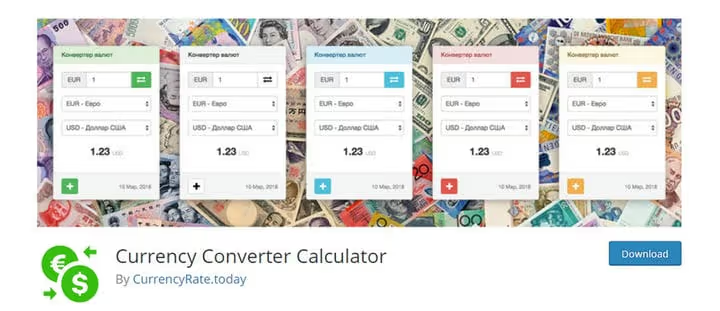
Currency Converter Calculator supports more than 195 currencies and was updated in May 2026. Distinctive feature: calculations are performed on a third-party server, so the plugin does not create additional load on your site's hosting.
Responsive design displays correctly on mobile and desktop without additional setup. Template, background color, size, and widget language are configured through the admin panel.
- Pros: calculations on external server do not load hosting, responsive design, flexible appearance settings.
- Cons: no WooCommerce integration, depends on third-party API availability.
- Price: Free.
- Download: 🔗 Currency Converter Calculator at WordPress.org
6. FOX, Currency Switcher Professional for WooCommerce

FOX - Currency Switcher Professional for WooCommerce is one of the most widely used multi-currency plugins for WooCommerce, updated in June 2026. Automatically converts product prices based on real exchange rates and determines visitor currency by geolocation.
Supports more than 160 currencies. The free version is available in the WordPress.org catalog. The Pro version adds advanced pricing rules, payment in selected currency on checkout page, and additional exchange rate sources.
- Pros: wide adoption, geolocation in free version, integration with WPML and Polylang.
- Cons: full checkout in selected currency requires Pro, setup becomes complex with many pricing rules.
- Price: Free, Pro rates on the plugin page.
- Download: 🔗 FOX Currency Switcher at WordPress.org
7. CURCY, Multi Currency for WooCommerce

CURCY - Multi Currency for WooCommerce was updated in June 2026. The free version includes automatic price conversion, currency determination by geolocation, and a switcher widget. The buyer sees prices in their currency immediately when opening the catalog page.
Rates are updated in real time from open APIs. The Pro version adds advanced pricing rules and order checkout in the selected currency without conversion on the payment gateway side.
- Pros: geolocation currency determination, automatic rate updates, actively developing in 2026.
- Cons: full checkout in selected currency only in Pro, requires installed WooCommerce.
- Price: Free, Pro rates on the plugin page.
- Download: 🔗 CURCY Multi Currency at WordPress.org
8. CurrencyConverter
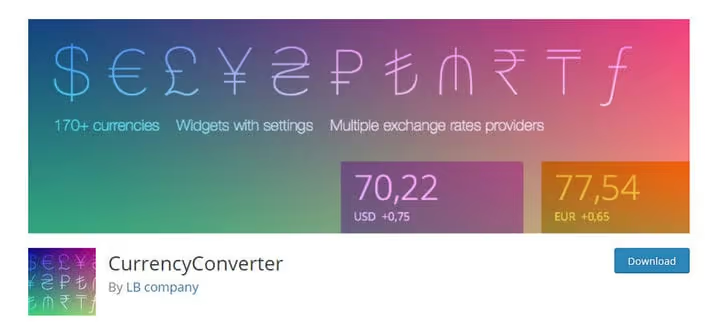
CurrencyConverter is a compact free plugin that gets data from exchangerate.guru and updates rates every hour. Supports more than 170 currencies and uses browser cache to avoid overloading the server with repeat requests.
Widgets are configured directly from the WordPress panel. The plugin was updated in May 2026 and continues to receive support.
- Pros: frequent rate updates (every hour), browser cache reduces load, simple installation.
- Cons: no WooCommerce support, single data source (exchangerate.guru), risk when service is unavailable.
- Price: Free.
- Download: 🔗 CurrencyConverter at WordPress.org
⁉🤔 Frequently asked questions
What is the difference between a currency converter and a currency switcher in WordPress?
A converter widget (Currency Converter Widget, CurrencyConverter) shows a reference rate: the visitor learns how much an amount costs in another currency, but site prices do not change. A currency switcher (WPCS, CURCY) recalculates WooCommerce prices into the selected currency directly in the catalog and in the buyer's cart.
Do I need a paid plugin if I have a small site?
For a content site or portfolio, free Currency Converter Widget or CurrencyConverter is enough. Paid solutions are justified for WooCommerce stores with wide sales geography: they provide geolocation, automatic price conversion, and multi-currency checkout, which free widgets do not have.
Which plugin to choose for a WooCommerce store in 2026?
For a free start with geolocation: CURCY will suit most stores. Need integration with WPML or Polylang and compatibility with cache plugins: look at WPCS. Need a proven switcher with geolocation and WPML compatibility at the free version level: look at FOX Currency Switcher.
How often are rates updated in these plugins?
CurrencyConverter updates data every hour from exchangerate.guru. Currency Converter Widget, Open Currency Converter, and Currency Converter Calculator pull rates from external APIs on schedule. CURCY updates rates in real time. Exact intervals depend on specific plugin settings.
Is it safe to use a free converter plugin from WordPress.org?
All free plugins in our list are hosted on WordPress.org, passed moderation, and were updated in 2025-2026. Open Currency Converter and CurrencyConverter work only with open rate APIs, do not collect user data. Before installation, check the last update date in the catalog and the number of active installations.
💎 Which currency converter plugin to choose: final breakdown
For most content sites without an online store, free widgets are suitable. Currency Converter Widget (updated in June 2026) or CurrencyConverter (rates every hour) install in a minute and require no setup.
If you have a WooCommerce store:
- If you need a free start with geolocation and automatic price conversion: take CURCY.
- If integration with WPML/Polylang and compatibility with cache plugins is important: take WPCS.
- If the site combines news content with stock market data and crypto: take Financial Pack Pro.
Start with the free Currency Converter Widget: installation takes a minute, and rates will already appear on the site. For a WooCommerce store, add CURCY with geolocation and automatic price conversion directly in the free version.

A professional team of writers and editors specializing in creating quality content.