













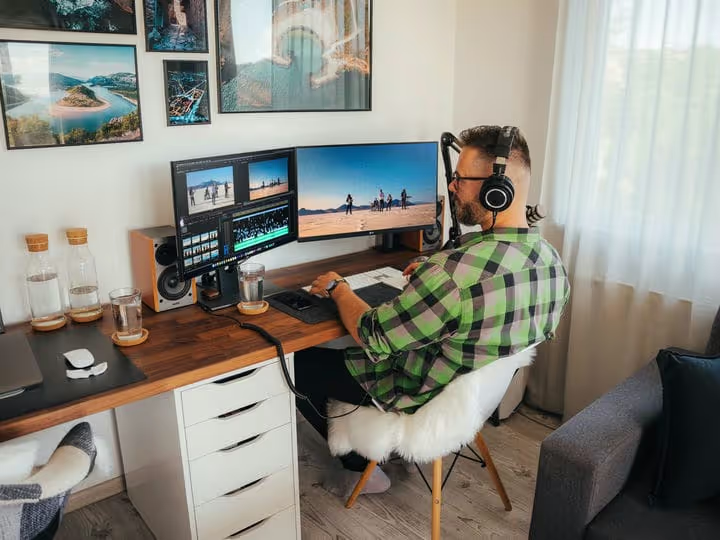
🔍 9 Best 4K monitors for gaming and work in 2026
A gaming monitor, a work tool, or a universal screen for everything at once, 4K has long ceased to be a luxury. Prices have dropped, but the choice, on the contrary, is confusing: dozens of models with similar specs but different picture quality.
We have gathered nine proven options: from budget 24-inch panels to curved 32-inch displays for design and gaming. Each one is actually available to buy in 2026, with no "discontinued" items or empty shelves. If you are looking at the compact 28-inch format, here is a handy selection of where to buy a 28-inch monitor with filters by price and panel type.
Now, without the fluff: what to get for gaming, what for editing, and what will settle the eternal "IPS vs VA" debate.
💡 Quick overview:
- Define your main task: gaming demands high refresh rates and low response times, color work requires sRGB accuracy and calibration, and a universal home screen needs a balance of price and size.
- Check the table below: it lists the top 5 models, broken down by scenario, price, and key feature.
- Choose a monitor for your scenario from nine detailed breakdowns, with pros, cons, and real numbers.
- At the end, a video review and answers to common questions about 4K: refresh rates, panel types, graphics cards.
Comparison table: top 5 at a glance
Model | For whom | Size | Price (approx.) | Key feature |
|---|---|---|---|---|
LG UK650-W | All-rounder | 27" | $350-400 | HDR10 + sRGB 99% |
Acer Nitro XV275K | Gamer | 27" | $500-600 | Mini LED + 160 Hz |
ViewSonic IPS 4K | Designer | 32" | $400-500 | sRGB 100% + factory calibration |
Samsung UR590C | Style and movies | 32" | $350-450 | Curved VA + 2500:1 contrast |
Philips 278E1A | Budget | 27" | $220-280 | IPS 4K for the price of an average QHD |
1. LG UK650-W, the best all-rounder

If you need one monitor for everything, gaming, movies, text work, and occasional photo editing, the UK650-W still holds the bar. 27 inches, IPS panel, true 3840×2160 resolution.
The picture is vibrant but not oversaturated. sRGB coverage is 99%, so even quick color correction can be done without the risk of getting "acid" tones on a client's monitor. HDR10 support is there, but without local dimming, so treat it as a nice bonus to brightness, not full-fledged HDR. In practice, in dark game scenes, blacks remain deep thanks to LG's proprietary processing, and you will not miss an enemy in the shadows.
- Pros: accurate color out of the box, minimal bezels on three sides, convenient joystick control, VESA 100×100 compatibility.
- Cons: stand only adjusts for tilt (no pivot to portrait), refresh rate limited to 60 Hz.
- Price: around $350-400.
- Download: none (hardware), see on LG UK650-W on the official website
2. LG 24UD58-B, compact 4K without overpaying
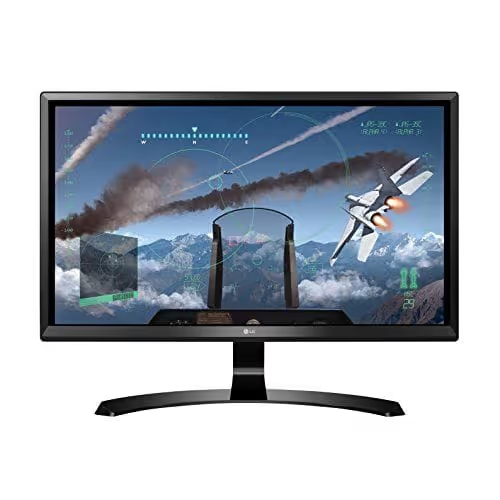
Not everyone needs a 32-inch screen. If your desk is small but you want 4K, the 24UD58-B fills the "affordable 4K in a compact body" niche. 24 inches at 3840×2160 gives a pixel density of about 185 ppi: text is as sharp as on a smartphone, and your eyes get less tired.
The monitor is based on the same platform as the larger UK650-W: factory presets ("FPS", "RTS", "Reading"), control via on-screen menu with a mouse, AMD FreeSync. Refresh rate is 60 Hz, response time 5 ms (GTG). A bit weak for esports, but sufficient for everything else. Amazon users particularly note the price-to-sharpness ratio: at the time of writing, this is one of the few 24-inch 4K monitors under $300.
- Pros: record pixel density (text sharpness), price under $300, FreeSync, On-Screen Control.
- Cons: 24 inches for 4K, interface scaling will need adjustment (Windows recommends 150-175%), TN panel instead of IPS (narrower viewing angles).
- Price: $250-300.
- Download: none (hardware), see on LG 24UD58-B on the official website
3. AOC CU32V3, curved 4K for immersion
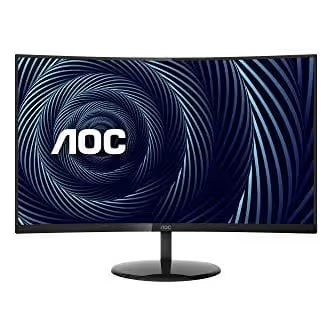
If you have never sat in front of a curved screen, the effect is hard to describe in words. The 32-inch VA panel from AOC with a 1500R curvature wraps around your field of view, and after half an hour, flat monitors start to seem "bulging outward."
Technically, honest 4K, 3000:1 contrast (deeper than most IPS), sRGB coverage around 120% and NTSC around 102%. For gaming, FreeSync and 4 ms response time. For work, Low Blue Light mode and FlickerFree (no PWM flicker). The claimed "flicker-free panel" is not marketing here: even after 4-5 hours your eyes don't fatigue the way they do on budget IPS panels with low-frequency PWM. The near-total absence of glare is a separate pleasure, the coating is matte.
- Pros: deep blacks (VA, 3000:1), FlickerFree + Low Blue actually work, reasonable price for a 32" 4K, curved screen adds immersion.
- Cons: stand with no height adjustment, 60 Hz refresh rate (not for esports players), VA panel response speed is lower than IPS.
- Price: $350-400.
- Download: no (hardware), see at AOC CU32V3 on the official site
4. Philips 278E1A, a budget 4K that doesn't look soft
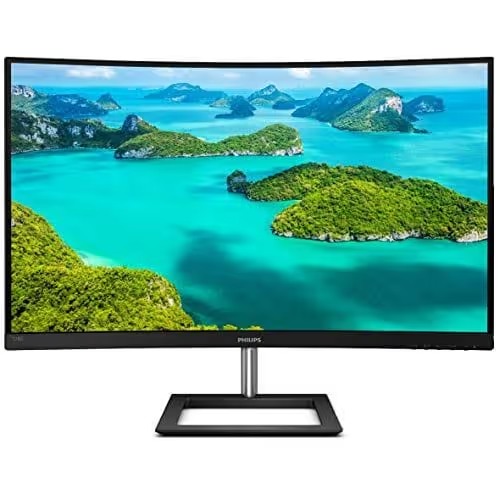
The most affordable 4K IPS in our roundup. Philips 278E1A, 27 inches, three-sided frameless body, honest 3840×2160 and FlickerFree technology.
The model's main advantage is price. For $220-280 you get an IPS panel, not TN: viewing angles are wide, colors don't invert when viewed from the side. For everyday work, watching movies and unhurried gaming, it's ideal. The 60 Hz refresh rate and 4 ms response don't set records, but for single-player RPGs or strategy games you won't notice any difference from pricier 60 Hz models. Low Blue Mode dampens the harmful blue spectrum, useful if you work in the evenings.
- Pros: IPS at budget TN prices, frameless design, FlickerFree + Low Blue, reasonable price.
- Cons: flimsy stand (tilt-only adjustment), 60 Hz refresh rate (not for competitive shooters).
- Price: $220-280.
- Download: no (hardware)
5. ViewSonic IPS 4K, a designer and editor's choice
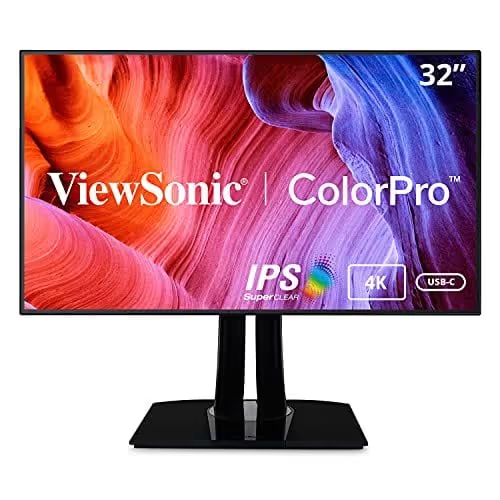
32 inches, 100% sRGB coverage and factory calibration with Delta E < 2 deviation, this ViewSonic is built for tasks where "sort of similar" color doesn't cut it. Photographers, video editors and UI designers will appreciate the out-of-the-box accurate color reproduction with no need to buy a colorimeter.
3840×2160 resolution at 32 inches gives a comfortable ~140 ppi density: you can place a timeline in a Full HD window and still see a preview in native 4K. The anti-glare coating is matte, the picture stays readable even under direct office lighting. The monitor isn't tuned for gaming (60 Hz, no FreeSync Premium), but handles single-player titles decently.
- Pros: factory calibrated (ΔE < 2), 100% sRGB, matte coating, 32 inches, comfortable scaling without fractional zoom.
- Cons: no wide DCI-P3 gamut (not enough for the film industry), 60 Hz refresh rate without VRR.
- Price: $400-500.
- Download: n/a (hardware), see on the official ViewSonic website
6. Samsung UR590C, curved style with 2500:1 contrast
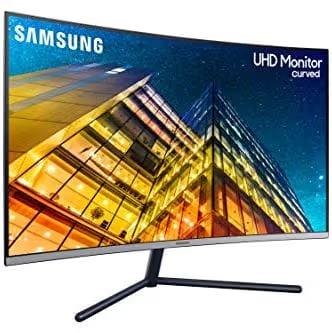
Samsung squeezed the maximum out of the VA panel in this model: static contrast of 2500:1, nearly double that of a typical IPS. Blacks are truly black, not gray, which is especially noticeable in movies and dark game scenes. The 1500R curve on a 32-inch screen enhances the immersion effect.
The UR590C supports one billion colors (10-bit via FRC) and a proprietary Game Mode that automatically adjusts contrast and saturation to match the genre: in shooters shadows become lighter, in RPGs, deeper. For office work, Picture-by-Picture (PBP) lets you display two sources simultaneously. Refresh rate is 60 Hz, response time 4 ms (GTG). The stand, Samsung's strict flat style with a U-shaped foot, takes up little desk space.
- Pros: VA contrast 2500:1, 10-bit (1 billion colors), Game Mode with genre adaptation, PBP for two sources.
- Cons: no height adjustment (tilt only), 1500R curvature can interfere when working with straight lines (designers beware).
- Price: $350-450.
- Download: none (hardware), view on Samsung UR590C on the official site
7. Philips 328E1CA, 32 inches, curved and priced lower than expected

The Philips 328E1CA is a rare case where 32 inches, 4K, and a curved panel fit into the budget category. The VA panel delivers deep blacks and a wide color gamut (Ultra Wide-Color), claimed by the manufacturer as 120% sRGB and 102% NTSC.
The monitor supports Adaptive-Sync (compatible with FreeSync) and runs at 60 Hz. It is not intended for competitive gaming, but for RPGs, strategies, and everyday work, it is a comfortable and affordable "curved 4K" option. Tom's Hardware in their review noted the excellent feature-to-price ratio and called the model "hard to overlook with this feature set." Among the nuances: the stand adjusts only for tilt, and the 250 cd/m² brightness falls short of more expensive competitors.
- Pros: 32" 4K curved for reasonable money, VA with good color reproduction, Adaptive-Sync, matte coating.
- Cons: 250 cd/m² brightness, a bit low for a sunny room, stand without height or swivel, 60 Hz.
- Price: $300-380.
- Download: none (hardware), view on Philips 328E1CA on the official site
8. Acer Nitro XV275K, 4K with Mini LED and 160 Hz for gamers

If your graphics card can handle 4K but your monitor can't, top-tier hardware doesn't make much sense. The Acer Nitro XV275K closes that gap: 27 inches, 3840×2160, Mini LED backlight with 384 local dimming zones, and a true 160 Hz via DisplayPort.
Unlike previous Nitro XV2 series models (which were WQHD, not 4K), the XV275K is native 4K with HDMI 2.1 and a 1 ms response time (VRB). FreeSync Premium Pro works without flicker or tearing. According to RTINGS.com tests, peak HDR brightness reaches 600+ cd/m², which is an excellent result for a Mini LED monitor. USB-C with DisplayPort Alt Mode lets you connect a laptop with a single cable and get charging at the same time.
- Pros: Mini LED with local dimming (HDR that's not just a checkbox feature), 160 Hz + 1 ms, HDMI 2.1, USB-C with charging, FreeSync Premium Pro.
- Cons: above-average price, bulky stand (roughly 30 cm deep), Mini LED backlight fan is audible in a quiet room.
- Price: $500-600.
- Download: none (hardware), view on Acer Nitro XV275K on RTINGS.com
9. BenQ EL2870U, eye care without compromising picture quality
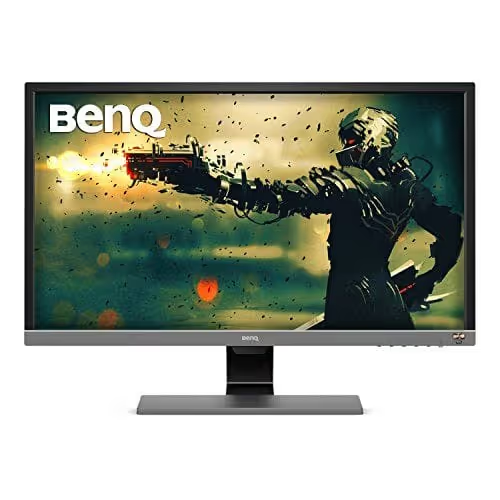
If you spend 8-10 hours in front of a screen, eye-care technologies stop being an "option" and become a necessity. BenQ EL2870U, 28 inches, 4K TN panel with proprietary Brightness Intelligence Plus (adaptive brightness based on room lighting) and Low Blue Light Plus (blue light filtering without noticeable yellowing of the picture).
A TN panel means narrow viewing angles, that's a fact. But it also delivers a 1 ms response time (GTG), which is critical for fast-paced games. AMD FreeSync smooths out frame tearing. Resolution 3840×2160, 60 Hz refresh rate. BenQ positions this model as an "eye-care monitor"; Brightness Intelligence automatically adjusts brightness based on ambient light, like a smartphone, and this genuinely reduces fatigue by evening.
- Pros: Brightness Intelligence Plus (auto brightness), Low Blue Light Plus without yellowing, 1 ms response, affordable price for 4K.
- Cons: TN panel (narrow viewing angles, colors shift when viewed from above or below), 60 Hz refresh rate without Game Mode, stand offers tilt only.
- Price: $250-320.
- Download: none (hardware), view on BenQ EL2870U on the official website
Watch the video review above; it covers the same selection criteria (color, refresh rate, screen size) as our roundup, but in live footage the difference between IPS, VA, and TN becomes obvious in seconds. The creator goes through five models and honestly shows viewing angles in daylight, which is useful if you're deciding between panel types.
⁉️🤔 Frequently asked questions
Do you need a powerful graphics card for a 4K monitor?
It depends on the task. For desktop use, browsing, and office applications, integrated Intel Iris Xe or AMD Radeon Graphics with DisplayPort 1.4 support is enough; they output 4K at 60 Hz without issues. For gaming in 4K at medium-to-high settings, you need a card at the level of an RTX 4070 / RX 7800 XT or higher. If your graphics card is weaker, the monitor will still work in 4K; you'll just need to boost frame rates in games via DLSS/FSR or lower the settings.
What's the difference between 4K UHD and DCI 4K?
4K UHD (3840×2160) is the consumer standard for monitors and TVs, with a 16:9 aspect ratio. DCI 4K (4096×2160) is the cinema standard, 17:9. All monitors in this roundup use UHD. The difference for the user is minimal: DCI content, when scaled to UHD, is cropped on the sides or displayed with thin bars. For gaming and working with video in YouTube/UHD format, there is no difference.
60 Hz or 120+ Hz: which to choose for a non-gamer?
For working with text, code, and spreadsheets, 60 Hz is sufficient; cursor smoothness won't change. You'll notice the difference when scrolling pages and moving windows: at 120+ Hz, they move noticeably smoother. If your budget allows, go for 120+ Hz (like the Acer Nitro XV275K in the roundup); subjectively, your eyes get less tired. But if the choice is between 4K/60 Hz and QHD/144 Hz, for a non-gamer, 4K/60 Hz wins on text clarity.
TN, IPS, or VA: which panel type is best for 4K?
In short: IPS offers the best balance of color and viewing angles (LG UK650-W, ViewSonic). VA delivers deep blacks and contrast for movies and dark games (Samsung UR590C, AOC CU32V3), but viewing angles are slightly narrower than IPS and response time is higher. TN provides ultra-fast response for esports, but viewing angles are narrow and colors "shift" when viewed off-center (BenQ EL2870U). For most users, IPS is the optimal compromise.
Should you buy a curved 4K monitor for working with spreadsheets and code?
Curved panels (1500R-1800R) reduce geometric distortion at the edges of the screen and lessen eye strain when focusing on the center, which is a plus. But for layout, drafting, and working with straight lines, the curvature introduces an optical illusion of a "drooping" horizon; designers are better off with a flat IPS. For code and spreadsheets, it's a matter of taste: half our team writes code on curved monitors, the other half considers that heresy.
What to get for your use case: the final breakdown
If after nine breakdowns the choice still isn't obvious, here's a simple algorithm. You game and want a smooth picture with high FPS, Acer Nitro XV275K (Mini LED, 160 Hz). You work with color professionally, ViewSonic IPS 4K (ΔE < 2, 100% sRGB). You need a universal screen without overpaying, LG UK650-W. Budget is tight, Philips 278E1A at $220. You want curved and affordable, Philips 328E1CA. You spend 10+ hours in front of the monitor, BenQ EL2870U with auto brightness.
Buy for the task, not "the best overall." A 4K monitor bought for someone else's scenario disappoints faster than a 1080p chosen deliberately.

A professional team of writers and editors specializing in creating quality content.