













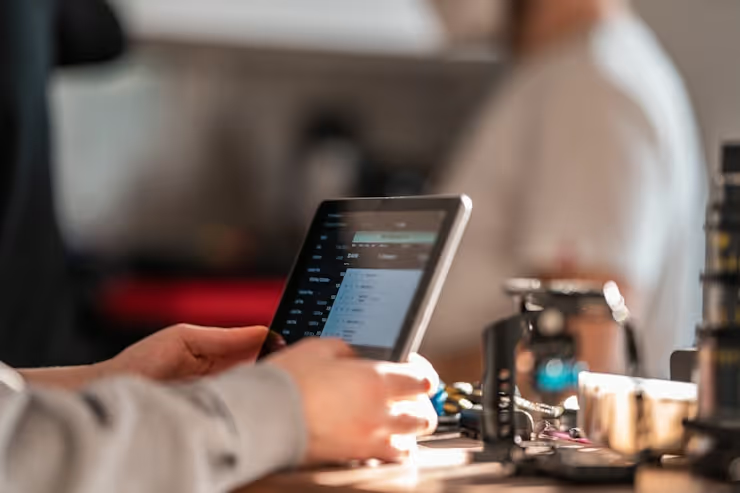
🎨 How to choose a tablet: tips for a conscious device selection
Bought a tablet, and a month later it's gathering dust. Sound familiar? Most of the time the problem isn't the device, it's that you chose it based on specs rather than your actual needs.
A good tablet is one that covers a specific need: reading, working with documents, watching movies on the go, or graphics with a stylus. There is no universal "best", only the one that's right for you. Below is a step-by-step breakdown of specs without the marketing fluff: what to look for in a store, and what's not worth the extra money. Once you've nailed down your criteria, check out current models in the catalog.
💡 Quick overview:
- Define your primary task: reading, multimedia, work, or gaming, everything else depends on this.
- Choose the panel type: IPS for most tasks, AMOLED for movies and graphics, TN only on a very tight budget.
- Evaluate the processor and memory: Snapdragon and Apple Ax for any task, MediaTek for basic scenarios. Minimum 4 GB RAM for Android, 8 GB and up for work and gaming.
- Check battery life: a 7000 mAh battery or larger and Power Delivery fast charging are the essential minimum for mobile use.
- Don't overpay for a 48 MP camera on a tablet: a 720p front camera is enough for video calls, and a smartphone is more convenient for photography in any case.
Usage scenarios: from reading to design
The first question to ask yourself before buying isn't "how many gigabytes," but "what will I be doing with the tablet day in and day out." The answer will determine the screen size, the internals, and the budget.
For reading, compact models with a 7-8 inch screen and minimal weight work well. There are no processor requirements, even a budget MediaTek will do. Do pay attention to the panel, though: an IPS display with Low Blue Light technology reduces eye strain during long reading sessions. 32 GB of built-in storage is enough, books and articles don't take up much space.
For multimedia, the screen and sound are more important. Look for an IPS or AMOLED panel with Full HD resolution and a diagonal of 10 inches or more. Stereo speakers are a must, a single speaker on the edge will ruin the experience of any movie. The processor should be at least a mid-range Snapdragon 6xx or Kirin so the interface doesn't stutter when you scrub through video. The battery should be 7000 mAh or larger: an hour of Full HD video eats up a noticeable chunk of charge on a typical device.
For work, the requirements are stricter. If you plan to edit documents and work with several apps simultaneously, look at models with 8 GB of RAM or more, support for a physical or Bluetooth keyboard, and a USB-C port with DisplayPort. The processor should be a Snapdragon 8xx, Apple M-series, or Intel Core for Windows tablets. For video calls, a 720p-1080p front camera and a decent microphone are enough, a parameter that budget models often skimp on, and that's a mistake.
For gaming, a screen refresh rate of 90 Hz or higher, a flagship-level processor, and 8 GB of RAM or more are critical. Battery capacity should be no less than 8000 mAh: games drain the battery 2-3 times faster than video. Check tests of the specific model for throttling, the performance drop under heat: budget tablets with a powerful processor often suffer from this.
Specialized tasks require specific features: a stylus with pressure and tilt sensitivity for artists, DCI-P3 color gamut for designers, a quality DAC for musicians. Don't buy a "universal" tablet for a narrow task, you'll be disappointed within a week.
Display: what to look at besides inches
The screen is what you interact with every second. Skimping on the panel gives you a dim picture and color washout at an angle.
Panel type
TN (TFT, LCD), the budget option. The price is low, but viewing angles are poor: tilt the tablet and the picture distorts. It'll do for reading, but not for movies.
IPS, the market standard. Accurate colors, wide viewing angles, sufficient brightness for indoor use. Covers most tasks without overpaying.
AMOLED (Super AMOLED), the premium segment. Deep blacks, essentially infinite contrast, energy efficiency with dark themes. The extra cost is justified for movies and color work. The downside is the risk of pixel burn-in with a static image after 2-3 years of intensive use.
Resolution and pixel density
Pixel density (PPI) determines sharpness: at the same resolution, the picture is sharper on an 8-inch screen than on an 11-inch one. Full HD at 10 inches gives you roughly 220 PPI, which is sufficient. Chasing 4K on a tablet makes no sense: at arm's length, the difference from Full HD is almost indistinguishable, and a 4K screen drains the battery noticeably faster.
Hardware: processor and memory without the marketing
A tablet's performance comes down to three things: the processor, the RAM, and OS optimization. The rest is just numbers on the box.
Processors, in brief
Lineup | Tier | Suitable tasks | Model examples |
|---|---|---|---|
MediaTek | Budget | Reading, YouTube, browser | Redmi Pad SE |
Unisoc | Budget | Basic multimedia | Kids' tablets |
Kirin | Mid-range | Multimedia, office apps | Huawei MatePad |
Snapdragon 6xx-7xx | Mid-range | Work, multitasking | Lenovo Tab P11 |
Snapdragon 8xx | Flagship | Gaming, graphics, pro work | Xiaomi Pad 6 |
Apple Ax / Mx | Premium | Any task, creative apps | iPad Air, iPad Pro |
Intel Core | Windows | Office, specialized software | Microsoft Surface |
MediaTek and Unisoc cover basic scenarios. Kirin is a solid mid-ranger, but new models come out less frequently. Snapdragon 8xx and Apple Mx are no-compromise options, but the price matches. For a work tablet, a mid-range Snapdragon is optimal: you don't overpay for a flagship, but you also don't suffer from interface lag.
RAM
- 3-4 GB, the minimum for Android. A browser with a couple of tabs works, but background apps are killed aggressively.
- 6-8 GB, the comfortable standard. Holds 5-7 apps in memory, tabs don't reload when you switch.
- 8+ GB, professional level. Video editing, graphics, heavy games.
For Windows tablets, the rule is stricter: 4 GB is the absolute minimum, normal work requires 8 GB or more.
Battery life: the numbers that matter
A tablet without a power outlet is like a smartphone with a dead battery: nice-looking, but useless. Don't just evaluate milliamp-hours.
Capacity. For multimedia and gaming, 7000 mAh or larger. For document work and reading, 5000 mAh or larger, but only with an energy-efficient processor.
Processor energy efficiency is often more important than raw capacity. Snapdragon and Apple Ax consume less power than MediaTek under the same load. An AMOLED screen with a dark theme saves noticeably more energy compared to IPS.
Fast charging. Power Delivery (PD) via USB-C is the industry standard. The tablet charges to half in half an hour. Check that both the tablet and the included adapter support PD: sometimes the manufacturer includes a regular charger.
 AIIllustrative image: AI-generated
Android, iOS, or Windows: what fits your tasks
The choice of OS determines the available apps, work patterns, and device lifespan.
Android, the widest coverage in price and models. An open file system, customization, thousands of devices from $100 to $1000. The downsides: fragmentation (updates on non-Google devices are delayed) and apps for the large screen, many of which still scale like phone apps. Suits those who value flexibility and variety.
iPadOS, optimization and ecosystem. Apps for iPad are well-adapted, updates arrive day-and-date, and the support window is 5-7 years. The downsides: a closed file system, customization limits, a higher entry price. Suits those who need a predictable tool.
Windows, full desktop software and peripherals. Excel, industry-specific programs run just like on a laptop. The downsides: the interface isn't designed for finger use without a keyboard and mouse, battery life is lower than Android/iPadOS counterparts, and the selection of energy-efficient models is narrow. A niche option: a laptop replacement in a compact body.
Specs that affect the experience
Camera. A front-facing 720p-1080p camera with autofocus is all you need for video calls. The rear camera is useful for scanning documents, but taking photos with a tablet is physically awkward. Don't overpay for 48 MP on the back, that's marketing.
Built-in storage. The minimum is 64 GB. For gaming and work, 128 GB and up. A microSD slot compensates for a lack of space for media files, but not all apps can be moved to the card. Before buying, check the maximum supported card capacity: budget models sometimes have a 128 GB limit.
Ports and connectivity. USB-C is mandatory: charging, peripherals, an external monitor through a single port. Wi-Fi 5 is the minimum, Wi-Fi 6 is desirable. 4G/5G is only needed if you require internet on the go without tethering to your phone. Bluetooth 5.0+ for keyboards and headphones.
Stylus. If you need one, check for hardware-level support. Samsung S Pen, Apple Pencil, Xiaomi Smart Pen, each has its own protocol, a stylus from one brand won't work with another.
 AIIllustrative image: AI-generated
Comparison table: reference models
Prices are approximate, check the seller's website for current values.
Model | Task | Screen | RAM | OS |
|---|---|---|---|---|
Xiaomi Redmi Pad SE | Reading, multimedia | 11" IPS, 90 Hz | 4-6 GB | Android |
Lenovo Tab P11 | Work, office | 11.5" IPS, 120 Hz | 6-8 GB | Android |
Samsung Galaxy Tab A | Multimedia | 10.5" IPS | 4 GB | Android |
Xiaomi Pad 6 | Gaming, all-rounder | 11" IPS, 144 Hz | 8 GB | Android |
Xiaomi Pad 6S Pro | Design, graphics | 12.4" IPS, 144 Hz | 8-12 GB | Android |
Video: how to choose a tablet for your needs
A short breakdown of selection criteria with examples of specific models, will help reinforce what you've read visually.
⁉️🤔 Frequent questions
Which tablet is suitable for studying?
For studying, look at models with a screen of 10 inches or more and stylus or keyboard support: taking lecture notes and working with PDFs on an 8-inch screen is a pain. As reference points: Lenovo Tab P11 with a keyboard included, or the 10th-generation iPad with Apple Pencil if the budget allows.
Can a tablet be used as a phone?
Yes, models with a SIM slot and LTE/5G support can receive calls and SMS. But holding an 11-inch device to your ear is awkward, use a headset or speakerphone.
iOS or Android, which to choose?
iOS if stability, long update support, and working within the Apple ecosystem are important to you. Android if you value flexibility, the price range, and the choice of models. For office work with corporate software, Windows.
How much RAM does a tablet need?
4 GB is the minimum (browser, messengers, YouTube). 6-8 GB is the comfortable standard for multitasking. 8 GB and up for gaming and graphics. Windows tablets need 8 GB or more.
What screen size is optimal?
7-8 inches for reading and portability. 10-11 inches, the universal size for home and work. 12+ inches, a laptop replacement, but the weight and dimensions become noticeable.
Is 5G necessary in a tablet?
If you work on the go with cloud services, 5G will give you a speed buffer. For home and office use with Wi-Fi, a cellular module isn't needed, don't overpay.
What's more important: the processor or the memory?
Both affect different things. The processor affects app launch speed and interface smoothness. Memory affects the number of simultaneously open apps without reloading. In a typical scenario, the bottleneck is actually the memory.
How to choose a tablet for drawing?
The key parameter is an active stylus with pressure sensitivity of several thousand levels. The screen should be IPS or AMOLED with full sRGB coverage or better. From Android with a good stylus, the Samsung Galaxy Tab S-series, from iPad, models with Apple Pencil 2nd-generation support.
Which tablet to get for your task
Choosing a tablet isn't a race for gigahertz, it's about being realistic about matching scenarios to your budget.
- If you want to read and watch YouTube, get an 8-10 inch tablet with IPS and a battery of 6000 mAh or larger. The Xiaomi Redmi Pad SE or similar will cover the task without overpaying.
- If you want to work with documents, a model with 11+ inches, 8 GB RAM, and keyboard support. The Lenovo Tab P11 or an iPad with Magic Keyboard, two ends of the budget spectrum.
- If you want to game, Snapdragon 8xx or Apple Mx, 8+ GB RAM, a 120+ Hz screen, a battery of 8000 mAh or larger. The Xiaomi Pad 6 is a solid Android option.
- If you want to draw and work with graphics, an iPad with Apple Pencil (unmatched in stylus responsiveness) or a Samsung Galaxy Tab S with S Pen as the Android alternative.
Update the OS and apps promptly: even three-year-old flagship hardware lags on old firmware. And don't chase the "newest model," last year's flagship is often a better deal than a fresh mid-ranger.
Check current prices and availability in the catalog: https://allo.ua/ru/rivne/products/internet-planshety/.

A professional team of writers and editors specializing in creating quality content.